1
Introduction
The TLSR8 series (including B85, B87, B80) from TaiLing does not support hardware floating point operations. In practical applications, we often encounter customer feedback requesting the use of floating point and 64-bit data for multiplication and division operations. A software floating point library can be added to achieve this.
After consulting with the developers of the Sig mesh, I have compiled and organized the specific methods used for user reference.
2
Sig Mesh SDK
The Sig mesh SDK already supports floating point and 64-bit multiplication and division operations by default, requiring no additional actions. This article also organizes how to port the implementation methods from the Sig mesh SDK to other SDKs.
The three files needed (libsoft-tp.a, tc32.c, and tc32.h) can be downloaded from this link.
Link: https://pan.baidu.com/s/152gZlqPWBmFFlJOZ8y5xUg?pwd=hwss Extraction code: hwss
3
Single and Multi-Connection SDK for B85/B87
(1) Adding Floating Point Library
Place the downloaded “libsoft-tp.a” floating point library in the SDK’s /prolib folder, and add the include as shown in the image below to support floating point numbers.
Note the description in the image; when adding the floating point library, only input “soft-fp”.
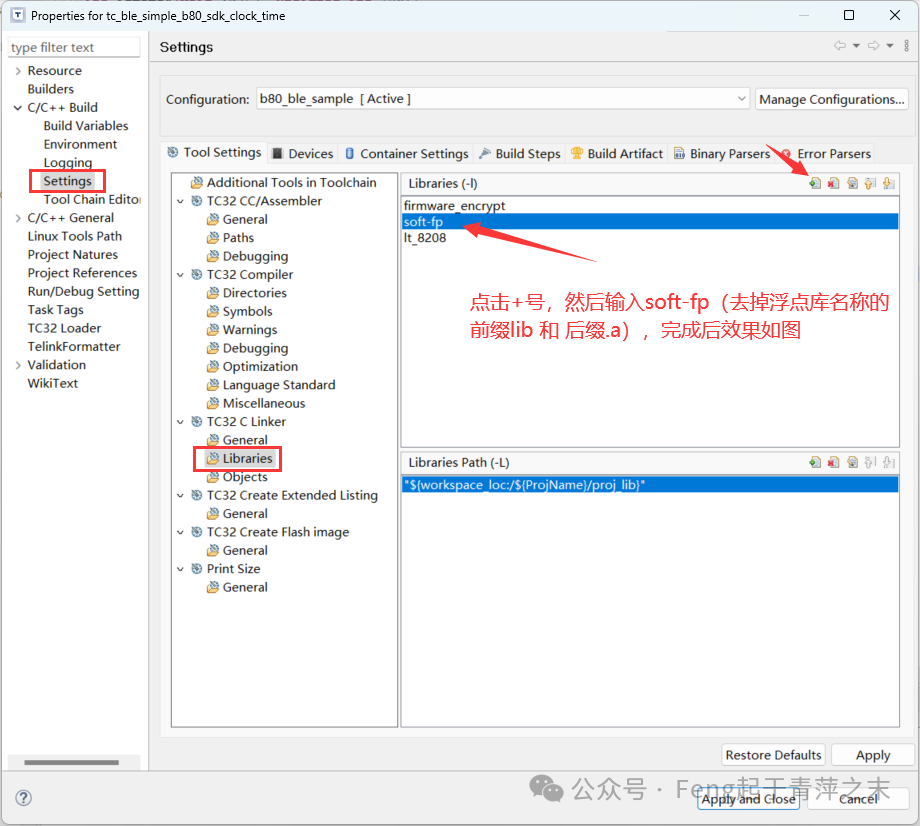
(2) Supporting 64-bit Multiplication and Division.
Add the previously downloaded tc32.c and tc32.h files to the project. Taking the BLE sample as an example, place the two files in the vendor/ble_sample folder, then compile the project to refresh it. Alternatively, right-click the project –> Refresh (F5) to refresh it.
In the file where 64-bit multiplication and division are needed, include the tc32.h file. This article includes a test case that defines three global variables, as shown in the image below.
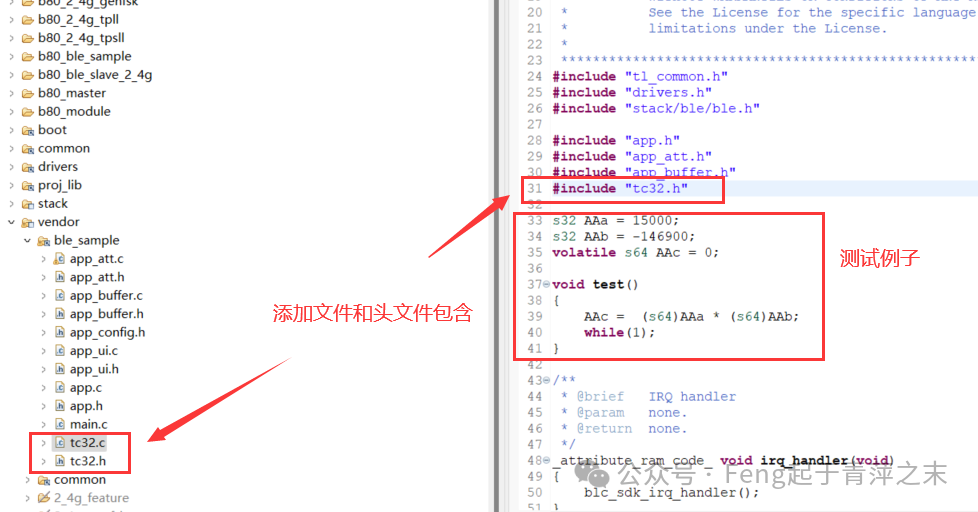
(3) Test Results.
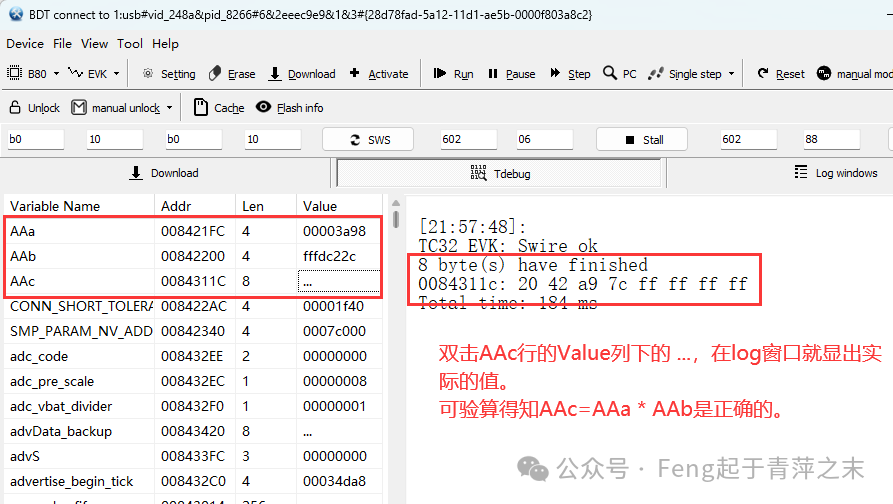
The added test example uses three global variables, which also facilitates using the BDT software to directly view the global variables to verify the test results. Note: Since the test code directly uses while(1), the code will not enter low power mode, and the SWS can be accessed, allowing BDT to read the global variables directly.
As shown in the image below, the value of AAa is 0x3a98 = 15000 (decimal); AAb = 0xDC22C = -146900 (displayed in decimal two’s complement), and the calculated result AAc = -2,203,500,000 = 0xff7ca94220 (displayed in two’s complement).
4
Single Connection SDK for B80
In the single connection for B80, the steps are the same as those for B85 and B87. An additional step is required.
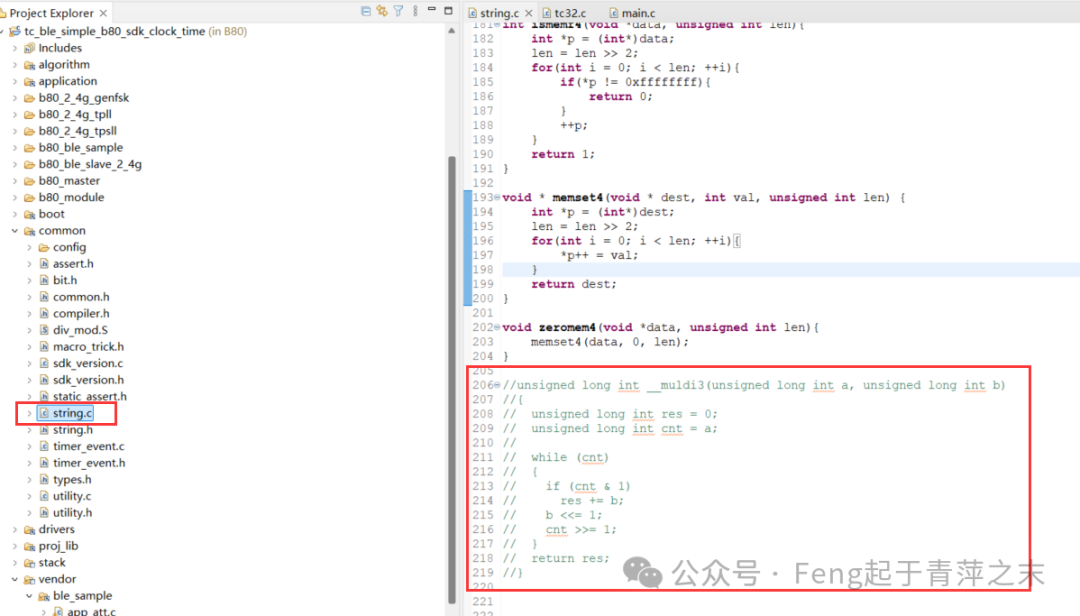
(1) In the common/string.c file, comment out the __muldi3 function, otherwise it will conflict with the definition in the tc32.c file.
If this article has been helpful to you, please support us more!!
For more articles on TaiLing Micro Bluetooth technology, please follow this public account!!!