🚗The Great Communication Protocol Battle: Why Do Some Chips Use UART, Others Use SPI, and Some Prefer I2C? The Truth is More Complex Than You Think!🎯
🎓 Keywords: UART, SPI, I2C, chip communication, hardware design🧑🔧 Target Audience: Electronics beginners, communication novices, embedded developers
🚀 Opening Statement: It’s not the chips choosing the protocol, it’s the “application scenario” that dictates the protocol!
You may have encountered this situation while working on a project:
- A certain temperature sensor requires I2C
- A specific external Flash module uses SPI
- Communication with a Bluetooth module is done via UART
Before you know it, all three communication ports on the MCU are in use! You can’t help but ponder:
“What’s going on here? Why can’t we standardize? Wouldn’t it be better to just use SPI?”
The answer is actually quite simple:
These protocols are not competing for attention; they are specialized for different tasks.
🔍 Introducing the Three Brothers: UART, SPI, I2C
Let’s start with a concept checklist 👇 (make sure not to skip this; these are your “calm judgment guidelines” for project selection)
| Protocol | Number of Wires | Speed Level | Master-Slave Structure | Supports Multiple Devices | Implementation Difficulty | Common Applications |
|---|---|---|---|---|---|---|
| UART | 2 wires | Medium to low speed | Point-to-point | ❌ | Low | Module communication, log output |
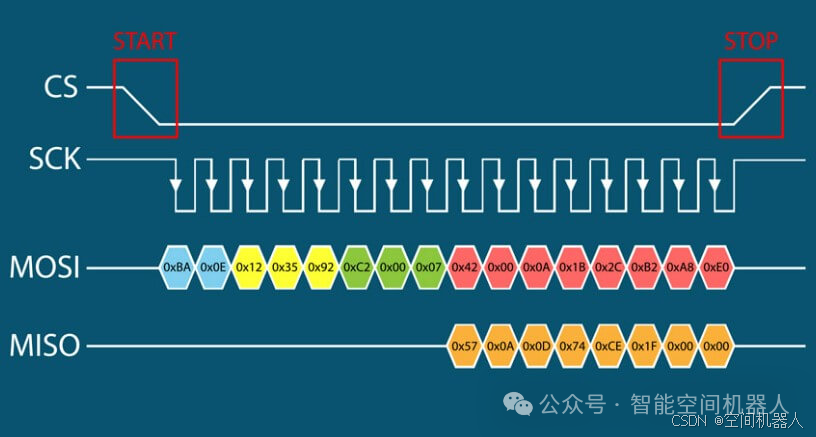
| SPI | ≥4 wires | High speed | Master-slave | ✅ (but requires more pins) | Medium | Flash, screens, ADC |
| I2C | 2 wires | Medium speed | Master-slave | ✅ (address differentiation) | High | Sensors, small peripherals |
🎯 So why do “different chips” use “different protocols”? The core lies in the following three dimensions:
✅1. Cost vs. Pin Count Balancing Act
If you’re designing a super compact board (like a smartwatch), every inch of space is precious, so do you really want to use four SPI lines? That’s too extravagant!
📌 Example:
- Common temperature and humidity sensors (like SHT3x) use I2C because it only requires two wires and can connect multiple devices, saving space and pins.
🎯 My Opinion:
If you have many peripheral devices around your chip and want to save pins, I2C is your representative of “pin economics”!
✅2. Communication Speed Differences — Who is Fast, Who is Slow, and Who Can Handle Heavy Loads?
Simply put,some protocols are as slow as a tortoise, while others can transfer data millions of times at high speed.
📌 Example:
- If you need to communicate with NOR Flash (like W25Q64), where data can reach dozens of MB, you must use SPI because it can easily run at 10MHz or even higher;
- UART typically has a baud rate of 9600 to 115200, which is slow and elegant but not suitable for transferring large files.
🎯 My Opinion:
For “high-speed data transfer,” choose SPI; for “slow chatting,” use UART; for “medium-speed tasks,” rely on I2C.
✅3. The Device Ecosystem Forces You to Choose a Protocol
You want to use a chip, but it only supports a certain protocol, leaving you no choice!
📌 Example:
- Bluetooth modules (like HC-05) 👉 only support UART
- OLED displays (like SSD1306) 👉 either I2C or SPI as options
- Some MEMS gyroscopes 👉 officially recommend using I2C and only provide address mapping
🎯 My Opinion:
Chip manufacturers are reluctant to provide multiple options; you have to use whatever they choose.
🔥 Practical Illustration of Protocol “Division of Labor” in Real Projects
When you create an MCU control system, such as a smart car, wearable device, or home controller:
MCU Main Control
 ├─ SPI Bus —— Connect Flash, Screen
 ├─ I2C Bus —— Connect Temperature Sensor, RTC
 └─ UART —— Connect Bluetooth/Wi-Fi Module
Each line is just right, not wasting resources, and each has its own role. This is the “art of protocol selection”!
💥 Deepening Memory with Analogies: What are the “Personalities” of the Three Protocols?
| Protocol | Personality Analogy | Characteristics |
|---|---|---|
| UART | Making a phone call | One-to-one, point-to-point, taking turns to speak and listen |
| SPI | High-speed dedicated line courier | Fast, direct, monopolizes the line, but requires more wires |
| I2C | Group chat administrator + nickname | One master, multiple slaves, calls out by address, occasionally fights for the floor |
🧠 Conclusion: It’s not about which protocol is superior, but rather what the scenario dictates!
| Application Scenario | Recommended Protocol | Reason |
|---|---|---|
| Sensors/Simple Peripherals | I2C | Multiple devices with fewer pins, suitable for master-slave structures |
| Large Capacity Storage/High Refresh Rate Screens | SPI | High speed and stability, transmitting large amounts of data without frame loss |
| Module Communication/Debugging Port | UART | Simple point-to-point, suitable for asynchronous modules and peripheral communication |