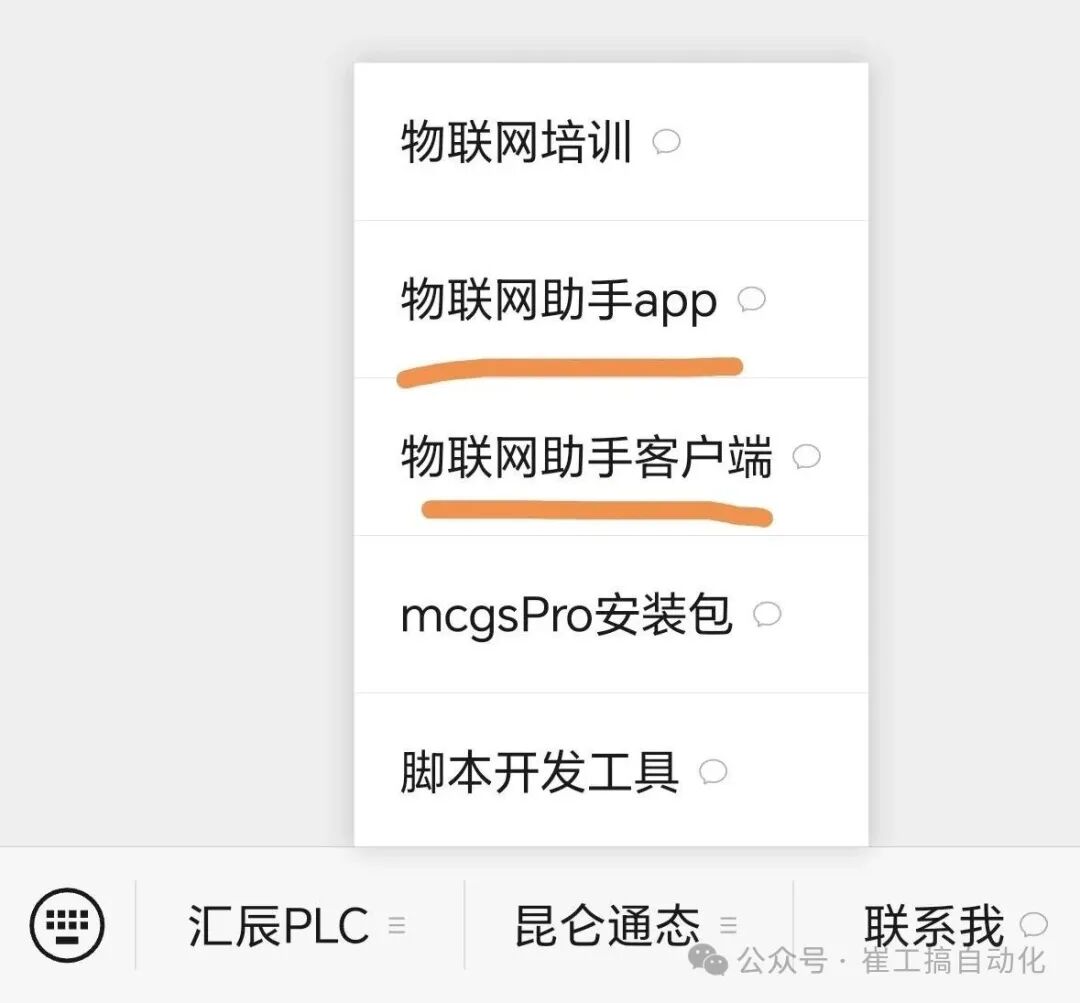
The Kunlun Tongtai touch screen is widely used in the market due to its high cost-performance ratio, powerful scripting language, rich channels, and flexible development methods. Today, we will share how to remotely upgrade the touch screen program and PLC program using the Kunlun Tongtai IoT series touch screens.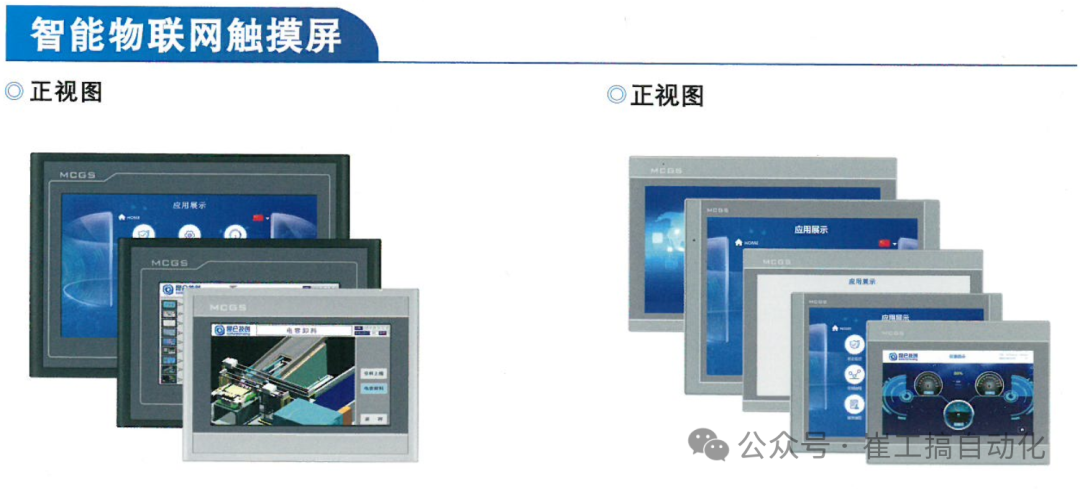 Step 1: Download and install the IoT Assistant Follow the official account, and in the Kunlun Tongtai menu, you can choose to download the software for mobile and computer.
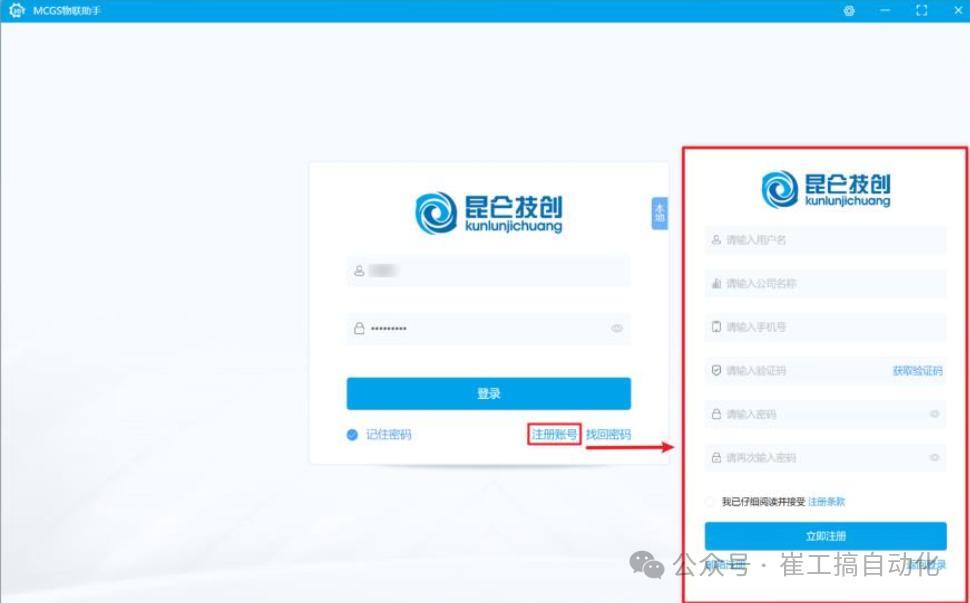
 Register an account on the computer:
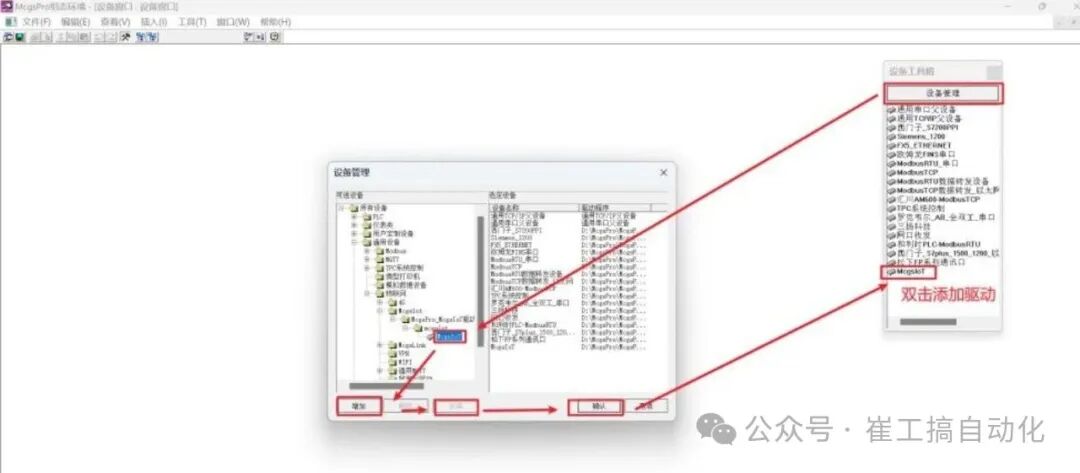
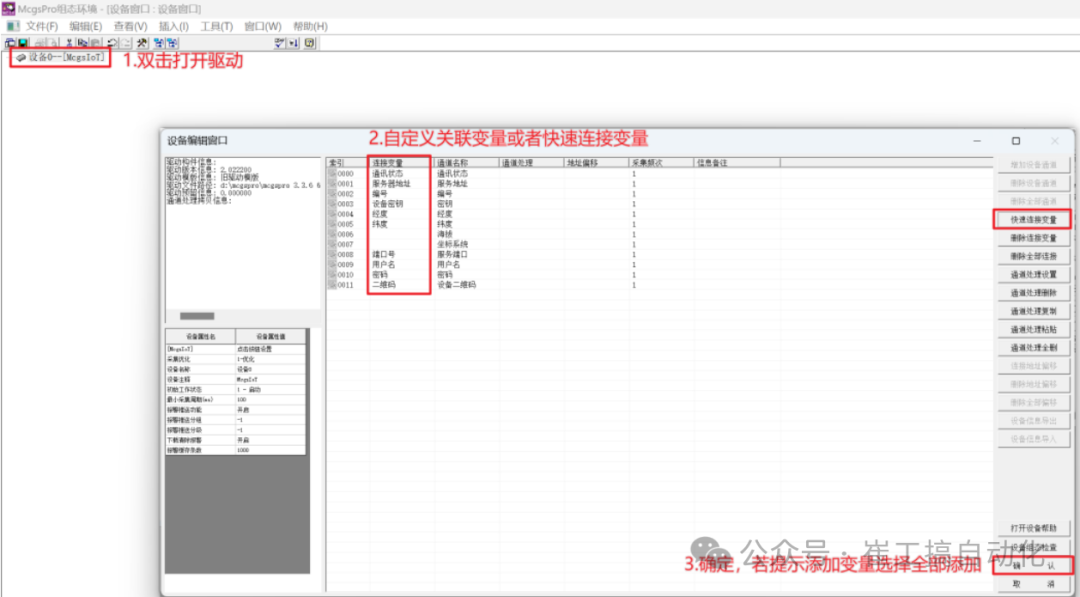
 Step 2: Add IoT functionality to the touch screenAdd the McgsIot driver to the project
 Variable association of IoT information
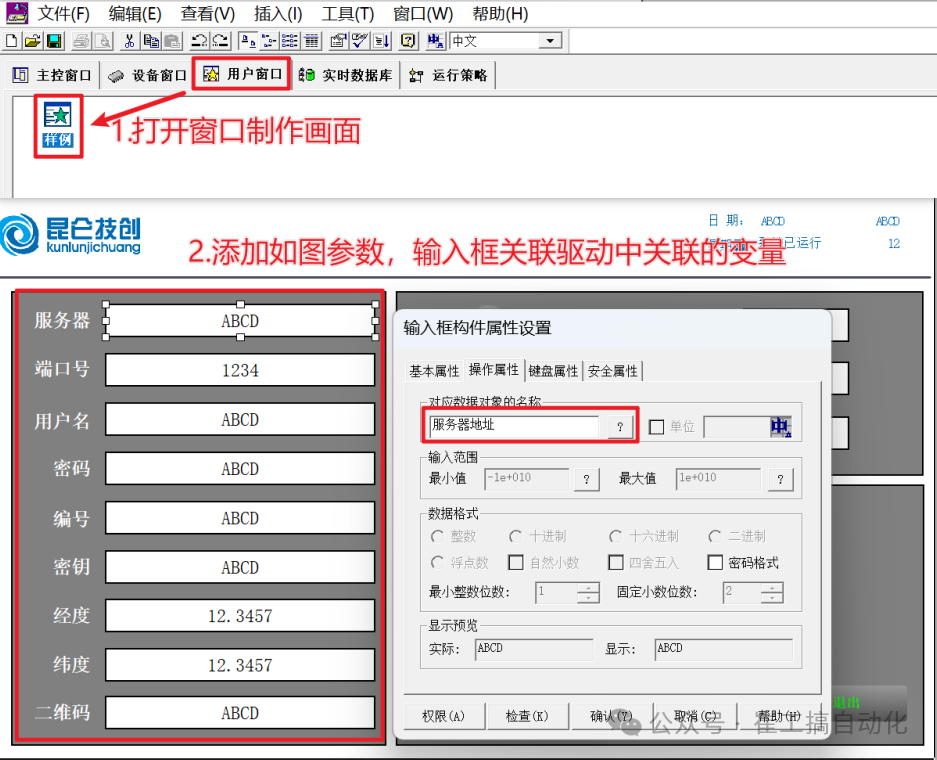
 Creating IoT screens for the touch screen
 Initializing IoT information
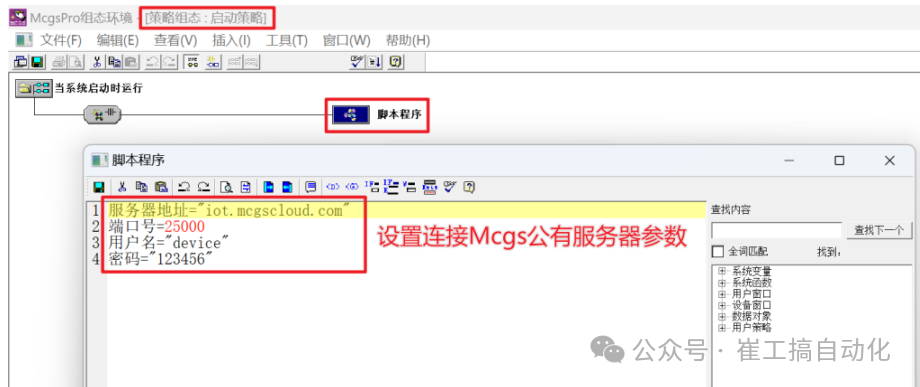 Note: The four pieces of information in the image must be entered as shown above; otherwise, the touch screen will not connect to the server.Initialization information can be configured in three places; any one of them can be used for configuration.
- Strategy: Write the code information shown in the image in the strategy script program;
- Window: Write the code information shown in the image in the startup script of the window;
- System configuration page: Manually enter the information shown in the image after booting;
Step 3: Bind the device to the IoT account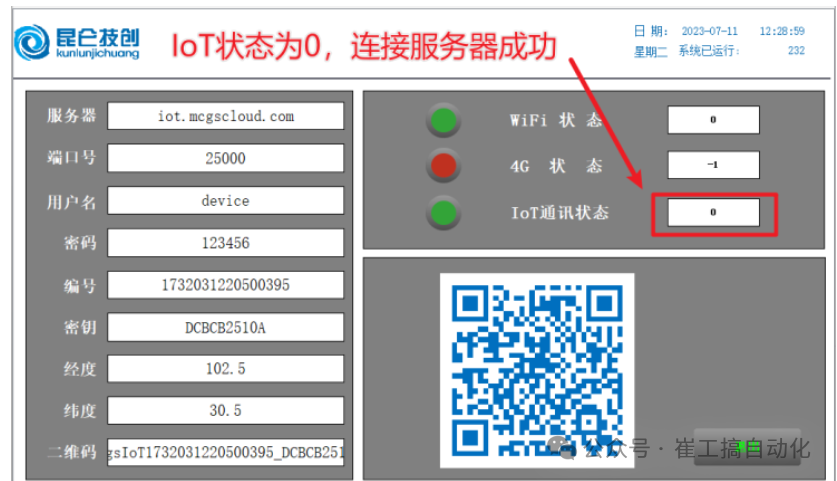 Power on, open the IoT webpage, and scan the QR code with your phone to add the device as shown in the image.Step 4: Remote upgrade of the touch screen program
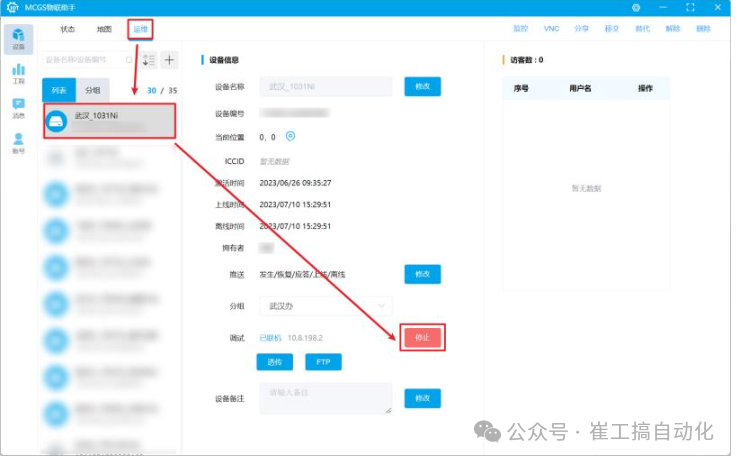
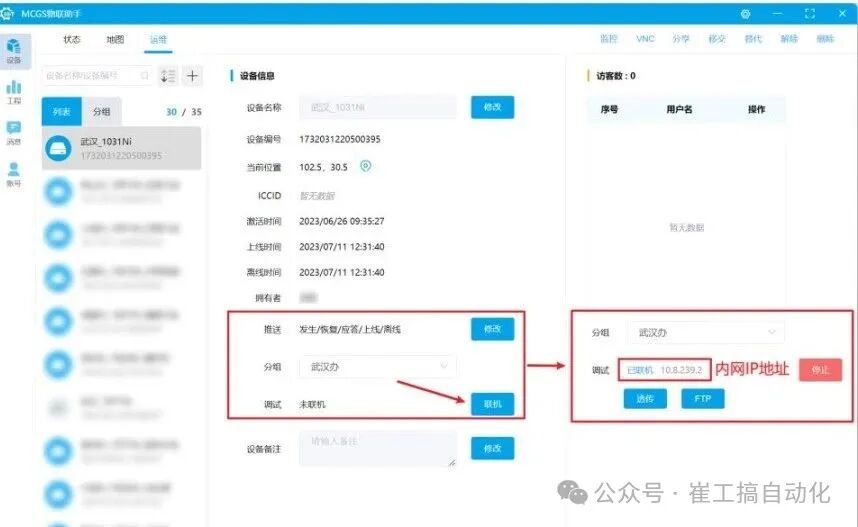 Click to connect, generate an IP, open the McgsPro software to download, and enter the IP shown in the image for downloading.Step 5: Remote upgrade of the PLC program (using Siemens as an example)First, connect
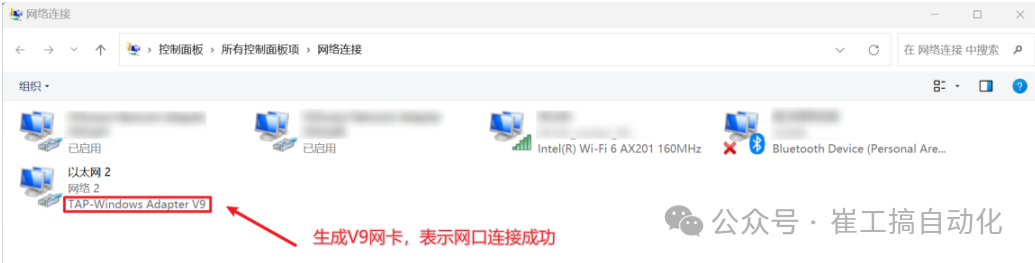
 On the computer, find the network card shown in the image, indicating a successful connection
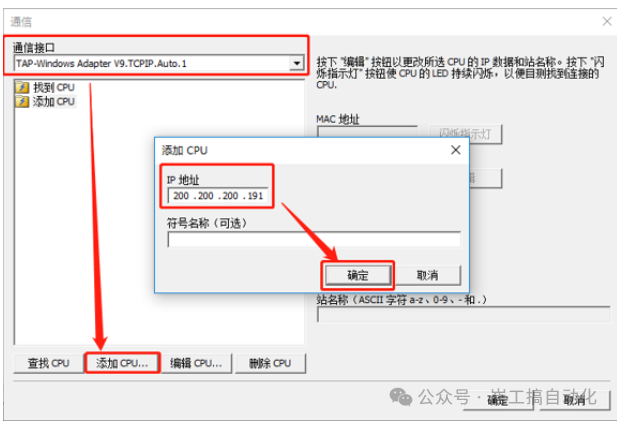
 Open the PLC software, add the actual IP address of the PLC, and proceed with downloading and debugging.
 Zhengzhou Kuntong Automation Technology Co., Ltd. has been deeply engaged in the automation industry for over ten years. We gather high-quality domestic industrial control products and represent multiple brands, including Kunlun Tongtai touch screens, European frequency converters, switch power supplies, signal isolators, and safety barriers. For product needs or technical issues, please contact Engineer Cui at wx18637130270