The traditional development of AutoCAD plugins (.arx) often gets mired in the “project configuration hell” of Visual Studio: from complex SDK integration to version dependencies and manual debugging, a small change can lead to the collapse of the entire project.
In the face of today’s strong demand for automation, testability, and portability, this model is clearly outdated.
This article will demonstrate how to use the CMake build system in conjunction with the GoogleTest unit testing framework to build a modern, modular, and maintainable AutoCAD plugin.
 More references:CMake-based ZWSOFT 3D plugin development templateIntroduction to C++ build tool CMake
We will take a plugin that “draws a 3D cube based on input edge length” as an example to show how to manage dependencies, compilation logic, and testing processes in a more elegant way.
Why Refactor the ARX Plugin Development Process?
| Pain Points | Traditional Method | Modern Build System |
| Project Reusability Issues | Every new VS project requires repeated configuration of ARX SDK, link libraries, etc. | One-time configuration, reusable across projects, easy to migrate |
| Testing Challenges | Plugins are tightly coupled to AutoCAD | Core logic decoupled, supports GoogleTest testing |
| Collaboration Difficulties | VS project configuration is hidden in <span>.vcxproj</span> |
Build rules are explicitly visible, facilitating Git management |
The code of the plugin is highly coupled with the AutoCAD application environment, with tight dependencies, specifically manifested as:
- • The core logic of the plugin directly calls AutoCAD’s API and data structures, making it impossible to run or test independently;
- • The plugin must be loaded in the AutoCAD environment to execute, and cannot be independently verified for functionality correctness;
- • Poor code reusability, making it difficult to split or abstract independent modules for unit testing or reuse.
This tight coupling leads to long development and debugging cycles, testing difficulties, and limits the flexibility and maintainability of the plugin.
Environment Dependencies
- • AutoCAD 2026 and ObjectARX SDK (actually any version)
- • Visual Studio 2019/2022 (supports C++17)
- • CMake 3.16+
- • Git
Project Directory Structure
My3DCubePlugin/
├── CMakeLists.txt
├── /src/
│   ├── CubeGeometry.cpp/h      # Core logic (no AutoCAD dependency)
│   ├── CubeCommand.cpp         # Command implementation
│   └── entry.cpp               # Plugin entry
├── /tests/
│   └── test_cube_geometry.cpp  # Unit tests
Plugin Function Overview
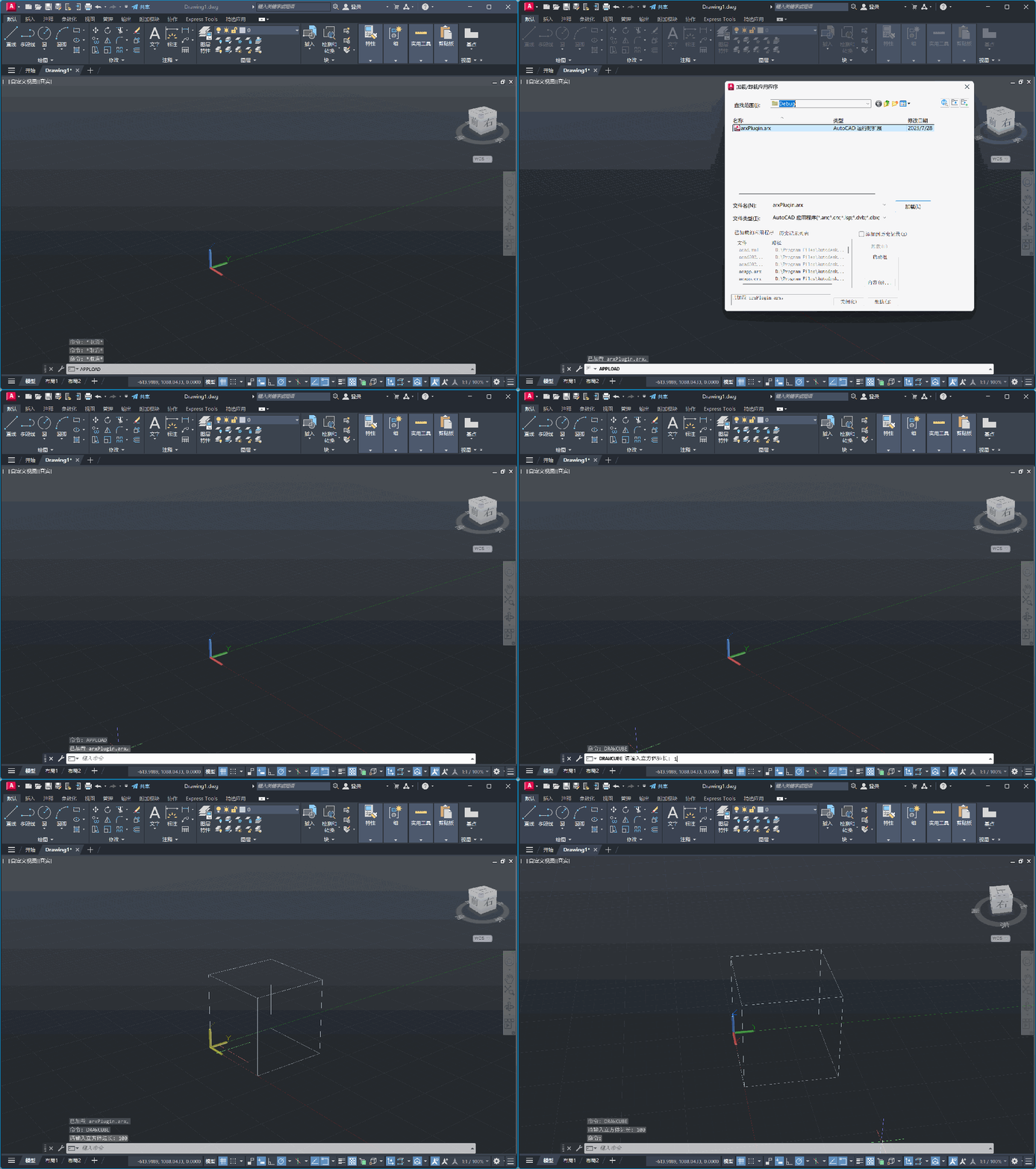
Register command <span>DRAWCUBE</span>, after the user inputs the edge length, a corresponding cube can be drawn in the model space.
We will decouple the drawing logic from the AutoCAD environment to support independent testing.
Complete Source Code
1. <span>CubeGeometry.h</span> Core logic (no AutoCAD dependency)
#pragma once
#include <vector>
#include <array>

struct Point3D {
    double x, y, z;
};

std::vector<std::array<Point3D, 2>> generate_cube_edges(double length);
2. <span>CubeGeometry.cpp</span> Implementation part
#include "CubeGeometry.h"

std::vector<std::array<Point3D, 2>> generate_cube_edges(double l) {
    std::vector<Point3D> pts = {
        {0,0,0}, {l,0,0}, {l,l,0}, {0,l,0},
        {0,0,l}, {l,0,l}, {l,l,l}, {0,l,l}
    };
    std::vector<std::array<Point3D,2>> edges = {
        {pts[0], pts[1]}, {pts[1], pts[2]}, {pts[2], pts[3]}, {pts[3], pts[0]},
        {pts[4], pts[5]}, {pts[5], pts[6]}, {pts[6], pts[7]}, {pts[7], pts[4]},
        {pts[0], pts[4]}, {pts[1], pts[5]}, {pts[2], pts[6]}, {pts[3], pts[7]}
    };
    return edges;
}
3. <span>CubeCommand.cpp</span> Command implementation
#include "CubeGeometry.h"
#include "acdb.h"
#include "dbapserv.h"
#include "dbents.h"
#include "aced.h"
#include "adslib.h"
#include <tchar.h>

void draw_cube_command() {
    double length = 10.0;
    acedGetReal(L"\nPlease enter the cube edge length: ", &length);

    auto edges = generate_cube_edges(length);

    AcDbBlockTable* pBlockTable;
    acdbHostApplicationServices()->workingDatabase()->getBlockTable(pBlockTable, AcDb::kForRead);

    AcDbBlockTableRecord* pModelSpace;
    pBlockTable->getAt(ACDB_MODEL_SPACE, pModelSpace, AcDb::kForWrite);

    for (auto& e : edges) {
        AcGePoint3d start(e[0].x, e[0].y, e[0].z);
        AcGePoint3d end(e[1].x, e[1].y, e[1].z);
        AcDbLine* pLine = newAcDbLine(start, end);
        pModelSpace->appendAcDbEntity(pLine);
        pLine->close();
    }

    pModelSpace->close();
    pBlockTable->close();
}
4. <span>entry.cpp</span> Plugin entry
#include "rxregsvc.h"
#include "aced.h"

// Declare drawing command function
extern void draw_cube_command();

extern "C" AcRx::AppRetCode acrxEntryPoint(AcRx::AppMsgCode msg, void* pkt) {
    switch (msg) {
        case AcRx::kInitAppMsg:
            acrxUnlockApplication(pkt);
            acrxRegisterAppMDIAware(pkt);
            acedRegCmds->addCommand(L"MYCUBE_COMMANDS", L"DRAWCUBE", L"DRAWCUBE", ACRX_CMD_MODAL, draw_cube_command);
            break;
        case AcRx::kUnloadAppMsg:
            acedRegCmds->removeGroup(L"MYCUBE_COMMANDS");
            break;
    }
    return AcRx::kRetOK;
}
CMake Build Script
cmake_minimum_required(VERSION 3.16)

set(CMAKE_EXPORT_COMPILE_COMMANDS ON)
set(CMAKE_CXX_STANDARD 17)
set(CMAKE_WINDOWS_EXPORT_ALL_SYMBOLS OFF)

# Define project name and version, using C++ language
project(arxPlugin VERSION 1.2.0 LANGUAGES CXX)

set(PROJECT_VERSION_MAJOR ${PROJECT_VERSION_MAJOR})
set(PROJECT_VERSION_MINOR ${PROJECT_VERSION_MINOR})
set(PROJECT_VERSION_PATCH ${PROJECT_VERSION_PATCH})

# Specify ObjectARX SDK path
set(ARX_SDK "D:/AutoCAD/ObjectArxSDK2026")

# Recursively collect all cpp files in the src directory as source code
file(GLOB_RECURSE SRC_FILES CONFIGURE_DEPENDS src/*.cpp)

add_library(${PROJECT_NAME} SHARED ${SRC_FILES})

set_target_properties(${PROJECT_NAME} PROPERTIES
    OUTPUT_NAME "arxPlugin"
    SUFFIX ".arx"
    LINK_FLAGS "/DEF:${CMAKE_CURRENT_SOURCE_DIR}/arxPlugin.def"
)

# Specify include header file directories
target_include_directories(${PROJECT_NAME} PRIVATE
    ${CMAKE_CURRENT_SOURCE_DIR}/include      # Project header files
    ${CMAKE_CURRENT_SOURCE_DIR}/resource     # Resource directory
    ${CMAKE_BINARY_DIR}/generated             # Generated code directory
    ${ARX_SDK}/inc                           # ObjectARX header files
    ${ARX_SDK}/inc-x64                       # ObjectARX 64-bit header files
)

# Linker library directory, specify ObjectARX 64-bit library directory
target_link_directories(${PROJECT_NAME} PRIVATE ${ARX_SDK}/lib-x64)

# Link library files, including ObjectARX core libraries and OpenXLSX
target_link_libraries(${PROJECT_NAME}
    accore.lib
    ac1st25.lib
    rxapi.lib
    acgiapi.lib
    acdb25.lib
    acad.lib
    acge25.lib
    AcPal.lib
    acgeoment.lib
)

# Set necessary preprocessor macros for ObjectARX
target_compile_definitions(${PROJECT_NAME} PRIVATE
    _USRDLL
    _ARX_
)

set_target_properties(${PROJECT_NAME} PROPERTIES
    MSVC_RUNTIME_LIBRARY "MultiThreadedDLL"
)

enable_testing()
add_subdirectory(tests)

target_compile_options(${PROJECT_NAME} PRIVATE /MD)         # Multi-threaded DLL runtime
target_compile_options(${PROJECT_NAME} PRIVATE /Zc:wchar_t)  # wchar_t type standardization
target_compile_options(${PROJECT_NAME} PRIVATE /EHsc)        # Exception handling model

if (MSVC)
    target_compile_options(${PROJECT_NAME} PRIVATE /wd4311 /wd4312)
endif()
Unit Testing (GoogleTest)
tests/test_cube_geometry.cpp
#include "gtest/gtest.h"

TEST(CubeGeometryTest, SimpleTest) {
    EXPECT_EQ(1, 1);
}
This is just a demonstration.
Build and Run Tests
1. Use CMake to build the AutoCAD plugin project, where <span>-B build</span> specifies the generated build directory as <span>build</span>, and <span>-DARX_SDK="D:/AutoCAD/ObjectArxSDK2026"</span> is used to pass the ObjectARX SDK path as a variable for CMake to use.
cmake -B build -DARX_SDK="D:/AutoCAD/ObjectArxSDK2026"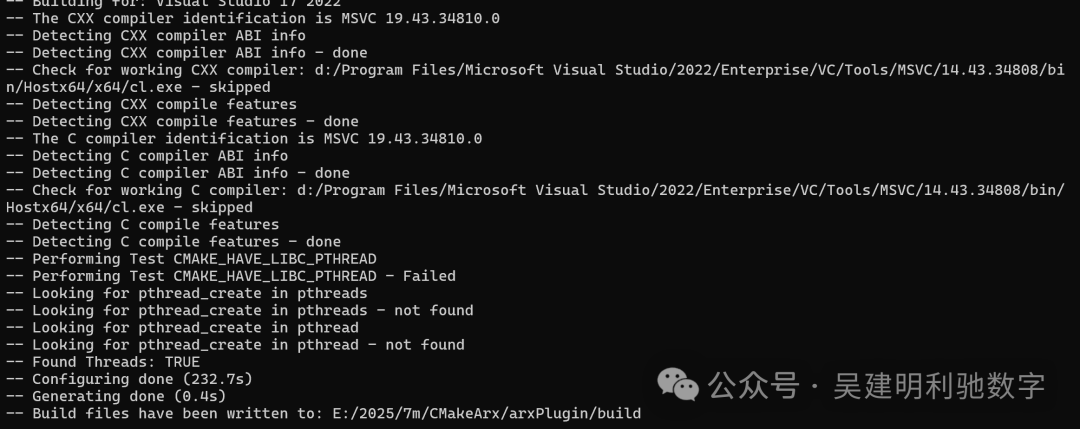
Your CMake project has been successfully configured and generated build files, and you can now start compiling.
2. Run the following command in PowerShell or CMD for the actual build:
cmake --build build --config Debug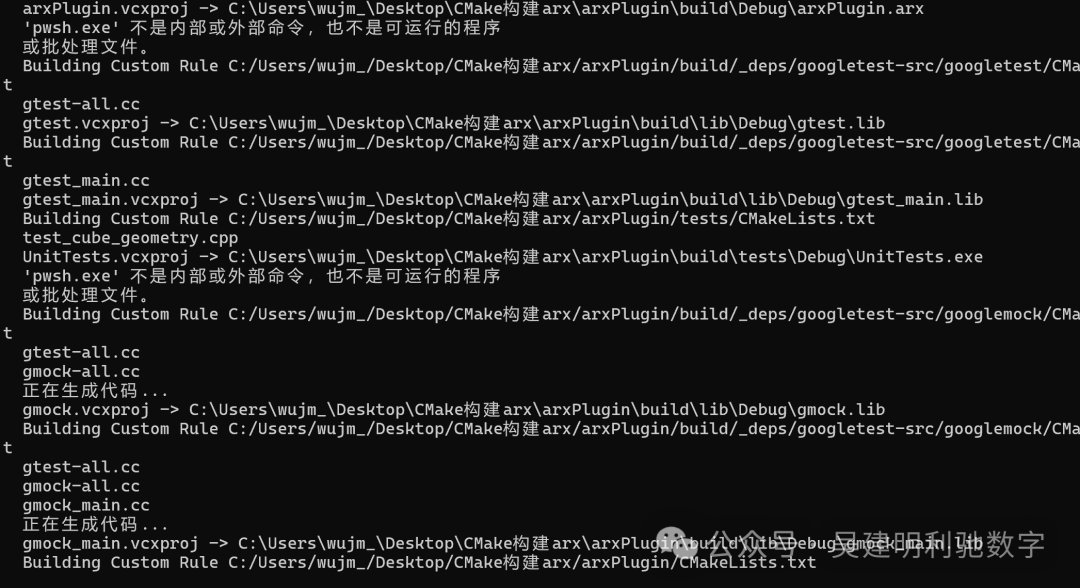
This command will generate the <span>.arx</span> plugin file in the <span>build/Debug</span> or <span>build/Release</span> directory:
build/Debug/arxPlugin.arx
3. Unit test verification
cmake --build build --target run_tests --config Debug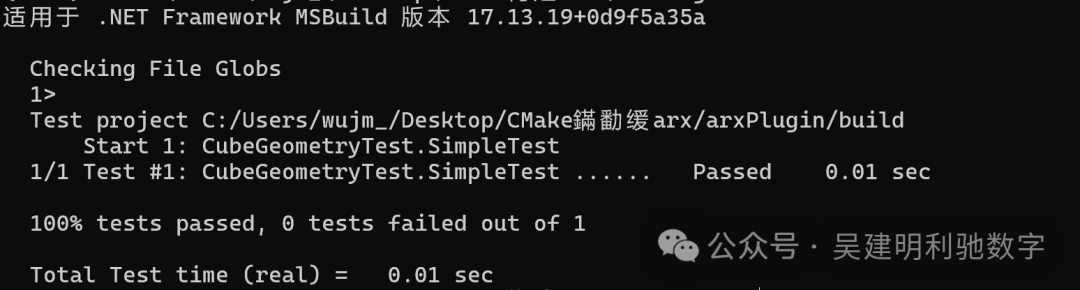
Deployment and Running
- 1. Copy the generated
<span>arxPlugin.arx</span>to the AutoCAD plugin directory. - 2. Start AutoCAD and run the
<span>APPLOAD</span>command to load the plugin. - 3. Enter
<span>DRAWCUBE</span>in the command line, input the edge length, and a cube will be drawn.
Conclusion
Redefining ARX plugin development using CMake and unit testing not only frees us from the manual configuration burden of Visual Studio but also brings:
- • A clear and controllable build process;
- • Automation testing and CI integration capabilities;
- • Automatic generation of development documentation with Doxygen
- • Seamless integration with modern engineering systems (such as Conan, GitHub Actions).
This lays a solid foundation for subsequent construction of cross-platform CAD plugins (such as ZWCAD / ZWSOFT CAD), and even integration with AI modeling assistants.