When the night is quiet, your phone suddenly buzzes with a WeChat notification. You, lost in your dreams, do not notice the sound. After 10 seconds, you groggily hear the phone ringing. Just as you answer the call, wondering who is calling at this hour, the voice on the other end says, “Report to the owner, the temperature of Equipment 1 in Zone 3 of the East Plant is too high. Please come and check if you forgot to add water!” At this moment, you don’t even bother to put on your shoes and rush over with a bucket of water to Equipment 3 in the East Zone. That’s right, no matter what fault occurs or what warning is triggered, our GRM240 module can promptly and accurately call you and send WeChat reminders.
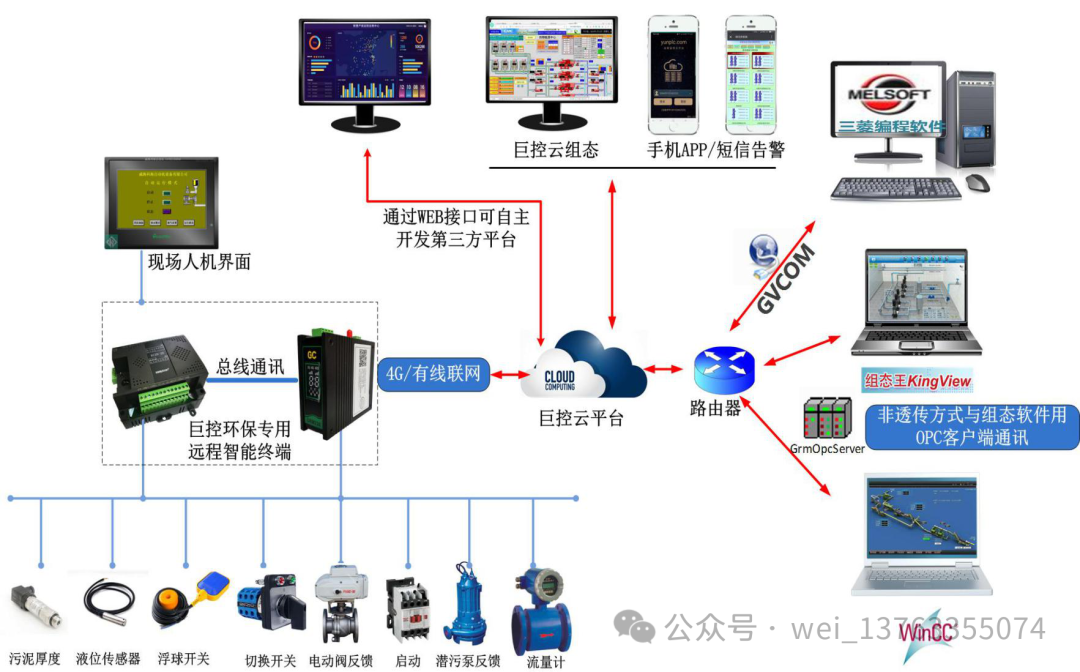
Speaking of remote monitoring, in addition to remotely viewing and analyzing data, device alarm notifications are also a very important function. Traditional monitoring alarms are merely through pop-up screens, playing voice messages, and reminding operators to take action. But imagine, will your duty personnel really pay attention to the fault on the monitoring computer and handle it in a timely manner? Perhaps, they are just engrossed in playing on their phones.
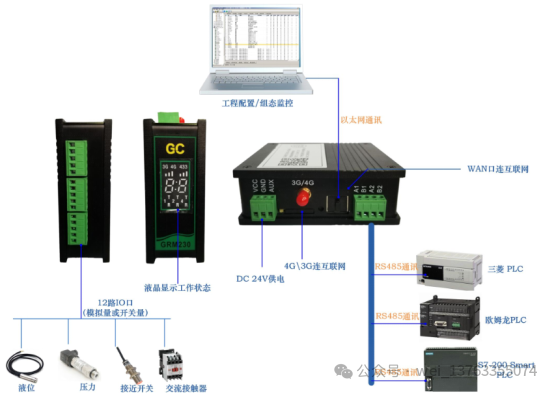
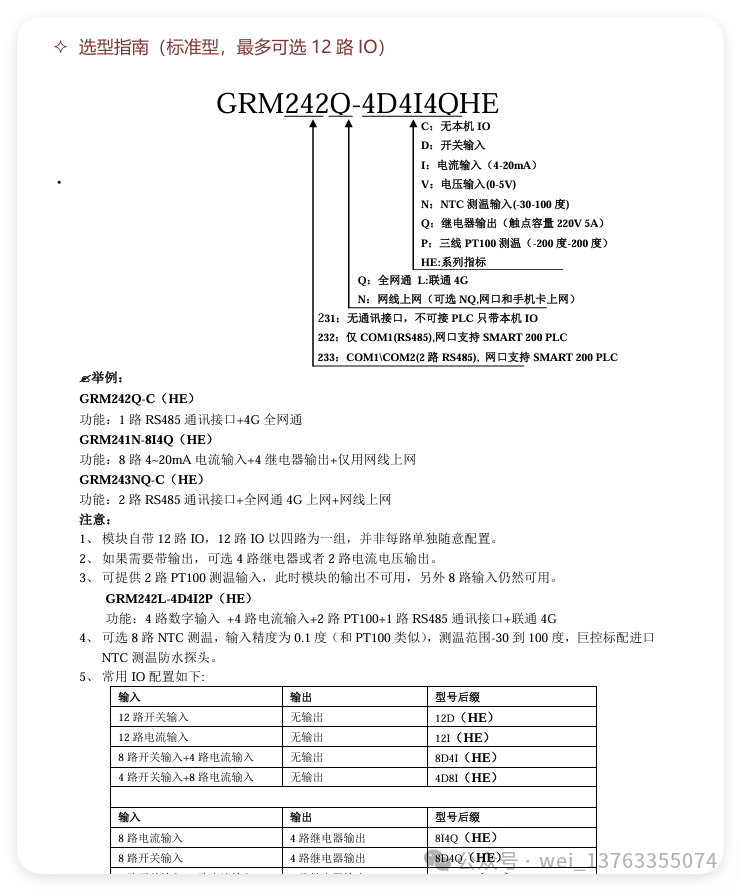
The voice function of the GRM242Q-CHE effectively solves this problem. To achieve the effect of actively reminding in emergencies, the SMS function of the GRM242Q-CHE can send a text message before making a call, and send WeChat reminders, with features like tiered SMS sending and repeated SMS sending! Now, I want to recommend the voice function of the GRM242Q-CHE! The voice call has a better proactive reminder function and reports the fault situation more intuitively, which is of great significance for ensuring the safety of the faulty equipment and providing emergency response.
When using voice alarms, when the alarm conditions are met (for practical applications, this means that the PLC register meets a condition), the GRM242Q-CHE module will actively call the duty personnel’s mobile phone and play a pre-defined voice message. It supports the following PLCs:
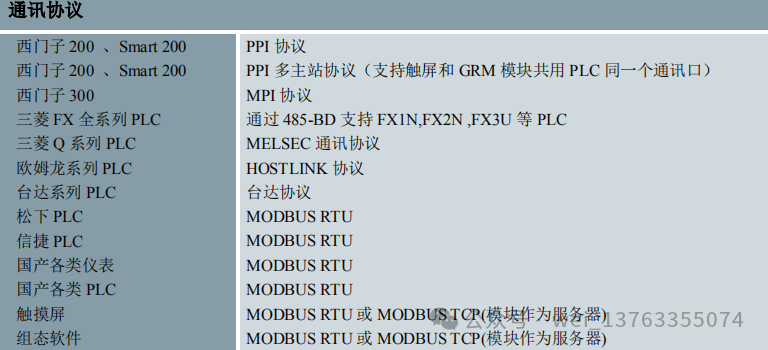 Here is how to use it:
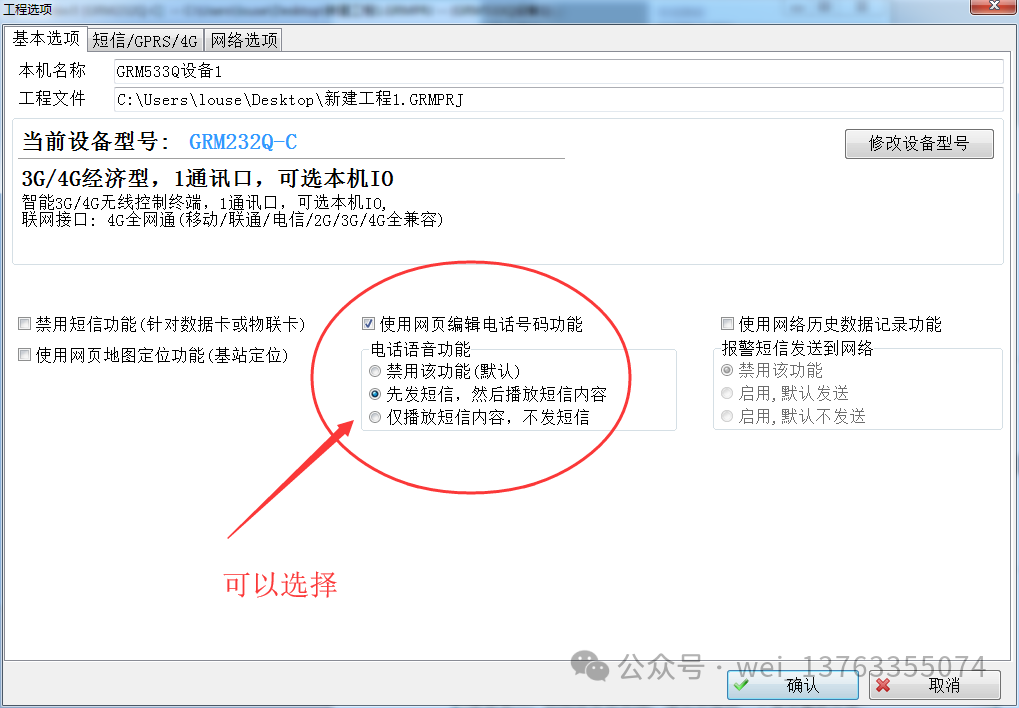
1. In the menu of GRMDEV6, under project options, check to use the telephone voice function.
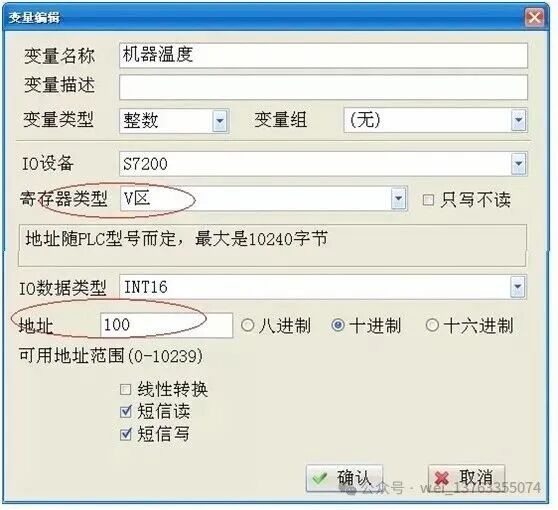
2. Taking Siemens PLC as an example, when the VW100 register for temperature exceeds 50 degrees, it triggers voice and SMS alarms!
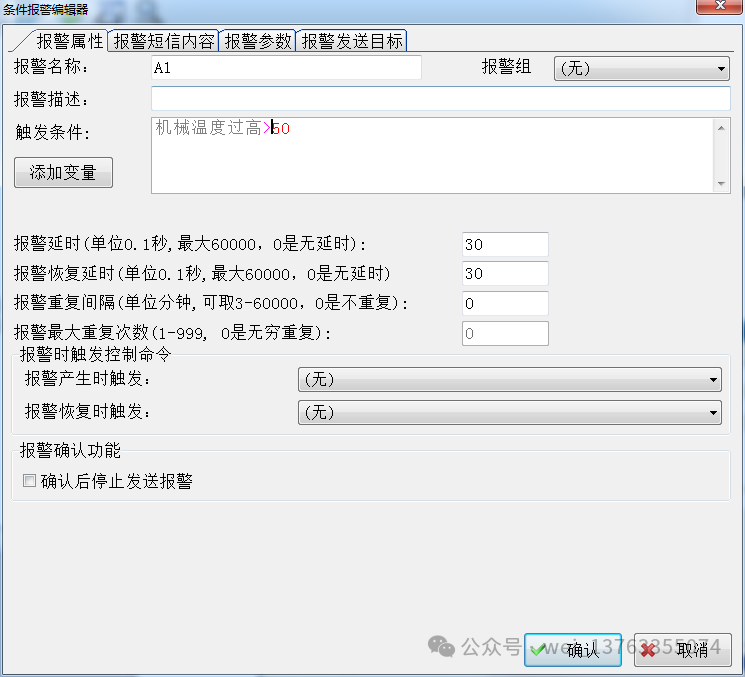
3. Define the alarm conditions and alarm targets for the GRM240, and you are good to go!
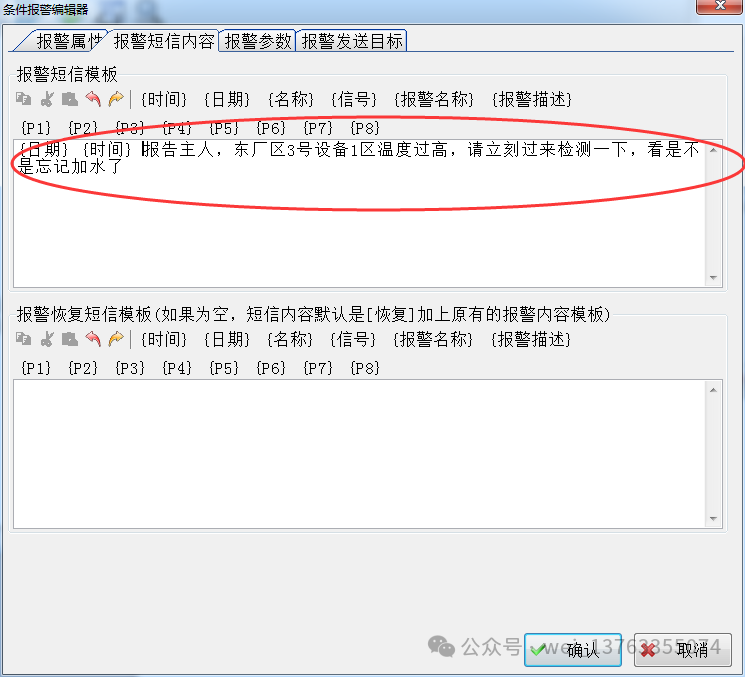
4. The voice playback content of the GRM240 is shown in the following image:
Selection data