1. Nuvoton Nuc980
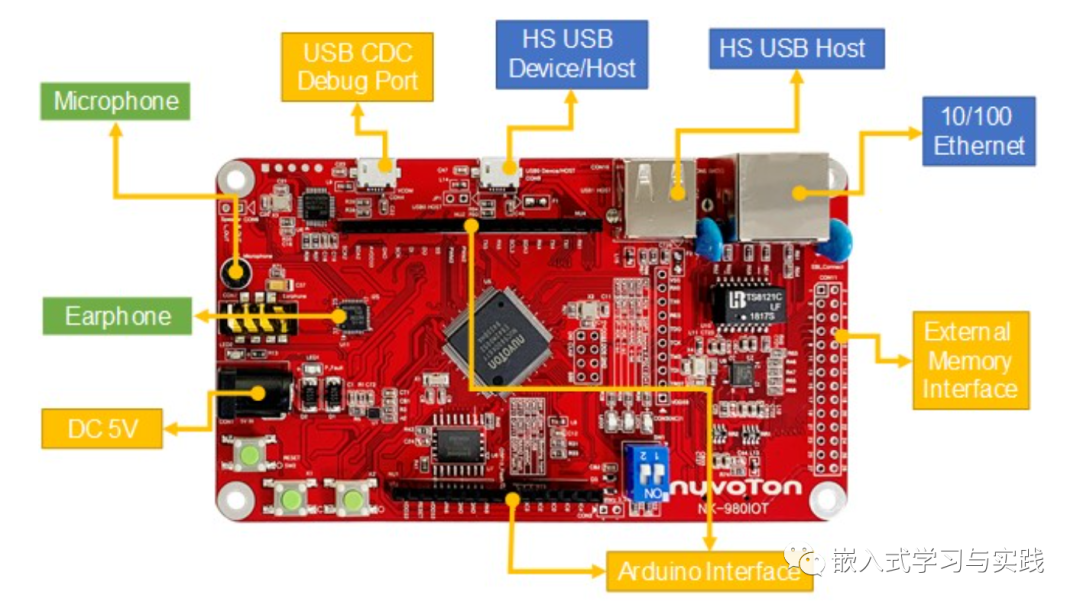
Nuvoton Nuc980 IoT development board is a Linux Industrial IoT Development Platform, Nuvoton Technology provides an industrial IoT development platform using the NUC980DK microprocessor, which is a complete industrial IoT development platform that includes comprehensive hardware and software reference designs. It features Nuvoton’s ARM9 MPU with a speed of 300 MHz, built-in up to 128 MB DDR memory, a single 10/100 Ethernet port, 2 high-speed USB hosts, a 1 Gb SPI NAND Flash storage device, microphone input, stereo headphone output, and Arduino compatible interfaces. It provides an embedded Linux OS and fully supports related IoT protocols, such as AWS Client / MQTT / Web Server, allowing users to quickly develop IoT-related applications on this platform.
Development Platform Features
-
32-bit ARM926EJ-STM NUC980DK microprocessor
-
Microprocessor built-in up to 128 MB DDR memory
-
Operating frequency can reach up to 300 MHz
-
1 Gbit SPI-NAND Flash
-
10 / 100 Ethernet x 1
-
USB 2.0 high-speed host x 1
-
USB 2.0 high-speed host/device x 1
-
Mono microphone input
-
Stereo headphone output
-
MicroSD card slot
-
USB Power and CDC Debug Port
-
External memory expansion interface
-
Arduino compatible interface
-
UART x 3
2. Project Creation
The Nuvoton Nuc980 supports the Linux operating system and also supports the RT-Thread operating system.
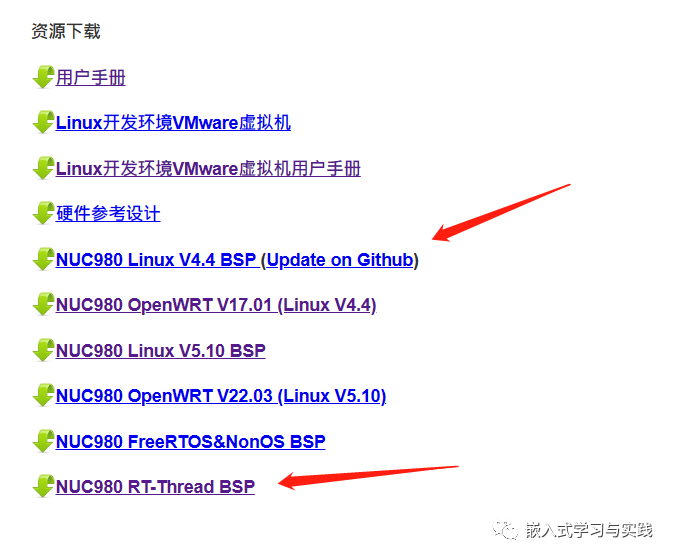
This article will introduce how to create a Nuc980 project based on RT-Thread Studio.
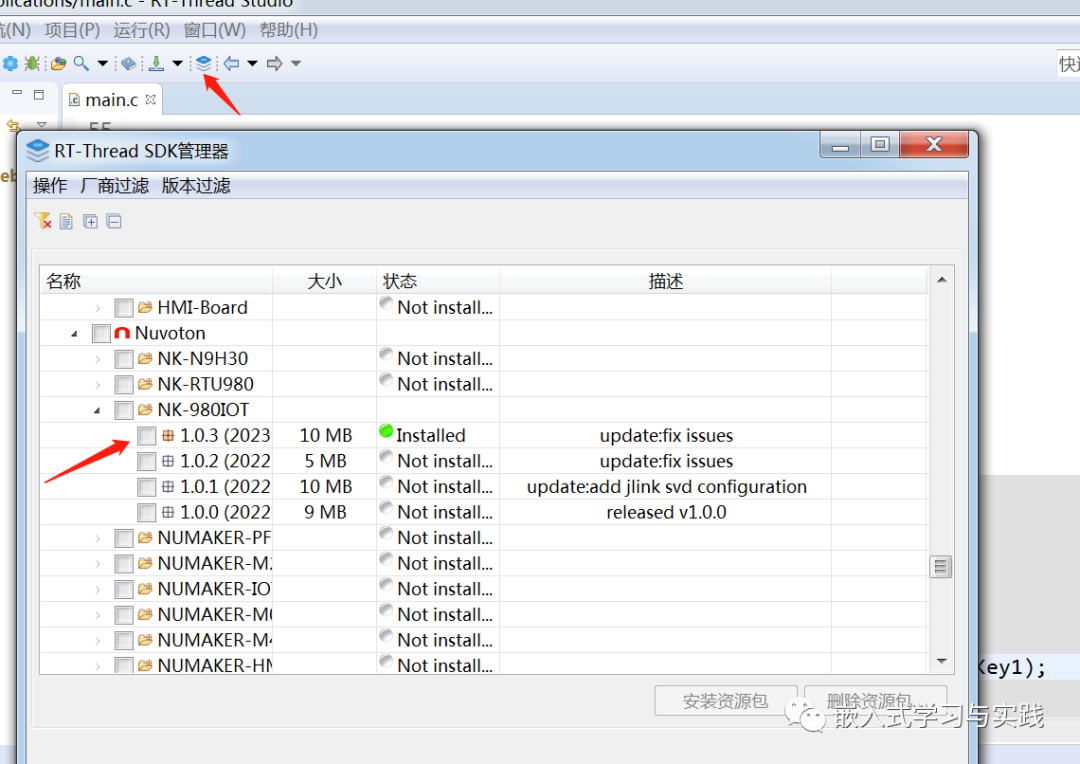
① Open RT-Thread Studio software, download the BSP resource package using the SDK software management package
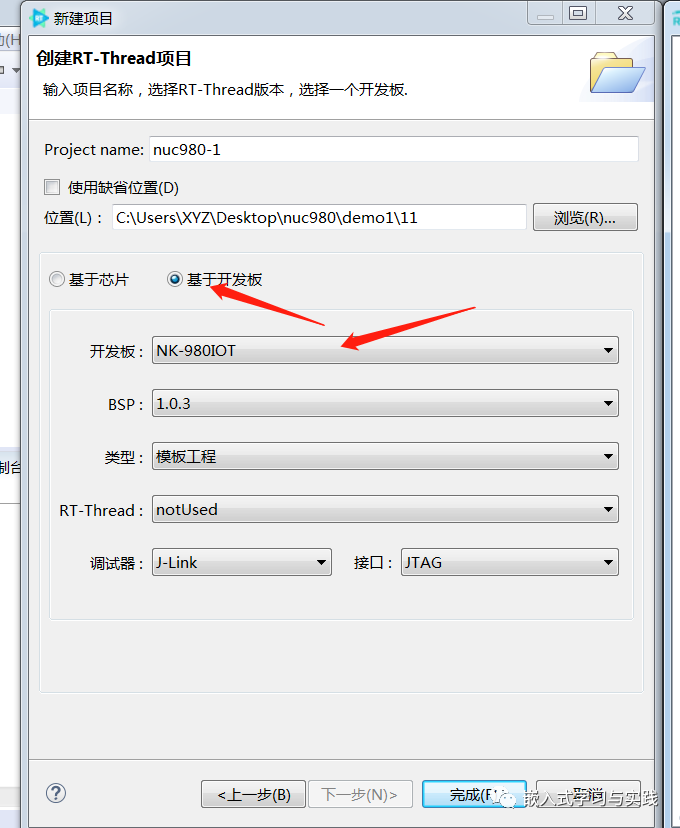
② Create a new RT-Thread project, select the Nuc980 BSP package, and complete it.
③ Compile
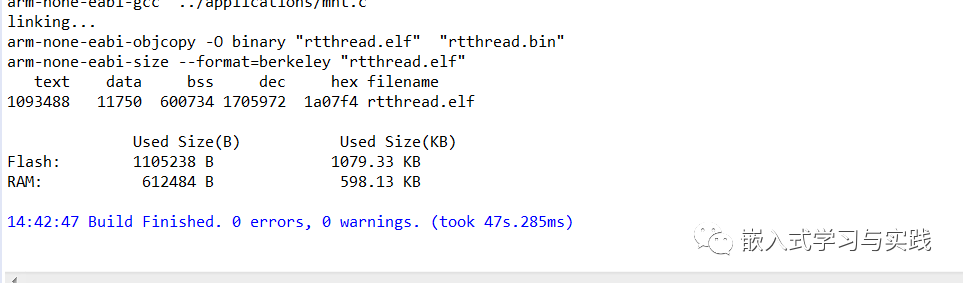
The project has been successfully created and compiled successfully.
3. Program Download
Download software NuWriter
Download link:
https://gitee.com/OpenNuvoton/NUC980_NuWriter
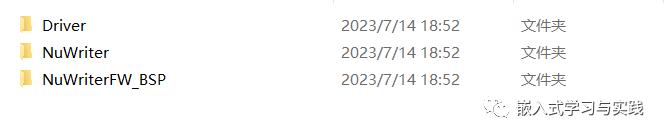
The Driver folder contains the driver; install the driver.

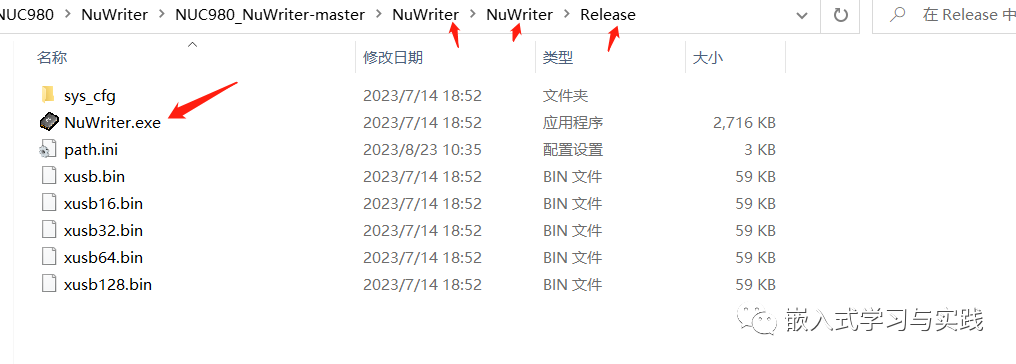
The NuWriter folder contains the download software that can be opened directly without installation.
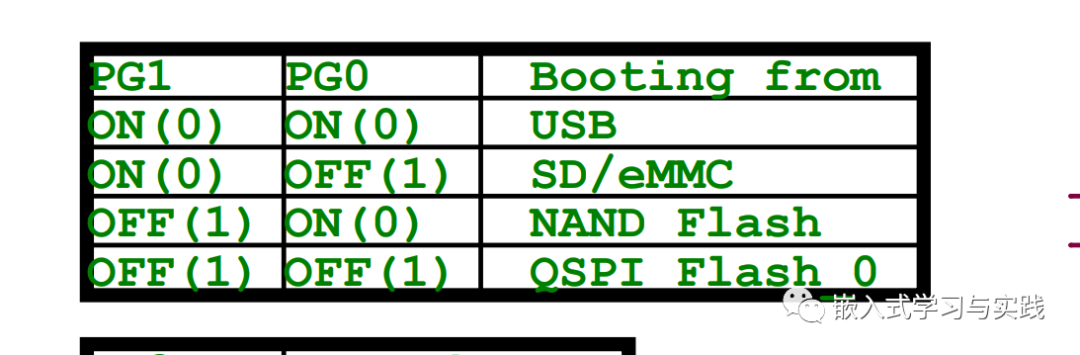
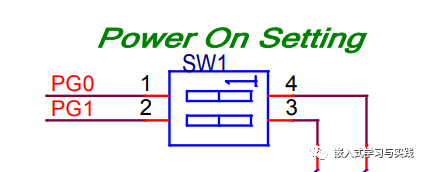
Selection of startup mode as shown below:
I. USB startup, download to DDR. (RT-Thread Studio project and compiled test)
① Power off, set all DIP switches to ON;
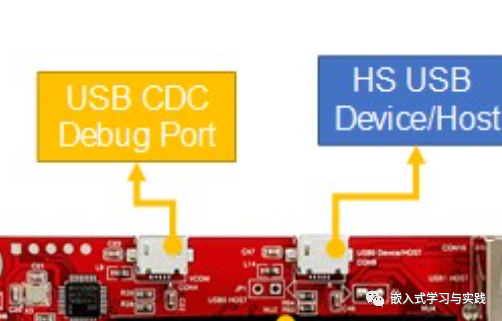
② Connect two USB Micro cables;
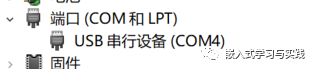
③ Select the serial port
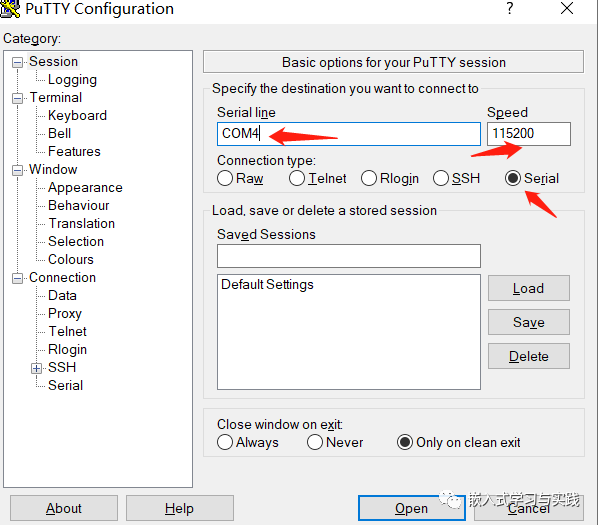
④ Open the serial assistant
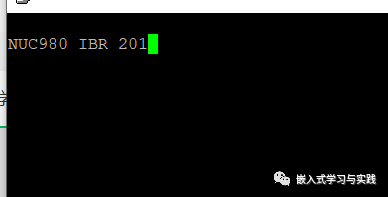
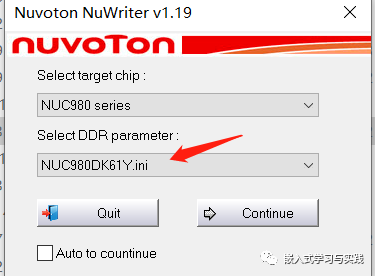
⑤ Open the download software, select the model, and continue;
⑥ Select and configure as shown below, then download
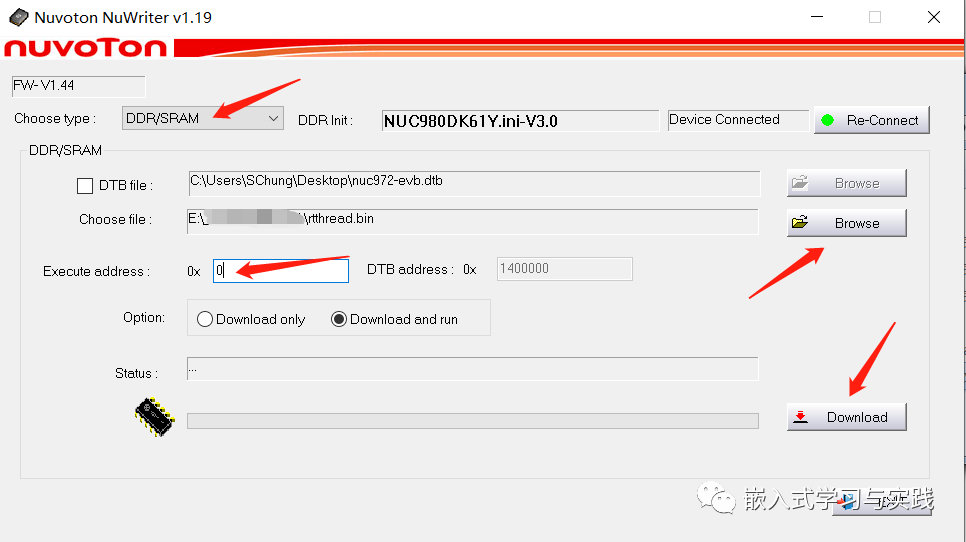
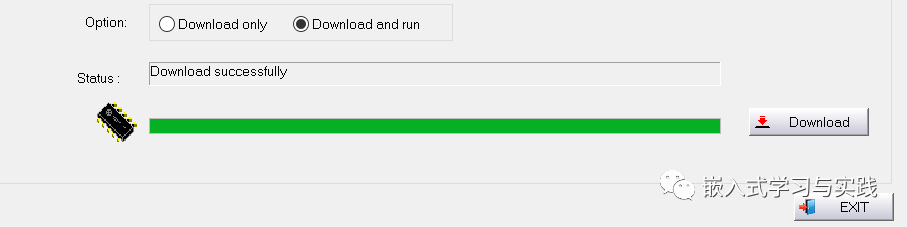
The experimental result shows that after downloading, the red indicator light flashes, which meets the expected effect.
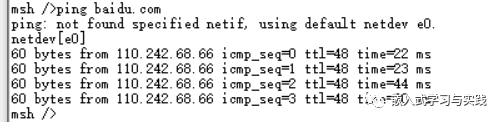
Testing the network
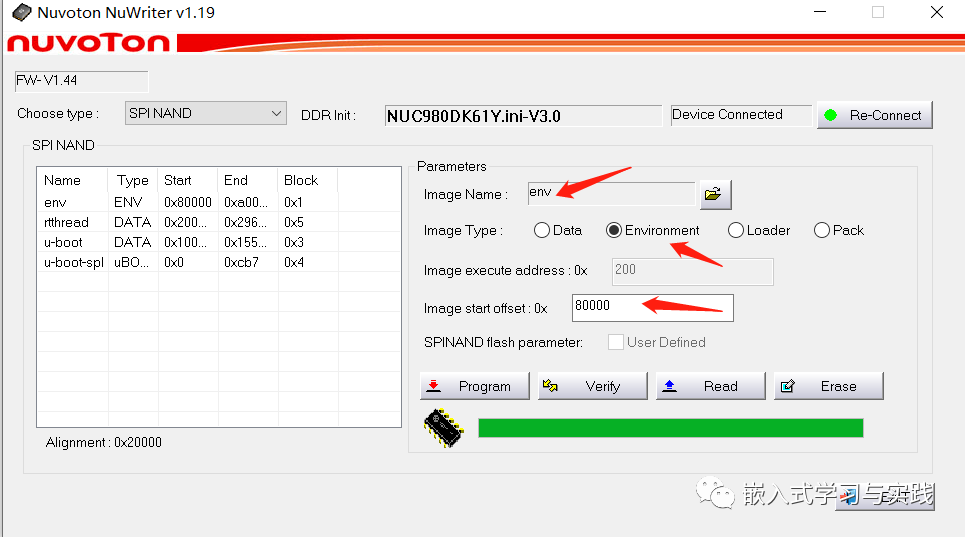
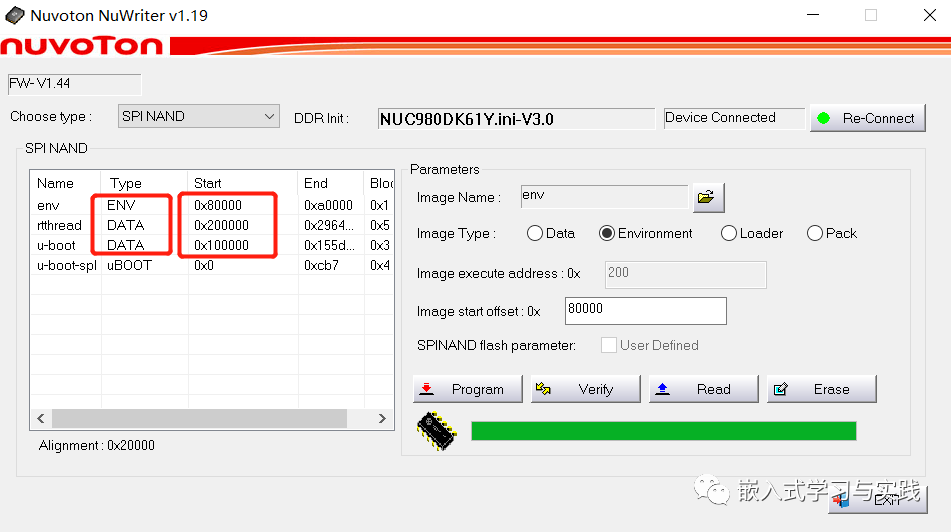
II. Download to SPI NAND (it is recommended to use the env tool for configuration compilation, test version is 5.0.0)
① Power off, set all DIP switches to ON;
② Connect two USB Micro cables;
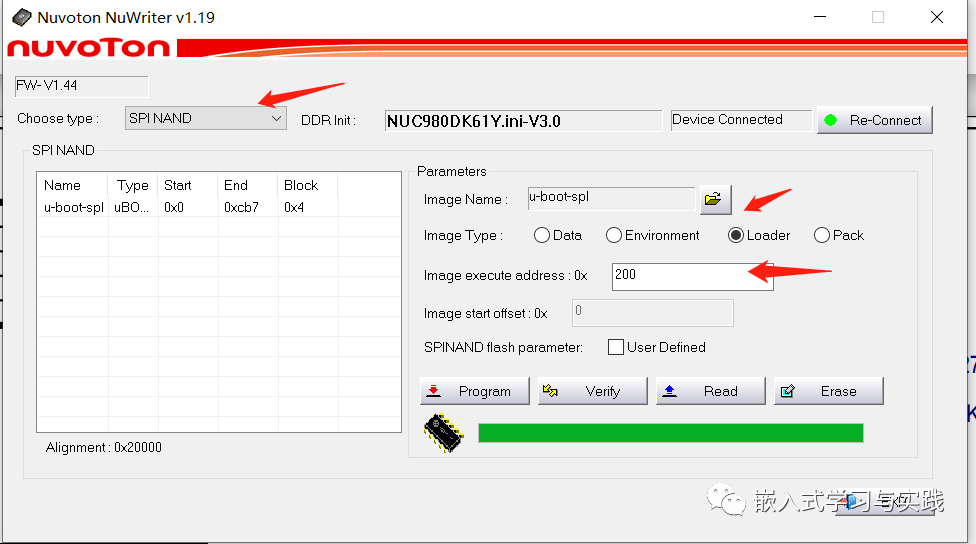
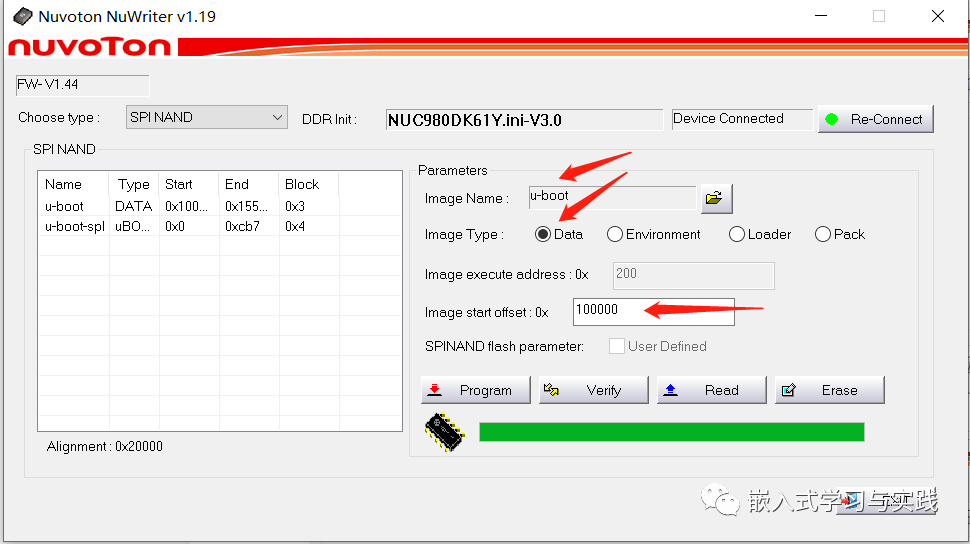
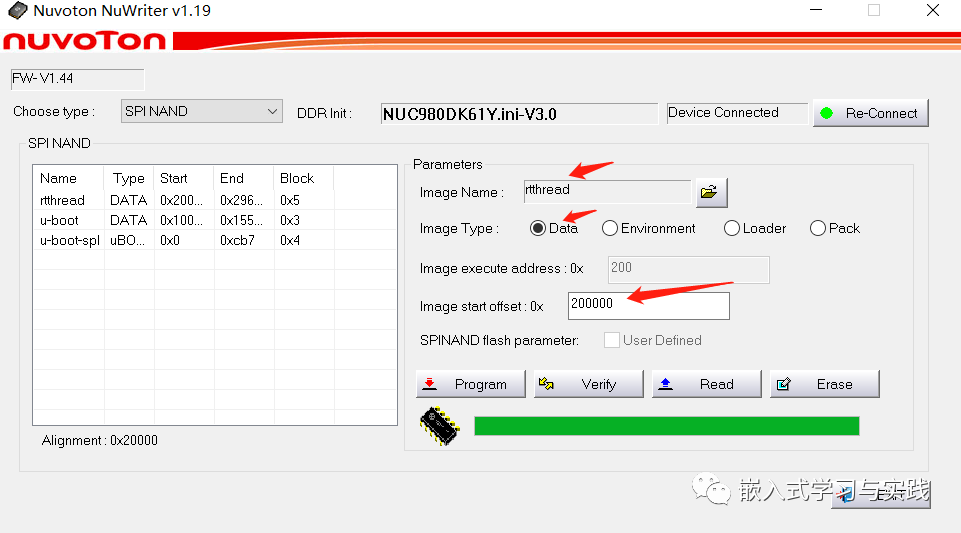
③ Download
④ Set all DIP switches to OFF, press the RESET button;
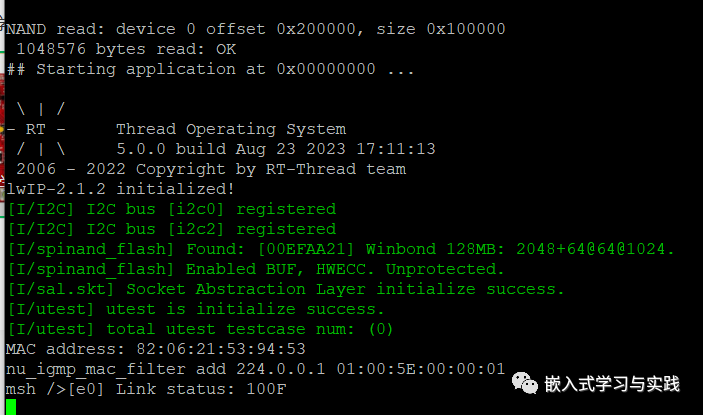
Experimental results
For details, please refer to the official steps
https://www.rt-thread.org/document/site/#/rt-thread-version/rt-thread-standard/tutorial/quick-start/nk-980iot/quick-start
Welcome to follow the public account: Embedded Learning and Practice
References:
https://www.bilibili.com/video/BV11f4y1y7nb/?spm_id_from=pageDriver&vd_source=f58225e38b5a8bc42ab3351918ec20e5https://www.bilibili.com/video/BV1Df4y1p7Jp/?spm_id_from=333.999.0.0&vd_source=f58225e38b5a8bc42ab3351918ec20e5https://www.bilibili.com/video/BV1cu411R7uX/?vd_source=f58225e38b5a8bc42ab3351918ec20e5https://www.nuvoton.com.cn/products/iot-solution/iot-platform/numaker-iiot-nuc980/https://gitee.com/OpenNuvoton/NUC980_NuWriterhttps://www.rt-thread.org/document/site/#/rt-thread-version/rt-thread-standard/tutorial/quick-start/nk-980iot/quick-start