Hello readers, in the previous article, we learned about conditional statements and loop statements in Python. In this article, we will explore mutable objects, immutable objects, and comprehensions in Python.
1.Mutable and Immutable Objects
Mutable objects: After a variable is created, modifying its content does not change the identity of the object (identity remains unchanged, meaning the memory address of the variable, id, does not change). In Python, you can use the built-in function id() to check the memory address.
Immutable objects: In contrast to mutable objects, once a variable is created, the value corresponding to the variable cannot be modified. If the value is modified, a new object is actually created.
In Python, the basic data types are classified into mutable and immutable objects as follows:
Mutable objects:
Lists (list)
Dictionaries (dict)
Sets (set)
Immutable objects:
Numeric types (Integer (int), Float (float))
Strings (str)
Tuples (tuple)
Now let’s familiarize ourselves with the concepts through a few examples (modifying the value corresponding to the variable, ‘add, delete, modify’ can all be achieved. In this article, we will learn through the addition method):
1.1 Mutable Objects — Lists
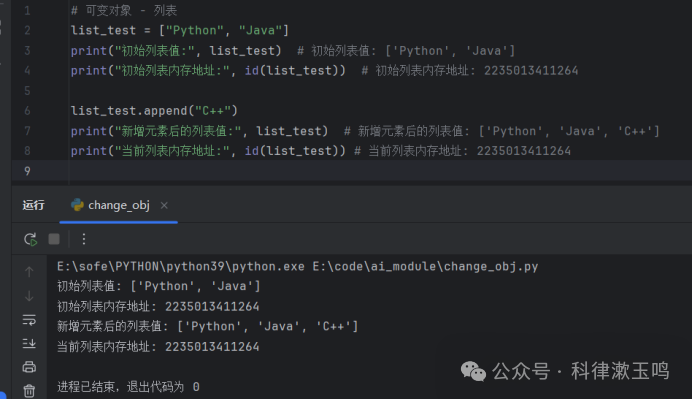
# Mutable Objects – Listslist_test = [“Python”, “Java”]print(“Initial list value:”list_test) # Initial list value: [‘Python’, ‘Java’]print(“Initial list memory address:”id(list_test)) # Initial list memory address: 2235013411264list_test.append(“C++”)print(“List value after adding an element:”list_test) # List value after adding an element: [‘Python’, ‘Java’, ‘C++’]print(“Current list memory address:”id(list_test)) # Current list memory address: 2235013411264
The execution result is as follows:
1.2 Mutable Objects — Dictionaries
# Mutable Objects – Dictionaries
dict_test = {“name”: “Zhang San”, “age”: 20}
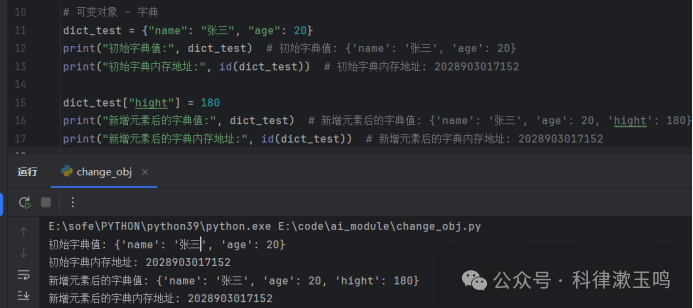
print(“Initial dictionary value:”dict_test) # Initial dictionary value: {‘name’: ‘Zhang San’, ‘age’: 20}print(“Initial dictionary memory address:”id(dict_test)) # Initial dictionary memory address: 2028903017152dict_test[“height”] = 180print(“Dictionary value after adding an element:”dict_test) # Dictionary value after adding an element: {‘name’: ‘Zhang San’, ‘age’: 20, ‘height’: 180}print(“Dictionary memory address after adding an element:”id(dict_test)) # Dictionary memory address after adding an element: 2028903017152
The execution result is as follows:
1.3 Mutable Objects — Sets
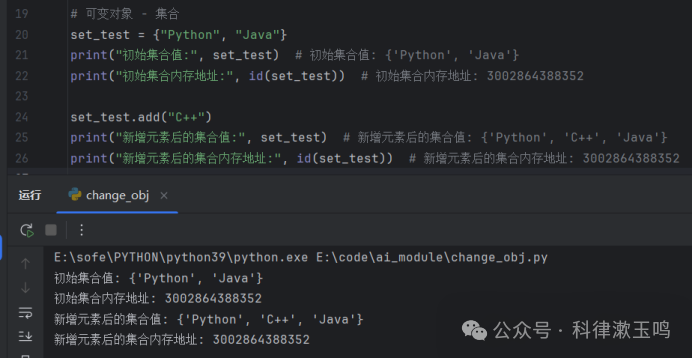
# Mutable Objects – Setsset_test = {“Python”, “Java”}print(“Initial set value:”set_test) # Initial set value: {‘Python’, ‘Java’}print(“Initial set memory address:”id(set_test)) # Initial set memory address: 3002864388352set_test.add(“C++”)print(“Set value after adding an element:”set_test) # Set value after adding an element: {‘Python’, ‘C++’, ‘Java’}print(“Set memory address after adding an element:”id(set_test)) # Set memory address after adding an element: 3002864388352
The execution result is as follows:
1.4 Immutable Objects — Numeric Types
# Immutable Objects – Numeric Types
num_test = 20
print(“Initial value:”, num_test) # Initial value: 20
print(“Initial memory address:”id(num_test)) # Initial memory address: 2452850371472
num_test = num_test + 10print(“Value after modification:”, num_test) # Value after modification: 30print(“Memory address after modification:”id(num_test)) # Memory address after modification: 2452850371792
The execution result is as follows:
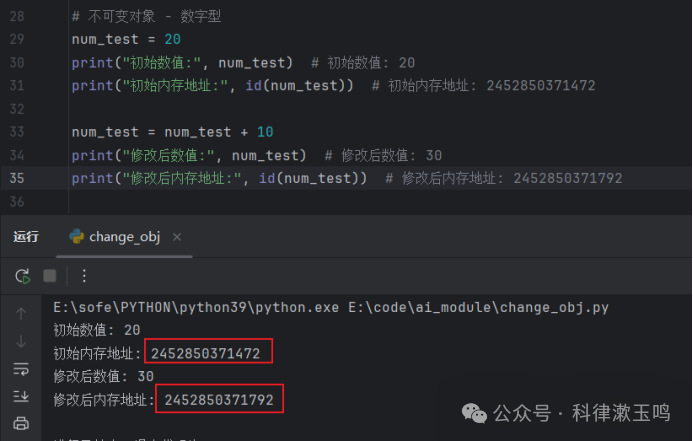
In summary, when the memory address remains unchanged after performing “add, delete, modify” operations, it is a mutable type; when the memory address changes, it is an immutable type.
2.Comprehensions
Comprehensions in Python are a powerful and concise syntax that supports comprehensions for lists, tuples, sets, and dictionaries.
2.1 List Comprehensions
The format for comprehensions is:
[expression for variable in list if condition]
For example:
scores = [80, 60, 90, 95, 70, 100]
# scores are the scores of several students, and we want to put the scores greater than80 into a new listscore_a:# The for loop implementation is as followsscore_a = []for each_s in scores: if each_s >80: score_a.append(each_s)print(score_a) # [90, 95, 100]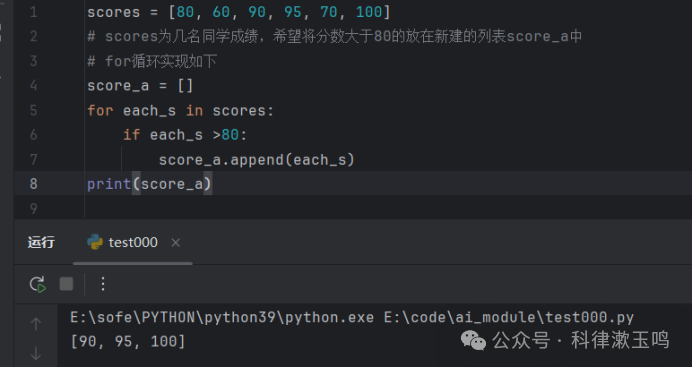
List comprehensions can achieve this in just one line of code:
scores = [80, 60, 90, 95, 70, 100]
# scores are the scores of several students, and we want to put the scores greater than80 into a new listscore_a:
# List comprehension implementationscore_a = [each_s for each_s in scores if each_s > 80]print(score_a) # [90, 95, 100]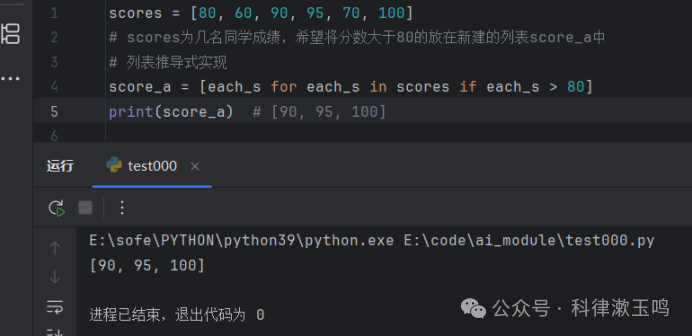
2.2 Dictionary Comprehensions
The format for dictionary comprehensions is:
{key:value for key,value in dict.items() if condition}
For example:
scores = {“Zhang San”: 85, “Li Si”: 78, “Wang Wu”: 95, “Zhao Liu”: 88}
# Dictionary scores records the scores of several students, and we want to filter out the students with scores greater than80.
new_dict = {}for key, value in scores.items(): if value > 80: new_dict[key] = valueprint(new_dict) # {‘Zhang San’: 85, ‘Wang Wu’: 95, ‘Zhao Liu’: 88}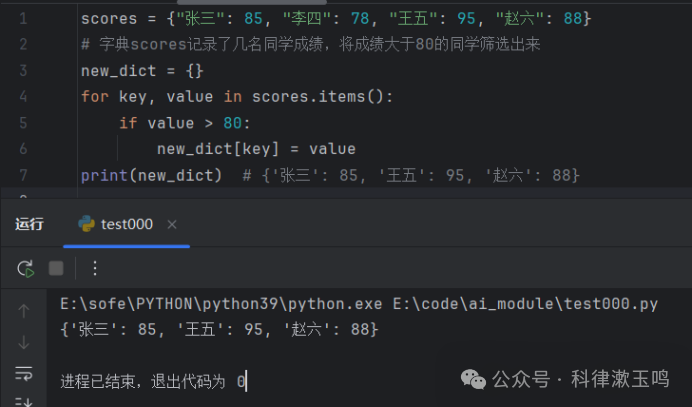
Using dictionary comprehensions is as follows::
scores = {“Zhang San”: 85, “Li Si”: 78, “Wang Wu”: 95, “Zhao Liu”: 88}
# Dictionary scores records the scores of several students, and we want to filter out the students with scores greater than80.
new_dict = {key: value for key, value in scores.items() if value > 80}
print(new_dict) # {‘Zhang San’: 85, ‘Wang Wu’: 95, ‘Zhao Liu’: 88}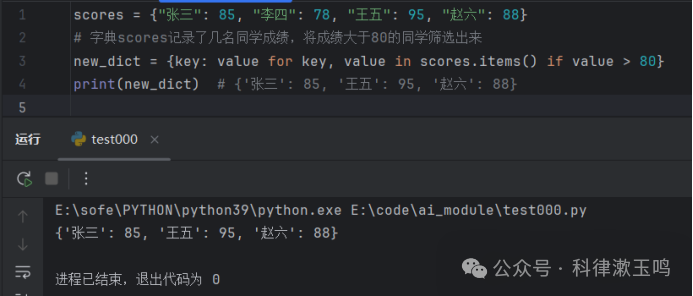
2.3 Set Comprehensions
The format for set comprehensions is as follows::
{expression for variable in sequence if condition}
For example::
list_test = [1, 2, 3, 4, 5, 6, 7, 8, 9]
# Calculating the square of even elements in the listlist_test:
new_set = {each_num ** 2 for each_num in list_test if each_num % 2 == 0}
print(new_set) # {16, 64, 4, 36}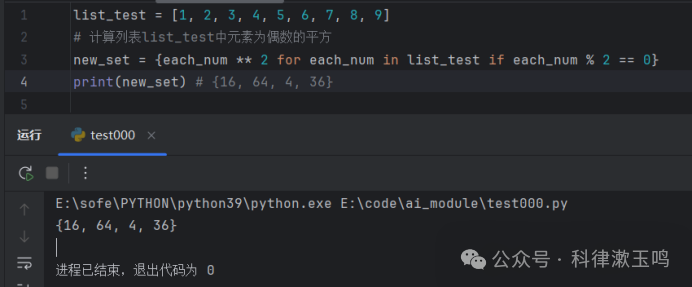
2.4 Tuple Comprehensions (Generator Expressions):
Format is as follows::
(expression for variable in sequence if condition)
Tuple comprehensions and list comprehensions are used in the same way, but tuple comprehensions use () to enclose the parts, while list comprehensions use square brackets [], and the result of tuple comprehensions is a generator object.
list_test = [1, 2, 3, 4, 5, 6, 7, 8, 9]
gene_obj = (num for num in list_test)
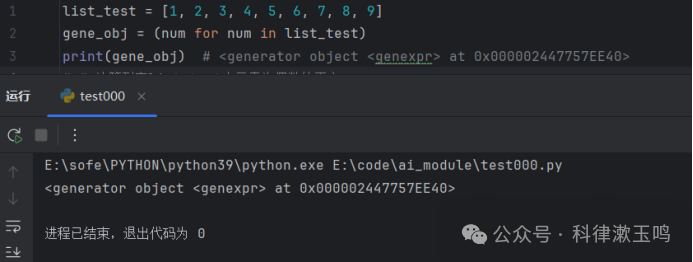
print(gene_obj) # <generator object <genexpr> at 0x000002447757EE40>
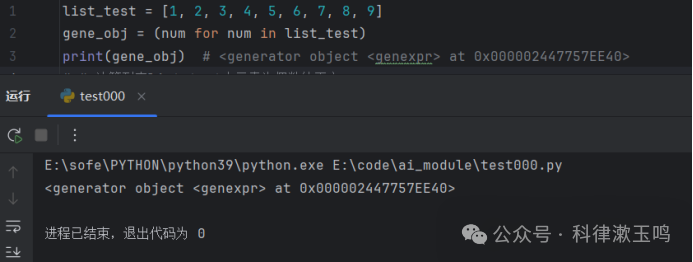 The result is a generator object, and using tuple() can convert the generator object into a tuple:list_test = [1, 2, 3, 4, 5, 6, 7, 8, 9]gene_obj = (num for num in list_test)tuple_test = tuple(gene_obj)print(tuple_test) # (1, 2, 3, 4, 5, 6, 7, 8, 9)
print(type(tuple_test)) # <class ‘tuple’>
This concludes the content of this article — mutable objects, immutable objects, and comprehensions.
Please open in the WeChat client
If you are still a beginner, start practicing quickly. If possible, give me a follow, and if you can, give me a three-hit combo: like, share, and view again. If possible, add me to your favorites. Thank you for reading my article, and feel free to leave a comment. See you in the next article!!!