Software Download
1. Software Name: Multisim
2. Software Version: 14.0 3. Software Size: 650 MB Installation Environment Requirements: Suitable for Windows 7/10/11 operating systems (64-bit version).
5. Quark Cloud Disk Download Link:
https://pan.quark.cn/s/2c6b131e0be5
Access Quark on mobile to get 1TB of free space
Dump to local storage to avoid data loss, do not extract directly!
Software IntroductionMultisim, as an electronic circuit design and simulation platform, is characterized by its intuitive graphical user interface, extensive component library, and precise SPICE simulation engine. Its core applications include the planning, simulation research, and prototyping testing of both analog and digital circuit boards, covering various simulation analysis forms and virtual instrument usage, providing essential circuit design and performance verification tools for electronic engineers, educators, and researchers.Installation Steps
Important Note
The computer must have decompression software installed (e.g., RAR/7-Zip, etc.)
2. Ensure that your computer has the 【.NET Framework 3.5】 feature activated
3. Disable antivirus software, continuous protection mechanisms, and firewall usage
1. Right-click the downloaded compressed file and select the 【Extract to Current Folder】 option

2. Right-click 【NI_Circuit_Design_Suite_14_0】】 and select 【Run as Administrator】

3. Click 【OK】
4. Click 【Unzip】
5. Click 【OK】】

6. Click 【Install NI Circuit Design Suite 13.0】

7.【【Username and Organization】 optional; click 【Next】

8. Click 【No】】
9. Change the letter C in the installation path to D; Click 【Next】
10. Click 【Next】】

11. Click 【Next】】

12. Wait for the built-in installation…

13. Click 【Next】】

14. Check 【I accept…】, Click 【Next】】

15. Click 【Next】

16. Click 【Next】】

17. Wait for the built-in installation…

18. Click 【Next】

19. Click 【NO】

20. Click 【Restart Later】】

Return to the installation package; right-click 【NILicense Activator 1.2】 and select Run as Administrator.
22. Click 【Base Edition】 then right-click and select 【Activate】; perform the same operation for all items

23. All should be 【green】 completed, close the software

24. Return to the installation package; right-click the 【Chinese-simplified】 folder, select 【Copy】

Open the application storage directory (see Figure 9); click through the path: National Instruments > Circuit Design Suite 14.0 > stringfiles; use the right-click menu to select paste.

26. Click 【Start】, find the 【Multisim 14.0】 icon in the displayed 【Application List】, then click it to open

27. Installation Complete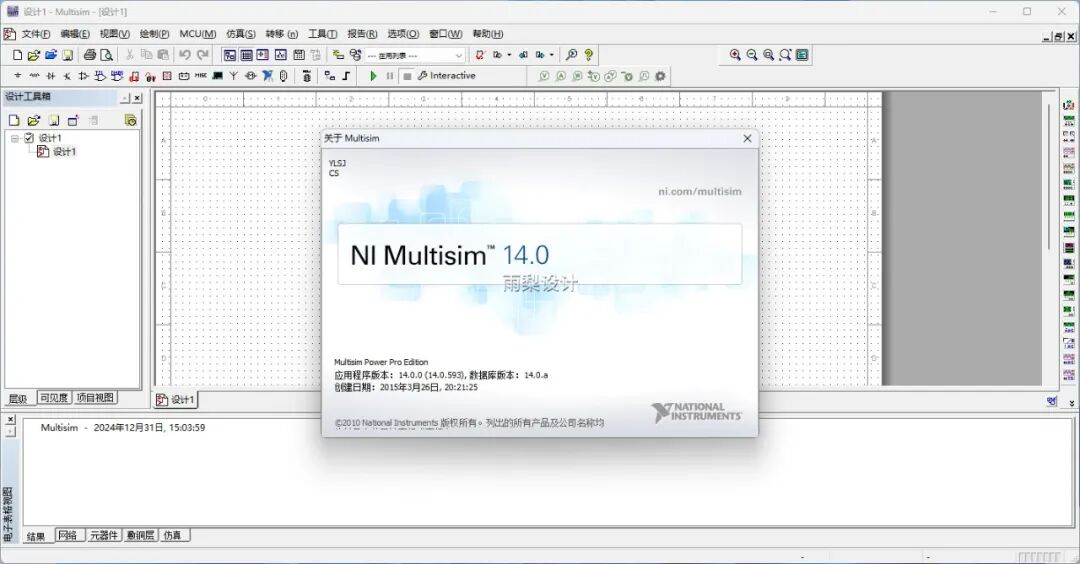 Please remember to “like” and “recommend”, you can find it later in the recommendations, thank you!
Disclaimer: The provided download resource links are sourced from online collections and user sharing, belonging to the original authors and companies. They are for personal learning and research purposes only, and commercial use is strictly prohibited. Please delete the resources within 24 hours to eliminate potential copyright issues. Please respect the intellectual property rights of the original authors and purchase legitimate copies. For commercial use, please purchase and ensure legal authorization. Infringement will result in immediate removal of related content, thank you for your support!