Software Download
1. Software Name:Multisim
2. Software Version: 13.03. Software Size: 657 MB4. Installation Environment Requirements: Windows 7/Windows 10/Windows 11 (64-bit system)
5.Quark Cloud Disk Download Link:
https://pan.quark.cn/s/f2101ba9e022
Access Quark on mobile to get 1TB of free space
Please save before downloading to prevent information loss; do not extract directly!
Software IntroductionMultisim is an electronic circuit design and simulation software characterized by its intuitive graphical interface, comprehensive component library, and accurate SPICE simulation engine. The software is widely used in analog/digital circuit board design, simulation analysis, and circuit prototype validation, providing diverse simulation analysis types and virtual instruments, making it a key tool for electronic engineers, educators, and researchers in circuit design and performance evaluation.Installation Steps
Important Note
The computer must have decompression software installed (e.g., RAR/7-Zip). If you need decompression software, click: Decompression Software
2. You need to enable [.NET Framework 3.5] on your computer; for guidance, please click here: Help Center
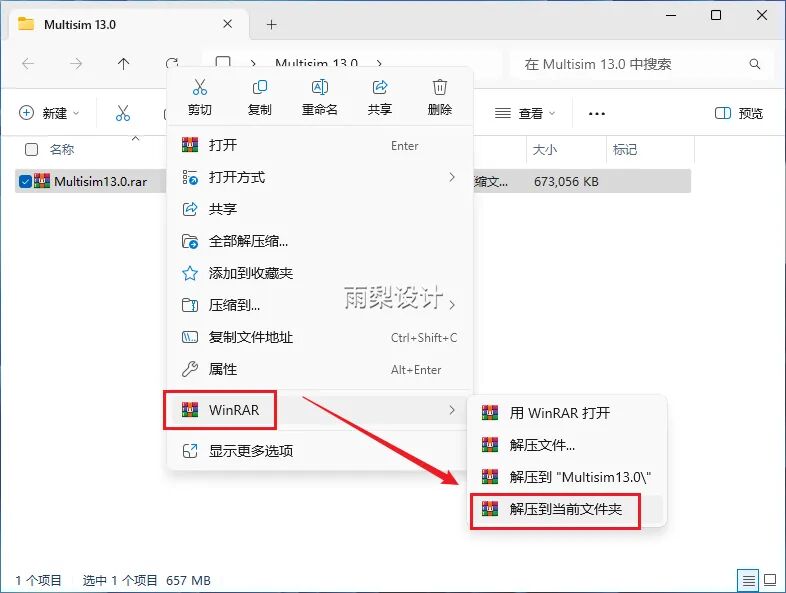
1. Right-click the downloaded compressed file and select [Extract to Current Path]
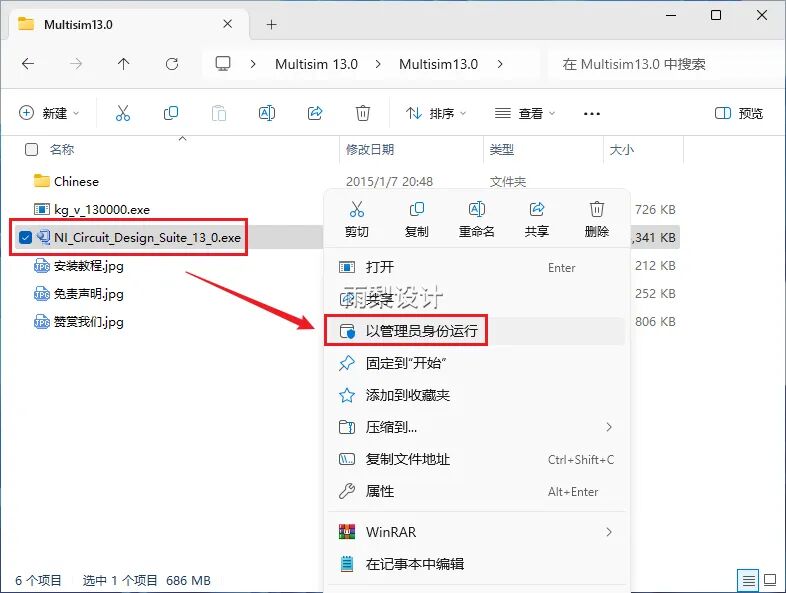
2.Right-click [NI_Circuit_Design_Suite_13_0] and select [Run as Administrator]
3. Click [OK]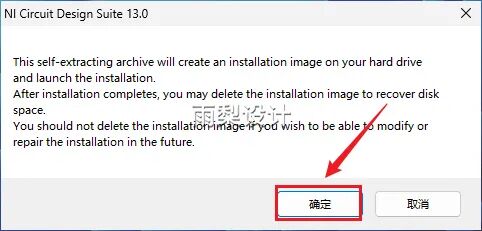
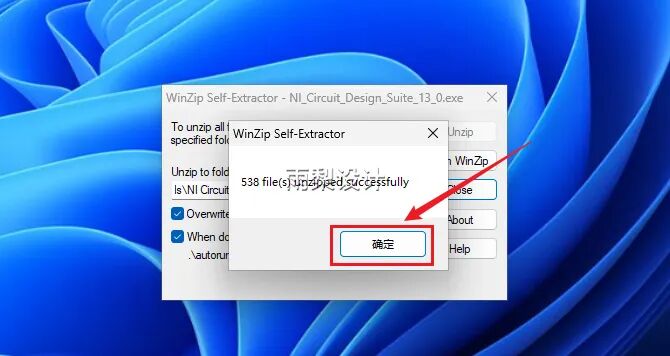
4. Click [Unzip]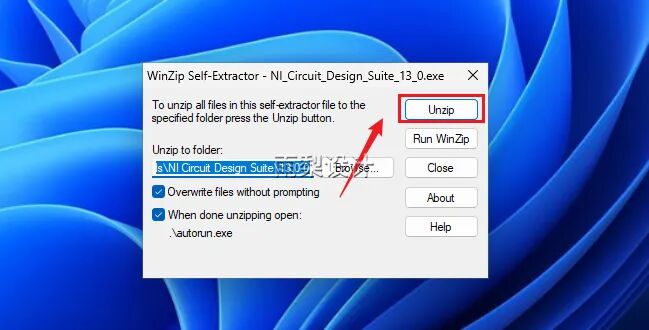
5. Click [OK]]
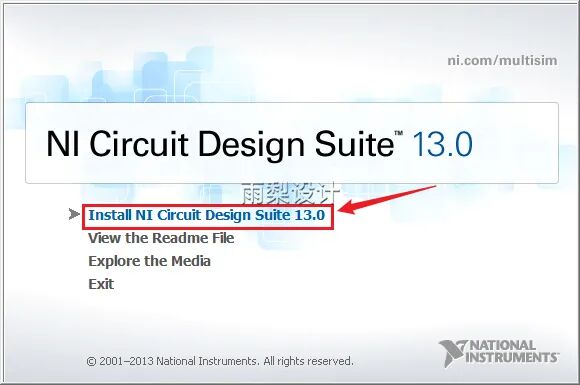
6.Click [Install NI Circuit Design Suite 13.0]
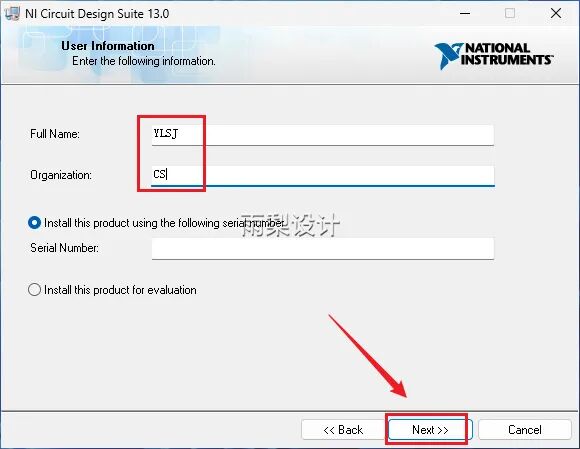
7. Fill in [FullName and Organization] arbitrarily; click [Next]
8. Click [No]]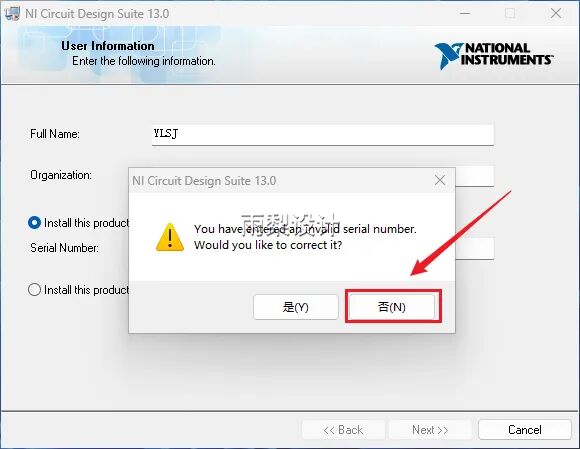
9. Change the letter C in the installation path to D; click [Next]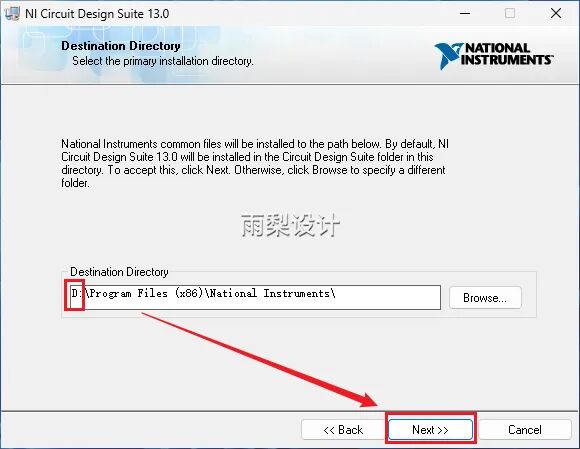
10. Click [Next]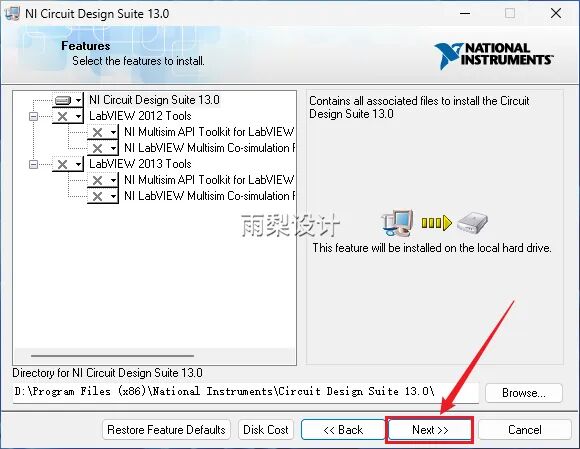
11.Click [Next]]

12.Wait for the built-in installation…
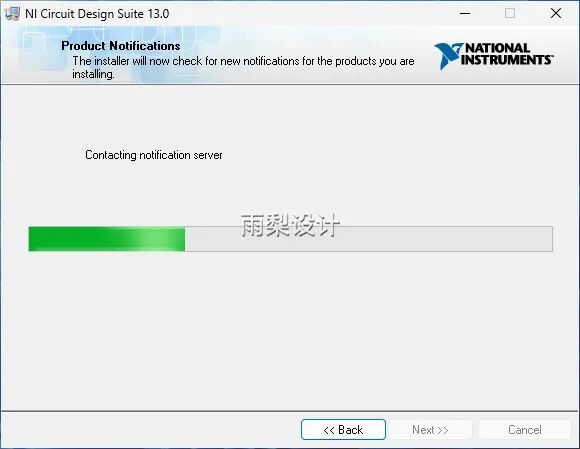
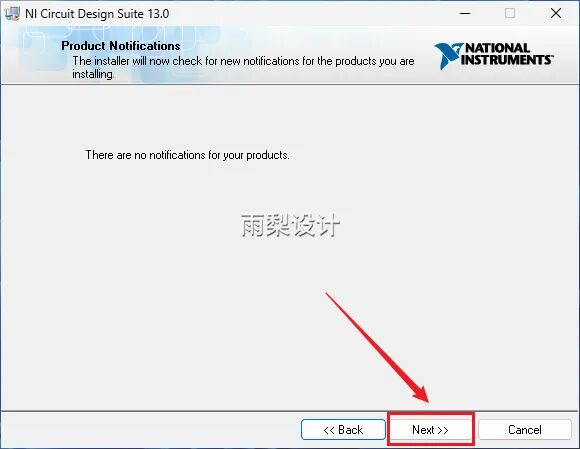
13.Click [Next]
14.Check [I accept…], click [Next]]
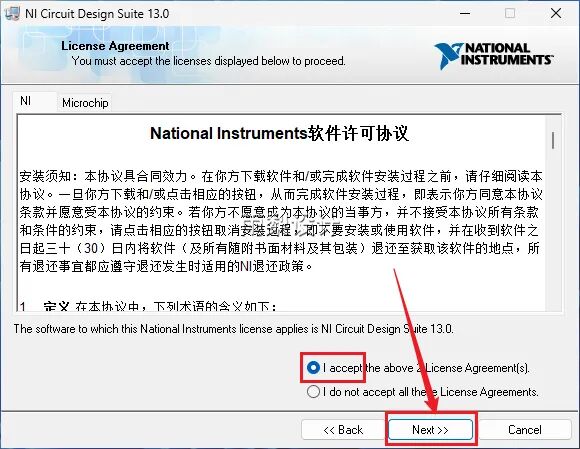
15.Click [Next]
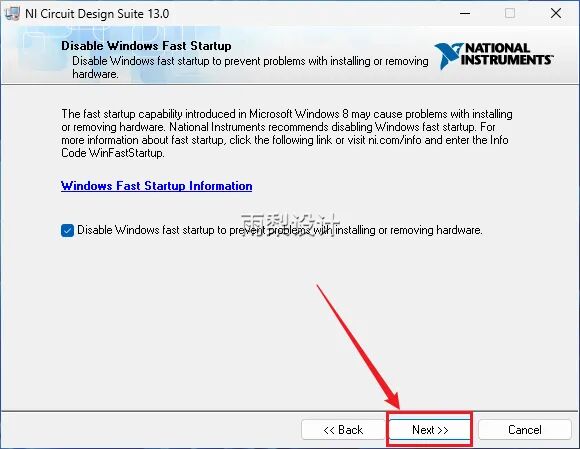
16. Click [Next]]
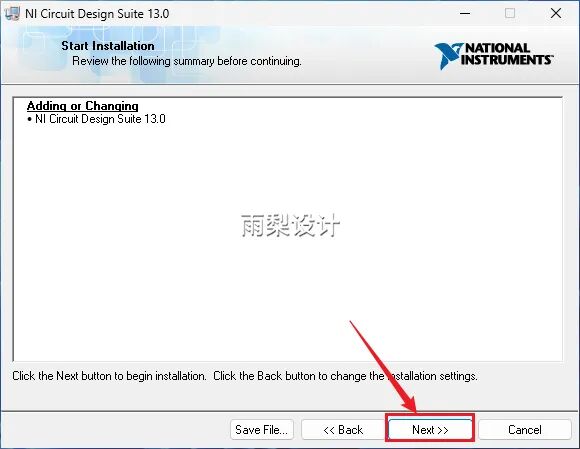
17.Wait for the built-in installation…

18. Click [Next]

19.Click [NO]

20. Click [Restart Later]]
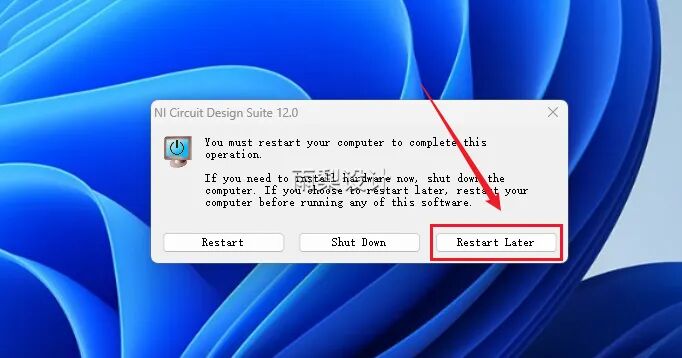
21. Right-click [kg_v_130000] and select [Run as Administrator]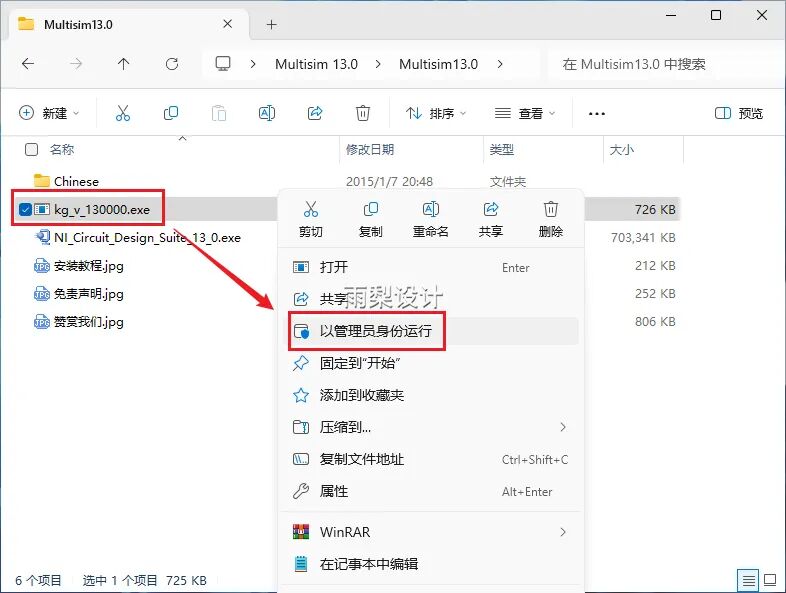
22. Enter [1] and press [Enter]

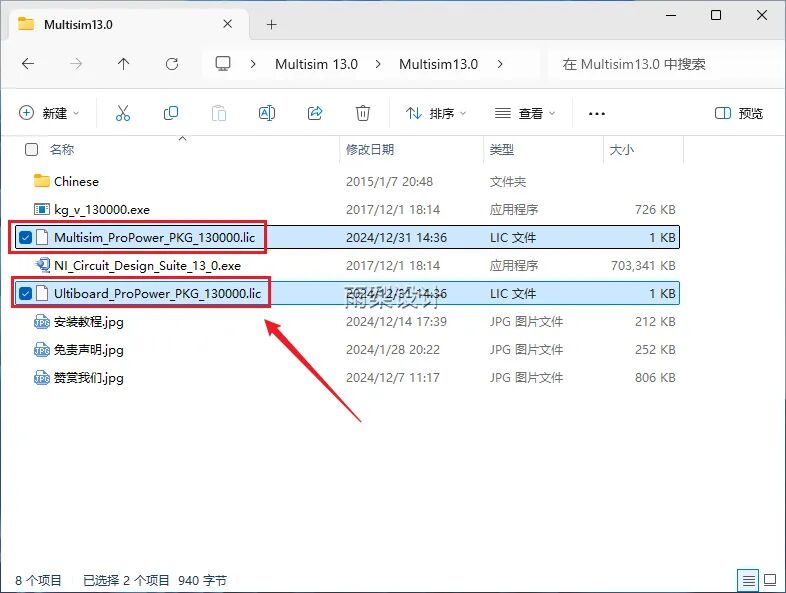
23. Files [Ultiboard_ProPower_PKG_130000] and [Multisim_ProPower_PKG_130000] will be generated in the current folder (no action needed, check if the files are generated)
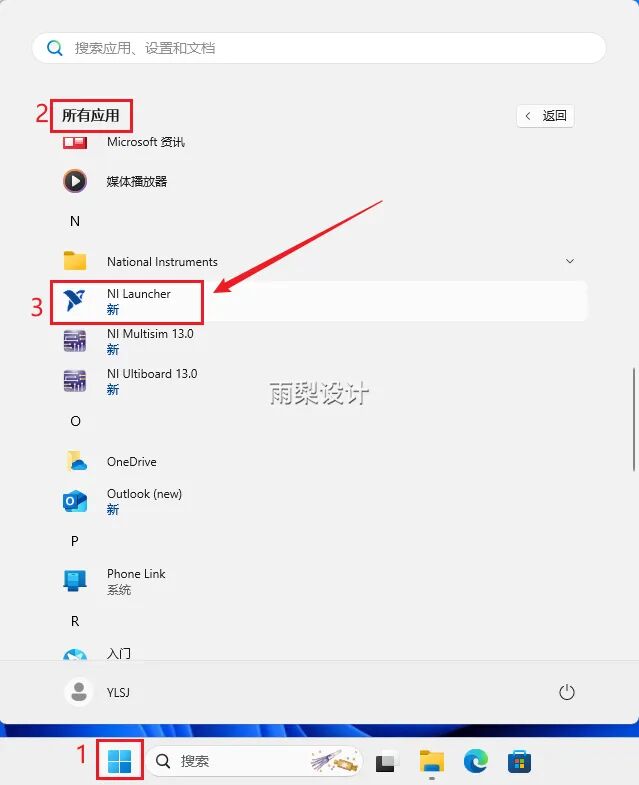
24.Browse to the [NI Launcher] icon in the [All Applications] area on the [Start] page and click to launch
25. Double-click [NI License Manager]
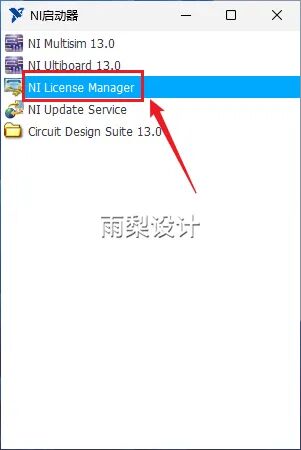
26. Drag the two documents generated in step 23 directly into the current interface

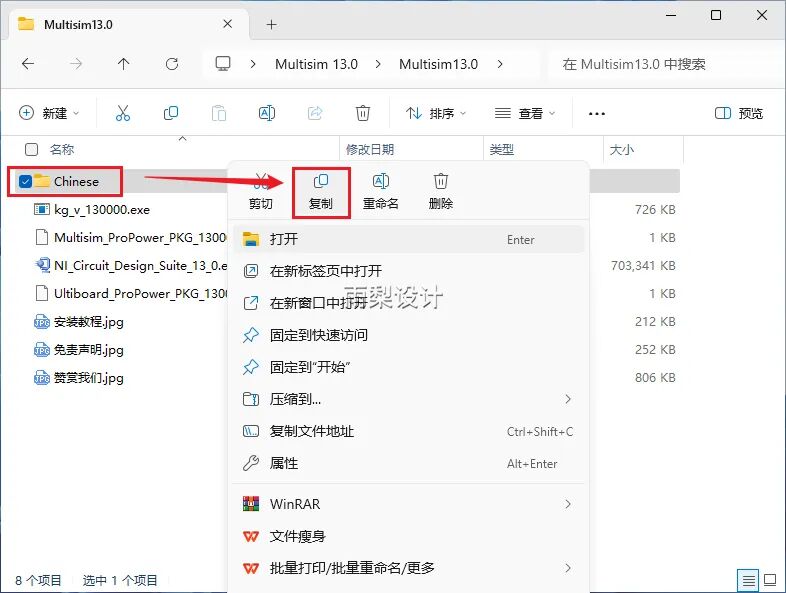
27.Return to the installation package; right-click the [Chinese] folder and select [Copy]
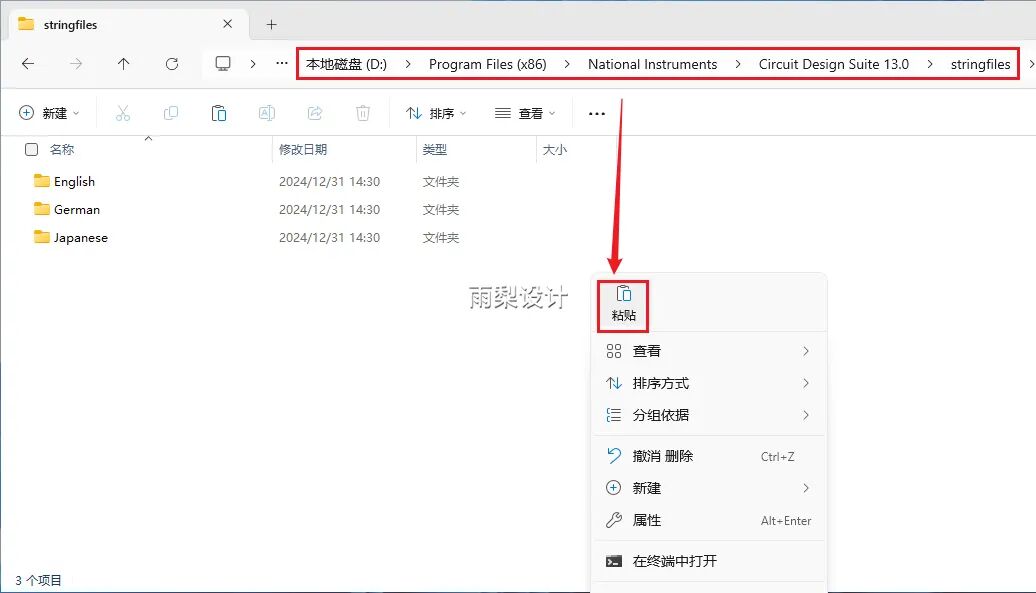
28. Enter the software storage directory (refer to step 9); click the path: National Instruments→Circuit Design Suite 13.0→stringfiles; right-click [Paste]
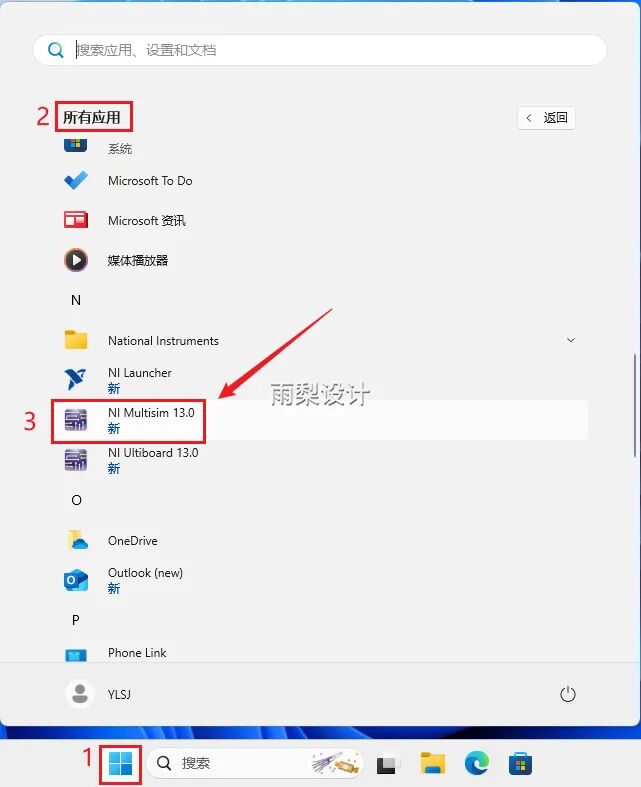
Search for the [Multisim 13.0] icon in the [All Software] section of the [Start] interface and click to enter
30. Installation complete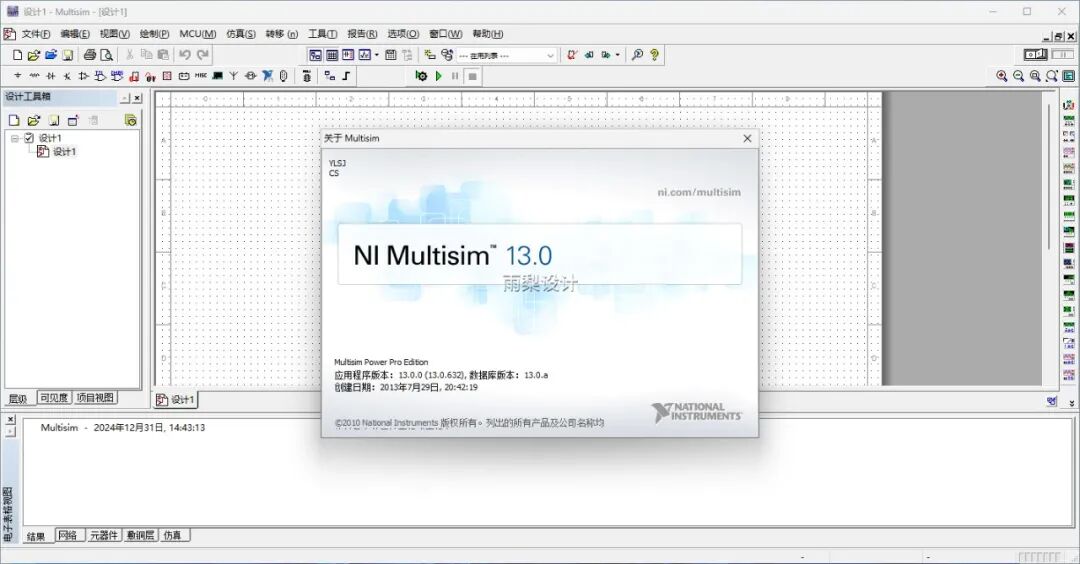 Remember to “like” and “recommend” so you can find it later, thank you!
Disclaimer:The download resources provided by this public account are sourced from online collections and user sharing, owned by the original authors and companies. They are for personal learning and research use only, and commercial use is prohibited. Please delete within 24 hours to eliminate copyright disputes. Please respect the rights of the original authors and purchase legitimate copies. For commercial use, please purchase and ensure legal authorization. If infringement is found, please contact us promptly, and we will remove the relevant content immediately. Thank you for your understanding and support!