With the advancement of 5G network technology, the Internet of Things (IoT) is rapidly developing. Today, countless IoT devices are shining in every corner of the world.
However, unlike traditional internet, end-to-end communication has always been a challenge for IoT businesses. The different IoT communication protocols used create a huge gap in communication between these devices, much like people speaking different languages and being unable to communicate effectively.
About MQTT Protocol: https://www.jianshu.com/p/ecde412d2eeb
About CoAP Protocol: https://www.jianshu.com/p/7fec0916a0d3
► Step 1:Start EMQ X Broker, enable the CoAP plugin, and ensure the plugin is running
CoAP plugin (default port 5683).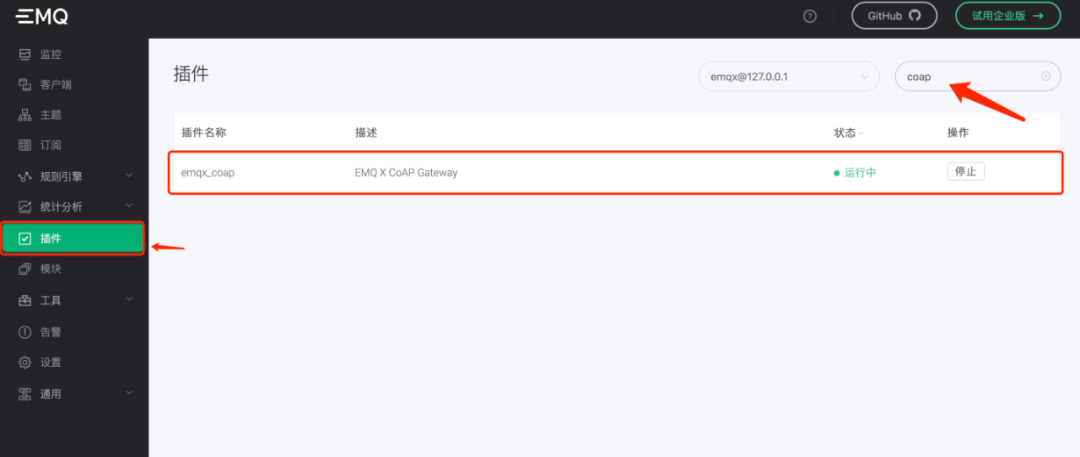
PUB/SUB model of MQTT, to achieve end-to-end communication, devices need to use topic as a bridge. We use coap_to_mqtt and mqtt_to_coap as two topics, respectively serving as the message topic from CoAP to MQTT, and from MQTT to CoAP.Both MQTT and CoAP support the publish/subscribe mechanism. MQTT relies on the Topic field in the message, while CoAP is based on REST design. In EMQ X Broker:
-
PUTandGET: serve asPublishandSubscribe. -
URI: path maps to topic, with the rule: topic nametopic_nameis converted to path/mqtt/topic_name, that is,topicplus/mqtt/prefix. -
URI Query: path parameters carry terminal information, including terminal, username, and password.
# Example put "coap://host:port/mqtt/$topic?c=$client&u=$username&p=$password" get "coap://host:port/mqtt/$topic?c=$client&u=$username&p=$password"
# -m get | put | post ... # method request type  # coap://host:port # CoAP protocol path format, host and port, fill in the IP where EMQ X Broker is deployed, and the port of the CoAP plugin (default 5683)
# /mqtt/$topic  # refers to mqtt's topic, needs conversion, rule: # topic name topic_name, in CoAP needs to use /mqtt/topic_name
# URI Query # c : terminal # u : username # p : password► Step 2:Invite the first participant, the MQTT client
Connect MQTT X (an open-source MQTT desktop client under EMQ) to your EMQ X Broker and subscribe to the topic coap_to_mqtt.
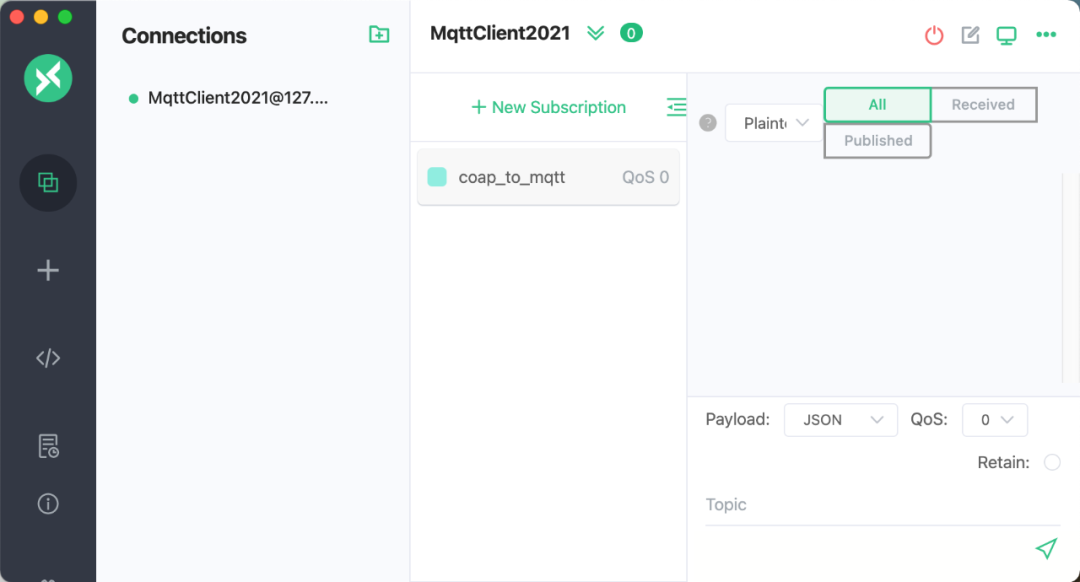
► Step 3:Invite the second participant, the CoAP client
# First install libcoap # Use git to download, or use the download link https://github.com/obgm/libcoap/archive/refs/tags/v4.2.1.zip git clone https://github.com/obgm/libcoap.git # If you use the download link, unzip # unzip libcoap-4.2.1.zip # Enter the libcoap directory cd libcoap # Switch to stable version, the author used v4.2.1 # If you use the download link in this article, no need to switch versions. git checkout v4.2.1 # Configuration installation ./autogen # During the ./autogen process, you may encounter some missing dependencies (such as autoconf and automake), install the corresponding dependencies as prompted. ./configure --enable-documentation=no --enable-tests=no # Package makeAfter installation, the CoAP terminal PUTs a message to the coap_to_mqtt topic.
# CoAP terminal sends message hello EMQ X world, i am coap, topic is coap_to_mqtt ./examples/coap-client -m put -e "hello EMQ X world, i am coap" "coap://127.0.0.1/mqtt/coap_to_mqtt?c=coap20211&u=tom&p=secret" # Replace 127.0.0.1 with your EMQ X Broker deployment addressWe can see that MQTT X received greetings from CoAP.
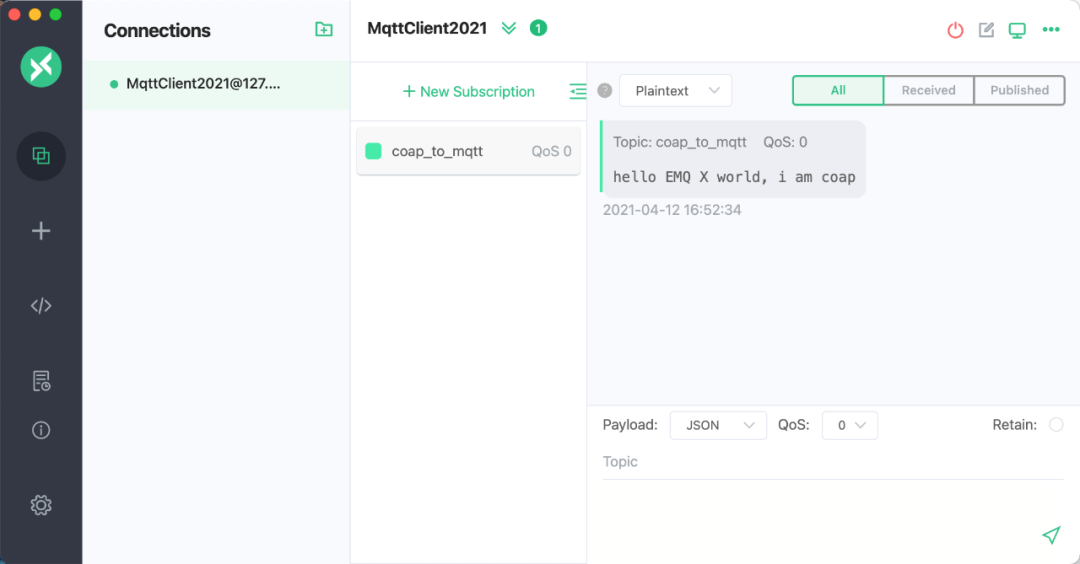
mqtt_to_coap topic.# CoAP terminal subscribes to mqtt_to_coap topic, -s 20 indicates subscription lasts for 20 seconds ./examples/coap-client -m get -s 20 "coap://127.0.0.1/mqtt/mqtt_to_coap?c=client1&u=tom&p=secret"MQTT X sends hello coap, i am mqtt welcome to EMQ X World! to the mqtt_to_coap topic.
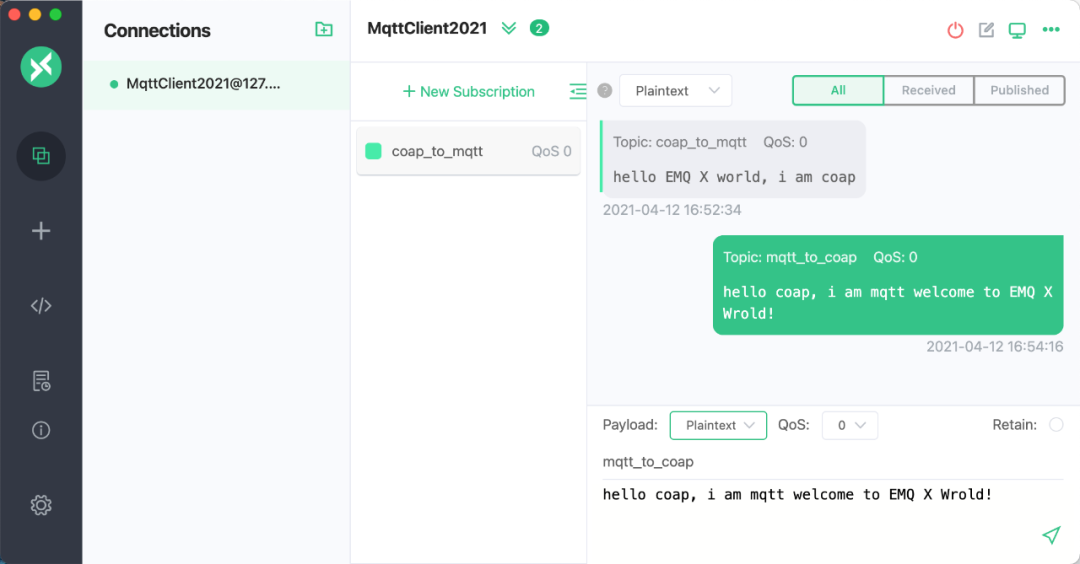
./examples/coap-client -m get -s 20 "coap://127.0.0.1/mqtt/mqtt_to_coap?c=client1&u=tom&p=secret" hello coap , i am mqtt ,welcome to EMQ WorldThus, we have completed an end-to-end communication process using EMQ X Broker as a medium, successfully allowing MQTT and CoAP to “date” in the world of EMQ X.
We look forward to a place where all IoT devices can meet and spark brilliant ideas, illuminating the world of IoT.
Article Author
Huang Di
EMQ X Development Engineer, EMQ X Broker & Enterprise
Zhou Zibo
EMQ X Open Source Project Manager, mainly responsible for project management and community maintenance, has many years of rich industry experience in the IoT field.
Click “Read Original” to learn more.
↓↓↓