Modbus to Profinet Protocol Gateway and Mini Air Quality Monitoring System
The Modbus to Profinet gateway is an important device for converting different industrial communication protocols, playing a key role in industrial automation systems, enabling seamless communication between Modbus protocol devices and Profinet protocol systems. Meanwhile, the ARX – MA100 mini air quality monitoring system is an advanced environmental monitoring device that can accurately and in real-time monitor various pollutants and environmental parameters in the air, providing reliable data for environmental quality assessment and decision-making. Both have significant application value in their respective fields.
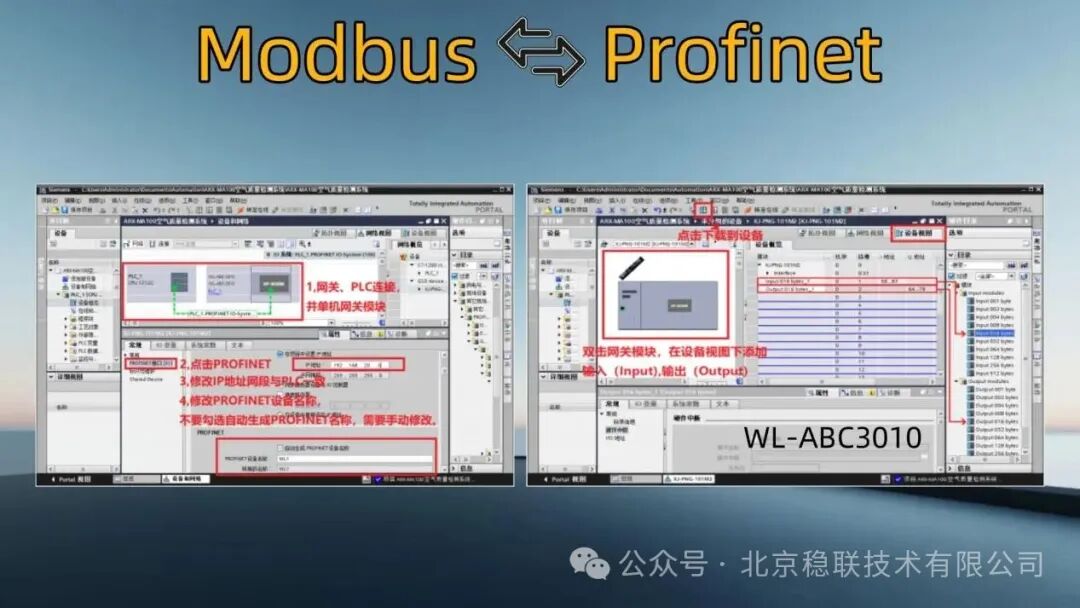
In the menu bar of the Boto software, execute the “Manage General Station Description Files (GSD Files)” function, then select compatible products for device configuration operations. The operation steps are detailed in the attached images.

The current status is that the Programmable Logic Controller (PLC) and the Modbus to Profinet gateway are in an unassigned state. Click on the device to connect the input/output (IO) controller PLC_1’s PROFINET port_1.

After assigning the Siemens PLC and the Modbus to Profinet gateway, it is necessary to modify the gateway’s IP address and PROFINET device name; note: do not check the option for automatic generation of the PROFINET device name, instead, redefine and input a new name.
Select the Modbus to Profinet gateway in the device configuration, add the modules Input and Output from the right-side directory menu to the slots, and then download to the corresponding device.
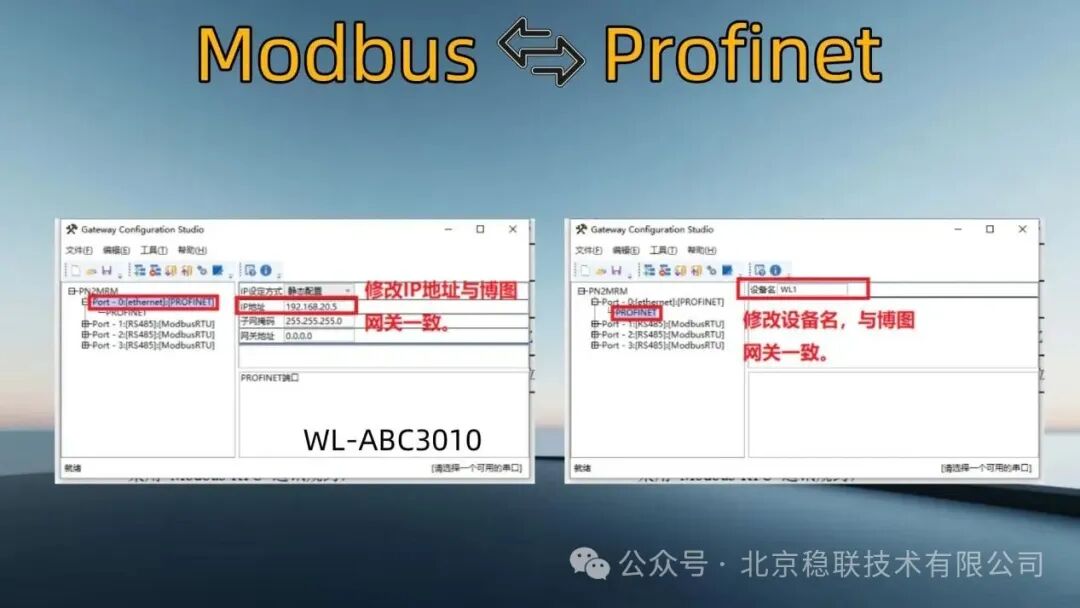
Open the Modbus to Profinet gateway configuration software, modify the configuration software to ensure it matches the IP set in Boto configuration, and modify the PROFINET name in the configuration software to match the device name.
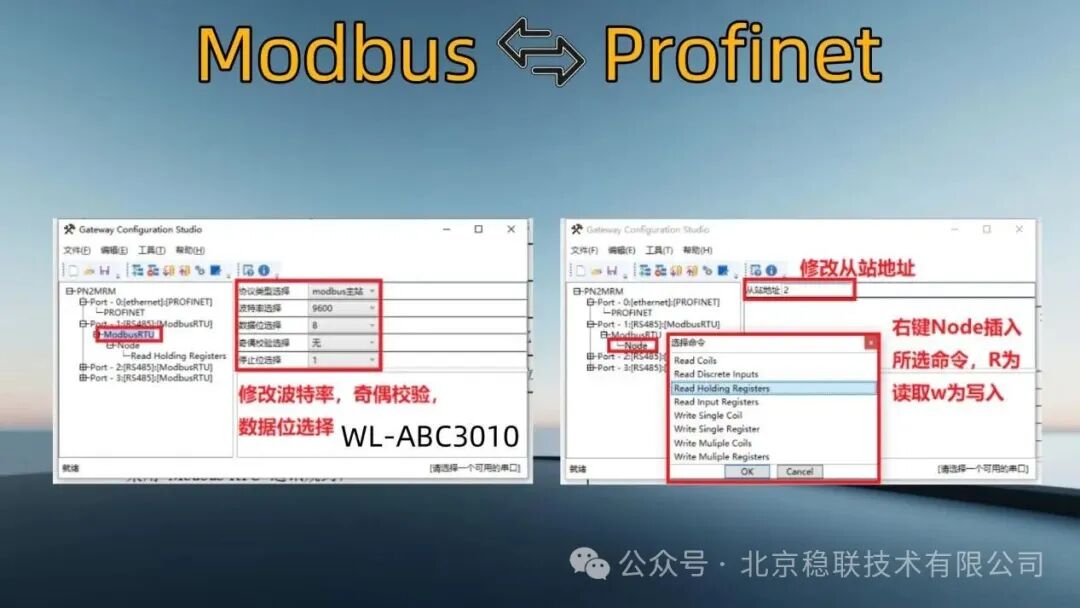
Modify the MODBUS parameters (baud rate, parity, etc.) according to the settings of the slave device; add the required function codes in the Modbus to Profinet gateway configuration software, then click Node to enter the required commands.
After adding the commands, modify the starting address parameters as needed; the software parameters of the air quality monitoring device correspond one-to-one with the command frame parameters for reading the air quality monitoring device.
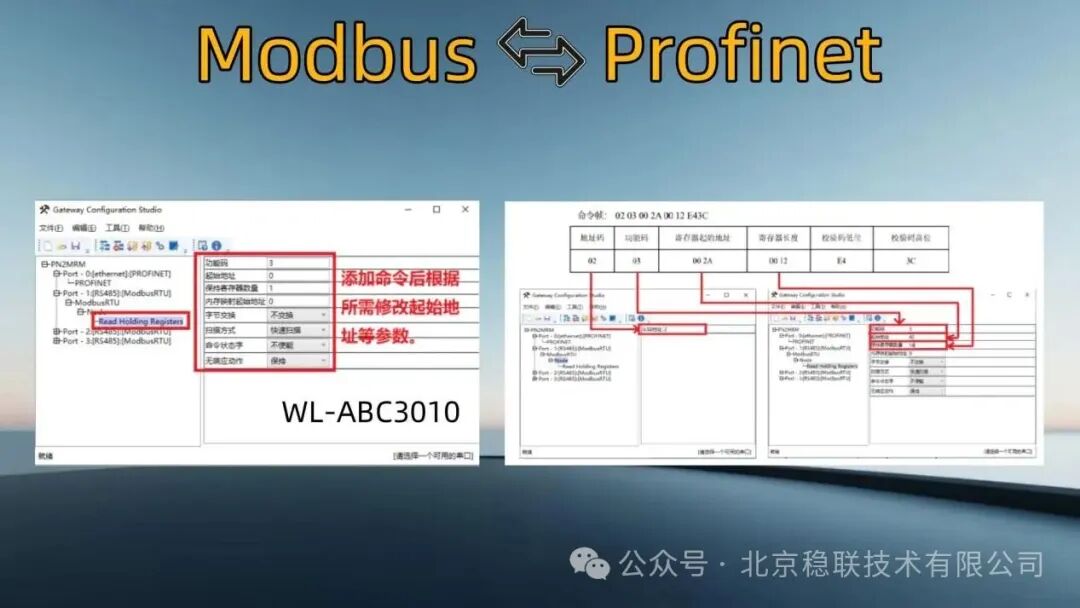
According to the command parameters of the air quality monitoring device shown above, modify the address code 02 (hexadecimal) in the configuration software, starting register address 00 2A (hexadecimal), which corresponds to starting address 42 (decimal), and register length 00 12 (hexadecimal), which corresponds to maintaining the number of registers 18 (decimal).
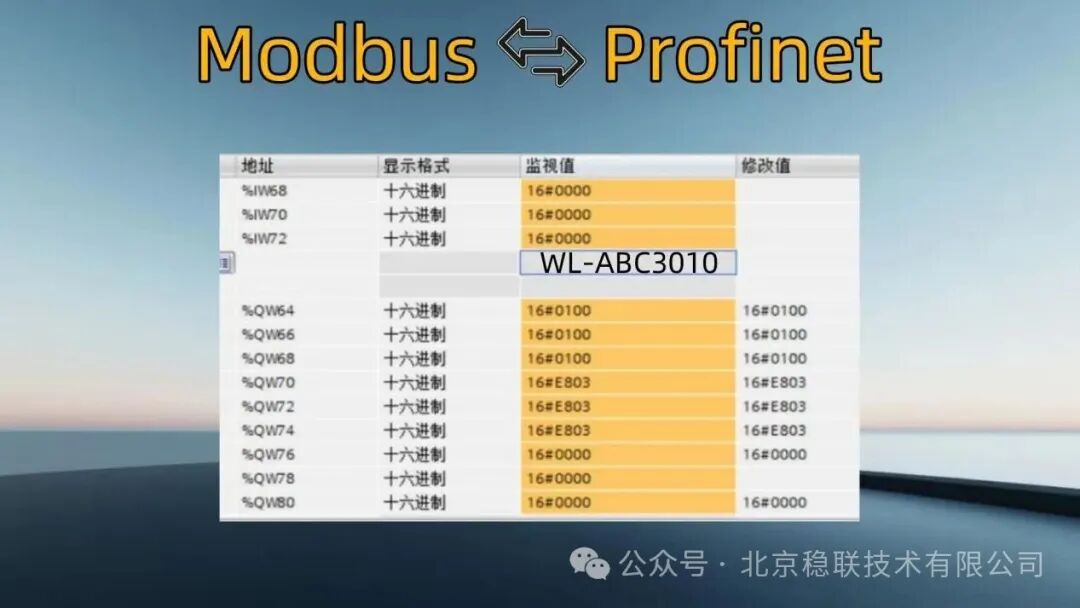
Upload the modified data parameters to the gateway via USB and download successfully, then power cycle the gateway. Finally, use USB to RS485 to test the data transmission and reception, enabling the Boto monitoring table to check if the received and sent data is correct.The following image shows the data monitored by the Boto monitoring table: