
1. Introduction
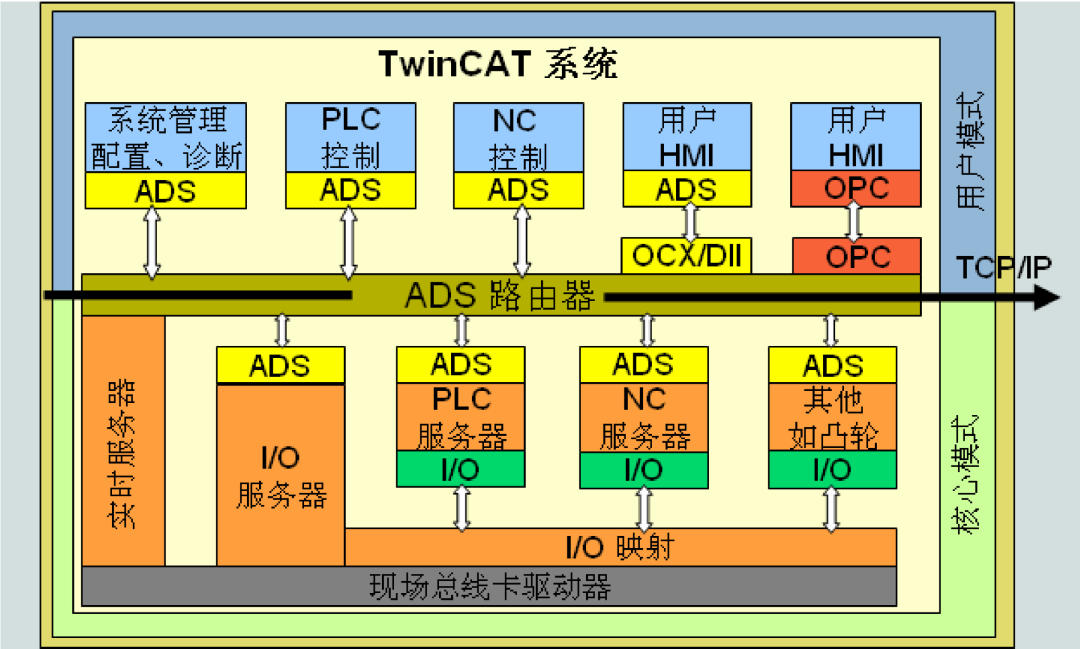
Beckhoff ADS (Automation Device Specification) provides an interface for communication between applications. In TwinCAT2 and TwinCAT3 systems, TwinCAT PLC, TwinCAT NC, TwinCAT CNC, etc., are designed as virtual automation devices, similar to actual physical devices that exchange information via routing based on the TCP protocol, as illustrated below. At the same time, users can utilize Beckhoff’s publicly available free communication library to implement ADS communication. The professional recording software PLC-Recorder utilizes this library along with its own variable management and scheduling mechanisms to achieve high-speed, continuous data acquisition from Beckhoff controllers.
The specific operational steps are as follows:
2. Channel Configuration
1. Open the I/O isolator, add a channel, and configure the key parameters.2. Configure the acquisition cycle in the channel’s “General” interface.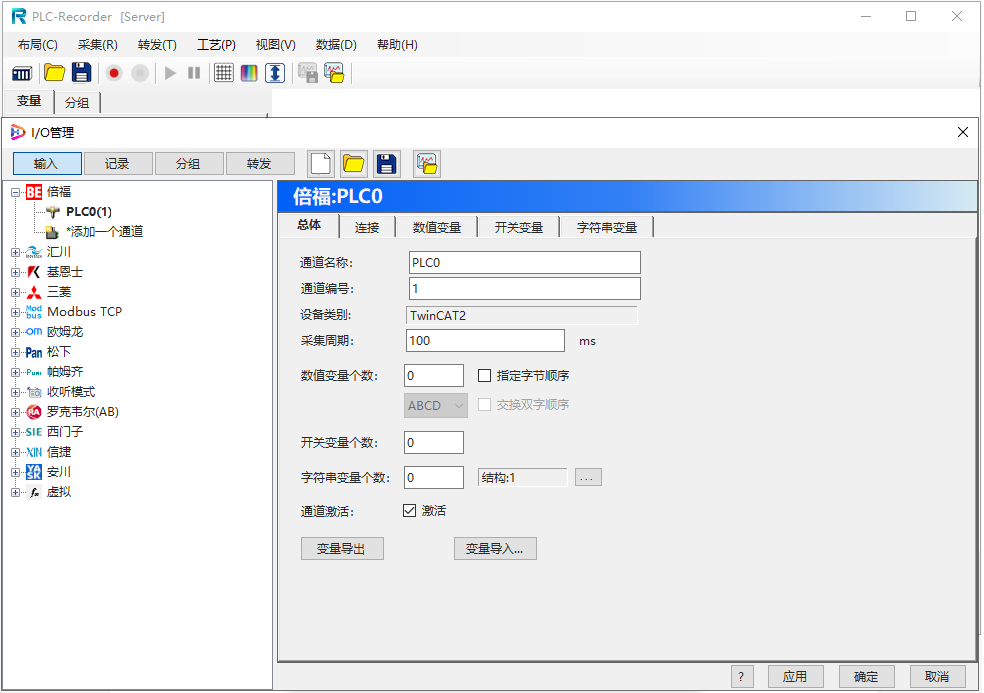
3. Configure the accessible port number and target ID in the “Connection” interface of the PLC.
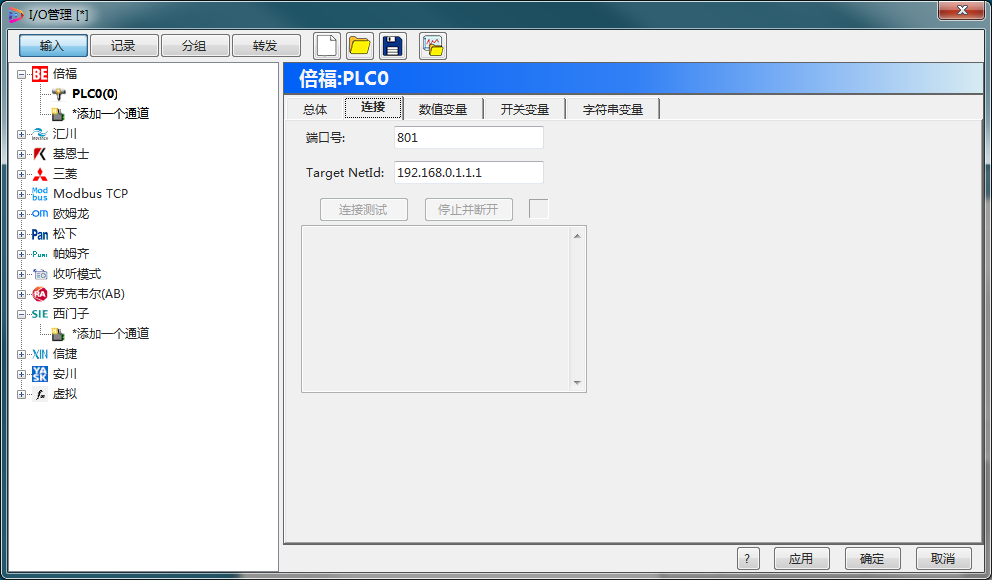
Specific parameters and environmental configurations can be referenced in the online manual (click the ? button at the bottom of the page) for the relevant sections.
3. Variable Configuration
Click the variable configuration button to enter the variable configuration interface, where you can configure three types of variables: numeric, switch (bool type), and string. Configure the variable type and starting address for each variable. Addresses are divided into symbolic addresses and absolute addresses.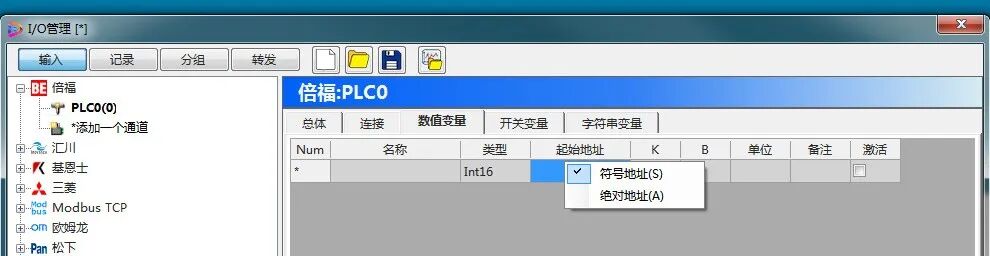 1. Symbolic Address:
This software recommends the address method, format:
For global variables: “.ABC”, for local variables:“ProgramName.ABC”, for example, main.a1.
For array access, for example:main.arry[1].
For structures (user-defined types), for example: main.ut1.ab.
2. Absolute Address:
Format examples: IX0.1, MX10.1, QX0.2, IB10, MB10, QB10, IW12, MW12, QW12, ID4, MD4, QD4.
4. Variable Selection
The variable selection function allows browsing and selecting variables online from the PLC, and also allows variable selection through offline files (.tpy).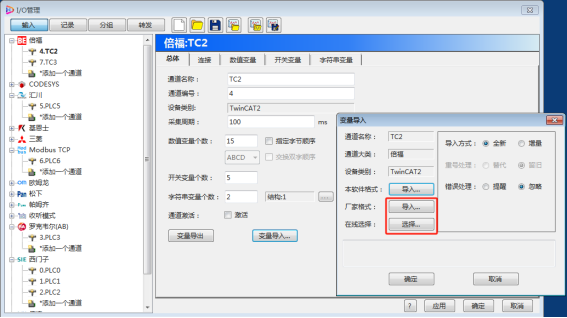
5. Start/Stop Control via the Left Button
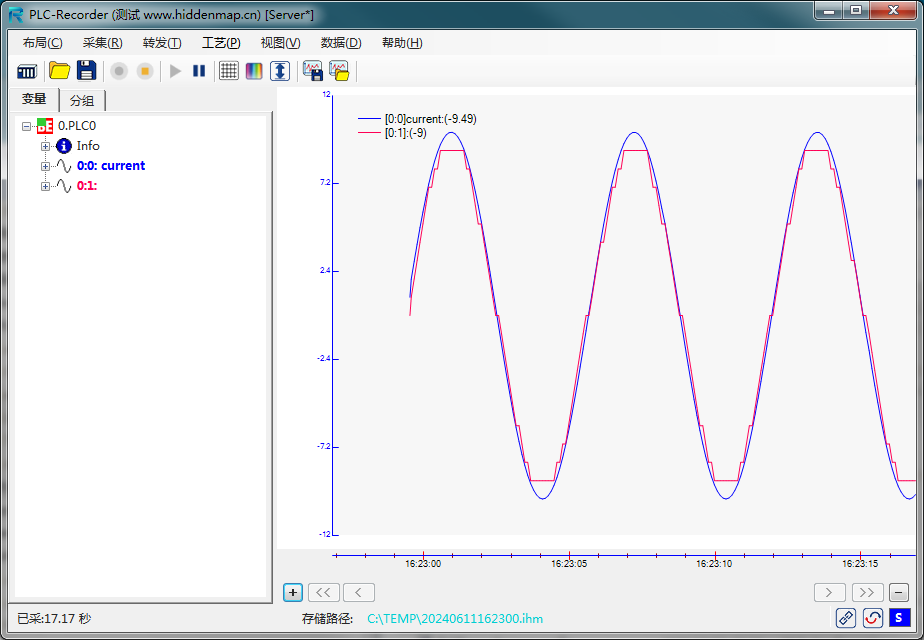
6. Call Offline Analysis Software for Subsequent Data Analysis
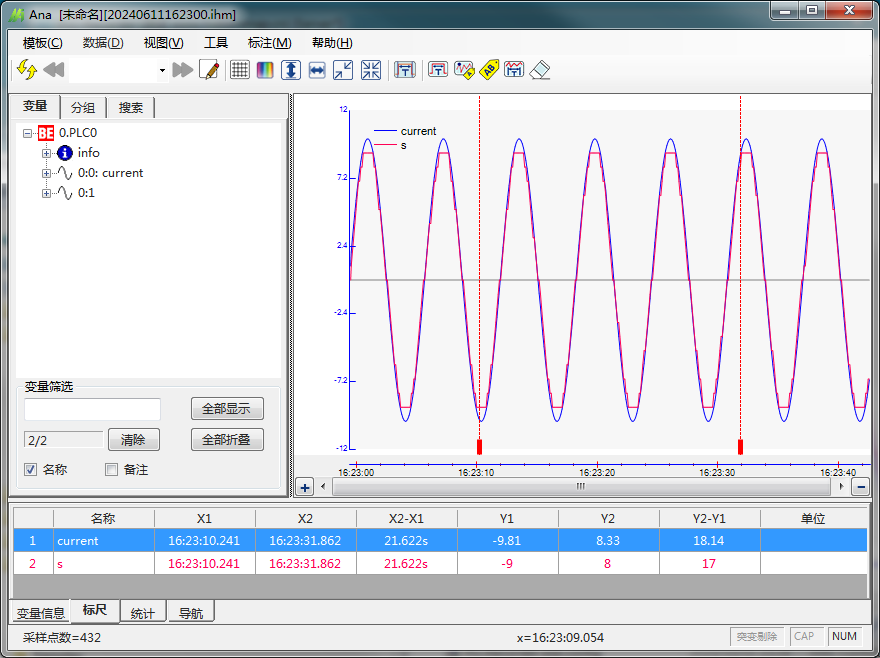
7. Conclusion
Compared to Siemens and Mitsubishi PLCs, Beckhoff PLC data acquisition relies on the ADS router, thus requiring the installation of Beckhoff’s communication environment (the free part of Beckhoff software). Other settings and precautions can be referenced in Beckhoff’s manual, as well as in the relevant sections of the recording software manual. The recording software adopts Beckhoff’s batch data exchange mechanism and has implemented fault tolerance, resulting in very fast and stable acquisition speeds.


 Extended Knowledge: The PLC-Recorder professional data acquisition and analysis software can collect string variables as conveniently as numeric variables.
 In the future, we will periodically provide more PLC engineering tips. Follow us to stay updated.