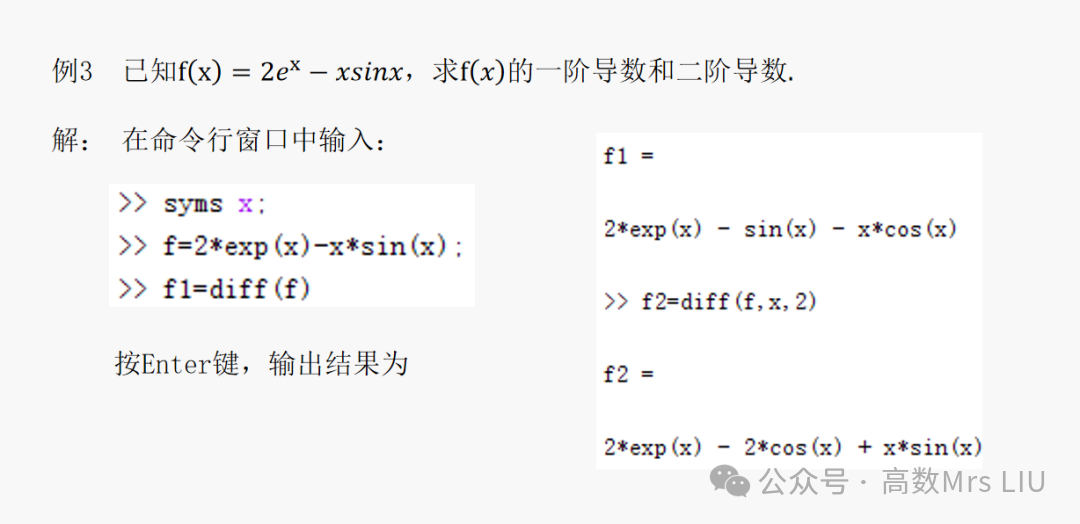
diff is the command function for calculating derivatives. In the Matlab command window, enter the program in the following format:
diff(f,t,n)
Press Enter to output the result. Where
diff(f,x): calculates the first derivative of function f with respect to the symbolic variable x;
diff(f,t): calculates the first derivative of function f with respect to the symbolic variable t;
diff(f,t,n): calculates the n-th derivative of function f with respect to the symbolic variable t.
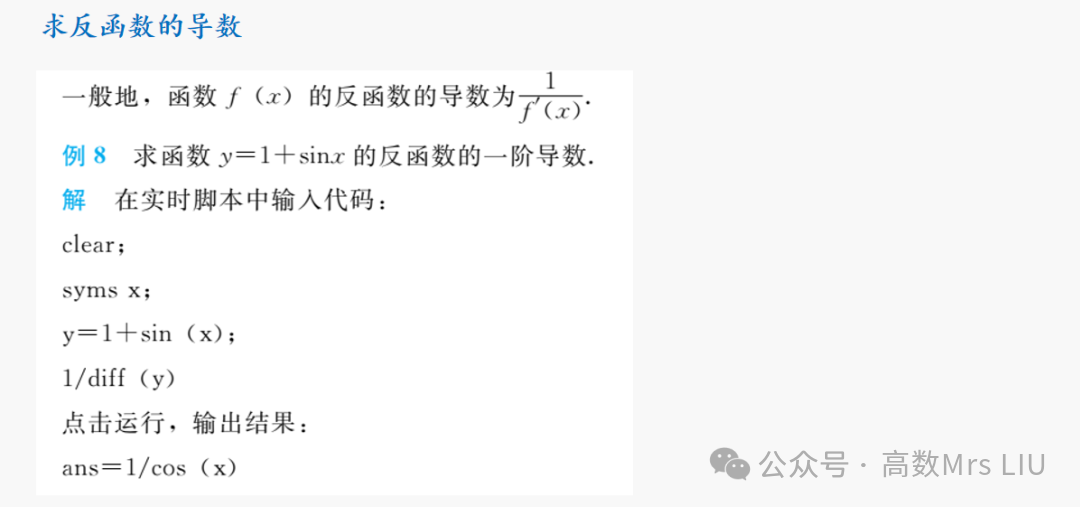
 1. Calculating the derivative of the inverse function
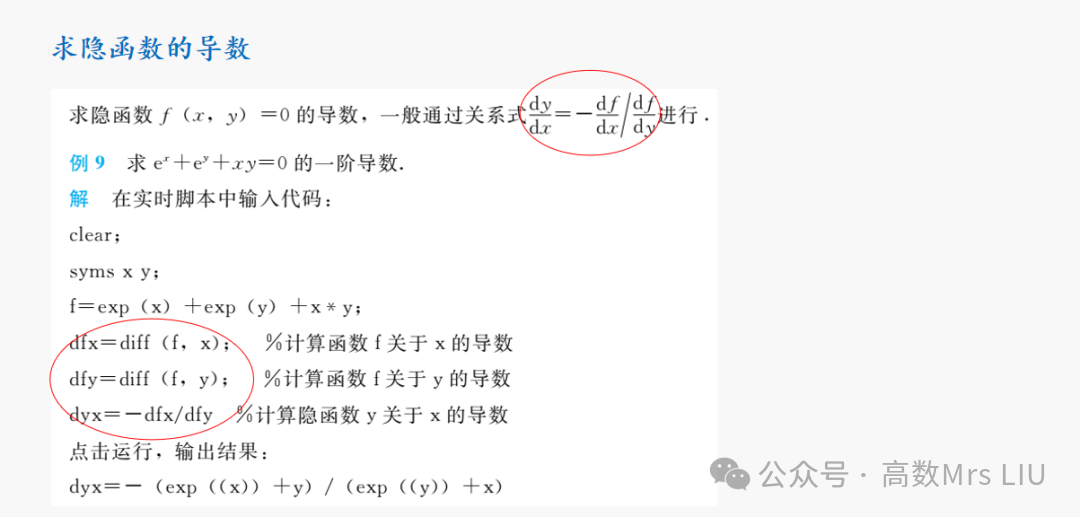
 2. Calculating the derivative of an implicit function
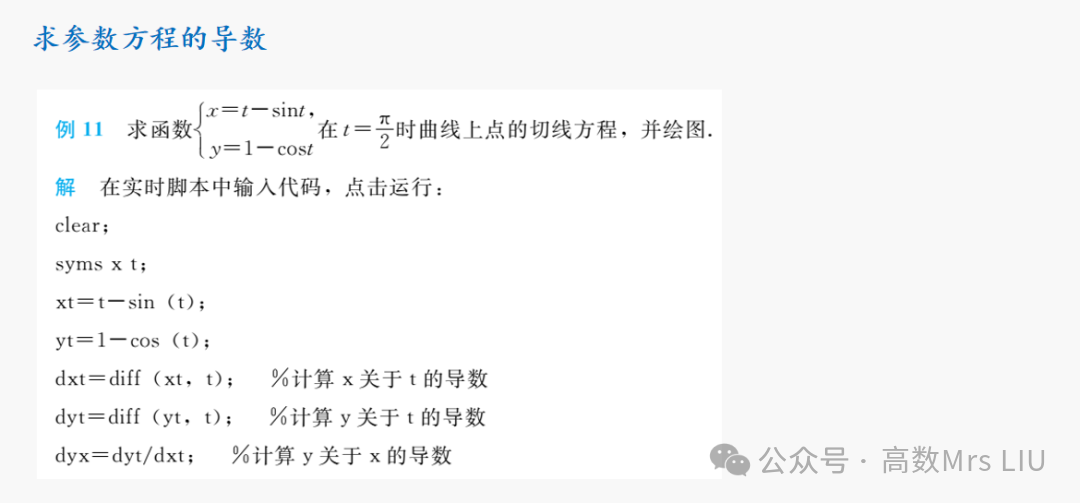
 3. Calculating the derivative of a parametric equation
 4. Calculating the derivative of a function at a specific point
To solve for the derivative of a function at a specific point or the slope of the tangent line at a point on a curve, you need to substitute the value of that point into the derivative function before performing the calculation. In MATLAB, this is done using the subs command to replace symbolic variables with numerical values. The specific usage is as follows:
subs(f,a): indicates replacing the default symbolic variable of function f with the numerical or symbolic variable a;
subs(f,x,a): indicates replacing the specified symbolic variable x of function f with the numerical or symbolic variable a;
subs(f,{x,y},{a,b}): indicates replacing the specified symbolic variables x and y of function f with numerical values a and b, respectively.
5. The geometric meaning of derivatives (slope of the tangent)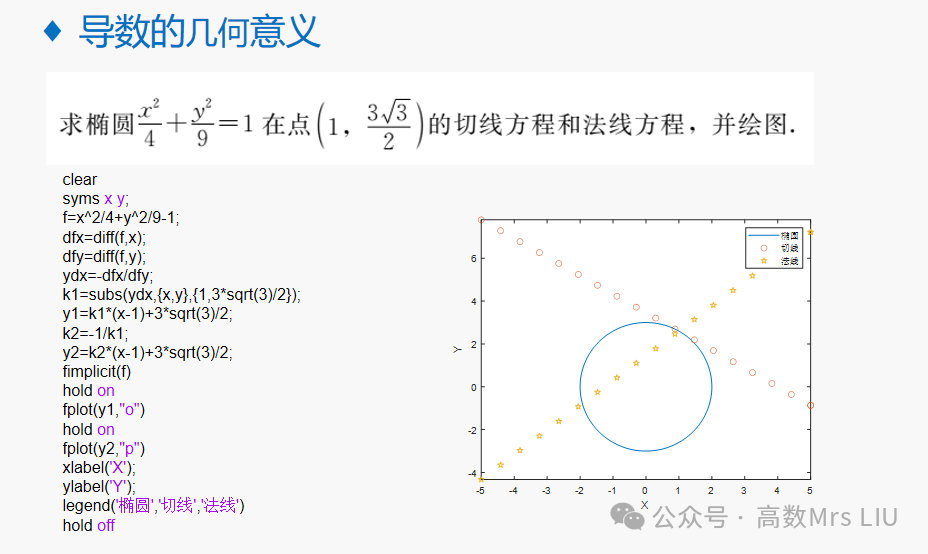
🎀
Thank you for your attention~
I hope the above content is helpful to you!
🎀