At the end of the article, there are project cases and template programming for 200SMART.
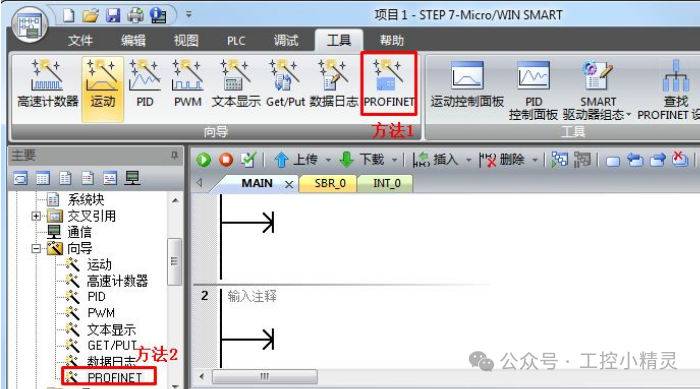
Introduction: In automation equipment, servo applications are very widespread, such as in packaging machines, cutting machines, screw machines, etc. However, in recent years, due to technological advancements, using pulse control for servos can no longer meet the demands. Currently, most scenarios use communication to control servos, achieving control over speed, positioning, and more. This article will teach you the programming methods for communication control between the 200SMART PLC and the V90 servo using PROFINET. The main focus of this article is to implement positioning control through communication functions!1. Establishing a communication connection between V90 servo and PLC(1) Import the GSD file of V90 through the 200SMART softwareFollow the method for importing the GSD file to import the GSD file of V90PN into STEP7 MicroWIN SMART.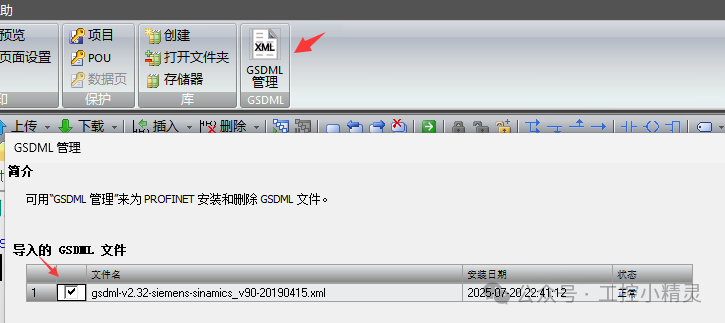 2. Open the PROFINET wizard. There are two methods to do this; you can use either one. As shown in Figure 1, the method to open the PROFINET wizard.
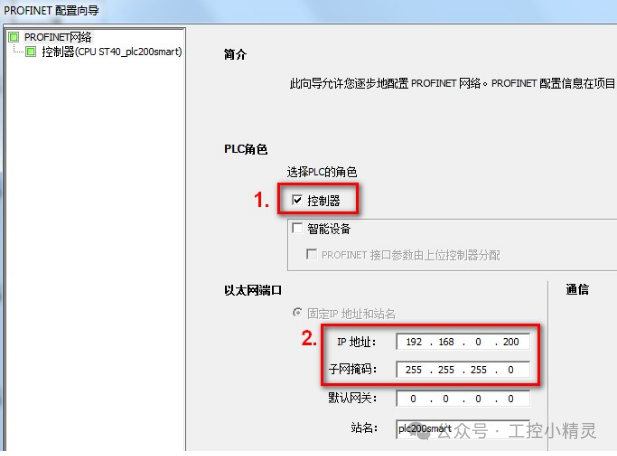
 3. In the opened PROFINET configuration wizard dialog, select the PLC role as “Controller” and set the controller’s IP address, then click Next. As shown in Figure 2, selecting the PLC role.
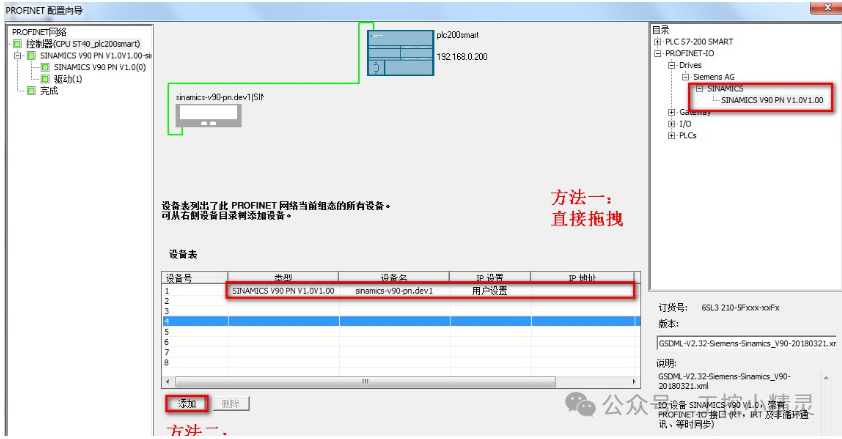
 4. From the right-side device directory, select the added GSD of V90PN, drag it directly from the hardware directory or click the add button to add V90PN to the device list, then click Next. As shown in Figure 3, adding the device.
 5. Set the device name and IP address of V90PN, ensuring it is in the same subnet as the IP address set for the S7-200 SMART CPU. Then click Next. As shown in Figure 4, setting the IP address and device name.
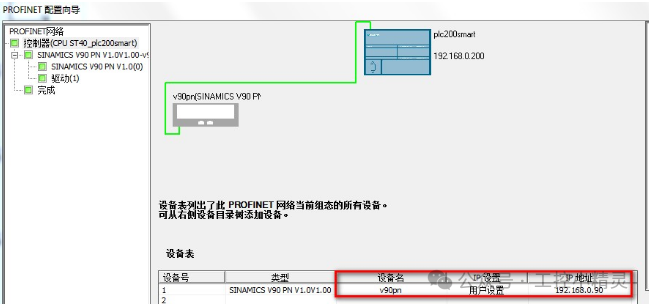 6. Add a message, set the update time and data retention, then click Next. As shown in Figure 5, adding message settings for update time and data retention.
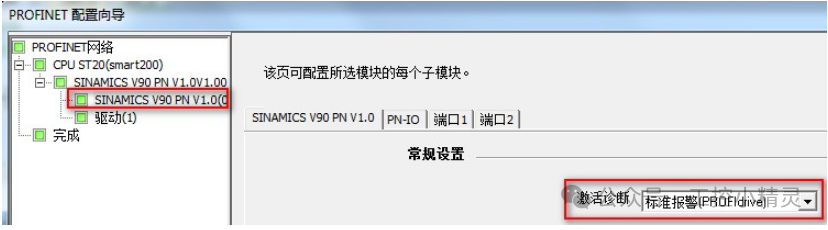
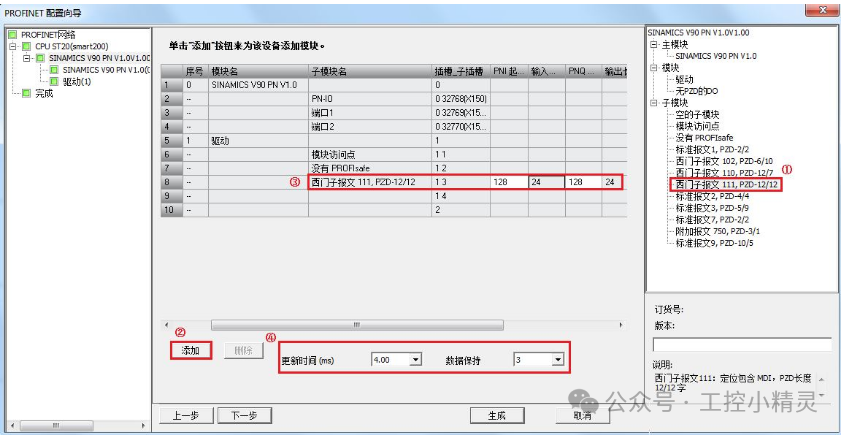 7. View the relevant module parameter information, as shown in Figure 6, viewing module parameter information.
 8. Check that the configuration parameters are correct, then click “Generate” to finish the PROFINET configuration wizard. The wizard configuration interface will close automatically. As shown in Figure 7, click Generate to complete the configuration.
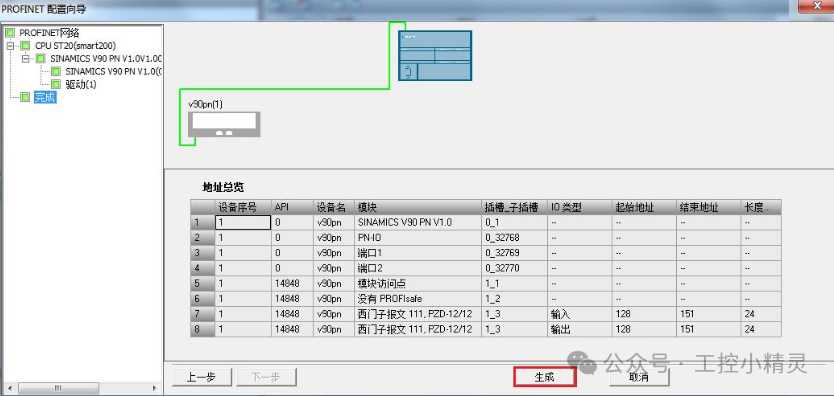 9. A dialog box will pop up, modifying the communication background time to 20% by default. Click “OK” to confirm. As shown in Figure 8, the communication background time has been modified.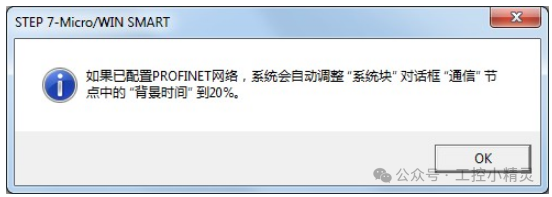
V-ASSISTANT Configuration
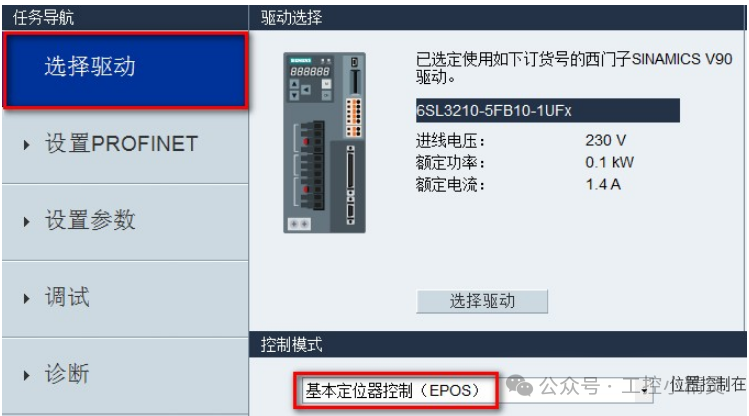
1. Connect the V90PN and V-ASSISTANT software using a data cable. After obtaining the configuration online, click to select the driver, and set the control mode to basic positioning control (EPOS), as shown in Figure 9.
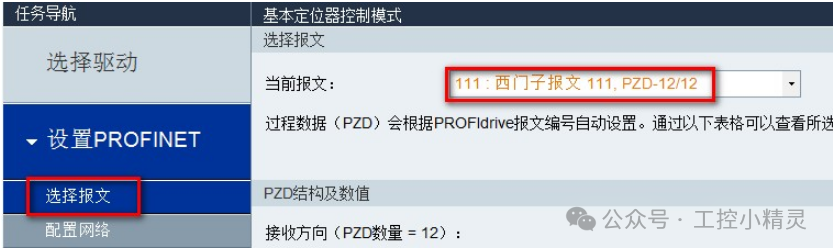
 2. Click to set PROFINET, select the message, and set the current message to: 111: Siemens message, PZD-12/12, as shown in Figure 10.
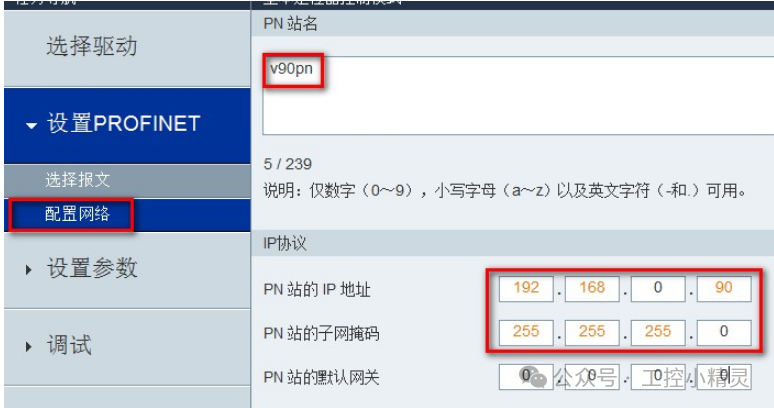
 3. Set the IP address and device name of V90PN. In online status, click the save and activate button. Ensure that the device name and IP address set here are consistent with those configured in the S7-200 SMART PROFINET wizard. As shown in Figure 11.
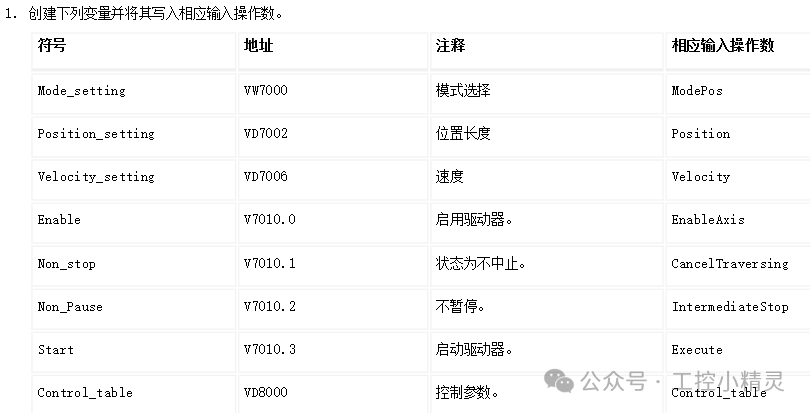
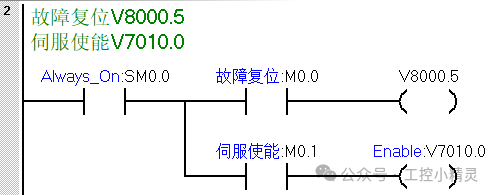
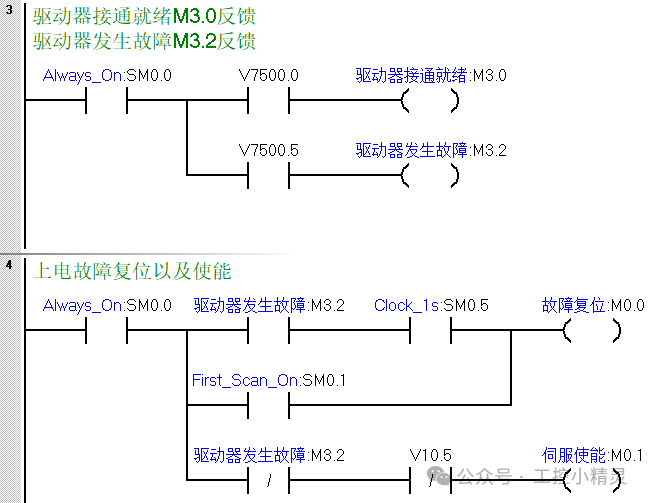
 2. Program Writing(1) Program segment 1 is the SINA_POS positioning instruction, and the specific functions of the pins are shown in the figure below.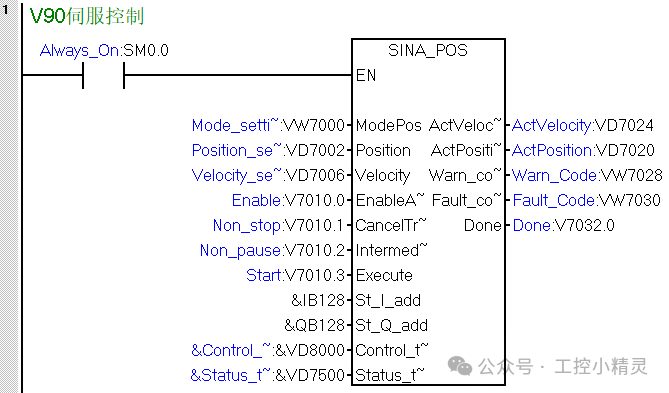
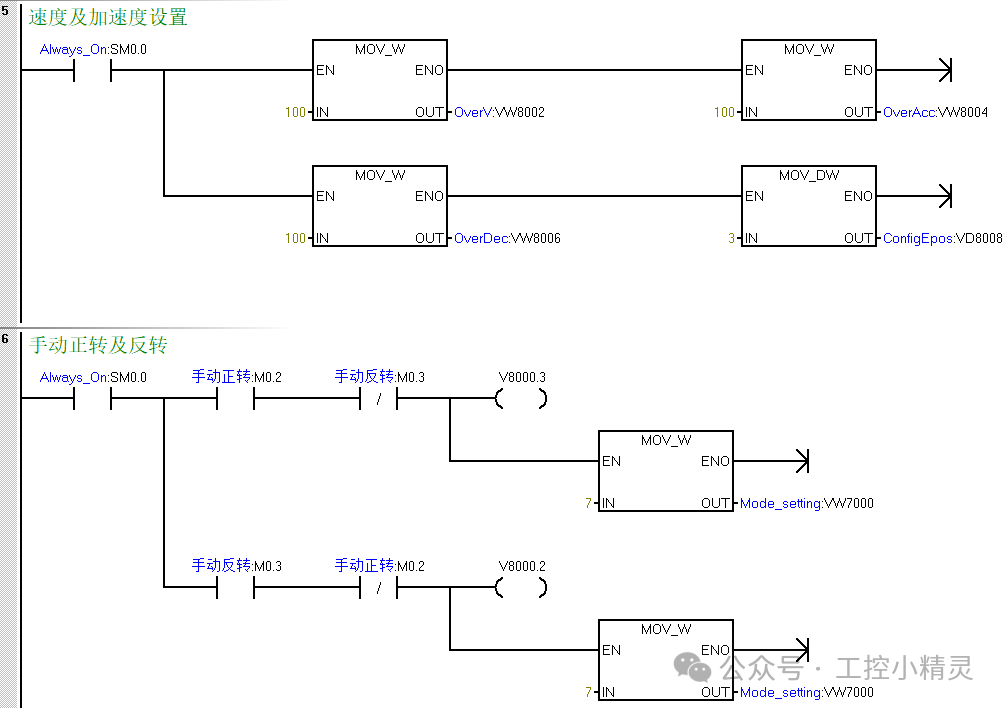
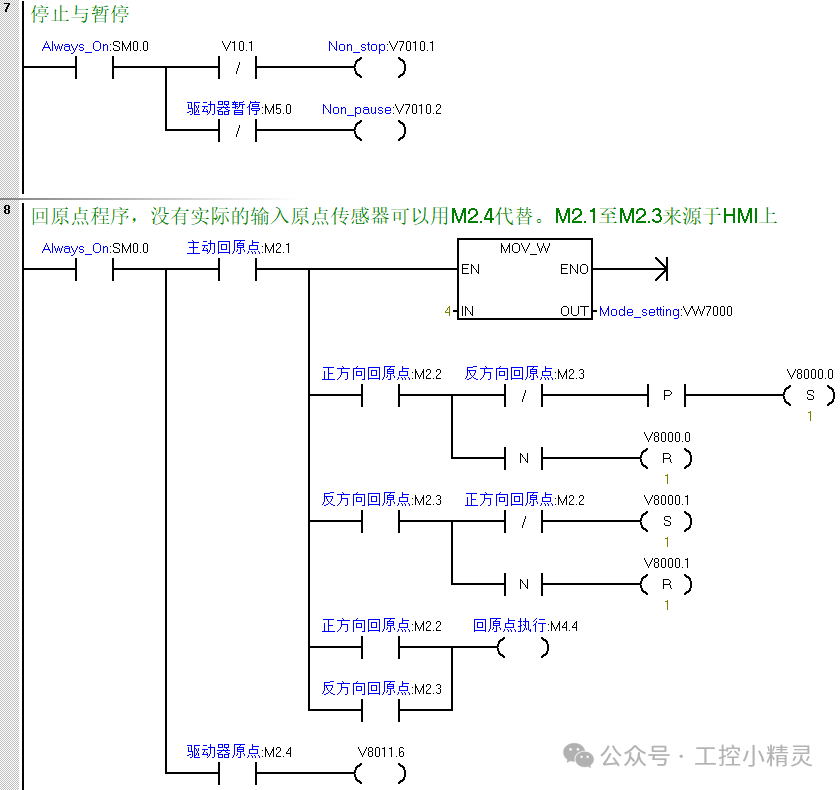
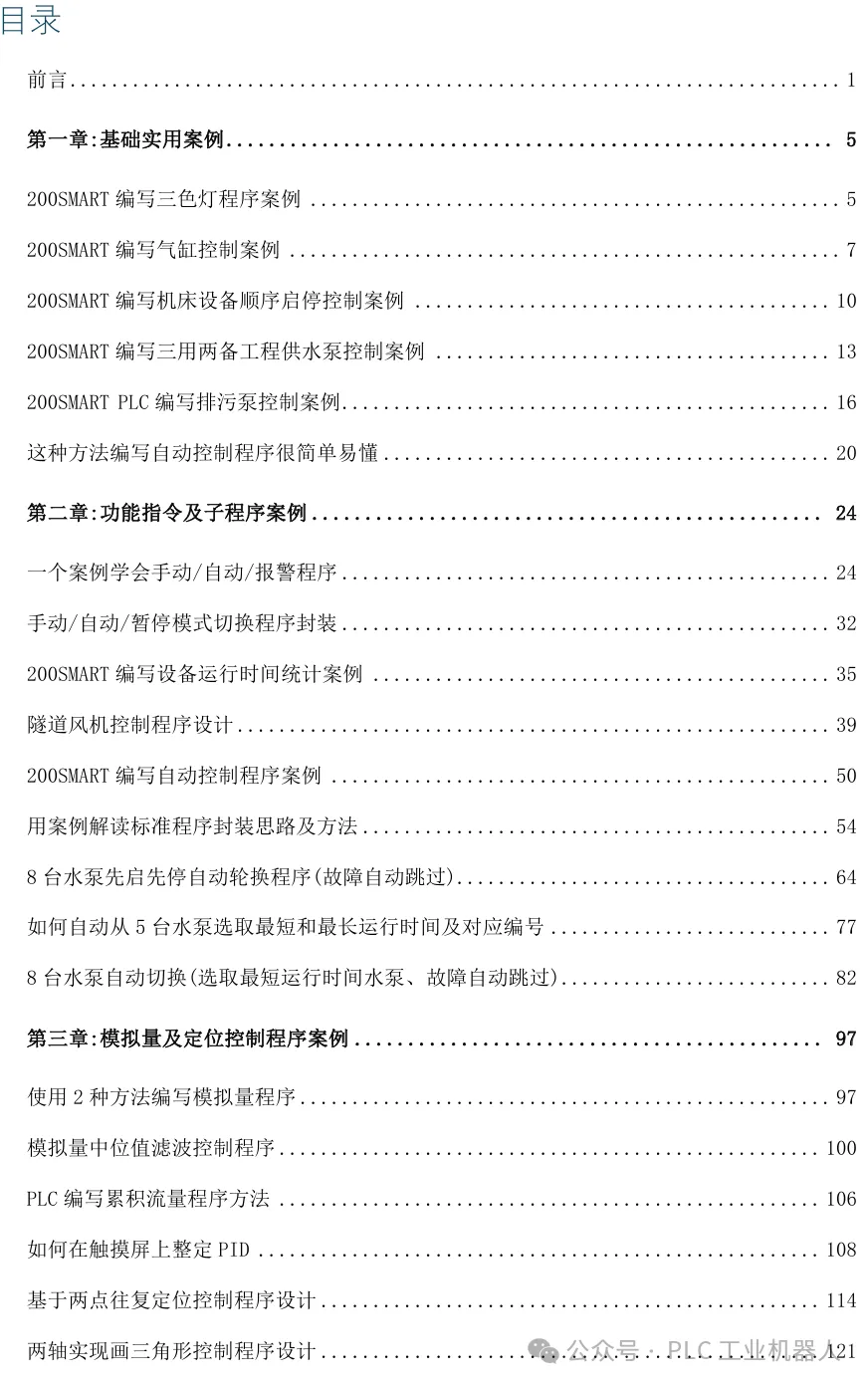
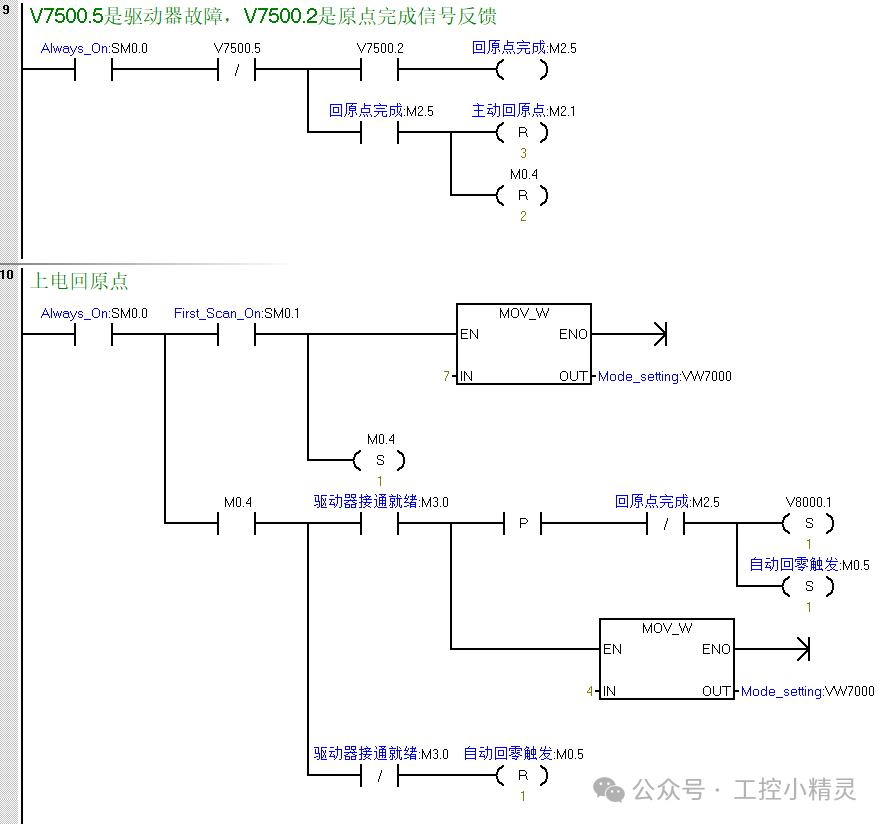 Recently, many friends have requested case books, saying that reading articles on mobile phones is not very convenient. I took some time to organize the project cases and templates for 200SMART. The cases are quite typical, including cylinder control programs, alarm programs, program frameworks, motion control programs, analog control of frequency converters, communication, and message interpretation, among other practical cases.If you need them, you can add me on WeChat: 15571252598. If you can’t add me, feel free to message me.
Previous Recommendations
MODBUS communication program that you can learn easily!
What is a PLC initialization program? How to write it?
5 PLC programs that beginners must learn.
Master these two sequential control programming methods for clear and concise thinking!
General programming skills for cylinder alarm programs.
Two methods to achieve device operation count and time statistics.
7 classic cases recommended to help you elevate your programming thinking.
Learn these 4 cases to quickly enhance your programming mindset.
One universal formula to learn analog program writing.
Learn how to achieve Modbus RTU communication between 1200 PLCs in one go.
How to achieve synchronization of two servos? Understanding these concepts makes it easy!
SCL programming case for PLC control of frequency converters.
Why are analog sensors inaccurate? It might be because you chose the wrong module!
Core points of PLC automatic control programming!!!
Automatic water filling control case for water tanks.