Reasons for Recommendation: Why Do Developers Find It “So Good”?
- 100,000 Lines of Code Compilation: Actual measurement takes only 8 seconds (compared to 25 seconds for a competitor), and the compilation is done before the afternoon tea is ready.
- Incremental Compilation: Only recompiles modified files, reducing debugging cycle time by 70%.
- SWD/JTAG Acceleration: Download speed is 5 times faster than Keil4, flashing firmware feels like taking a high-speed train.
💻 Installation Steps
Run the Installer
Enter the extracted folder, right-click on Setup.exe, and select “Run as administrator”.
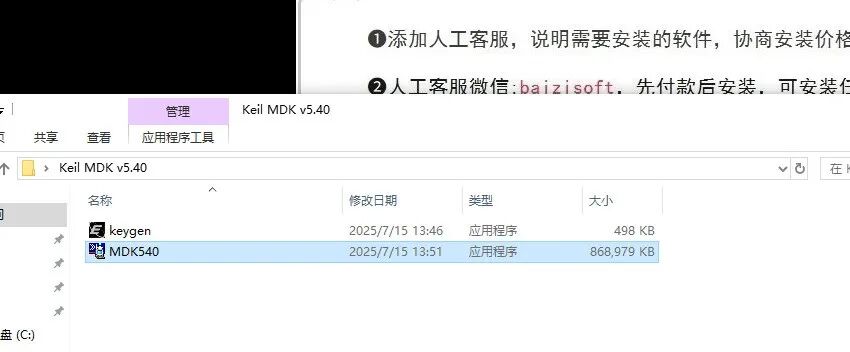
Installer Setup
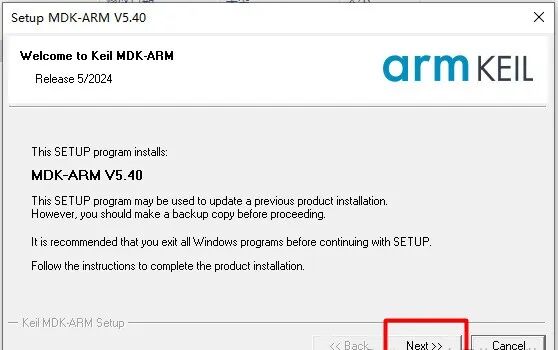
Start the installer and click “Next”
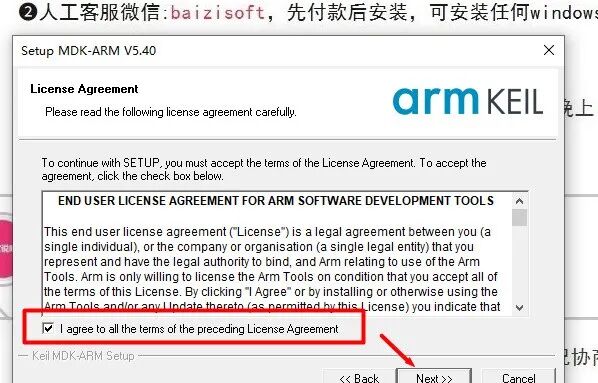
License Agreement: Check “I agree…” and click “Next”.
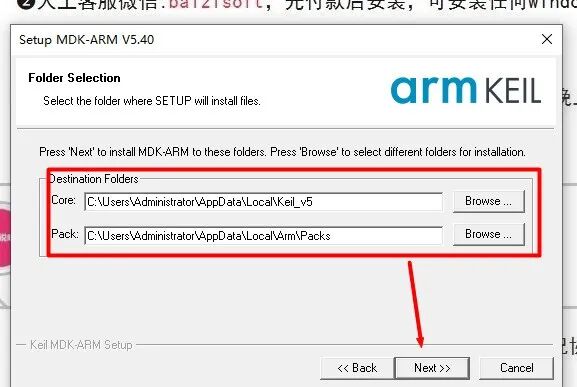
Installation Location
The default path is C drive; if you need to change it (e.g., to D drive): click “Browse” → change the first letter of the path to D: → click “Next”
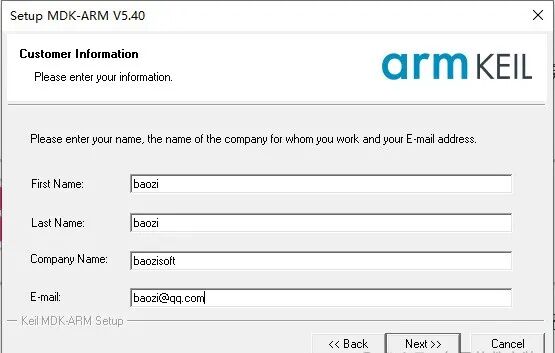
User Information: Fill in your name, company, etc., and click “Next”
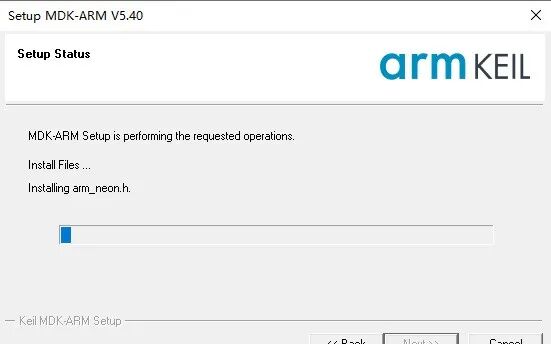
Wait for Installation to Complete
The installation process takes about 3-5 minutes, please be patient
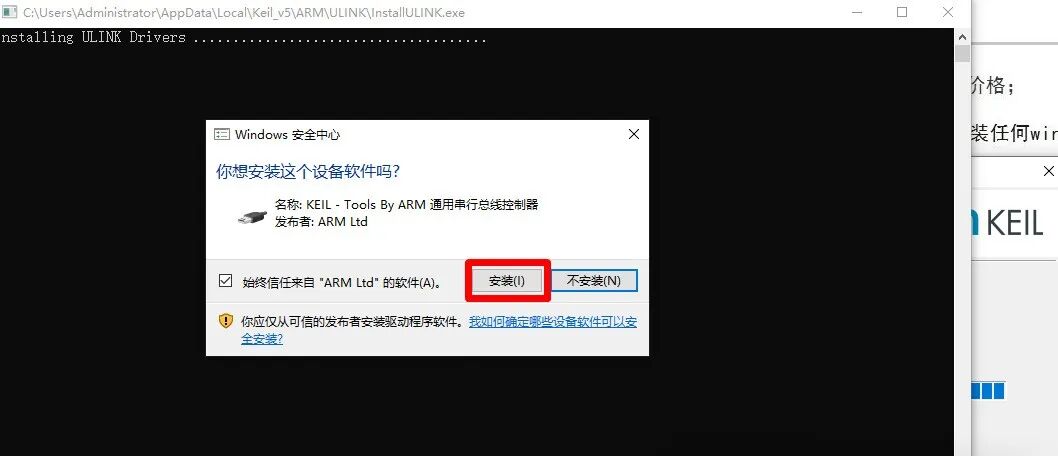
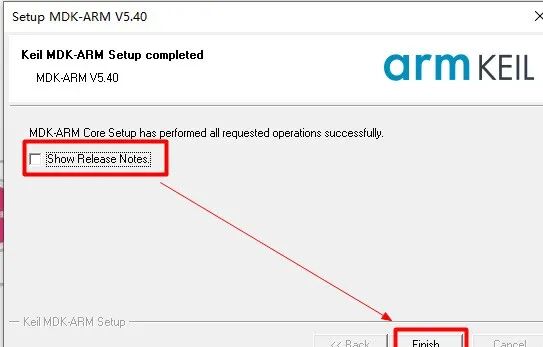
Click “Finish” to complete the installation
Close the prompt.
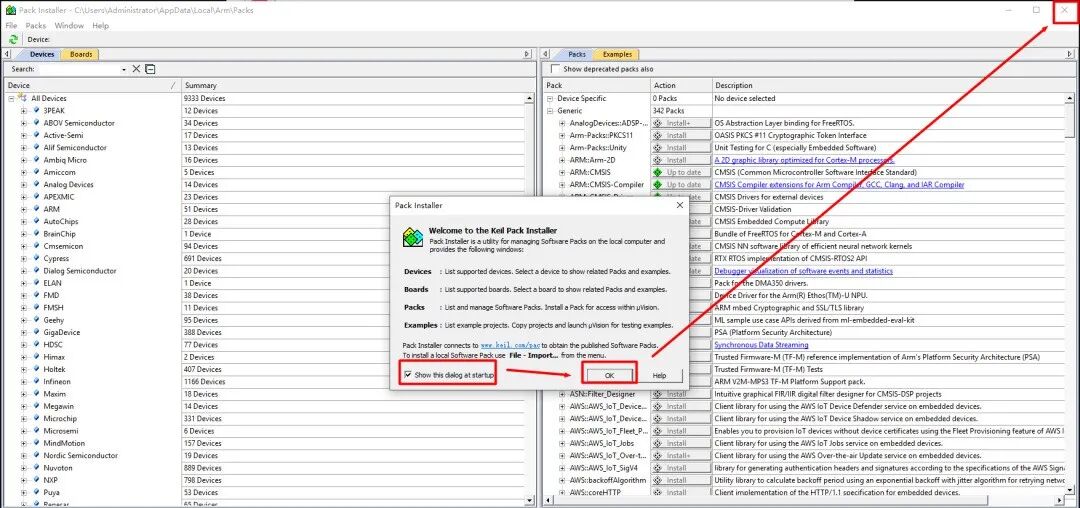
3. Keil5 Activation Guide
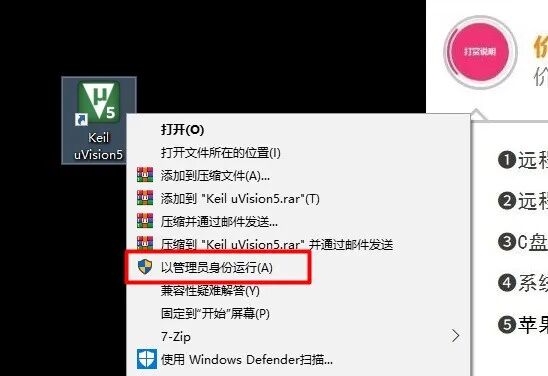
Start Keil Software
Right-click on the Keil icon on the desktop → select “Run as administrator”.
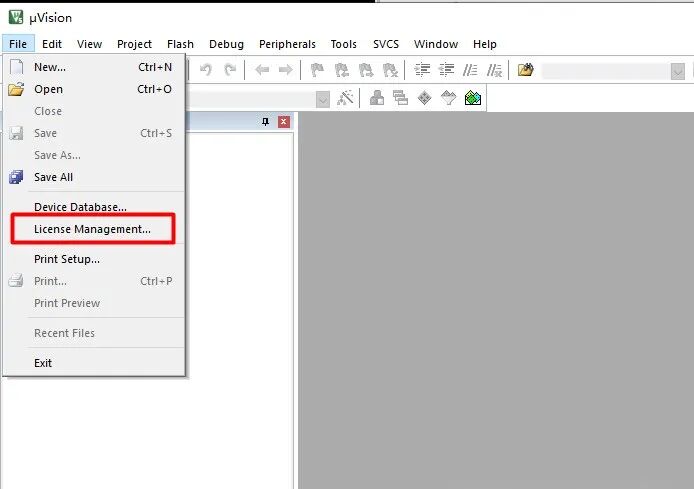
Open License Management
Click on the top menu bar “File” → select “License Management”
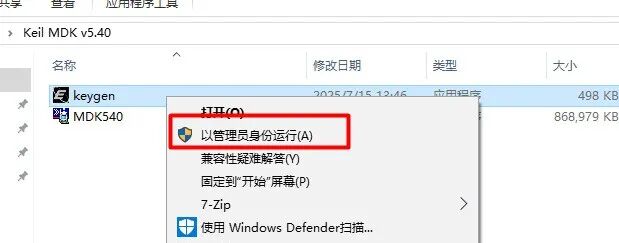
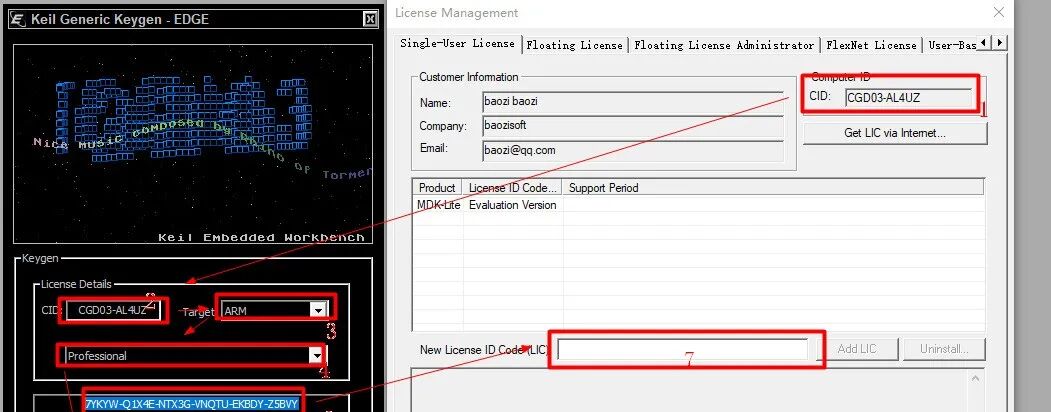
Return to the extracted folder, right-click on Keygen.exe → select “Run as administrator”
If it cannot be opened:
Check if all antivirus software and Defender are turned off
Right-click on Keygen.exe → Properties → Compatibility → check “Run this program as an administrator”
Generate Activation Code
- 1. Paste the previously copied code into the “CID” box of the key generator
- 2. Select “ARM” for Target, License
- 3. Choose “Professional”
- 4. Click “Generate” to create the activation code
- 5. Copy the generated activation code into the “LIC” box of Keil
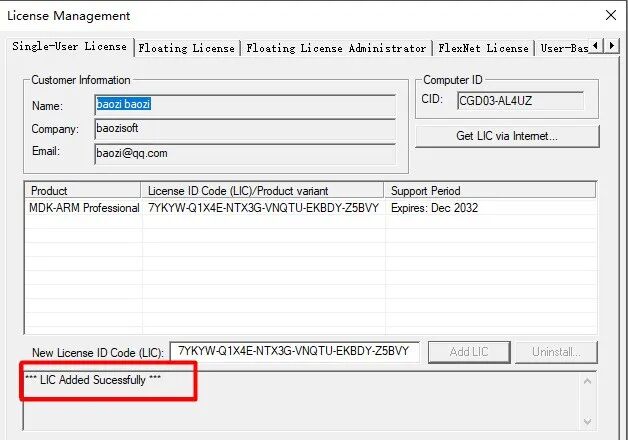
- 6. Click “Add LIC”
If you see the message “Successful!” it indicates that the activation was successful.
Usage Recommendations
Update Device Support Packages: It is recommended to update the latest chip support packages through the Pack Installer after installation
Configure Compiler Path: Set the ARM compiler path in Options for Target
Save Workspace: Regularly save Project files to avoid data loss
Hidden Skills of Keil5
- Dark Mode:
<span>Tools → Customize → Colors</span>to switch, protect your eyes while coding late at night. - Code Templates: When creating a new file, type
<span>main</span>to automatically generate a standard code framework (including a<span>while(1)</span>loop). - Virtual Debugging: No hardware needed, just select “Use Simulator” in
<span>Project → Options → Debug</span>to simulate execution. - Performance Analysis:
<span>Debug → Performance Analyzer</span>allows you to view function execution times, providing a basis for code optimization.
💡 Optimization Tips:
- Turn off antivirus software: Avoid critical files being mistakenly deleted during compilation.
- For 4K display users: Adjust DPI scaling to 150% in
<span>Tools → Settings → UI</span>. - Multi-core Compilation: Check “Use Multiple Core Compiler” in
<span>Project → Options → Target</span>.
📥 Download Link
Baidu Cloud:
———
Link:
https://pan.baidu.com/s/1U05usg2lsDTOivO6OvXlLA