Integrating an AI Automatic Code Completion Feature into R Language
Introduction A few months ago, I saw on the official websites of RStudio and GitHub that the AI assistant Copilot has been integrated into RStudio through GitHub account authorization. With the power of AI, it is possible to achieve automatic code completion within RStudio. I also enabled the Copilot automatic code completion feature in my RStudio. My experience over the past few months has been quite positive. This article will share how to enable the AI assistant for automatic code completion in your RStudio.
Concept of Copilot AI Automatic Code Completion
Copilot is an AI assistant developed jointly by GitHub and OpenAI. In addition to chatting like ChatGPT, Copilot can provide code suggestions and automatic completions, helping developers write code faster. Therefore, Copilot is an AI assistant focused on programming support, allowing developers to concentrate on solving complex tasks rather than struggling with basic code writing. In fact, the automatic code completion feature of GitHub Copilot was launched back in October 2021. This feature differs from RStudio’s code completion, which triggers code suggestions by entering the first few letters of key functions or variables. In contrast, Copilot’s code completion combines the code already written by the user in the environment to predict what the user is likely to write next, thus automatically completing the remaining code. The concept of Copilot’s AI code completion aims to balance the tediousness of manually writing code with the unreliability of fully relying on general-purpose AI assistants like ChatGPT. After several years of iterative development, Copilot has been trained to be more standardized, and its performance has significantly improved. Currently, Copilot has been integrated into various programming language development editors such as VSCode and RStudio.
How to Enable Copilot in RStudio
First, you can refer to the series of articles from this public account in previous years (Introduction to R Language) and follow the old tutorials to install R and RStudio on your computer. After installation, open RStudio, go to the Tools menu in the navigation bar, and click on Copilot as indicated by the red arrow in the image below, then check Enable GitHub Copilot.

After checking, RStudio will prompt you to install the Copilot plugin.
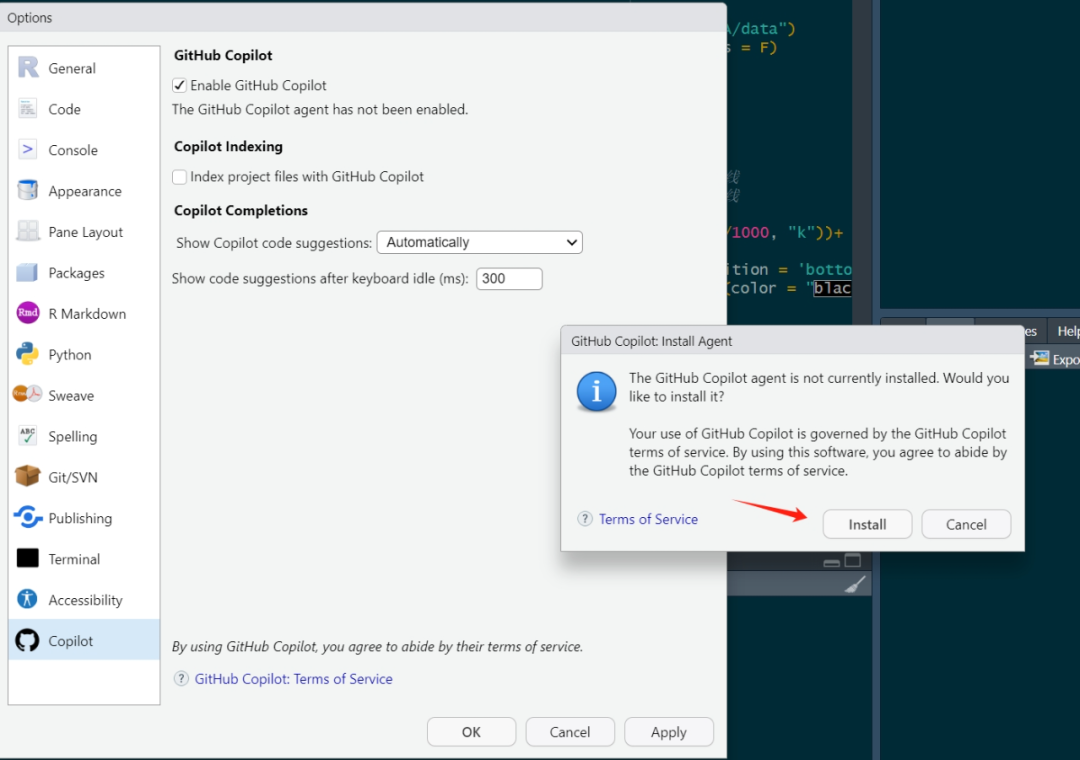
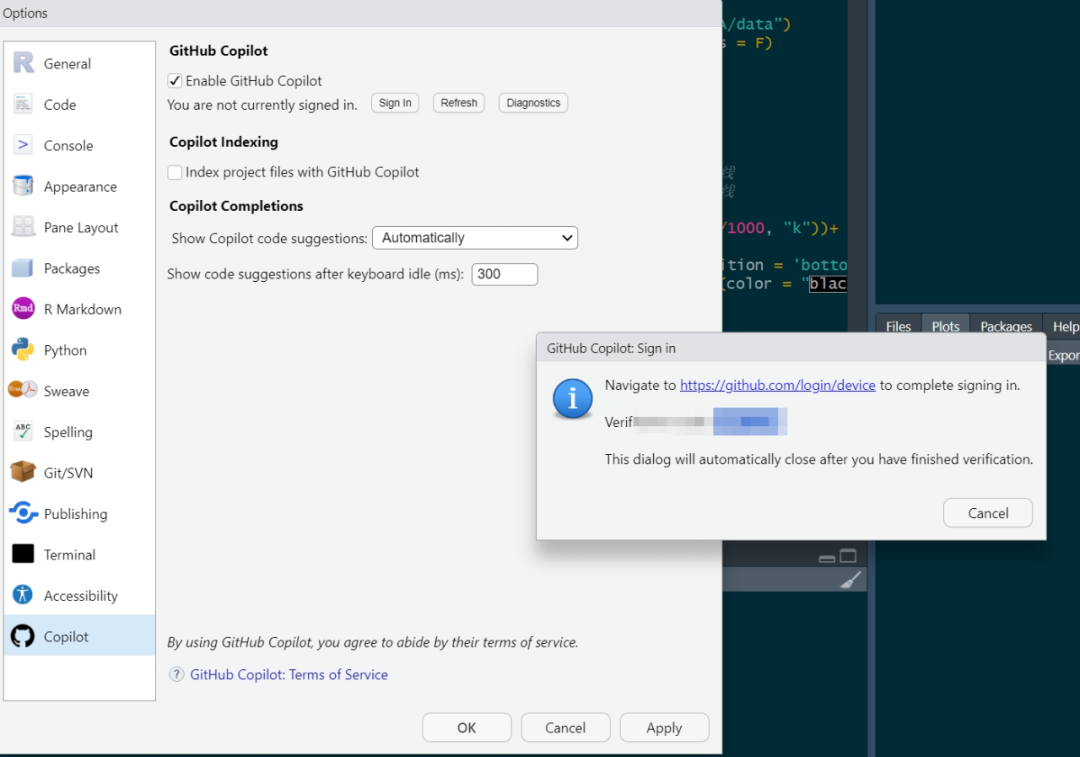
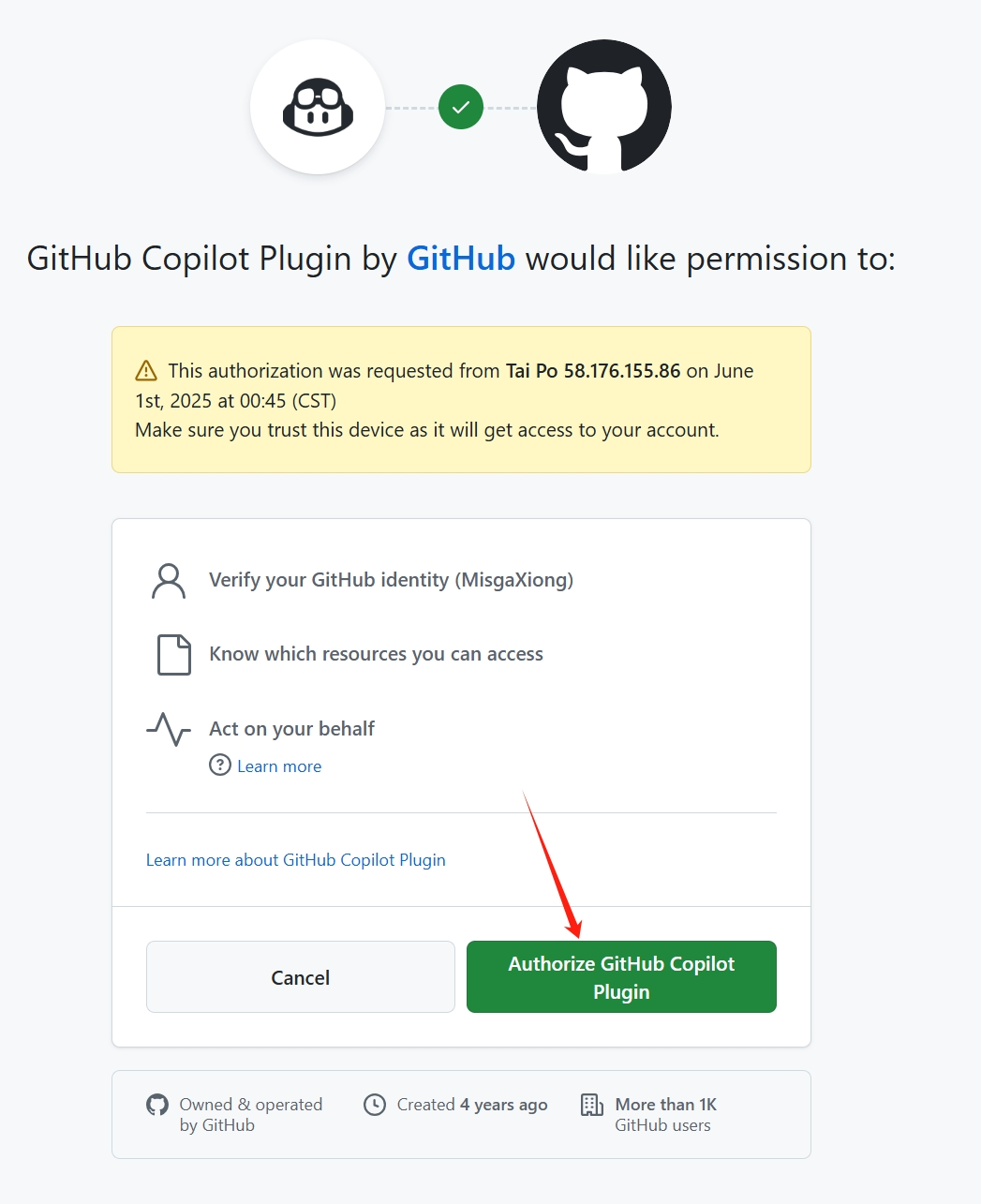
Once the plugin is installed, click Sign In. RStudio will provide you with a verification code. Copy this code and go to GitHub, then click to authorize and confirm the integration of the GitHub Copilot plugin.
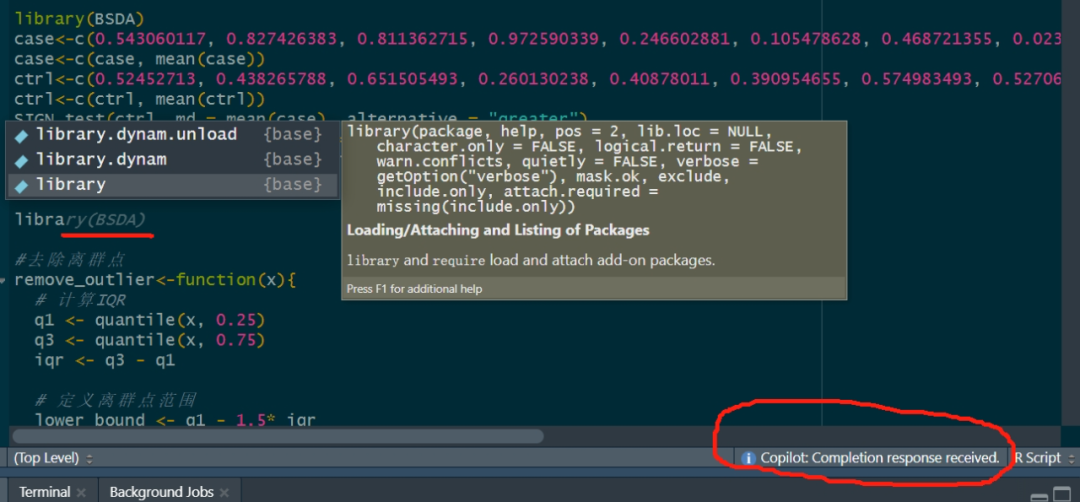
After installation, you will see a message at the bottom of the RStudio code editor saying Copilot: Completion response received. At this point, when you start typing code, you will see the GitHub Copilot’s automatic code completion suggestions appearing.