Click the blue text above to follow us

1. Expand Disk Space for CentOS 7
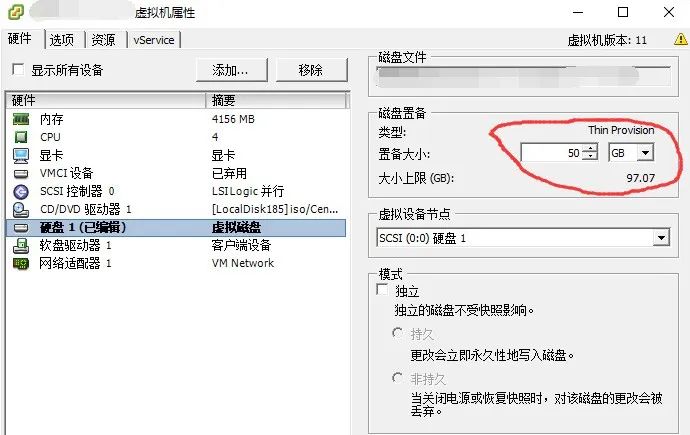
# Shut down the CentOS 7 system and increase the disk size to the desired size
In my case, I expanded from 30G to 50G
If there are snapshots, this option will be grayed out; you need to delete the snapshots before adding.
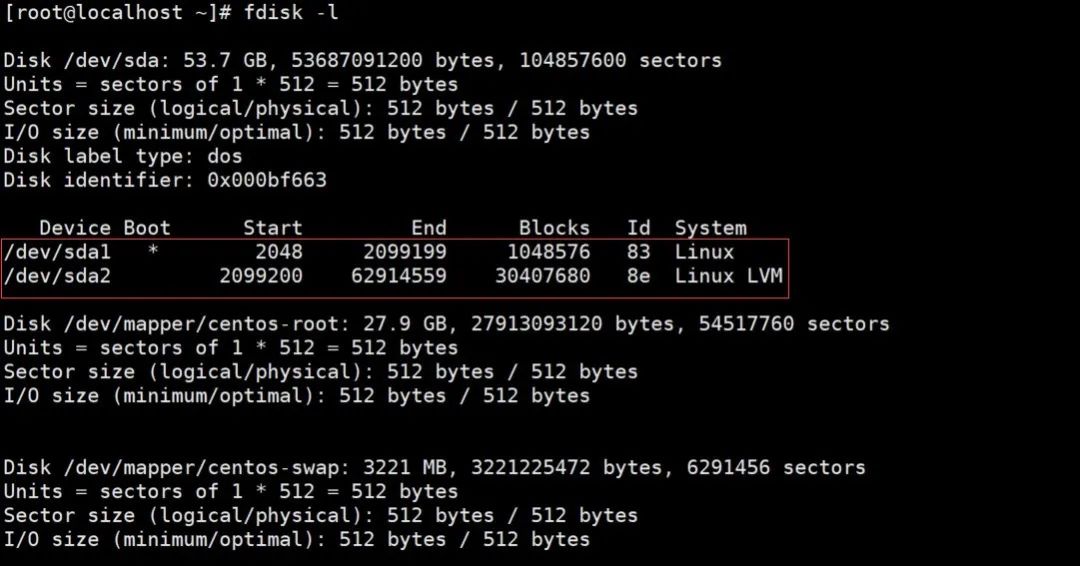
fdisk -l # View partition table
2. Partition the Newly Added Disk, Change Partition Type, Format
(1) # Add a new partition
[root@localhost ~]# fdisk /dev/sdan # Create a new partitionp # Select partition type as primary partition and press Enter # Use default partition number (since sda1, sda2 already exist, the default is 3) press Enter # Default (starting sector) press Enter # Default (ending sector)t # Change partition type3 # Select partition three (the added partition is sda3, so we need to change sda3) L # Input L to view available partition types8e # Select LVM (partition format)w # Save (write partition table)q # Exitpartprobe # Execute command or restart system to apply changes
[root@localhost ~]# partprobe(2) # Format the partition
# Command to format partition 3, you can use ext4 or ext3, but since xfs performs better, I changed it to xfs
[root@localhost ~]# mkfs.xfs /dev/sda3(3) Add new LVM to existing LVM group to achieve expansion
lvm # Enter lvm[root@localhost ~]# lvmlvm> pvcreate /dev/sda3 # Initialize sda3 partitionlvm> vgdisplay # View volume group name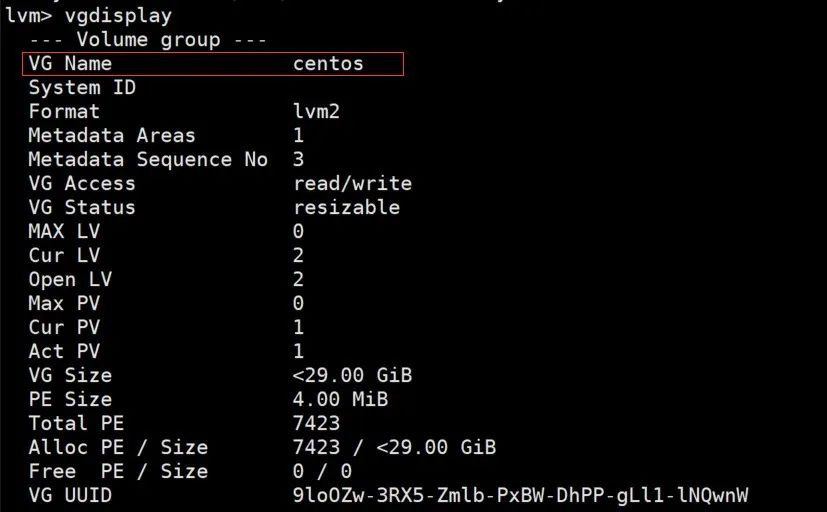
lvm> vgextend centos /dev/sda3 # Add the initialized partition to the virtual volume group centoslvm> vgdisplay # View Free PE / Size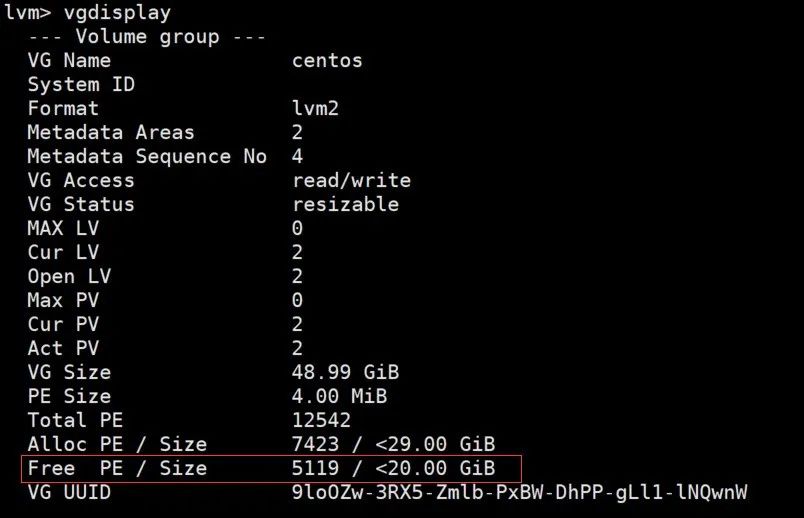
Open a new window to check; here I am expanding the root partition.
# Extend the capacity of the existing volume (5199 is obtained from vgdisplay viewing free PE / Size)lvm> lvextend -l+5119 /dev/mapper/centos-rootlvm> pvdisplay # View volume capacity --- Physical volume --- PV Name /dev/sda2 VG Name centos PV Size <29.00 GiB / not usable 3.00 MiB Allocatable yes (but full) PE Size 4.00 MiB Total PE 7423 Free PE 0 Allocated PE 7423 PV UUID mCvG0Q-xBKk-PMRE-kjAB-vk87-Ndsq-J769z7 --- Physical volume --- PV Name /dev/sda3 VG Name centos PV Size 20.00 GiB / not usable 4.00 MiB Allocatable yes (but full) PE Size 4.00 MiB Total PE 5119 Free PE 0 Allocated PE 5119 PV UUID 4JHP40-ZfaA-YM6v-7S2n-In3K-2nhw-UIzC1d lvm> quit Exiting.[root@localhost ~]#(4) The above only expanded the volume; below is the actual expansion of the file system
# In CentOS7, since XFS is used, the command is:#xfs_growfs for xfs file system# Check block size and numberxfs_growfs info /dev/centos/root# Extend XFS file to 1986208xfs_growfs /dev/centos/root -D 1986208# Automatically extend XFS file system to the maximum available sizexfs_growfs /dev/centos/root#/dev/mapper/centos-root is the mount point found with df -h, which needs to be expanded
Execute command to achieve expansion:
You can use blkid to check the file system type
blkid /dev/mapper/centos-root
xfs_growfs /dev/mapper/centos-rootCheck the expansion result
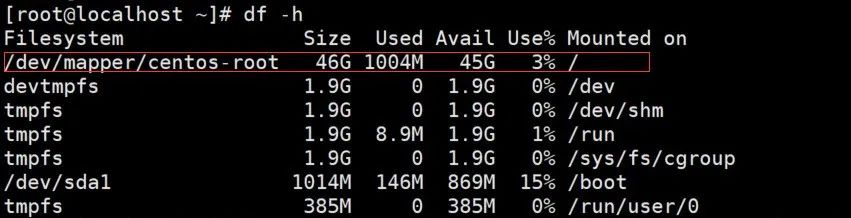
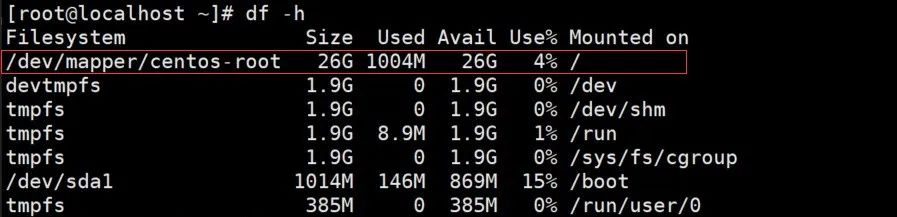
df -h
Here we can see that the root has been expanded by 20G