1. Why Choose C# for Embedded Host Development?
-
High Development Efficiency: Visual Studio’s powerful visual designer allows for drag-and-drop UI construction.
-
Rich Ecosystem: Mature and stable communication libraries such as SerialPort and TCP/IP support USB, serial, and Ethernet.
-
Cross-Platform Potential: .NET Core supports deployment on Linux (e.g., Raspberry Pi).
-
Wide Industrial Applications: Widely used in PLC communication, sensor monitoring, device debugging, and other scenarios.
2. Environment Configuration (Windows Platform)
1. Install Required Software
-
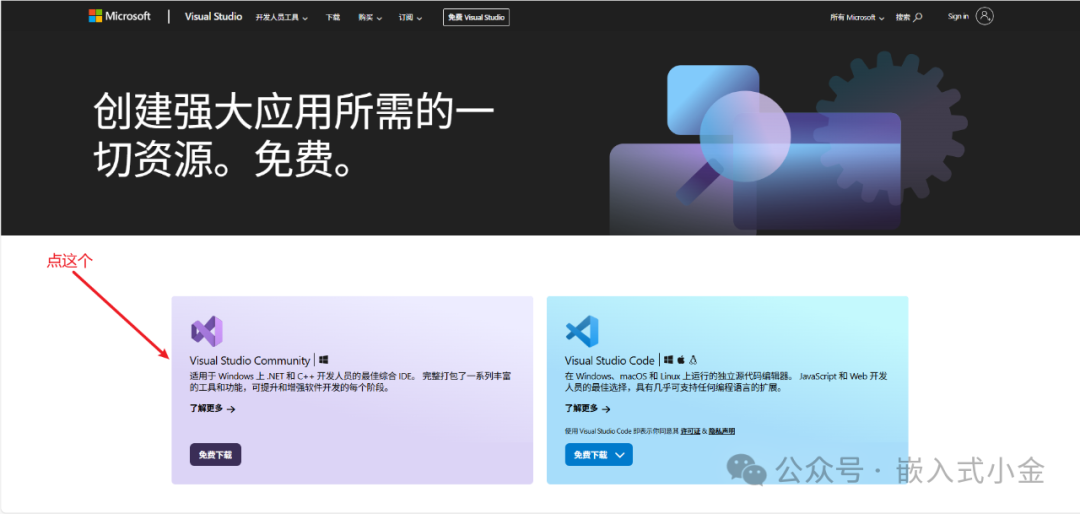
Visual Studio 2022 (Community Edition is free)【https://visualstudio.microsoft.com/en-us/free-developer-offers/】:
-
.NET Framework 3.5 (usually installed automatically with VS)
2. Add Key Components
-
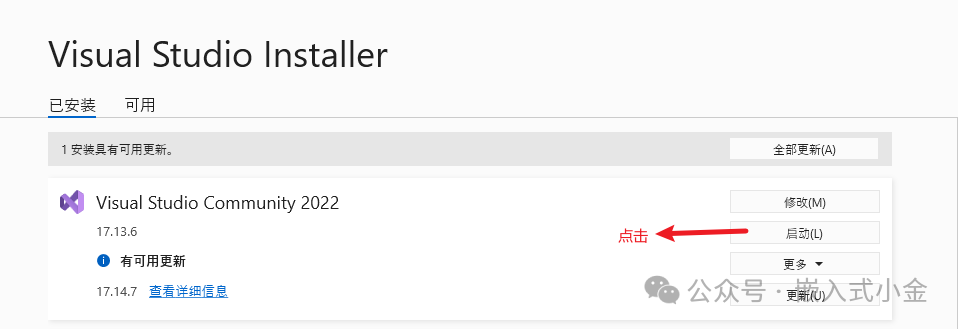
Open VS → Start Visual Studio Community 2022
-
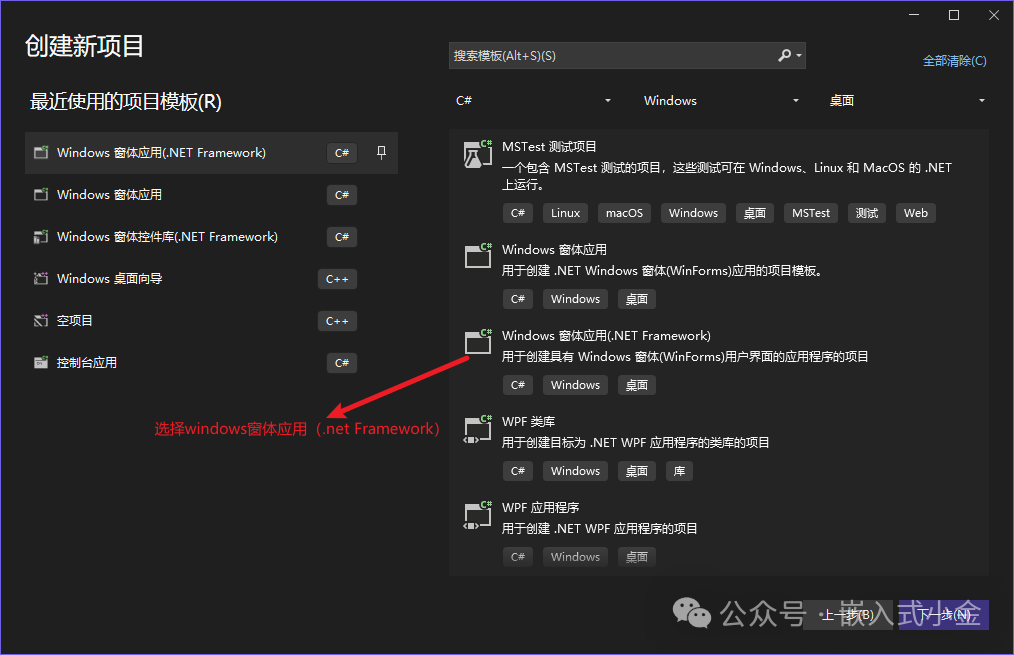
Click to create a new project → Windows Forms App (.NET Framework) → Name it
<span>EmbeddedHostApp</span>
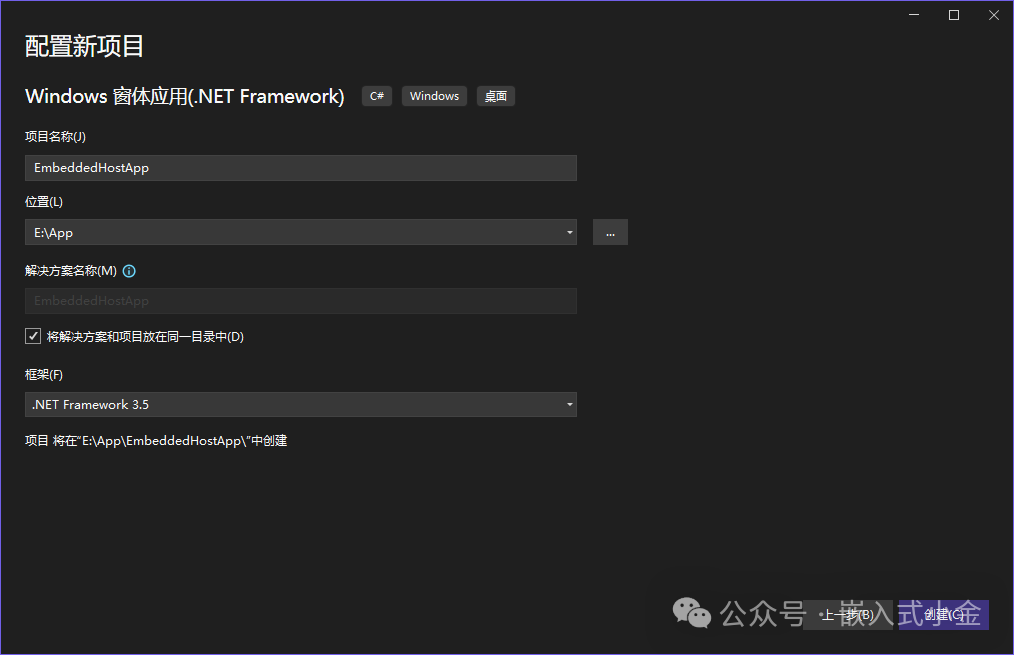
- Clicking create will bring up this form
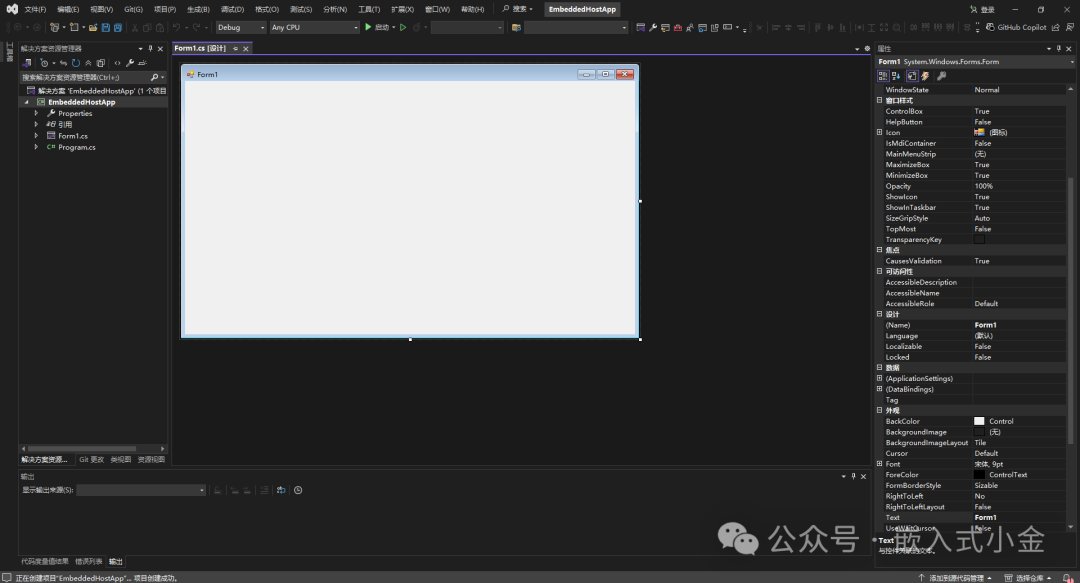 3. Explanation of Visual Studio Icons
 4. Double-clicking the white form will bring up the code block
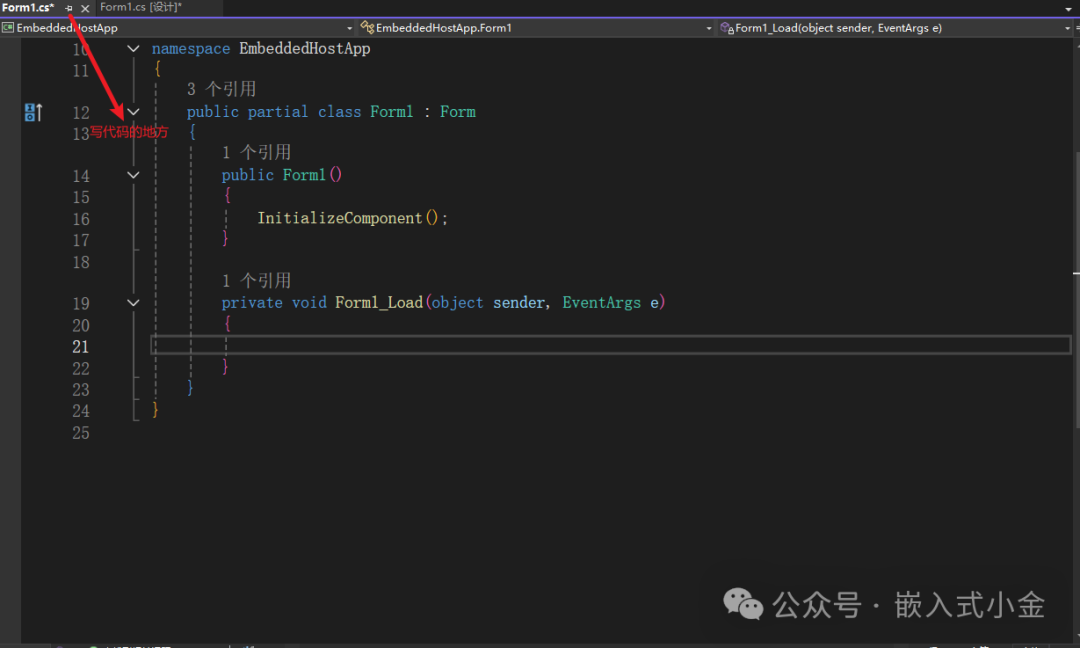 Thus, the environment setup and project creation for C# is complete. The next article will discuss the usage of components and controls along with their corresponding functions. Stay tuned!Discussion: What programming language do you use for your host software? Feel free to share your practical experience in the comments below! If you found this article helpful, please give a thumbs up 👍, a star ⭐, and save 📁 to support us!
Follow the WeChat public account “Embedded Xiao Jin” for more practical tutorials on STM32/C#!
Author: Xiao Jin
Keywords: #CSharp Host #Embedded Development #Visual Studio Tutorial #STM32