Day 5 of C Language: Operators = Letting the Program Perform Calculations 🧮
Learn to calculate from scratch, master addition, subtraction, multiplication, and division in 5 minutes
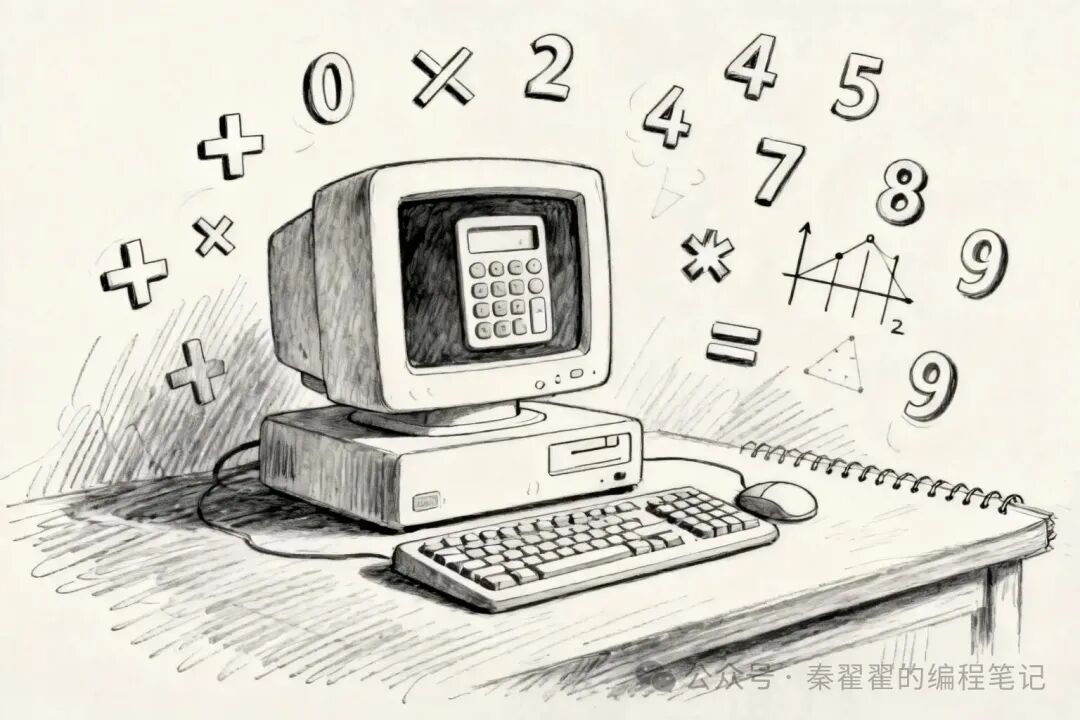
In the first four days, we learned how to make the program “speak”, “remember”, and “ask questions”. Today, we will learn something more practical—how to make the program “calculate”! 🔢
By mastering operators, your program will be able to solve math problems! Addition, subtraction, multiplication, division, and more… the program will become smarter!
What are Operators?
Imagine you have a calculator:
A program without operators:
-
Can only store numbers: 18, 95, 3.14
-
But cannot perform calculations, it can only “look at” these numbers
A program with operators:
-
Can perform addition:
<span>18 + 5 = 23</span> -
Can perform subtraction:
<span>95 - 10 = 85</span> -
Can perform various calculations!
Operators are the “calculation buttons” in a program
-
+ = Addition button
-
– = Subtraction button
-
* = Multiplication button
-
/ = Division button
Operators are: symbols that allow the program to perform mathematical calculations! 🔢
Five Basic Arithmetic Operators
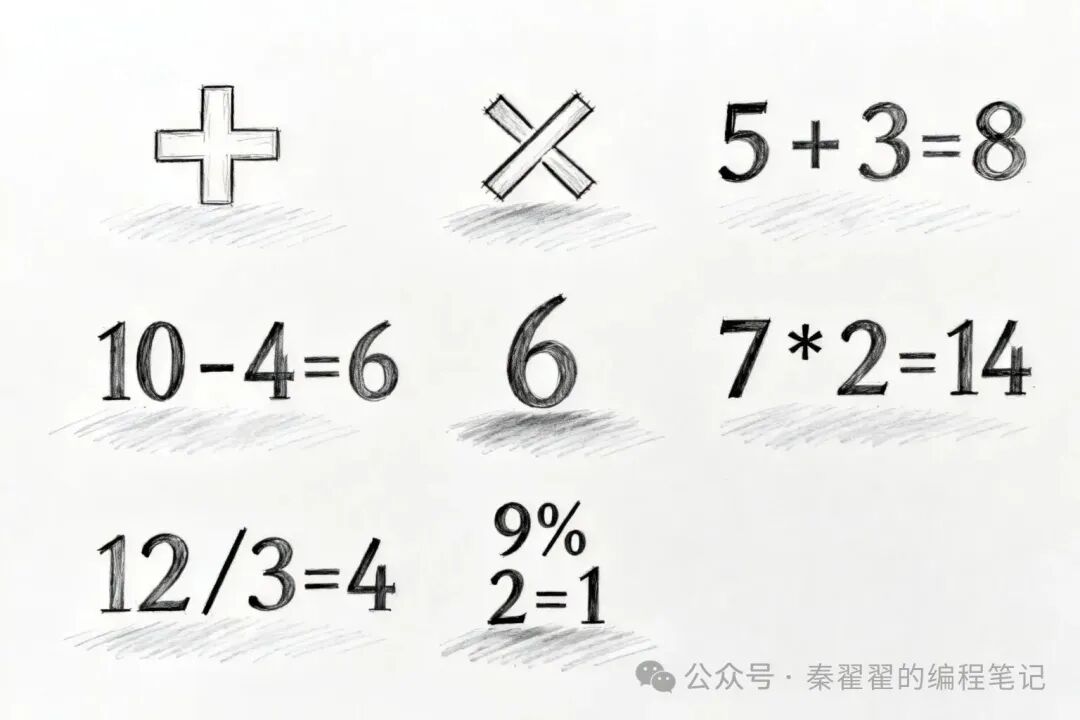
Similar to addition, subtraction, multiplication, and division in math class, with just a slight difference!
1. Addition (+)
int a = 10;
int b = 5;
int sum = a + b;  // 10 + 5 = 15
printf("Result: %d ", sum);
// Output: Result: 15
2. Subtraction (-)
int a = 10;
int b = 5;
int diff = a - b;  // 10 - 5 = 5
printf("Result: %d ", diff);
// Output: Result: 5
3. Multiplication (*)
⚠️ Note: It is not <span>×</span>, but <span>*</span> (asterisk)
int a = 10;
int b = 5;
int product = a * b;  // 10 * 5 = 50
printf("Result: %d ", product);
// Output: Result: 50
4. Division (/)
⚠️ Note: It is not <span>÷</span>, but <span>/</span> (slash)
int a = 10;
int b = 5;
int quotient = a / b;  // 10 / 5 = 2
printf("Result: %d ", quotient);
// Output: Result: 2
Special Note on Integer Division:
int a = 10;
int b = 3;
int result = a / b;  // 10 / 3 = 3 (not 3.33!)
printf("Result: %d ", result);
// Output: Result: 3
Why is it 3 instead of 3.33? Because when two <span>int</span> integers are divided, the result is also an integer, and the decimal part is automatically discarded!
Want a decimal result? Use float:
float a = 10.0;
float b = 3.0;
float result = a / b;  // 10.0 / 3.0 = 3.333...
printf("Result: %.2f ", result);
// Output: Result: 3.33
5. Modulus (%) 🎯
This is a new face!<span>%</span> does not mean “percent”, but “remainder”!
Example 1: Even or Odd?
int a = 10;
int b = 3;
int remainder = a % b;  // 10 divided by 3, remainder is 1
printf("Remainder: %d ", remainder);
// Output: Remainder: 1
Example 2: Determine Even or Odd
int number = 7;
int result = number % 2;
if (result == 0) {
    printf("Even ");
} else {
    printf("Odd ");  // Output: Odd
}
Memory Tips:
-
<span>10 % 3 = 1</span>(10 apples, 1 left after grouping 3) -
<span>15 % 4 = 3</span>(15 oranges, 3 left after grouping 4)
Assignment Operators
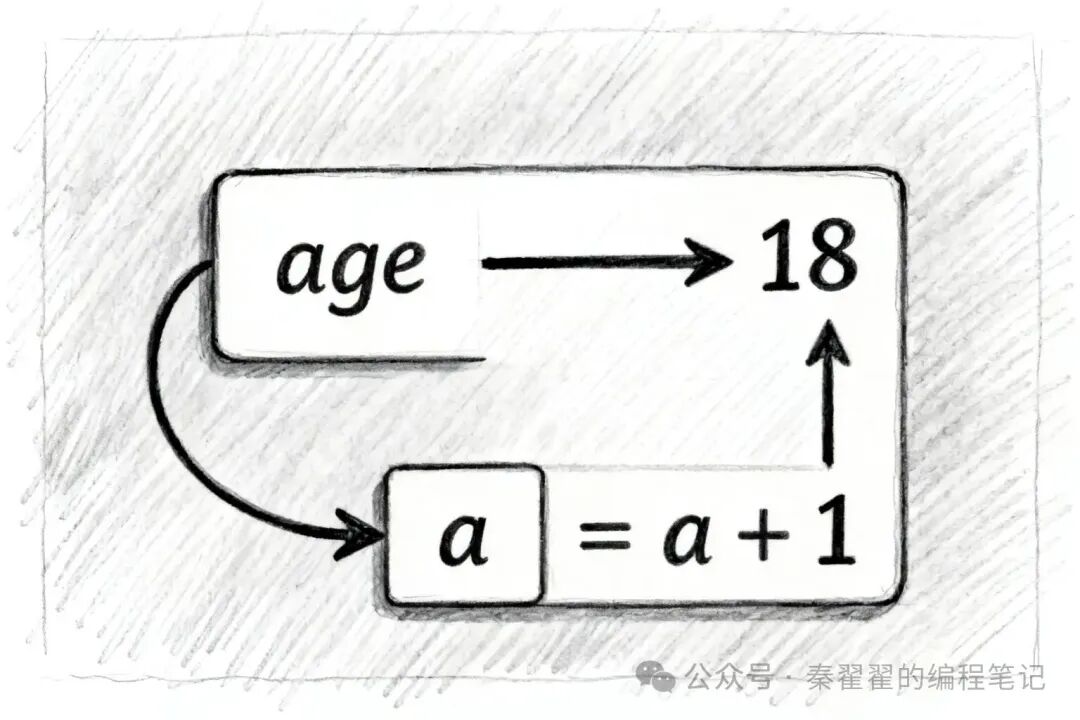
Basic Assignment (=)
Do you remember what we learned on Day 2?<span>=</span> is not “equal to”, but “assignment”!
int age = 18; // Put 18 into the box named age
Compound Assignment Operators (Shortcut Notation)
If you want to add a number to a variable, there are two ways to write it:
Traditional Notation:
int score = 80;
score = score + 10;  // score becomes 90
Shortcut Notation:
int score = 80;
score += 10;  // Equivalent to score = score + 10
Four Common Compound Operators
int a = 10;

a += 5;   // Equivalent to a = a + 5;  Result: 15
a -= 3;   // Equivalent to a = a - 3;  Result: 12
a *= 2;   // Equivalent to a = a * 2;  Result: 24
a /= 4;   // Equivalent to a = a / 4;  Result: 6
Why use compound operators?
-
Code is more concise
-
Faster to write
-
Clearer to read
Operator Precedence
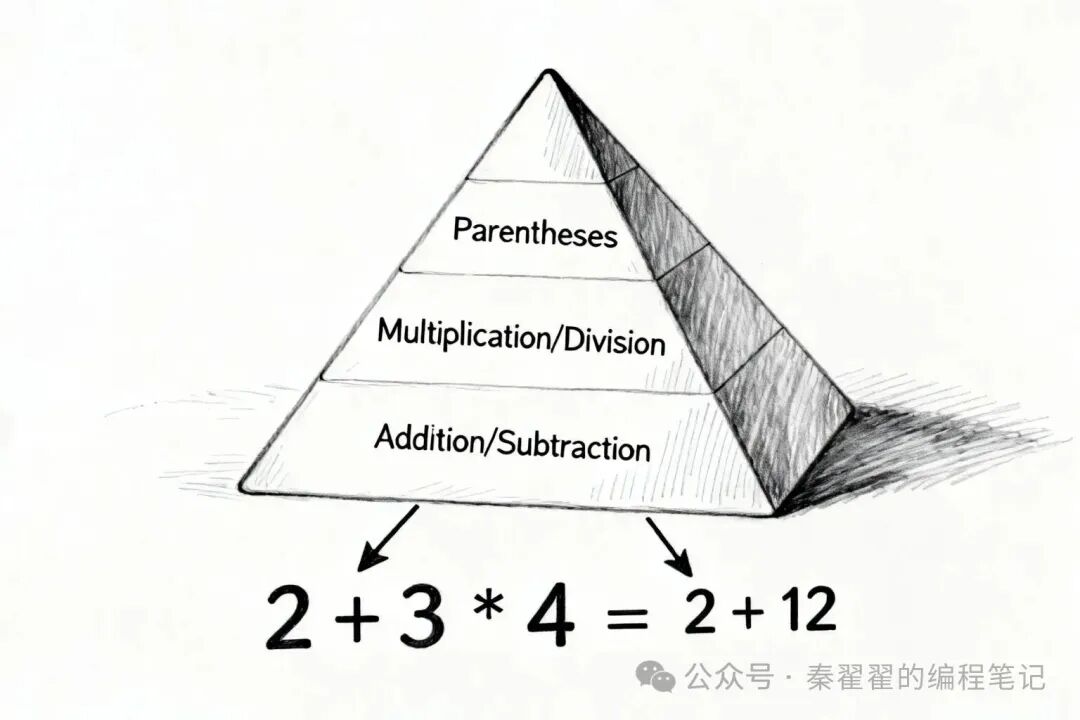
Do you remember the “multiply and divide first, then add and subtract” rule from math class? C language follows the same!
Precedence Rules
1. Parentheses have the highest precedence<span>()</span>
int result = (2 + 3) * 4;  // First calculate 2+3=5, then calculate 5*4=20
printf("%d ", result);     // Output: 20
2. Multiplication and Division take precedence over Addition and Subtraction
int result = 2 + 3 * 4;  // First calculate 3*4=12, then calculate 2+12=14
printf("%d ", result);   // Output: 14
3. Operations of the same precedence are evaluated from left to right
int result = 10 - 5 - 2;  // From left to right: (10-5)-2 = 3
printf("%d ", result);    // Output: 3
Practical Advice 💡
If unsure about precedence, add parentheses!
int result = (2 + 3) * (4 + 5); // Clear and straightforward!
Adding parentheses not only makes the program correct but also makes the code more readable!
Complete Example: Simple Calculator
Let’s write a complete program to perform four basic operations:
#include <stdio.h>

int main() {
    int a = 10;
    int b = 3;

    printf("=== Simple Calculator === ");
    printf("a = %d, b = %d  ", a, b);

    // Addition
    printf("a + b = %d ", a + b);

    // Subtraction
    printf("a - b = %d ", a - b);

    // Multiplication
    printf("a * b = %d ", a * b);

    // Division
    printf("a / b = %d ", a / b);

    // Modulus
    printf("a %% b = %d ", a % b);  // Note: To print %, write %%

    // Compound Operations
    int score = 80;
    printf(" Initial Score: %d ", score);

    score += 10;
    printf("After adding 10 points: %d ", score);

    score -= 5;
    printf("After subtracting 5 points: %d ", score);

    return 0;
}
Running Result
=== Simple Calculator ===
a = 10, b = 3

a + b = 13
a - b = 7
a * b = 30
a / b = 3
a % b = 1


Initial Score: 80
After adding 10 points: 90
After subtracting 5 points: 85
⚠️ Common Mistakes for Beginners
Mistake 1: Integer division does not yield a decimal
int a = 10;
int b = 3;
float result = a / b;  // ❌ Result is still 3.0, not 3.33
printf("%.2f ", result);


// ✅ Correct approach: At least one is float
float result = 10.0 / 3;  // Or (float)a / b
Mistake 2: Incorrect multiplication symbol
int result = 5 × 3;   // ❌ Error! × is not a C language symbol
int result = 5 * 3;   // ✅ Correct! Use asterisk *
Mistake 3: Division by zero
int result = 10 / 0;  // ❌ The program will crash!
// Remember: Never divide by 0!
Mistake 4: Forgetting precedence
int result = 2 + 3 * 4;  // It is 14, not 20!
// Unsure? Add parentheses: (2 + 3) * 4
🎯 Today’s Takeaways
✅ Understood that operators are the “calculation buttons” in a program✅ Learned five arithmetic operators: + – * / %✅ Mastered compound assignment operators: += -= *= /=✅ Understood the operator precedence rules✅ Wrote a program that can perform calculations
That’s it for Day 5! By mastering operators, your program can solve math problems!
Now you have mastered:
-
✅ Making the program speak (printf)
-
✅ Making the program remember data (variables)
-
✅ Making the program ask questions (scanf)
-
✅ Making the program calculate (operators)
Next, we will learn how to make the program “make decisions”—the if statement! The program will do different things based on conditions! 🤔
🏆 Mini Challenge
Write a program that implements the following functionality:
-
Define two variables:
<span>price = 100</span>(original price) and<span>discount = 20</span>(discount amount) -
Calculate the discounted price:
<span>final_price = price - discount</span> -
Print the original price, discount, and final price
-
Advanced Challenge: Use scanf to let the user input the original price and discount, then calculate automatically!
Tips:
-
Use
<span>-</span>operator for subtraction -
Remember to use
<span>printf</span>to display the result -
Review the scanf knowledge from Day 4
Tomorrow we will learn about if statements, and the program will become smarter! Keep it up! 💪