A few days ago, I wrote an article on the selection and implementation of three cross-platform C++ GUI frameworks: Qt, Dear ImGui, and Elements, sharing my project experience and discussing their performance and trade-offs in different scenarios. After publishing the article, a reader commented: “Could you also talk about U++?”
This suggestion reminded me that U++ has always been on my shortlist when selecting cross-platform GUI frameworks, but I didn’t include it in the article due to space constraints. Its positioning is quite interesting: it is not as large as Qt, nor as minimal as ImGui, but rather follows a path of high performance, low code volume, and comprehensive built-in features.
This article presents my comparison and selection thoughts after trying it out, not a formal documentation-style listing, but rather insights and experiences I have encountered.
📚 The C++ Knowledge Base is now live on ima! The current content covered by the knowledge base is shown in the image below👇👇👇 (continuously updated…)
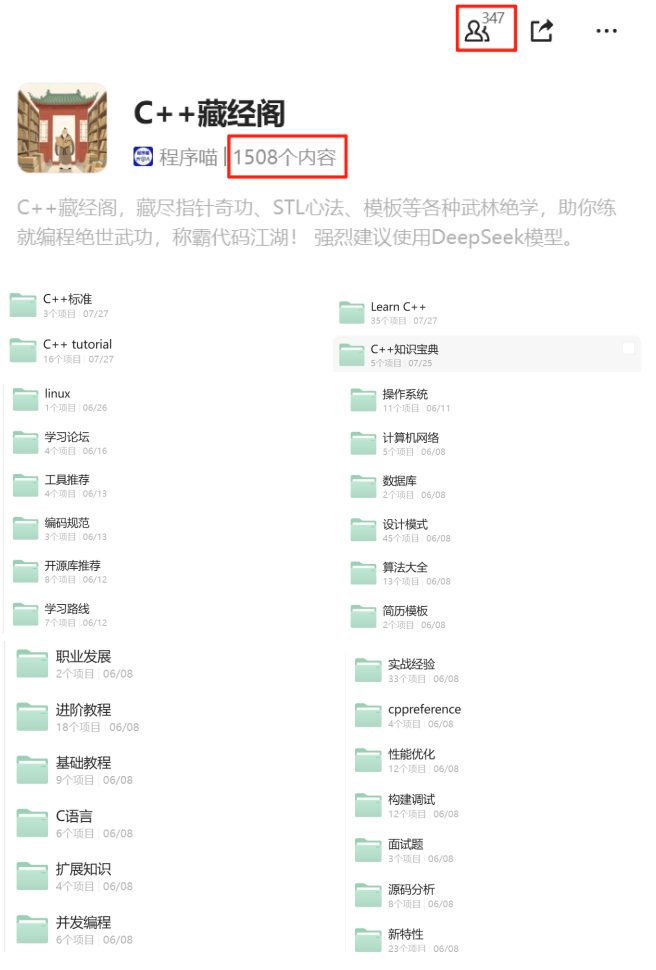
📌 Interested readers can add the assistant vx (cppmiao24) with the note 【Knowledge Base】 or click 👉 C++ Knowledge Base (tap to jump) to view the complete introduction of the knowledge base~
1. Qt: A Comprehensive Large Framework
Qt’s position in the C++ cross-platform GUI field is almost an “industry standard,” covering everything from traditional desktops to mobile and embedded systems. It has a complete library of widgets, and its documentation and community are very mature.
Advantages
- Comprehensive cross-platform support (Windows / Linux / macOS / mobile)
- A wide variety of widgets, from basic buttons to advanced charts
- Stable ecosystem with many third-party libraries and tutorials
Disadvantages
- Large framework size, making compilation and deployment relatively heavy
- Commercial licensing has costs (LGPL constraints on closed-source projects)
- For beginners, the signal-slot mechanism and MOC toolchain require time to adapt
A Minimal Qt Window Example
#include <QApplication>
#include <QPushButton>

int main(int argc, char *argv[]) {
    QApplication app(argc, argv);

    QPushButton button("Hello Qt");
    button.resize(200, 60);
    button.show();

    return app.exec();
}
It can run with just a single file, but once the project grows, compilation time and dependency management need additional planning.
2. ImGui: Lightweight Immediate Mode UI
Dear ImGui follows an immediate mode (Immediate Mode GUI) approach, not storing complex widget states but rather drawing the UI every frame. It was originally designed as an in-game debugging tool, making it very suitable for real-time rendering and embedded debugging interfaces.
Advantages
- Extremely lightweight, no need to manage widget lifecycles
- Seamless integration with rendering backends like OpenGL, DirectX, Vulkan, etc.
- Simple integration, just a few source files needed
Disadvantages
- Non-native interface, uniform style but not very suitable for traditional desktop applications
- Lacks a complex layout system
- Some features (like multi-window management) need to be extended by the user
A Simple ImGui Interface
// Assuming OpenGL + GLFW has been initialized
ImGui::Begin("Hello ImGui");
ImGui::Text("Hello, world!");
if (ImGui::Button("Click Me")) {
    // Button click logic
}
ImGui::End();
This immediate drawing mode is very efficient in small tools and game debugging interfaces.
3. U++: Niche but High Performance
U++ (Ultimate++) is a relatively niche C++ framework that integrates GUI, database, networking, and other functionalities. Its API is concise, compilation speed is fast, and the widgets are self-drawn, ensuring a consistent cross-platform appearance.
Advantages
- High performance, fast compilation
- Modernized API, less code
- Self-drawn widgets, consistent cross-platform appearance
Disadvantages
- Small community, fewer resources compared to Qt
- Self-drawn widget styles may not meet UI design requirements
- Documentation is somewhat brief
A Minimal U++ Program
#include <CtrlLib/CtrlLib.h>
using namespace Upp;

struct MyApp : TopWindow {
    MyApp() {
        Title("Hello U++").Sizeable().Zoomable();
    }
};

GUI_APP_MAIN
{
    MyApp().Run();
}
It can run with less than 10 lines of code, but you need to get used to its toolchain (TheIDE).
4. Performance and Build Experience Comparison
I conducted a rough comparison using a test project with over 50 UI elements (Clang 14, macOS):
| Framework | Full Build Time | Startup Time |
|---|---|---|
| Qt | ~90s | ~300ms |
| ImGui | <10s | ~50ms |
| U++ | ~15s | ~120ms |
Trends show that Qt becomes heavier in large projects, ImGui is the lightest, and U++ falls in between the two.
5. STL Red-Black Tree Source Code Analysis (Related to UI Development)
Why mention the STL red-black tree here? Because whether it’s the GUI widget tree, event dispatch system, or layout management, many frameworks internally manage tree structures, and the red-black tree is the underlying implementation of associative containers like <span>std::map</span> and <span>std::set</span> in the C++ standard library. Understanding it helps analyze the performance characteristics of the framework’s internal data structures.
For example, in <span>std::map</span> (libstdc++ implementation), the underlying node structure is roughly as follows (template details omitted):
struct _Rb_tree_node {
    _Rb_tree_color _M_color; // Node color
    _Rb_tree_node* _M_parent;
    _Rb_tree_node* _M_left;
    _Rb_tree_node* _M_right;
    value_type _M_value;
};
The insertion operation first locates the position according to binary search tree rules, then maintains balance through rotations and color adjustments. For example, a typical case in insertion fixing:
// Parent node is red, uncle node is also red
parent->_M_color = BLACK;
uncle->_M_color  = BLACK;
grandparent->_M_color = RED;
node = grandparent; // Continue adjusting upwards
This balance maintenance mechanism ensures that the time complexity for search, insertion, and deletion is O(log n), making this structure very suitable for the widget tree in GUI frameworks that require fast searching and inserting.
6. My Selection Recommendations
- Qt: Large and comprehensive, suitable for commercial and complex desktop projects
- ImGui: Lightweight and efficient, suitable for debugging tools and real-time rendering UIs
- U++: Good performance, suitable for small teams to quickly create cross-platform desktop tools
If you just want to quickly create a cross-platform tool, I would lean towards U++ or ImGui; if you need to integrate with existing company systems, require a native feel, and long-term maintenance, Qt is still the safest choice.
7. Summary Table
| Feature | Qt | ImGui | U++ |
|---|---|---|---|
| Comprehensive Functionality | ★★★★★ | ★★ | ★★★★ |
| Lightweight Performance | ★★ | ★★★★★ | ★★★★ |
| Ease of Use | ★★★★ | ★★ | ★★★ |
| Community Support | ★★★★★ | ★★★★ | ★★ |
If you are also working on cross-platform C++ GUI projects, these three frameworks cover most of the demand scenarios. Understanding their strengths and weaknesses can help you avoid many pitfalls.
Recommended Reading:
C++ Direct Access to Major Companies (For those interested in the training camp, you can read this article to learn about the camp details, or add the assistant vx: cppmiao24 for quick information about the camp)
Comparison and Implementation of Three Cross-Platform C++ GUI Frameworks: Qt, Dear ImGui, and Elements
CMake Integration Guide for Qt Projects: The Correct Approach to Automatic MOC / UIC / RCC