
Introduction
In previous blog posts, we explored many practical techniques for calling C++ from C#. Today, we will continue to delve into “Zero-Copy Technology.” What is “Zero-Copy,” why is it crucial in high-performance scenarios, and how to correctly implement it during C# and C++ interoperability to avoid unnecessary data copying, maximize throughput, and reduce latency.
1. Why Focus on Zero-Copy?
In C# and C++ cross-language interactions, data often crosses the boundaries of managed memory and unmanaged memory. By default, this process may involve multiple data copies, such as:
- 1. Device driver → C++ buffer (native)
- 2. C++ buffer → Intermediate buffer (native)
- 3. Intermediate buffer → Managed array (C#)
If the data volume is large (e.g., video frames, ECG waveforms, Lidar point clouds, industrial images), an additional copy can lead to increased latency and CPU overhead.The goal of zero-copy is to—allow data to be read directly by the consumer after being generated by the producer, without intermediate data copying.
2. What is Zero-Copy?
In traditional data transfer processes (such as reading files, network send/receive), data is copied multiple times between kernel mode and user mode:

This leads to the following issues:
- • Multiple memory copies (CPU involvement), increasing latency and CPU load
- • Significant performance bottlenecks in processing large data streams (video, audio, ECG signals, etc.)
The goal of zero-copy:
To avoid redundant memory copies between data producers (files, networks, sensors) and consumers (business logic, rendering, processing algorithms), directly sharing the data storage area.
3. Core Ideas of Zero-Copy
Core Principles:
- • Share the same physical memory (avoid duplicate allocation and copying)
- • Directly pass pointers/references (instead of content copying)
- • Clear data lifecycle (who allocates, who releases, when it can be modified)
4. Common Zero-Copy Implementation Methods (Cross C# and C++)

| Method | Description | Advantages | Disadvantages |
|---|---|---|---|
| Pinned Memory | C# allocates <span>byte[]</span> and uses <span>GCHandle.Alloc(..., Pinned)</span> to pin the address, passing it to C++ for writing |
No need to copy to the managed side | High GC pressure (pinned memory can block GC compaction) |
| Unmanaged Allocation + IntPtr Encapsulation | C++ allocates memory, C# accesses it directly using <span>IntPtr</span>/<span>Span<byte></span> |
Does not occupy the managed heap, lifecycle controlled by C++ | Requires manual release |
| MemoryMappedFile | Cross-process sharing of large memory blocks | Efficient across processes | High complexity in usage, especially synchronization |
| Unsafe Pointer + Span | C# <span>unsafe</span> directly manipulates native pointers |
Highest performance | Loss of managed safety, strict lifecycle management required |
| C++/CLI Managed Pointer Bridging | Directly maps native buffers to managed-accessible objects using C++/CLI | Better safety, simple encapsulation | Requires C++/CLI compilation support |
5. The Three Most Common Cross-Language Zero-Copy Patterns
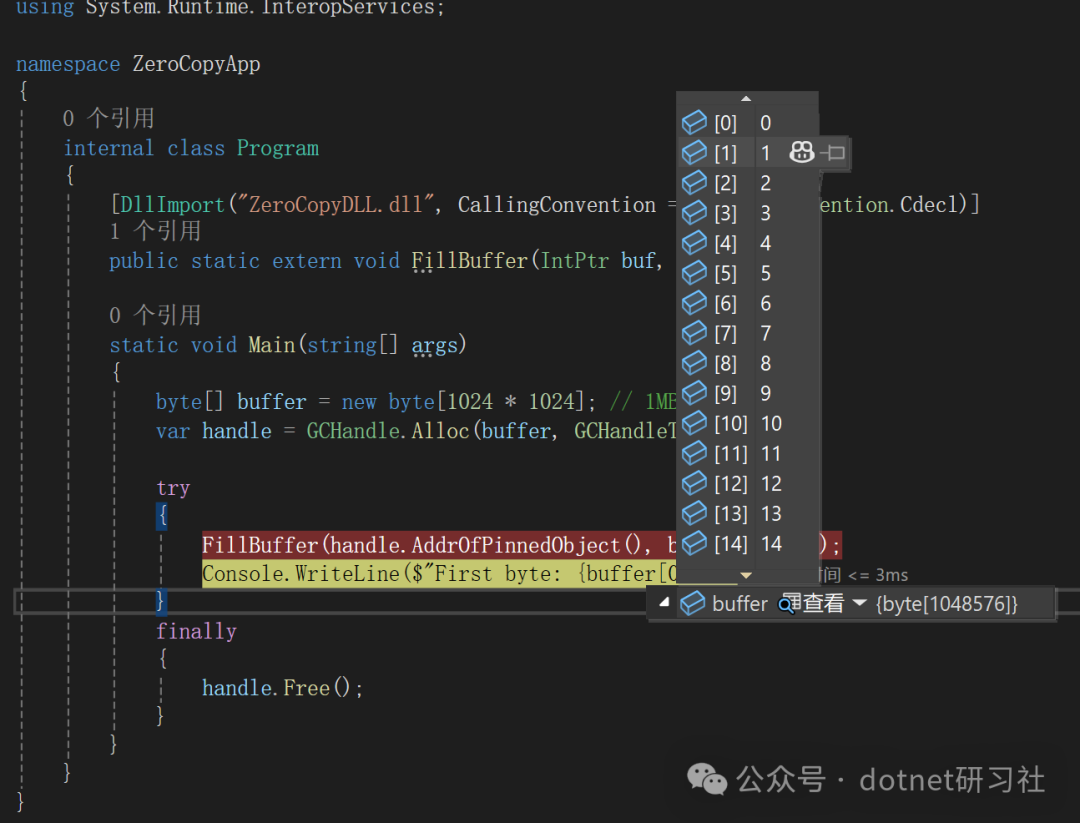
Pattern 1 — C# Allocation + Pinned Memory
C# allocates a buffer and <span>pins</span> it, passing it to C++ to fill data:
using System;
using System.Runtime.InteropServices;

class ZeroCopyPinned
{
    [DllImport("ZeroCopyDLL.dll", CallingConvention = CallingConvention.Cdecl)]
    public static extern void FillBuffer(IntPtr buf, int length);

    public static void Main()
    {
        byte[] buffer = new byte[1024 * 1024]; // 1MB
        var handle = GCHandle.Alloc(buffer, GCHandleType.Pinned);

        try
        {
            FillBuffer(handle.AddrOfPinnedObject(), buffer.Length);
            Console.WriteLine($"First byte: {buffer[0]}");
        }
        finally
        {
            handle.Free();
        }
    }
}
C++ Implementation:
extern "C" __declspec(dllexport)
void FillBuffer(unsigned char* buf, int length)
{
    for (int i = 0; i < length; ++i) buf[i] = (unsigned char)(i & 0xFF);
}Characteristics:
- • Completely avoids the extra copy of
<span>Marshal.Copy</span> - • Buffer is on the managed heap, but the address is pinned, so GC will not move it
Pattern 2 — C++ Allocation + C# Using IntPtr
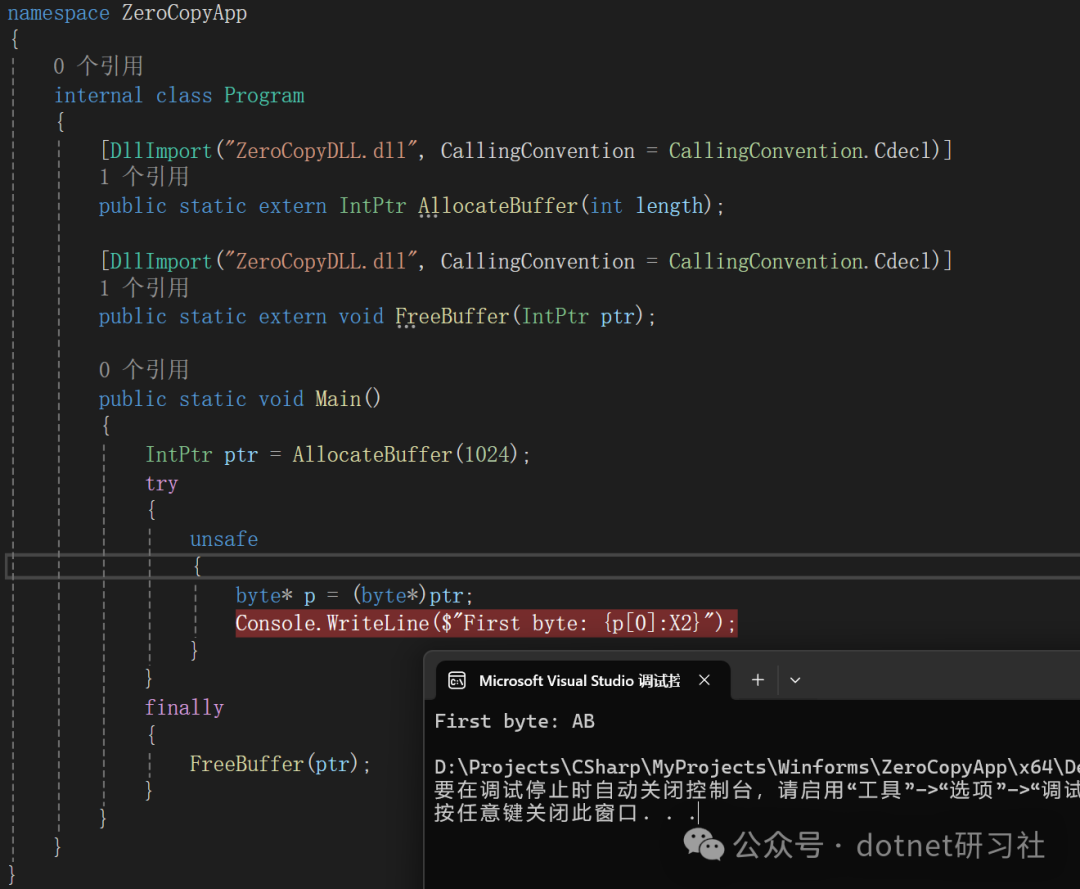
Let C++ allocate a block of memory, and C# directly use <span>IntPtr</span> or <span>Span<byte></span> to operate:
C++:
#include <cstdlib>
#include <cstring>

extern "C" __declspec(dllexport)
unsigned char* AllocateBuffer(int length)
{
    unsigned char* buf = (unsigned char*)std::malloc(length);
    std::memset(buf, 0xAB, length);
    return buf;
}

extern "C" __declspec(dllexport)
void FreeBuffer(unsigned char* buf)
{
    std::free(buf);
}
C#:
using System;
using System.Runtime.InteropServices;

class ZeroCopyNativeAlloc
{
    [DllImport("ZeroCopyDLL.dll", CallingConvention = CallingConvention.Cdecl)]
    public static extern IntPtr AllocateBuffer(int length);

    [DllImport("ZeroCopyDLL.dll", CallingConvention = CallingConvention.Cdecl)]
    public static extern void FreeBuffer(IntPtr ptr);

    public static void Main()
    {
        IntPtr ptr = AllocateBuffer(1024);
        try
        {
            unsafe
            {
                byte* p = (byte*)ptr;
                Console.WriteLine($"First byte: {p[0]:X2}");
            }
        }
        finally
        {
            FreeBuffer(ptr);
        }
    }
}Characteristics:
- • Data is not in the managed heap, completely controlled by native
- • Suitable for large data buffers, avoiding GC pressure
- • Must be careful to release, or memory leaks will occur
Insert image description here
Pattern 3 — Cross-Process Implementation (MemoryMappedFile)
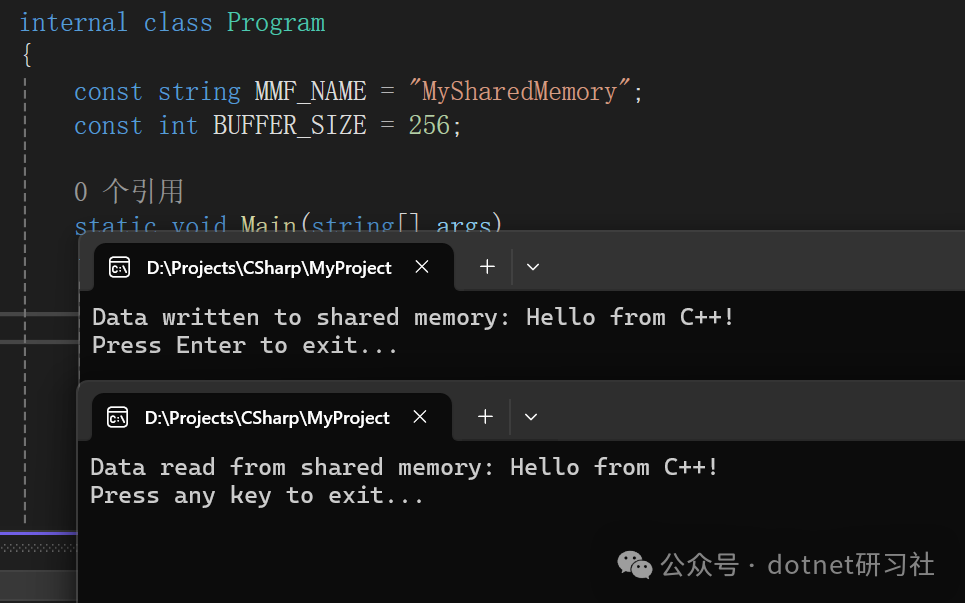
If C# and C++ are in different processes, you can also use shared memory (MemoryMappedFile):
- • C++ uses
<span>CreateFileMapping</span>/<span>MapViewOfFile</span> - • C# uses
<span>MemoryMappedFile.OpenExisting</span>+<span>CreateViewAccessor</span> - • Shares the same physical page, read and write without copying
- • Commonly used for video capture, industrial image processing, and shared ring buffers

- • After mapping, C#, C++, and even multiple processes access the same physical memory (the operating system completes this through virtual memory mapping)
- • Therefore, data does not need to be copied to user buffers
- • Read and write performance is close to direct memory access (as long as page faults are not triggered, performance is extremely high)
C++ Writer (Producer):
// MMF_Producer.cpp
#include <windows.h>
#include <iostream>
#include <string>

const WCHAR* MMF_NAME = L"MySharedMemory";
const int BUFFER_SIZE = 256;

int main()
{
    HANDLE hMapFile = CreateFileMapping(
        INVALID_HANDLE_VALUE,    // Use paging file
        NULL,                    // Default security
        PAGE_READWRITE,          // Read/write access
        0,                       // Maximum object size (high-order DWORD)
        BUFFER_SIZE,             // Maximum object size (low-order DWORD)
        MMF_NAME);               // Name of mapping object

    if (hMapFile == NULL)
    {
        std::cerr << "Could not create file mapping object (" << GetLastError() << ").\n";
        return 1;
    }

    char* pBuf = (char*)MapViewOfFile(
        hMapFile,                // Handle to map object
        FILE_MAP_ALL_ACCESS,     // Read/write access
        0,                       // High-order DWORD of the file offset
        0,                       // Low-order DWORD of the file offset
        BUFFER_SIZE);            // Number of bytes to map

    if (pBuf == NULL)
    {
        std::cerr << "Could not map view of file (" << GetLastError() << ").\n";
        CloseHandle(hMapFile);
        return 1;
    }

    std::string message = "Hello from C++!";
    strncpy_s(pBuf, BUFFER_SIZE, message.c_str(), message.length());
    std::cout << "Data written to shared memory: " << message << std::endl;

    // Keep the mapping open for C# to read
    std::cout << "Press Enter to exit...";
    std::cin.getline(pBuf, 1);

    UnmapViewOfFile(pBuf);
    CloseHandle(hMapFile);

    return 0;
}
C# Reader (Consumer):
// MMF_Consumer.cs
using System;
using System.IO.MemoryMappedFiles;
using System.Text;
using System.Threading;

class MMFConsumer
{
    const string MMF_NAME = "MySharedMemory";
    const int BUFFER_SIZE = 256;

    static void Main(string[] args)
    {
        try
        {
            using (var mmf = MemoryMappedFile.OpenExisting(MMF_NAME))
            {
                using (var accessor = mmf.CreateViewAccessor(0, BUFFER_SIZE))
                {
                    byte[] buffer = new byte[BUFFER_SIZE];
                    accessor.ReadArray(0, buffer, 0, buffer.Length);
                    string message = Encoding.ASCII.GetString(buffer).TrimEnd('?').TrimEnd('\0');
                    Console.WriteLine($"Data read from shared memory: {message}");
                }
            }
        }
        catch (FileNotFoundException)
        {
            Console.WriteLine("Memory mapped file not found. Make sure C++ producer is running.");
        }
        catch (Exception ex)
        {
            Console.WriteLine($"An error occurred: {ex.Message}");
        }

        Console.WriteLine("Press any key to exit...");
        Console.ReadKey();
    }
}
6. Considerations When Implementing Zero-Copy
- 1. Lifecycle Management — Ensure that C++ does not release the memory while C# is accessing it.
- 2. Thread Synchronization — Although there is no copying, read and write may still conflict, requiring locks or lock-free synchronization strategies (e.g., double buffering, atomic flags).
- 3. Alignment and Cache Lines — Large data blocks should consider memory alignment (16/32/64 bytes) to prevent false sharing.
- 4. GC Pressure — Frequent
<span>pin</span>can lead to fragmentation of the managed heap, and long-term pinning of large objects can hinder GC compaction. - 5. Safety — Direct manipulation of native pointers may cause C# crashes; it is recommended to add boundary checks during development.
7. Conclusion
- • Zero-Copy is not “completely no data transfer”, but rather avoiding unnecessary memory copying.
- • In C# and C++ interoperability, the most commonly used zero-copy methods are:
- 1. C# pinned managed memory passed to C++ (GCHandle / fixed)
- 2. C++ allocated memory directly passed to C# (IntPtr / Span)
If this article has been helpful to you, I would be very honored.
If you have other opinions on this article, feel free to leave a comment for discussion.
If you like my articles, thank you for the triple support: like, follow, and share!!!