Introduction
In a previous article, we introduced how to use busybox to build a filesystem:
https://www.guyuehome.com/detail?id=1928835293522231297
However, the filesystem built with busybox requires a lot of cross-compilation and manual addition of components, and some software needs to be ported by yourself, making the porting process quite cumbersome.
There is another very practical method for building a root filesystem—using Buildroot to create the root filesystem. Buildroot not only integrates busybox but also various common third-party libraries and software; you just need to select the software you need.
In a previous article, we also detailed the components and usage of Buildroot:
https://www.guyuehome.com/detail?id=1929555441212260353
Next, we will directly use Buildroot to create the root filesystem.
To create the root filesystem, we need to understand Buildroot based on the following questions:
How to decide whether to compile certain packages:
make menuconfig
Where does the menu content come from?
How to download these packages
Each package should provide its own download address
How to compile these packages
Each package should provide its own compilation method
How to create image files
The selected packages are compiled and placed into a unified directory
Create the rootfs image
This is not enough; we want to create an emmc image file: it contains a partition table, root filesystem partition, and other partitions
1. Buildroot Directory
1. Directory Structure
As detailed in a previous article, we will represent it directly with a diagram here:
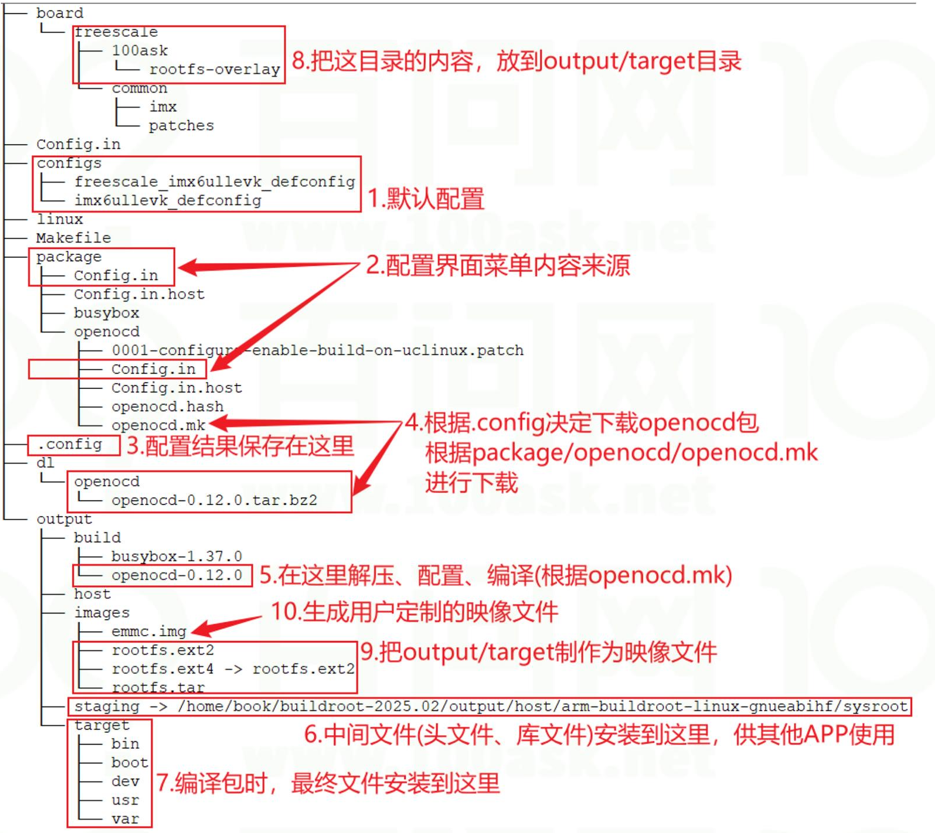
2. Directory Usage During Execution
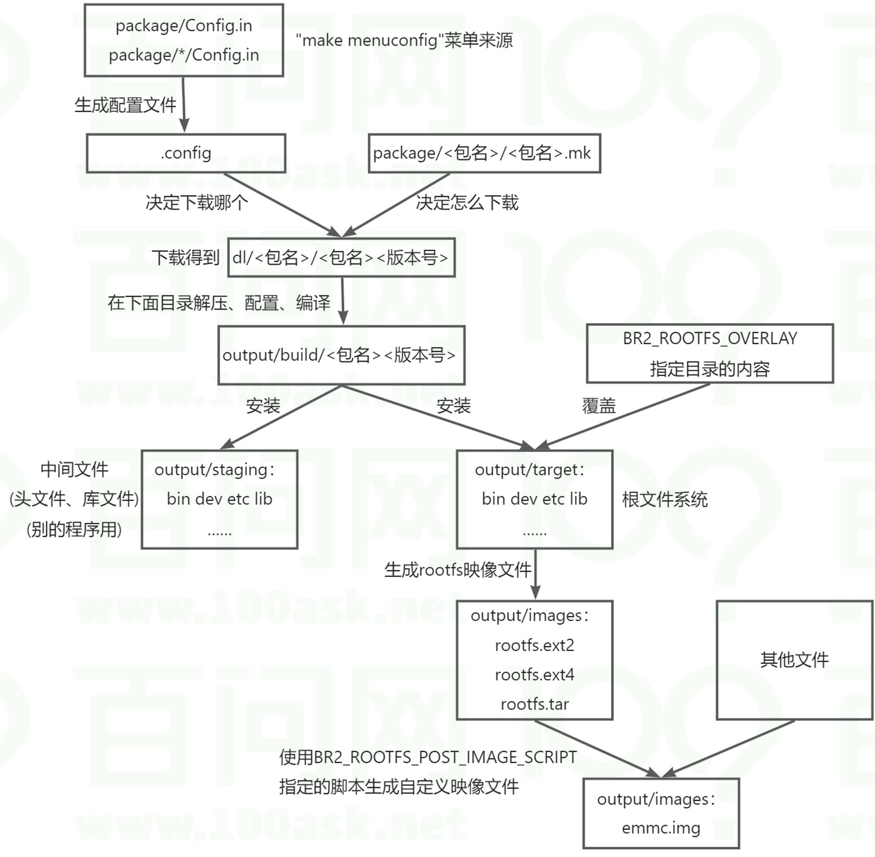
2. Buildroot Execution Process
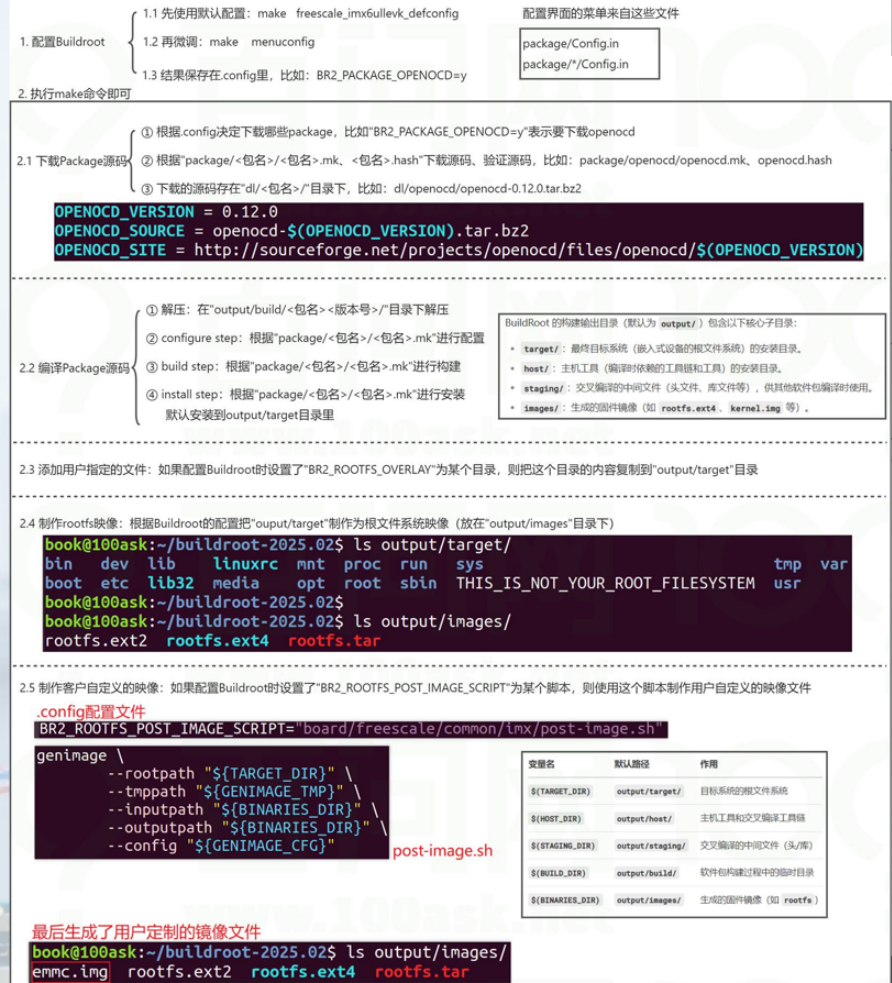
3. Compiling the Root Filesystem with Default Configuration
1. Using Default Configuration and Script
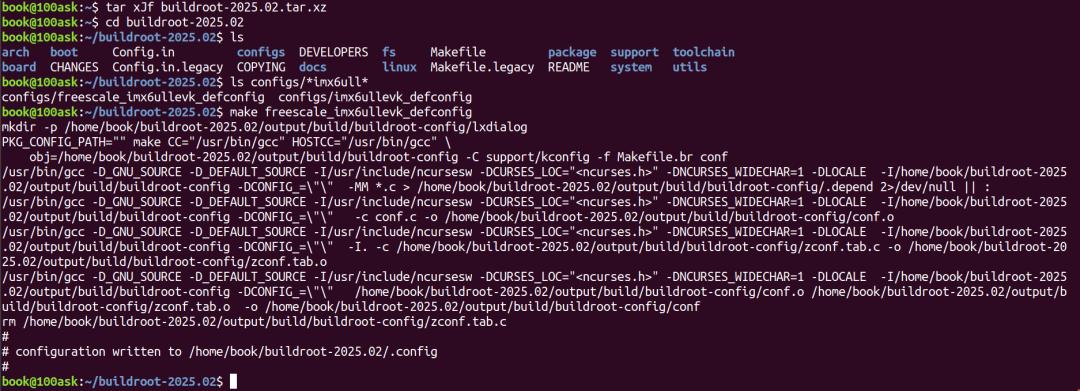
wget https://buildroot.org/downloads/buildroot-2025.02.tar.xztar xJf buildroot-2025.02.tar.xzcd buildroot-2025.02ls configs/*imx6ull*make freescale_imx6ullevk_defconfigmake menuconfig make -j 4Download the source package version 2025.02 from the Buildroot website
After extraction, a directory buildroot-2025.02 is generated
Switch to the extracted Buildroot working directory
List all configuration files in the configs/ directory that contain imx6ull (usually ending with _defconfig)
Apply the freescale_imx6ullevk_defconfig configuration file to initialize Buildroot’s compilation options
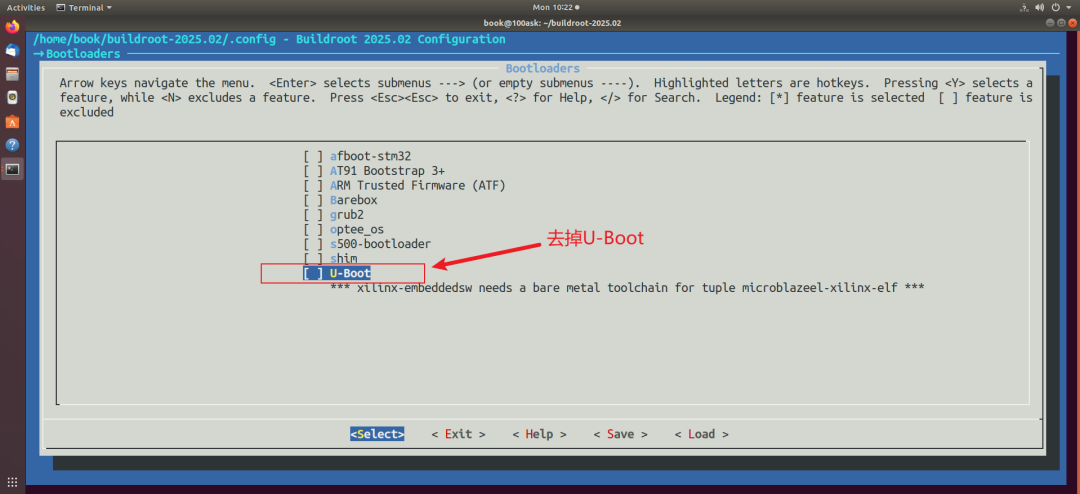
Open the ncurses-based graphical configuration interface, remove the kernel and uboot
Compile
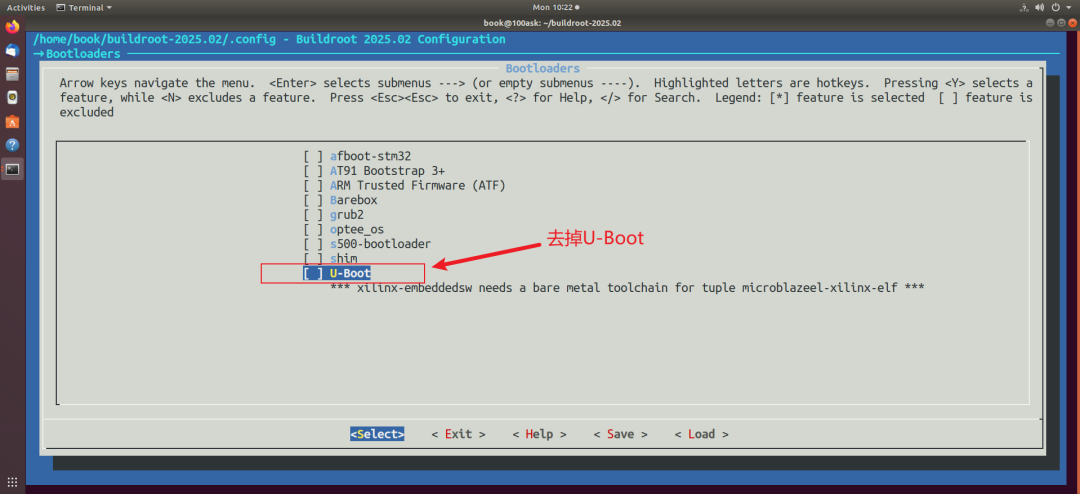
Remove the kernel and Uboot:
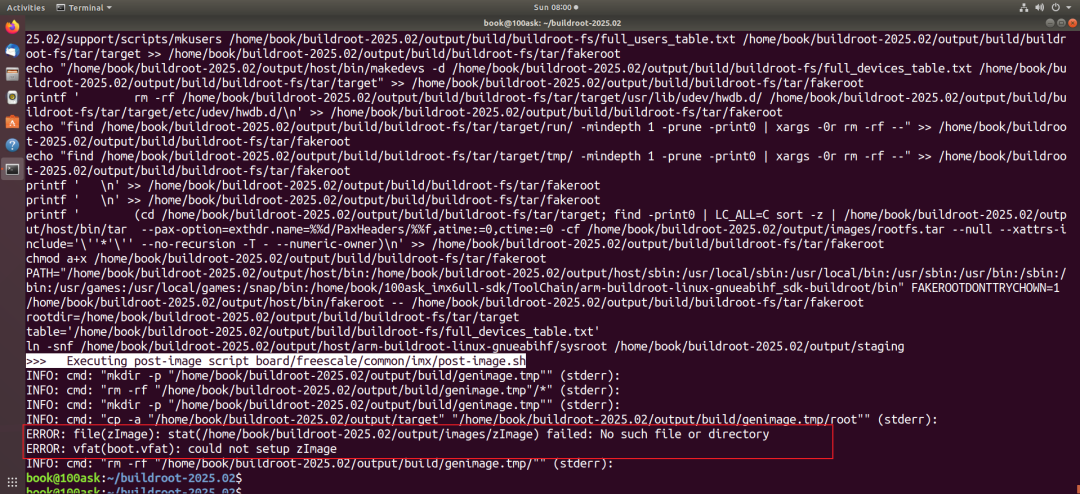
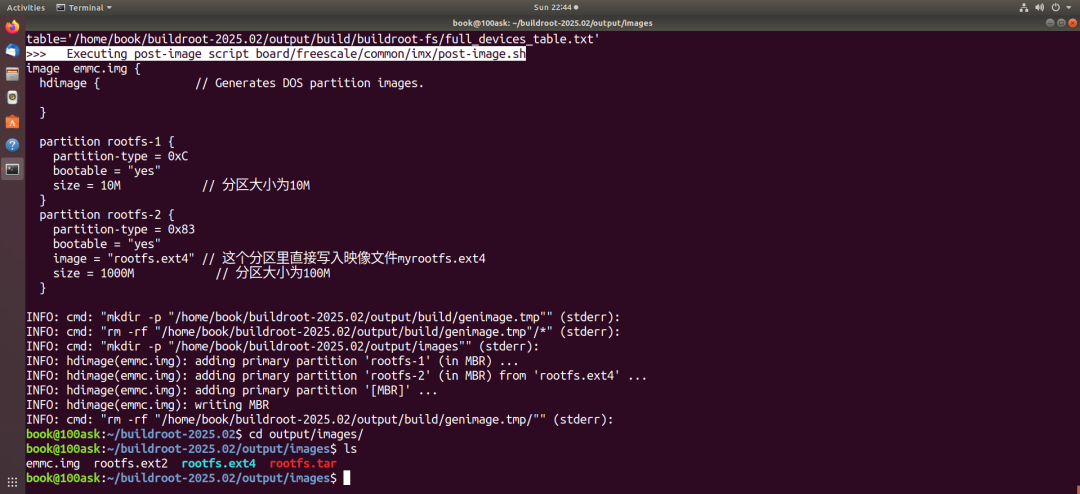
At the end of the compilation, the script board/freescale/common/imx/post-image.sh will be used to generate the image file, resulting in the following error:
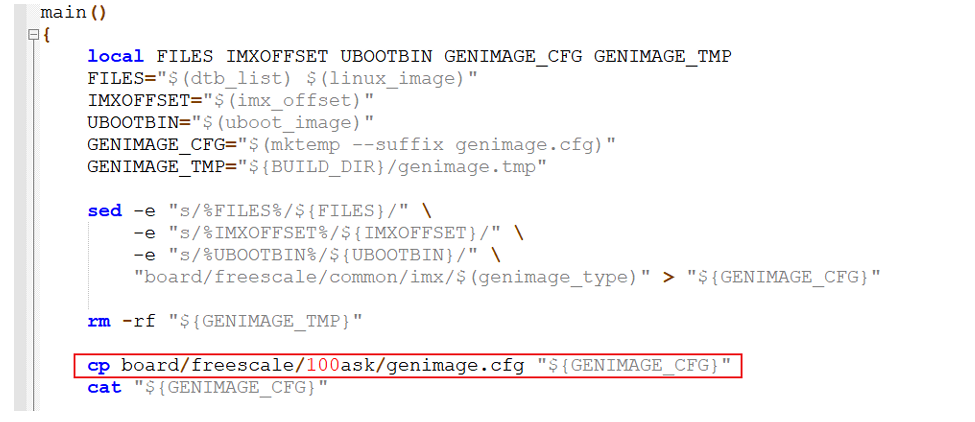
Create a new file board/freescale/100ask/genimage.cfg:
image emmc.img { hdimage { // Generates DOS partition images. } partition rootfs-1 { partition-type = 0xC bootable = "yes" size = 10M // Partition size is 10M } partition rootfs-2 { partition-type = 0x83 bootable = "yes" image = "rootfs.ext4"// This partition directly writes the image file myrootfs.ext4 size = 1000M // Partition size is 100M }Modify board/freescale/common/imx/post-image.sh, the content is as follows:
Note that if files are transferred from the PC to the virtual machine, you need to execute: convert post-image.sh to Unix format
dos2unix board/freescale/common/imx/post-image.shBecause Windows-style line endings (CRLF, i.e., \r\n) are not recognized by Linux systems, which only recognize Unix-style line endings (LF, i.e., \n).
Add the kernel and device tree:
cp ~/100ask_imx6ull-sdk/Linux-4.9.88/arch/arm/boot/zImage board/freescale/100ask/rootfs-overlay/boot
cp ~/100ask_imx6ull-sdk/Linux-4.9.88/arch/arm/boot/dts/100ask_imx6ull-14x14.dtb board/freescale/100ask/rootfs-overlay/boot

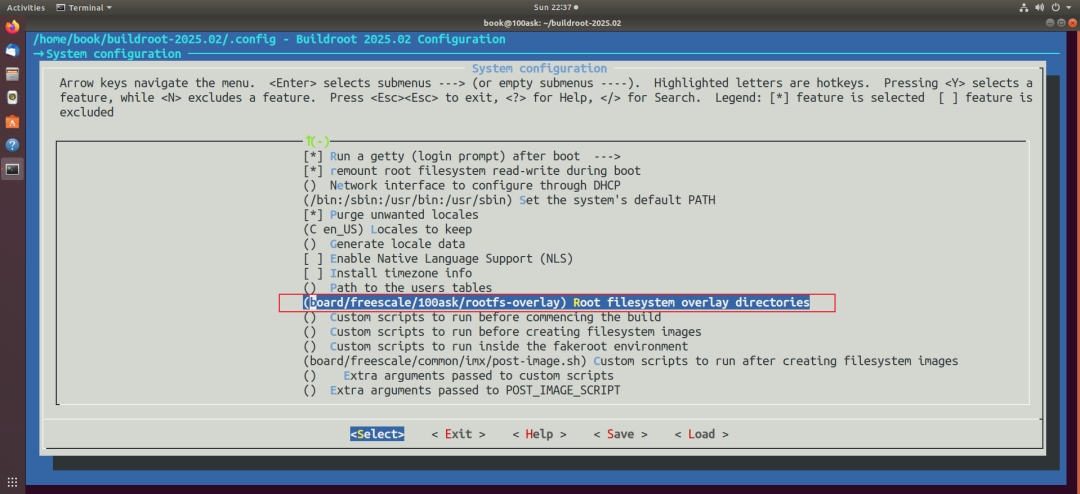
Reconfigure to set BR2_ROOTFS_OVERLAY equal to board/freescale/100ask/rootfs-overlay/
board/freescale/100ask/rootfs-overlay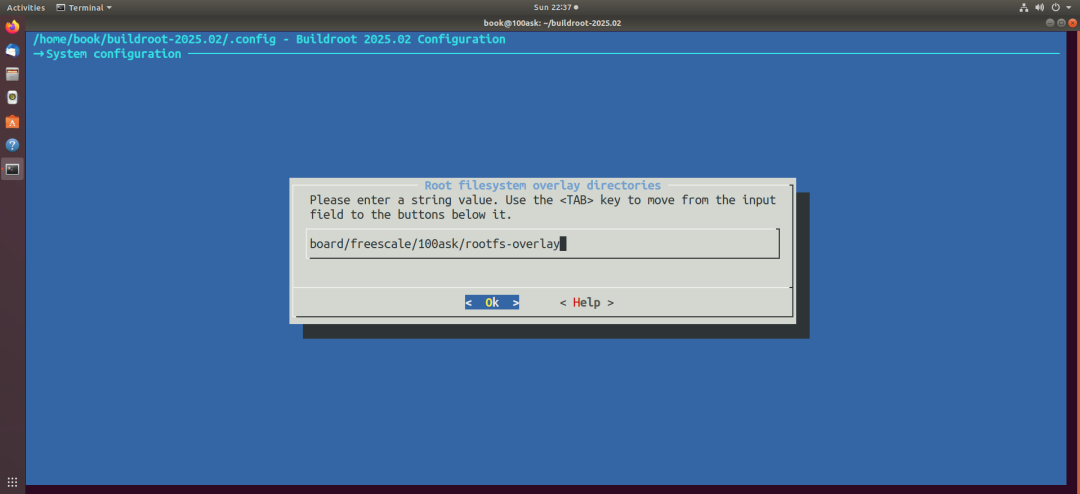
Re-execute make, and you will get output/images/emmc.img
3. Compiling the Root Filesystem with External Toolchain
wget https://buildroot.org/downloads/buildroot-2025.02.tar.xztar xJf buildroot-2025.02.tar.xzcd buildroot-2025.02ls configs/*imx6ull*make freescale_imx6ullevk_defconfigmake menuconfig # Select external toolchain, remove kernel, ubootmake -j 4Download the source package version 2025.02 from the Buildroot website
After extraction, a directory buildroot-2025.02 is generated
Switch to the extracted Buildroot working directory
List all configuration files in the configs/ directory that contain imx6ull (usually ending with _defconfig)
Apply the freescale_imx6ullevk_defconfig configuration file to initialize Buildroot’s compilation options
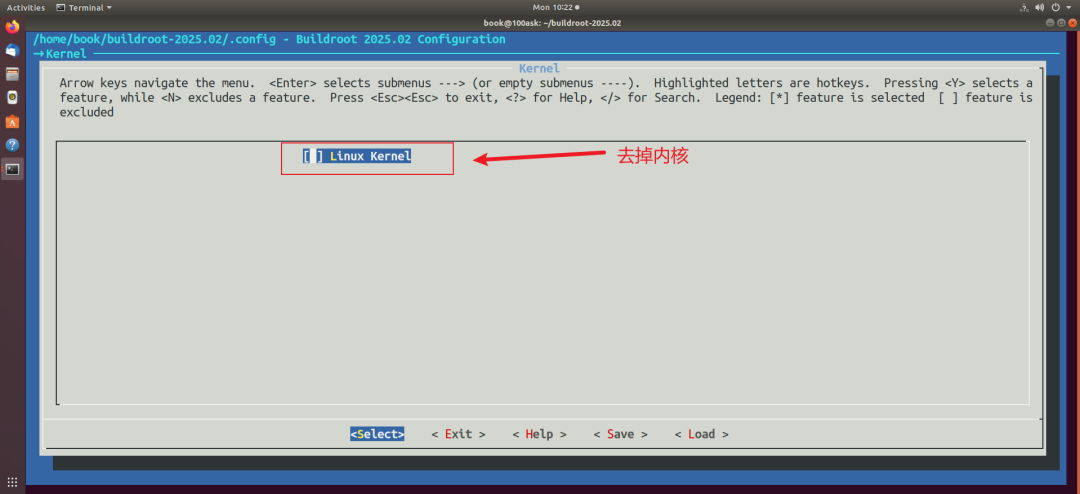
Open the ncurses-based graphical configuration interface, remove the kernel and uboot
Compile
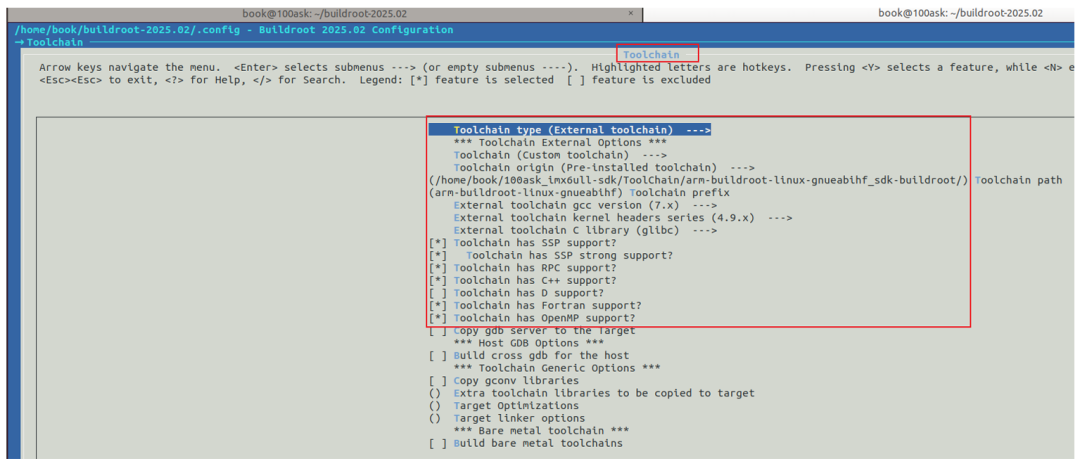
Select external toolchain:
Remove the kernel and Uboot:
4. Adding Open Source Apps and Dependency Libraries
1. Adding Software Already Supported by Buildroot
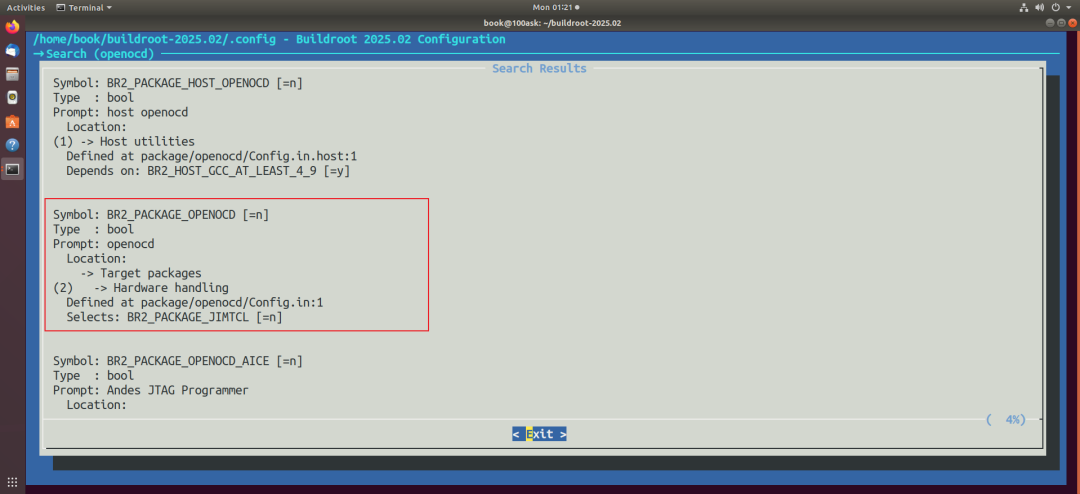
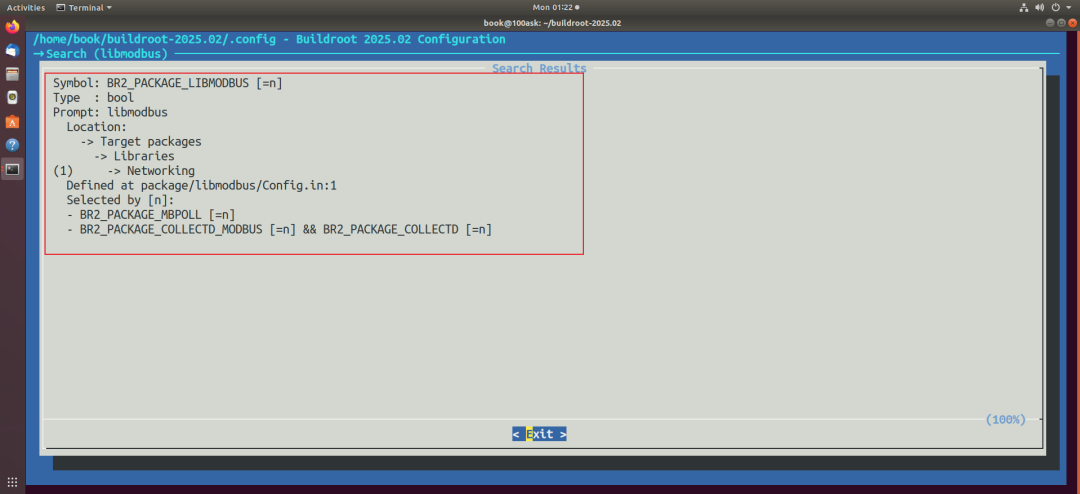
For example, in the package directory, there are already openocd and libmodbus, which can be added by executing make menuconfig in the buildroot directory and then re-running make to compile.
2. Adding Local Makefile Project to Buildroot
2.1 Project Source Code
hello_make is a simple Makefile project, with the following content:
$ cat hello_make.c#include<stdio.h>
int main(int argc, char **argv){  printf("hello, I am a make project\n");  return 0;}
$ cat Makefilehello_make: hello_make.c  $(CC) -o $@ $^
clean:  rm -f hello_make
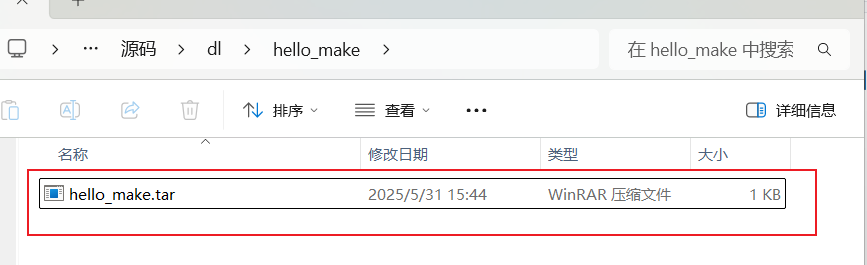
Contains hello_make.c and Makefile, compressed as follows:
2.2 Create a New Package Directory in the Package Directory
mkdir package/hello_makecd package/hello_maketouch hello_make.mk Config.in
hello_make.mk content is as follows:
################################################################################## hello_make#################################################################################
HELLO_MAKE_SOURCE = hello_make.tar.gz
HELLO_MAKE_SITE = $(TOPDIR)/dl/hello_make

define HELLO_MAKE_BUILD_CMDS    $(MAKE) CC="$(TARGET_CC)" LD="$(TARGET_LD)" -C $(@D) endef

define HELLO_MAKE_INSTALL_TARGET_CMDS    $(INSTALL) -D -m 0755 $(@D)/hello_make $(TARGET_DIR)/usr/binendef

$(eval $(generic-package))
Config.in content is as follows:
config BR2_PACKAGE_HELLO_MAKE bool "hello_make" help hello_make for test.2.3 Place Files in the dl Directory
Place the compressed package of the previous project source code:
dl/hello_make/hello_make.tar.gz
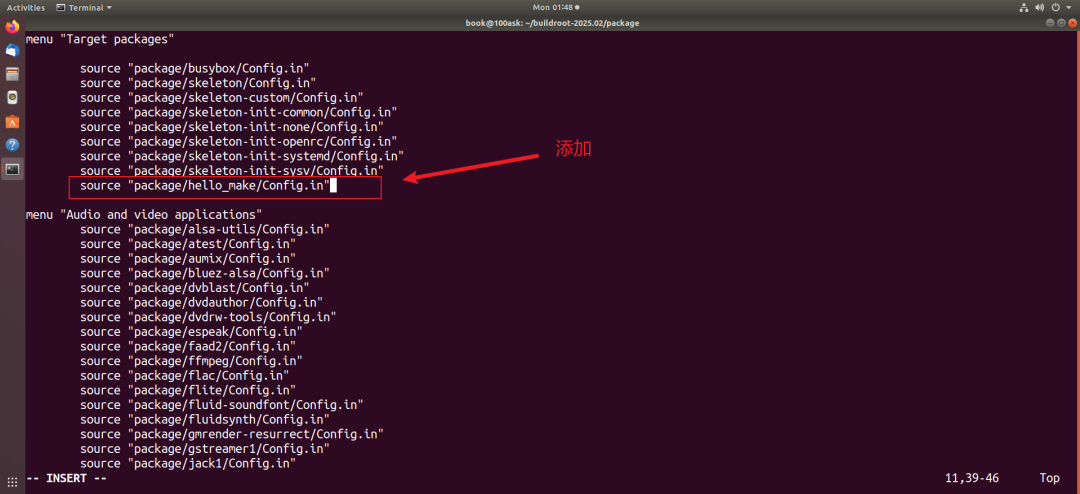
2.4 Modify package/Config.in
2.5 Graphical Configuration
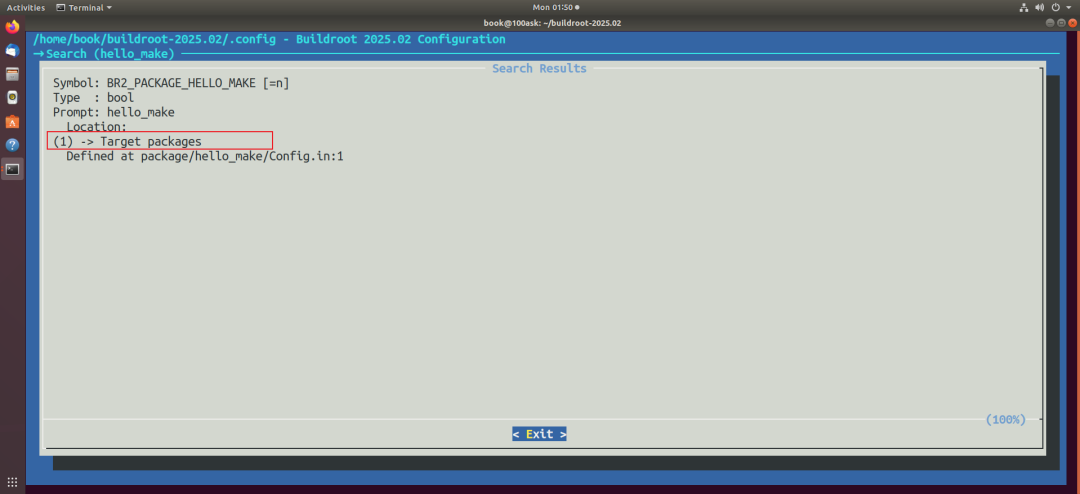
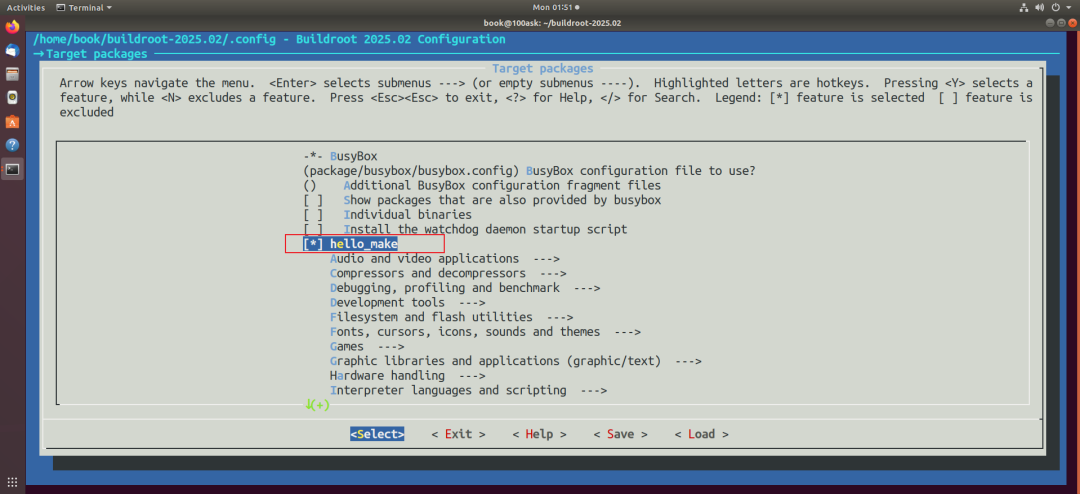
Execute make menuconfig in the Buildroot directory:
2.6 Compile
Compile separately:
make hello_make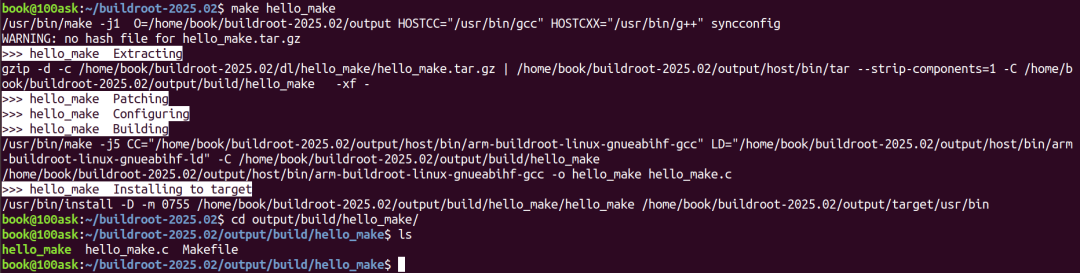
If you want to modify the code and recompile:
Directly modify output/build/hello_make/hello_make.c, then re-run make hello_make
Compile and create a series of image files:
make -j43. Adding Local CMake Project to Buildroot
3.1 Project Source Code
hello_cmake is a simple CMake project, with the following content:
$ cat hello_cmake.c#include<stdio.h>
int main(int argc, char **argv){  printf("hello, I am a cmake project\n");  return 0;}
$ cat CMakeLists.txt# Minimum required CMake version cmake_minimum_required(VERSION 3.10)
# Define project name and version project(hello_cmake VERSION 1.0.0)
# Specify cross-compilation toolchain path #set(CMAKE_C_COMPILER arm-buildroot-linux-gnueabihf-gcc) #set(CMAKE_CXX_COMPILER arm-buildroot-linux-gnueabihf-g++)
# Add executable file add_executable(hello_cmake hello_cmake.c)
# Optional: Install to system path (e.g., /usr/local/bin) install(TARGETS hello_cmake DESTINATION bin)
Contains hello_make.c and CMakeLists.txt, compressed as follows:
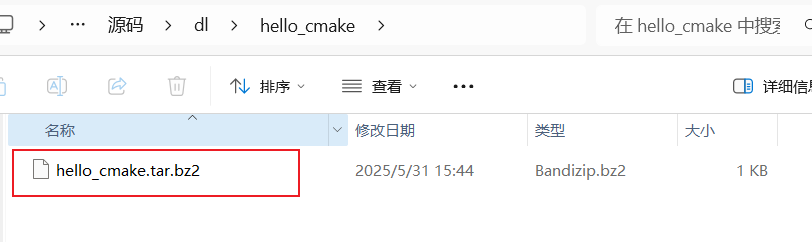
3.2 Create a New Package Directory in the Package Directory
mkdir package/hello_cmakecd package/hello_cmaketouch hello_cmake.mk Config.in
hello_cmake.mk content is as follows:
################################################################################## hello_cmake#################################################################################
HELLO_CMAKE_SOURCE = hello_cmake.tar.bz2
HELLO_CMAKE_SITE = $(TOPDIR)/dl/hello_cmake

$(eval $(cmake-package))
Config.in content is as follows:
config BR2_PACKAGE_HELLO_CMAKE bool "hello_cmake" help hello_cmake for test.3.3 Place Files in the dl Directory
Place the compressed package of the previous project source code:
dl/hello_cmake/hello_cmake.tar.bz2
3.4 Modify package/Config.in
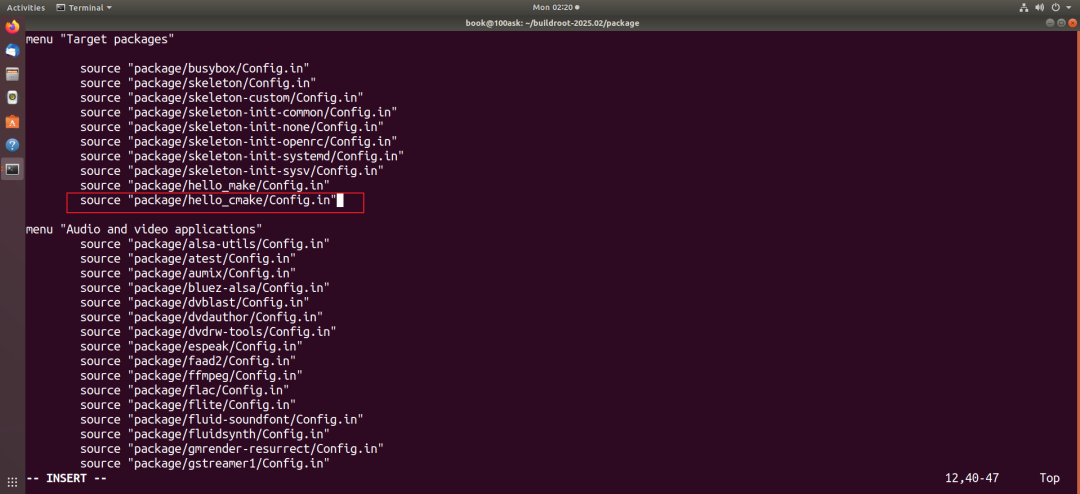
3.5 Graphical Configuration
Execute make menuconfig in the Buildroot directory:
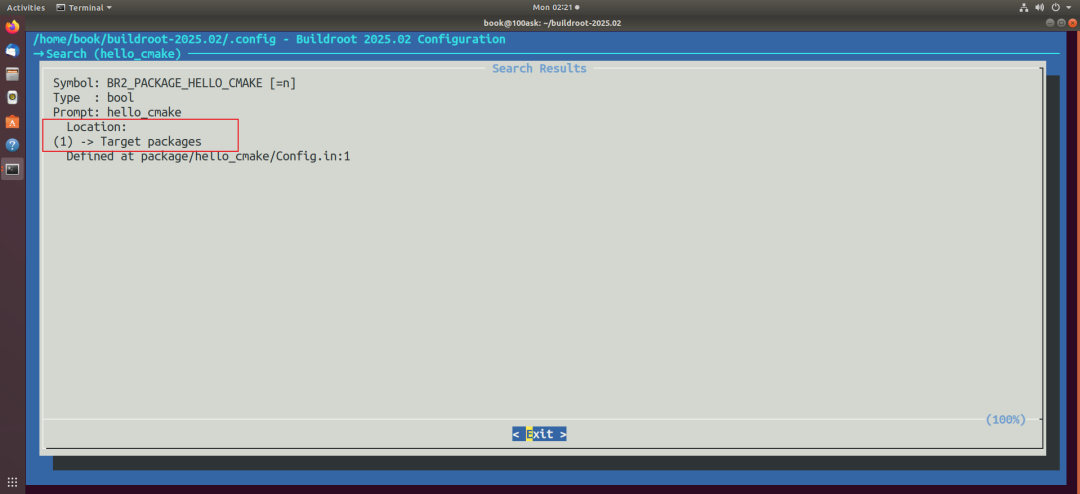
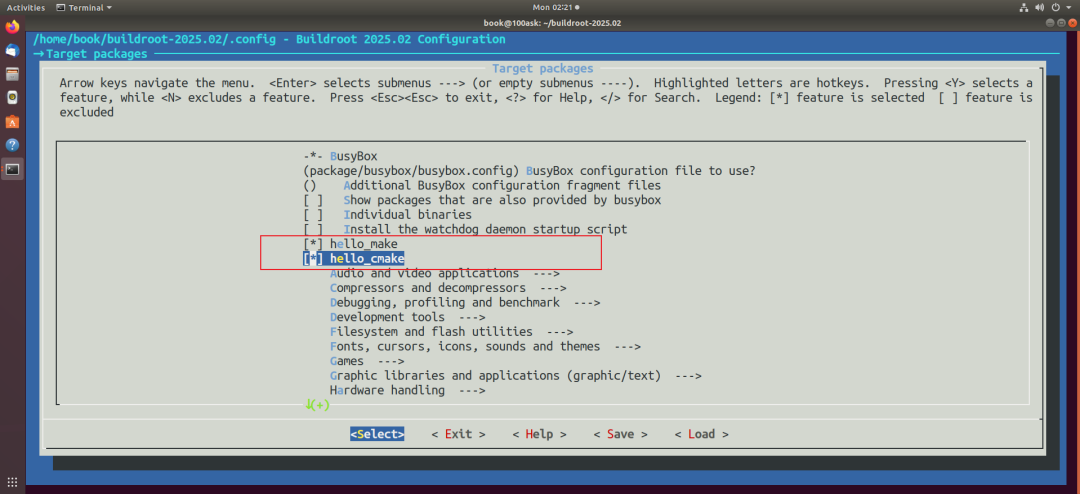
3.6 Compile
Compile separately:
make hello_cmake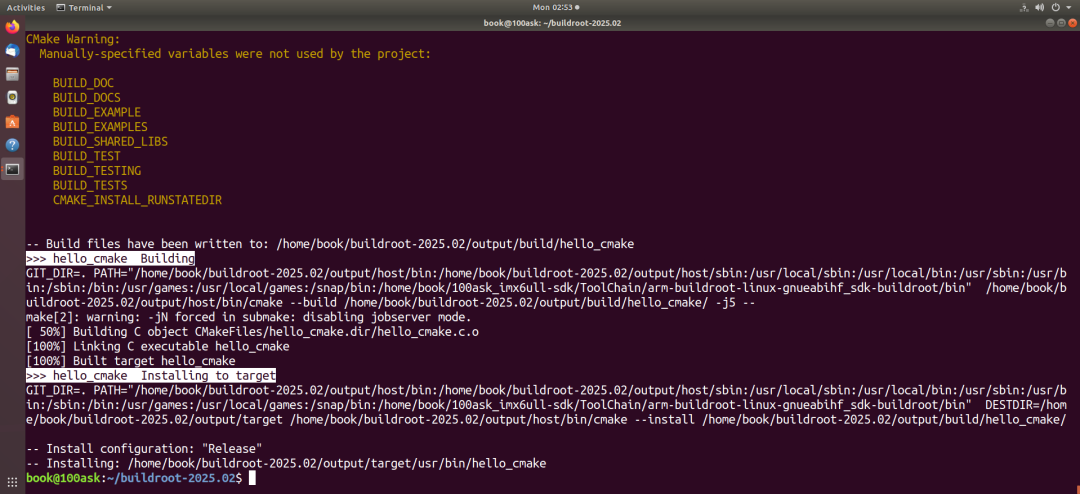
Compile and create a series of image files:
make