Environment: Windows 10 x64
pjsip Version: 2.14.1
microsip Version: 3.19.30
Previously organized content related to pjsip and DTMF:
Analysis of pjsip Source Code: Audio Encoding
Analysis of pjsip Source Code: Volume Adjustment
Analysis of pjsip Source Code: Call Hold
Analysis of pjsip Source Code: DTMF Sending
pjsip Compilation, Instructions, and Example Usage with VS2022Using pjsip to Wrap a Custom Softphone SDKParsing WAV Files to Obtain DTMF Values with Python3
The pjsip library includes HTTP client functionalities. Today, I will organize notes related to HTTP requests, hoping they will be helpful to you.
1. HTTP Module Description
Module File Path: pjlib-util\src\pjlib-util\http_client.c
1. Usage Limitations
1) Using HTTPS formatted URLs will result in errors.
Although the module supports HTTPS functionality:
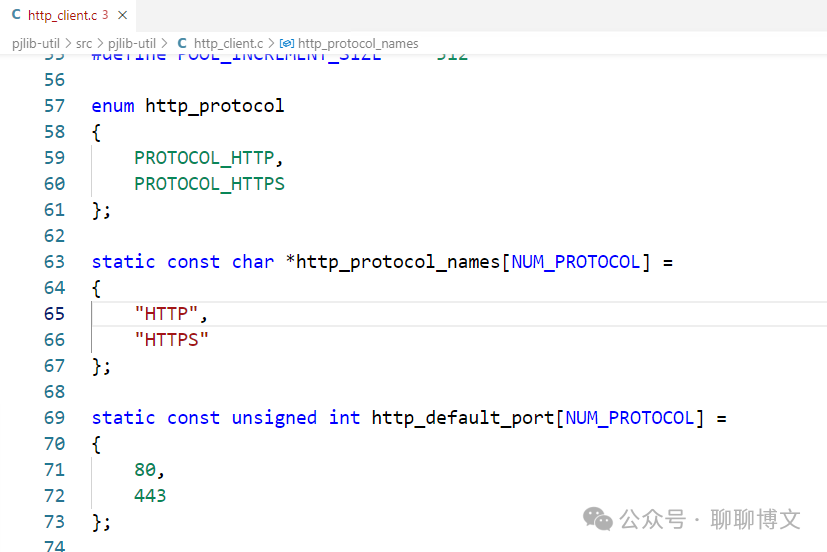
Accessing HTTPS interfaces will report errors (possibly due to issues with the compiled version, etc.):

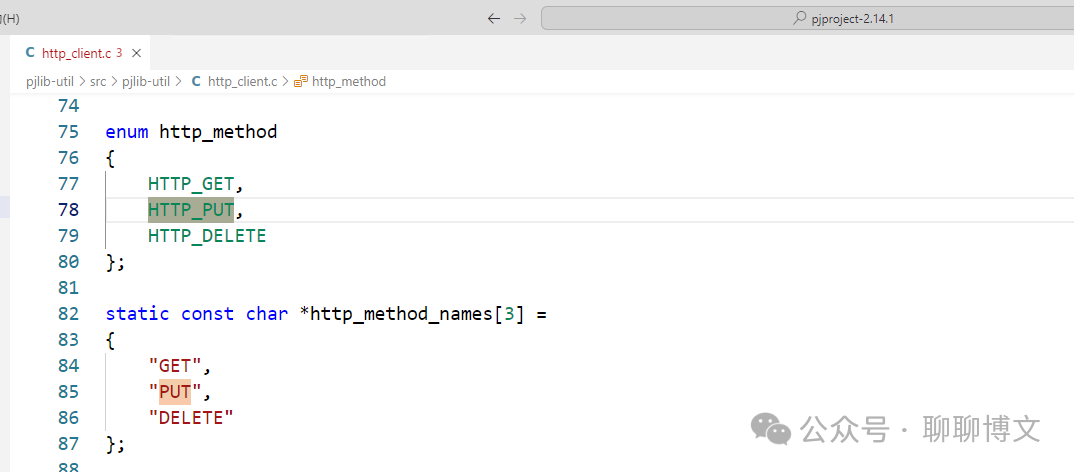
2) Only supports GET, PUT, and DELETE methods
2. Data Structure Description
1) pj_http_req Structure
This is the main data structure for HTTP requests, containing the URL, request parameters, callback functions, etc.
Defined as follows:
struct pj_http_req{ pj_str_t url; /* Request URL */ pj_http_url hurl; /* Parsed request URL */ pj_sockaddr addr; /* The host's socket address */ pj_http_req_param param; /* HTTP request parameters */ pj_pool_t *pool; /* Pool to allocate memory from */ pj_timer_heap_t *timer; /* Timer for timeout management */ pj_ioqueue_t *ioqueue; /* Ioqueue to use */ pj_http_req_callback cb; /* Callbacks */ pj_activesock_t *asock; /* Active socket */ pj_status_t error; /* Error status */ pj_str_t buffer; /* Buffer to send/receive msgs */ enum http_state state; /* State of the HTTP request */ enum auth_state auth_state; /* Authentication state */ pj_timer_entry timer_entry;/* Timer entry */ pj_bool_t resolved; /* Whether URL's host is resolved */ pj_http_resp response; /* HTTP response */ pj_ioqueue_op_key_t op_key; struct tcp_state { /* Total data sent so far if the data is sent in segments (i.e. * if on_send_data() is not NULL and if param.reqdata.total_size > 0) */ pj_size_t tot_chunk_size; /* Size of data to be sent (in a single activesock operation).*/ pj_size_t send_size; /* Data size sent so far. */ pj_size_t current_send_size; /* Total data received so far. */ pj_size_t current_read_size; } tcp_state;};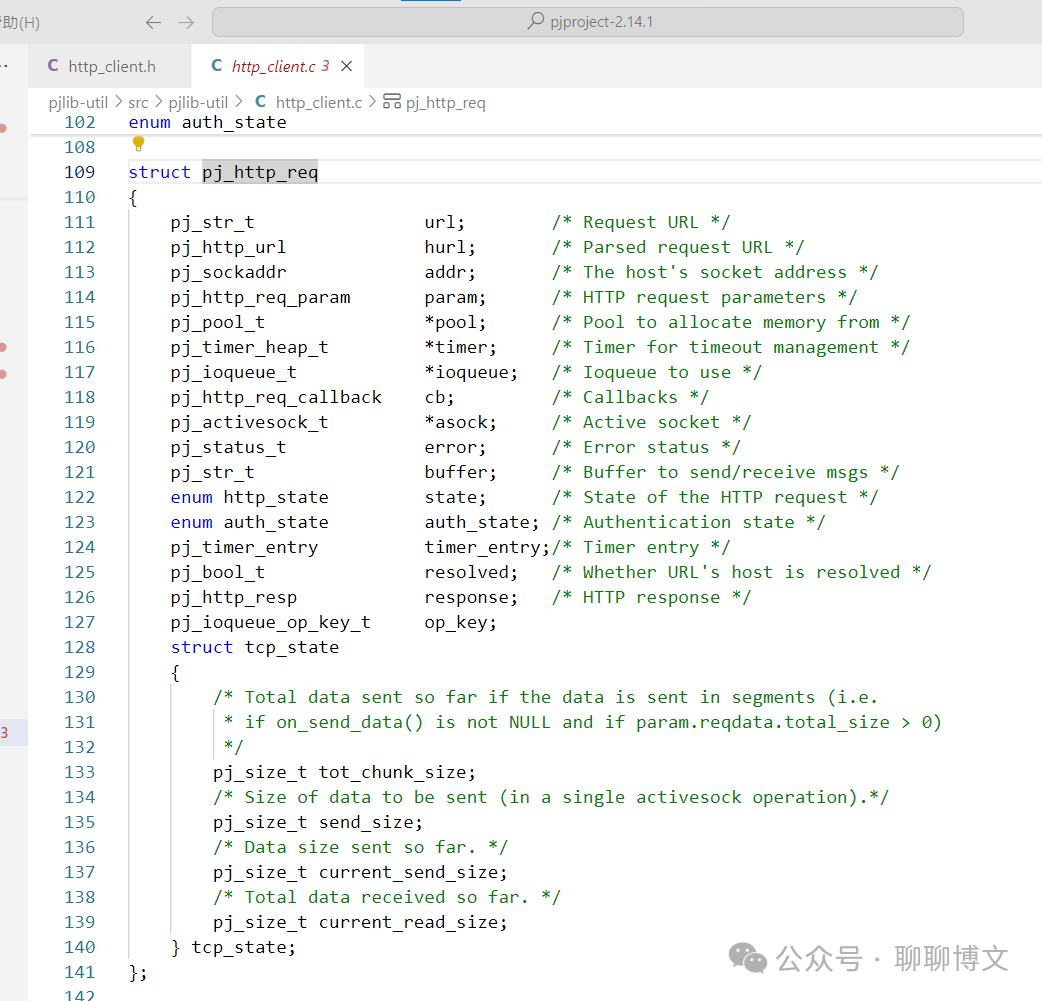
2) pj_http_req_param Structure
Used to define HTTP request parameters, such as request method, HTTP version, HTTP headers, request data, etc.
Defined as follows:
/** * Parameters that can be given during http request creation. Application * must initialize this structure with #pj_http_req_param_default(). */typedef struct pj_http_req_param { /** * The address family of the URL. * Default is pj_AF_INET(). */ int addr_family; /** * The HTTP request method. * Default is GET. */ pj_str_t method; /** * The HTTP protocol version ("1.0" or "1.1"). * Default is "1.0". */ pj_str_t version; /** * HTTP request operation timeout. * Default is PJ_HTTP_DEFAULT_TIMEOUT. */ pj_time_val timeout; /** * User-defined data. * Default is NULL. */ void *user_data; /** * HTTP request headers. * Default is empty. */ pj_http_headers headers; /** * This structure describes the http request body. If application * specifies the data to send, the data must remain valid until * the HTTP request is sent. Alternatively, application can choose * to specify total_size as the total data size to send instead * while leaving the data NULL (and its size 0). In this case, * HTTP request will then call on_send_data() callback once it is * ready to send the request body. This will be useful if * application does not wish to load the data into the buffer at * once. * * Default is empty. */ struct pj_http_reqdata { void *data; /**< Request body data */ pj_size_t size; /**< Request body size */ pj_size_t total_size; /**< If total_size > 0, data */ /**< will be provided later */ } reqdata; /**< The request body */ /** * Authentication credential needed to respond to 401/407 response. */ pj_http_auth_cred auth_cred; /** * Optional source port range to use when binding the socket. * This can be used if the source port needs to be within a certain range * for instance due to strict firewall settings. The port used will be * randomized within the range. * * Note that if authentication is configured, the authentication response * will be a new transaction * * Default is 0 (The OS will select the source port automatically) */ pj_uint16_t source_port_range_start; /** * Optional source port range to use when binding. * The size of the port restriction range * * Default is 0 (The OS will select the source port automatically)) */ pj_uint16_t source_port_range_size; /** * Max number of retries if binding to a port fails. * Note that this does not address the scenario where a request times out * or errors. This needs to be taken care of by the on_complete callback. * * Default is 3 */ pj_uint16_t max_retries;} pj_http_req_param;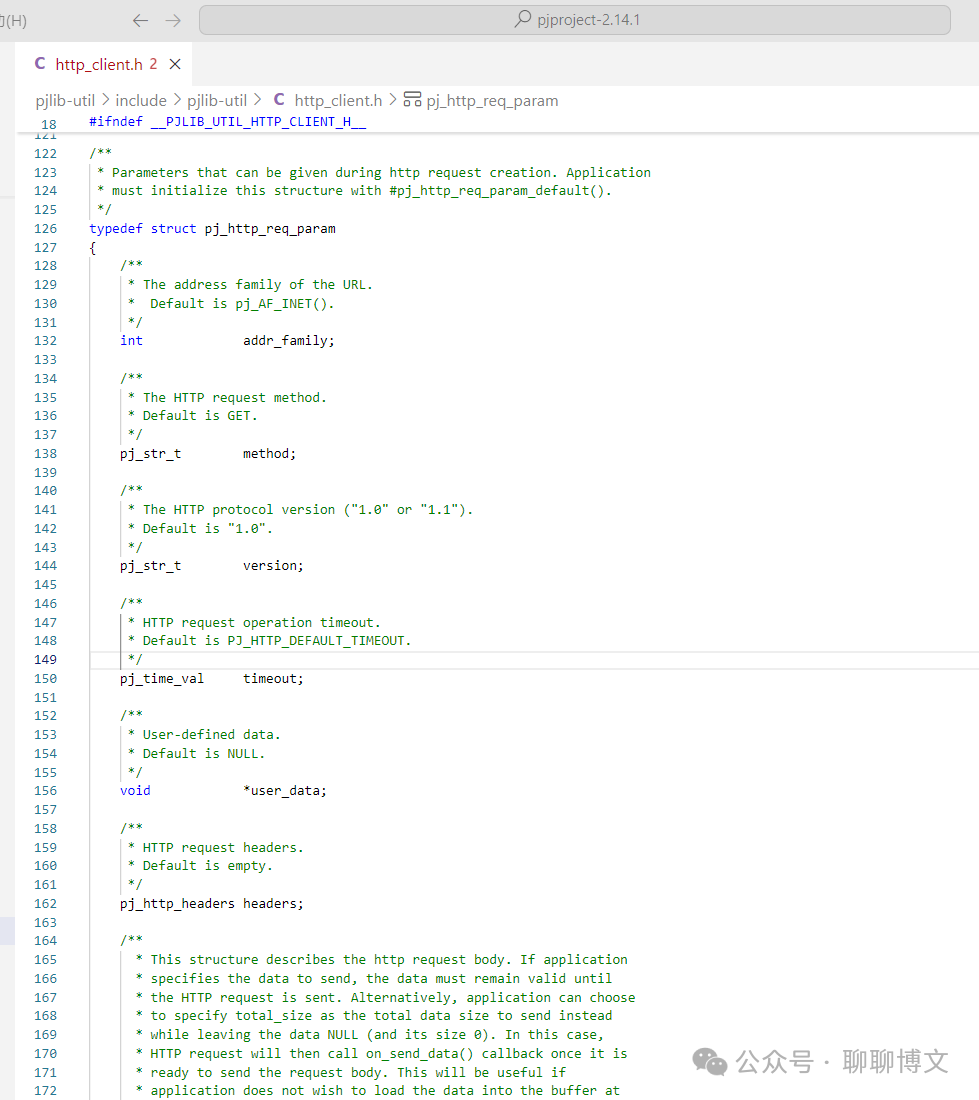
3) pj_http_req_callback Structure
Used to manage callback functions.
Defined as follows:
/** * This structure describes the callbacks to be called by the HTTP request. */typedef struct pj_http_req_callback{ /** * This callback is called when a complete HTTP response header * is received. * * @param http_req The http request. * @param resp The response of the request. */ void (*on_response)(pj_http_req *http_req, const pj_http_resp *resp); /** * This callback is called when the HTTP request is ready to send * its request body. Application may wish to use this callback if * it wishes to load the data at a later time or if it does not * wish to load the whole data into memory. In order for this * callback to be called, application MUST set http_req_param.total_size * to a value greater than 0. * * @param http_req The http request. * @param data Pointer to the data that will be sent. Application * must set the pointer to the current data chunk/segment * to be sent. Data must remain valid until the next * on_send_data() callback or for the last segment, * until it is sent. * @param size Pointer to the data size that will be sent. */ void (*on_send_data)(pj_http_req *http_req, void **data, pj_size_t *size); /** * This callback is called when a segment of response body data * arrives. If this callback is specified (i.e. not NULL), the * on_complete() callback will be called with zero-length data * (within the response parameter), hence the application must * store and manage its own data buffer, otherwise the * on_complete() callback will be called with the response * parameter containing the complete data. * * @param http_req The http request. * @param data The buffer containing the data. * @param size The length of data in the buffer. */ void (*on_data_read)(pj_http_req *http_req, void *data, pj_size_t size); /** * This callback is called when the HTTP request is completed. * If the callback on_data_read() is specified, the variable * response->data will be set to NULL, otherwise it will * contain the complete data. Response data is allocated from * pj_http_req's internal memory pool so the data remain valid * as long as pj_http_req is not destroyed and application does * not start a new request. * * If no longer required, application may choose to destroy * pj_http_req immediately by calling #pj_http_req_destroy() inside * the callback. * * @param http_req The http request. * @param status The status of the request operation. PJ_SUCCESS * if the operation completed successfully * (connection-wise). To check the server's * status-code response to the HTTP request, * application should check resp->status_code instead. * @param resp The response of the corresponding request. If * the status argument is non-PJ_SUCCESS, this * argument will be set to NULL. */ void (*on_complete)(pj_http_req *http_req, pj_status_t status, const pj_http_resp *resp);} pj_http_req_callback;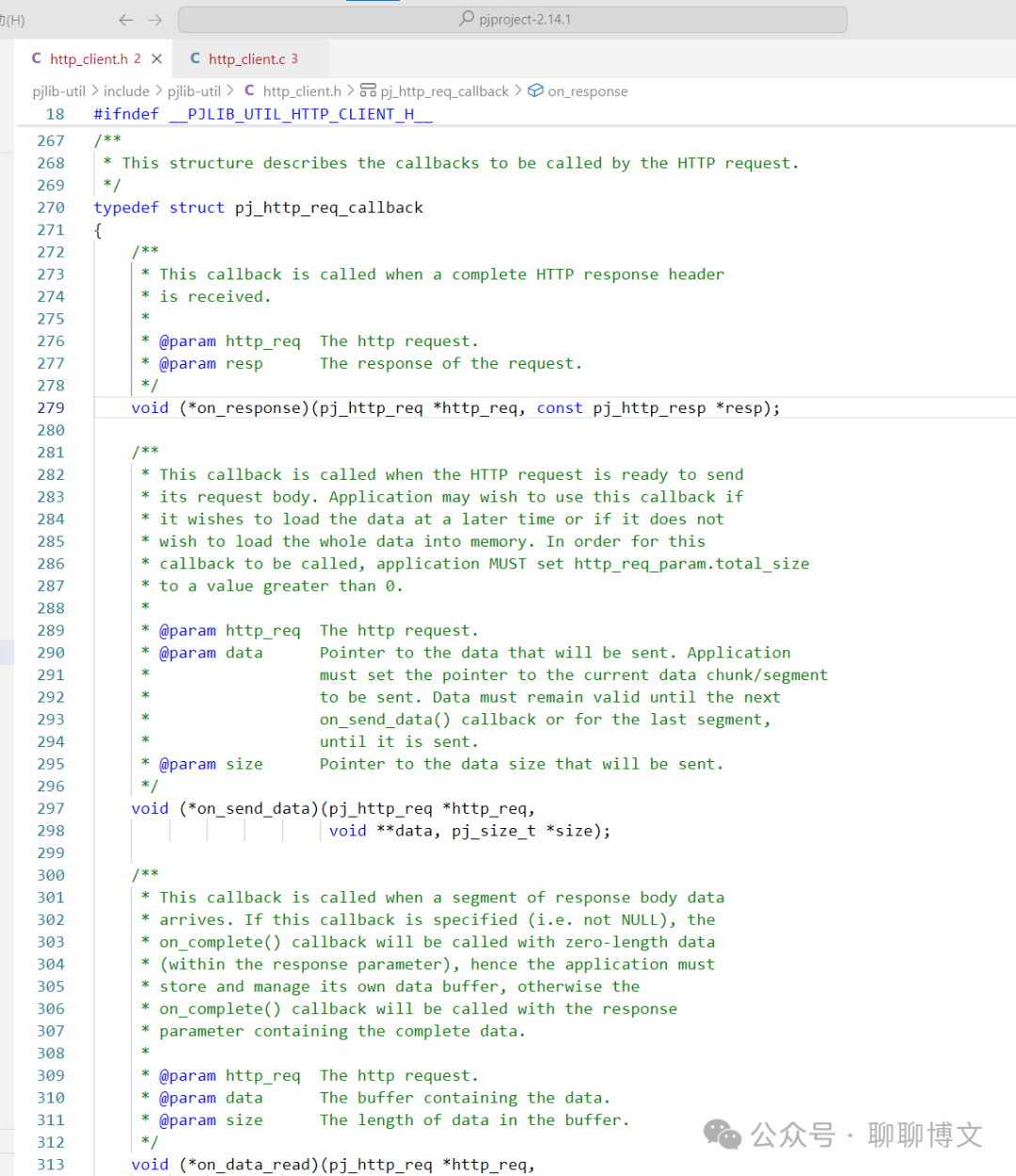
2. Usage Example
1. HTTP Client Example
Here is an example using the GET and PUT methods.
The content of the httpClient.cpp file is as follows:
#include <pjlib.h>#include <pjlib-util.h>#include <pjsua-lib/pjsua.h>#include <pj/log.h>#define THIS_FILE "httpClient.cpp"static pj_timer_heap_t* timer_heap;static pj_ioqueue_t* ioqueue;static pj_pool_t* pool;static pj_size_t send_size = 0;static int counter = 0;static pj_pool_factory* mem;static pj_caching_pool caching_pool;static void on_data_read(pj_http_req* hreq, void* data, pj_size_t size){ PJ_LOG(3, (THIS_FILE, "Data received: %ld bytes", size)); if (size > 0) { printf("%.*s\n", (int)size, (char*)data); }}static void on_complete(pj_http_req* hreq, pj_status_t status, const pj_http_resp* resp){ PJ_LOG(3, (THIS_FILE, "on http complete !")); if (status == PJ_ECANCELLED) { PJ_LOG(5, (THIS_FILE, "Request cancelled")); return; } else if (status == PJ_ETIMEDOUT) { PJ_LOG(5, (THIS_FILE, "Request timed out!")); return; } else if (status != PJ_SUCCESS) { PJ_LOG(3, (THIS_FILE, "Error %d", status)); return; } PJ_LOG(5, (THIS_FILE, "Data completed: %ld bytes", resp->size)); if (resp->size > 0 && resp->data) { printf("%.*s", (int)resp->size, (char*)resp->data); }}static void on_response(pj_http_req* hreq, const pj_http_resp* resp){ PJ_LOG(3, (THIS_FILE, "http response , code : %d! , data : %s", resp->status_code, resp->data ));}int http_client_get_test1(const char* url){ pj_http_req* http_req; pj_str_t dst_url = pj_str((char*)url); pj_http_req_callback hcb; pj_http_req_param param; PJ_LOG(3, (THIS_FILE, "http_client_test1 begin , url : %s", url)); pj_bzero(&hcb, sizeof(hcb)); hcb.on_complete = &on_complete; hcb.on_data_read = &on_data_read; hcb.on_response = &on_response; pj_http_req_param_default(param); pj_caching_pool_init(&caching_pool, NULL, 0); mem = &caching_pool.factory; pool = pj_pool_create(mem, NULL, 8192, 4096, NULL); if (pj_timer_heap_create(pool, 16, &timer_heap)) { PJ_LOG(3, (THIS_FILE, "create timer fail")); return -1; } PJ_LOG(3, (THIS_FILE, "create timer ok")); if (pj_ioqueue_create(pool, 16, &ioqueue)) { PJ_LOG(3, (THIS_FILE, "create ioqueue fail!")); return -1; } if (pj_http_req_create(pool, &dst_url, timer_heap, ioqueue, param, &hcb, &http_req)) { PJ_LOG(3, (THIS_FILE, "create http req fail!")); return -1; } if (pj_http_req_start(http_req)) { PJ_LOG(3, (THIS_FILE, "http start fail!")); return -1; } PJ_LOG(3, (THIS_FILE, "http start success!")); while (pj_http_req_is_running(http_req)) { pj_time_val delay = { 0, 50 }; pj_ioqueue_poll(ioqueue, &delay); pj_timer_heap_poll(timer_heap, NULL); } pj_http_req_destroy(http_req); pj_ioqueue_destroy(ioqueue); pj_timer_heap_destroy(timer_heap); pj_pool_release(pool); PJ_LOG(3, (THIS_FILE, "http_client_test1 end!\n")); return 0;}int http_client_put_test1(const char* url, const char* msg){ pj_http_req* http_req = NULL; pj_str_t dst_url = pj_str((char*)url); pj_http_req_callback hcb; pj_http_req_param param; char* data = NULL; int length = 0; PJ_LOG(3, (THIS_FILE, "http_client_test1 begin , url : %s", url)); if (msg) length = strlen(msg);// +1; pj_bzero(&hcb, sizeof(hcb)); hcb.on_complete = &on_complete; hcb.on_data_read = &on_data_read; hcb.on_response = &on_response; pj_http_req_param_default(param); pj_caching_pool_init(&caching_pool, NULL, 0); mem = &caching_pool.factory; pool = pj_pool_create(mem, NULL, 8192, 4096, NULL); if (pj_timer_heap_create(pool, 16, &timer_heap)) { PJ_LOG(3, (THIS_FILE, "create timer fail")); return -1; } PJ_LOG(3, (THIS_FILE, "create timer ok")); if (pj_ioqueue_create(pool, 16, &ioqueue)) { PJ_LOG(3, (THIS_FILE, "create ioqueue fail!")); return -1; } pj_strset2(param.method, (char*)"PUT"); data = (char*)pj_pool_alloc(pool, length); memset(data, 0, length); memcpy(data, msg, length); param.reqdata.data = data; param.reqdata.size = length; if (pj_http_req_create(pool, &dst_url, timer_heap, ioqueue, param, &hcb, &http_req)) { PJ_LOG(3, (THIS_FILE, "create http req fail!")); return -1; } if (pj_http_req_start(http_req)) { PJ_LOG(3, (THIS_FILE, "http start fail!")); return -1; } PJ_LOG(3, (THIS_FILE, "http start success!")); while (pj_http_req_is_running(http_req)) { pj_time_val delay = { 0, 50 }; pj_ioqueue_poll(ioqueue, &delay); pj_timer_heap_poll(timer_heap, NULL); } pj_http_req_destroy(http_req); pj_ioqueue_destroy(ioqueue); pj_timer_heap_destroy(timer_heap); pj_pool_release(pool); PJ_LOG(3, (THIS_FILE, "http_client_test1 end!\n")); return 0;}The content of httpClient.h is as follows:
#pragma onceint http_client_get_test1(const char* url);int http_client_put_test1(const char* url, const char* msg);Example of calling:
int set_action_url(int act_type, const char* url){ http_client_get_test1(url); http_client_put_test1(url, "test 1233333"); return 0;}2. HTTP Server Example
A simple HTTP server can be implemented using a Python script.
The example code is as follows (httpServer1.py):
#! /usr/bin/env python3#-*- coding:utf-8 -*- import tornado.ioloopimport tornado.webimport tornado.httpserverimport jsonsettings = { "debug" : False , }class MainHandler(tornado.web.RequestHandler): def get(self): print("get") print(self.request.arguments) #query = self.get_query_argument("query") #print("query : %s" % query) self.set_header('content-type', 'application/json') #self.write(json.dumps({"result" : "test message"})) self.finish(json.dumps({"result" : "get message"})) def put(self): print("put") print(self.request.body) self.finish(json.dumps({"result" : "put message"})) def post(self): print("post") print(self.request.body) self.finish(json.dumps({"result" : "post message"}))if __name__ == "__main__": port = 8093 print("listen on port %d"%port) application = tornado.web.Application([ (r"/.*", MainHandler), ],**settings) application.listen(port) #http_server = tornado.httpserver.HTTPServer(application) #http_server.bind(port,"0.0.0.0") #http_server.start(num_processes=0) tornado.ioloop.IOLoop.instance().start()3. Running Effects
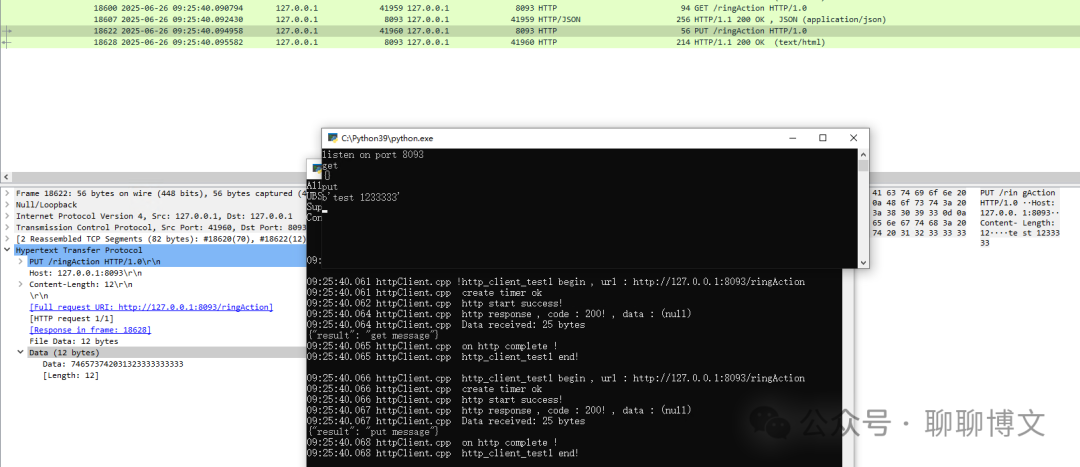
1. Start the Python script to simulate the HTTP server;

2. Use the client to access the HTTP server
URL: http://127.0.0.1:8093/ringAction
The running effect is as follows:
That’s all for now, don’t forget to like it!
Previous Reviews:
Compiling OpenSSL Static Library and Example Usage with VS2022
Analysis of pjsip Source Code: Audio Encoding
Analysis of pjsip Source Code: Volume Adjustment
Using QT to Develop Dialog Applications with Python3
Analysis of pjsip Source Code: Call Hold
Analysis of pjsip Source Code: DTMF Sending
Using Heplify to Push SIP Signaling to Homer
Notes on Kamailio’s MTree Module and Number-Level SIP Header Extensions
Notes on FreeSWITCH’s Distributor Module
tcpdump Packet Capture File Rotation and Compression
FreeSWITCH Extension Configuration and Batch Addition
Notes on FreeSWITCH Call Center Module
Analysis of FreeSWITCH Logging Functionality and APR Simulation
Sending RTP Data When Executing Park in FreeSWITCH
Using pjsip to Wrap a Custom Softphone SDK
pjsip Compilation, Instructions, and Example Usage with VS2022
Enabling Python3 Support in Kamailio
Analysis and Usage Instructions for FreeSWITCH Conference Room Recording Functionality
Discussing the FreeSWITCH-IPv4 Field of ESL Events
Enabling Lua Support in Kamailio
Analysis and Usage Instructions for FreeSWITCH General Recording Functionality
Using ESL Interface and Event Descriptions
Using SIPDump Module to Store Kamailio Signaling Data
Using Kamailio for Extension Registration and Intercom
Installing and Configuring Kamailio 5.8
Installing RTPengine in Debian 10 Environment
Integrating TTS Service with HTTP Protocol in FreeSWITCH
Using SoundTouch for Voice Changing in FreeSWITCH
Source Installation of OpenSIPS 2.4.9 in CentOS 7 Environment
Executing Timed Hangup and Cancellation on Session in FreeSWITCH
Executing Specific Dialplan on Session in FreeSWITCH
Proactively Sending DTMF Before Answer in FreeSWITCH
Notes on MOH Usage in FreeSWITCH
Adding Custom Endpoint API and App Development in FreeSWITCH
Adding H264 Encoding and PCAP Video Extraction in FreeSWITCH
Containerization Issues in FreeSWITCH Regarding RTP Port Occupation
Adding Custom Endpoint Media Interaction in FreeSWITCH