Recommended Reading
C Language Learning Guide: Have You Mastered These Core Concepts?
Understanding Typical Scenarios of Dangling Pointers in C and Defensive Programming Strategies
C Language Functions: From Beginner to Proficiency, A Complete Guide
C Language Pointers: From Beginner to Proficiency, A Complete Guide
C Language Structures: From Beginner to Proficiency, A Complete Guide
C Language Dynamic Memory Management: From Beginner to Proficiency, A Complete Guide
C Language Chinese Community Source Code Git Repository:
https://gitee.com/cyyzwsq/C-Coding.git
Main Content
C, as a low-level language, does not have a built-in exception handling mechanism (like C++’s <span>try-catch</span>), but flexible and efficient error handling can be achieved through return values, error codes, global variables (such as <span>errno</span>), assertions (<span>assert</span>), and techniques like <span>setjmp/longjmp</span>. This article will systematically explain C’s error handling strategies from basic to advanced levels, and validate them through examples.
1. Purpose of Error Handling
- Prevent Crashes: Avoid abnormal termination of the program due to unhandled errors.
- Resource Management: Ensure that allocated resources (such as memory and file handles) are properly released when an error occurs.
- Provide Feedback: Clarify the cause and location of errors through error codes or logs, simplifying debugging.
- Graceful Degradation: Provide reasonable error messages or recovery mechanisms when unrecoverable errors occur.
2. Basic Error Handling Methods
1. Return Value Checking
This is the most basic error handling method, indicating success or failure through function return values.
- Success returns 0, failure returns non-zero (such as
<span>-1</span>or custom error codes). - Applicable Scenarios: File operations, memory allocation, system calls, etc.
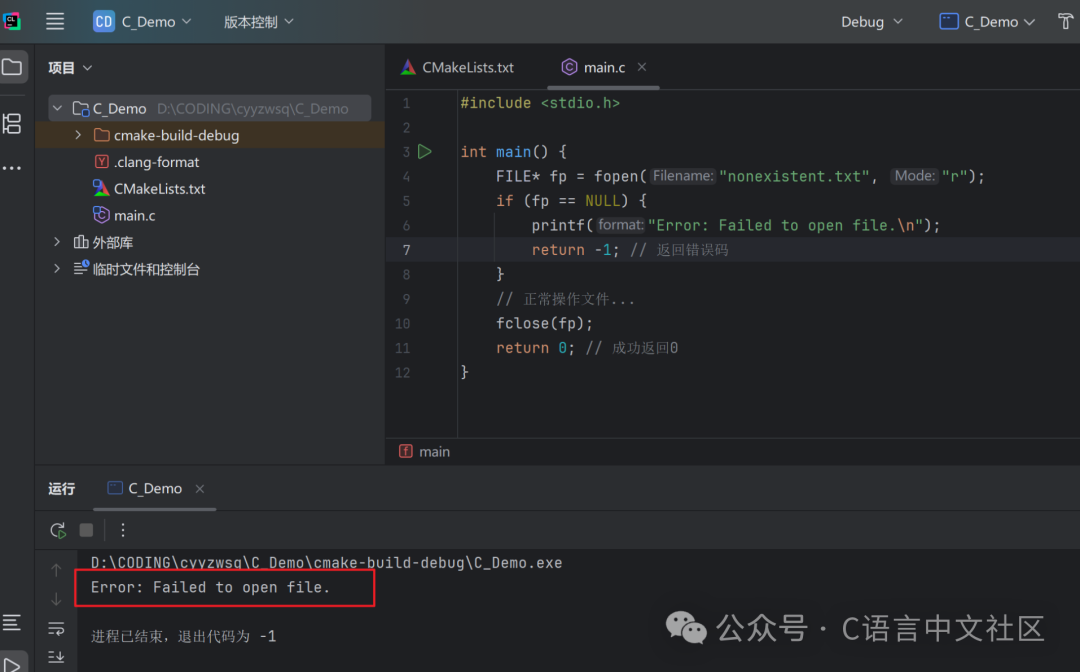
Example: Handling File Open Failure
#include <stdio.h>

int main() {
    FILE* fp = fopen("nonexistent.txt", "r");
    if (fp == NULL) {
        printf("Error: Failed to open file.\n");
        return -1; // Return error code
    }
    // Normal file operations...
    fclose(fp);
    return 0; // Success returns 0
}
2. Global Error Code <span>errno</span>
- Principle: The global variable
<span>errno</span>is set when a system call or library function fails, and the error description can be obtained through<span>strerror(errno)</span>. - Advantages: Standardized error messages, cross-platform compatibility.
- Disadvantages: In a multi-threaded environment, thread safety must be considered (e.g.,
<span>strerror_r</span>).
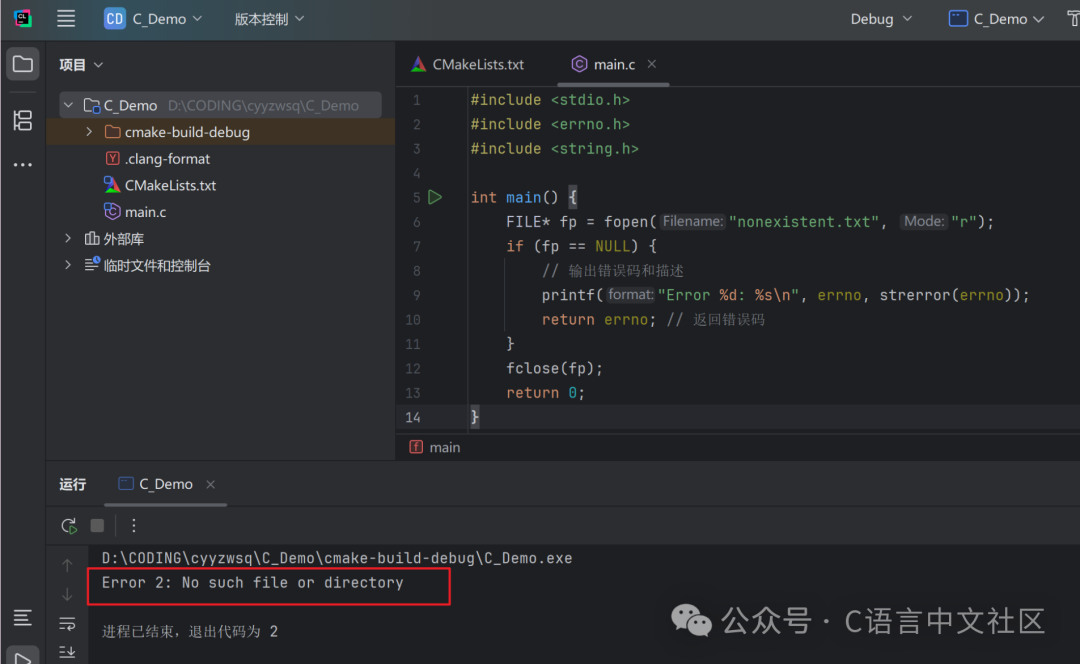
Example: Using <span>errno</span> with <span>strerror</span>
#include <stdio.h>
#include <errno.h>
#include <string.h>

int main() {
    FILE* fp = fopen("nonexistent.txt", "r");
    if (fp == NULL) {
        // Output error code and description
        printf("Error %d: %s\n", errno, strerror(errno));
        return errno; // Return error code
    }
    fclose(fp);
    return 0;
}
3. Assertions <span>assert</span>
- Purpose: Used to check the validity of the program’s internal state during the debugging phase.
- Characteristics: Only effective during debugging (when the
<span>NDEBUG</span>macro is not defined), not suitable for handling runtime errors.
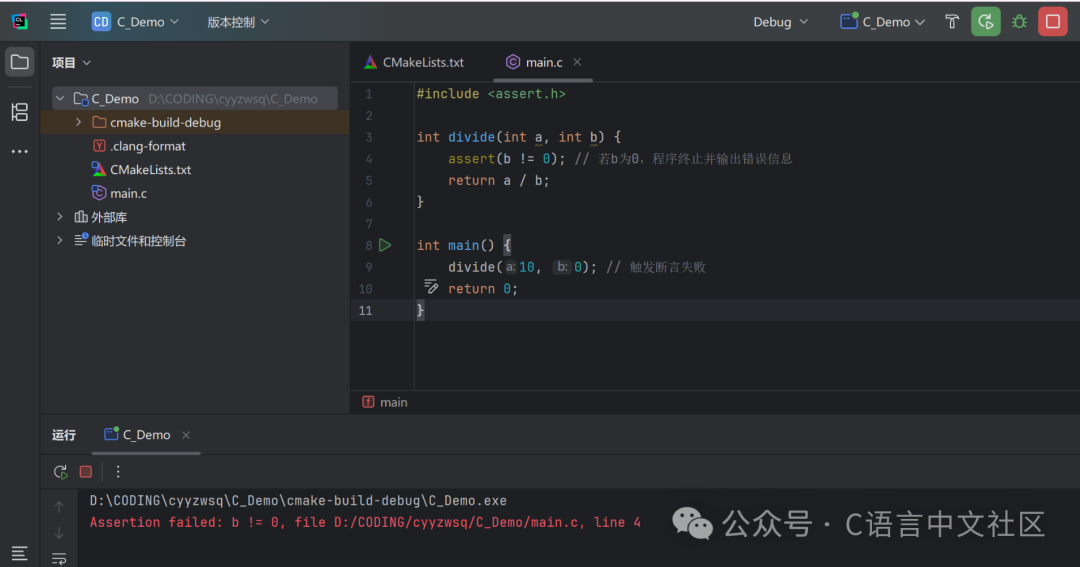
Example: Assert Check for Non-Zero Divisor
#include <assert.h>

int divide(int a, int b) {
    assert(b != 0); // If b is 0, the program terminates and outputs an error message
    return a / b;
}

int main() {
    divide(10, 0); // Trigger assertion failure
    return 0;
}
3. Advanced Error Handling Strategies
1. Custom Error Code Enumeration
- Purpose: Enhance error readability and maintainability, suitable for complex module or library development.
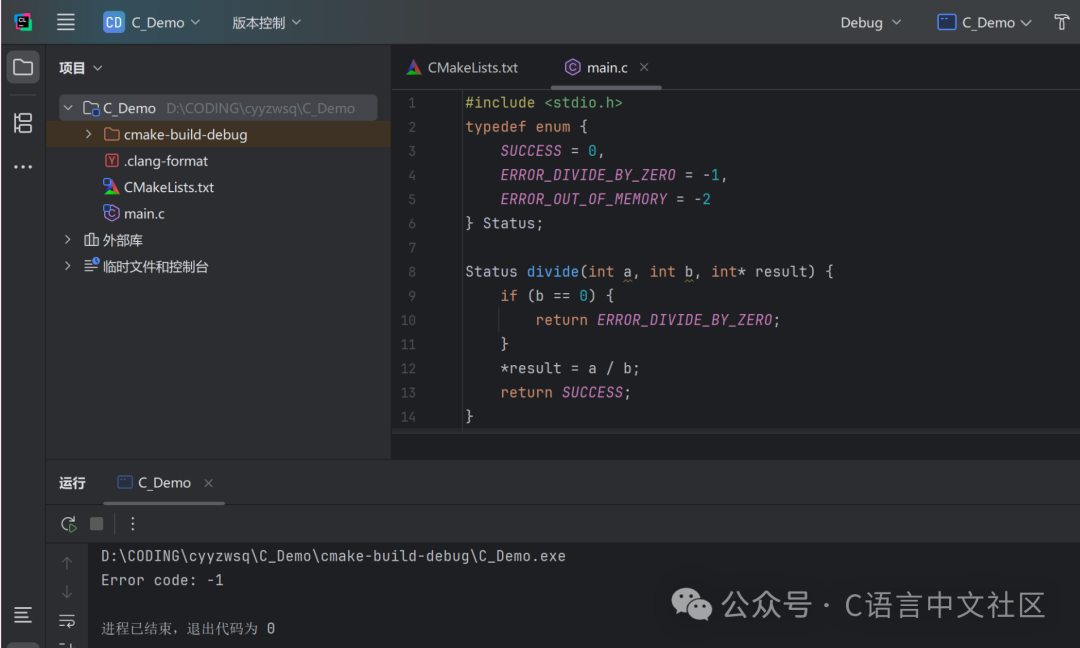
- Example: Define enumeration error codes and return them
typedef enum {
    SUCCESS = 0,
    ERROR_DIVIDE_BY_ZERO = -1,
    ERROR_OUT_OF_MEMORY = -2
} Status;

Status divide(int a, int b, int* result) {
    if (b == 0) {
        return ERROR_DIVIDE_BY_ZERO;
    }
    *result = a / b;
    return SUCCESS;
}

int main() {
    int result;
    Status status = divide(10, 0, &result);
    if (status != SUCCESS) {
        printf("Error code: %d\n", status);
    }
    return 0;
}
2. Safe Resource Release
- Core Principle: Resources that have been allocated (such as memory and file handles) must be released when an error occurs.
- Technique: Use
<span>goto</span>to unify resource release (a common practice in C).
Example: Memory Allocation and Resource Release
#include <stdio.h>
#include <stdlib.h>

int process_data() {
    int* buffer1 = NULL;
    int* buffer2 = NULL;

    buffer1 = (int*)malloc(100 * sizeof(int));
    if (buffer1 == NULL) {
        goto error;
    }

    buffer2 = (int*)malloc(100 * sizeof(int));
    if (buffer2 == NULL) {
        goto error;
    }

    // Normal operations...
    free(buffer1);
    free(buffer2);
    return 0;

error:
    if (buffer1) free(buffer1);
    if (buffer2) free(buffer2);
    return -1;
}
3. Logging
- Purpose: Record error information for easier debugging and maintenance.
- Implementation: Use
<span>fprintf(stderr, ...)</span>or write to a log file.
Example: Logging Error to a File
#include <stdio.h>
#include <errno.h>
#include <string.h>

void log_error(const char* message) {
    FILE* log = fopen("error.log", "a");
    if (log != NULL) {
        fprintf(log, "Error: %s - %s\n", message, strerror(errno));
        fclose(log);
    }
}

int main() {
    FILE* fp = fopen("nonexistent.txt", "r");
    if (fp == NULL) {
        log_error("Failed to open file");
        return errno;
    }
    fclose(fp);
    return 0;
}
4. Advanced Techniques: Simulating Exception Handling
1. <span>setjmp/longjmp</span> Non-local Jumps
- Principle: Save the program execution point using
<span>setjmp</span>, and jump back to that point using<span>longjmp</span>, simulating exception throwing. - Applicable Scenarios: Quickly exit errors in deeply nested calls.
- Risks: Skipping stack unwinding may lead to resource leaks, use with caution.
Example: Simulating Exception Handling
#include <stdio.h>
#include <setjmp.h>

jmp_buf jump_buffer;

void error_handler() {
    printf("An error occurred!\n");
    longjmp(jump_buffer, 1); // Jump back to setjmp location
}

int main() {
    if (setjmp(jump_buffer) == 0) {
        // Normal flow
        error_handler(); // Trigger exception
    } else {
        // Exception handling
        printf("Recovered from error.\n");
    }
    return 0;
}
2. Nested Error Handling and Modular Design
- Design Pattern: Encapsulate error handling in modules, uniformly returning error codes.
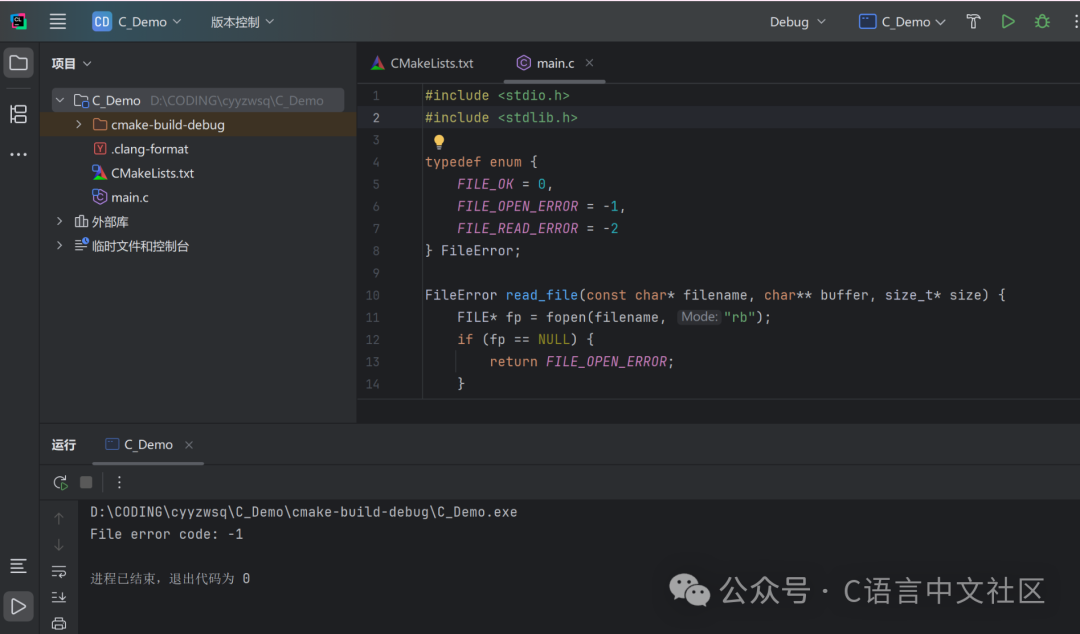
- Example: Modular file reading function
#include <stdio.h>
#include <stdlib.h>
#include <string.h>

typedef enum {
    FILE_OK = 0,
    FILE_OPEN_ERROR = -1,
    FILE_READ_ERROR = -2
} FileError;

FileError read_file(const char* filename, char** buffer, size_t* size) {
    FILE* fp = fopen(filename, "rb");
    if (fp == NULL) {
        return FILE_OPEN_ERROR;
    }

    fseek(fp, 0, SEEK_END);
    *size = ftell(fp);
    rewind(fp);

    *buffer = (char*)malloc(*size + 1);
    if (*buffer == NULL) {
        fclose(fp);
        return FILE_READ_ERROR;
    }

    size_t bytes_read = fread(*buffer, 1, *size, fp);
    if (bytes_read != *size) {
        free(*buffer);
        fclose(fp);
        return FILE_READ_ERROR;
    }

    (*buffer)[*size] = '\0'; // Add string terminator
    fclose(fp);
    return FILE_OK;
}

int main() {
    char* content = NULL;
    size_t size = 0;
    FileError error = read_file("test.txt", &content, &size);
    if (error != FILE_OK) {
        printf("File error code: %d\n", error);
    } else {
        printf("File content: %s\n", content);
        free(content);
    }
    return 0;
}
5. Best Practices for Error Handling
1. Avoid Deeply Nested Error Handling
- Anti-Example: Multiple layers of
<span>if</span>checks - Optimization: Early returns or use
<span>goto</span>for unified handling
2. Error Code Design Specifications
- Positive numbers indicate success, negative numbers indicate errors (like
<span>errno</span>). - Error codes should be documented, to facilitate understanding by callers.
3. Atomicity of Resource Release
- Principle: Any resource allocation must ensure that it can be released in error paths.
- Technique: Use
<span>goto</span>for unified release or RAII pattern (simulated in C++).
4. Thread Safety
<span>errno</span>thread safety: In a multi-threaded environment, use<span>strerror_r</span>instead of<span>strerror</span>.
6. Conclusion
Error handling in C relies on the programmer’s rigor. By using return values, error codes, resource management, assertions, and <span>setjmp/longjmp</span>, robust programs can be constructed. Key points include:
- Basic Methods: Return values,
<span>errno</span>, assertions. - Advanced Strategies: Custom error codes, safe resource release, logging.
- Advanced Techniques: Simulating exception handling with
<span>setjmp/longjmp</span>. - Best Practices: Modular design, avoiding nesting, atomicity of resources.
By designing error handling mechanisms properly, the stability and maintainability of programs can be significantly improved.
Like, recommend, and share this great article!❤️