In-Depth Analysis of Linux Processes: Core Techniques to Boost Your Efficiency!
In-Depth Analysis of Linux Processes: Core Techniques to Boost Your Efficiency!

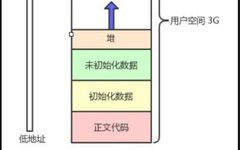
Linux | Red Hat Certification | IT Technology | Operations Engineer 👇 Join the technical exchange QQ group with 1000 members, note 【Official Account】 for faster approval 1. Concept of Address Space In the study of C/C++ language, we often hear people discussing the concept of addresses in memory. In Linux, the exact concept is … Read more
Installing and Configuring CentOS on Linux Server

Installing and Configuring CentOS on Linux Server

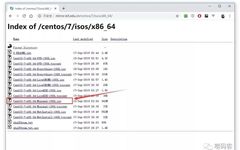
Hello everyone, today Zhu Ge will continue to chat about the Linux system, and this time our protagonist is: CentOS. It is also my favorite and most commonly used Linux distribution. The full name of CentOS is: Community Enterprise Operating System, which is recompiled from the source code released by Red Hat Enterprise Linux (RHEL). … Read more

Shell Scripting Basics

Shell Scripting Basics

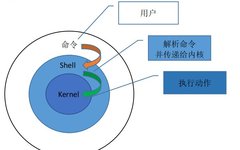
Click the blue textFollow us Shell is a scripting language written in C, serving as a bridge between the user and Linux. The user inputs commands to the Shell, which then passes the corresponding operations to the kernel (Kernel), and the kernel outputs the results back to the user. Shell is generally divided into two … Read more

How to Switch Input Methods in Linux Like Windows

Actually, the method for switching input methods in Linux is the same as in Windows. To switch between Chinese and English, use CTRL + Space key, and for others, use SHIFT + CTRL. Fcitx Input Method Installation Tutorial: 1. It is recommended to install it through your distribution’s package management software, as the input method … Read more

46 Common Linux Interview Questions for You

Question 1:What symbol represents the absolute path? How to represent the current directory and the parent directory? How to represent the home directory? What command is used to change directories?Answer:Absolute path: e.g., /etc/init.dCurrent directory and parent directory: ./ ../Home directory: ~/Change directory: cdQuestion 2:How to view the current processes? How to exit? How to view … Read more

Linux Threat Hunting: Analysis of the Wild Rootkit ‘Syslogk’

Linux Threat Hunting: Analysis of the Wild Rootkit ‘Syslogk’

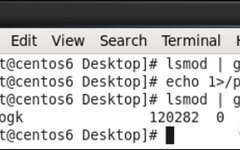
Keywords Linux, rootkit, analysis, malware 1. Background Introduction A rootkit is a dangerous type of malware that is difficult to detect once it is implanted in a host. Compared to other types of malware, it is harder to write, so developers often reuse open-source rootkit projects for development. Since rootkit analysis is quite interesting, the … Read more

Basic Methods to Use Bluetooth on Linux Systems

First, ensure that there is a Bluetooth-capable device on the hardware, then run the following command to activate our Bluetooth device: The code is as follows: lsusb Running hciconfig will show: From the image above, we can see that our Bluetooth device is hci0. Running hcitool dev will show the hardware address of our Bluetooth … Read more

Using GrayLog Alert Function for Scheduled Work Reminders via DingTalk Bot

Using GrayLog Alert Function for Scheduled Work Reminders via DingTalk Bot

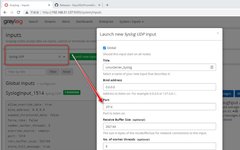
Click the above “walkingcloud” to follow and select “Star” public account Using GrayLog Alert Function for Scheduled Work Reminders via DingTalk Bot 1. Create a Syslog Input in GrayLog To receive system logs from Linux servers (Click the image to enlarge) It is recommended to create a separate Index (Click the image to enlarge) And … Read more

Mastering Linux Basics: Essential Commands (Part 2)

Mastering Linux Basics: Essential Commands (Part 2)

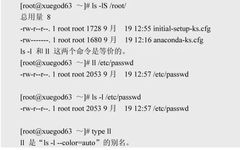
In Linux, commands typically consist of three parts:Command, Options, Arguments First Part: Command. The input at the command prompt must be a command, or the path to an executable program, or the path/name of a script. Second Part: Options. Options must be separated from the command by a space, and they serve to modify the … Read more

Commands for Bulk Deleting Files and Empty Files in Linux

In Linux, the command to delete files or directories is rm (remove). Function Description: Deletes files or directories. Syntax: rm [-dfirv][–help][–version][file or directory…] Additional Notes: Executing the rm command can delete files or directories. To delete a directory, you must add the ‘-r’ parameter; otherwise, it will only delete files by default. Parameters: -d or … Read more