When hearing about priority, those involved in performance optimization often consider whether it can be applied to our business. For example: <strong><span><span>ionice -c1 -n0</span></span></strong>, hoping it can improve application performance. But this may just be wishful thinking.
Business Process:
The process reads and writes data through read write, to the kernel, then to the VFS (Virtual File System), to the specific file system, to the block device, and finally to flash. The file system first utilizes the speed advantage of DDR memory, caching through page cache to reduce the frequency of disk reads and writes.

When DDR is insufficient, for example:
From the perspective of sysctl, there are foreground and background processes that adjust the flushing tasks based on the percentage of dirty pages and the size in bytes.
Then it writes to flash through the block device. The block device has a request queue. The number of queues, queue depth, size of written data, etc., will all affect speed. Adding an IO priority is another factor.
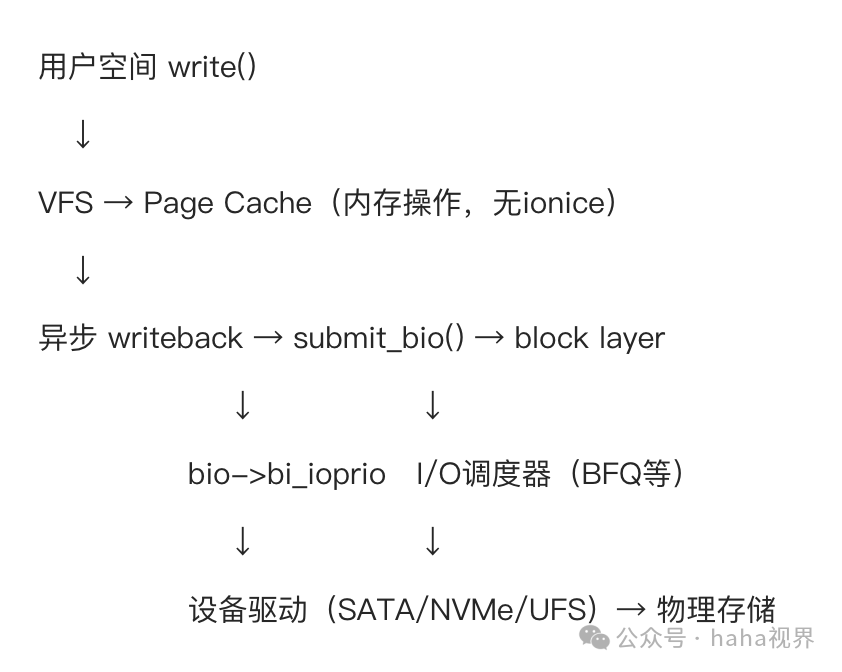
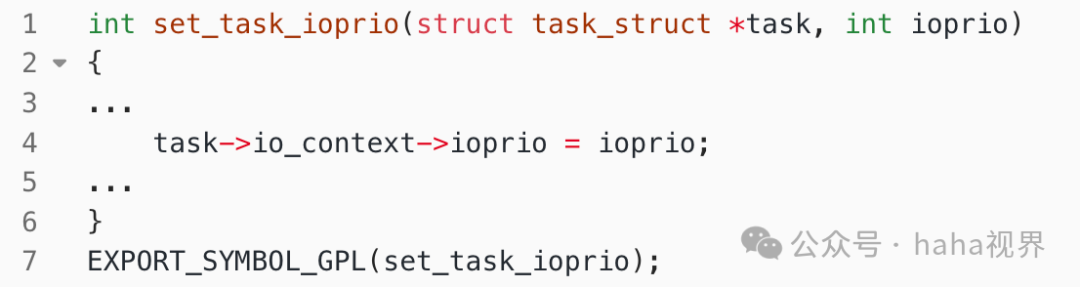
IO priority adjusts the bio priority based on the process task dimension.
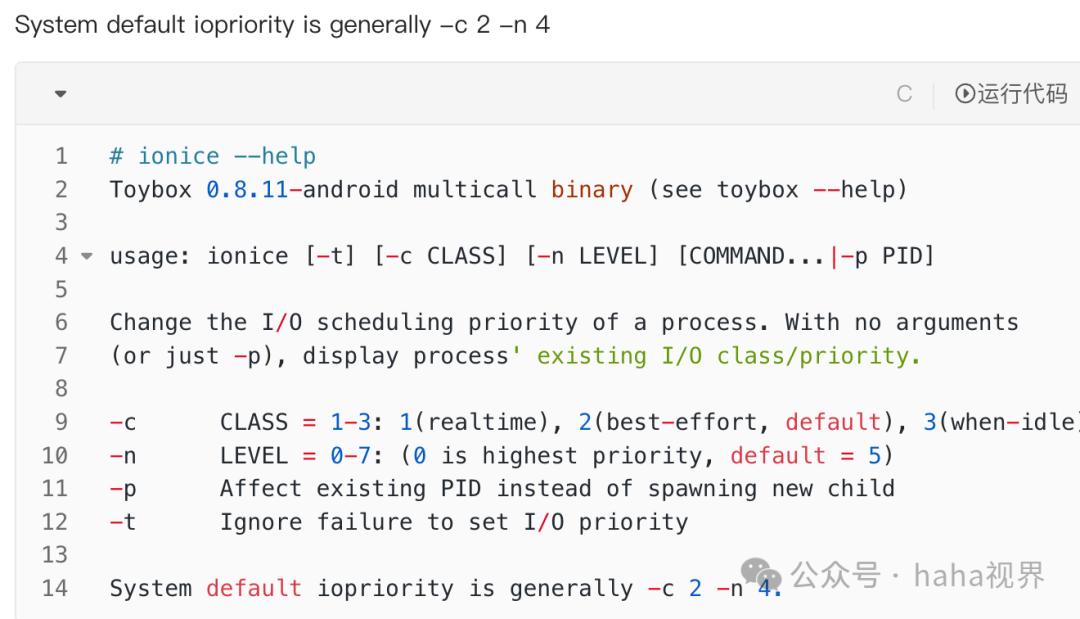
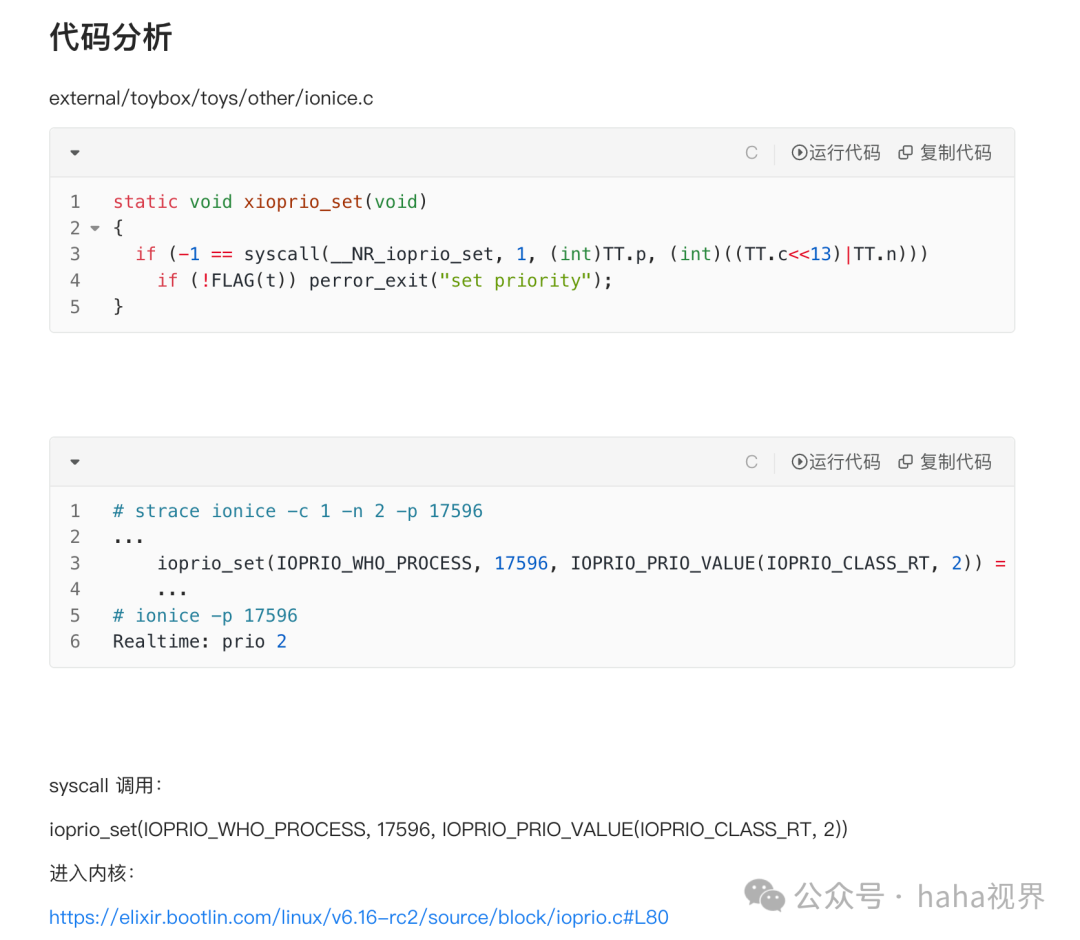
Settings:
Usage:
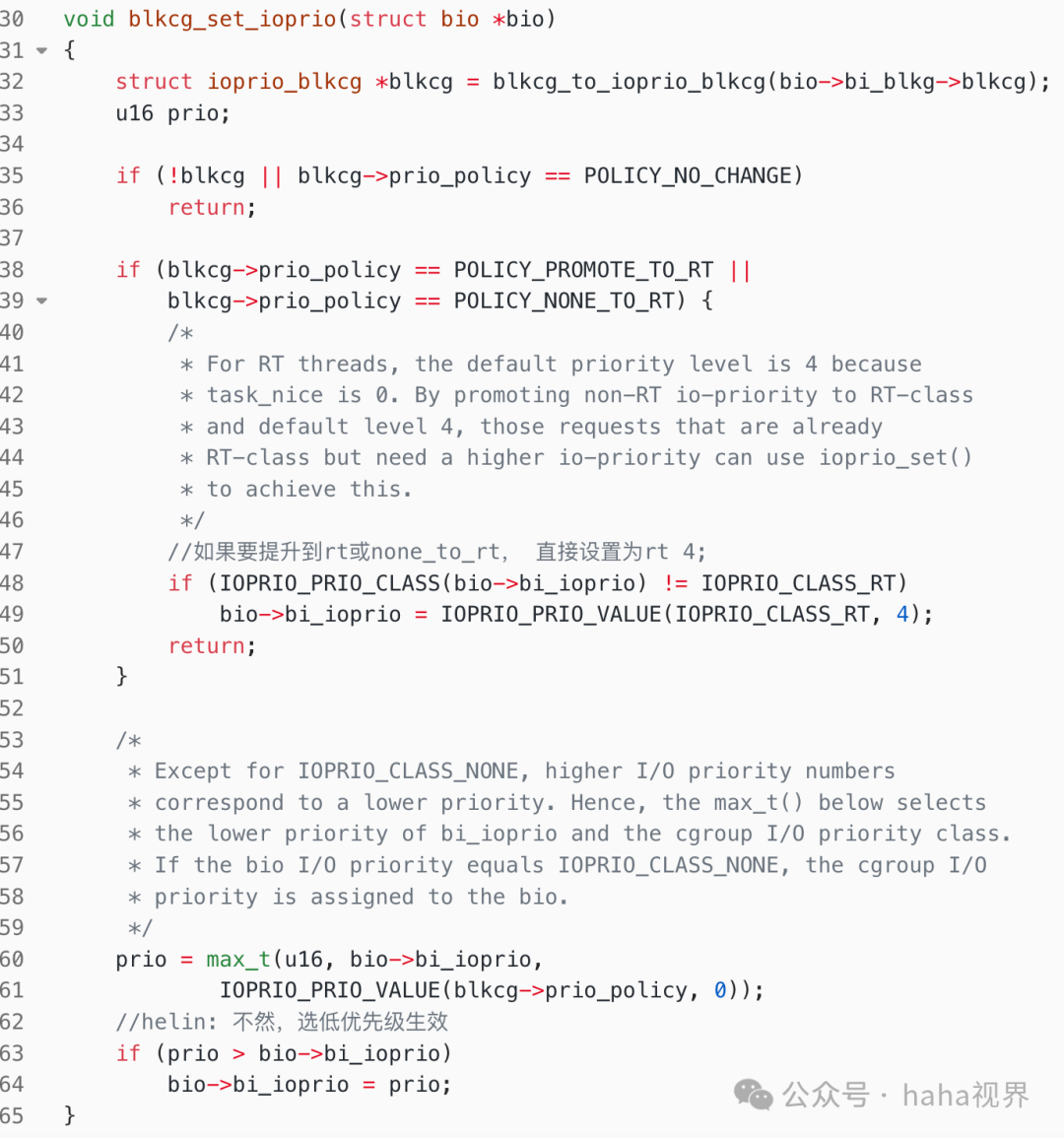
IO priority only affects the speed of block device flushing. It does not control the page cache layer. Generally, reads and writes are cached through them. For example, for reads, if there is no page cache, it reads from the disk, with reads occurring before writes. For writes, the app writes to the page cache and returns immediately. The subsequent process is the general writing to the block device.
At the block driver layer, optimizations are made according to the flash. For example, UFS:
NAND FLASH uses (TLC – Triple Level Cell), which has a large capacity but is slower than SLC (Single Level Cell). Therefore, a WriteBooster Buffer (SLC) is added for buffering. This is similar to the page cache concept in MySQL or the Linux kernel. Writing to the buffer returns immediately, reflecting the hardware’s writing performance.
There is also the Host Performance Booster technology.NAND flash requires a large mapping table (L2P Map) to convert logical addresses used by the file system into physical addresses on the flash chip. As UFS capacity increases (256GB, 512GB, 1TB+), this mapping table also becomes very large (potentially hundreds of MB). Therefore, UFS prioritizes storing this capacity and places this data in DDR memory to reduce the time spent reading the disk for address mapping. This is somewhat similar to using Redis to cache database data in backend development to improve performance.
Of course, UFS also supports multi-queue mode.
Oppo mentioned this technology in a technical sharing about two years ago, using HPB technology. Whether the multi-queue mentioned by Oppo refers to this is uncertain. Additionally, the choice of components is unknown; whether they selected the best SLC solution is also unclear. Of course, these require financial investment.
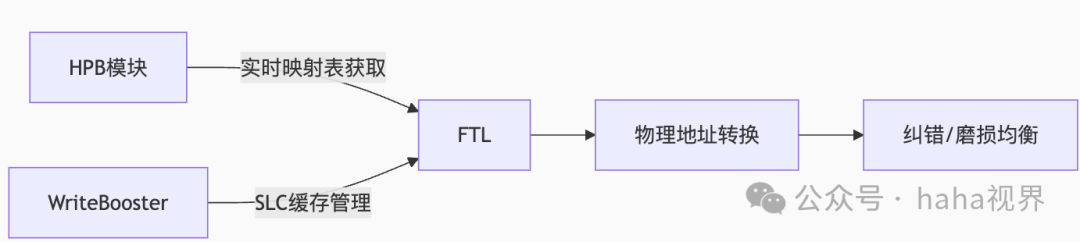
Why mention ionice in relation to UFS? Because it directly affects reads; if data is not in the page cache, it must read from the block (uninterruptible block (IO)). The impact on writes is not as direct, as they are generally asynchronous.
The file system, such as ext4 and F2FS, will not be discussed here; each has its advantages and disadvantages, one being better for sequential reads and writes, while the other excels in random reads and writes. This is not within the scope of the IO priority discussion. It is mentioned for the reader’s understanding.
Overestimated “Performance Optimization” Scenarios
The following common perceptions are inaccurate:
|
Misconception |
Actual Situation |
|
“Accelerating database writes” |
Requires O_DIRECT + fsync |
|
“Improving application response speed” |
Optimizing memory allocation is more effective |
|
“Solving I/O stuttering” |
Requires adjusting dirty_ratio thresholds, etc. |
Correct Usage Scenarios for ionice
Since we know that ionice primarily addresses the priority order of data writing to disk, we can identify its usage scenarios:
High priority: Important data is written to disk first, reducing background processes from occupying IO.
Low limit: Low-priority processes do not occupy application thread resources. For example, logs, backups, etc., only run when the system has excess resources.
In the Android system, I have not found any particularly useful aspects of this IO priority.