In the previous chapter, we obtained the weather parameters for the current location by parsing <span><span>JSON</span></span> data. The next step is to display this information on the <span><span>LCD</span></span>.
A well-designed display interface can greatly enhance the product’s quality. We can compare the display of a typical microcontroller project with that of a mobile phone or computer interface, and the difference in quality is evident.
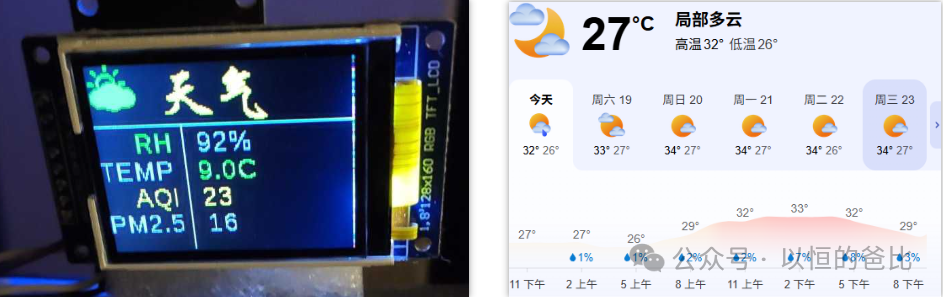
This difference is essentially due to the limited resources of microcontrollers in various aspects, such as LCD screens, clock frequency, storage space, etc.
However, microcontroller projects should not compromise on the display interface due to resource limitations. The display interface is the first impression of the product, and I believe that for microcontroller projects, especially those aimed at consumers, the display interface must be visually appealing.
To achieve an attractive display, I believe the following points are essential:
1. Reasonable<span><span>UI</span></span> Interface Planning
Reasonable <span><span>UI</span></span> interface planning means that the functional areas should be reasonably planned according to the resolution of the display screen.
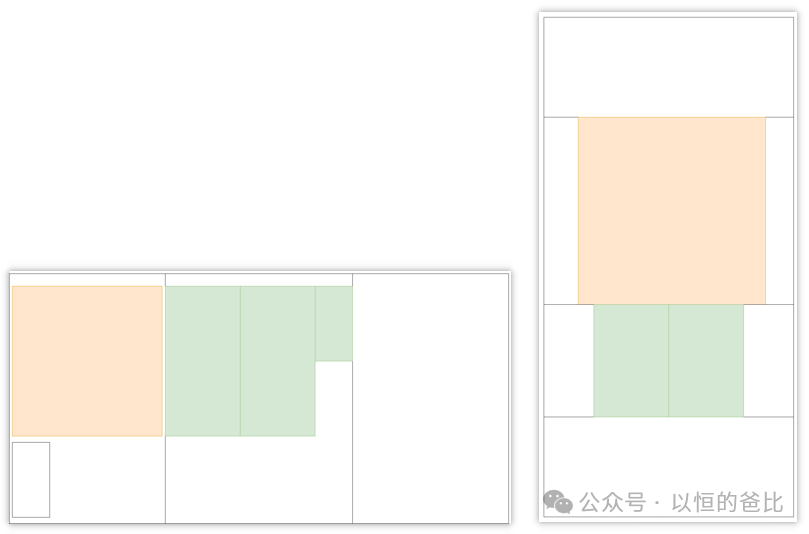
<span><span>DNESP32S3M</span></span>‘s development board has a <span><span>160×80</span></span> LCD color screen. In this limited space, I plan to display four pieces of information: city, weather, weather icon, and temperature, while also considering landscape/portrait display.
After comprehensive comparison, the screen will display in portrait mode, with the city and weather confined to an <span><span>80×32</span></span> area, the weather icon confined to a <span><span>60×60</span></span> area, and the temperature confined to an <span><span>80×36</span></span> area.
The overall planning of the <span><span>UI</span></span> interface for the weather action is shown on the right side of the above image.
2. Excellent<span><span>UI</span></span> Icon Design
For a simple project like mine, <span><span>UI</span></span> icon design basically requires finding some open-source icons. Fortunately, Xinhua Weather provides a complete set of weather icons that are appropriately sized.
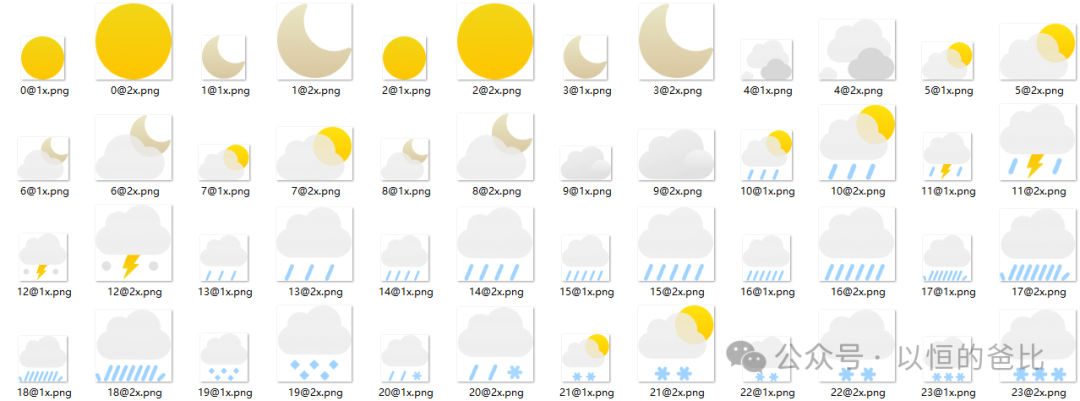
While processing, there is actually a problem: for a microcontroller to display transparency, writing code manually can be quite complex.
I adopted a clever method: I set the display background to black, and when converting the icons, I also changed the transparent color to black background. This way, the icons appear to blend into the black background, giving a transparent effect.
3. Font Handling
In ordinary projects, icon design is relatively less involved. However, font handling is frequently encountered.
Fonts can be divided into English and Chinese, and some export products may also involve Spanish, Italian, etc.
First, let’s talk about handling English fonts. The challenge with English lies in the size differences between different letters. For microcontrollers,
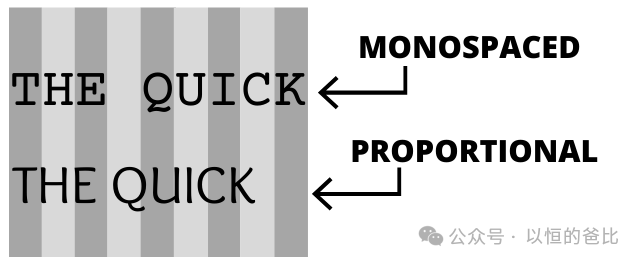
monospaced fonts<span><span>Monospaced Fonts</span></span> are a relatively easy way to handle this, but finding a visually appealing font at low resolution, along with corresponding tools for character mapping, is quite challenging.
Non-monospaced fonts appear more natural and can also display well at low resolutions. Commonly used fonts include <span><span>Calibri</span></span> and <span><span>Arial</span></span>, which have some mapping software support. What microcontrollers need to do is ensure that the code supports non-monospaced fonts.
Chinese characters are typically in monospaced fonts, but care must be taken regarding their display effects at low resolutions.
The design of multilingual interfaces can refer to my previous article:
Small Menu Framework: Multilingual Menu
4. Display Effects
The final display effect is as follows:
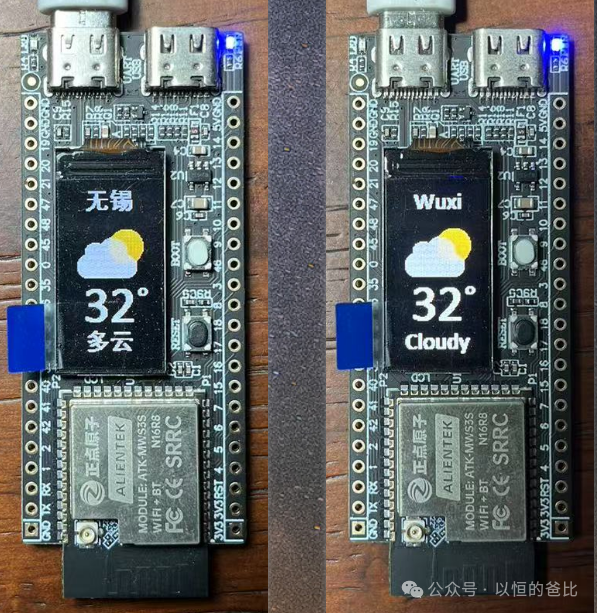
The above is a simple display. For more complex human-machine interaction interfaces, a general-purpose graphics library such as <span><span>LVGL</span></span> should be used.
5. Reflections
The entire weather action project concludes here.
When designing the display interface, there were also some troublesome aspects. After going around in circles, I found that there are currently no particularly suitable color image and font mapping software.
I think this is related to demand. If a microcontroller project displays color images, it would typically read the image file directly for display, rather than mapping the image before displaying it.
However, font mapping software is indeed in high demand, as the display of fonts on monochrome LCDs has always been relatively simplistic. Another pain point is that when creating interface documentation, it cannot accurately display the <span><span>UI</span></span> interface.
In the future, I plan to try to create a small tool for font mapping based on the work of predecessors.