

Complete Process of HTTP Proxy Authentication
How Username and Password are Verified

When using an HTTP proxy, how are the entered username and password verified? This article will explain the principles and demonstrate the process, giving you a comprehensive understanding of the HTTP proxy authentication mechanism and its key implementation logic.

Key Concepts

How does the software verify the username and password entered in the HTTP proxy (software implementation + process demonstration + principle explanation)?
The Proxy-Authorization is an HTTP request header used to provide authentication credentials to the proxy server. When the proxy returns a 407 response requesting authentication, the client places the credentials in this header, formatted as “authentication method credential content”, for the proxy to verify identity, which is the core request header for proxy login.
Basic in Proxy-Authorization is a basic authentication method. The client encodes “username:password” as credentials using Base64, which the proxy decodes for verification. This encoding is reversible, not encrypted, and has low security, requiring HTTPS to prevent credential theft.
This also involves a key authentication logic, described in the following process.
① The client (e.g., Chrome) will only send the username and password (via the Proxy-Authorization request header) after receiving a 407 Proxy Authentication Required response from the proxy server.
② If the proxy program has never requested authentication (i.e., has not returned a 407 response), the client will not proactively send credentials even if configured with a username and password—because in the design of the HTTP protocol, authentication is “triggered on demand”.
Demonstration Process
Chrome configuration is shown below.
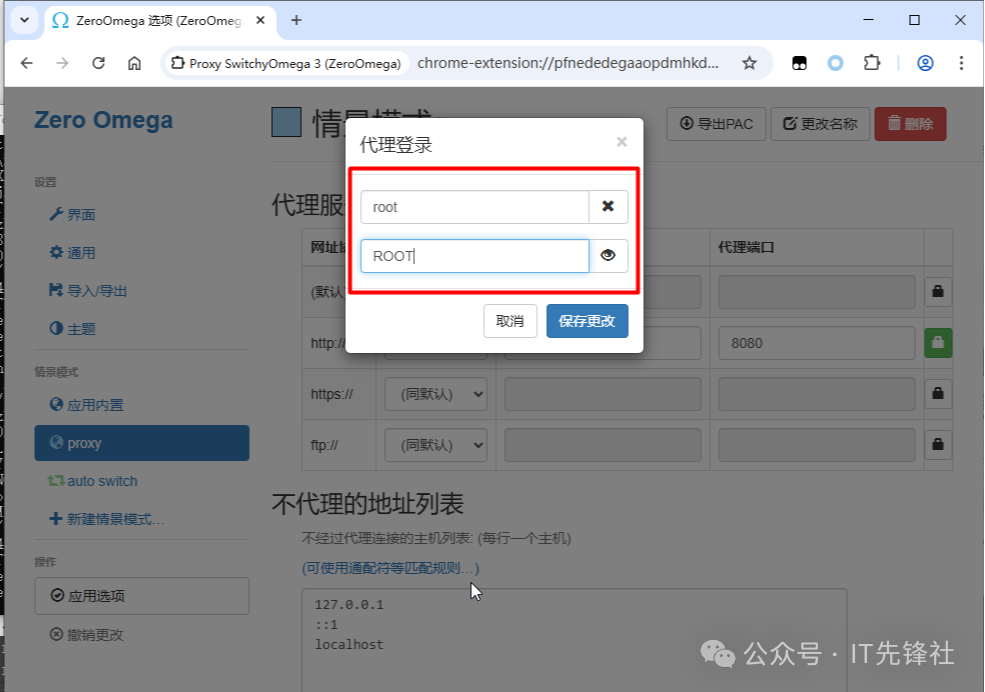
After configuring the proxy login (username and password) in Chrome, how the HTTP proxy program recognizes it.
Once the application is confirmed, start the proxy.
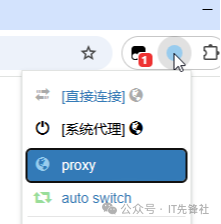
Access the specified site.
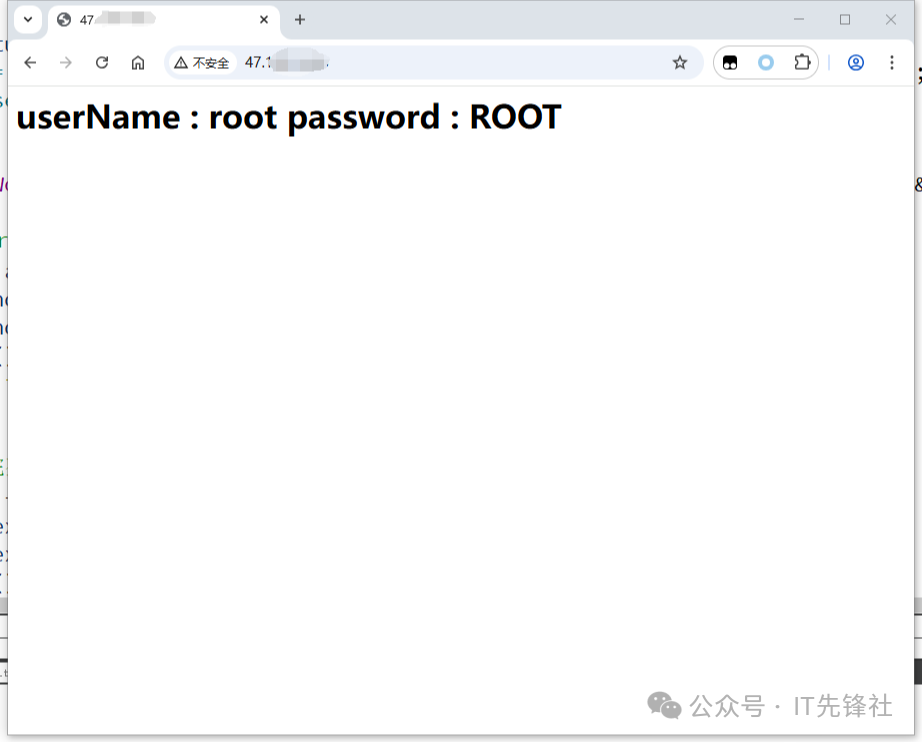
As can be seen, the entered information is output in the response body.
Let’s check the program’s backend logs.
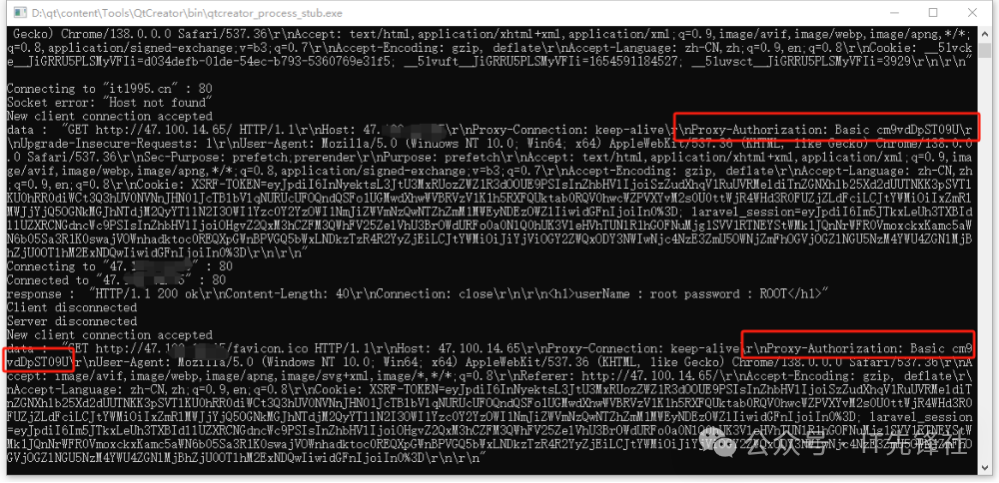
It can be seen that Chrome carried the Proxy-Authorization in the HTTP header.
Key Logic
① The browser will not proactively include Proxy-Authorization; it requires the proxy program to prompt first. The corresponding key code is as follows:
// Attempt to parse the HTTP request if (parseRequest(m_requestData)) { qDebug() << "data : " << m_requestData; // Check if there is a Proxy-Authorization header if (!m_requestData.contains("Proxy-Authorization:")) { // Return 407 response, requesting Basic authentication QByteArray response = "HTTP/1.1 407 Proxy Authentication Required\r\n" "Proxy-Authenticate: Basic realm=\"Proxy Login\"\r\n" "\r\n"; m_clientSocket->write(response); m_clientSocket->disconnectFromHost(); // Close connection, forcing client to retry and carry credentials return; } decodeProxyAuthorization(m_requestData, m_userName, m_password); m_requestParsed = true; m_serverSocket->connectToHost(m_targetHost, m_targetPort); qDebug() << "Connecting to" << m_targetHost << ":" << m_targetPort; }Here, some may ask, what about HTTPS?
The username and password transmission mechanism for HTTPS proxies is the same as for HTTP proxies: submitted via the Proxy-Authorization request header, formatted as “authentication method + encoded credentials” (e.g., Base64 string after Basic).
In fact, HTTPS essentially wraps the HTTP protocol with an SSL layer—this SSL acts as a “protective cloak” for data transmission, establishing an end-to-end secure channel that prevents eavesdropping and tampering by intermediate nodes, and verifies the identities of both parties through a certificate mechanism. As for how SSL implements encryption and the key steps in the handshake process, we will detail in subsequent articles, so stay tuned if you’re interested.

END