Flannel Network
K8s itself does not handle network communication; it provides a Container Network Interface (CNI) for this purpose. The communication is managed by CNI plugins, of which there are many open-source options, such as Flannel and Calico.
Although K8s does not manage the network, it requires that Pods within the cluster can communicate with each other, and Pods must connect via a non-NAT network, meaning that the source IP of the received packet is the IP of the sending Pod.
Additionally, communication between Pods and nodes is also through a non-NAT network.
However, when a Pod accesses resources outside the cluster, the source IP will be modified to the node’s IP.
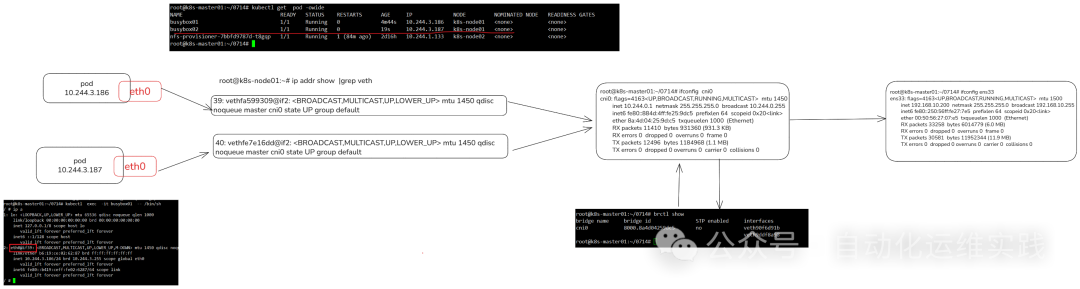
Inside a Pod, communication is established through a virtual Ethernet interface pair (Veth pair) that connects to the outside of the Pod.
A Veth pair is like a network cable, with one end remaining inside the Pod and the other end outside the Pod.
Pods on the same node communicate through a bridge (Linux Bridge).
Creating a Pod
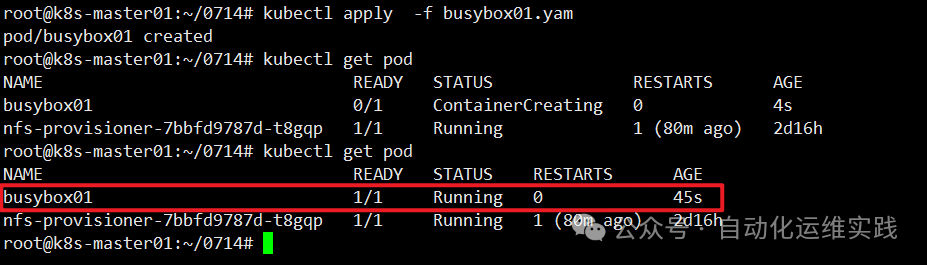
[root@k8s-master-10 ~]# cat busybox01.yaml
apiVersion: v1
kind: Pod
metadata:
  name: busybox01

spec:
  nodeName: k8s-node01 # Place on this node
  containers:
  - image: busybox
    name: busybox01
    command: ["sh", "-c", "sleep 3600"]
Two Pods on the Same Node
[root@k8s-master-10 ~]# cat busybox02.yaml
apiVersion: v1
kind: Pod
metadata:
  name: busybox02

spec:
  nodeName: k8s-node01 # Place on this node
  containers:
  - image: busybox
    name: busybox02
    command: ["sh", "-c", "sleep 3600"]

Illustration of Pod Communication on the Same Node
POD (veth) > CNI (Bridge) > ens33
Pod Communication Across Different Nodes
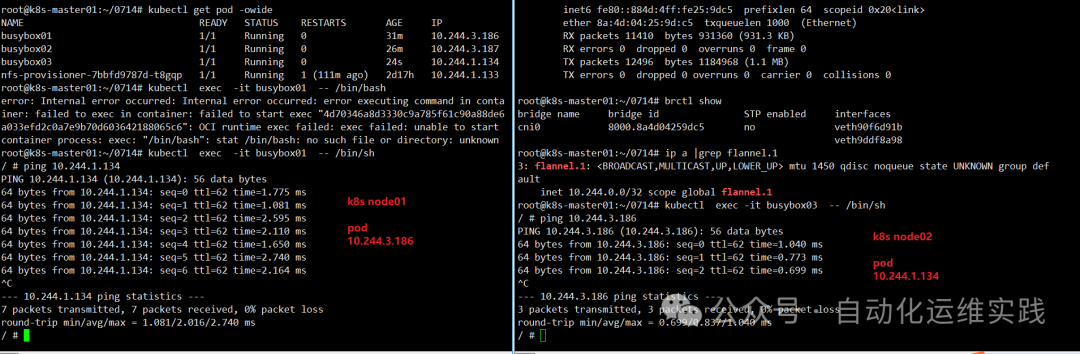
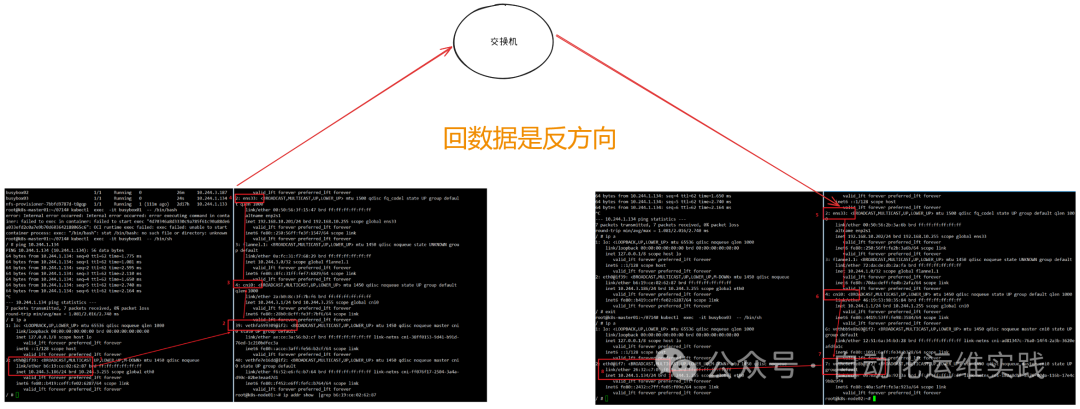
There are many methods for network bridging between different nodes; here, I am using a Flannel environment.
Regardless of the method used, it is required that the IPs of Pods in the cluster are unique, and all cross-node communications use different subnets to prevent IP conflicts.

Creating Another Pod
[root@k8s-master-10 ~]# cat busybox03.yaml
apiVersion: v1
kind: Pod
metadata:
  name: busybox03

spec:
  nodeName: k8s-node02 # Place on this node
  containers:
  - image: busybox
    name: busybox03
    command: ["sh", "-c", "sleep 3600"]

Pod Communication Across Nodes