Hello everyone, this is Coding Tea Room. Today we will learn how to use MATLAB for deep learning object detection, taking the RCNN algorithm as an example to complete a small project for traffic sign detection.
1. Introduction to the RCNN Algorithm
In the development of object detection, RCNN (Region-based Convolutional Neural Network) is a very important milestone. It was the first to introduce deep convolutional neural networks (CNN) into the object detection task, greatly improving detection accuracy.
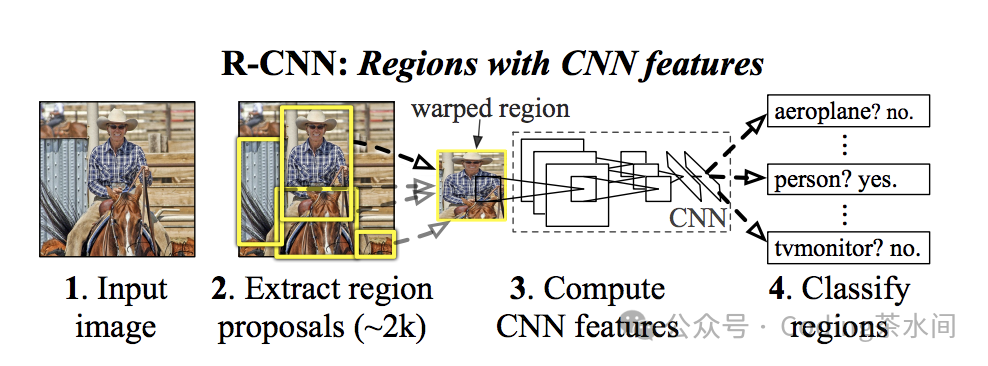
The main innovations of RCNN are:– Using CNN to automatically extract features, replacing traditional manual feature engineering.– Combining candidate regions (Region Proposal) with CNN features for classification and regression.
Although RCNN is no longer mainstream due to its low computational efficiency, it laid the groundwork for subsequent efficient algorithms such as Fast RCNN, Faster RCNN, YOLO, SSD.
2. Experimental Preparation
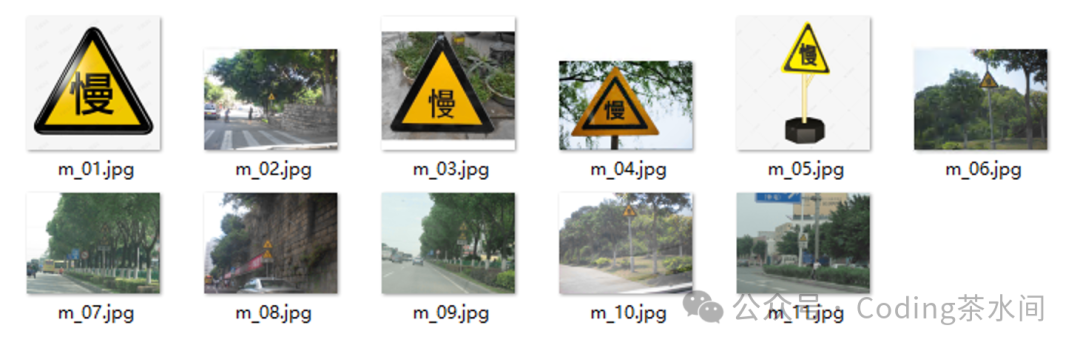
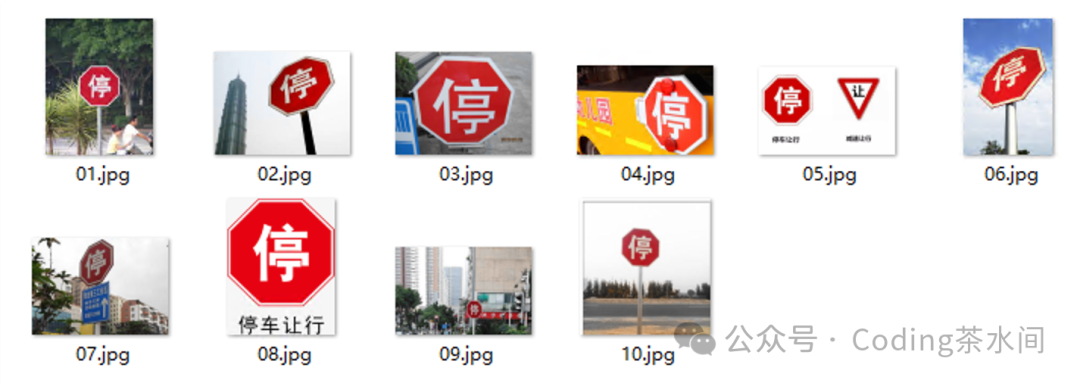
This experiment is based on MATLAB, and we have prepared a relatively simple traffic sign dataset, which mainly contains two categories:– slow (slow sign)– stop (stop sign)
Each category has about 10 images. This time we will roughly run through the RCNN model from data annotation to training and validation, so we haven’t prepared too much data. In practical applications, we need to prepare a large dataset to allow the model to converge as much as possible.
3. Data Annotation
MATLAB provides a convenient annotation tool called Image Labeler, and we can complete the annotation through the following steps:
- Open MATLAB, click APP → More Apps → Image Labeler.
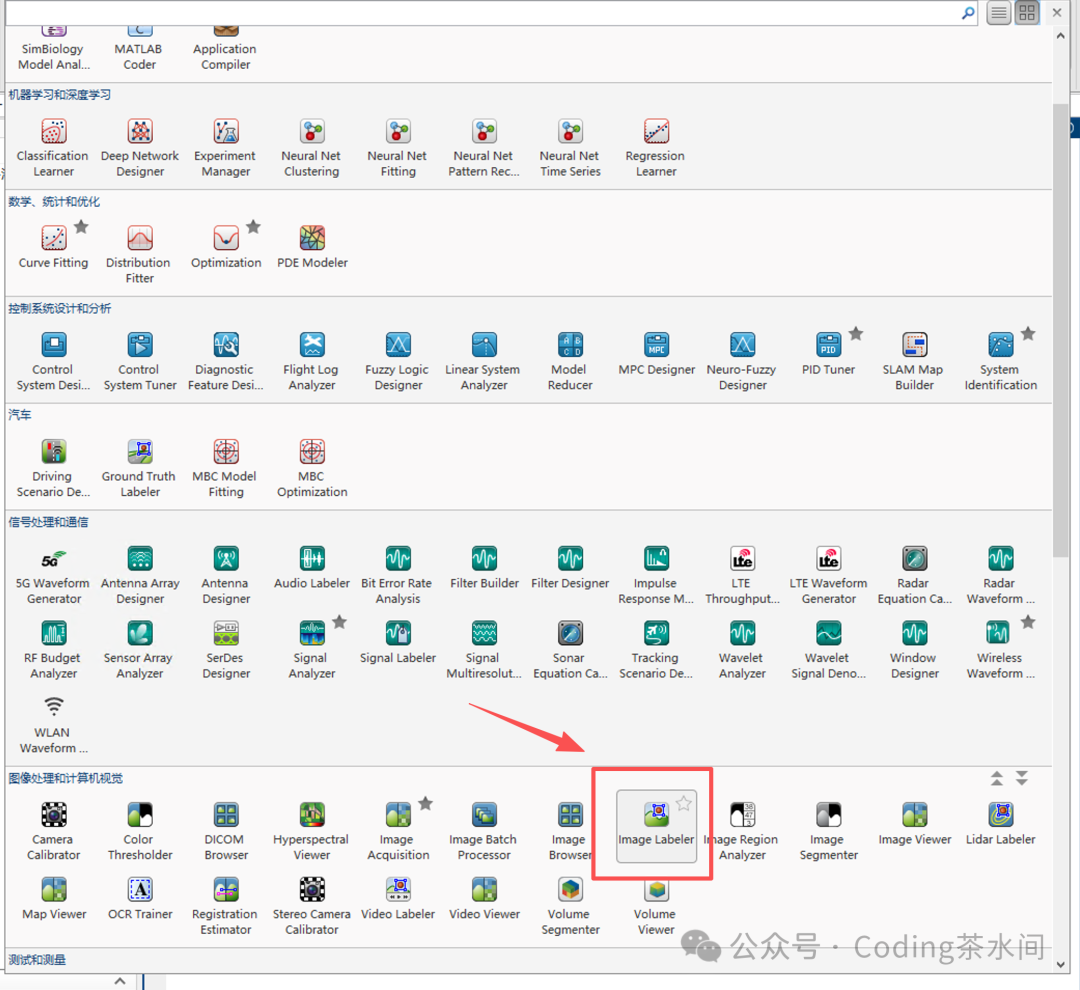
2. In the tool interface, click Load → Add images from folder to import the two categories of images we prepared.
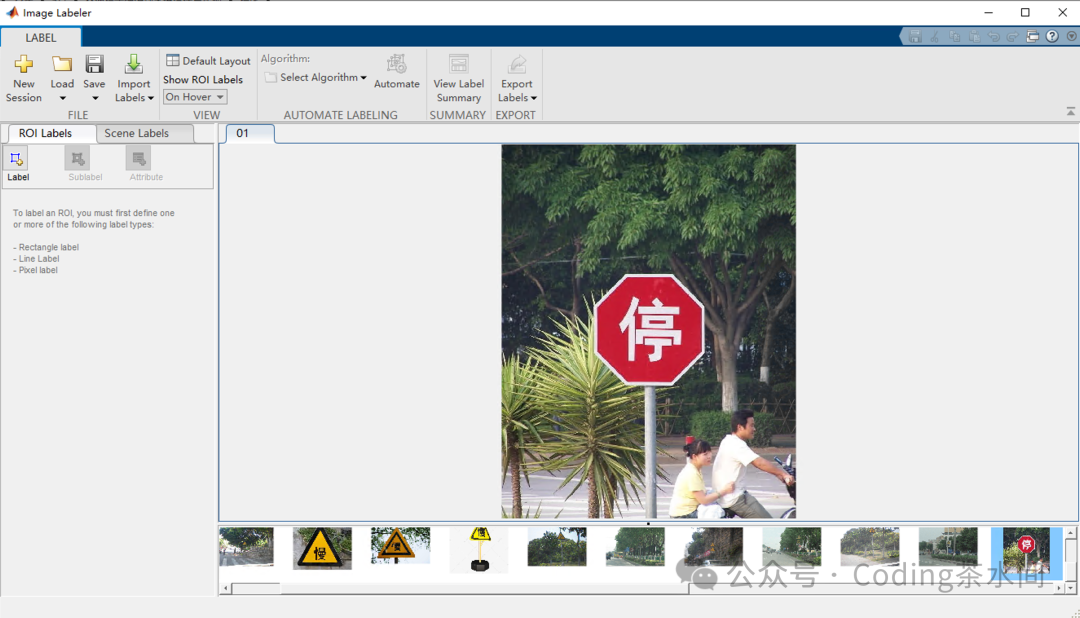
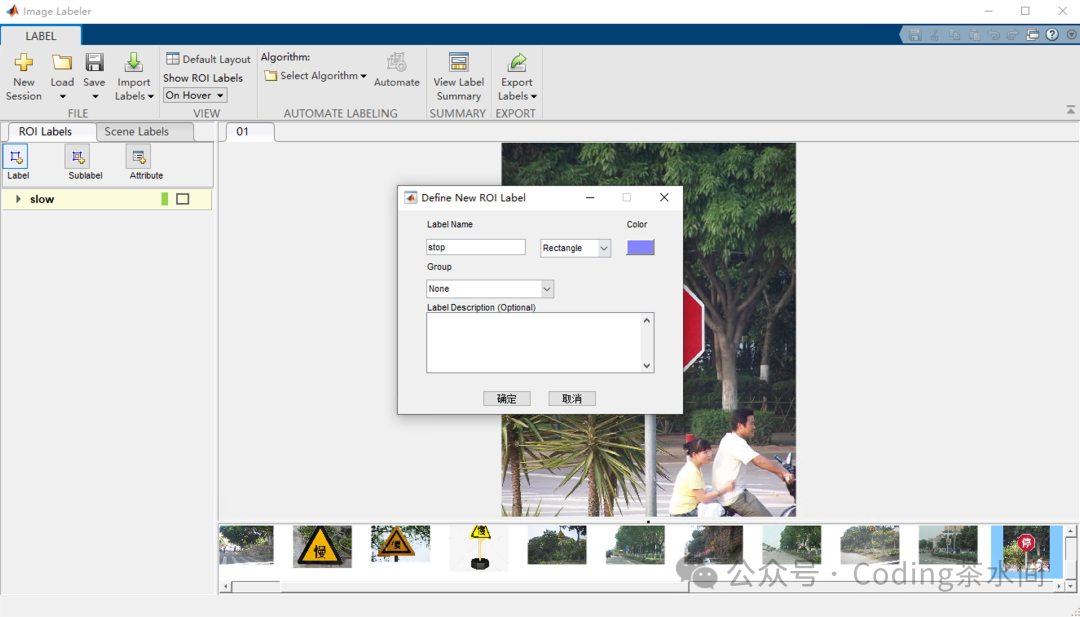
- Create new category labels in the upper left corner:
<span>slow</span>→ corresponds to the slow sign<span>stop</span>→ corresponds to the stop sign
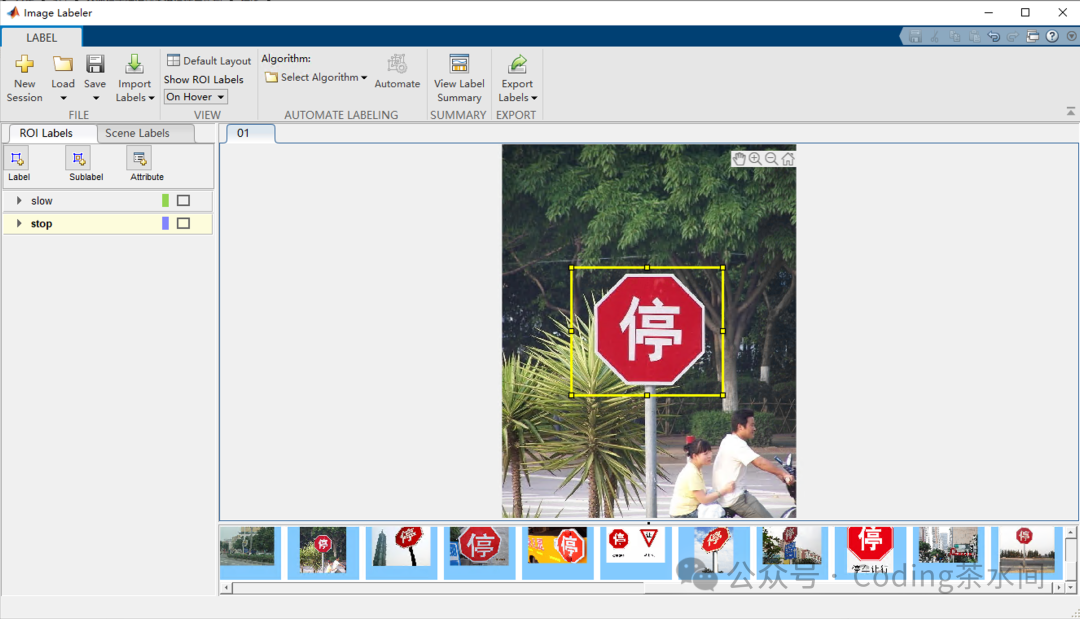
- For each image, draw a bounding box around the target and specify the category.
- Click Export → To File to save as
<span>label_data.mat</span>file.
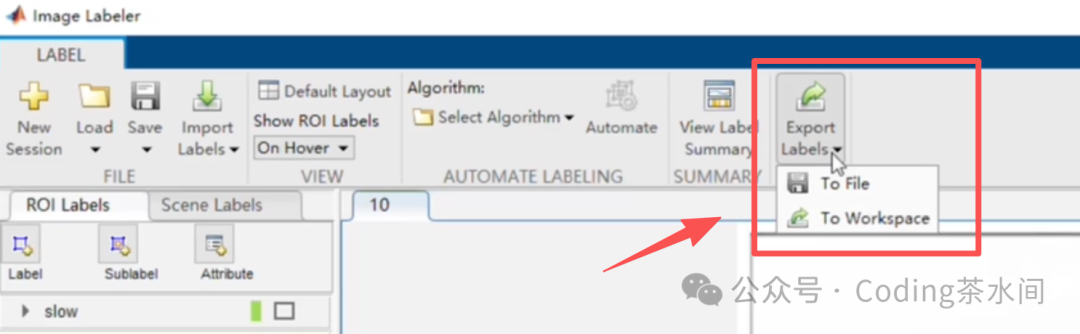
The annotation results include:– Data source path– Target category– Bounding box coordinate information
4. Model Training
Next, we enter the RCNN training phase. MATLAB provides the <span>trainRCNNObjectDetector</span> interface, and we only need to complete data preparation and parameter settings.
<span>objectDetectorTrainingData</span> method can directly read and parse the annotated data.
Training Code Example
clc;
clear;
close all;

% Load annotated data
load label_data

% Convert annotated data to the format required for RCNN training
trainingData=objectDetectorTrainingData(gTruth);

% Load pre-trained AlexNet network as feature extractor
net=alexnet;

% Configure training parameters
options=trainingOptions('sgdm',...
'MiniBatchSize',128,...           % Process 128 samples per batch
'InitialLearnRate',1e-3,...       % Initial learning rate of 0.001
'LearnRateSchedule','piecewise',... % Piecewise learning rate strategy
'LearnRateDropFactor',0.1,...     % Learning rate drop factor of 0.1
'LearnRateDropPeriod',100,...     % Drop learning rate every 100 iterations
'MaxEpochs',10,...                % Maximum training epochs of 10
'Plots','training-progress',...   % Show training progress plot
'Verbose',true);% Show training details

% Train RCNN object detector
% Set overlap threshold for positive and negative samples: IOU>0.5 for positive samples, IOU<0.3 for negative samples
rcnn=trainRCNNObjectDetector(trainingData,net,options,...
'NegativeOverlapRange',[00.3],'PositiveOverlapRange',[0.51]);


% Save the trained model
save rcnn_stop_slow_detector.mat rcnn;
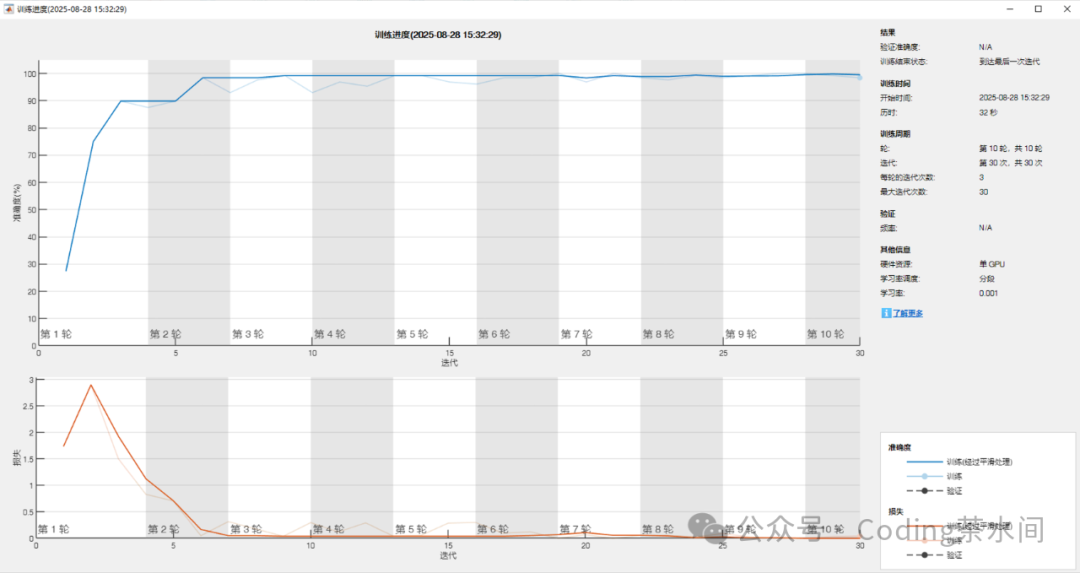
Training Results
During the training process, MATLAB will display:
- Accuracy Curve: As the number of iterations increases, the accuracy gradually approaches 100%.
- Loss Curve: As training progresses, loss approaches 0.
5. Model Validation
After training is complete, we use new images that did not appear in the training set to validate the results.
clc;
clear;
close all;

load rcnn_stop_slow_detector
% Load test image
I=imread('stop_sign_ch/stopstest.jpg');

% Use the trained detector for object detection
[bboxes,scores,labels]=detect(rcnn,I);

% Filter confidence greater than 0.9
high_conf_indices=scores>0.9;
bboxes=bboxes(high_conf_indices,:);
scores=scores(high_conf_indices);
labels=labels(high_conf_indices);

% Annotate detection results on the image and display
if~isempty(bboxes)
% Create annotation text with labels and scores
annotations=string(labels)+": "+string(scores);

% Draw bounding boxes and annotations on the image
I=insertObjectAnnotation(I,'rectangle',bboxes,annotations);

else
fprintf('No targets detected with confidence greater than 0.9\n');
end

% Display the image with detection results
figure
imshow(I)
title('RCNN Detection Results - Stop and Slow Signs');
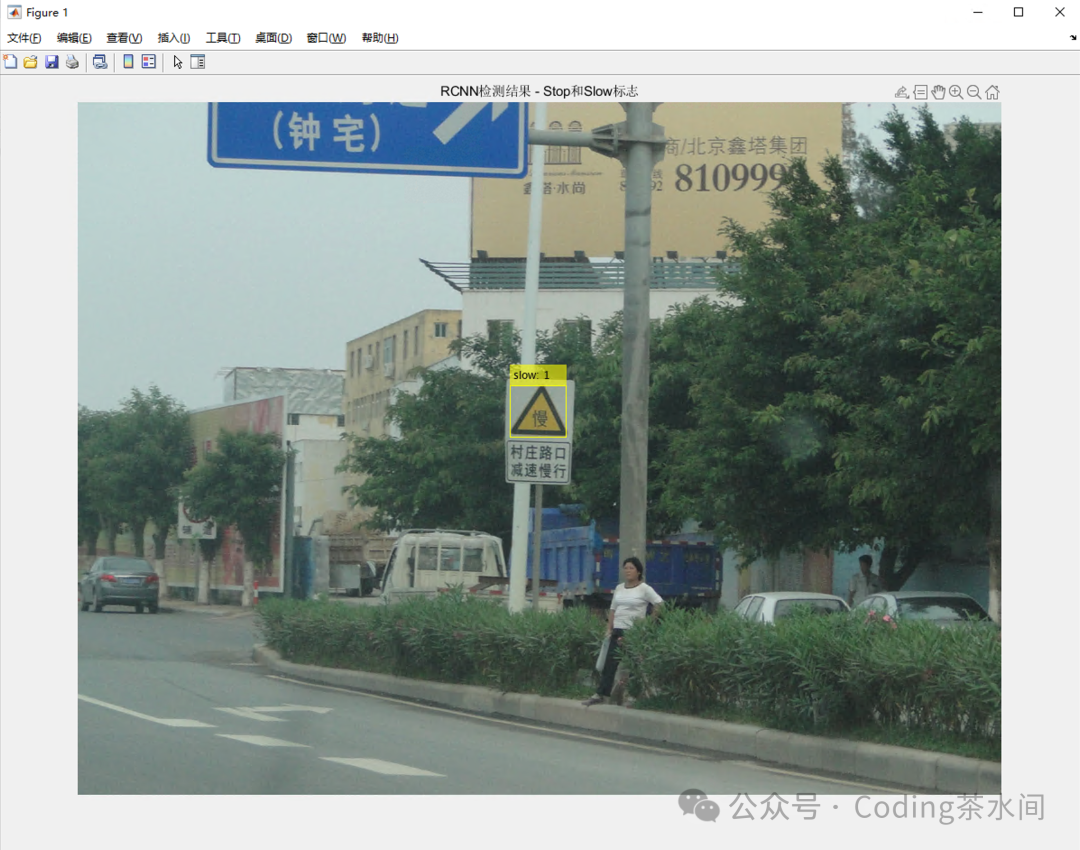
Validation results:
- For the stop sign, the model can accurately box the target with high confidence.
- For the slow sign, the model can also accurately identify it.
6. Conclusion
Through this experiment, we completed:
- Using Image Labeler for data annotation.
- Training object detection based on the RCNN model and AlexNet pre-trained network.
- Validating on new images with accurate results.
Although RCNN has gradually been replaced by faster algorithms (such as YOLO, Faster RCNN) in practical applications, the significance of learning RCNN lies in:– Mastering the core ideas of introducing deep learning into object detection– Understanding the development history of object detection algorithms– Laying the foundation for subsequent research on YOLO, SSD, Mask RCNN and other algorithms