What really happens internally when we write a program in an IDE and click the compile button? Why does it generate an executable file? What steps are involved in this process? Is it simple or complex? In this article, we will clarify these matters.

First, it is important to clarify that compilation is just a general term. The entire compilation process includes preprocessing, compilation, assembly, and linking.
We provide a very simple program.
//test.c#include <stdio.h>#define max 5int main(){ printf("max = %d\n", max); return 0;}1. Preprocessing
The directives in the preprocessing stage generally start with #, replacing the included header files with #include, replacing macros defined with #define, deleting comments, and removing parts of the code that do not meet conditions indicated by #ifdef. All code starting with # is processed during the preprocessing stage.
Preprocessing command: gcc -E test.c -o test.i
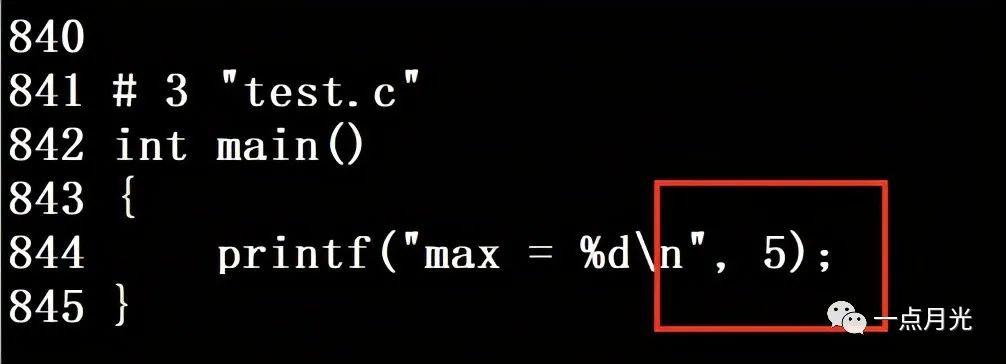
The -E option here makes the program stop after preprocessing is complete, for the sake of our observation later. When we list the current directory with ls, we can see an additional file named test.i. Opening it reveals many declarations of variables, functions, etc., which are the results of expanding the stdio.h header file. At the end, we can see that our defined macro max has been replaced with 5.
2. Compilation
Students majoring in computer science in college will definitely study a course called “Compiler Principles”. This course often frustrates many students. The compilation process is precisely what is covered in Compiler Principles, including lexical analysis, syntax analysis, semantic analysis, program optimization, and a series of processes. These are the core contents of the compiler. If you want to develop a compiler, you must be very proficient in this process! This process compiles the program into assembly language, which is closer to machine language. Errors and warnings we often see when compiling in an IDE usually occur during this process.
Compilation command: gcc -S test.i -o test.s
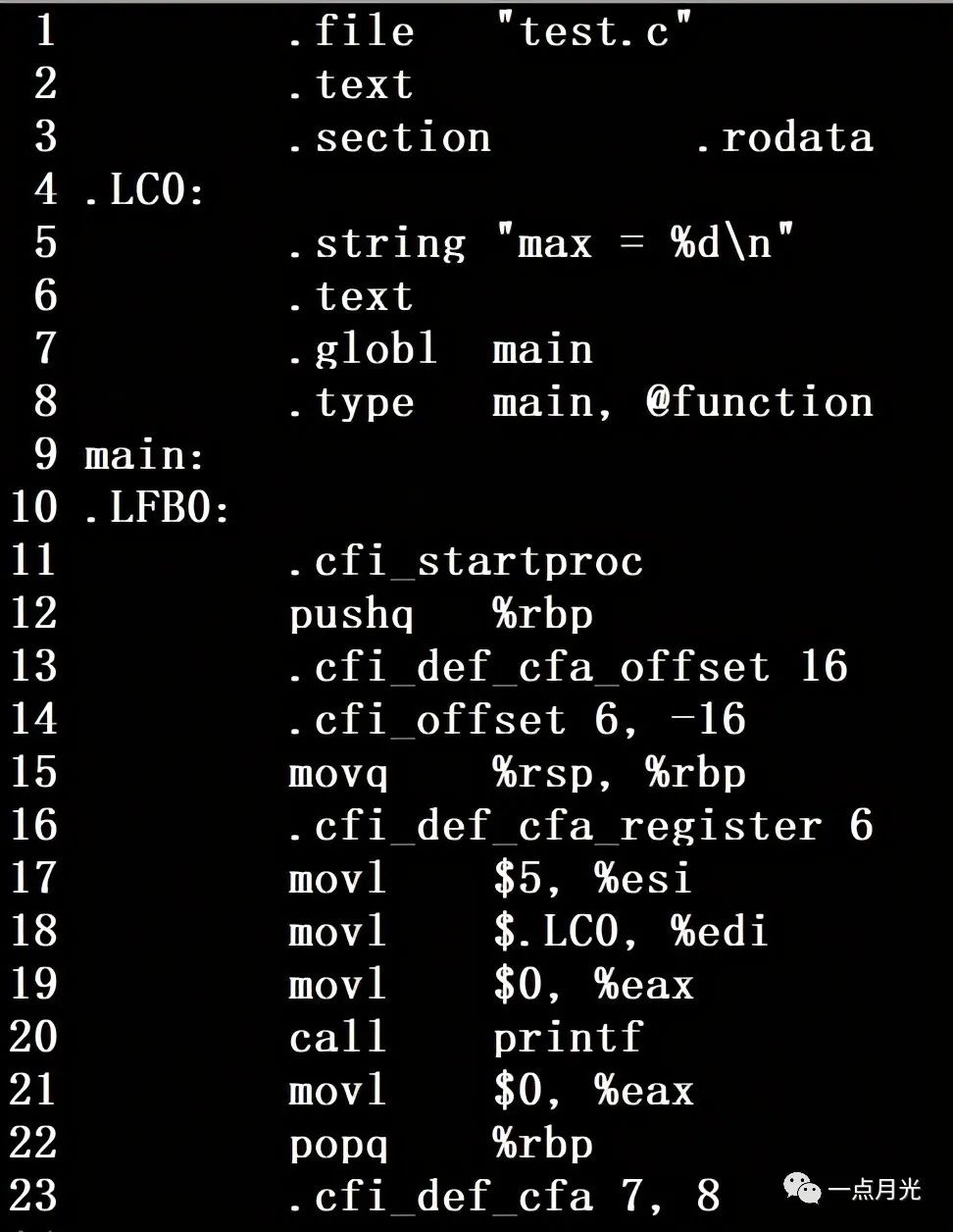
The -S option here makes the program stop after compilation is complete, for the sake of our observation later. When we list the current directory with ls, we can see an additional file named test.s. Opening it reveals a bunch of assembly instructions. I can’t understand these instructions at all. To be honest, without prior exposure to assembly language, most people will find it incomprehensible. However, if you want to excel in the low-level field of compilers, you must understand assembly language.
3. Assembly
Assembly language can be understood by some professionals, but computers cannot understand it at all. Computers can only understand machine language like 010101. Therefore, we also need to convert assembly language into machine language. As for how this process works, it is beyond the scope of this article and I cannot discuss it because I do not know. These are the areas of research for those highly skilled experts. I am not exaggerating the difficulty here; those who can develop commercial compilers are definitely the chosen ones in the field of computer science.
Assembly command: gcc -C test.i -o test.o
When we list the current directory with ls, we can see an additional file named test.o. Opening it reveals a bunch of garbled characters. In fact, these are binary commands, which are the commands that computers can understand.
4. Linking
Even though binary files can be understood by computers, if your source file uses functions from other header files you have written yourself, or from third-party static or dynamic libraries, you still need to link them together to generate an executable file so that it can be executed correctly.
Linking command: gcc test.o -o test
However, if the included header files are those that come with C/C++, in other words, if there is only one source file, it seems unnecessary to perform this linking step; you can directly run the .o file generated from the above compilation. In fact, performing the linking operation will result in this error, and I have not yet found the reason. If anyone knows, feel free to leave a comment.
/opt/rh/devtoolset-9/root/usr/libexec/gcc/x86_64-redhat-linux/9/ld: error in test.o(.eh_frame); no .eh_frame_hdr table will be created
The above are the several steps of compilation. Only by clearly mastering each step can one truly understand the entire compilation process. Of course, you can also compile in one go:
gcc test.c -o test
This command can directly generate an executable file.
For more exciting content, please follow the public account: A Little Moonlight

For related articles on compilation, please read:
The Mystery of C++ Program Compilation (Part 1) – The Strange Phenomenon of Multi-file Compilation
The Mystery of C++ Program Compilation (Part 2) – The Secrets of Hidden Source Code, Dynamic and Static Linking Libraries