Introduction to the Domestic EtherCAT Slave Chip FCE1100 and FCP32C335 DSP Chip Function Board
As previously recommended, we introduced the domestic EtherCAT slave chip FCE1100 and the FCP32C335 DSP chip function board. This issue mainly discusses the testing process of this function board, to facilitate users in performing functional verification, compatibility testing, and reliability testing, thereby improving development verification efficiency.
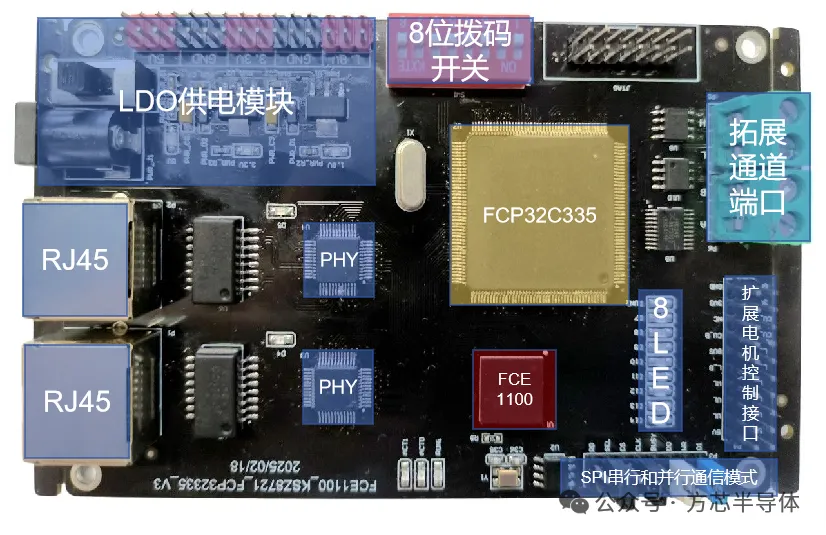
Testing Process
1. Use the XDS100V2 or XDS100V3 programmer to flash the corresponding example program into the flash memory of the DSP chip FCP32C335 via the JTAG interface.2. Connect the IN port of the development board to the network cable and scan the slave using the TwinCAT master.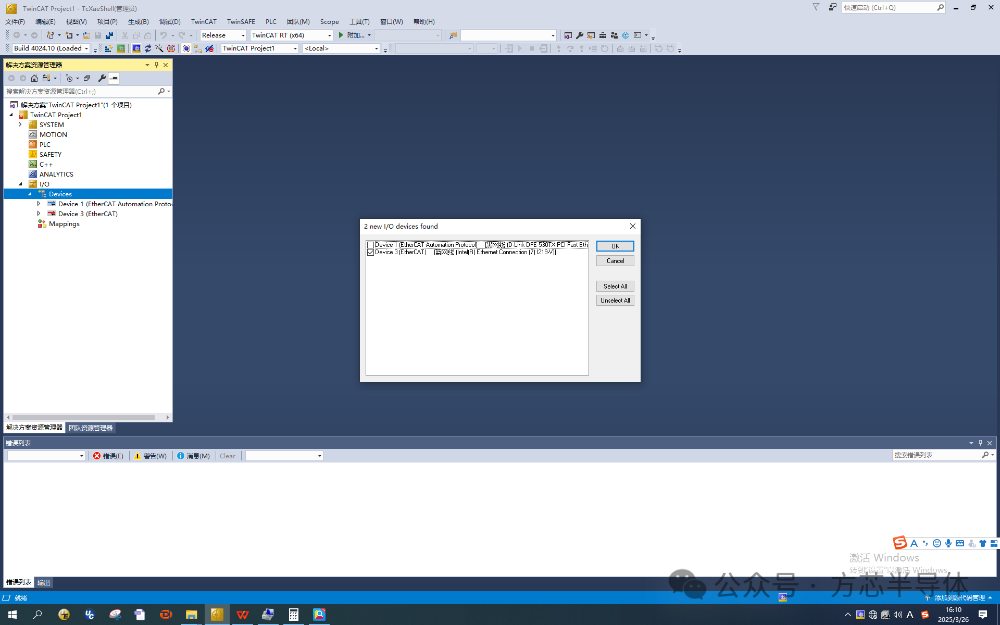 3. Flash the corresponding XML file into the onboard ECAT EEPROM of the slave board;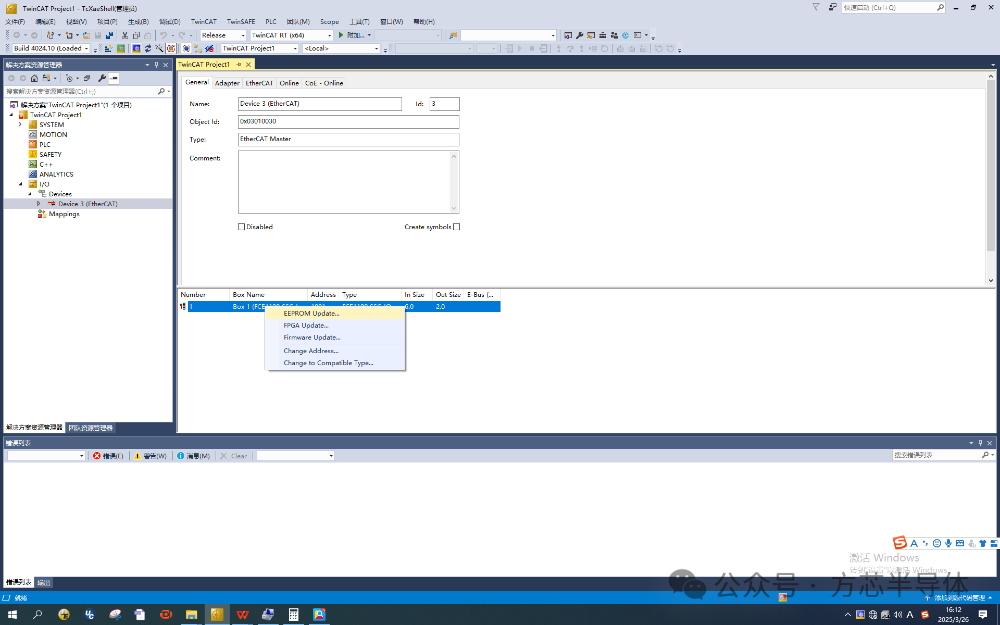
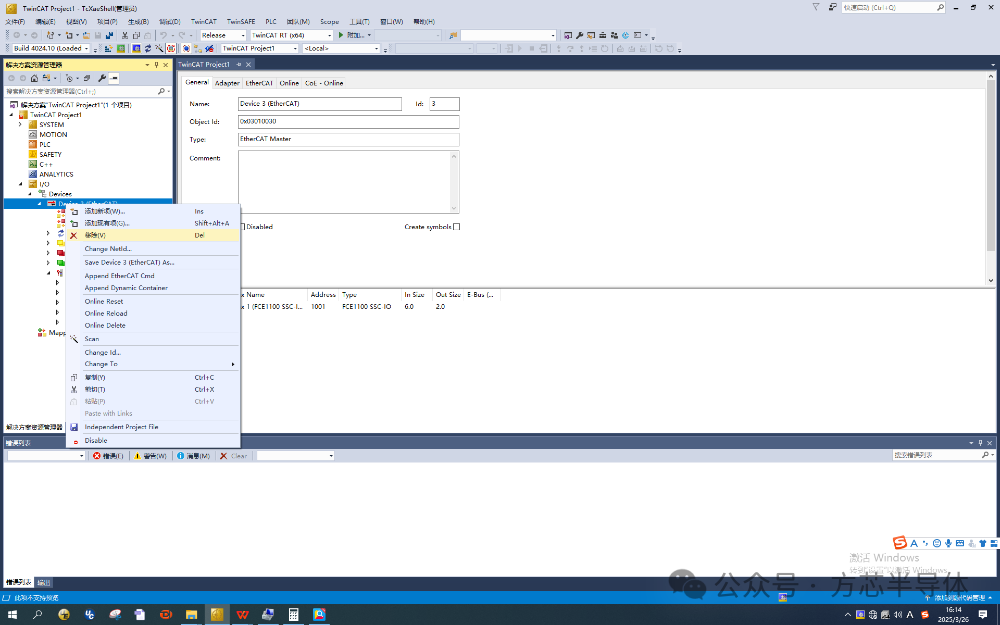
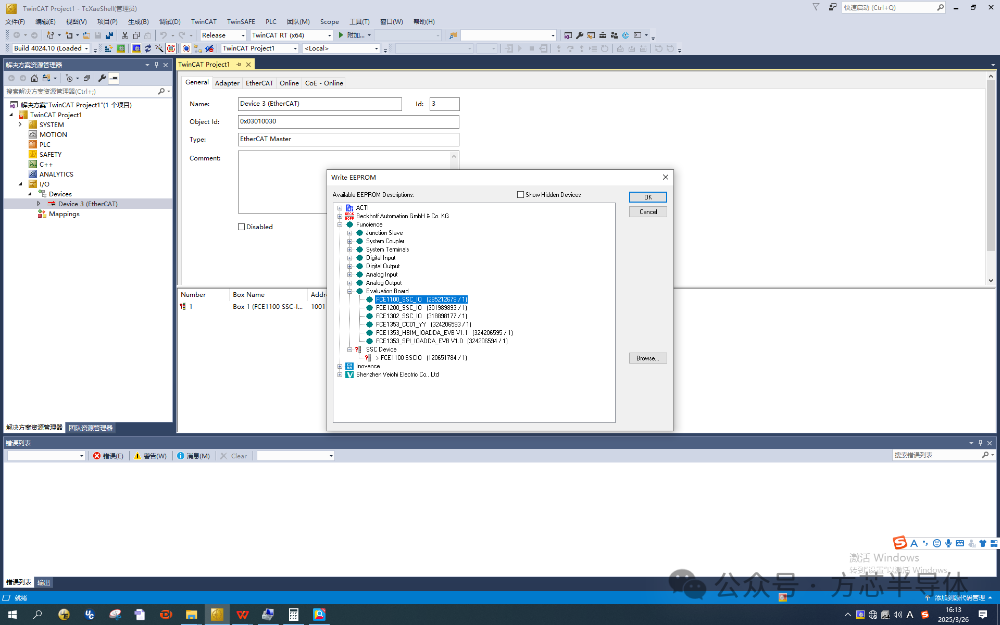 4. After updating the XML file, right-click on the device, remove the device, and rescan.
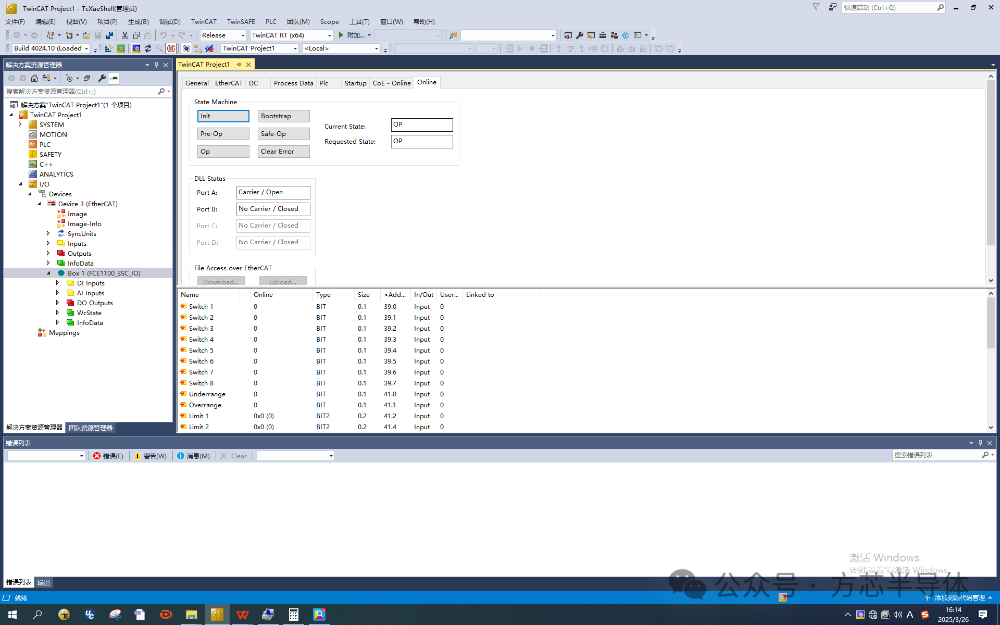
 5. Double-click Box1 to open online mode, where you can see that the slave is in OP state, and PortA is open, with the RUN light on the development board constantly lit;
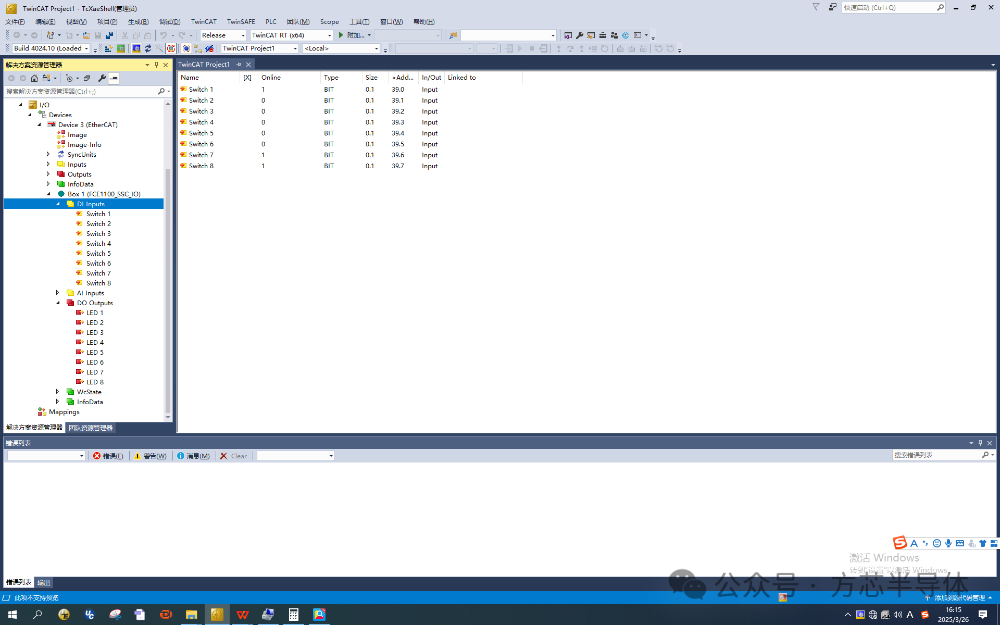
 6. Digital Input Testing:Open the DI Input list under Box1,which contains 8 digital switches to monitor the switch states of the 8-position dip switch on the development board. As shown in the figure, the EtherCAT master detects that Switch1, 7, and 8 are in the ON state, while the other switches are OFF.
 7. Digital Output Testing: Open the DO Output list under Box1, which has 8 digital outputs named LED1-8, used to control the corresponding 8 GPIO pins of the FCP32C335 to output high or low levels. To facilitate observation of these 8 digital outputs, an LED is connected to each of these GPIO pins.
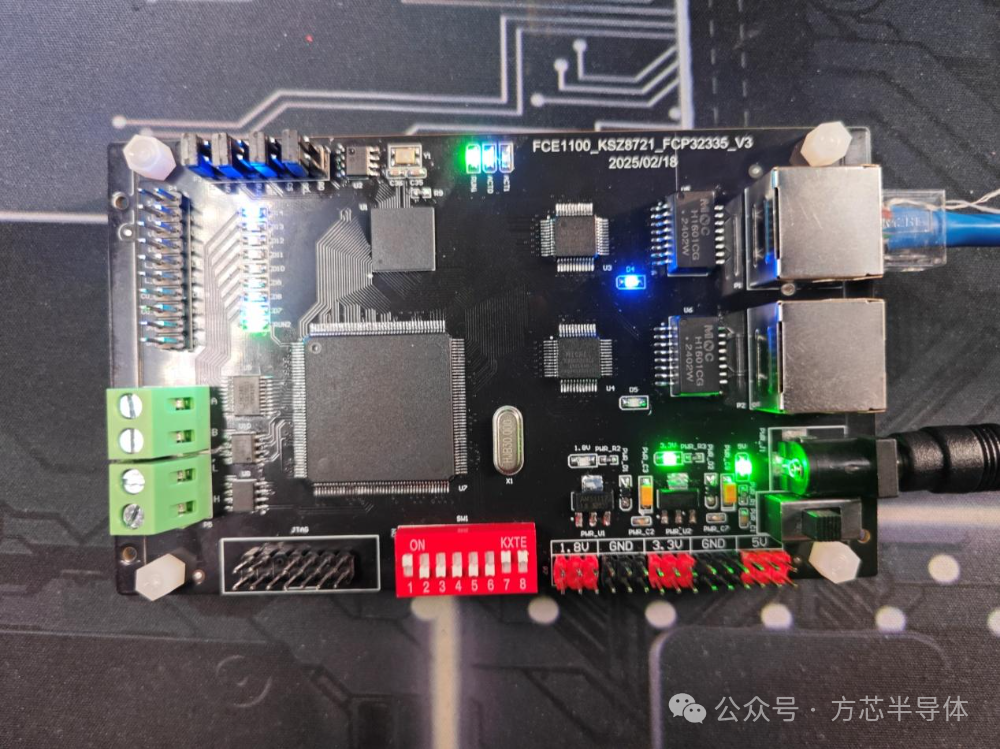
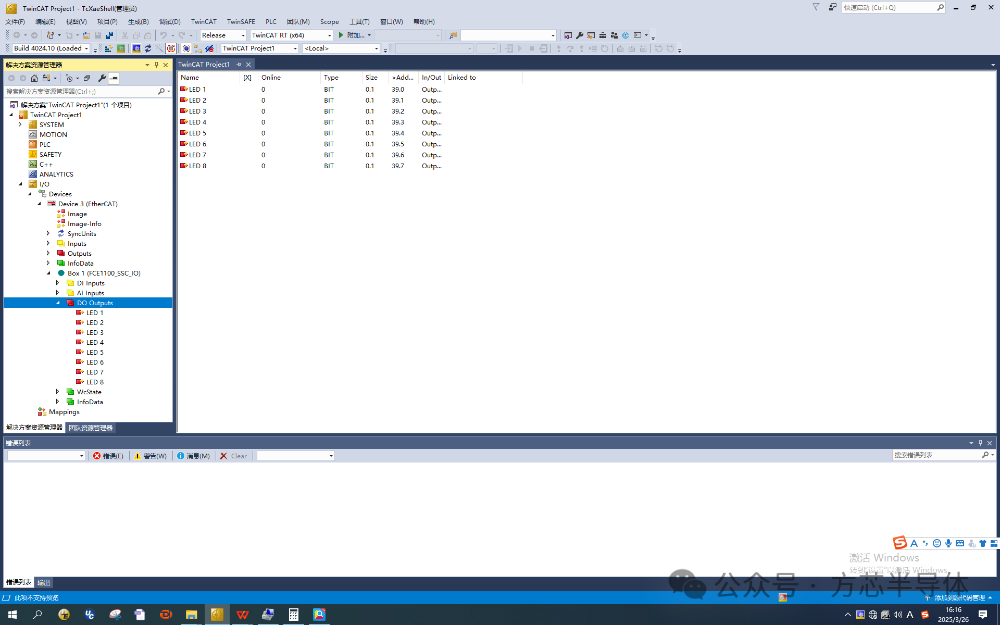 You can right-click on a specific LED option and click online write “1” to control the corresponding FCP32C335 pin to output a high level, thus lighting the LED. As shown in the figure, after writing “1” to LED1 and LED8, the corresponding LEDs on the development board are observed to be lit.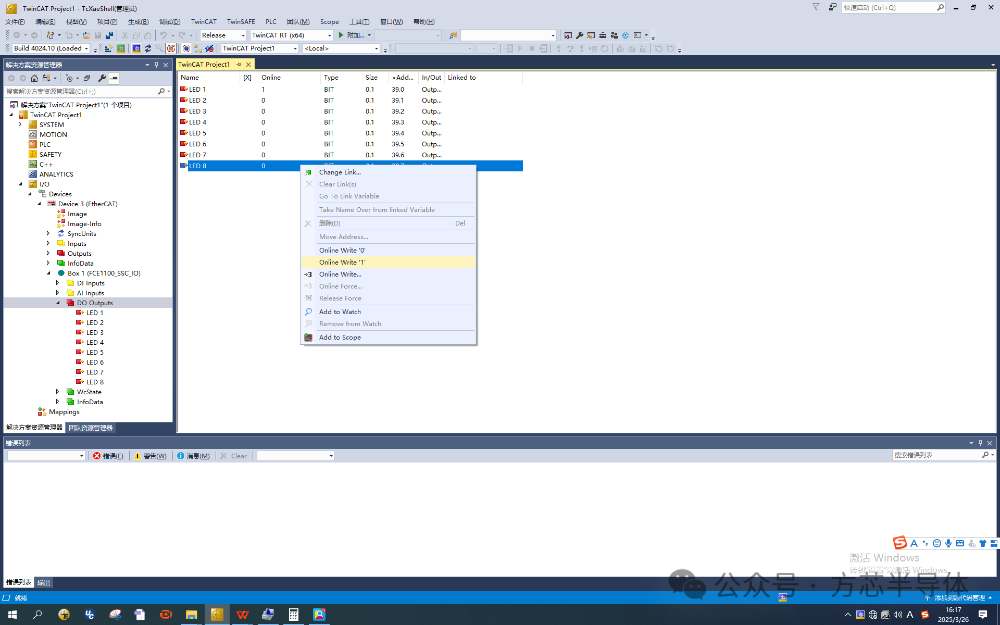
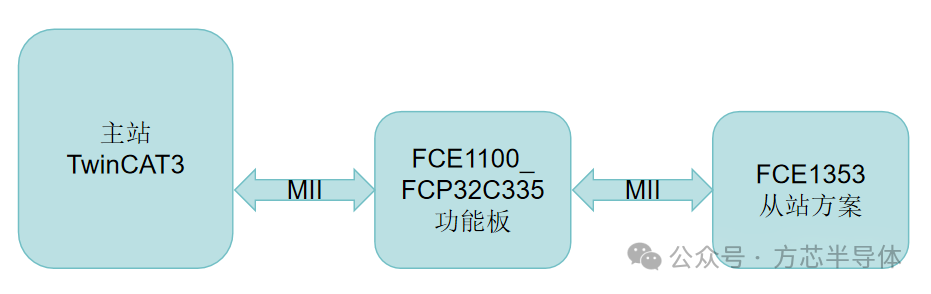
 Cascading Test: Cascade a square chip FCE1353 slave solution after the FCE1100_FCP32C335 function board, as shown in the topology diagram below:
 The physical connection is shown below:
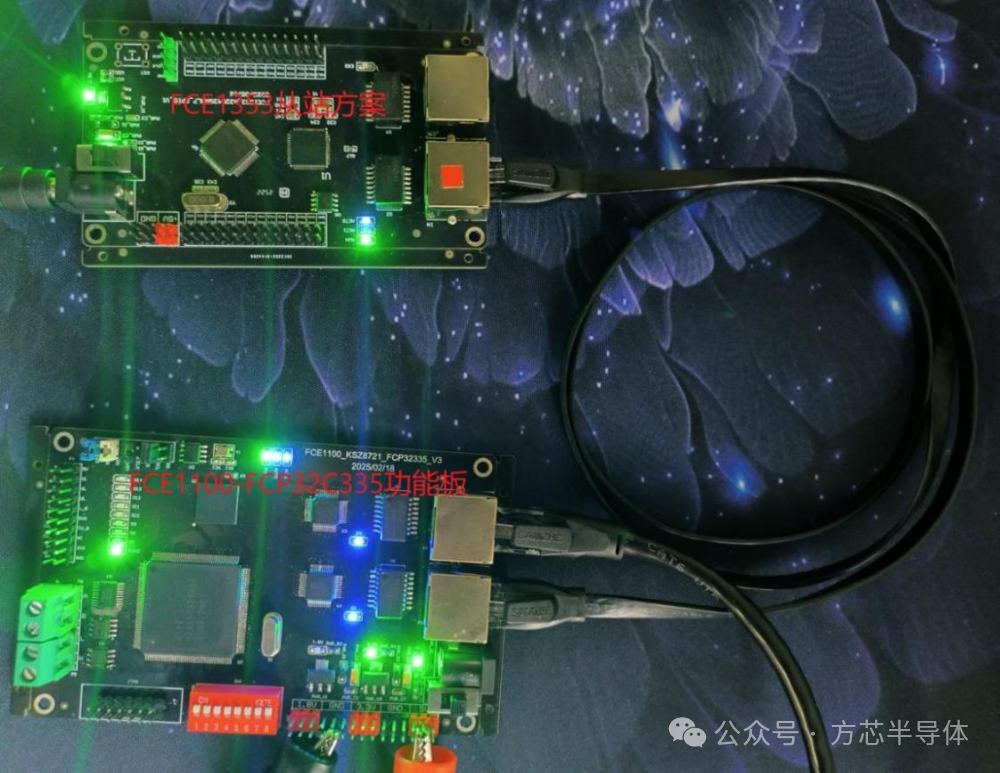 The successful scanning interface of TwinCAT3 is shown below: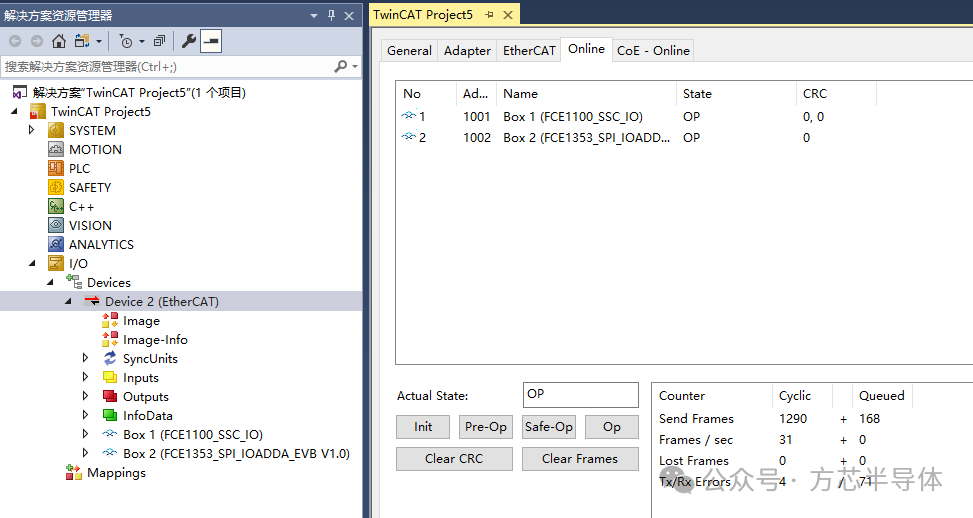
The above solution board, Fangxin can provide the schematic diagram, physical board demo, and sample testing for free,and you are welcome to contact us at any time.
Contact Us

Long press the QR code to add WeChat to contact us
 Product ConsultationEmail: [email protected]
Phone: (010) 62901860-681/689
Address: No. 1, Gaolizhang Road, Building 2