Click on the target device selection. If there is no response, it means the device library is not configured.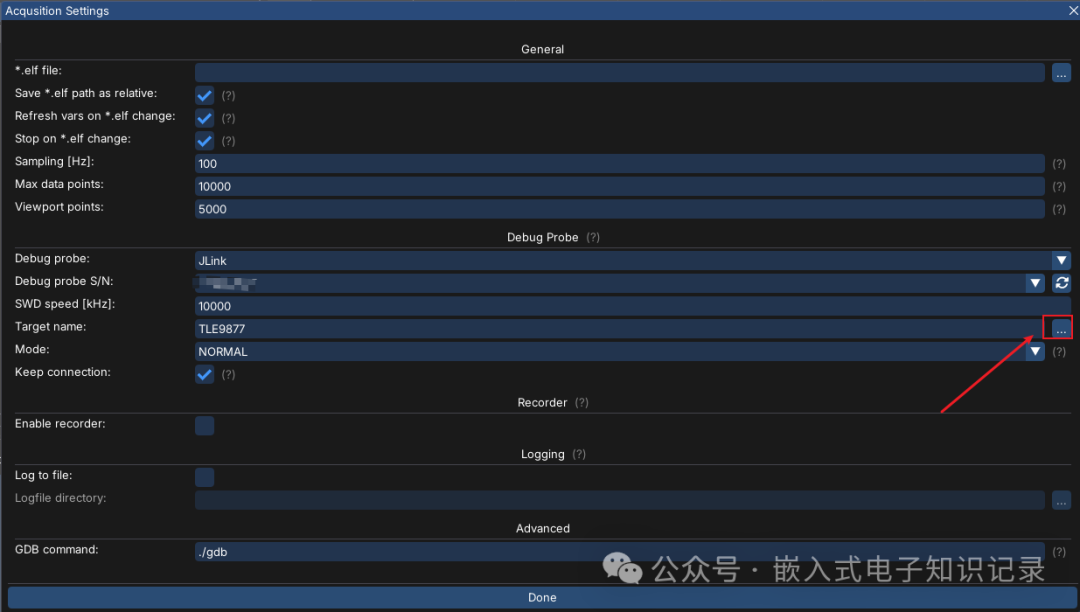 The configuration method is as follows: Copy JLinkDevices.xml JLink_x64.dll JLinkARM.dll three files to the bin directory.
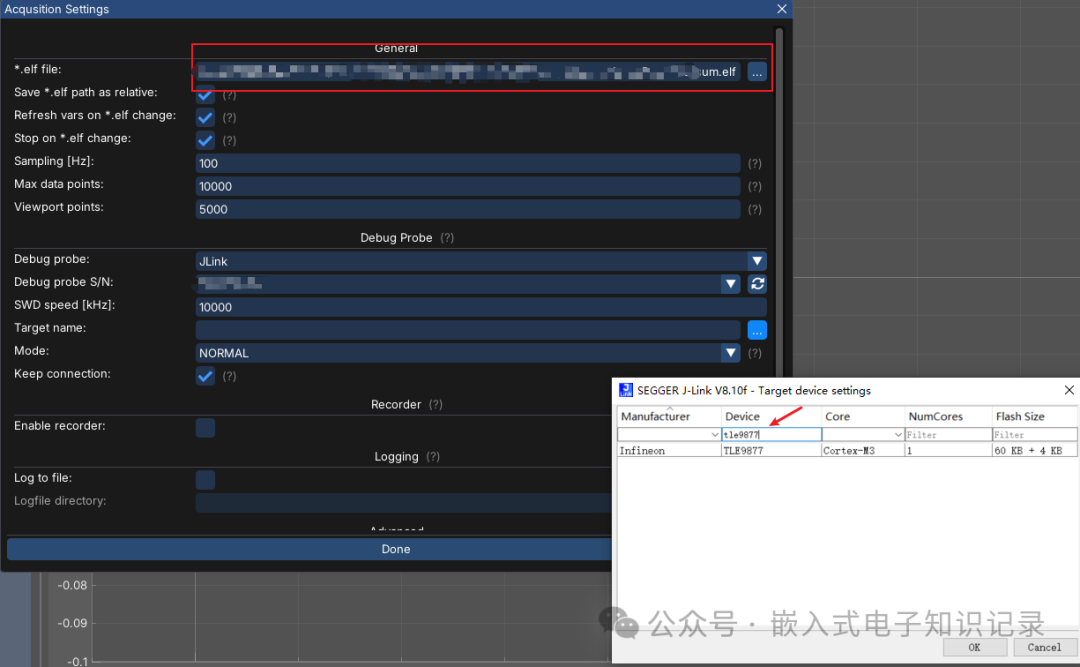
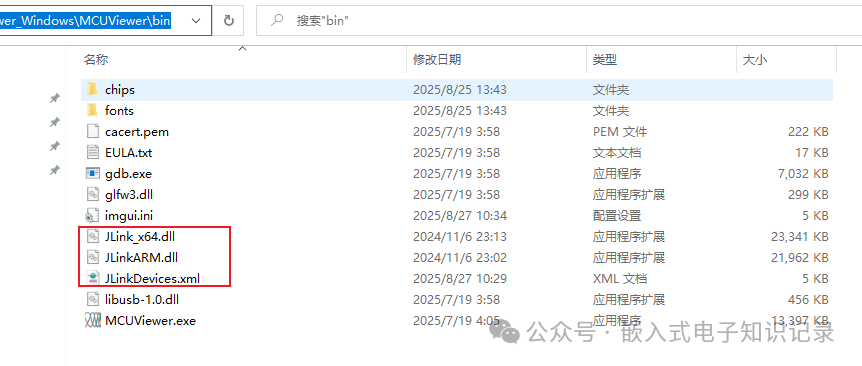 After copying, unplug and replug the J-Link. If clicking the three dots shows the device library, it means the addition was successful. Additionally, an ELF file is needed to parse variables.
 Links to the three files: https://www.alipan.com/s/f6hedQUsvbG Extraction code: yd03