Let’s Talk About Why We Need Package Managers
Dependency management has always been an unavoidable issue when working on C++ projects.
Common pain points include:
- Compatibility issues across different operating systems and compiler environments;
- The diverse building methods of third-party libraries, including CMake, Autotools, and handwritten Makefiles;
- The complex dependency chains between libraries, which can easily lead to compilation failures due to missing dependencies or version mismatches.
In this context, vcpkg and Conan have become the two most common C++ package management tools. Over the past year, I have used both in two different projects and encountered various pitfalls. Here, I will discuss their advantages and disadvantages based on my actual experiences.
📚 The C++ Knowledge Base has launched on ima! The current content covered by the knowledge base is shown in the image below👇👇👇
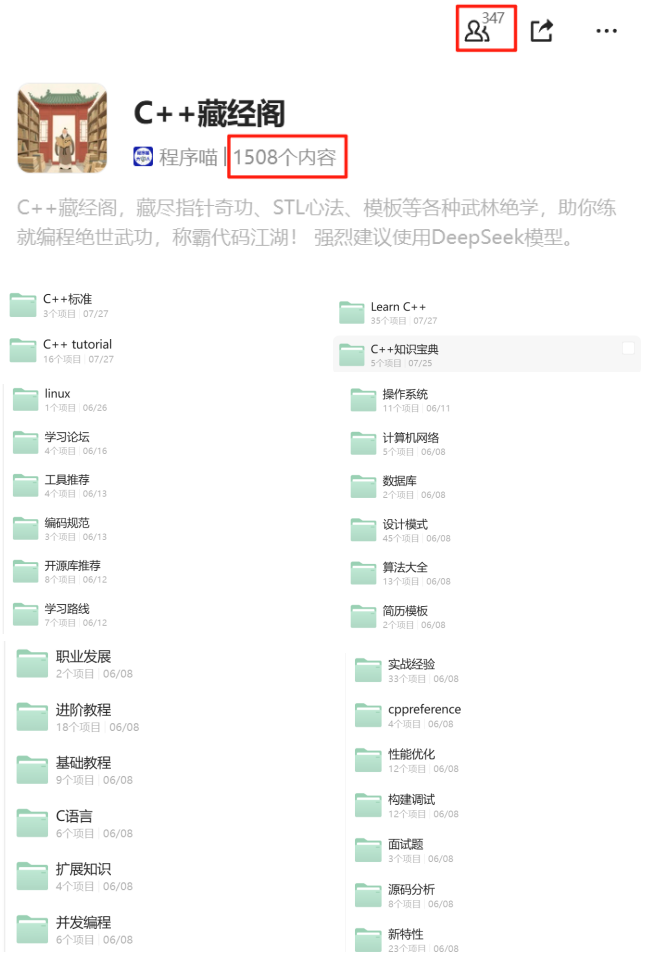
📌 If you are interested in the knowledge base, you can add the assistant vx (chuzi345) with the note 【Knowledge Base】 or click 👉 C++ Knowledge Base (tap to jump) to view the complete introduction to the knowledge base~
vcpkg — Simple and Direct, Closely Integrated with CMake
vcpkg is an open-source project led by Microsoft, and its biggest feature is its out-of-the-box usability.
Basic Usage
The installation method is very simple:
git clone https://github.com/microsoft/vcpkg.git
cd vcpkg
./bootstrap-vcpkg.sh
Then you can directly install the dependency libraries:
./vcpkg install fmt
When using it in a project, if it is a CMake project, you only need to enable vcpkg’s toolchain file:
cmake -B build -S . -DCMAKE_TOOLCHAIN_FILE=path/to/vcpkg/scripts/buildsystems/vcpkg.cmake
After that, <span>find_package(fmt CONFIG REQUIRED)</span> will work properly.
Advantages
- Low Learning Curve: No need to write additional configuration files; you can use it right after
<span>install</span>. - Deep Integration with CMake: Most libraries can be found using
<span>find_package</span>. - Good Binary Caching Support: Suitable for CI/CD environments that require fast builds.
Limitations
- Limited Ecosystem: The number of libraries currently included is fewer than Conan, especially for some niche libraries.
- Platform Bias: Best experience on Windows; while it can be used on Linux/macOS, compatibility issues may arise at times.
- Insufficient Flexibility: Customizing build options for certain libraries can be cumbersome.
I used vcpkg in a Windows-centric client project, and the overall experience was smooth, especially when most team members were unfamiliar with the build system; vcpkg’s “zero configuration” advantage was very evident.
Conan — Flexible and Powerful, More Like a “Professional Player”
Conan is positioned more as a general dependency management platform; it does not rely on a specific build system and can work with CMake, Meson, or even handwritten Makefiles.
Basic Usage
Installation method:
pip install conan
When using it, you need to write a <span>conanfile.txt</span> or <span>conanfile.py</span>. For example:
[requires]
fmt/10.2.1

[generators]
CMakeDeps
CMakeToolchain
Then execute:
conan install . --output-folder=build --build=missing
The generated CMake configuration files can be used directly in the project.
Advantages
- Rich Ecosystem: There are more packages on ConanCenter, and many library versions are relatively new.
- Strong Customizability: If you need to modify the build options for a library, you can adjust them directly in the
<span>conanfile.py</span>. - Cross-Platform Consistency: The experience is relatively uniform across Linux, macOS, and Windows, making it suitable for cross-platform projects.
- Support for Private Repositories: Companies can set up their own package servers for easier management of team dependencies.
Limitations
- Steep Learning Curve: You need to understand concepts like profile and generator, which may confuse newcomers at first.
- Longer Build Times: If a library does not have a precompiled package, it will default to compiling from source.
- Lower CMake Integration: Although there are
<span>CMakeDeps</span>and<span>CMakeToolchain</span>, the configuration is slightly more complex compared to vcpkg’s “one-stop shop”.
I have used Conan in a cross-platform SDK project, and in scenarios with many dependencies and complex compilation options, Conan’s flexibility was very evident, such as being able to write different profiles for different platforms to control compilation options.
vcpkg vs Conan — Recommendations
Based on my usage experience, I can summarize as follows:
- If the project is primarily a Windows Desktop Application with a limited number of dependencies and team members with varying build experience: prioritize vcpkg, as it is simple and convenient.
- If the project requires cross-platform support, has complex dependencies, or if the company needs to maintain its own package repository:Conan is more suitable, as it offers greater control.
- If it is just a personal project or a quick experiment, vcpkg’s onboarding experience will be lighter.
Some Practical Insights
- vcpkg and Conan are not mutually exclusive; some teams combine them: managing public dependencies with vcpkg and special dependencies with Conan.
- In CI/CD environments, binary caching is crucial. vcpkg’s
<span>binary caching</span>and Conan’s<span>remote</span>are both worth configuring well; otherwise, compiling from source every time will be slow. - No matter which package manager you choose, it is best to establish a set of norms within the team, such as fixing which version of the profile or toolchain to use, to avoid issues like “the same library behaves inconsistently on different people’s computers”.
Dependency management in C++ has always been a challenge, and vcpkg and Conan provide two different answers. My own experience is that: vcpkg is more suitable for quick integration, while Conan is better for long-term maintenance.
If your project is in the selection phase, you can try using it in a small module first and then decide which path to take based on the team’s situation.
Recommended Reading:
C++ Direct Access to Major Companies (For those interested in the training camp, you can read this article to learn about the details of the training camp, or add vx: chuzi345 to quickly learn about the training camp related information)
10 Code Snippets to Quickly Review Core C++ Knowledge Points (Review + Practical Use)
From Multithreading to Asynchronous: Step by Step to Implement a Usable Logging System