Tips: Some records, some notes

2025/07/20
SUNDAY
Isn’t it sad to buy out all your time and dreams for a few thousand dollars a month?
—— Warren Buffett

01
Pyppeteer
Note that the module introduced here is Pyppeteer, not Puppeteer.
Puppeteer is a tool developed by Google based on Node.JS, which can control some operations of the Chrome browser through JavaScript. Its API is extremely comprehensive, and it can be used not only for web scraping but also for other functionalities.
The official GitHub page for Puppeteer:
https://github.com/puppeteer/puppeteer
Pyppeteer is the Python version of Puppeteer, but it is not officially developed by Google. It is an unofficial version developed by a Japanese engineer based on some functionalities of Puppeteer.
The official GitHub page for Pyppeteer:
https://github.com/miyakogi/pyppeteer
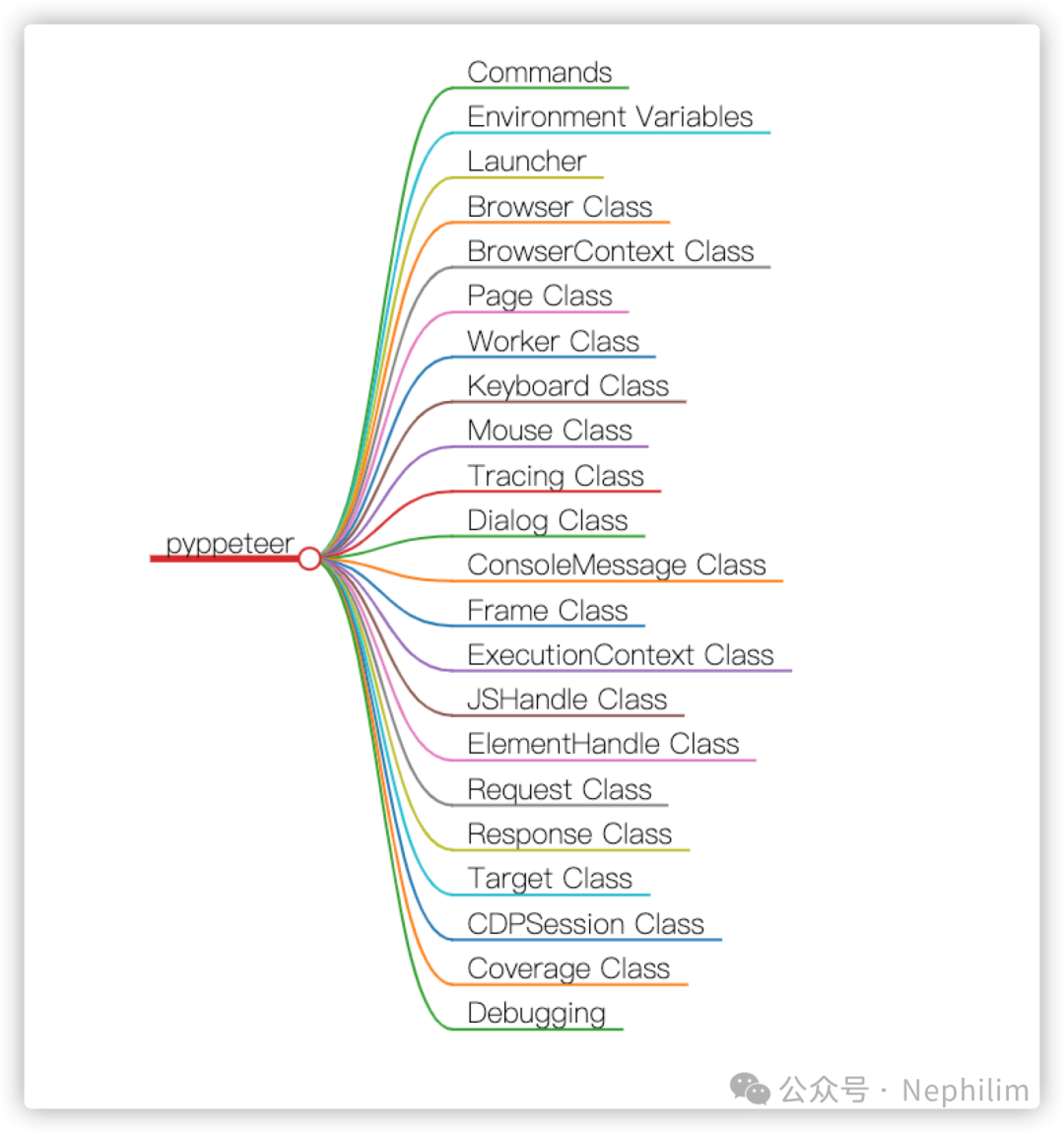
Interface Summary:
02
Installing Pyppeteer
You can install it directly using Python’s PIP:
pip install pyppeteer03
Interface: Launcher Class
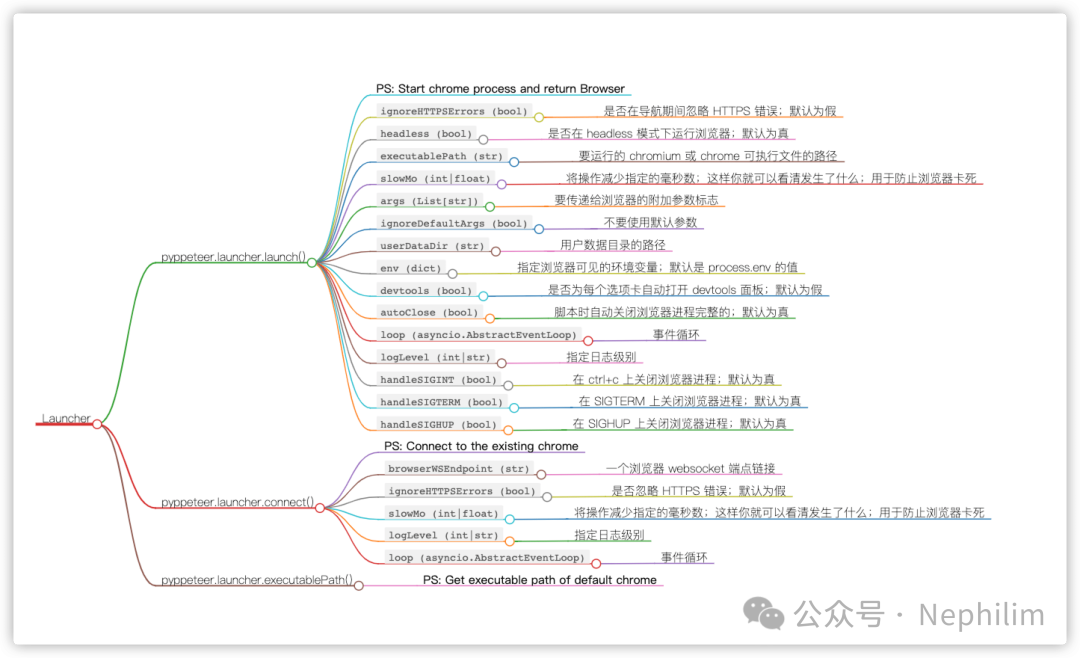
To start the browser, simply call the launch method.
The returned type is the Browser object from the browser module.
This is an async decorated method, so you need to use the await keyword when calling it.
The specific methods of this interface are as follows:
To keep user records:
browser = await launch( headless=False, userDataDir='./userdata',)04
Interface: Browser Class
browser = await launch()
It is usually assigned to the browser variable, which is actually an instance of the Browser class.
The browser instance, as an object, naturally has many methods for operating the browser itself.
class pyppeteer.browser.Browser( connection: pyppeteer.connection.Connection, contextIds: List[str], ignoreHTTPSErrors: bool, setDefaultViewport: bool, process: Optional[subprocess.Popen] = None, closeCallback: Callable[[], Awaitable[None]] = None, **kwargs)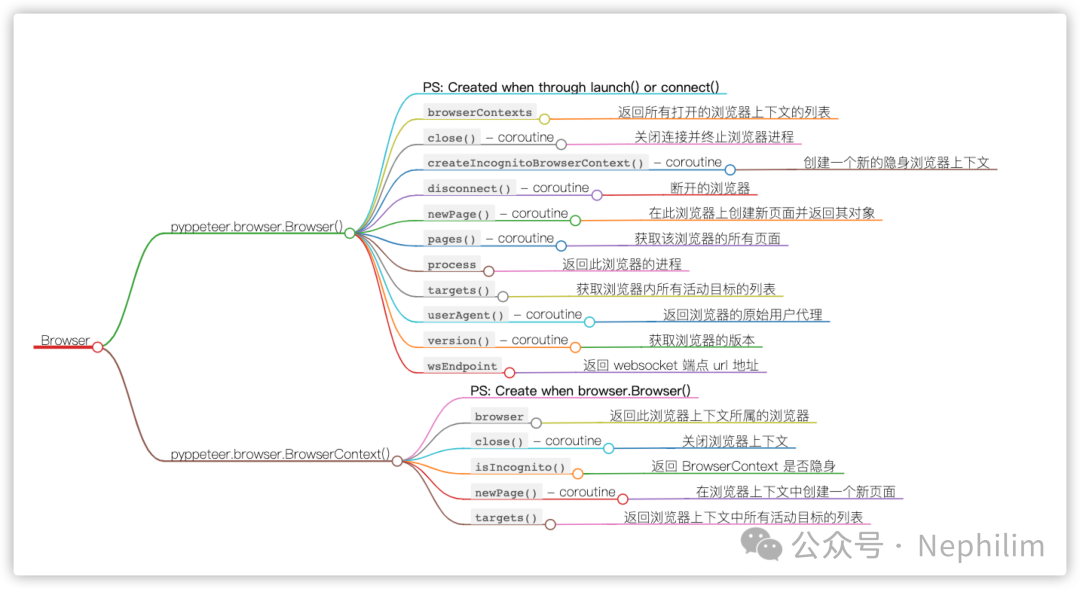
Creating Incognito Mode:
browser = await launch()context = await browser.createIncognitoBrowserContext()page = await context.newPage()await page.goto('https://example.com')05
Interface: Page Class
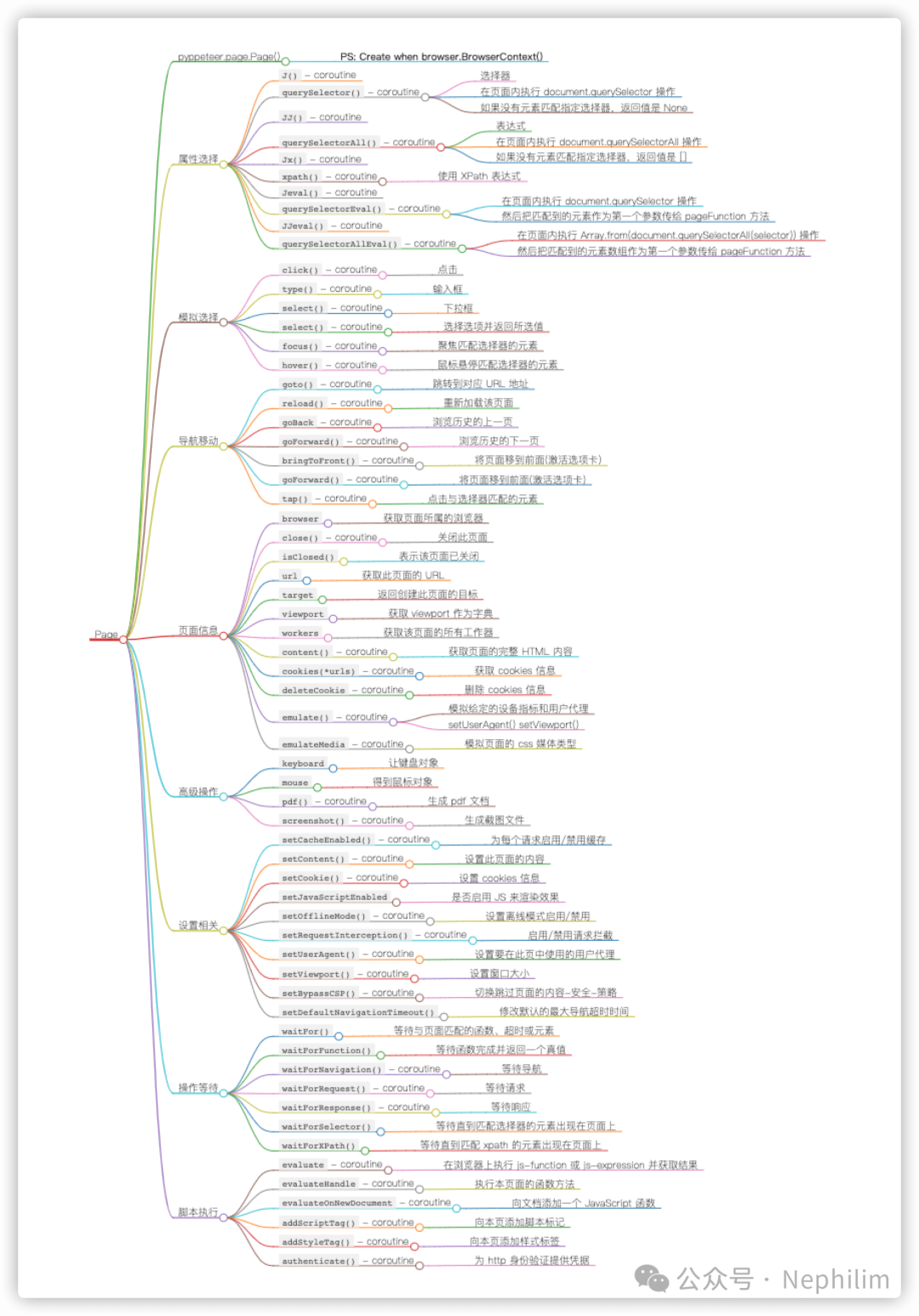
page = await browser.newPage()
Page is the page object, corresponding to a webpage or a browser tab.
Example Code:
# Import
import asyncio
from pyppeteer import launch
from pyquery import PyQuery as pq

# Function
async def main():
    browser = await launch(
        headless=False
    )
    page = await browser.newPage()
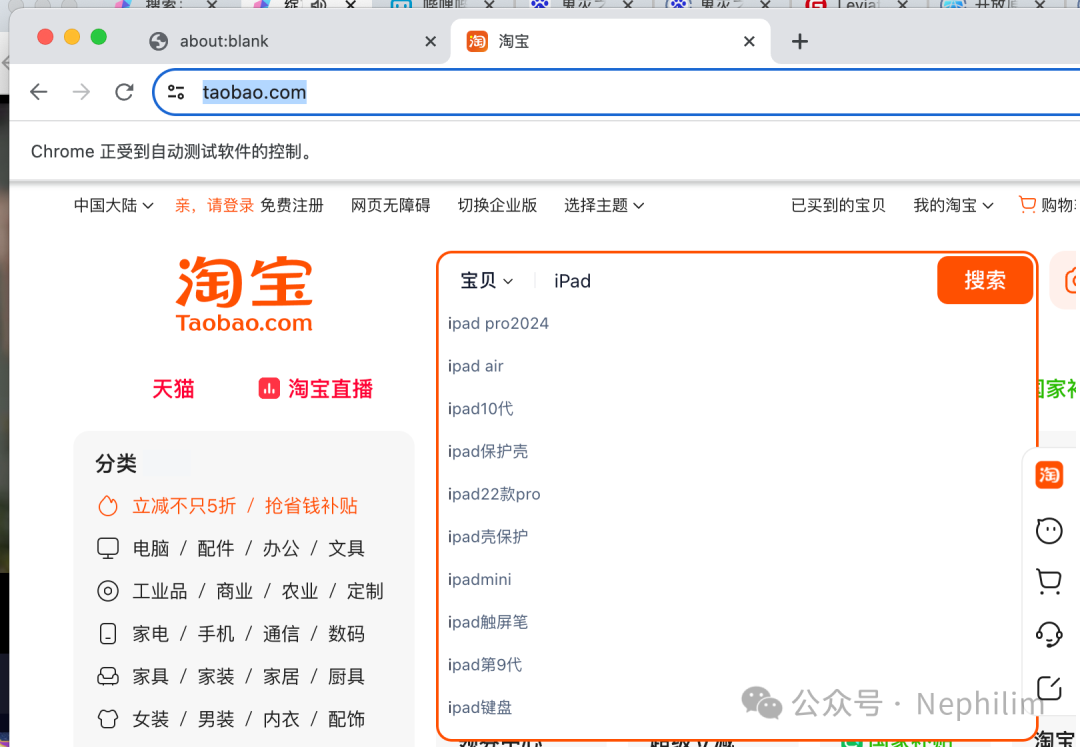
    await page.goto('https://www.taobao.com')
    await page.type('#q', 'iPad')
    await asyncio.sleep(10)
    await browser.close()

asyncio.get_event_loop().run_until_complete(
    main())
Running the Code:
(data_spider_be) adamhuan@adamhuandeMacBook-Pro utils % python pyppeteer_2.py (data_spider_be) adamhuan@adamhuandeMacBook-Pro utils % After running the code, the browser will open taobao.com and automatically input ‘iPad’:
06
Selectors
There are several types of selectors in Pyppeteer:
| Name | Description | Example |
| Simple Selector / Universal Selector | Selects all elements globally | * |
| Simple Selector / Tag Selector | Defines styles based on the contextual relationship of elements | lip:emptyp:first-childp::first-letterp::first-line |
| Simple Selector / ID Selector | ID selector defined with # | #pid a |
| Simple Selector / Class Selector | Class selector displayed with a . | .pclass a |
| Advanced Selector / Attribute Selector | input[disabled]input[type=”password”][for~=”height”]a[href*=”w3cschools”]a[href^=”#”]a[href$=”home”][class^=”icon-“],[class*=”icon-“] | |
| Advanced Selector / Pseudo-class Selector | This selector is rarely used | a:link {…}a:visited {…}a:hover {…}a:active {…}a:focus {…} |
| Advanced Selector / Selector Combinations | Can combine multiple selectors to filter elements |
END
Friendly Reminder
If you like this article, please share it with your friends. For more information, please follow me.