multiprocessing is a standard library module in Python that supports multiprocessing programming. It allows programs to execute in parallel across multiple processes, thereby fully utilizing the computational power of multi-core CPUs and improving program execution efficiency. Unlike threads (threading), processes are the basic units scheduled independently by the operating system, possessing their own memory space. By creating child processes, it avoids the limitations of the Global Interpreter Lock (GIL), achieving true parallel processing, which is particularly suitable for CPU-intensive tasks.
1. Installation and Configuration
multiprocessing is part of the Python standard library (supported in both Python 2+ and 3+), so no additional installation is required. Just import it in your code.
- • Importing the module:
import multiprocessing as mp - • Configuration:
- • Windows/macOS: defaults to using
<span>spawn</span>as the start method - • Linux: defaults to using
<span>fork</span>as the start method - • You can manually set the start method:
import multiprocessing multiprocessing.set_start_method('spawn') # options: 'spawn', 'fork', 'forkserver' - • Platform Differences:
- • Windows: requires
<span>if __name__ == '__main__'</span>to protect the main process - • Linux/macOS: supports
<span>fork</span>, no special requirements
2. Usage Examples
1. Creating Processes: Function Method
import multiprocessing as mp
import time

def worker(name):
    print(f"{name} process started")
    time.sleep(2)
    print(f"{name} process ended")

if __name__ =='__main__':
    p1 = mp.Process(target=worker, args=("Process 1",))
    p2 = mp.Process(target=worker, args=("Process 2",))

    p1.start()
    p2.start()

    p1.join()
    p2.join()
    print("Main process ended")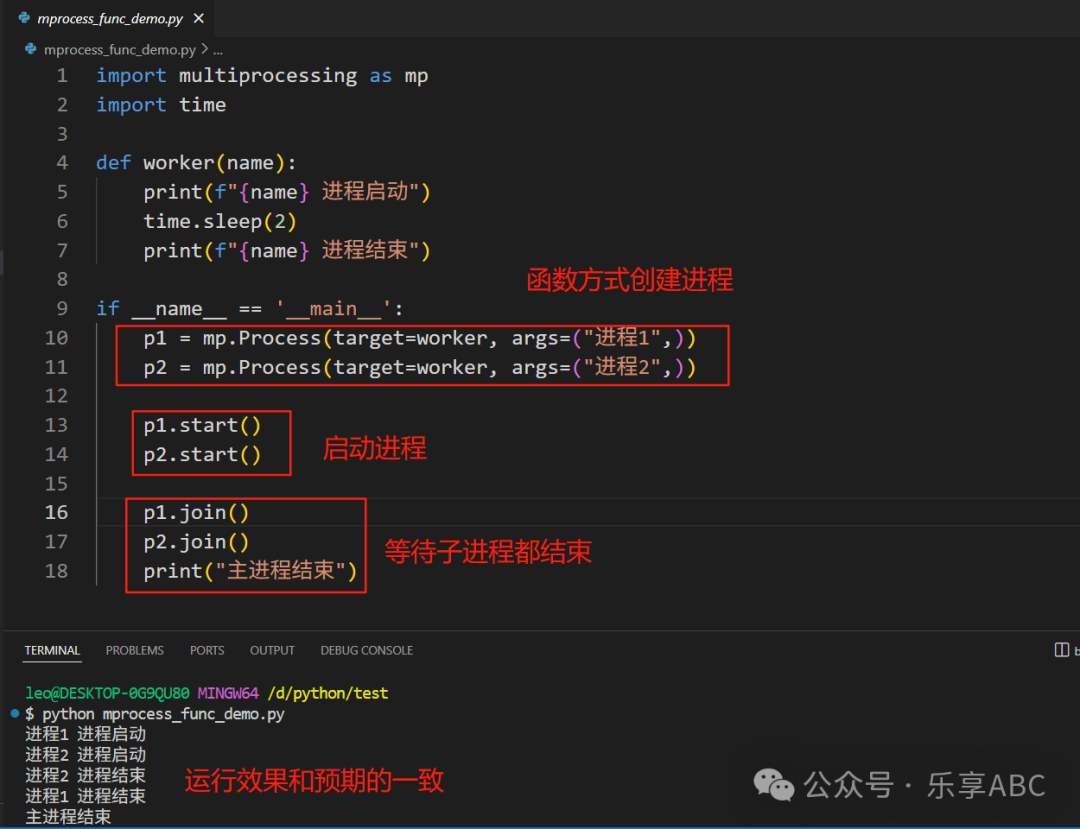
2. Creating Processes: Class Inheritance Method
class MyProcess(mp.Process):
    def __init__(self, name):
        super().__init__()
        self.name = name

    def run(self):
        print(f"{self.name} is running")
        time.sleep(1)
        print(f"{self.name} is exiting")

if __name__ =='__main__':
    p = MyProcess("Custom Process")
    p.start()
    p.join()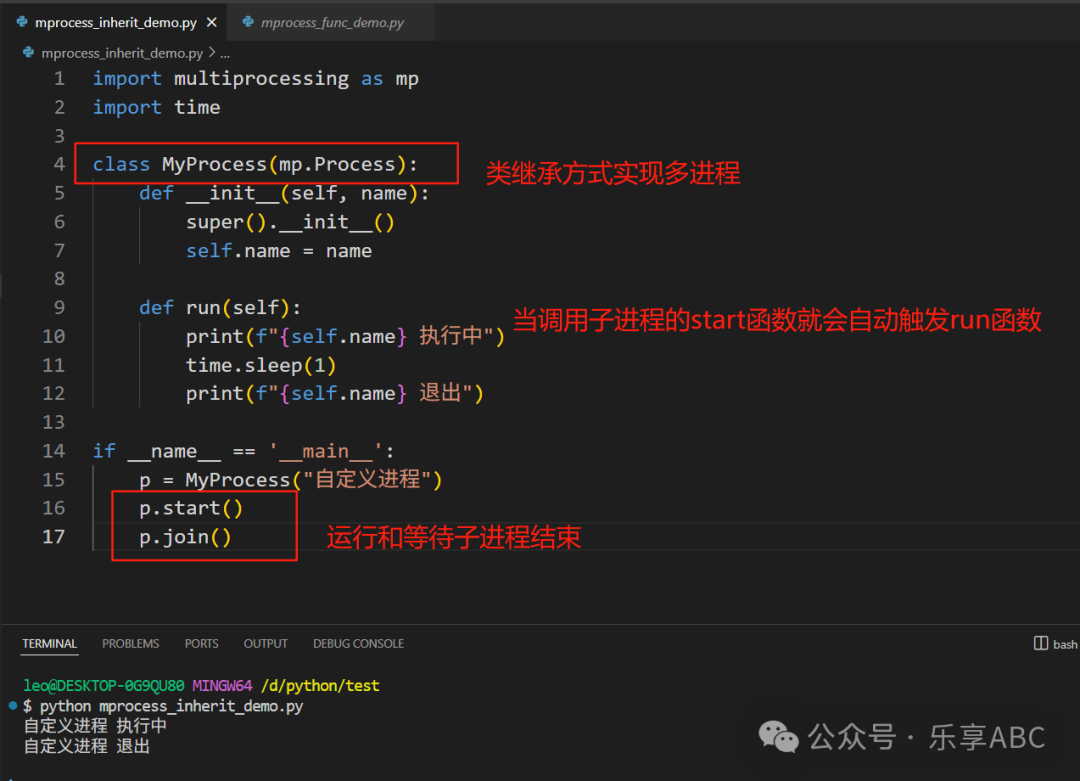
3. Inter-Process Communication (IPC)
1. Queue – Recommended Method
def producer(q):
    for i in range(5):
        q.put(f"Message {i}")
        print(f"Produced: Message {i}")

def consumer(q):
    while True:
        item = q.get()
        if item is None: break  # termination signal
        print(f"Consumed: {item}")

if __name__ =='__main__':
    queue = mp.Queue()

    p1 = mp.Process(target=producer, args=(queue,))
    p2 = mp.Process(target=consumer, args=(queue,))

    p1.start()
    p2.start()

    p1.join()
    queue.put(None)  # send termination signal
    p2.join()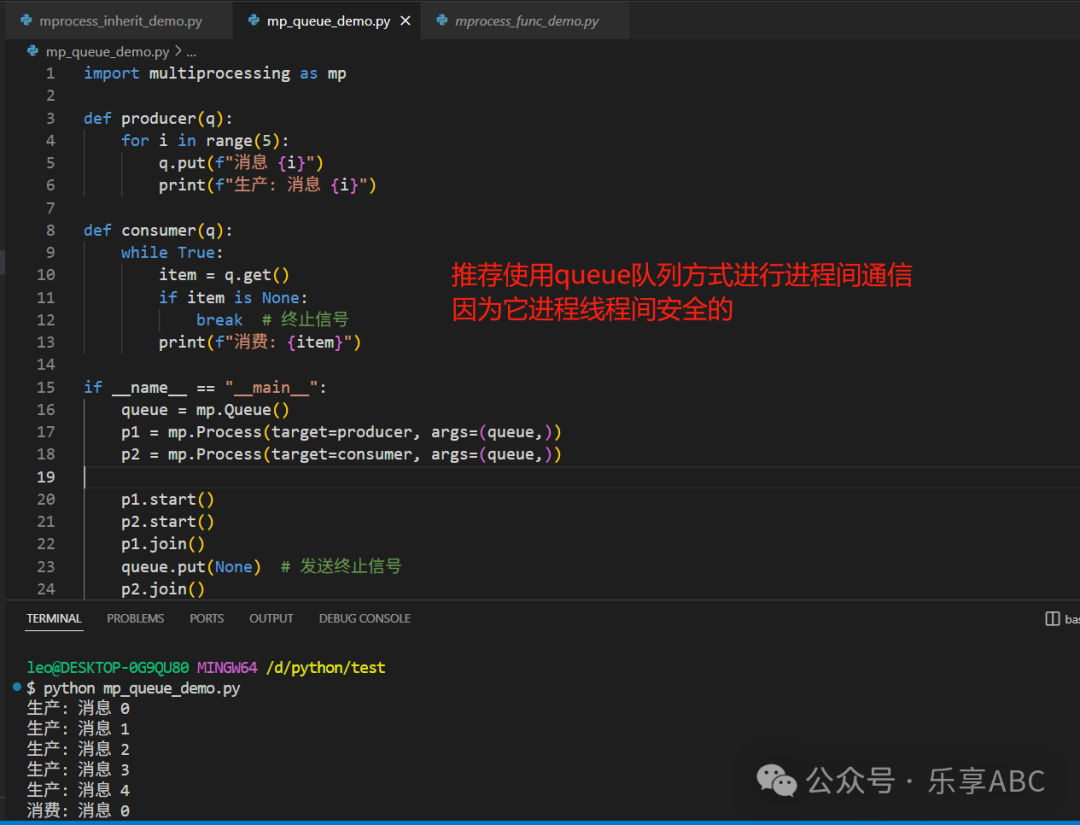
2. Pipe
def child_process(conn):
    conn.send("Child process message")
    print("Child process received:", conn.recv())
    conn.close()

if __name__ =='__main__':
    parent_conn, child_conn = mp.Pipe()

    p = mp.Process(target=child_process, args=(child_conn,))
    p.start()

    print("Parent process received:", parent_conn.recv())
    parent_conn.send("Parent process message")

    p.join()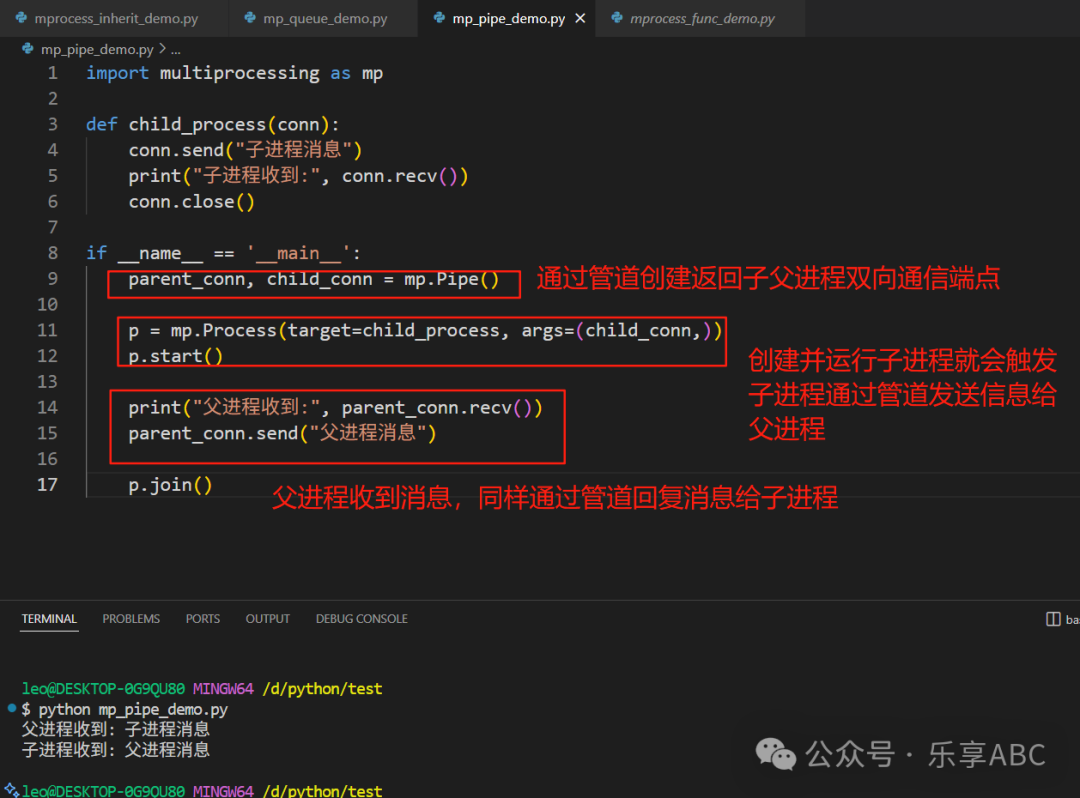
3. Shared Memory (Value/Array)
Value and Array are implemented using the ctypes module at a low level, sharing memory between processes through memory-mapped files (mmap). They only support simple data types and do not require serialization, making them more efficient than Manager objects as they avoid network communication overhead.
def modify(n, arr):
    n.value = 3.14
    for i in range(len(arr)):
        arr[i] = arr[i] * 2

if __name__ =='__main__':
    num = mp.Value('d', 0.0)    # 'd' indicates double precision float
    arr = mp.Array('i', range(5))    # 'i' indicates signed integer

    p = mp.Process(target=modify, args=(num, arr))
    p.start()
    p.join()

    print(num.value)    # Output: 3.14
    print(arr[:])       # Output: [0, 2, 4, 6, 8]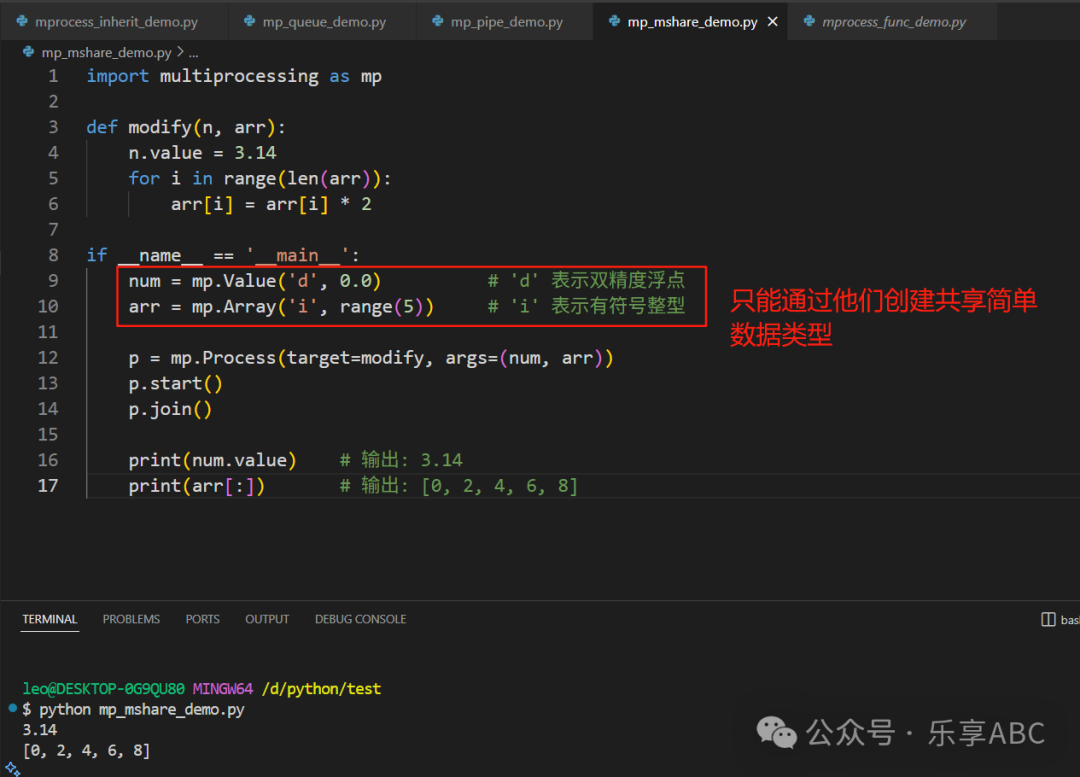
4. Process Synchronization
1. Process Lock (Lock)
A mutex lock is the most basic synchronization method used to protect shared resources, ensuring that only one process can execute the protected code segment at any given time.
def increment(lock, counter):
    for _ in range(1000):
        with lock:
            counter.value += 1

if __name__ =='__main__':
    lock = mp.Lock()
    counter = mp.Value('i', 0)

    processes = [mp.Process(target=increment, args=(lock, counter))
                 for _ in range(4)]

    for p in processes: p.start()
    for p in processes: p.join()

    print("Final value:", counter.value) # Correct output 4000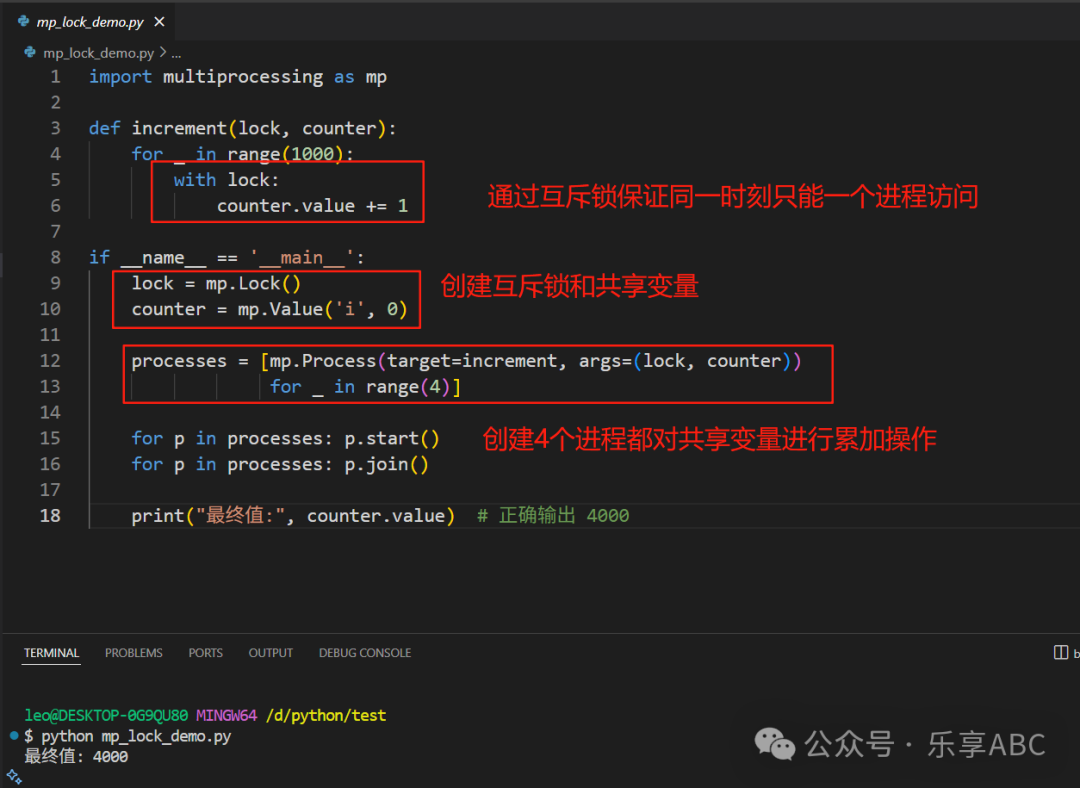
2. Semaphore
A semaphore is used to control the number of processes that can access a resource simultaneously.
def worker(sem, i):
    with sem:
        print(f"Process {i} entering critical section")
        time.sleep(1)

if __name__ =='__main__':
    sem = mp.Semaphore(2)  # Allow 2 processes to access simultaneously

    processes = [mp.Process(target=worker, args=(sem, i))
                 for i in range(5)]

    for p in processes: p.start()
    for p in processes: p.join()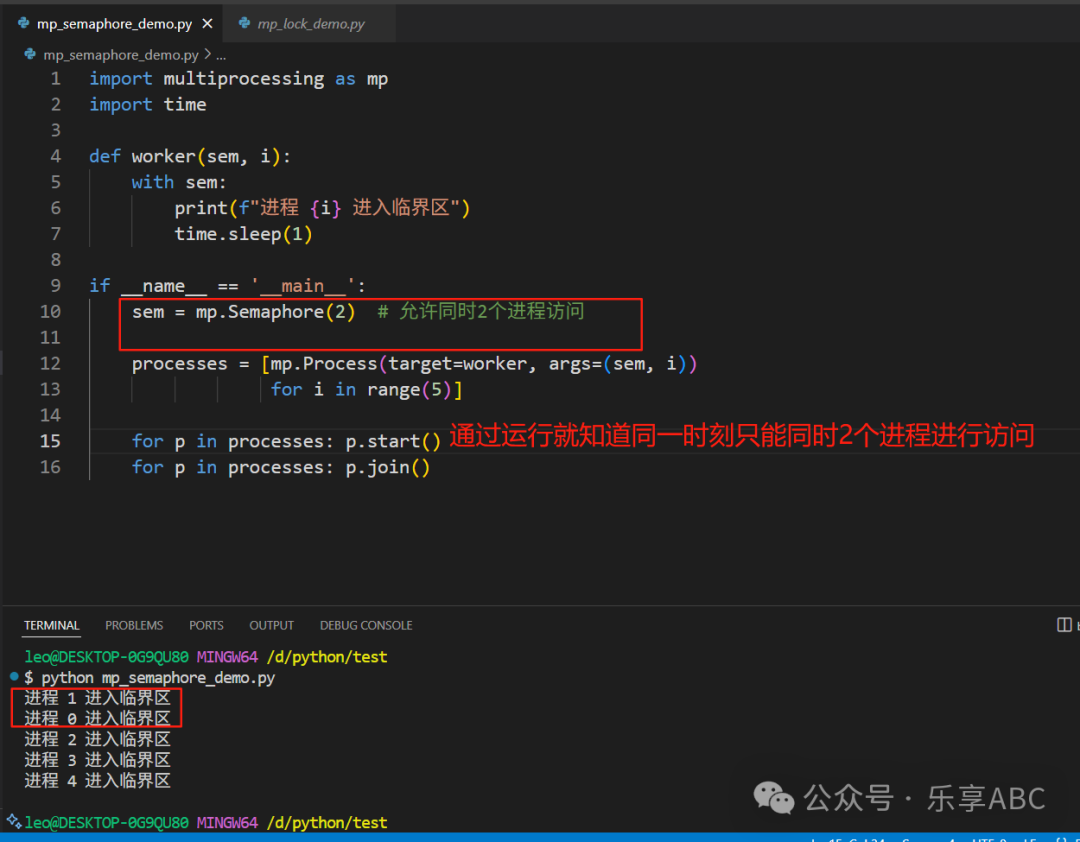
3. Condition Variable
A condition variable allows a process to wait until a specific condition is met before continuing execution.
def worker(cond, shared_value, worker_id):
    """Worker process: waits for condition to be met before updating shared value"""
    with cond:
        print(f"Worker {worker_id} waiting for condition...")
        cond.wait()  # Wait for main process notification

        # Execute operation after condition is met
        shared_value.value += 1
        print(f"Worker {worker_id} increased shared value → {shared_value.value}")
        time.sleep(0.5)  # Simulate work time

if __name__ =='__main__':
    # Create shared object and condition variable
    shared_value = multiprocessing.Value('i', 0)  # Shared integer
    condition = multiprocessing.Condition()

    # Start two worker processes
    processes = []
    for i in range(1, 3):
        p = multiprocessing.Process(target=worker, args=(condition, shared_value, i))
        processes.append(p)
        p.start()

    # Main process controls flow
    time.sleep(1)  # Ensure worker processes enter waiting state

    with condition:
        print("\nMain process notifying first worker process")
        condition.notify()  # Wake up one waiting process

    time.sleep(1)  # Wait for the first worker process to complete

    with condition:
        print("\nMain process notifying all worker processes")
        condition.notify_all()  # Wake up all waiting processes

    # Wait for worker processes to finish
    for p in processes:
        p.join()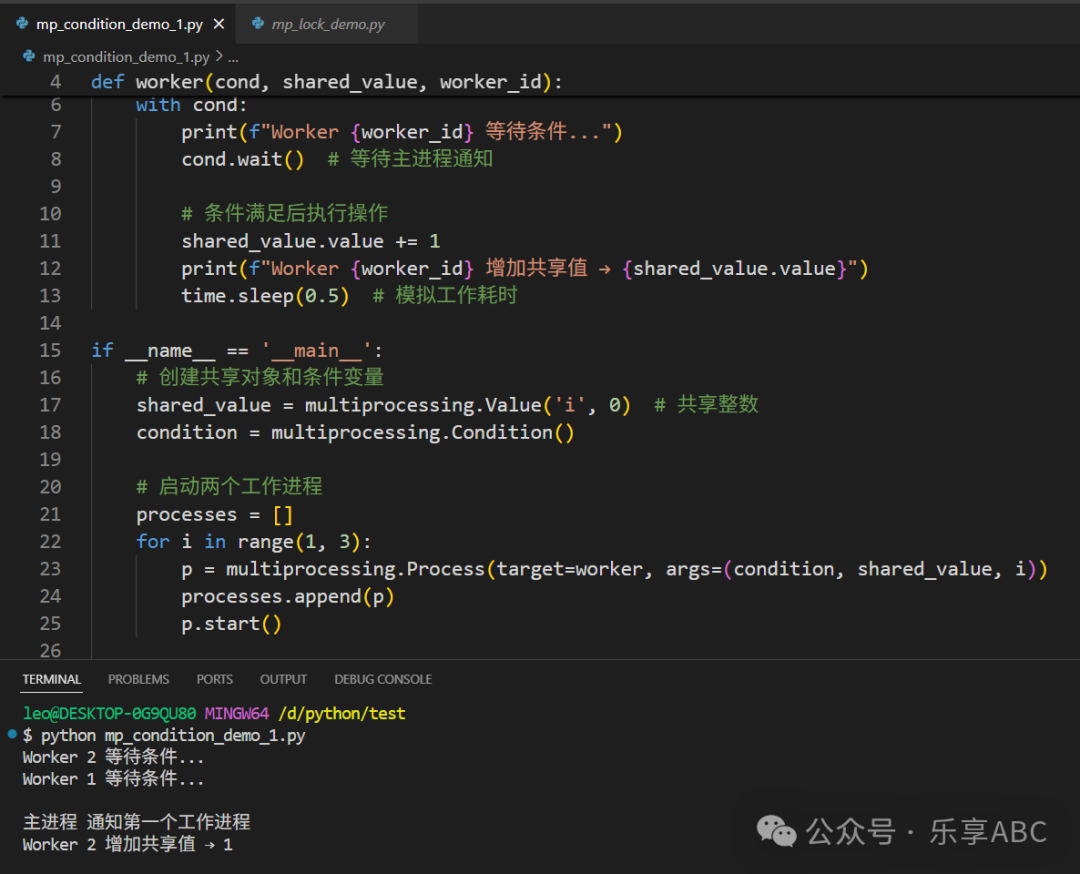
5. Process Pool (Pool)
A process pool can pre-create a fixed number of processes to achieve batch processing of tasks and resource reuse, solving the performance loss problem caused by frequent creation/destruction of processes.
def square(x):
    return x * x

if __name__ =='__main__':
    with mp.Pool(processes=4) as pool:  # Create 4 worker processes
        # map method
        results = pool.map(square, range(10))
        print("map results:", results)  # [0, 1, 4, 9, ..., 81]

        # apply_async asynchronous method
        async_result = pool.apply_async(square, (5,))
        print("Asynchronous result:", async_result.get())  # 25

        # imap iterator
        for res in pool.imap(square, range(5)):
            print("Iterated result:", res)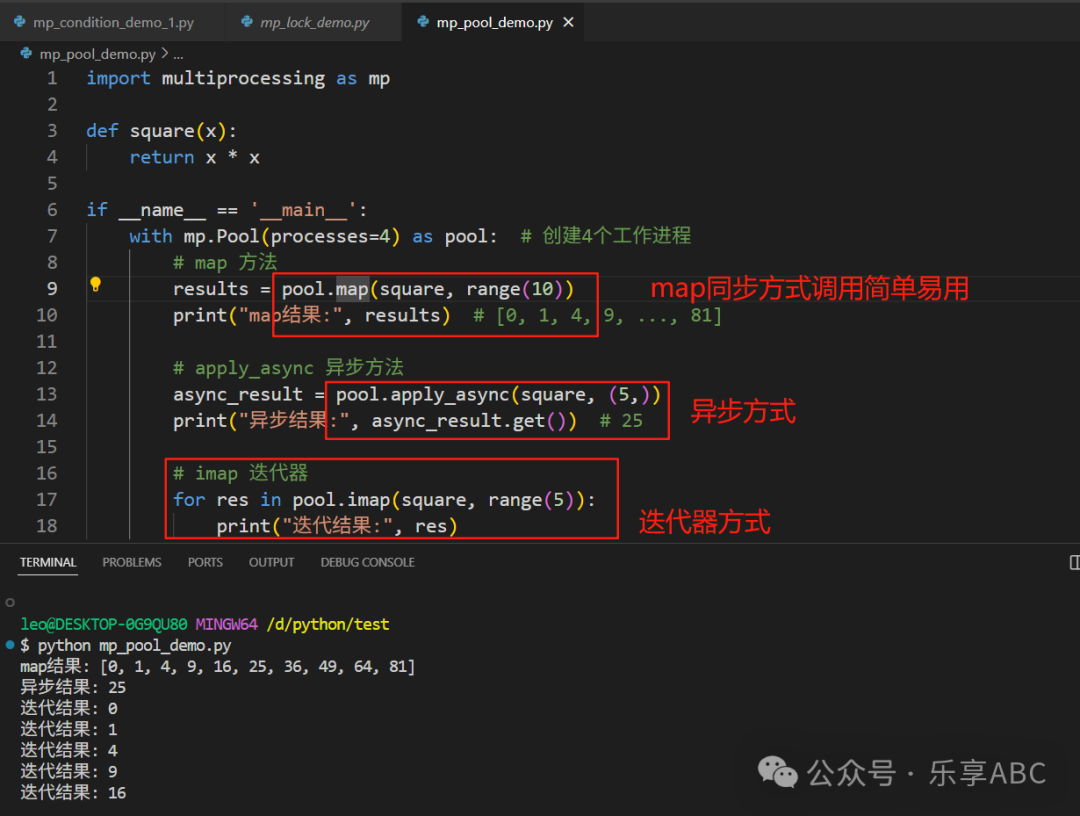
6. Comparison with threading
| Feature | multiprocessing | threading |
| Level of Parallelism | Process level (operating system level) | Thread level (within the same process) |
| Memory Model | Each process has its own memory space | All threads share the same memory space |
| GIL Impact | Completely bypasses GIL (true parallelism) | Limited by GIL (pseudo-parallelism) |
| Applicable Scenarios | CPU-intensive tasks (computation/data processing) | I/O-intensive tasks (network/disk operations) |
| Creation Overhead | High (requires copying the entire process) | Low (lightweight) |
| Data Sharing | Requires special mechanisms (Queue/Pipe/Shared Memory) | Can directly access global variables |
| Fault Tolerance | One process crashing does not affect other processes | One thread crashing causes the entire process to terminate |
| Resource Usage | High (independent memory/resources) | Low (shared resources) |
| Communication Mechanism | IPC (Inter-Process Communication) | Shared memory + locks |
| Multi-Core Utilization | Yes (fully utilizes multi-core CPUs) | No (limited by GIL) |
| Typical Usage | Scientific computing/data processing/CPU parallelism | Web servers/web crawlers/I/O concurrency |
7. Advanced Techniques and Considerations
- 1. Daemon Processes
p = mp.Process(target=worker, daemon=True) p.start() # Daemon processes will automatically terminate when the main process ends - 2. Context Management
ctx = mp.get_context('spawn')  # Safer
queue = ctx.Queue()
- • Choose the start method (Windows defaults to
<span>spawn</span>, Unix defaults to<span>fork</span>):
- • Avoid excessive use of shared memory (high overhead for inter-process synchronization)
- • Prefer message passing (Queue/Pipe)
with mp.Manager() as manager:
    shared_dict = manager.dict()
shared_list = manager.list(range(5))- • Use
<span>Manager</span>to create shared data structures:
results = pool.starmap(power, [(2,3), (3,2), (4,2)])- • Reduce the frequency of inter-process communication (batch data transfer)
- • Use
<span>pool.starmap</span>to pass multiple parameters:
try:
    p = mp.Process(target=risky_task)
    p.start()
    p.join()
except Exception as e:
    print(f"Process exception: {e}")
8. Key Considerations
- 1. Platform Compatibility
- • Windows must use
<span>if __name__ == '__main__'</span> - • Unix avoids using global variables in child processes
with mp.Pool(4) as pool:
# Automatically manage the pool- • Use
<span>with</span>statement to ensure resource release:
- • Functions/parameters passed must be serializable (pickle)
- • Solution: use
<span>pathos.multiprocessing</span>to support more types
- • Always call
<span>.join()</span>or use<span>daemon=True</span> - • Use process pools to automatically manage lifecycle
print("Process ID:", mp.current_process().pid)- • Use logging module instead of
<span>print</span>(to avoid output confusion)
- • Get process information:
- • Each process has its own memory space
- • For large objects, consider using shared memory (
<span>Value</span>/<span>Array</span>)
9. Complete Producer-Consumer Example
import multiprocessing as mp
import time

def producer(queue, items):
    for item in items:
        print(f"Produced: {item}")
        queue.put(item)
        time.sleep(0.1)
    queue.put(None)  # End signal

def consumer(queue):
    while True:
        item = queue.get()
        if item is None: break
        print(f"Consumed: {item}")
        time.sleep(0.2)

if __name__ =='__main__':
    queue = mp.Queue(maxsize=3)  # Limit queue size

    items = [f"Product-{i}" for i in range(10)]

    prod = mp.Process(target=producer, args=(queue, items))
    cons = mp.Process(target=consumer, args=(queue,))

    prod.start()
    cons.start()

    prod.join()
    cons.join()
    print("Production and consumption completed")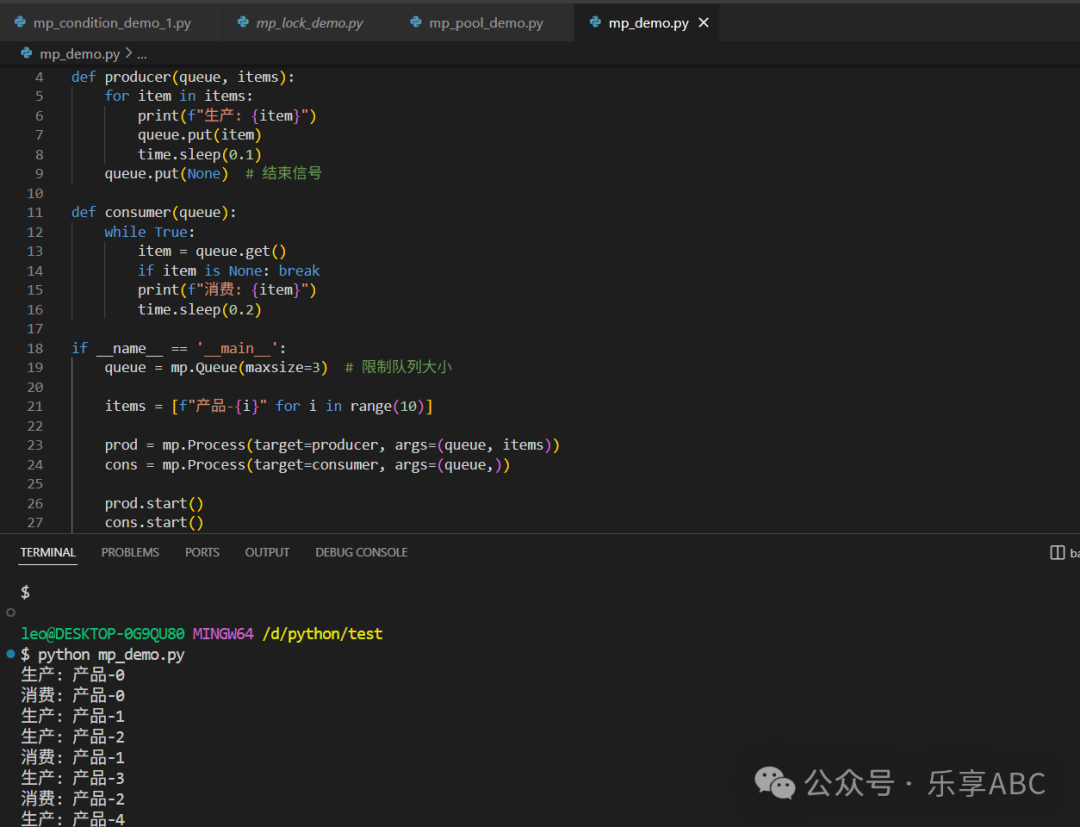
Best Practice Summary
- 1. Task Type Selection
- • CPU Intensive: Multiprocessing (multiprocessing)
- • I/O Intensive: Multithreading (threading) or Asynchronous (asyncio)
- • Prefer using queues (Queue)
- • Avoid shared state; if sharing is necessary, use synchronization mechanisms
- • Use process pools to reuse processes
- • Set queue size to prevent memory overflow
- • Use
<span>try/except</span>to catch subprocess exceptions - • Set process timeout:
<span>p.join(timeout=10)</span>
- • Use
<span>psutil</span>to monitor process resources - • Analyze bottlenecks:
<span>cProfile</span>+<span>pstats</span>
- • Complex tasks: Consider
<span>concurrent.futures.ProcessPoolExecutor</span> - • Distributed computing:
<span>Celery</span>or<span>Dask</span>
Debugging multiprocessing is relatively complex; it is recommended to develop modularly and gradually increase the number of processes. Through this article on multiprocessing and the example code, we believe we can easily handle it in the future.
Thank you for reading! If you liked this article, please like, comment, and share it with your friends. Remember to follow our public account for more valuable content!
Long press to recognize the QR code below, or search for WeChat ID: “LeXiang ABC” to follow our public account and not miss any exciting content!