 Download Link
|
Software: Python |
Version: Latest |
|
Language: Simplified Chinese |
Size: GB |
|
Official WebsiteDownload Link:☇ Direct Link https://www.python.org/ |
 Software Introduction
Python isa powerful, widely used, and easy-to-learn programming language. Its syntax is simple, making it easy to learn and read, suitable for various types of projects and development environments.

 Installation Steps
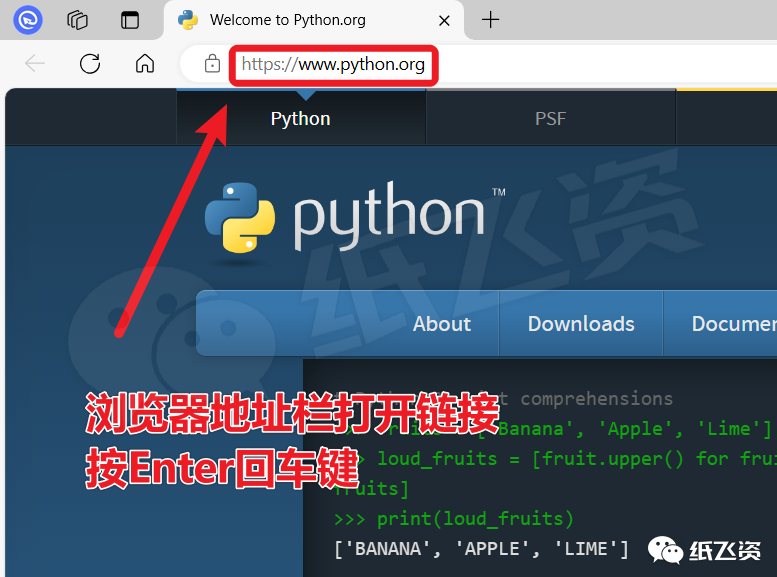
1. Open the link in the browser’s address bar
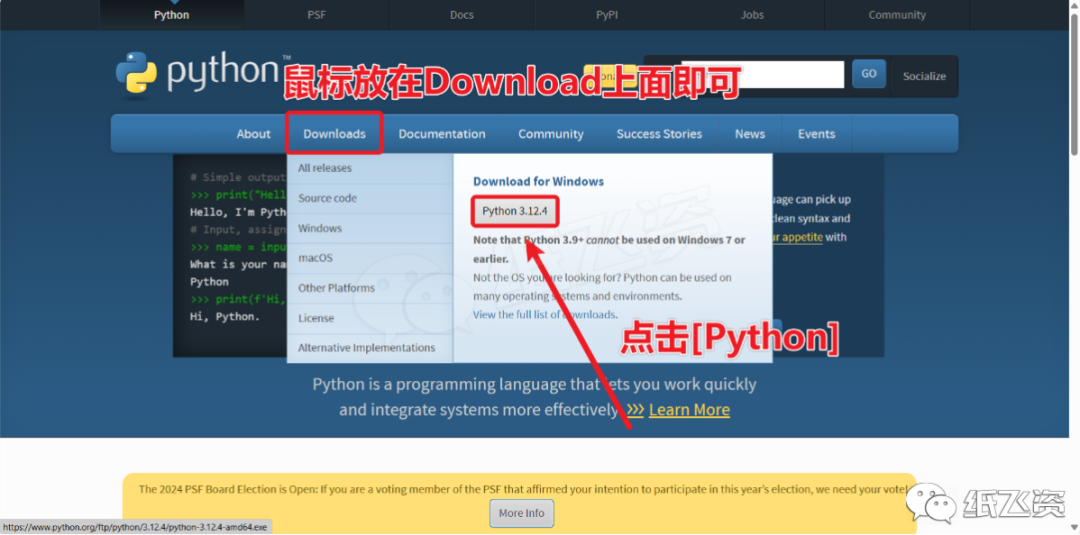
2. Click to download
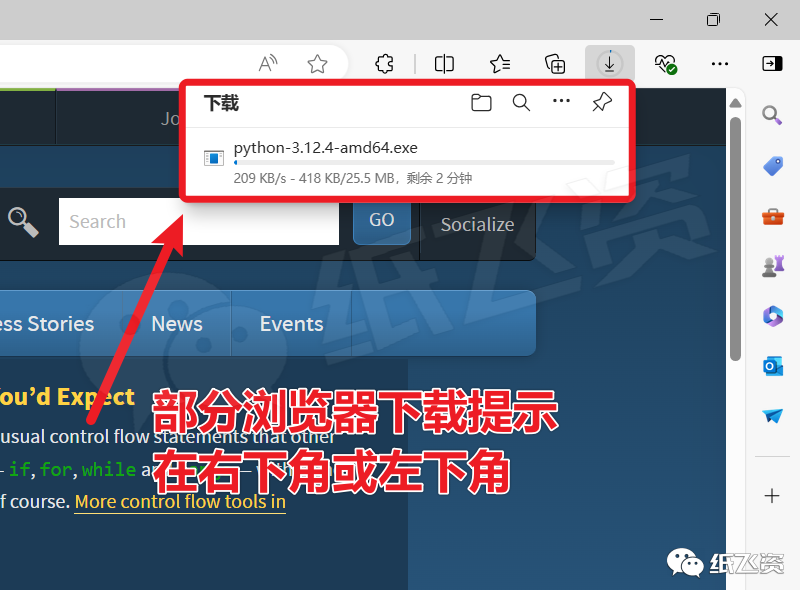
3. Downloading…
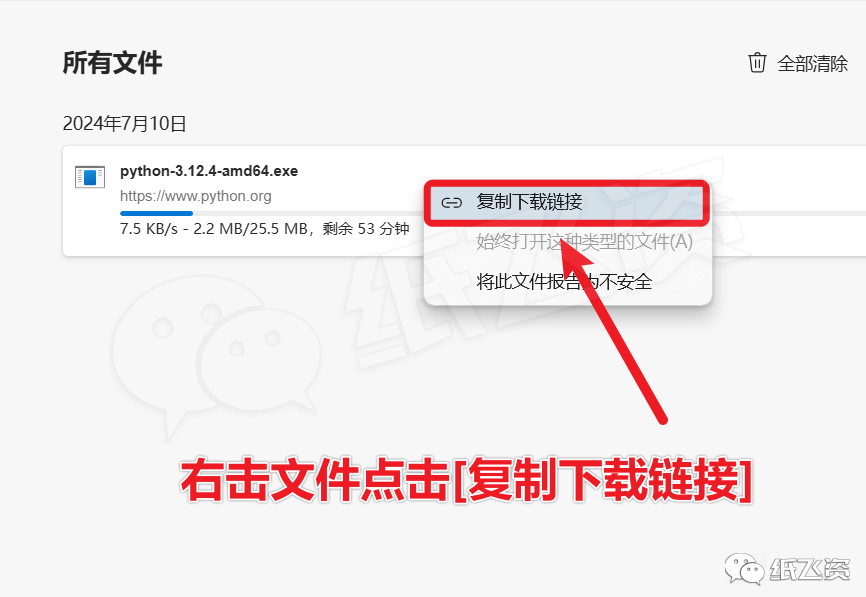
4. Click to open the download page
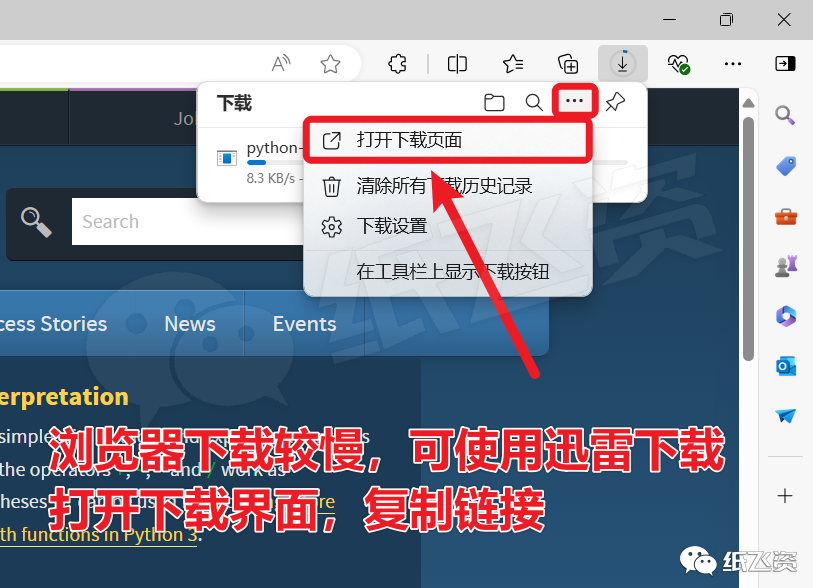
5. Right-click to copy the file download link
6. Open Thunder
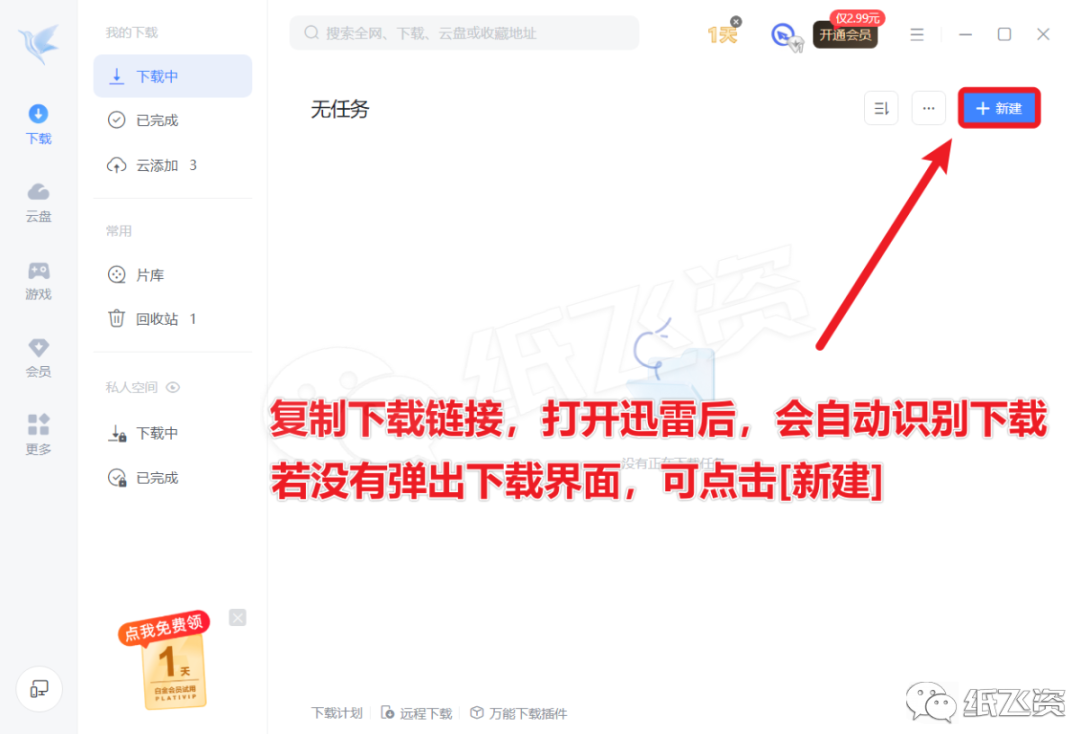
7. Click New
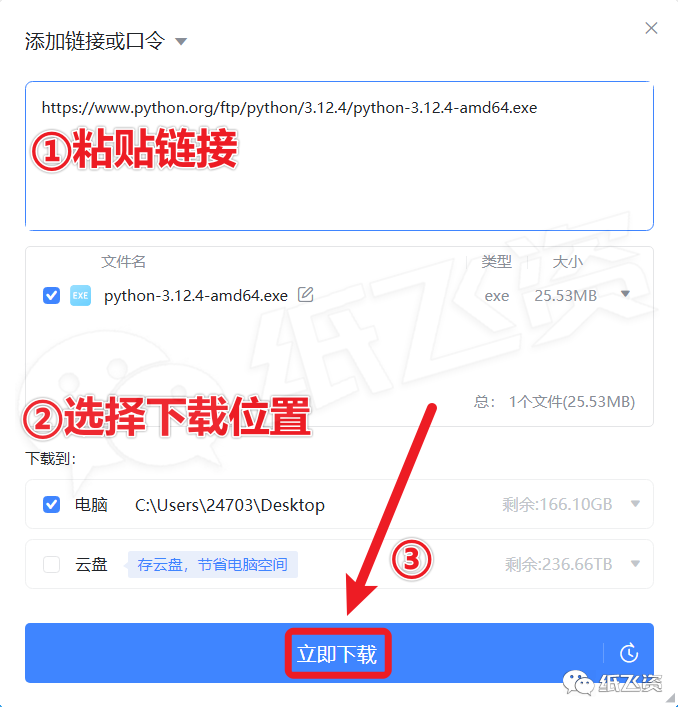
8. Paste the link and click [Download]
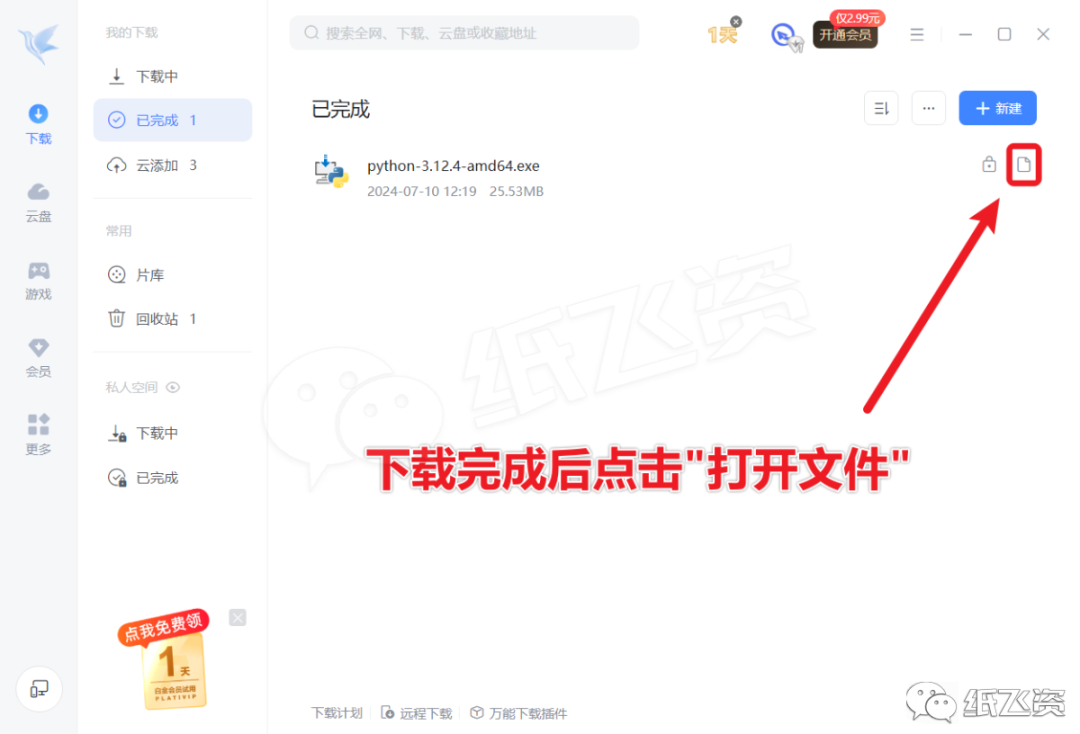
9. After downloading, click [Open File]
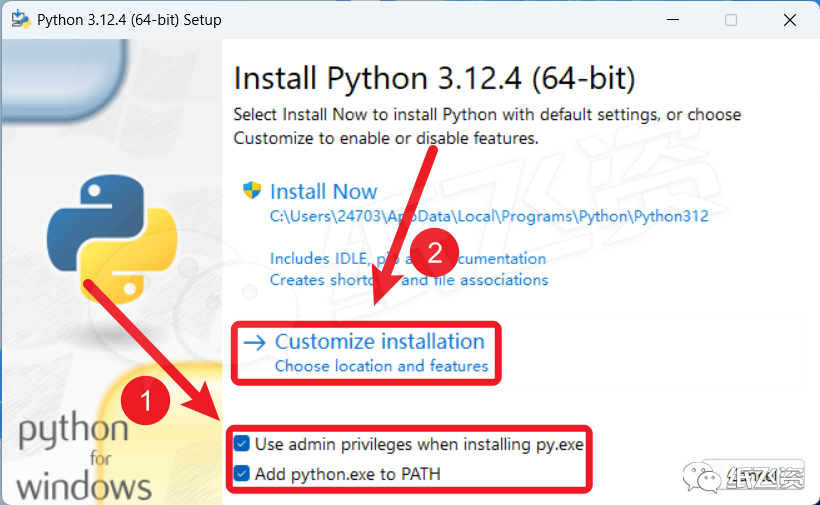
10. Check [Project] and click [Customize…]
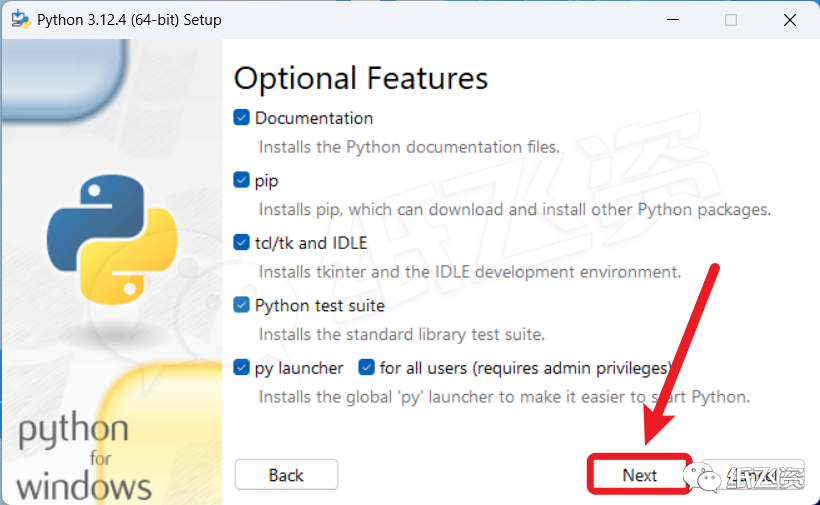
11. Click [Next]
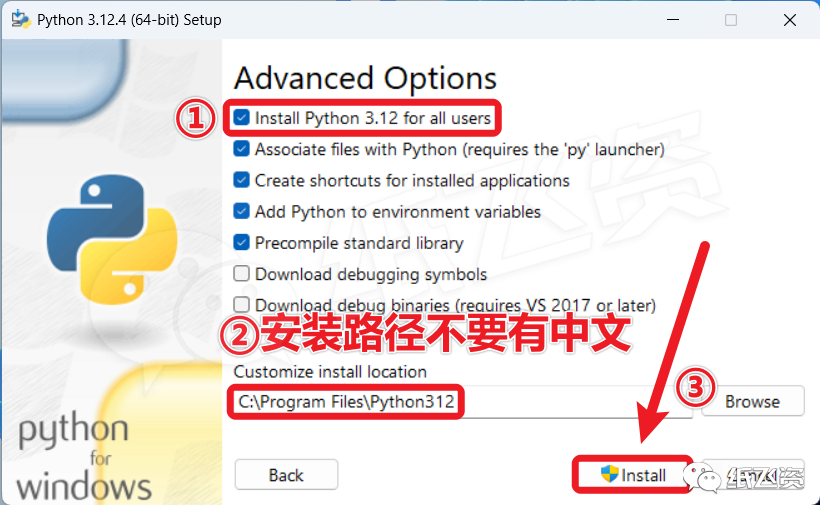
12. Check [Install…], select the installation location, and click [Install]
13. Downloading…
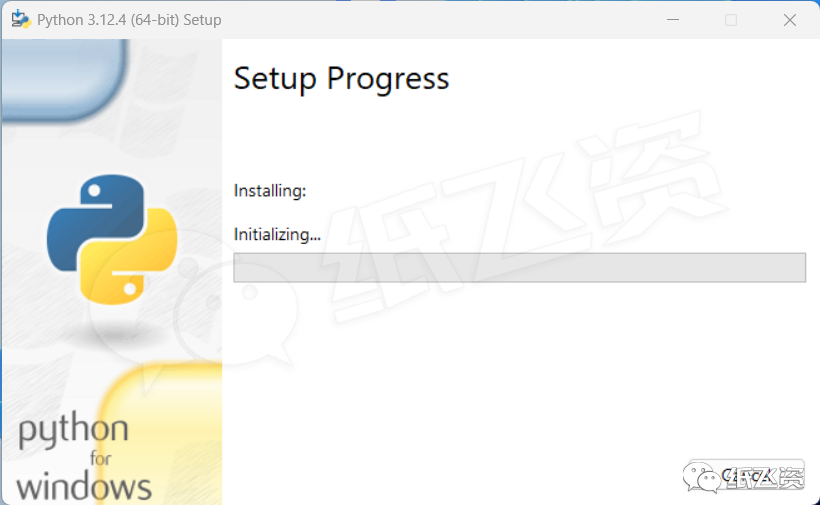
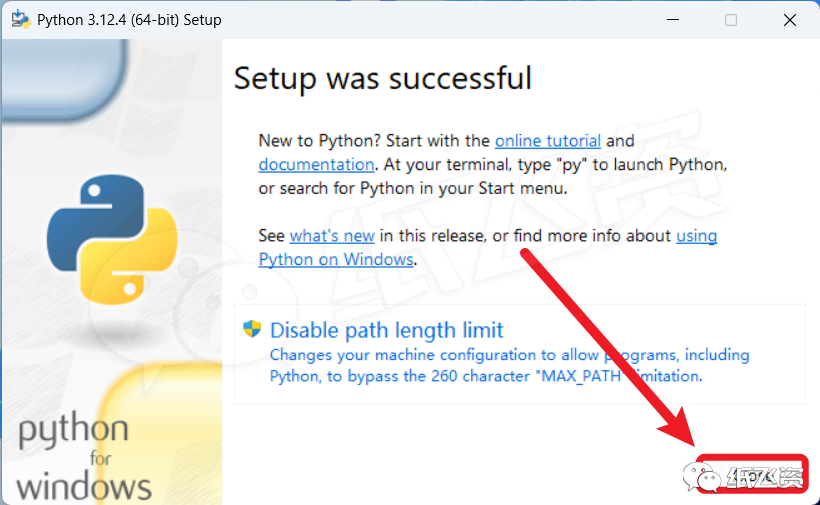
14. After downloading, click [Close]
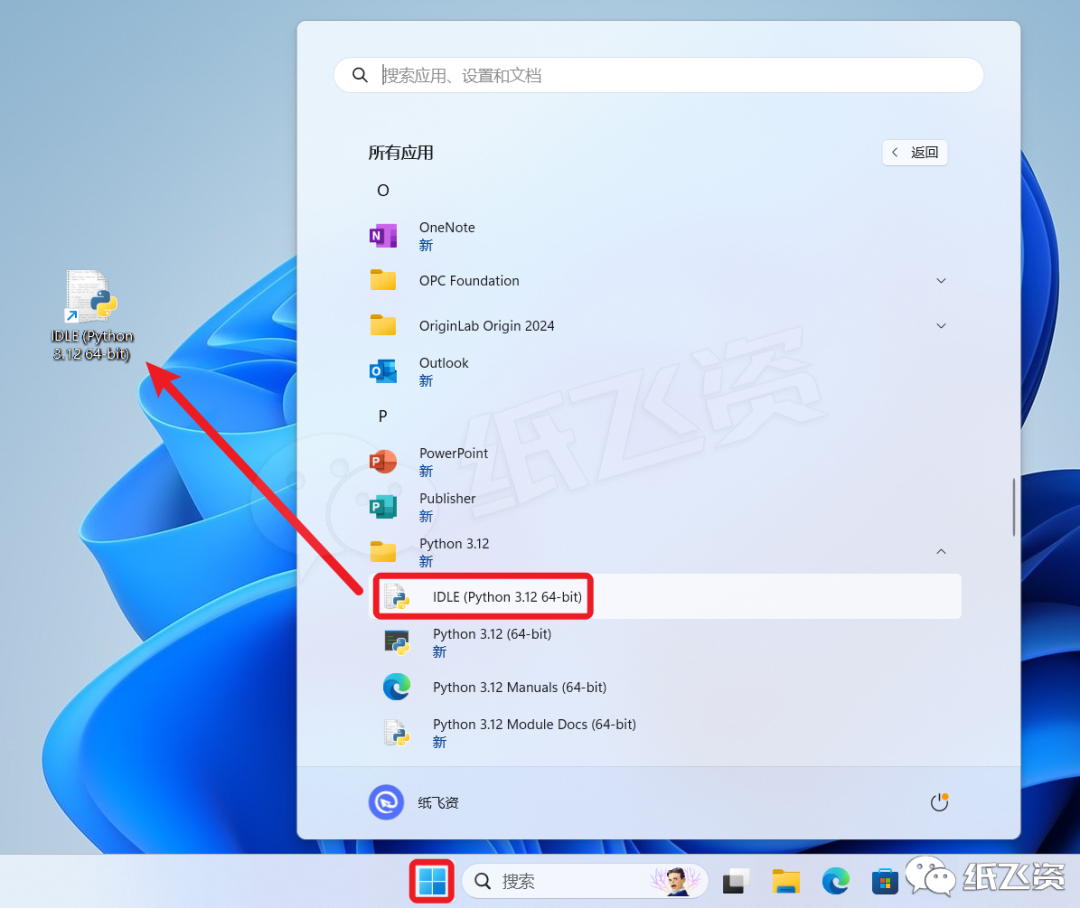
15. Find the program in the start menu and drag it to the desktop to create a shortcut
16. Double-click to run the program
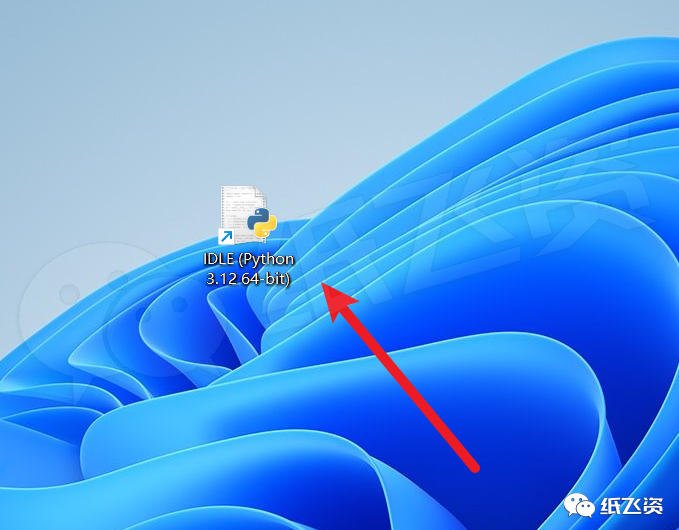
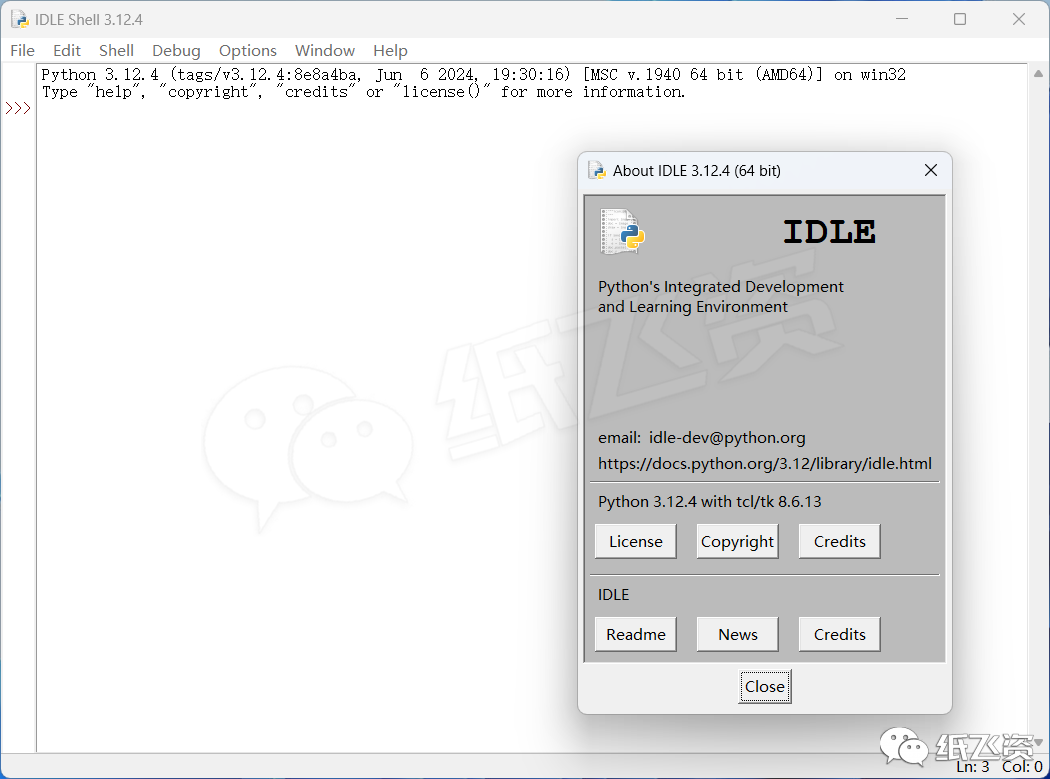
The interface is as follows, installation completed
 If you want any other software, message the editor privately