RT-Thread Nano is a minimalistic hard real-time kernel, for more details refer to the official link:
https://www.rt-thread.org/document/site/#/rt-thread-version/rt-thread-nano/an0038-nano-introduction
After introducing the official download address, this article focuses on porting RT-Thread Nano to the MCUXpresso IDE. The ported code can be found on the nxpic.org.cn forum. A documentation based on MCUXpresso VSC (Visual Studio Code) will also be available shortly.
Table of Contents

Simple Run
Software Download
Porting Steps
Adapting RT-Thread Nano
1 Simple Run
1. Prepare a PC with the latest MCUXpresso IDE installed and a FRDM-MCXA346 development board:
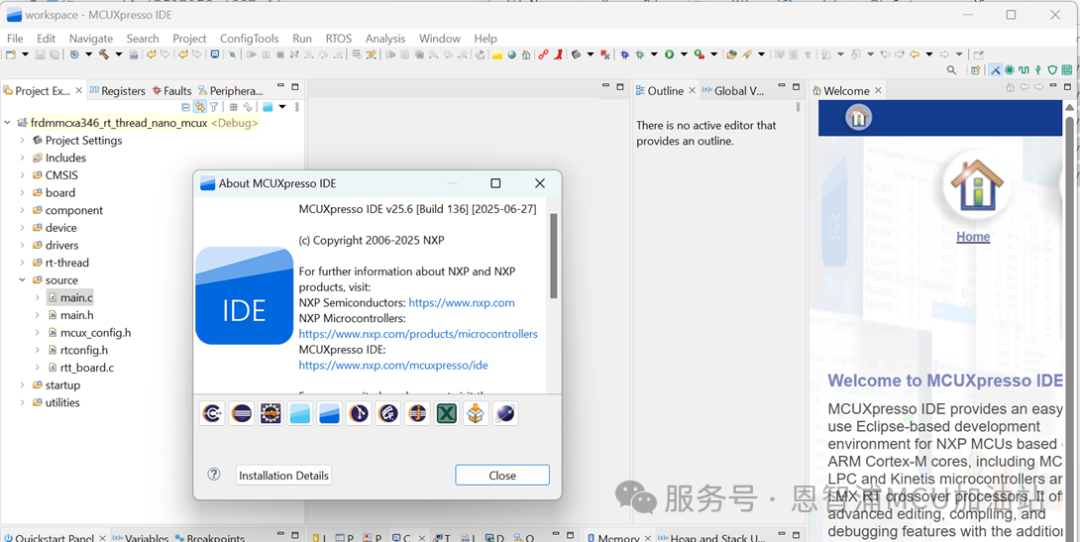
2. Import the code package, results:
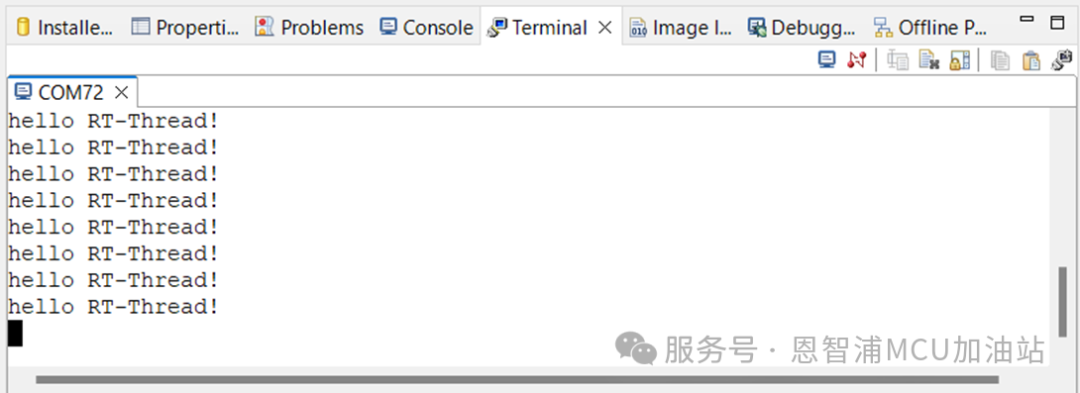
2 Software Download
1. Download RT-Thread Nano source code
2. Download MCUXpresso SDK
3. Download MCUXpresso IDE
4. Download MCUXpresso Config Tool, which is not mandatory as the IDE has it built-in
3 Porting Steps
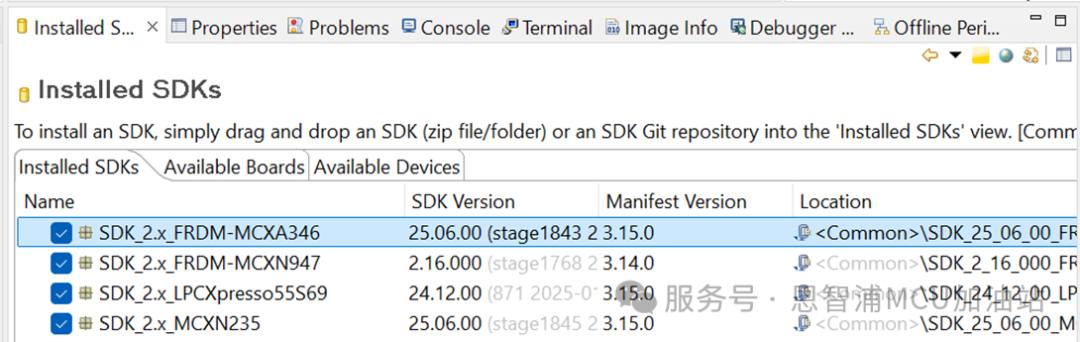
1. Import the MCUXpresso SDK into the MCUXpresso IDE by simply dragging the SDK zip package into this window:
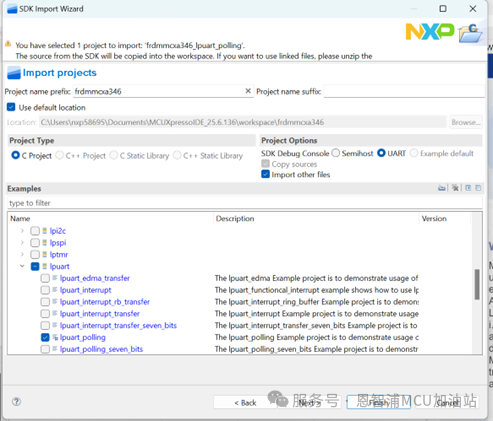
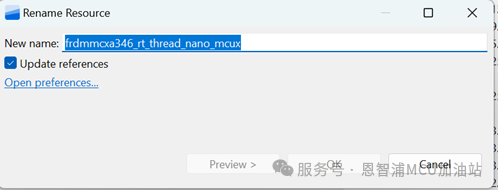
2. Create a new project, we will use the lpuart polling example as a template, and after creating it, change the project name:
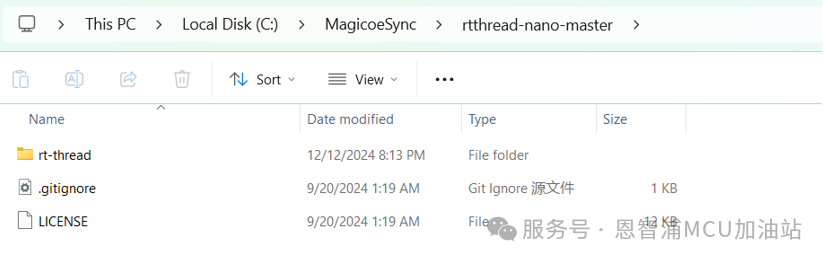
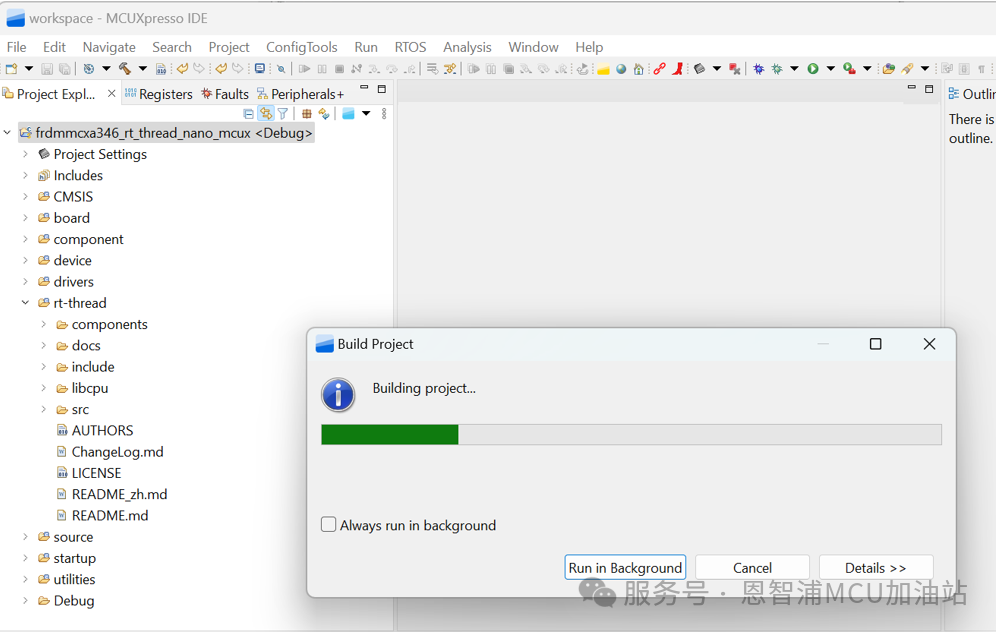
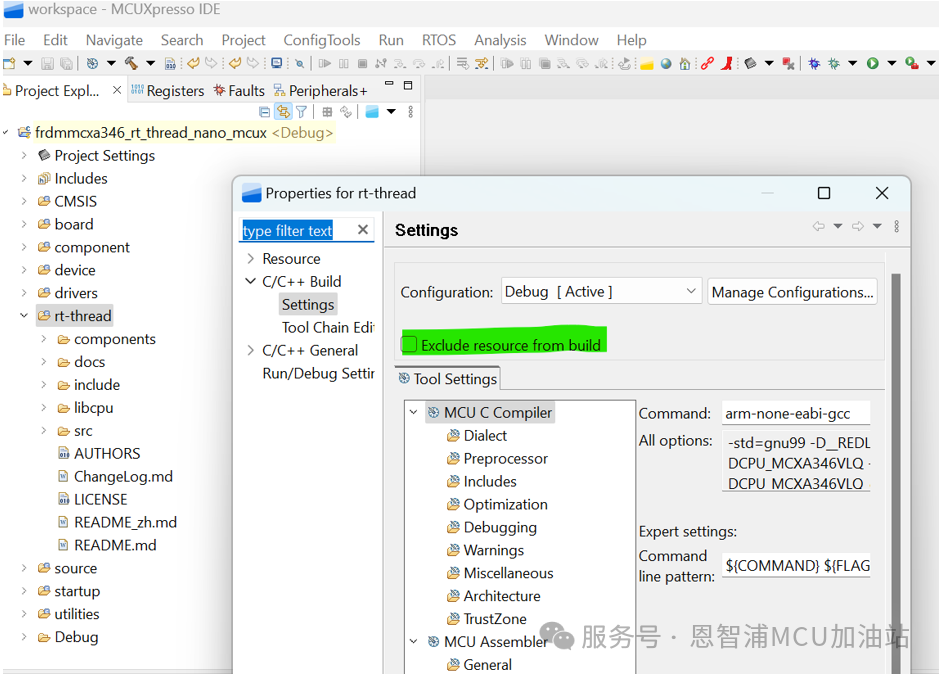
3. Copy the RT-Thread Nano source code files into the project and include them in the compilation sequence:
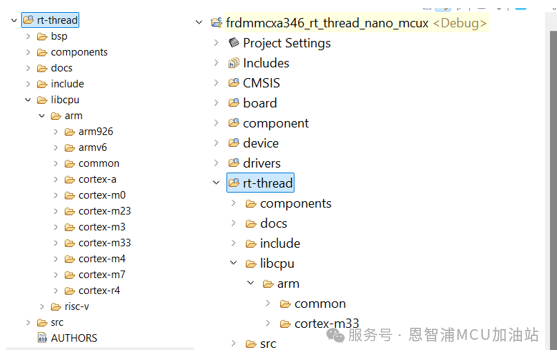
4. Remove unnecessary files from RT-Thread Nano for our current platform, such as the bsp folder, the riscv folder under the libcpu folder, and the arm folders under libcpu, including arm926, armv6, cortex-a, cortex-m0, cortex-m23, cortex-m3, cortex-m4, cortex-m7, cortex-r4 (keep the common and cortex-m33 folders under libcpu/arm):
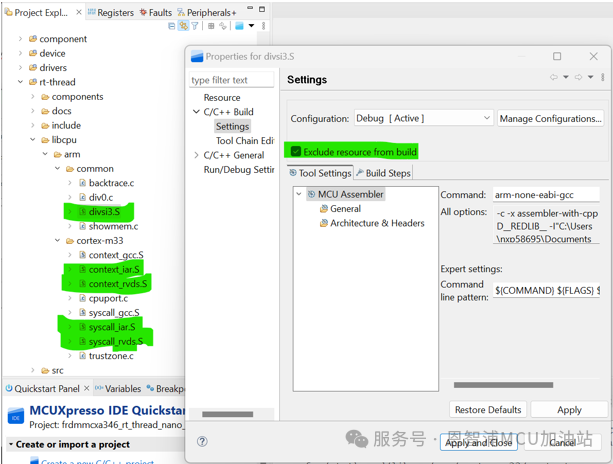
5. Remove divsi3.S, context_iar.S, context_rvds.s, syscall_iar.S, syscall_rvds.S from the compilation sequence:
4 Adapting RT-Thread Nano
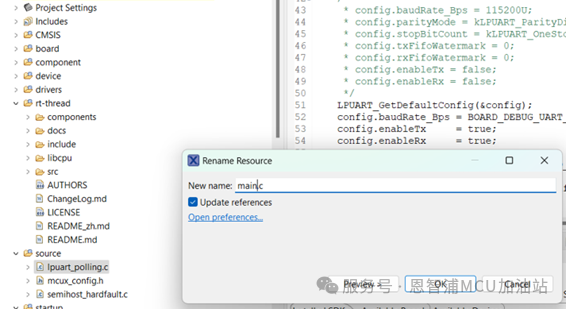
1. Rename lpuart_polling.c to main.c:
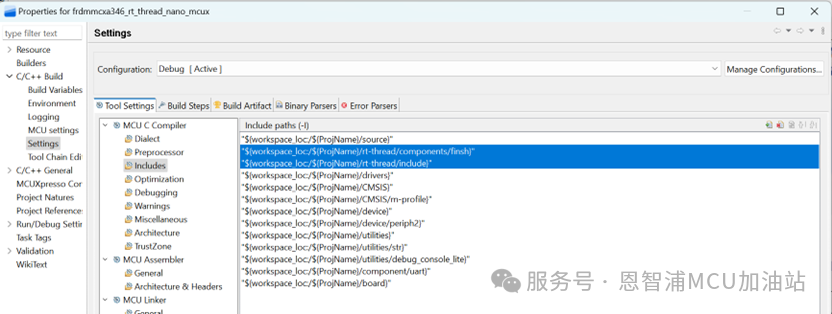
2. Add the directories rt-thread/include and rt-thread/components/finsh to the project’s include path:
3. Copy rtconfig.h and board.c from the rt-thread nano source code bsp_template path to the project’s source directory, renaming board.c to rtt_board.c:
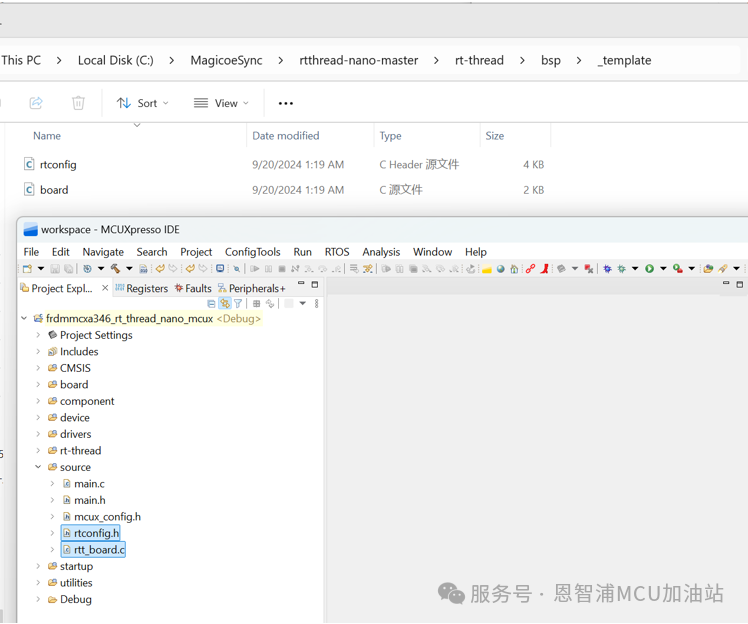
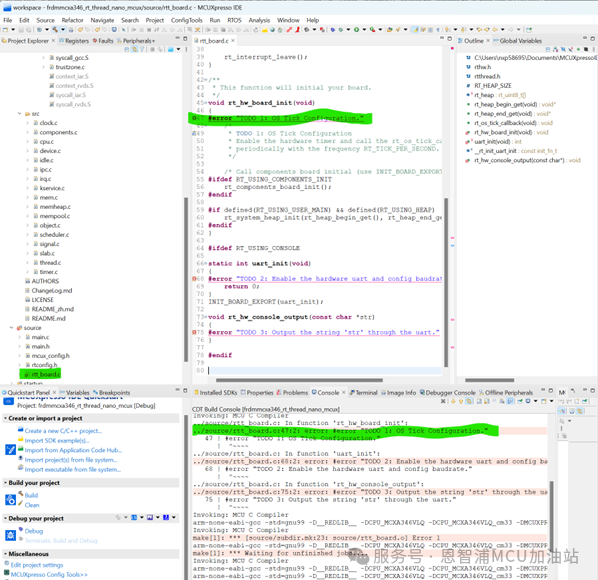
4. After compiling, the compiler indicates two errors, reminding to add necessary APIs during porting:
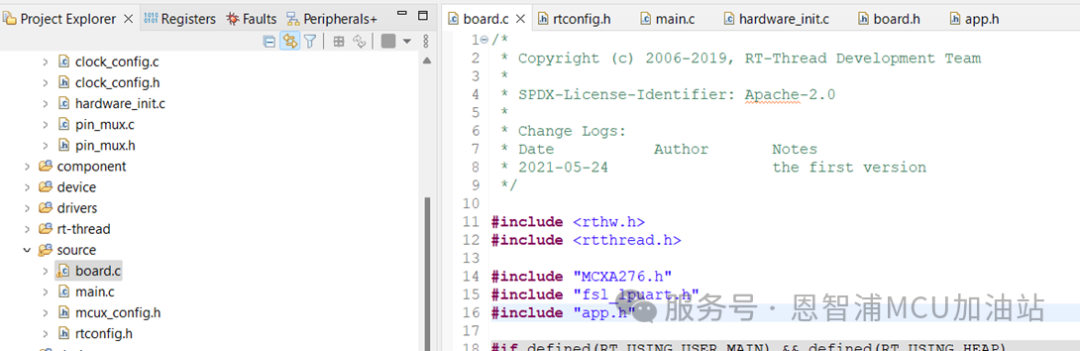
5. Add “MCXA346.h”, “app.h” and “fsl_lpuart.h” to the source/board.c file:
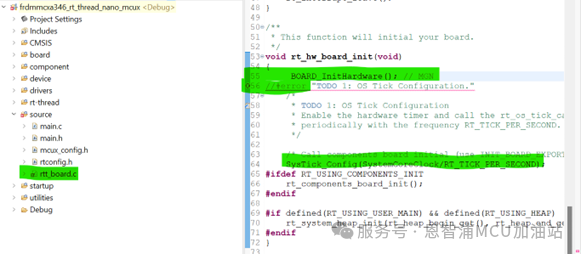
6. In the source\board.c void rt_hw_board_init(void) function, add BOARD_InitHardware(); and SysTick_Config(SystemCoreClock/RT_TICK_PER_SECOND):
7. In source\board.c, replace rt_os_tick_callback() with SysTick_Handler():
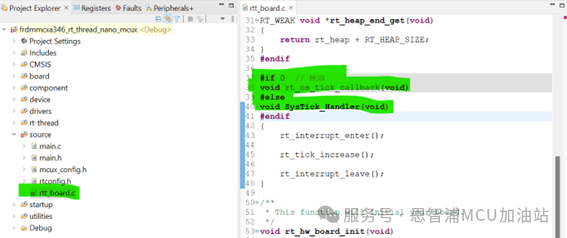
8. Hide the reminders for TODO 2 and TODO 3, as TODO 2 has already initialized the debug serial port in the example, and in TODO 3 add the following code:
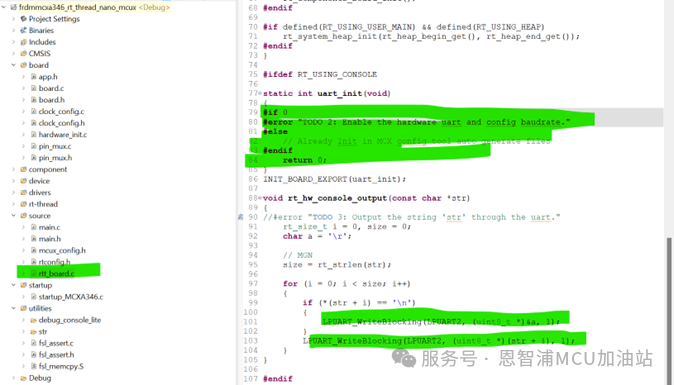
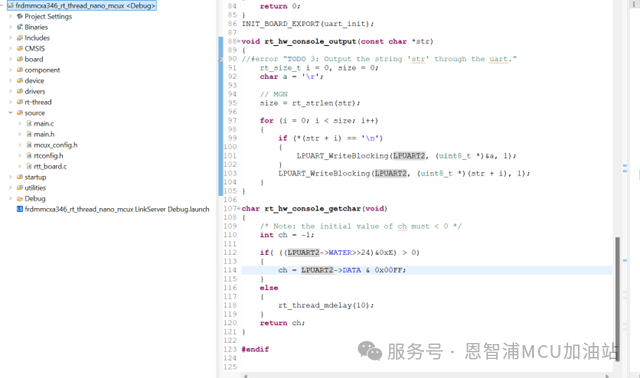
9. Modify the header files of main.c to:
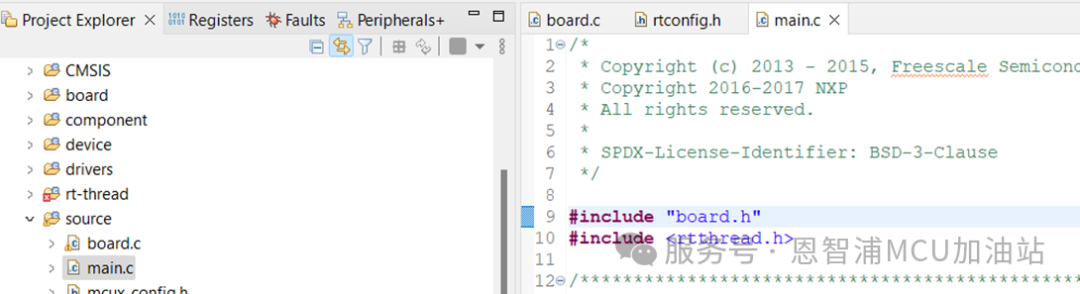
10. Modify the core main code of main.c to:
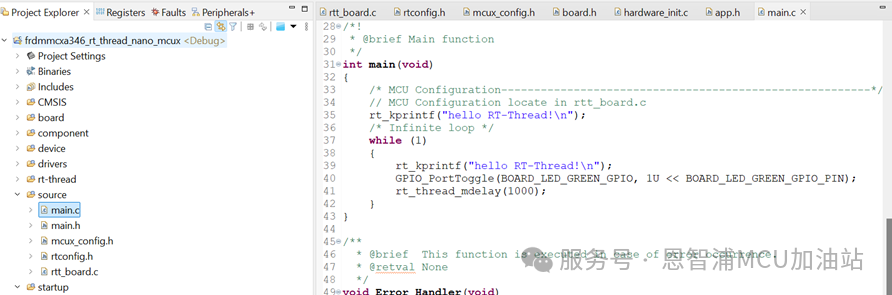
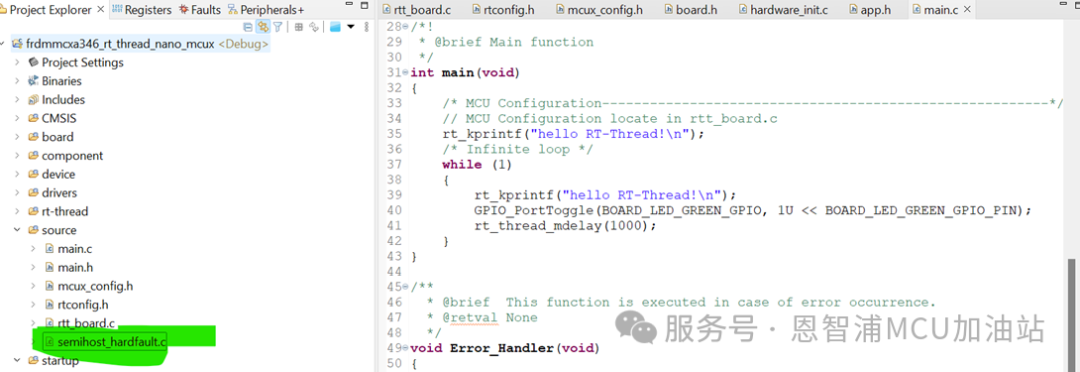
11. After compiling, it indicates that the hardfault function is redefined, so delete the semihost_hardfault.c generated by the project:
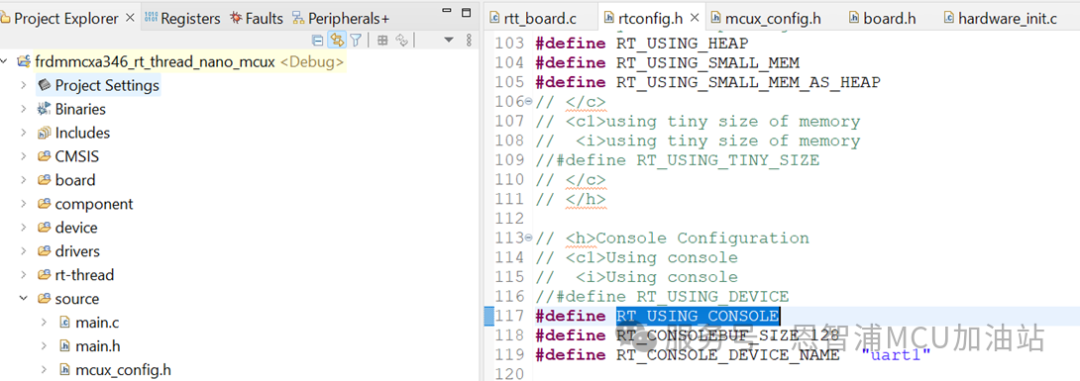
12. In rtconfig.h, enable the #define RT_USING_CONSOLE macro, compile and run, and remember to enable the serial port interrupt:
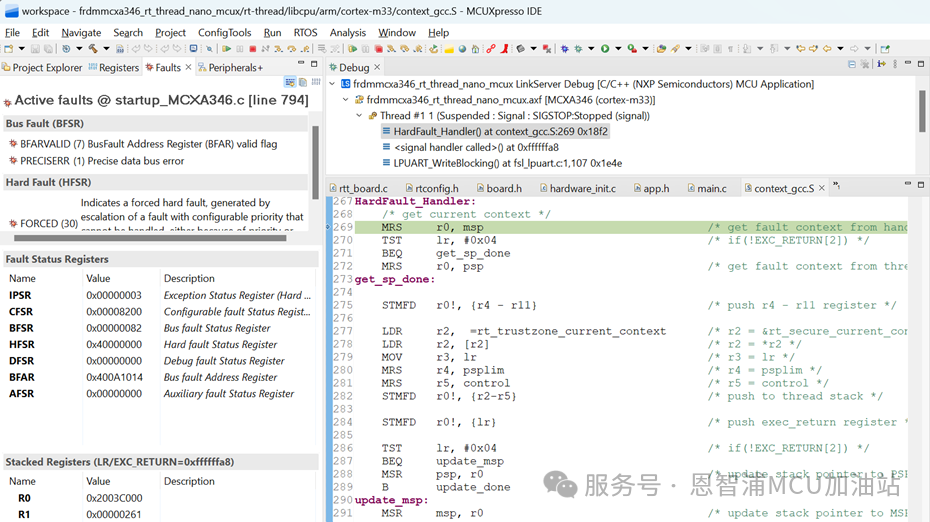
13. After running, it is found that it enters Hardfault_handler() and there is no output on the serial port. First, let’s solve the serial port printing issue:
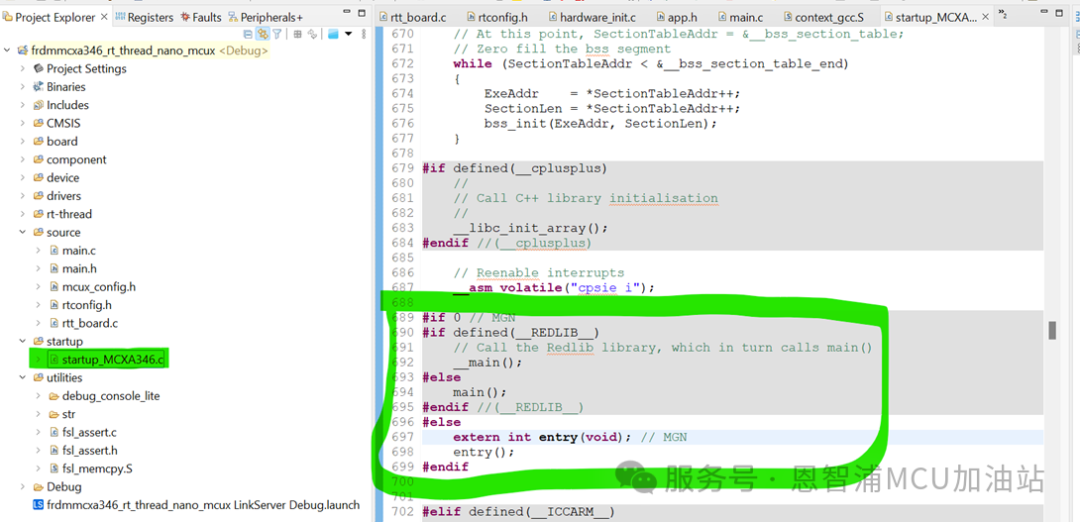
14. In the startup\startup_mcxa346.c ResetISR() function, hide main and replace it with rt-thread nano’s entry() as shown below:
In the entry() function, rt_hw_board_init() will be called to initialize the hardware. Compile and run, at this point hardfault should print:
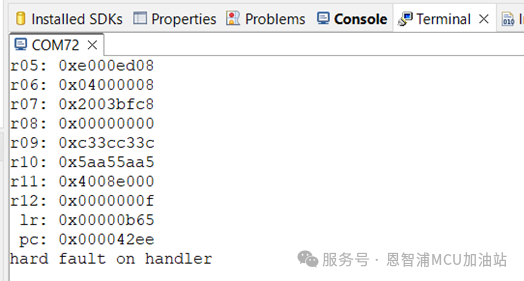
15. The information printed for hard fault, the reason for the hard fault took the programmer several hours to find, the reason is that the scatter loading file needs to be modified:
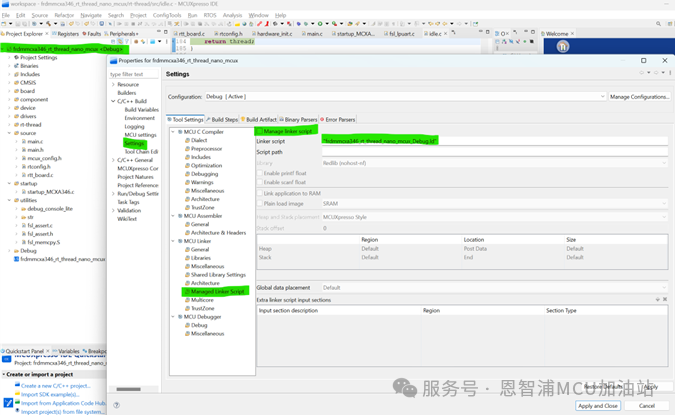
16. Right-click on the project name, select C/C++ Build -> Settings -> MCU Linker -> Managed Linker Script and disable Manage linker script. You need to manually modify the scatter loading file:
17. Add the following sections to frdmmcxa346_rt_thread_nano_mcux_Debug.ld in the “> PROGRAM_FLASH” section:
-->/***************RTOSadd**********************/ /* section information for finsh shell */ . = ALIGN(4); __fsymtab_start = .; KEEP(*(FSymTab)) __fsymtab_end = .; . = ALIGN(4); __vsymtab_start = .; KEEP(*(VSymTab)) __vsymtab_end = .; . = ALIGN(4); /* section information for utest */ . = ALIGN(4); __rt_utest_tc_tab_start = .; KEEP(*(UtestTcTab)) __rt_utest_tc_tab_end = .; /* section information for at server */ . = ALIGN(4); __rtatcmdtab_start = .; KEEP(*(RtAtCmdTab)) __rtatcmdtab_end = .; . = ALIGN(4); /* section information for initial. */ . = ALIGN(4); __rt_init_start = .; KEEP(*(SORT(.rti_fn*))) __rt_init_end = .; . = ALIGN(4); /* section information for modules */ . = ALIGN(4); __rtmsymtab_start = .; KEEP(*(RTMSymTab)) __rtmsymtab_end = .; . = ALIGN(4); PROVIDE(__ctors_start__ = .); KEEP (*(SORT(.init_array.*))) KEEP (*(.init_array)) PROVIDE(__ctors_end__ = .); . = ALIGN(4);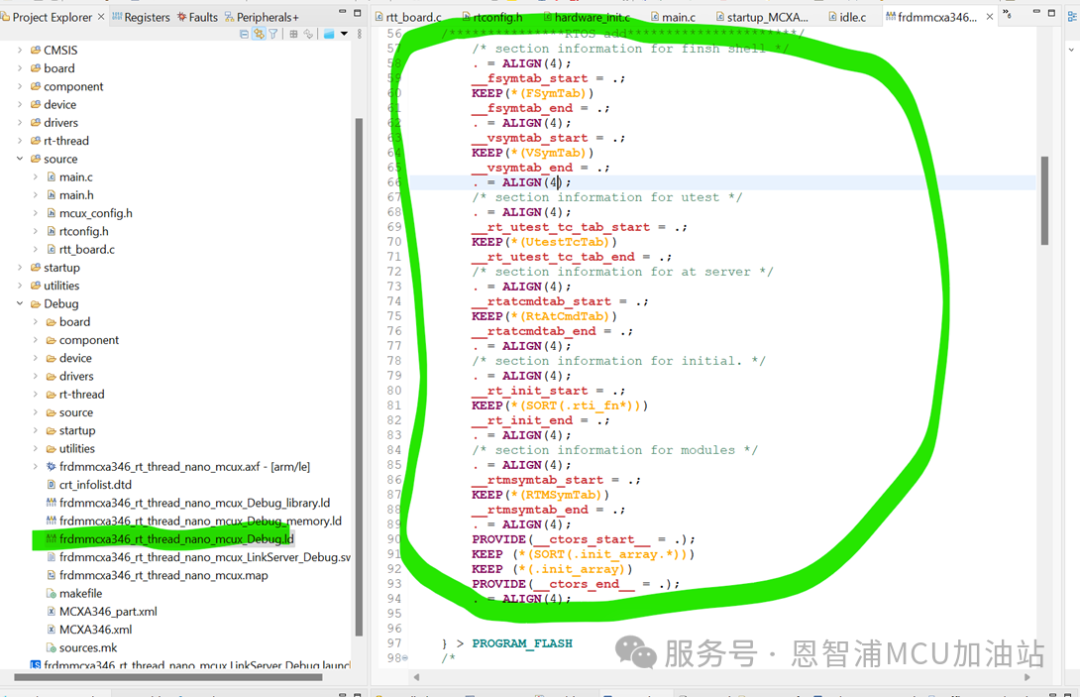
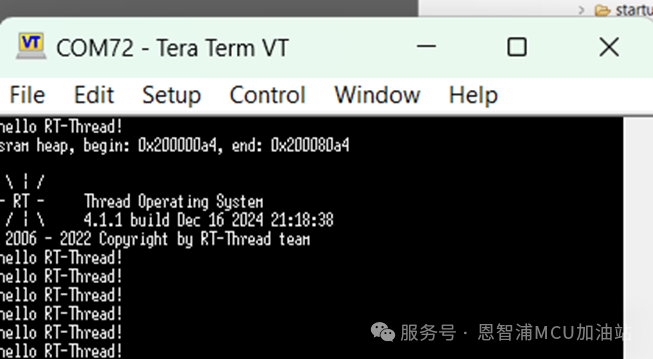
18. Compile and run, RT-Thread Nano should print normally:



Want to publish content on the RT-Thread platform or community?
Or want to participate in related live events and competitions?
RT-Thread has opened a docking window,
Please contact us via email, looking forward to cooperation!
Cooperation email: [email protected]
 Revealing! Exploring the task scheduling under “priority inversion” based on RT-Thread | Technical CollectionHMI-Board Ethernet connects to the cloud via mqtt learning notes | Technical CollectionRT-Thread adapts to GigaDevice GD32F5 series MCU, open for free trial application! | Technical Collection[RT-Trace] Function upgrade! GDB Server function + One-click Flash burning, making embedded development more convenient! | Technical CollectionRT-Thread Nano hardcore porting guide: Hand-in-hand implementation of VGLite graphics driver adaptation | Technical Collection——————End——————