Beep, beep, beep, follow us if you agree!
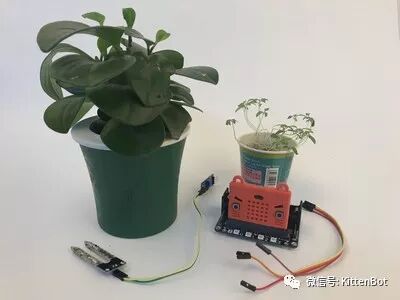
Tutorial Introduction: Since Makecode supports an offline version, it has greatly reduced the long waiting time for domestic users logging into the online version, significantly improving project completion speed. Coupled with the new serial monitor feature, using the analog value sensor with Robot:bit has become more intuitive and straightforward. Today, I will introduce an example of reading real-time reference values of soil status using the soil moisture sensor with Robot:bit in the offline version. Everyone can try it out, haha!
The required materials are as follows:
1. Genuine BBC Micro:bit from the UK – 1 piece
Click the link http://www.dwntme.com/h.ZYcLnfN and choose to open in a browser;
Or copy this information ¥KY7h0N1pN34¥ and open it in Taobao.
2. Meow’s Micro:bit Advanced Expansion Robot:bit – 1 piece
Click the link http://www.dwntme.com/h.ZY2q9Mn and choose to open in a browser;
Or copy this information ¥1ipN0N2Vzoe¥ and open it in Taobao.
3. Mini potted plant – 1 piece
4. Soil moisture sensor – 1 piece
5. Dupont wires – several
Prepare all of them!
The forum has already provided the installation and usage of the offline version’s serial monitor. If you haven’t learned it yet, you can click here 【DI Play】 Meow’s Makecode offline version serial monitor tutorial to learn!
Wiring Work:
The entire application works by converting the moisture value collected by the soil sensor into an analog value, which is then transmitted to the computer via a USB data cable. The computer can see the real-time feedback of the analog data through the serial monitor of the offline version of Makecode, making the collected data more specific and visually intuitive.
Wiring:
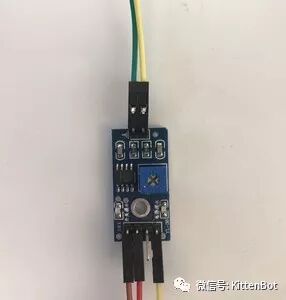
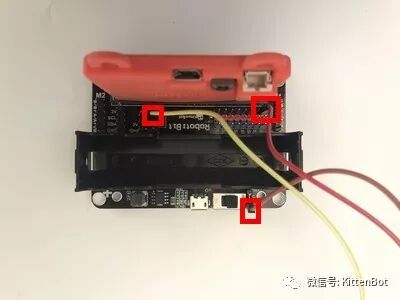
Sensor Pin Robot:bit Pin
VCC————-5V
GND———–GND
AO–————-A2 (actually corresponds to Micro:bit’s P2 pin)
To elaborate: A0~A2 on Robot:bit actually correspond to P0~P2 on Micro:bit.
P0~P2 have the following functions:
Digital read/write (determine whether to read high or low level, output high or low level)
Analog read/write (read analog values 0-1024, output is PWM output)
Below is the wiring diagram: (Figure 1, Figure 2)
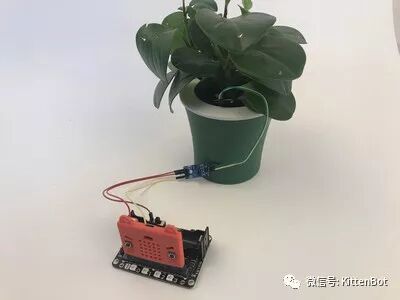
Once the wiring is complete, we are done! The final effect is as follows!
Serial Monitor
Following the steps in the previous tutorial, we open the offline version of Makecode, write a simple program, then insert the sensor into the soil of the potted plant, and open the serial monitor. We can see the real-time dynamic analog data fluctuating.
The program is very simple, as follows:

To explain briefly, the program continuously loops, reading the analog value from the soil sensor at pin A2 and transmitting it to the computer for real-time dynamic monitoring via the serial port. This is the process. Such applications are numerous, for example, in factories where temperature control is needed, the temperature tested by a temperature sensor is transmitted to the computer in real-time, allowing operators to monitor the workshop temperature in real-time. Such applications are also common in industrial manufacturing and everyday life. Finally, let’s take a look at the effect of the serial port operation.
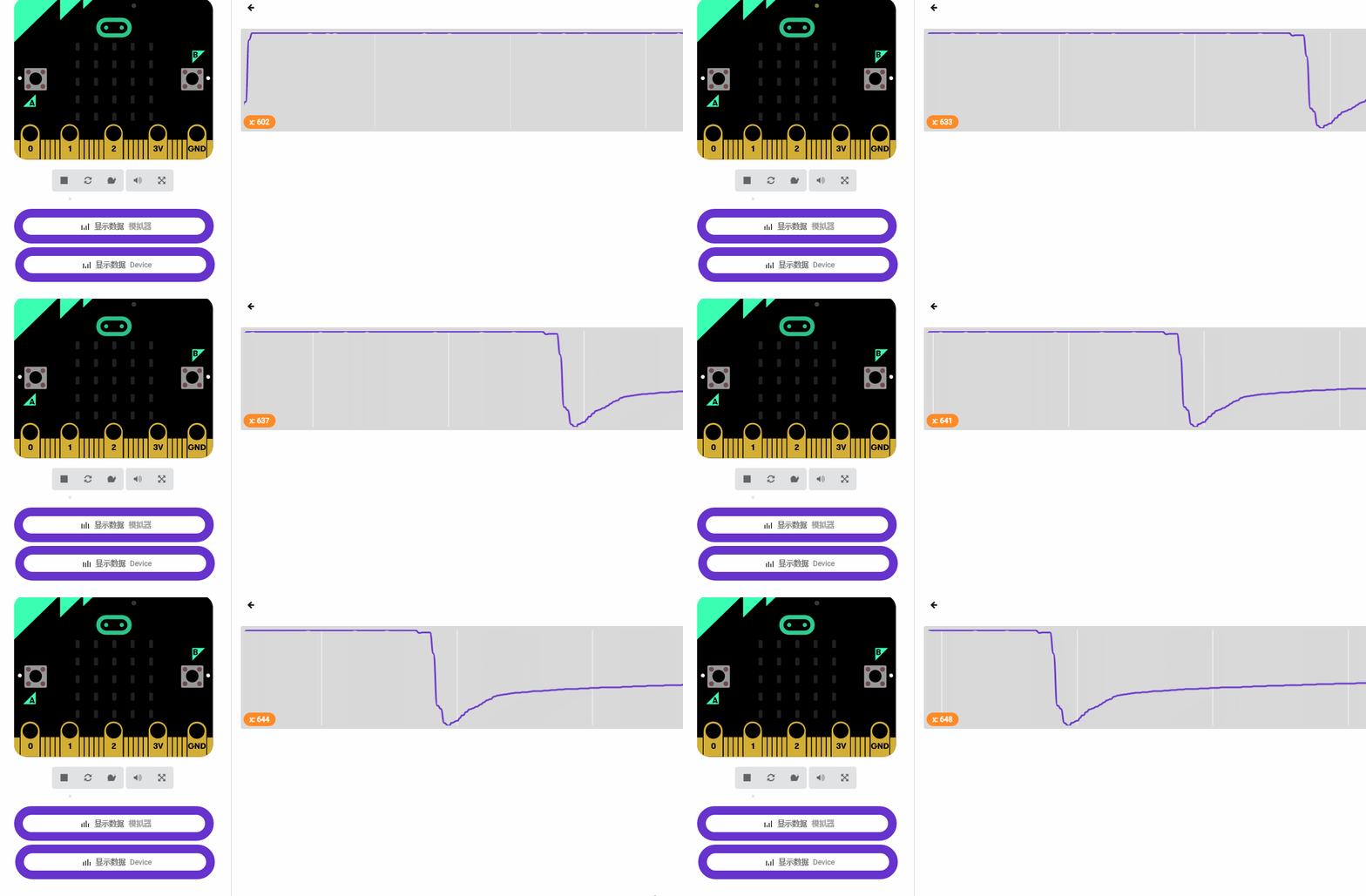
Thus, we can see that when the sensor is not inserted into the soil, it reads a constant value. When we insert the sensor into the soil, the measured analog value changes immediately, making our data sampling more intuitive and obvious.
Thus, our serial monitor application is complete!!! 
Friends with similar interests are welcome to try it out. If you have any more interesting projects, feel free to share them on the Meow Star Forum. There are benefits for writing posts~