For all the tech enthusiasts out there! Today, I want to share an amazing BLE debugging document with you. It’s like a magical key that allows your smart devices to communicate as smoothly as close friends! Whether you’re tinkering with smart wristbands, smart bulbs, or cool smart locks, this guide will make BLE debugging a piece of cake for you. Let’s dive in!
Introducing the Super Cool BLE
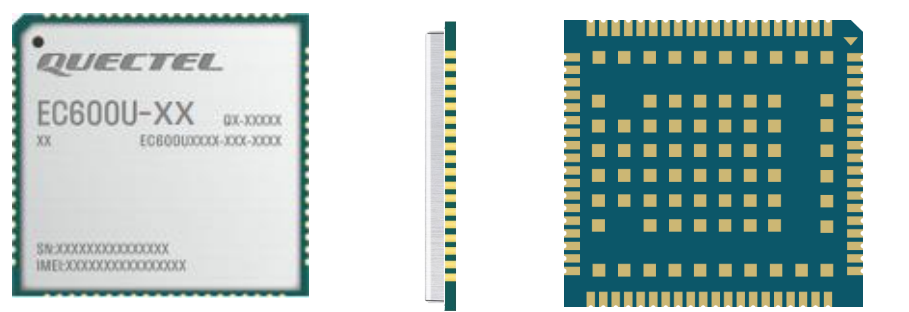
BLE stands for Bluetooth Low Energy, a cute abbreviation. Bluetooth itself is a fantastic short-range wireless communication technology that happily operates in the 2.4GHz free frequency band. It has already made a significant impact in various fields such as mobile terminals, IoT, healthcare, and smart homes. The single-mode Bluetooth, which is the low-energy Bluetooth mode, boasts three magical skills: low power consumption, fast connection, and long range. Isn’t that impressive? Models like EC200U, EC600U, EG915U, and EG912U all support BLE functionality, which is super powerful!
In terms of low power consumption, it acts like a super energy-saving guardian. Many IoT devices use small button batteries, and if ordinary Bluetooth technology were used, they might run out of power and stop working in no time. However, with BLE, devices can happily operate for months or even years on a button battery. This is a lifesaver for devices that cannot frequently change batteries, like smart locks that need to stay operational every day. With BLE, you don’t have to worry about it suddenly running out of power and not being able to unlock the door!
The Bluetooth Special Interest Group has also established some super useful standard profiles for low-energy Bluetooth. These profiles are like data specifications; as long as devices adhere to these specifications, Bluetooth devices from any manufacturer can happily connect and communicate with each other. Just like wireless Bluetooth keyboards and mice, regardless of whether you’re using Android, iOS, or Windows, they can be plug-and-play. This is the powerful force of ‘standards.’ Low-energy Bluetooth can also customize profiles, which is very exciting. With the increasing popularity of smartphones, this feature has been fully utilized, expanding the application areas of low-energy Bluetooth. For example, we can customize a switch profile where data 01 means ‘turn on the light’ and data 00 means ‘turn off the light.’ This way, sending 01 or 00 from the phone can easily control the light’s on/off state. There are many such fun and practical applications!
Code Example Showcase
Without further ado, let’s get to the main course — here comes the code example! This code is key to implementing the BLE server functionality, allowing your module to happily receive data sent from the phone!
# -*- coding: UTF-8 -*-
import ble
import utime
BLE_GATT_SYS_SERVICE = 0  # 0-Delete the system default GAP and GATT services 1-Retain the system default GAP and GATT services
BLE_SERVER_HANDLE = 0
_BLE_NAME = "Quec_BLE_UART_Chic"
event_dict = {
    'BLE_START_STATUS_IND': 0,  # ble start
    'BLE_STOP_STATUS_IND': 1,   # ble stop
    'BLE_CONNECT_IND': 16,  # ble connect
    'BLE_DISCONNECT_IND': 17,   # ble disconnect
    'BLE_UPDATE_CONN_PARAM_IND': 18,    # ble update connection parameter
    'BLE_SCAN_REPORT_IND': 19,  # ble gatt client scan and report other devices
    'BLE_GATT_MTU': 20, # ble connection mtu
    'BLE_GATT_RECV_WRITE_IND': 21, # When the ble client writes characteristics or descriptors, the server receives a notification
    'BLE_GATT_RECV_READ_IND': 22, # When the ble client reads characteristics or descriptors, the server receives a notification
    'BLE_GATT_RECV_NOTIFICATION_IND': 23,   # Client receives notification
    'BLE_GATT_RECV_INDICATION_IND': 24, # Client receives indication
    'BLE_GATT_SEND_END': 25, # Server sends notification and receives send end notification
}
class EVENT(dict):
    def __getattr__(self, item):
        return self[item]
    def __setattr__(self, key, value):
        raise ValueError("{} is read-only.".format(key))
event = EVENT(event_dict)
def ble_callback(args):
    global BLE_GATT_SYS_SERVICE
    global BLE_SERVER_HANDLE
    event_id = args[0]
    status = args[1]
    print('[ble_callback]: event_id={}, status={}'.format(event_id, status))
    if event_id == event.BLE_START_STATUS_IND:  # ble start
        if status == 0:
            print('[callback] BLE started successfully!')
            mac = ble.getPublicAddr()
            if mac != -1 and len(mac) == 6:
                addr = '{:02x}:{:02x}:{:02x}:{:02x}:{:02x}:{:02x}'.format(mac[5], mac[4], mac[3], mac[2], mac[1], mac[0])
                print('BLE public address : {}'.format(addr))
            # A series of initialization operations...
            # Some code omitted here, see the complete code on the git website!
            ret = ble_adv_start()
            if ret != 0:
                ble_gatt_close()
                return
        else:
            print('[callback] BLE start failed!')
    # Other event handling...
    # More code awaits your exploration!
# There are also many practical functions!
def ble_gatt_server_init(cb):
    # Server initialization function
    pass
def ble_gatt_open():
    # Open GATT functionality
    pass
# ...more functions for you to unlock
For detailed code examples, visit:
https://github.com/QuecPython/example_BLE
Powerful Functionality Implementation
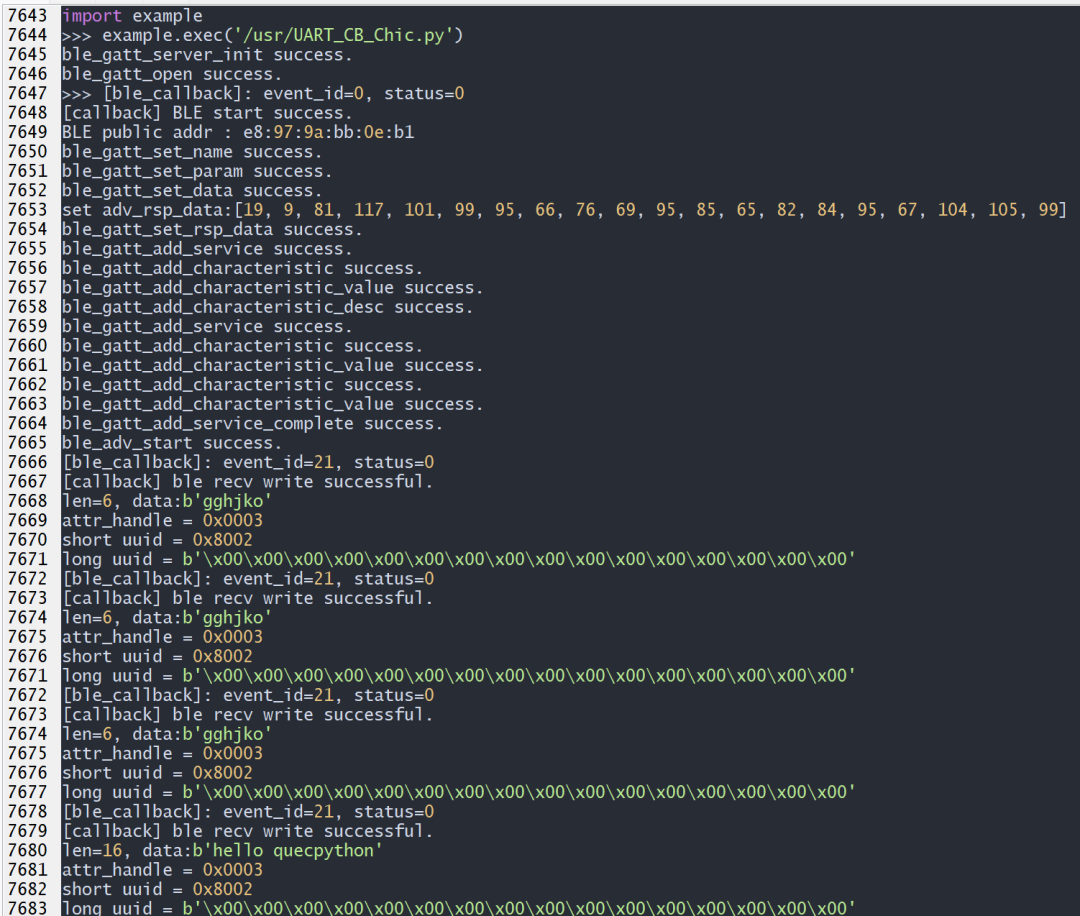
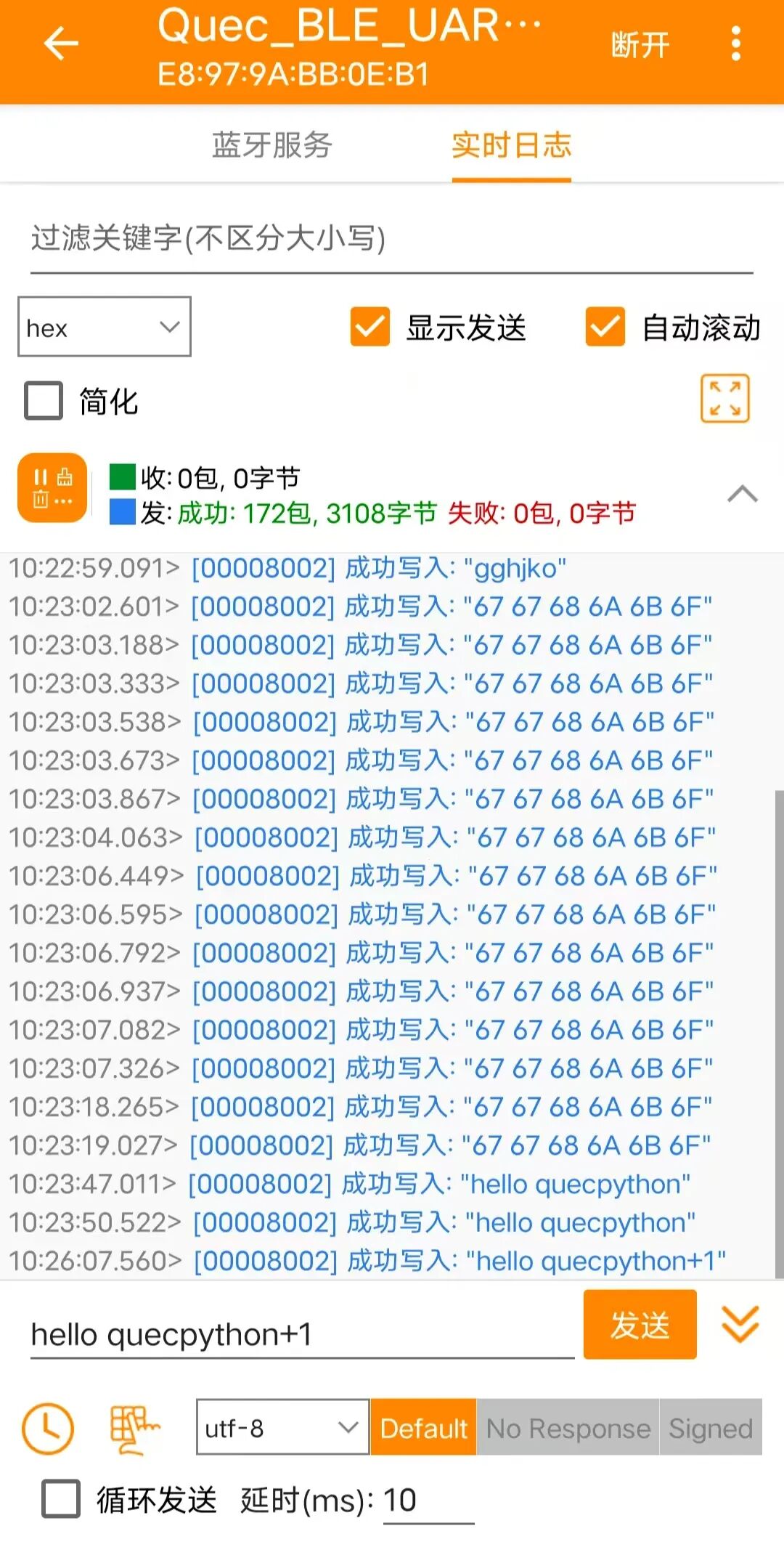
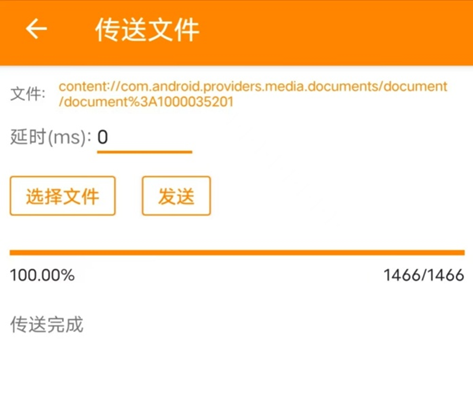
This code is quite powerful! After execution, the module can transform into a BLE server, obediently receiving connection requests from the phone. Whether it’s ordinary data or files sent from the phone, the module can reliably receive and print them out. Isn’t that impressive? It’s like giving your device a ‘listening ear’ to easily understand the ‘commands’ from the phone!
Debugging Tips
If you encounter issues during debugging, don’t panic. The code contains plenty of print statements that can help you easily identify the problem. With this, debugging BLE devices is no longer a challenge! Get started and let your smart devices communicate freely!