Many fans want a mobile app to manage OpenWrt devices, as accessing the OpenWrt system via mobile is indeed too cumbersome and the interface is very unfriendly.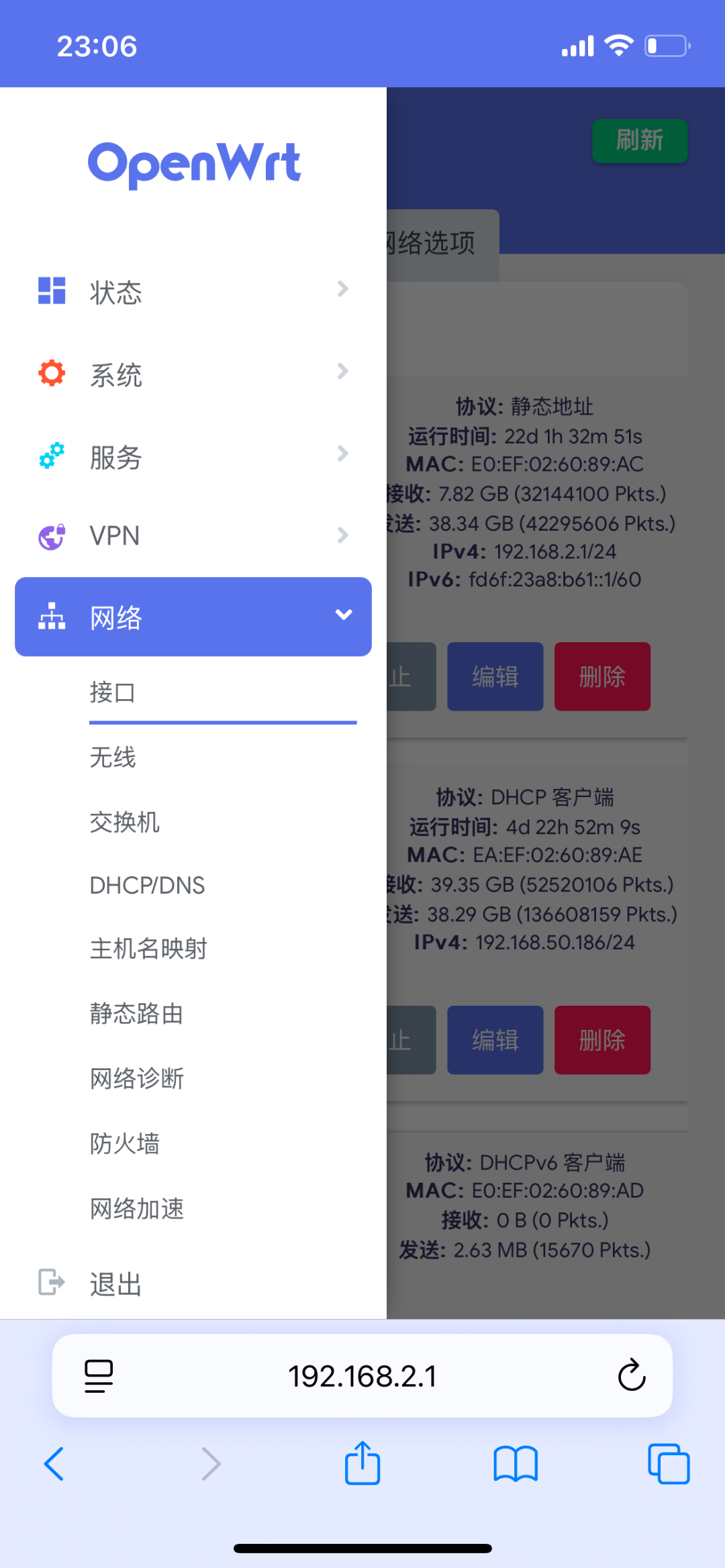 To meet everyone’s needs, I started researching app development some time ago, but found that individual developers in China cannot publish Android applications, so I switched to WeChat Mini Programs, which do not require distinguishing between systems. Although some features cannot be implemented, it can display the basic status of OpenWrt and supports some basic commands, such as rebooting and kicking off terminals.
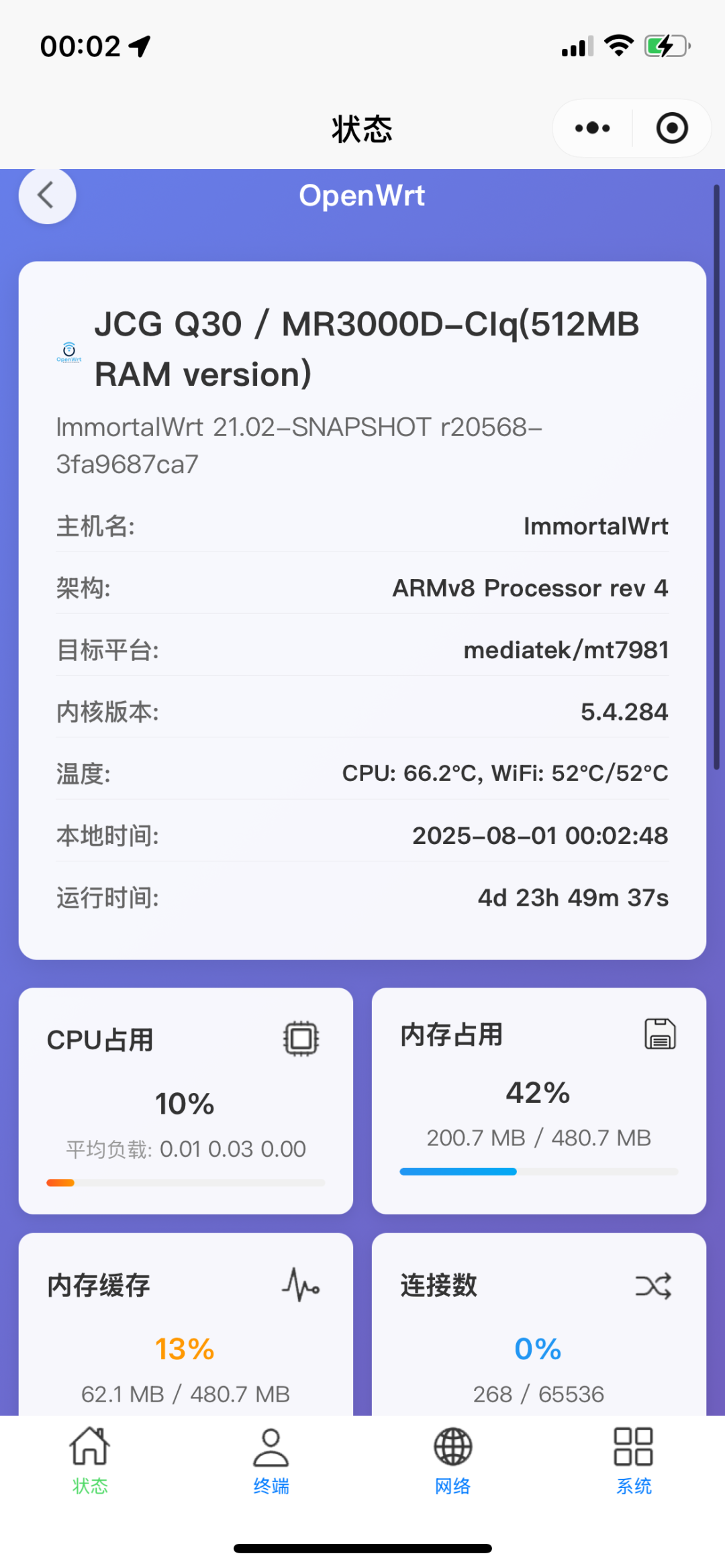 The development uses the uni-app framework, allowing one set of code to compile into Mini Program versions, Android versions, and iOS versions.Due to Mini Program restrictions, the phone and device must be on the same subnet to access, so currently, public access is not possible, only local area network access. After the app version is released, public access can be achieved.If there is indeed a need for remote access, you can first use a VPN to keep the phone and device on the same subnet, allowing access to the Mini Program without exposing the public IP.The Mini Program does not access any internet servers; the added device information is cached internally in WeChat, and will be automatically cleared after deleting the Mini Program, so there is no need to worry about router password leakage. Moreover, the Mini Program can only be accessed via the local area network, even if someone knows your router password, they cannot access your device from the outside.Advantages of the Mini ProgramHere are some advantages of the Mini Program compared to browser access1. Convenient access, can be accessed within WeChat2. Supports multiple devices
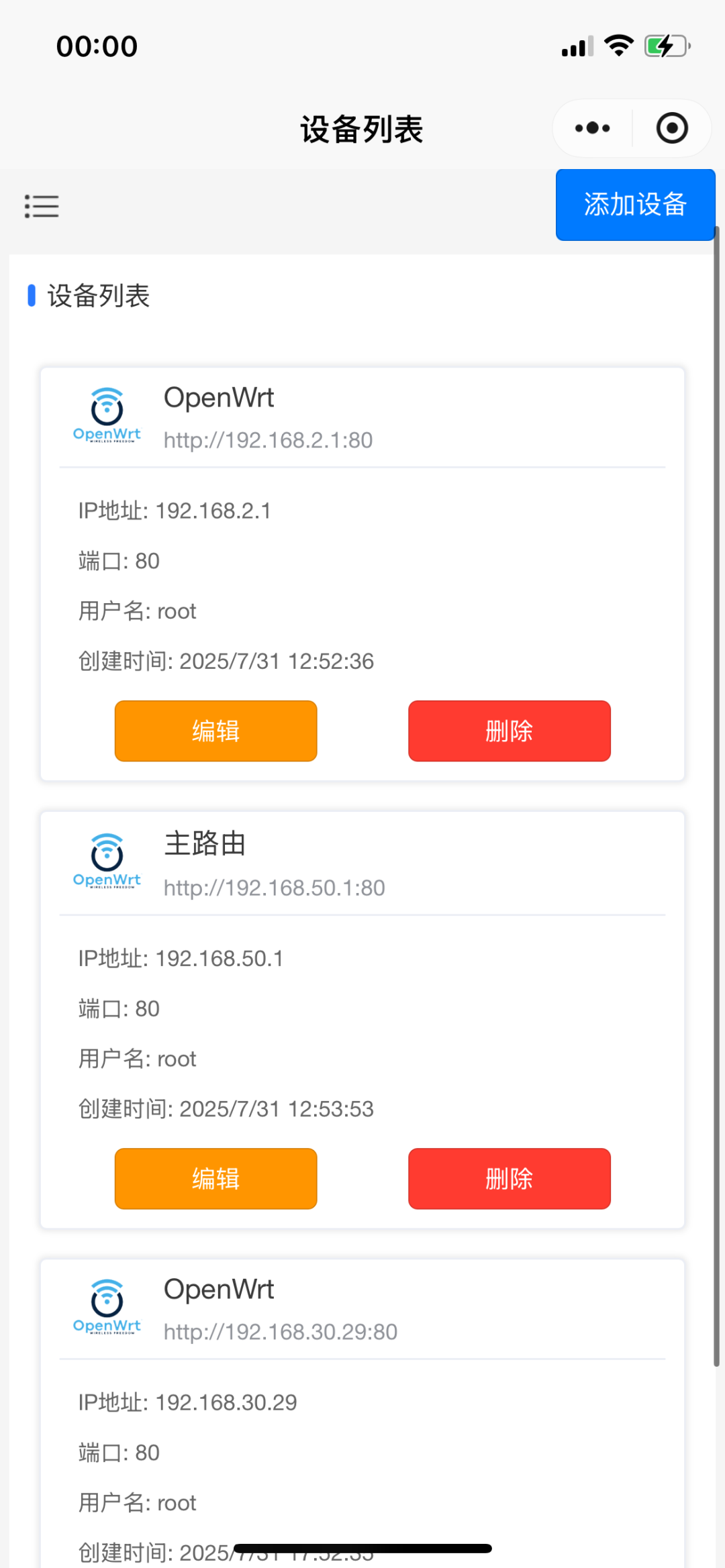 3. No need to enter the password every time, one-click to obtain OpenWrt information4. The interface is relatively user-friendlyAlthough the interface still has room for optimization, it is much more aesthetically pleasing compared to the OpenWrt Luci interface, and some pages are AI-assisted generated, overall it is quite good.PollHere I also initiate a poll to see whether everyone prefers to access OpenWrt via browser or Mini Program. Note that this poll is based on viewing status aspects, such as system status, network status, user status, etc.Supported OpenWrt VersionsOpenWrt 21.02 and later versionsAs long as it is based on open-source OpenWrt and is a version after 2021, it can be managed without installing any plugins, including branches of OpenWrt such as LEDE, iStoreOS, ImmortalWrt, etc.Note that some closed-source firmware uses internal versions from chip manufacturers, and the Luci version is 1.0, which does not support rpc, so it cannot be managed. If the system status is empty after logging in, it is likely due to an outdated version.How to Use1. Connect to the OpenWrt device WiFi or keep the device on the same subnet2. Open the Mini Program3. Add the device, enter the OpenWrt management IP, username, and password to saveThe port number can be left as default if it has not been modified
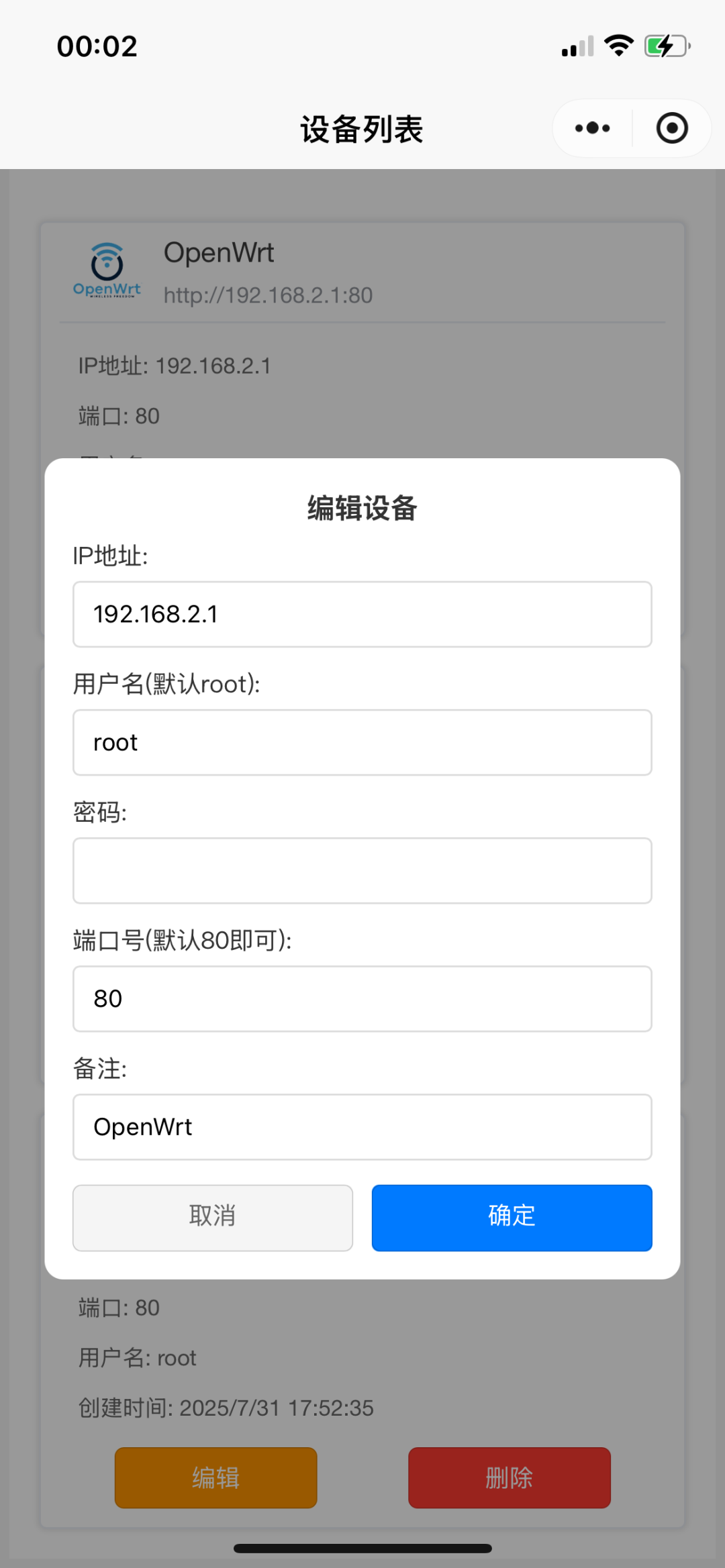 4. Click on the newly added device to enter the management interfaceBelow are screenshots of the Mini Program interface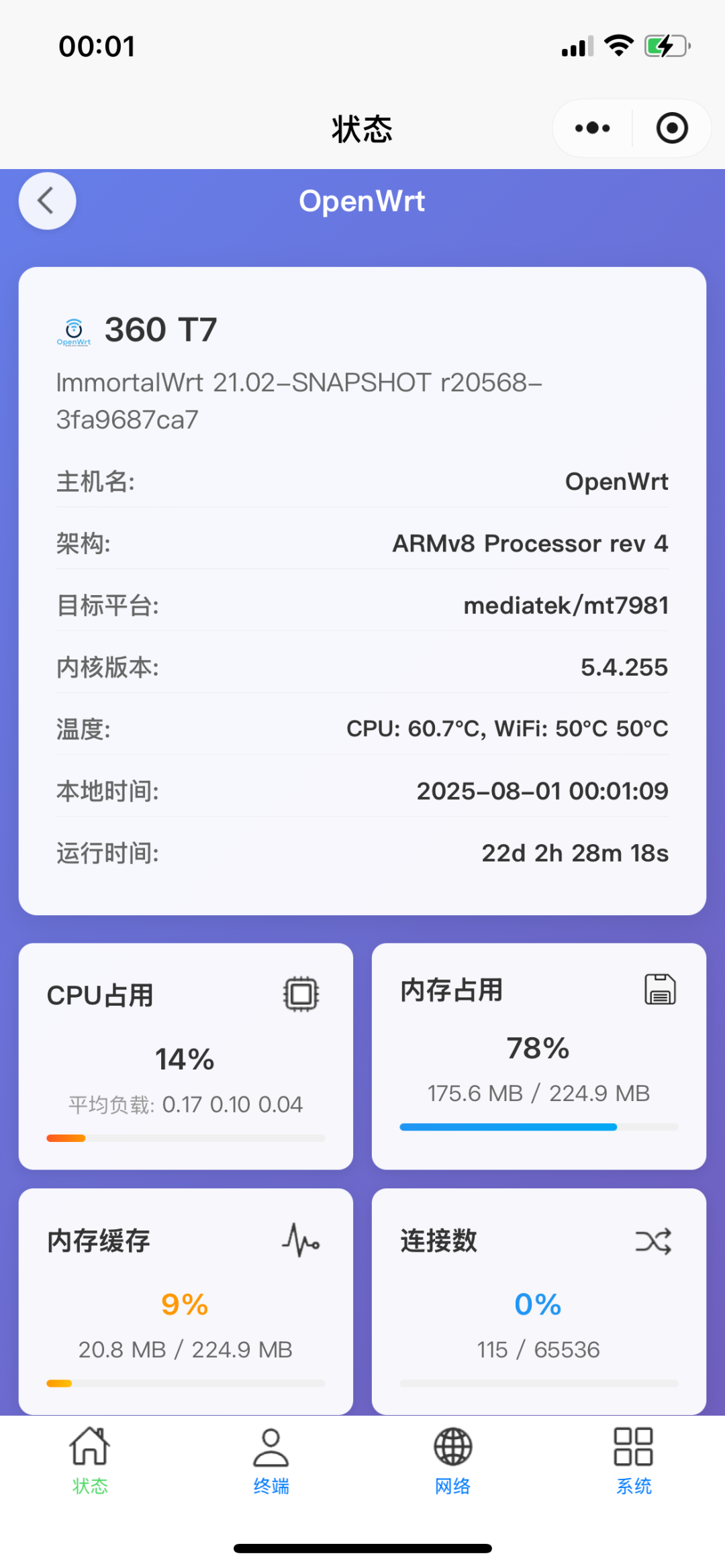
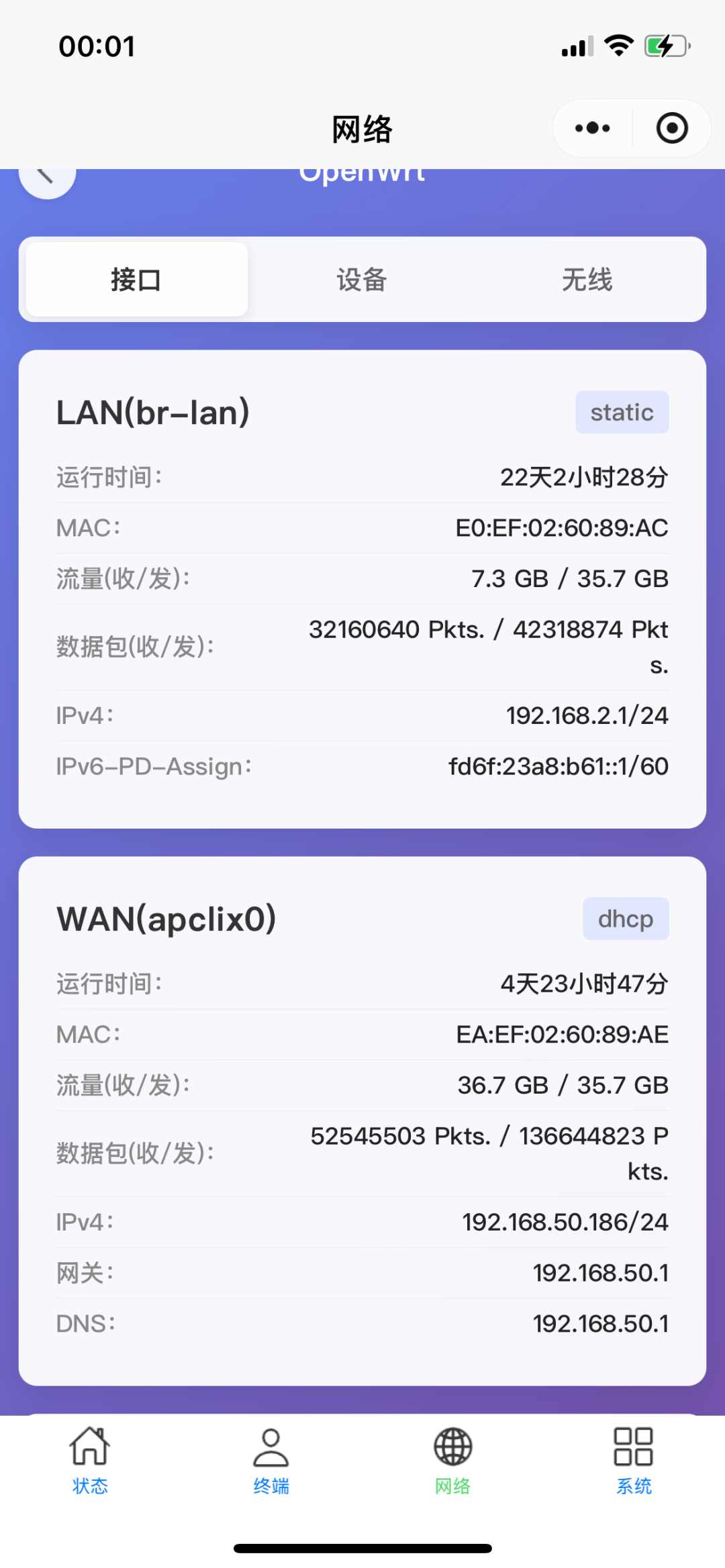
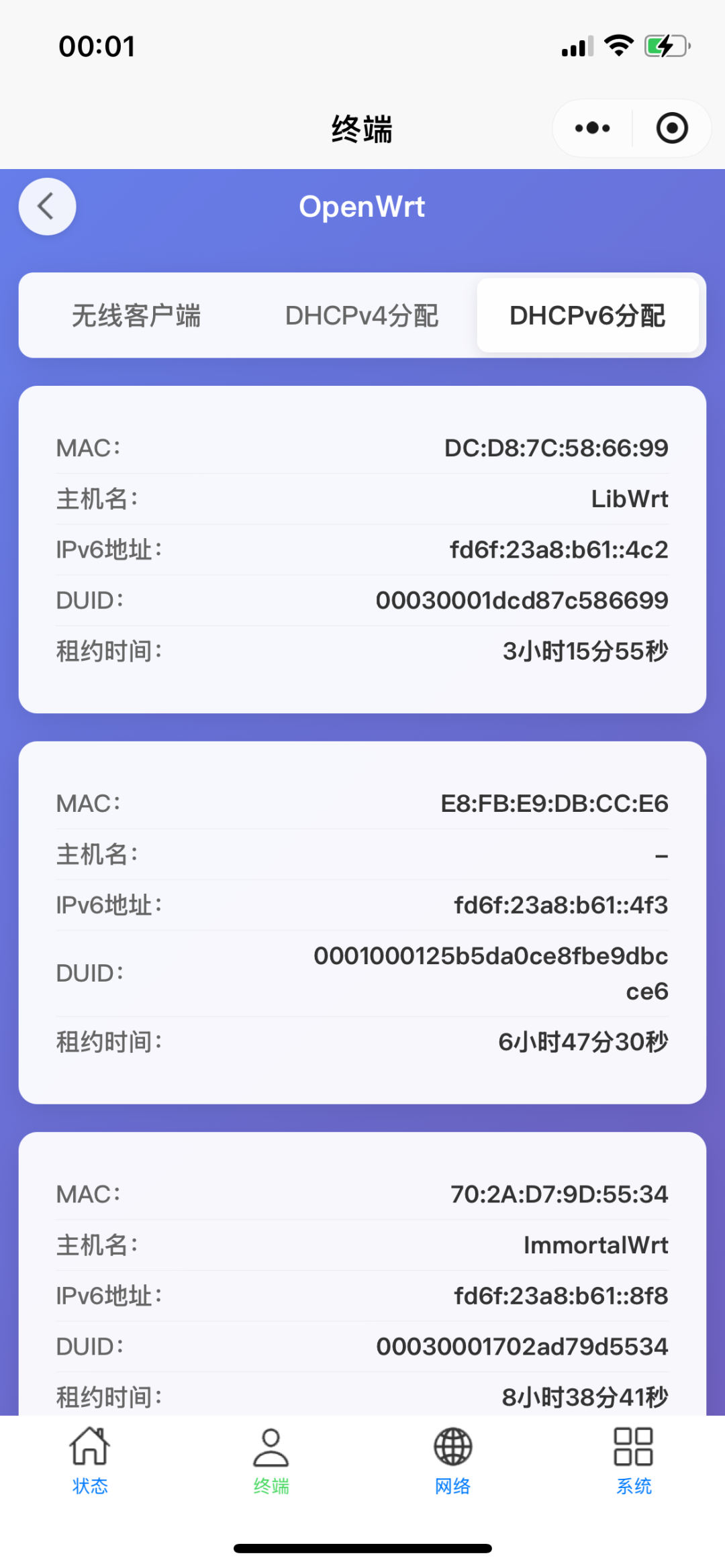
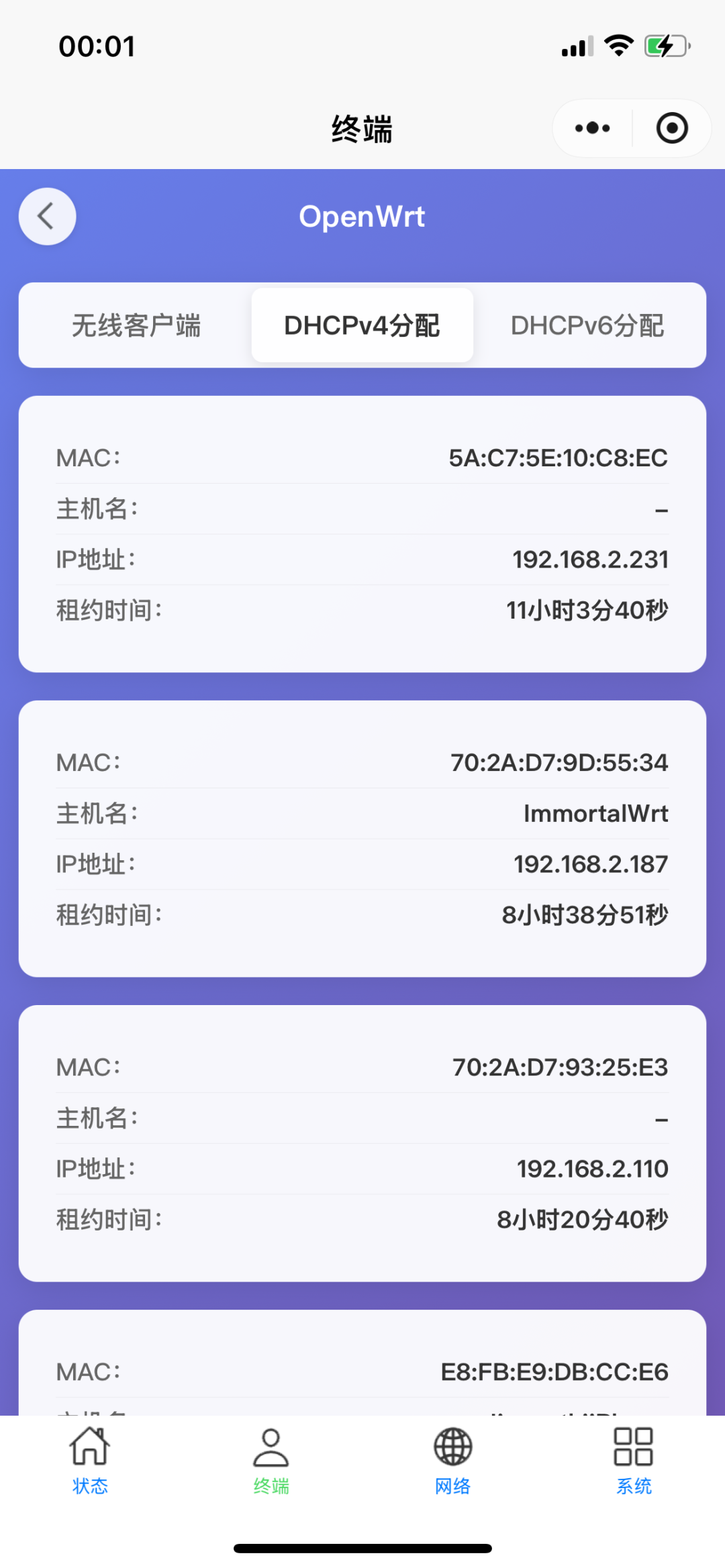
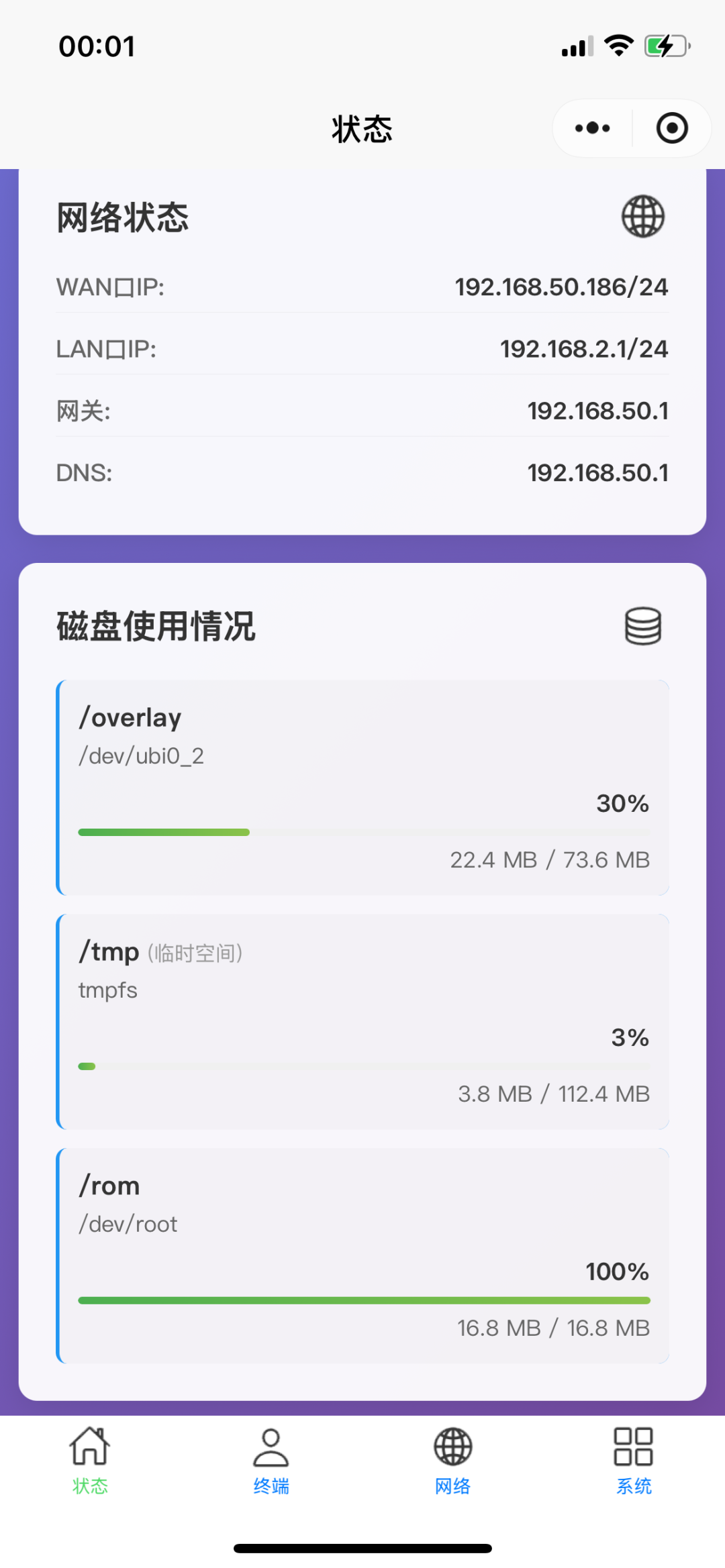
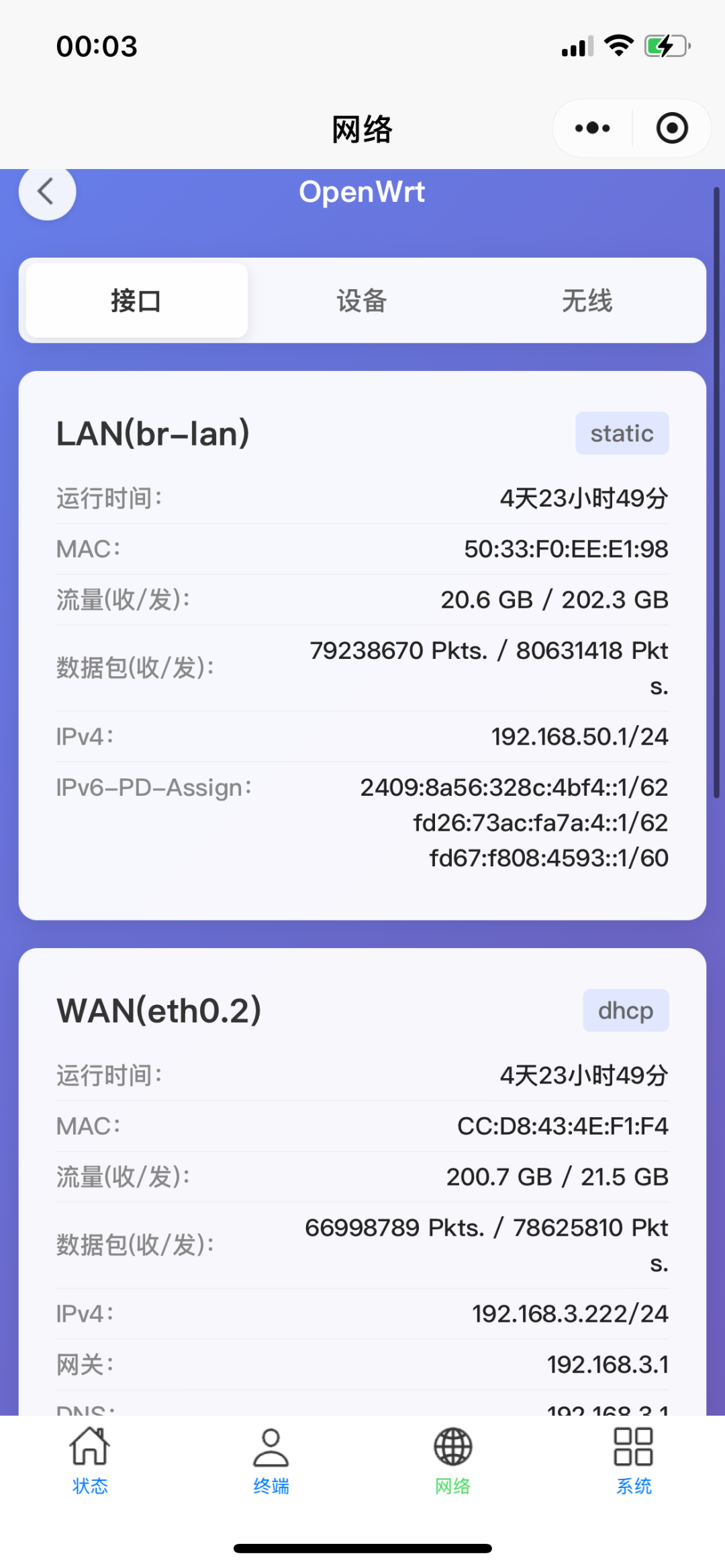
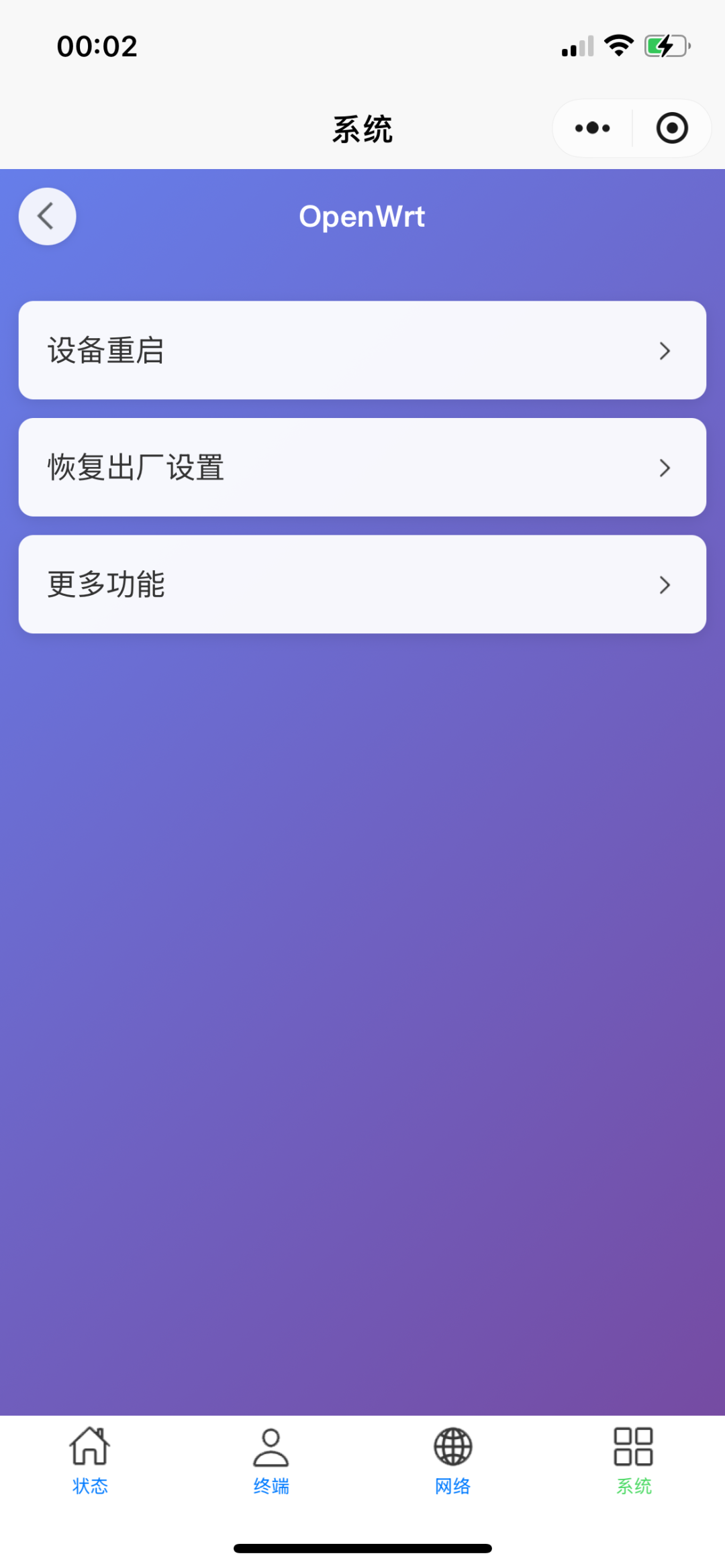 Functions that can be achieved by the Mini ProgramDue to some limitations of the Mini Program, it cannot modify OpenWrt configuration, only status viewing and command operations can be performed, such as system status, network status, device reboot, etc. The configuration function may be implemented in the app later, and it is still under research.The Mini Program is just an auxiliary tool that can be used for daily monitoring of the router’s status, checking if someone is stealing the network, etc. It is much more convenient than logging in through the browser every time, as it can be opened directly within WeChat without entering the password each time, and the interface is more suitable for mobile viewing.Mini Program Development PlanIn the future, real-time traffic, system services, network diagnostics, real-time connection counts, and application filtering function configuration management will be added, making it easier to manage children’s internet time.Explanation of Mini Program NameThe name review for Mini Programs is very strict. I originally intended to use a name containing OpenWrt, but it was not approved, and names containing OP or OW were also rejected. In the end, I could only call it Soft Router Tool, and the platform required a prefix, so I added a homophone word for anti-addiction, Fanchm.
 NotesThis Mini Program is completely free, and users in need can use it directly without registering an account or seeing ads. The main purpose of developing this Mini Program is to increase the visibility of my open-source OP plugin.Feedback on IssuesIf you find any bugs or areas that need optimization, you can provide feedback through the official account backend. Please read this article carefully before providing feedback, as some limitations of the Mini Program have already been explained, and there is no need to repeat them.Here are some potentially popular questions and responses
- Does not support public access
- Does not support https
- Does not support QWRT closed-source firmware including its custom firmware
Sharing the Mini ProgramIf you find it useful, please share it with your circle so that more people can use it. Since its launch a few days ago, there are already over 1000 users, and I have received positive feedback from everyone.
 Everyone can scan the following Mini Program code to access the Mini Program, or search for the keyword “Soft Router” to find it. The name of the Mini Program may also be adjusted later, so it is recommended to follow the official account to avoid getting lost.Historical Articles:New Version Release of OpenWrt Application Filtering Plugin (OAF), Supports IPv6 and Real-time Internet RecordsComprehensive List of Routers That Support Flashing (Q1 2025)Cudy TR3000 Router Flashing Tutorial, Done in 5 MinutesRecommended 10 Routers That Support Flashing (Q1 2025)
Welcome to follow the official account
Regularly share OpenWrt insights
OpenWrt OAF Plugin Author (2.2k stars)A router plugin that can block games and videos