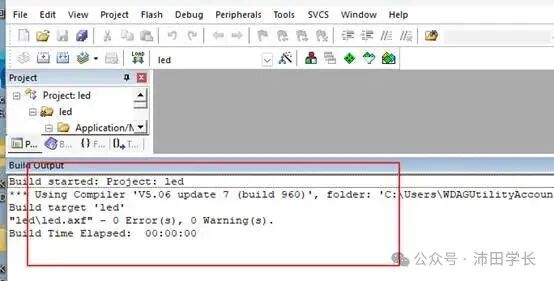
1、Download
File shared via cloud storage:Keil5 MDK541.zip
Link: https://pan.baidu.com/s/1xDyPnSmde1Jje5Xt9MaU4g?pwd=ptxz Extraction code: ptxz
—Shared by Baidu Cloud Super Memberv6
2、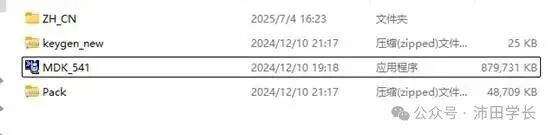
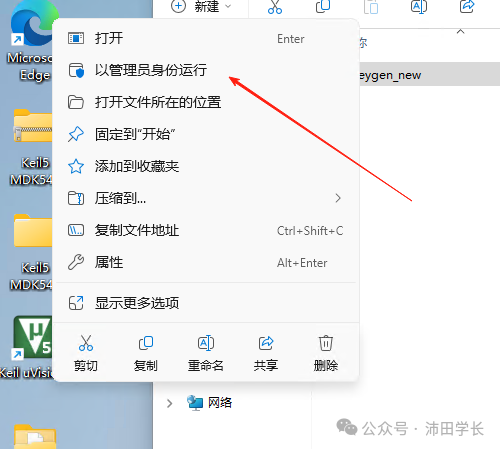
3、Right-click onMDK and run as administrator
4、Click next without thinking
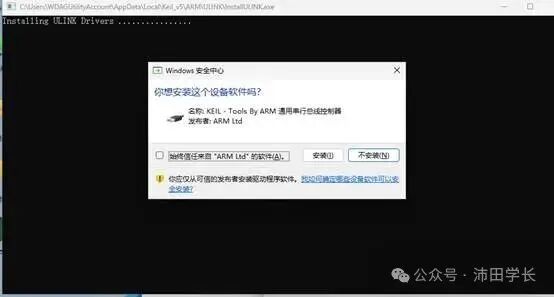
5、After successful installation, do not open the software yet. Return to the extraction directory to extract the activation software
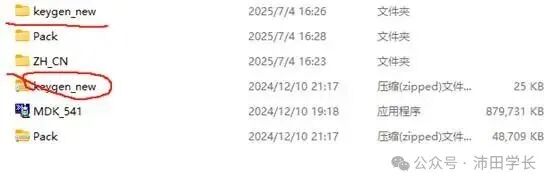
6、When entering the activation software, make sure to turn off any antivirus software or firewall if they are running

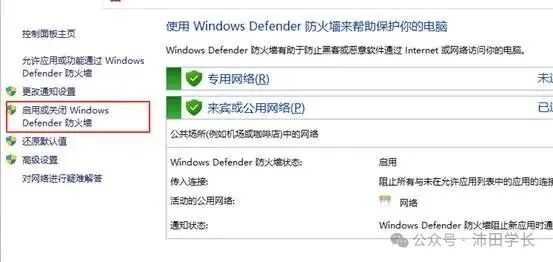
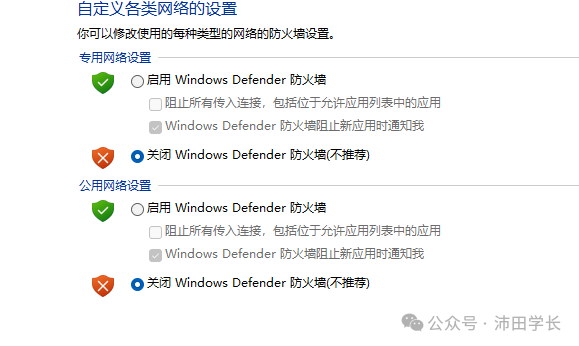
Confirm to proceed
7、Open as administrator
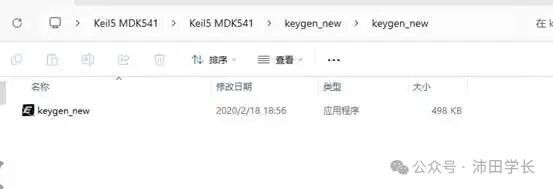
8、SelectARM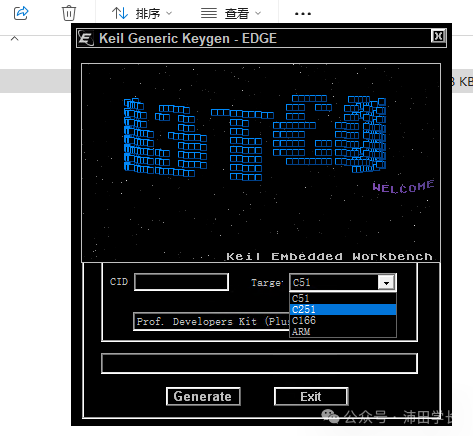
9、Right-click on the desktopkeil and run as administrator
10、UnderFile selectLicense Management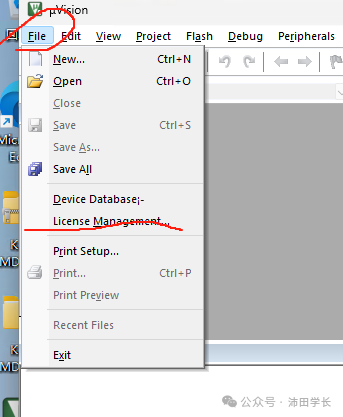
11、ObtainCID
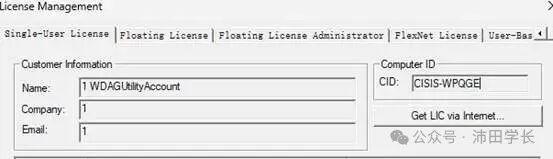
Copy and paste it into the activation software from earlier
12、ClickGenerate
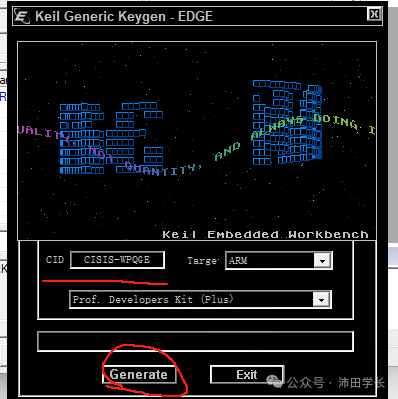
Copy and paste it into thekeil software
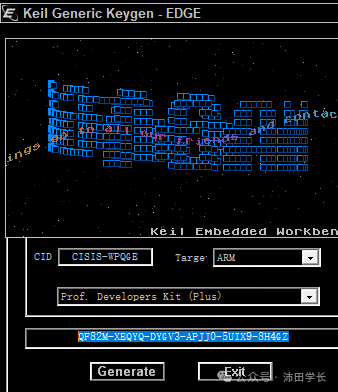
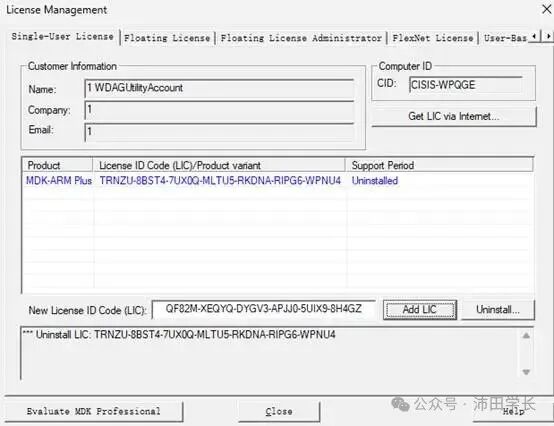
13、Clickadd DLC and the activation is successful
14、Installation and extraction of chip packagesPack
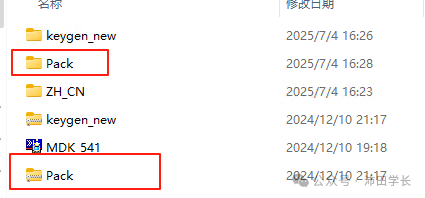 15、EnterPack and double-click to install the chip package
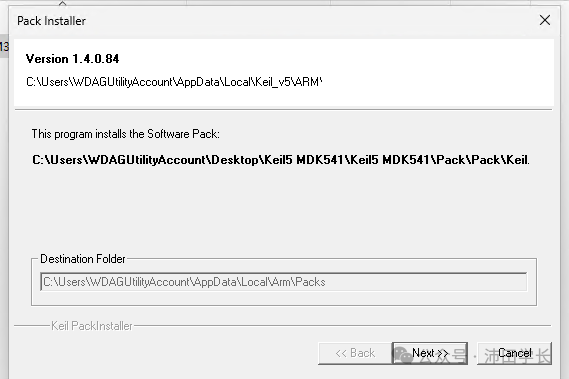
16、Click next to install successfully, and you can happily develop with theSTM32F1 chip, haha
Congratulations, newbie, you have successfully completed the beginner task
Following the normal steps to install this latest software will result in errors when compiling previous projects. Here, Senior Peitian provides a solution
Compiler5 version error resolution
1、Enter theLED test program directory, download link provided
File shared via cloud storage:led.rar
Link: https://pan.baidu.com/s/193Vy51WibeTVslEqaoFmcQ?pwd=ptxz Extraction code: ptxz
—Shared by Baidu Cloud Super Memberv6
2、Enter the directory and click onLED which has an icon
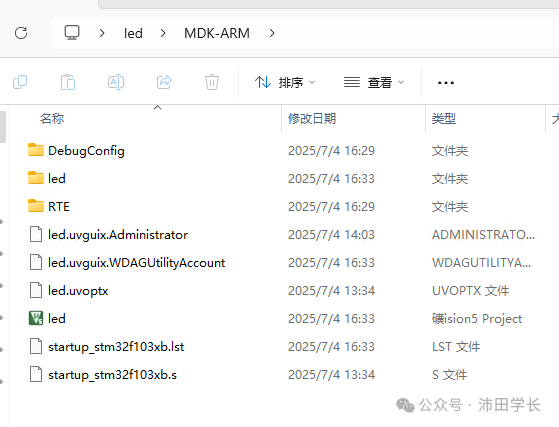
3、Compilation will show errors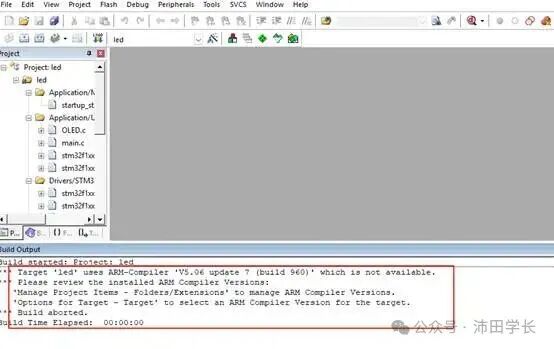
You need to downloadARMCC and here is the Baidu Cloud linkFile shared via cloud storage:ARMCC.zip
Link: https://pan.baidu.com/s/1v2h52CTONwcZpOm1KiPS_w?pwd=ptxz Extraction code: ptxz
—Shared by Baidu Cloud Super Memberv6After downloading, place it in thekeil installation directory as shownFirst, open the file location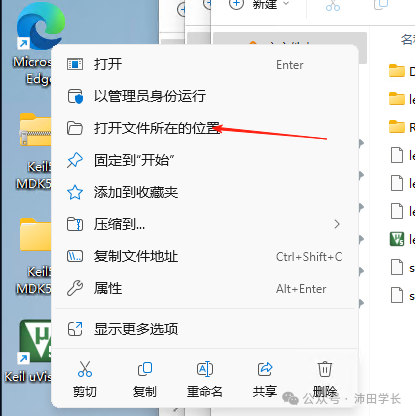
Return to the previous level and see theARM directory, enter it and copyARMCC to that directory
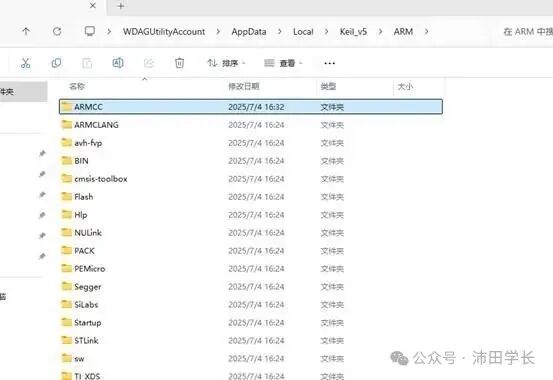
After completion, close and enter thekeil software, select the file management icon (three-color box)
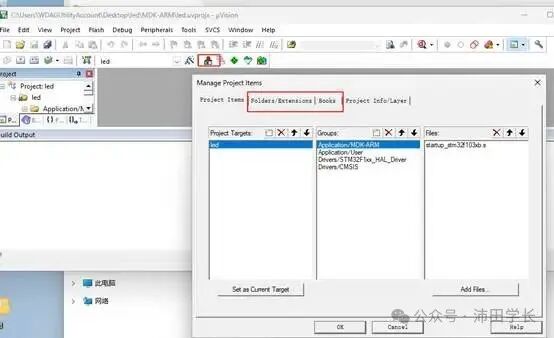
Install the compiler version and click the three dots
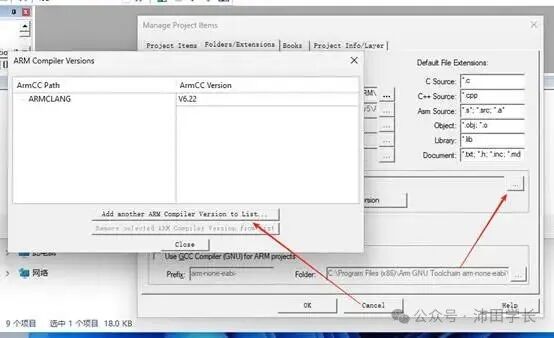
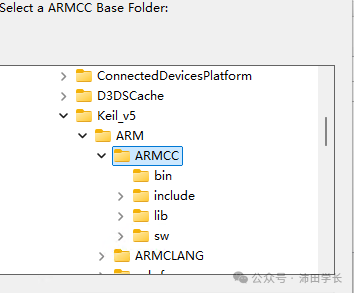
Click add and selectARMCC to proceed
After confirming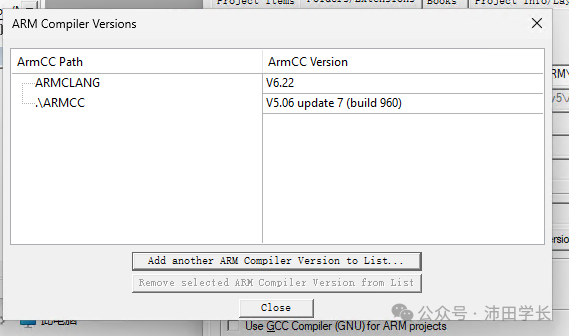
4、At this point, the addition is complete, click the magic wand to configure
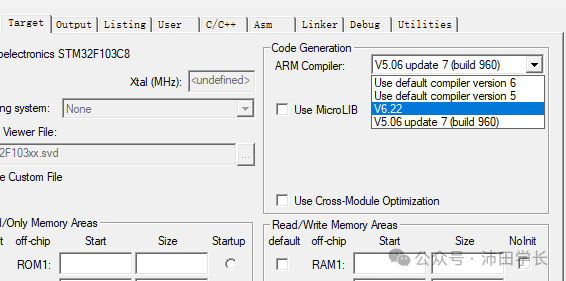
5、Select5.06 and click compile to run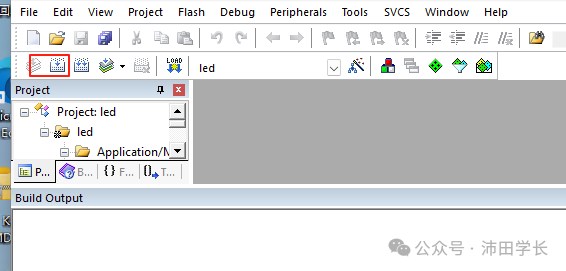
6、0 errors0 warnings, perfect installation