Software Download
1. Software Name:Keil uVision5
2. Software Version:MDK5.343. Software Size:865 MB4. System Requirements:Windows 7/Windows 10/Windows 11 (64-bit)
5.Download link from Quark Cloud Disk:
https://pan.quark.cn/s/59fade859bc8
Please save the link before downloading to avoid data loss. Note that direct online extraction is not recommended!
Software IntroductionKeil uVision5 is an integrated software development platform designed specifically for ARM architecture embedded MCU systems. It includes tools for code editing, building, and debugging, compatible with C/C++ and ARM assembly languages, and features breakpoint and single-step debugging for easier code debugging. It is widely adopted in various projects such as STM32 and ARM Cortex, covering multiple MCUs and their simulation devices. uVision5 provides code optimization and numerous middleware libraries to simplify programming tasks in industrial control systems, playing a critical role in the industry.Installation Steps
Note:The computer must have an extraction program installed to extract the files.
Attention:Please exit antivirus software, firewalls,including Windows built-in real-time protection, etc.
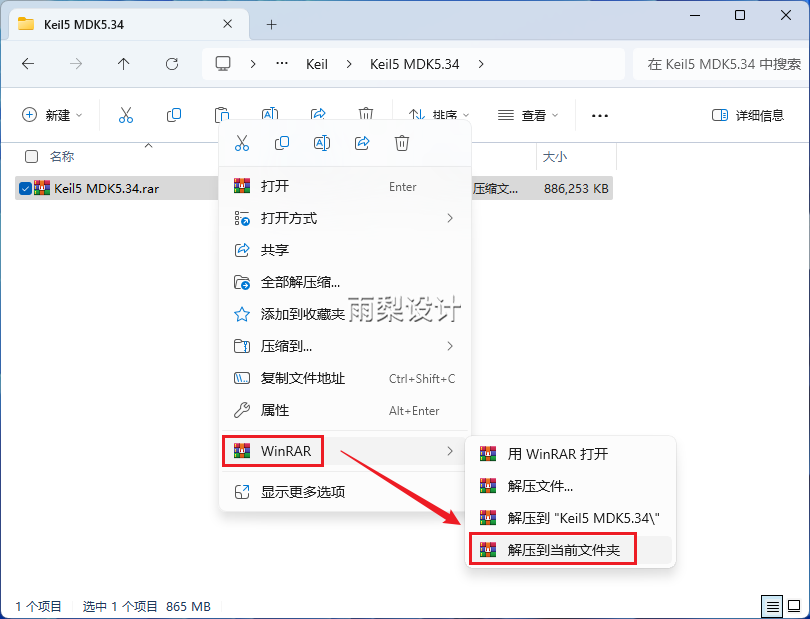
1. Right-click the downloaded compressed file and select 【Extract to Current Folder】.
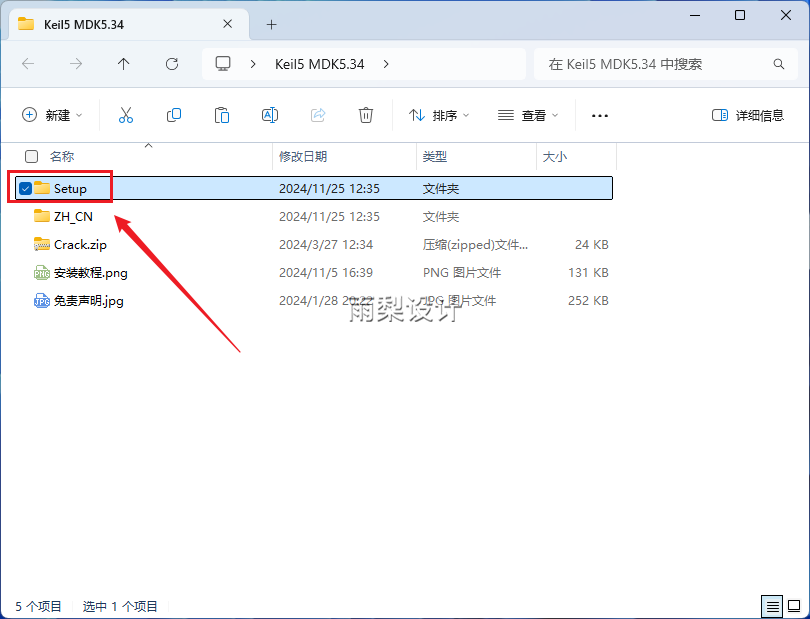
2.Double-click to open the 【Setup】 folder
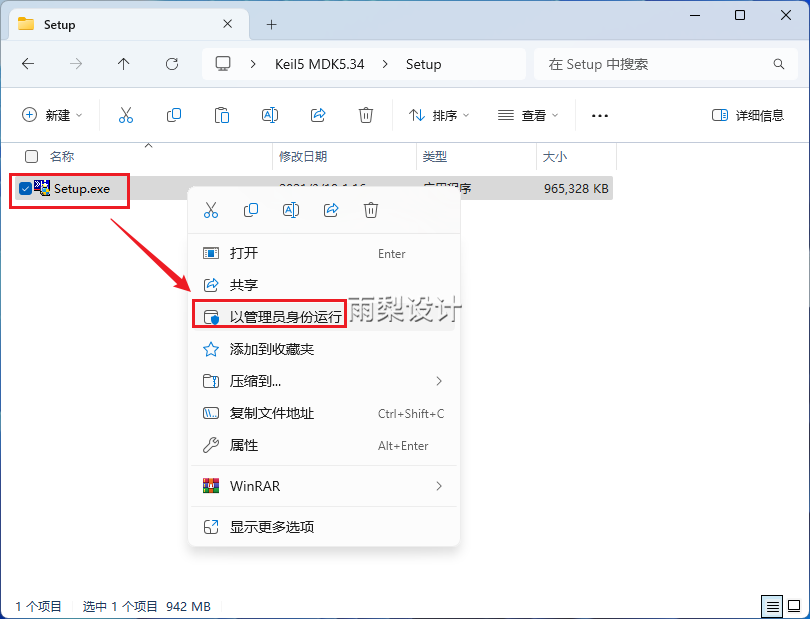
3.Right-click 【Setup】 and select 【Run as Administrator】
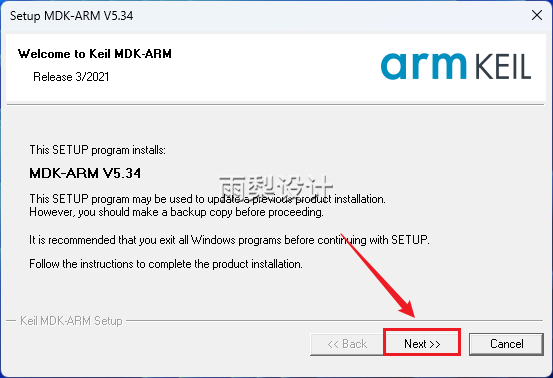
4.Click 【Next】
5. Check 【I agree】,Click 【Next】】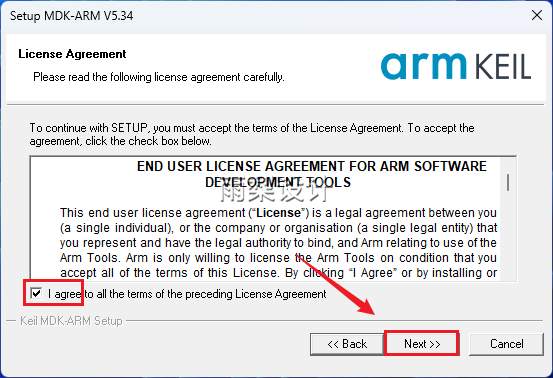
6.Change the C in the installation path to D,Click 【Next】】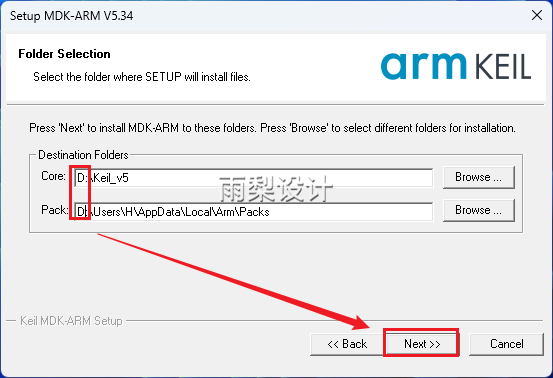
7. Fill in any four locations;Click 【Next】】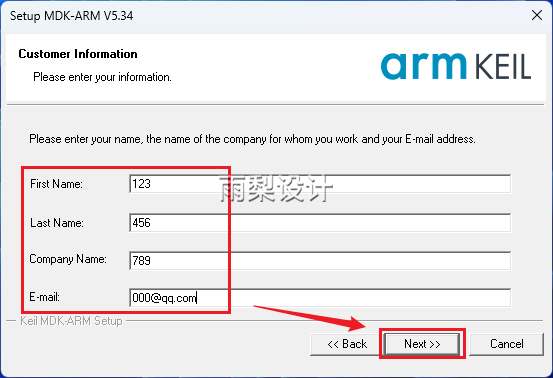
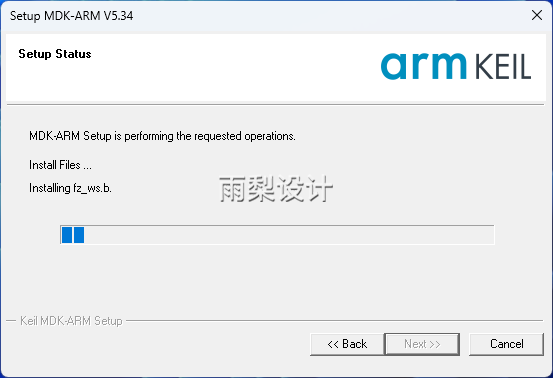
8. Automatic installation…
9. Click 【Install】
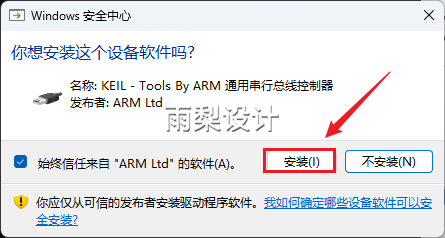
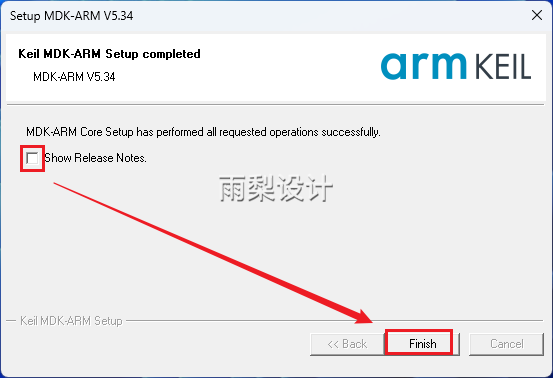
10.Uncheck;Click 【Finish】】
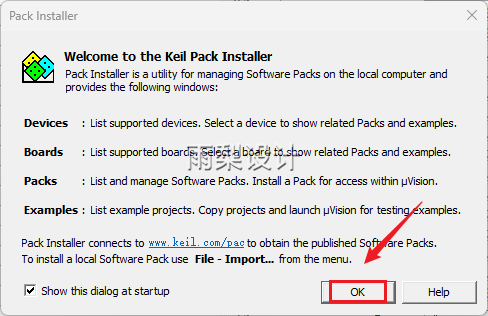
11. Click 【OK】
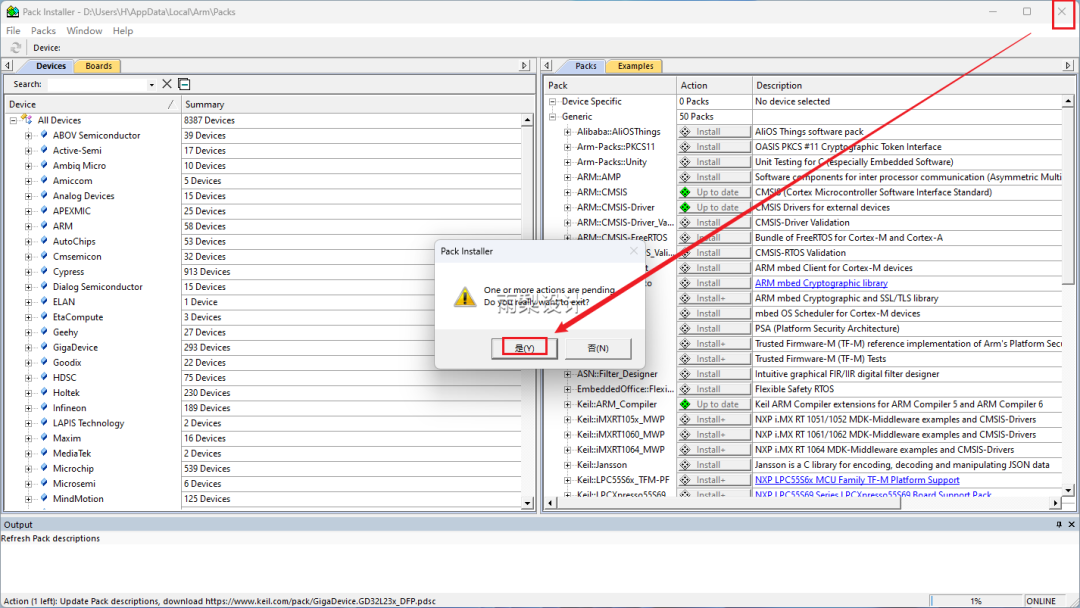
12. Click the 【X】 symbol in the upper right corner of the page to close, and select 【Agree】 to confirm exit.
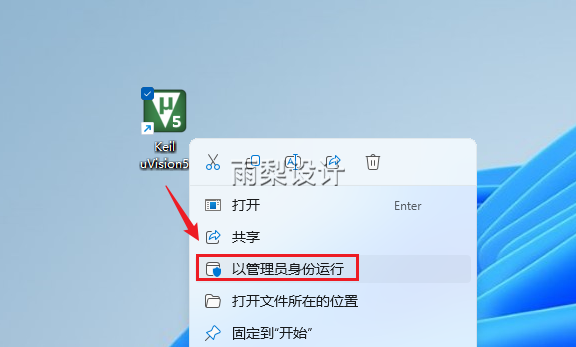
13. Return to the desktop, click the software icon, and right-click to select 【Run as Administrator】
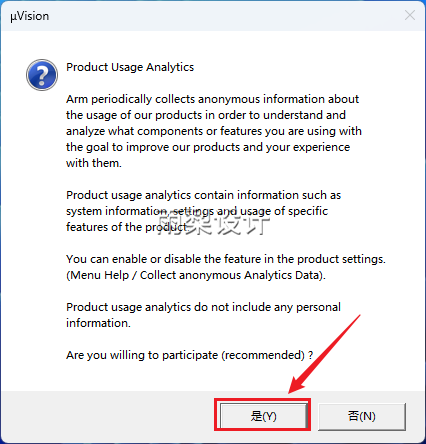
14. Click 【Yes】
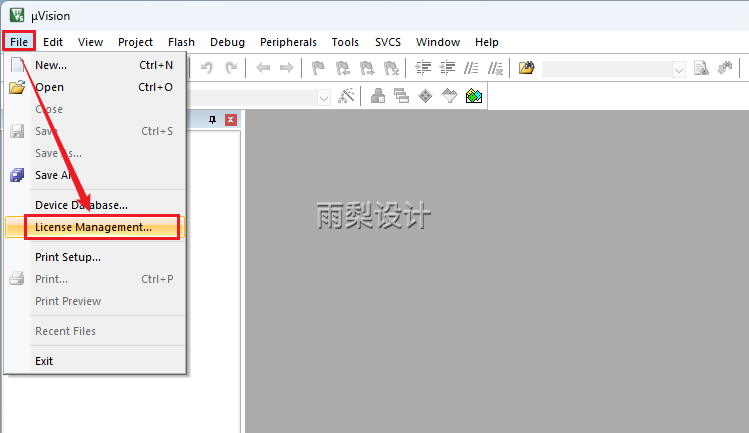
15. Click 【File】 > 【License Management…】, keep the pop-up window open for subsequent operations
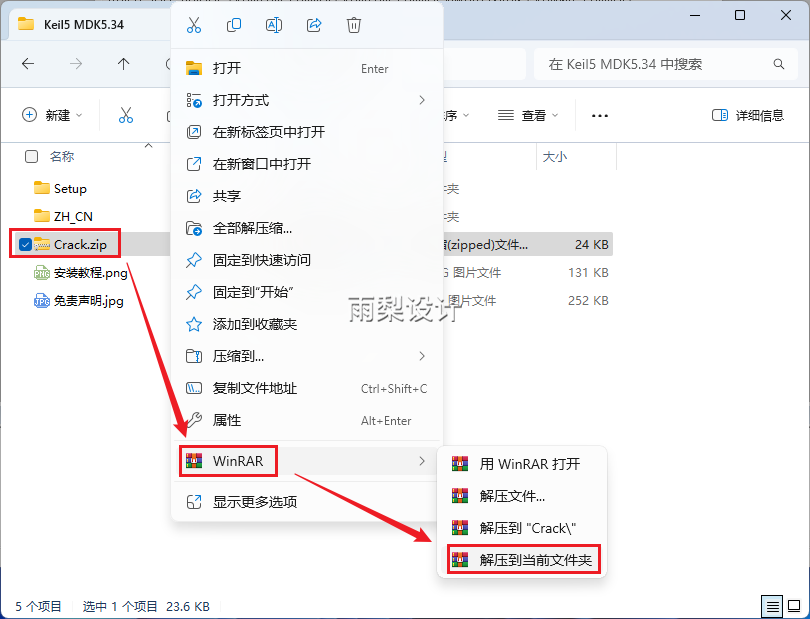
16. Return to the previously extracted folder;Right-click 【Crack】, then 【Extract to Current Folder】.Note:Please exit antivirus software, firewalls,including Windows built-in real-time protection, etc. (If you don’t know how: Help Center)
17.Right-click 【Keygen】 and select 【Run as Administrator】
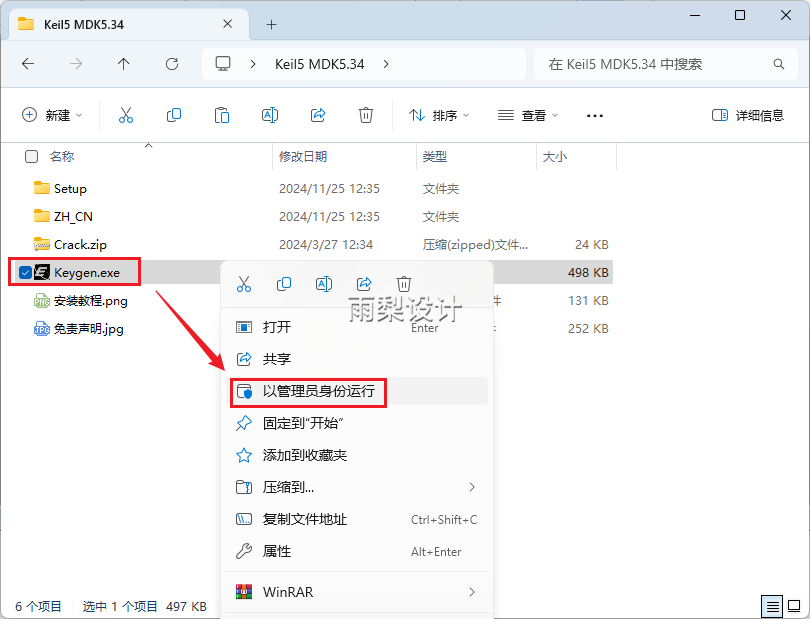
18.① Copy the 【CID】 from the software;② Select 【ARM】 after Target;③ Select 【Professional】;④ Click 【Generate】 to create the activation code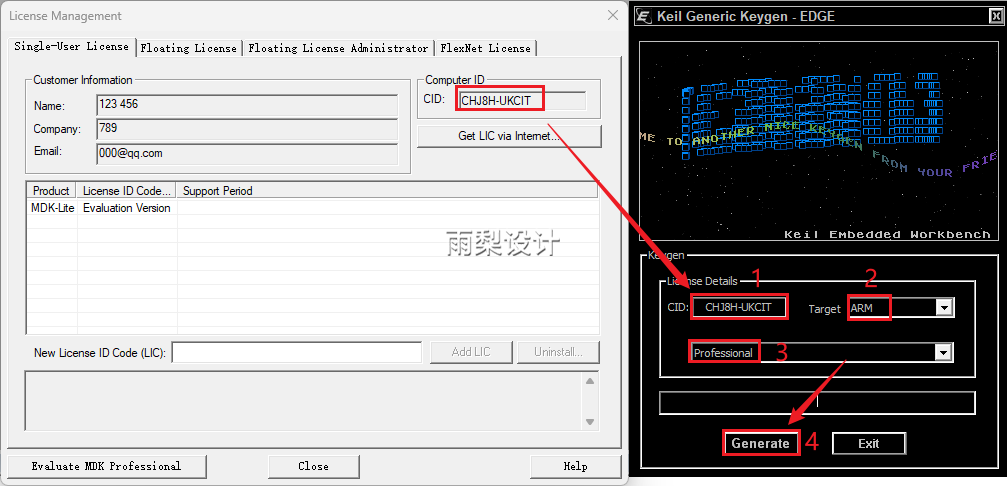
19.① Paste the activation code copied from the keygen into the software’s 【New License ID Code】 text box;② Click 【Add LIC】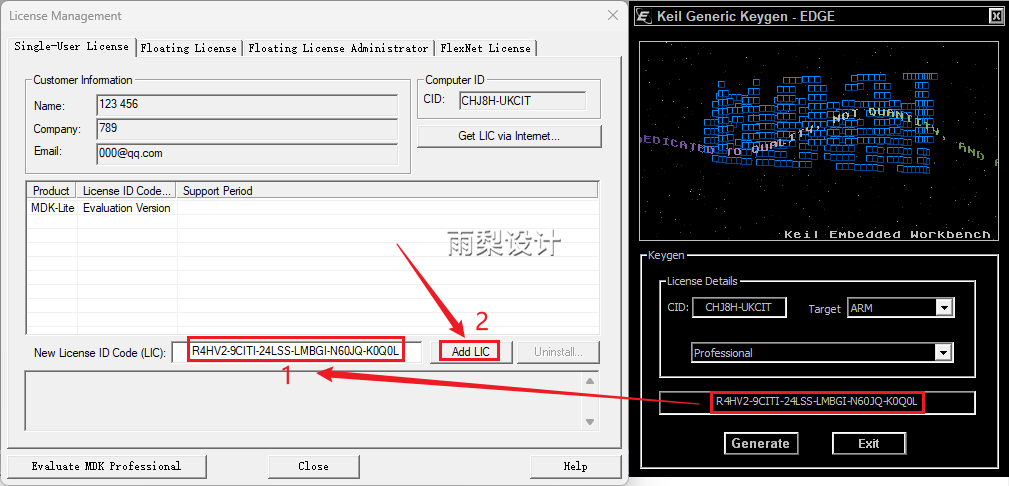
20. When 【Dec2032】 appears,click 【Close】】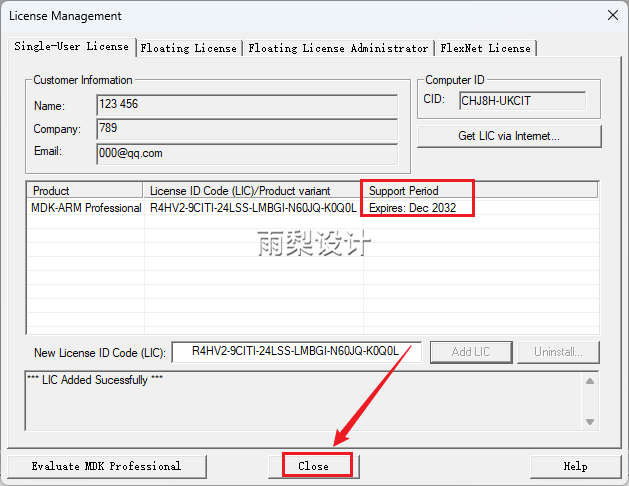 Installation completed, if you wish to localize, please continue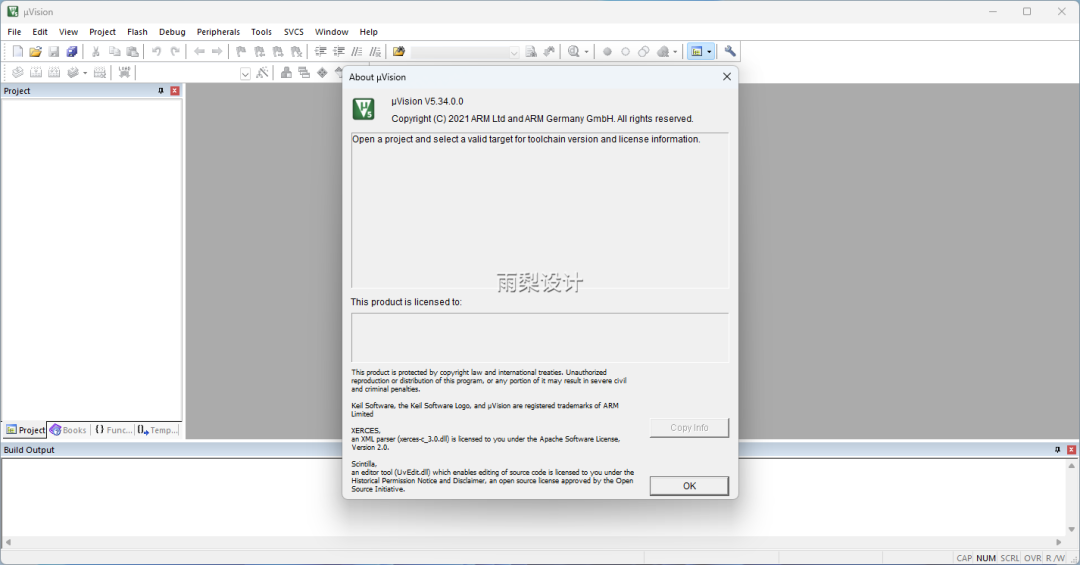
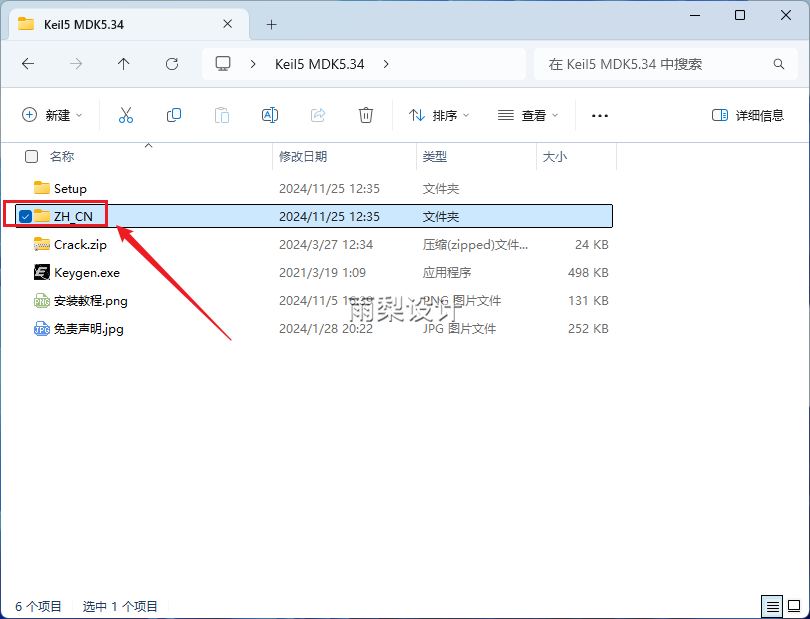
22.Return to the previously extracted folder;Double-click to open the 【ZH_CN】 folder
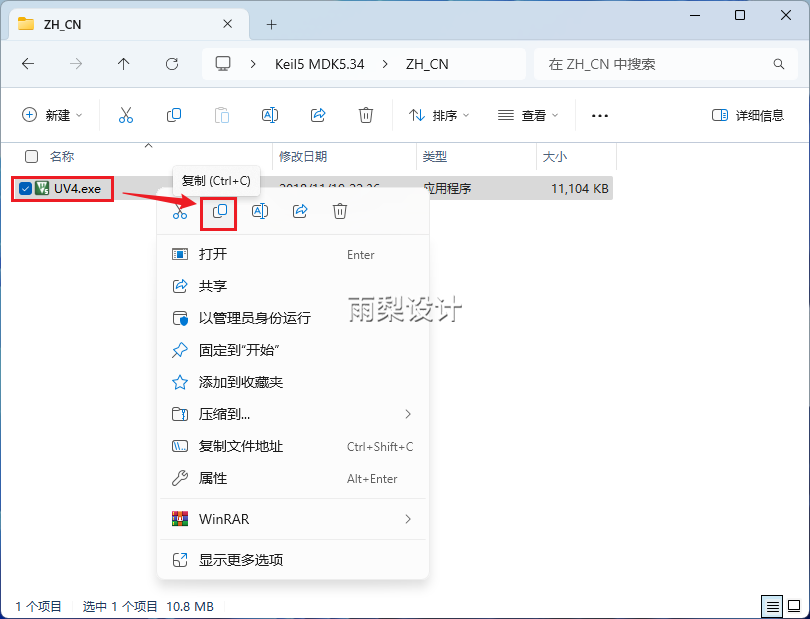
23. Right-click 【UV4】 and select 【Copy】
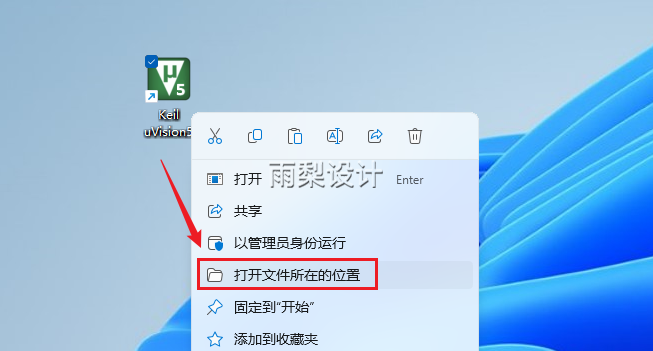
24. Return to the desktop and find the software icon, right-click【Open File Location】
25. Right-click in the blank area【Paste】
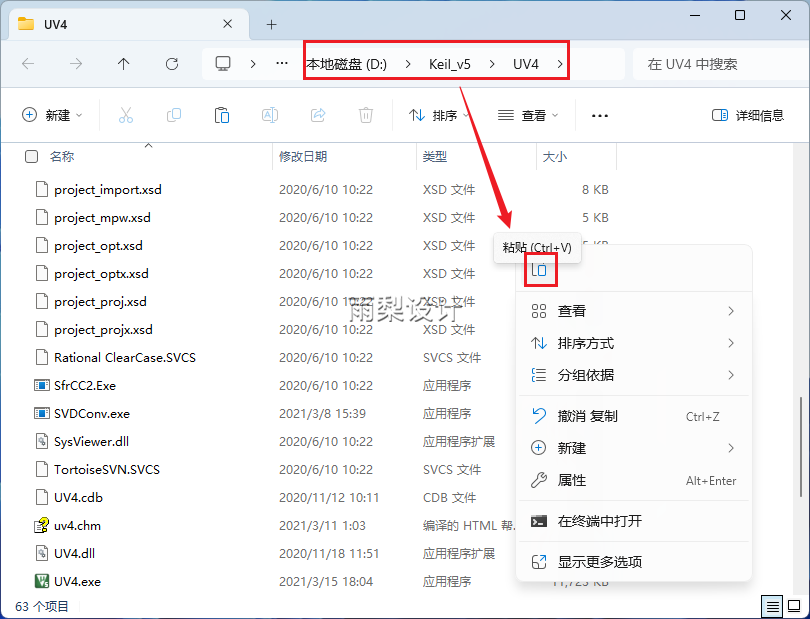
26. Click【Replace the files in the destination】
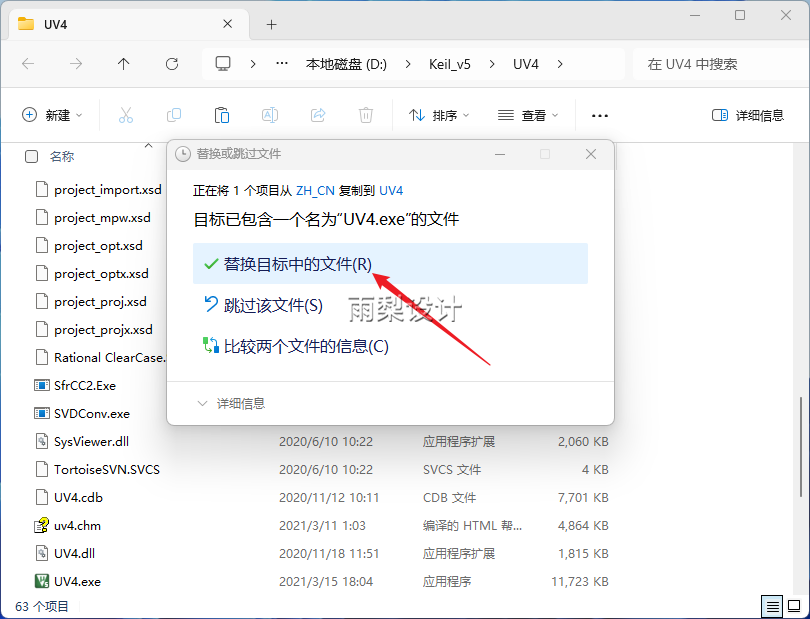
27. Return to the desktop, find the iconDouble-click to start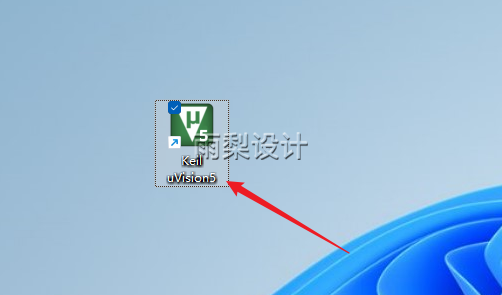 28. Installation completed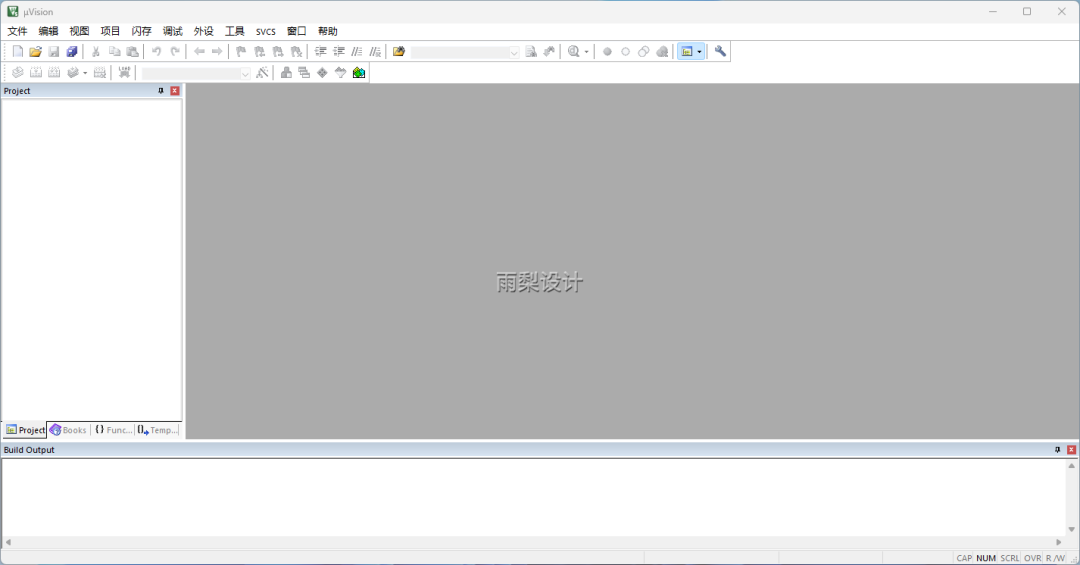
Disclaimer:The download links provided by this public account are sourced from online collections and user sharing, owned by the original authors and companies. They are for personal learning and research use only, and commercial use is prohibited. Please delete the downloaded content within 24 hours to avoid copyright disputes. Please respect the rights of the original authors and support legitimate versions. If commercial use is required, please purchase and obtain legal authorization. If any infringement is found, please contact us promptly, and the public account will immediately remove the relevant resources. Thank you for your understanding and support!