

Software Download
Long press to select and copy the link
Keil uVision5 MDK (32/64-bit) Download Link
https://docs.qq.com/doc/DZU1wR3N4TVR1ekFv
* If the link is invalid, please contact WeChat ID: 3269361759
* If you are unsure about your computer’s system architecture, click here

Software Introduction
Keil C51 is a software that helps you develop microcontroller applications. You can find a large number of function libraries available for development, create new communication schemes for your devices, and utilize the built-in professional editor to create new applications. You can also establish new development schemes using built-in components, extend the editor’s functionality with external tools, and test your developed projects using the μVision debugger. It is very practical for developing 51 microcontrollers.
Overview
Installation Steps
1. Right-click on the [Keil uVision5 MDK] compressed package and select [Extract to Keil uVision5 MDK].
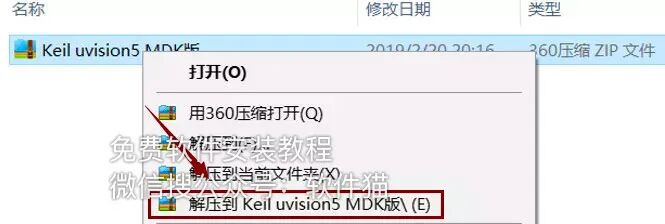
2. Double-click to open the extracted [Keil uVision5 MDK] folder.

3. Right-click on the [mdk518] executable file and select [Run as administrator].

4. Click [Next>>].
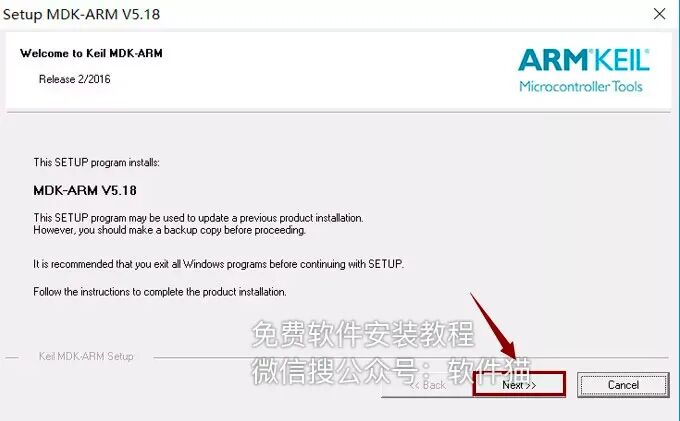
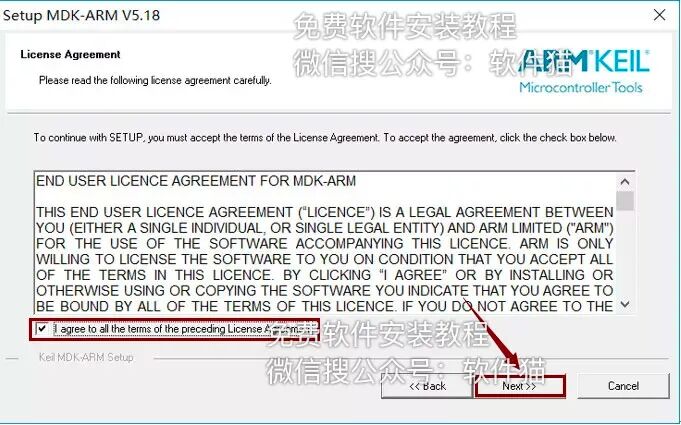
5. Check [I agree to all the…] and then click [Next>>].
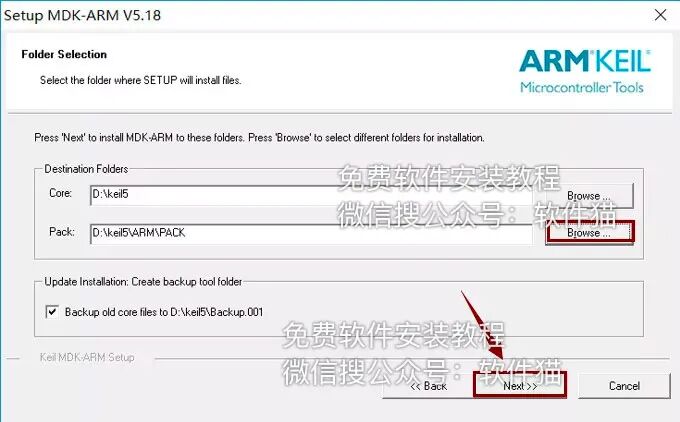
6. Click [Browse] to change the installation path of the software. It is recommended to install it on a disk other than C. You can create a new folder named [keil5] on the D drive, then click [Next>>].
7. Fill in the information and click [Next>>].
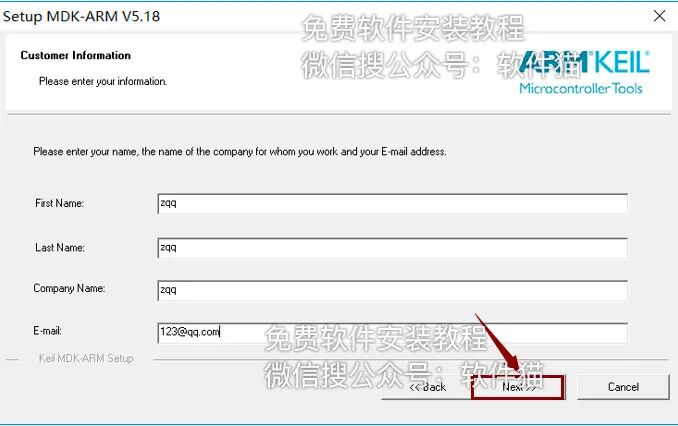
8. Installation in progress.
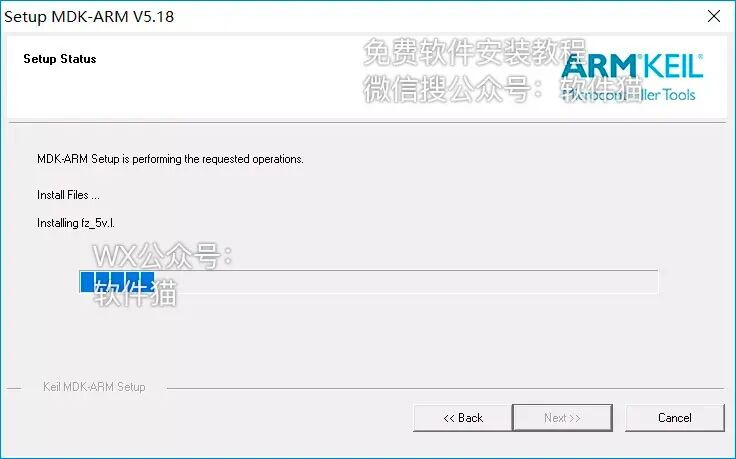
9. Click [Install].
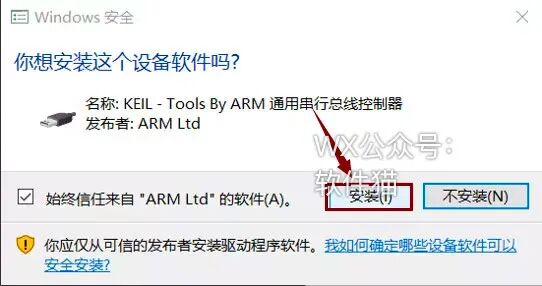
10. Wait.
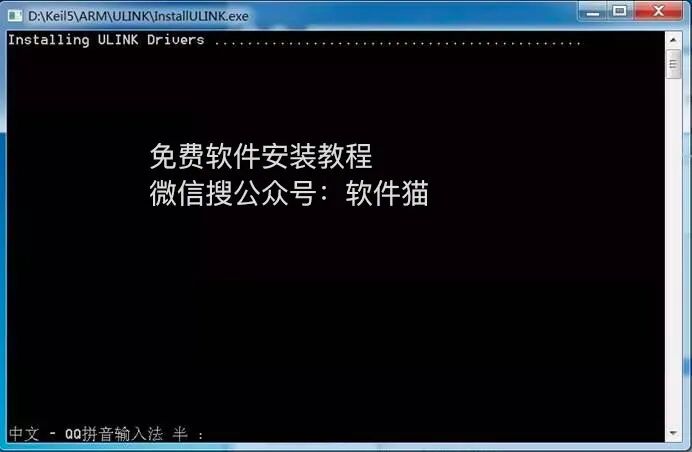
11. Uncheck, then click [Finish].
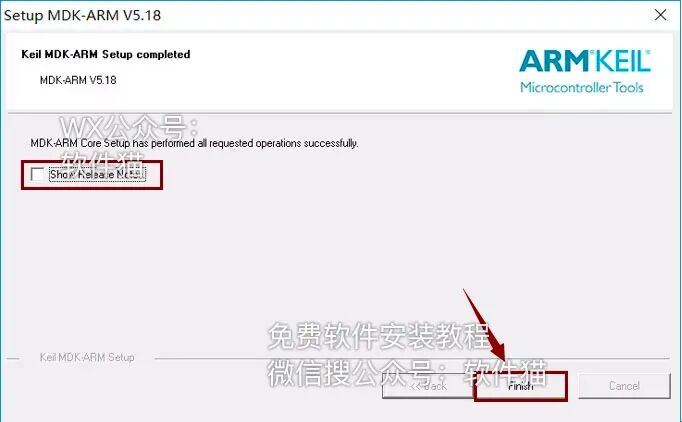
12. Click [OK].
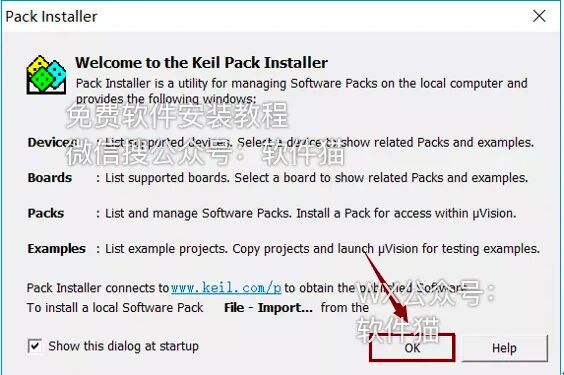
13. Click the close button in the upper right corner of the software to exit.
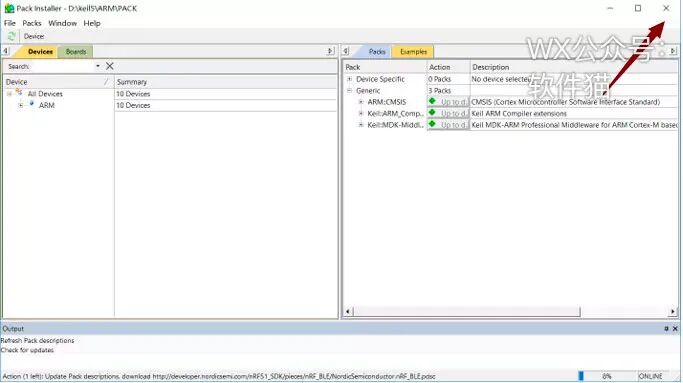
14. Double-click to open [Keil uVision5] on the desktop.
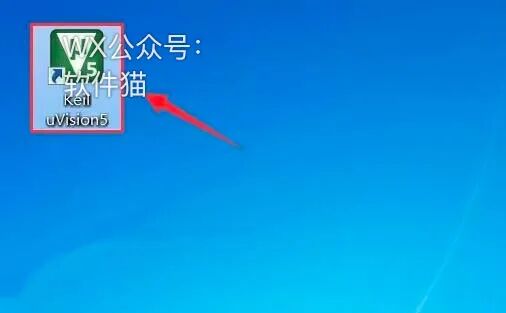
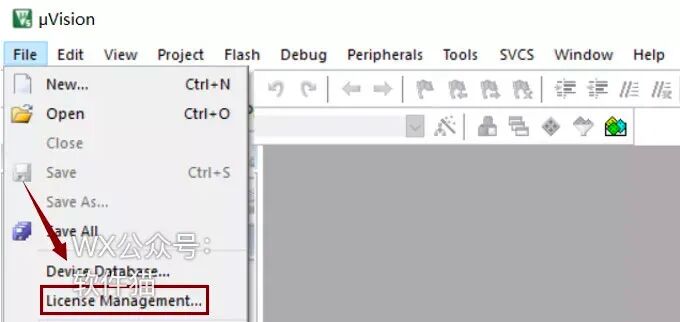
15. Click on the [License Management] under the [File] menu.
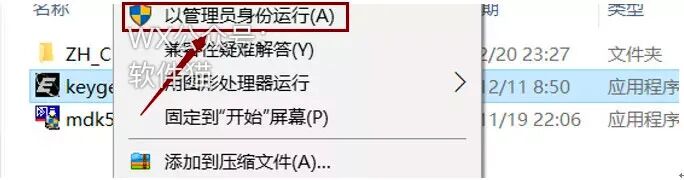
16. Open the previously extracted [Keil uVision5 MDK] folder, select the [keygen] executable file, right-click and select [Run as administrator].
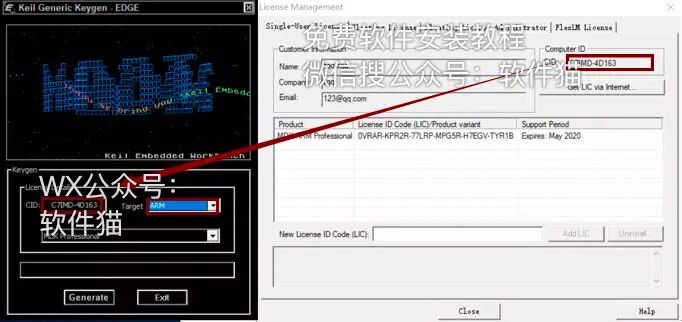
17. Use the shortcut Ctrl+C to copy the [CID] from the software license manager, then use Ctrl+V to paste it into the [CID] box in the keygen.
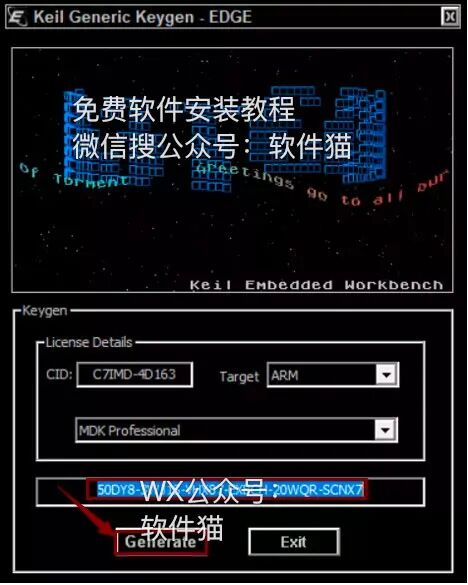
18. First, select [ARM] in [Target], click [Generate], then use Ctrl+C to copy the generated activation code from the box above.
19. In the [LIC] box, use Ctrl+V to paste, then click [Add Lic].
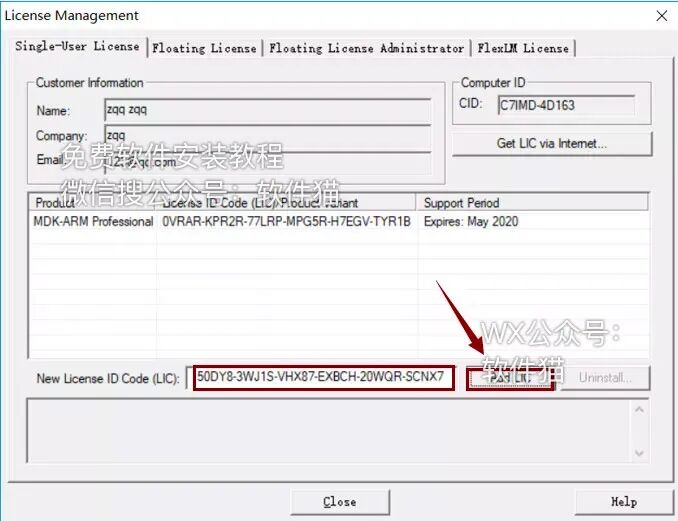
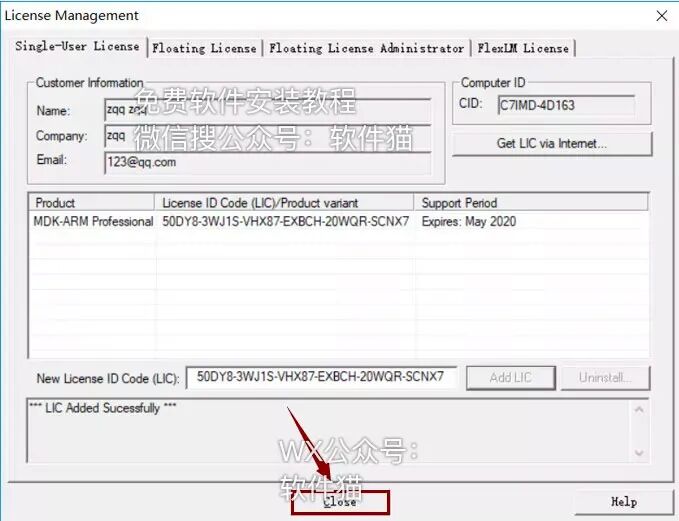
20. Click [Close].
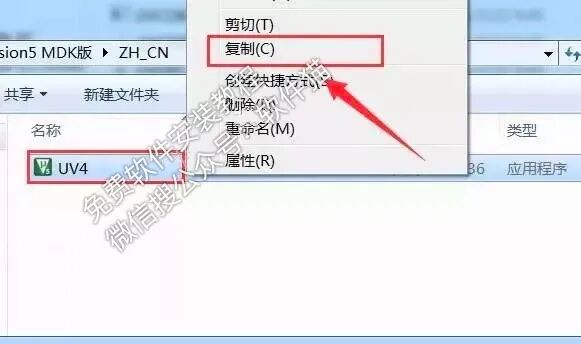
21. Double-click to open the previously extracted [Keil uVision5 MDK] folder and then the [ZH_CN] folder.

22. Select the [UV4] file, right-click and select [Copy].
23. Right-click on [Keil uVision5] and select [Open file location].
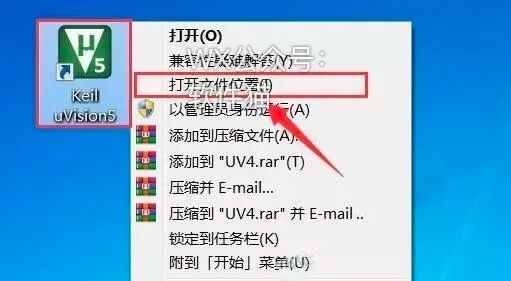
24. Right-click in the blank area and select [Paste].
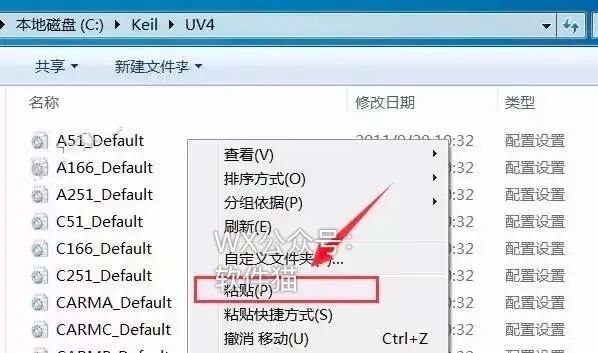
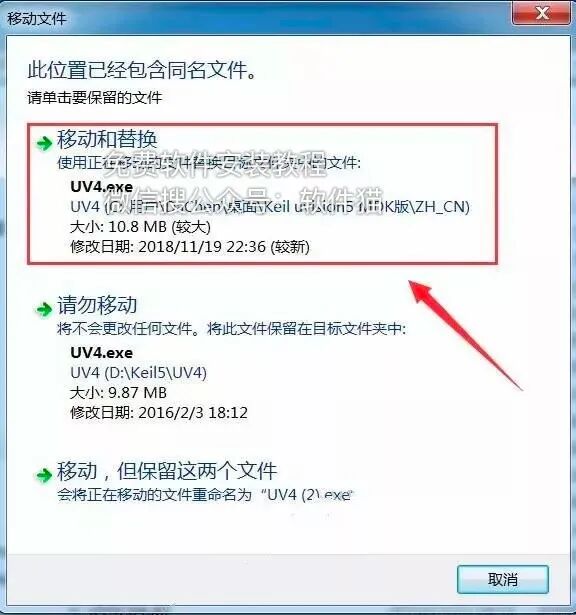
25. Click [Copy and Replace].
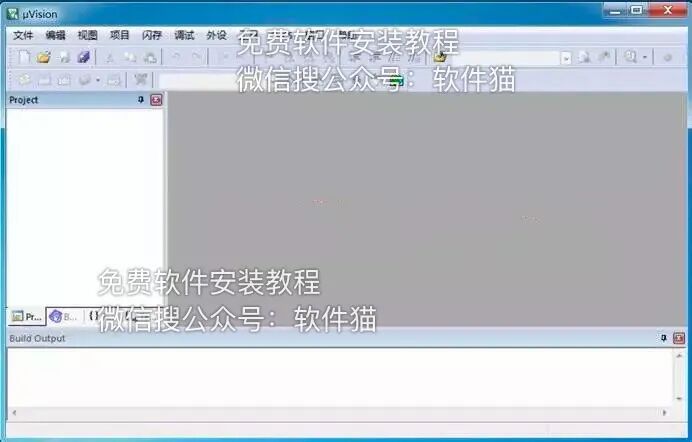
26. Double-click to open [Keil uVision5] on the desktop.

27. Installation complete.

Follow Us
Follow “Software Cat“, all software installation tutorials are free
All software is virus-free and plugin-free

▼ Click “Read the Original” to see more software installation tutorials