SoftwareIntroduction
|
Keil is a professional embedded system development toolchain widely used in the field of microcontroller (MCU) and ARM processor development. Below is its related introduction: Features・Integrated Development Environment: Provides a unified workflow for code editing, compilation, and debugging, supporting C/C++ and assembly language development・Hardware Simulation Debugging: Built-in μVision debugger, supports real-time simulation via JTAG/SWD interfaces, capable of monitoring register/memory data・Rich Device Support: Includes a chip database of over 3000 MCUs such as STM32, NXP, and automatically generates initialization code Application Scenarios・Industrial Control Development: Used for programming and testing embedded systems such as PLCs and motor controllers・IoT Device Development: Supports firmware development for low-power wireless devices (e.g., Bluetooth/WiFi modules)・Educational Experiment Applications: Widely used in university microcontroller course experiments, paired with development boards for practical teaching |
|
| Software Name:Keil uVision5 MDK518 | |
|
Software Language:Simplified Chinese |
Software Size:377M |
|
System Requirements: Windows 7 or higher, 64-bit operating system |
|
| Hardware Requirements: CPU @ 2+ GHz, RAM @ 4G or higher | |
| Download Channels①Thunder Cloud Disk丨Download Link:
https://pan.xunlei.com/s/VOSRuctxlbiSJ7wuPH7Akxw1A1?pwd=nsre# |
|
|
Download Channels②Baidu Cloud Disk丨Download Link: https://pan.baidu.com/s/1KPIFgt8lae852hQtSkKstw?pwd=8888 |
|
|
Download Channels③Quark Cloud Disk丨Download Link: https://pan.quark.cn/s/fc52e0bf643e |
|
| Download Help: ▷ Click to see how to “download software”?Common Issues: ▷ Click to view the manager “Help Center”!More Resources: ▷ Click to view the latest “Software Directory”! |
InstallationSteps
1.Right-click on the 【Keil uVision5 MDK version】 compressed package, select 【Extract to
Can’t extract?
▷ Click to see 👉 how to install extraction software!
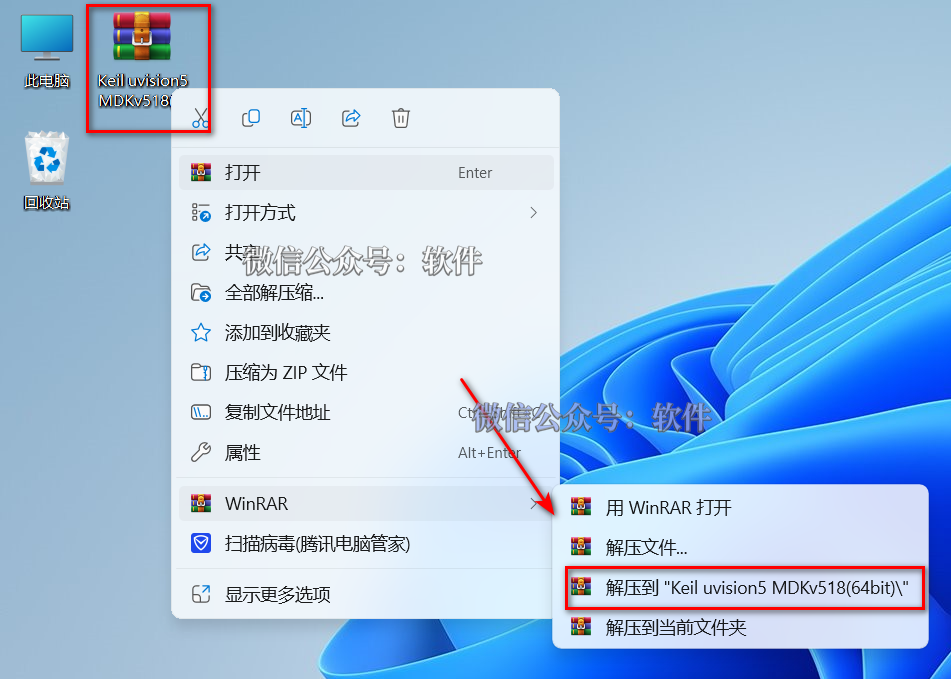
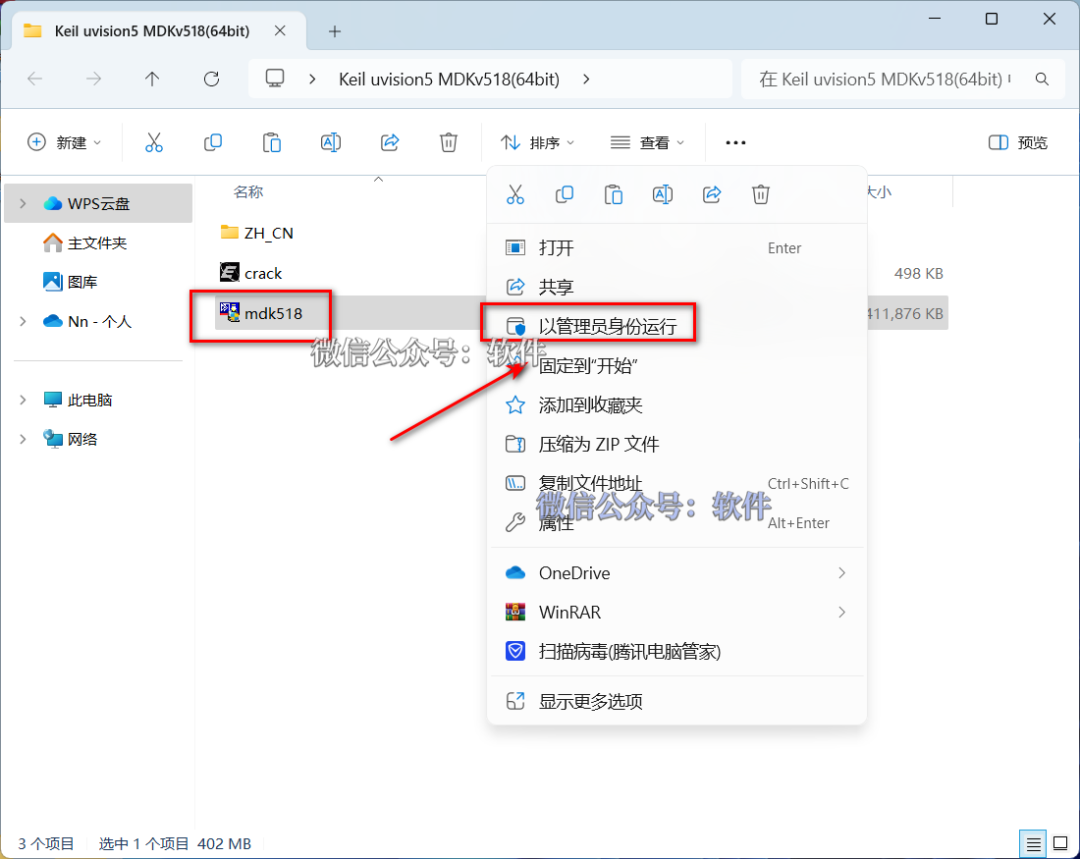
2.Open the extracted folder, right-click on 【mdk518】 and select 【Run as administrator】.
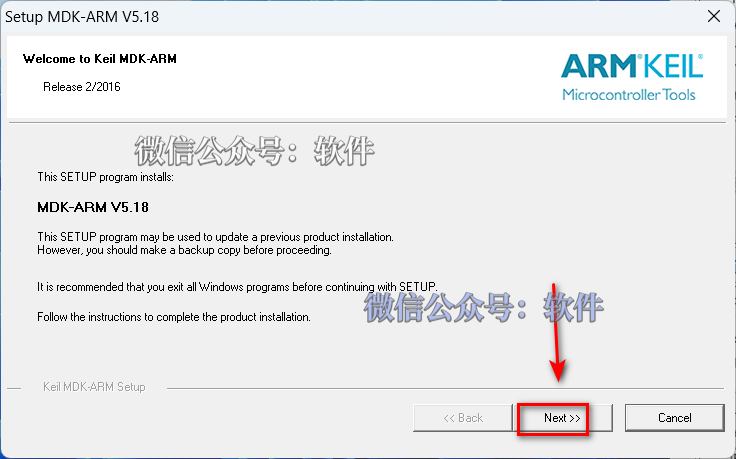
3.Click 【Next>>】.
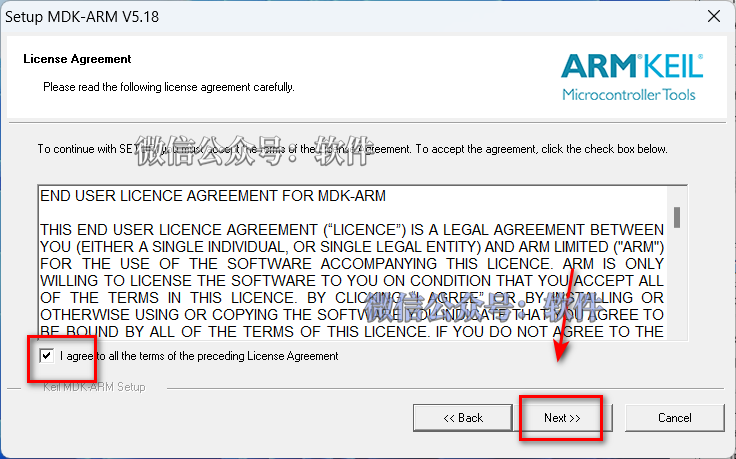
4.Select 【I agree to all terms…】 and click 【Next>>
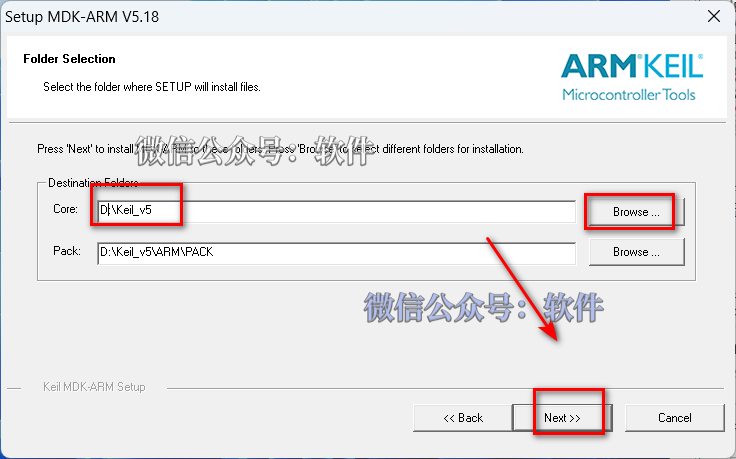
5.Click 【Browse】 to change the software installation location, for example, create a new folder named“Keil_v5” on drive D(Note: The folder name in the software installation path cannot contain Chinese characters);Click 【Next>>
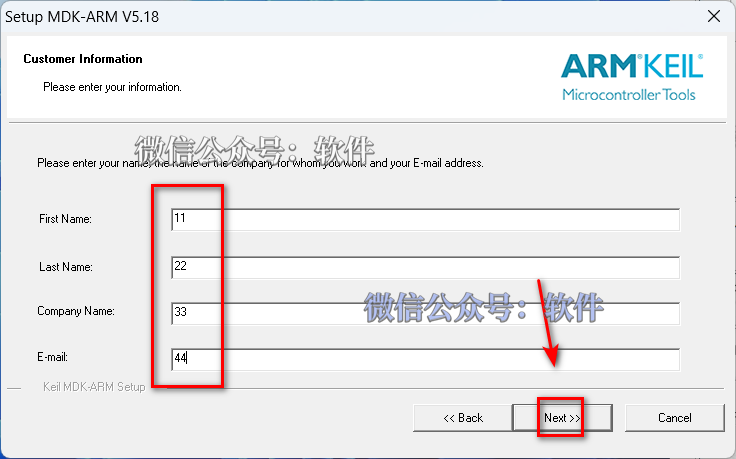
6.Any input 【First Name、Last Name、Company、Click 【Next>>】.
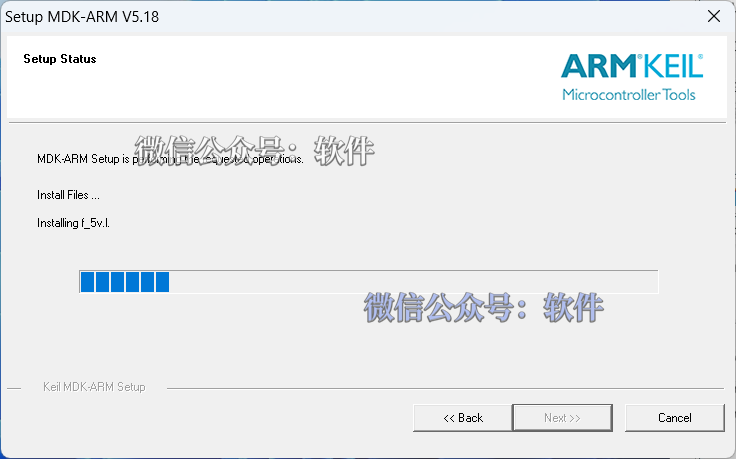
7.The software is installing………
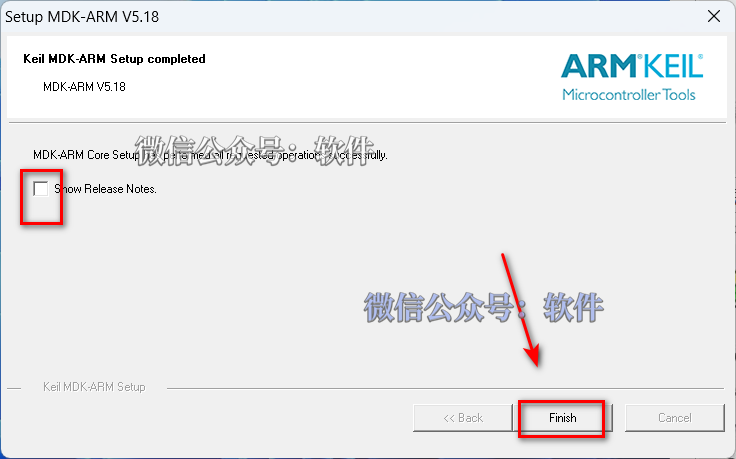
8.Uncheck 【ShowRelease Notes】 and 【Add example…】, click 【Finish】.
9.Click 【OK】.
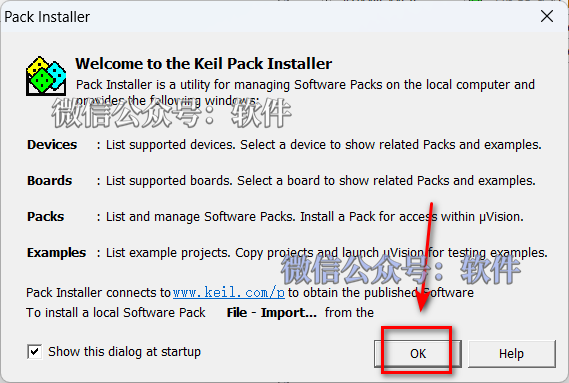
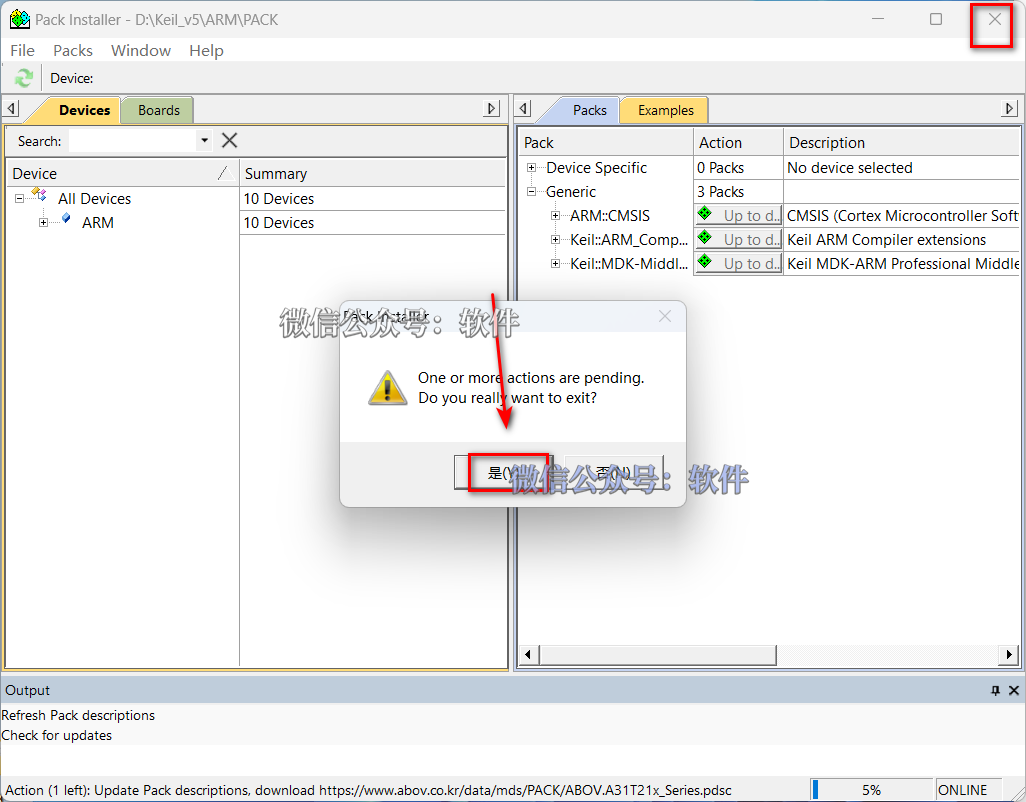
10.Click the upper right corner 【X】 to exit, click 【Yes】.
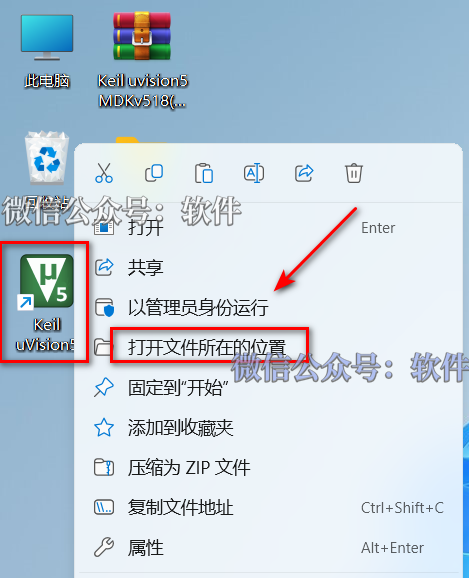
11.Right-click on the 【Keil uVision5】 icon on the desktop, select 【Run as administrator】.
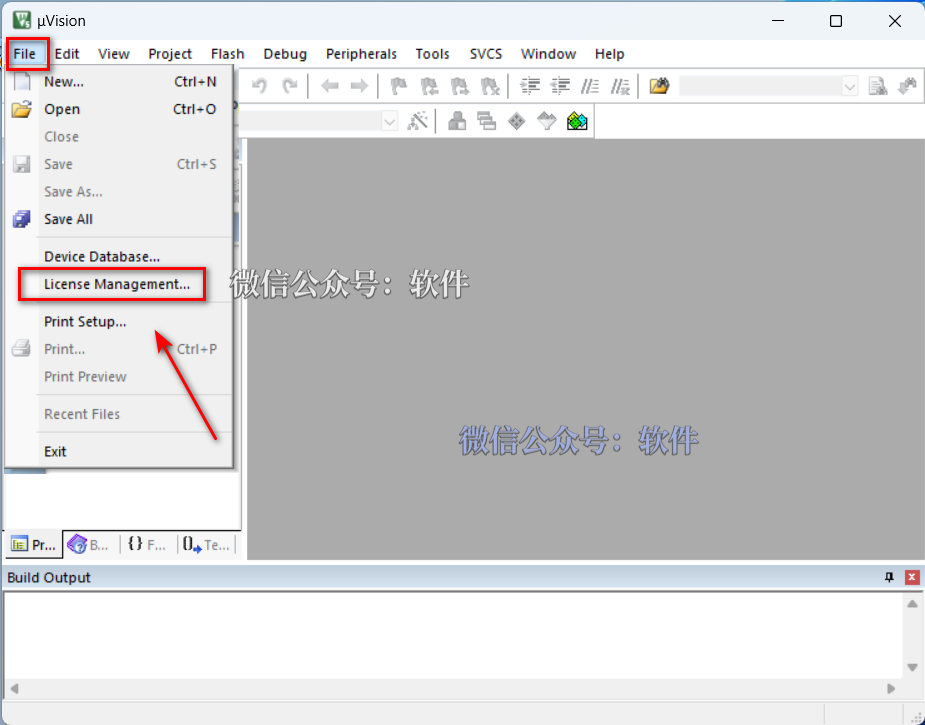
12.Click 【File】 and select 【License Management】 (do not close this window).
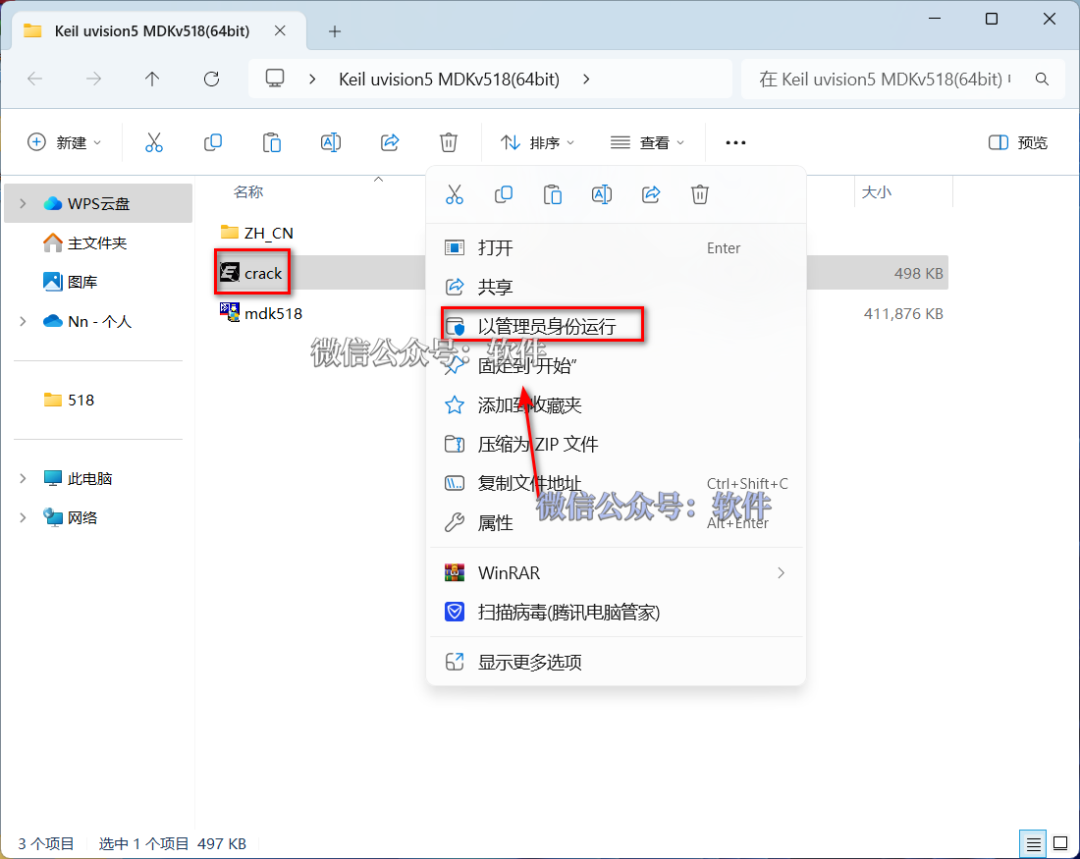
13.Open the extracted 【Keil uVision 5 MDK version】 folder, right-click on 【crack】 and select 【Run as administrator】.
Warm Reminder
① Before running this program: you need to disable antivirus software, firewalls, Windows Defender, etc., to avoid installation failure due to the activation file not running properly; if this file is missing after extraction, it may have been mistakenly deleted, please disable all antivirus software and re-extract the installation package.
② Operation Guide:
▷ Click to see 👉 why does antivirus software report a virus?
▷ Click to see 👉 how to properly disable antivirus software?
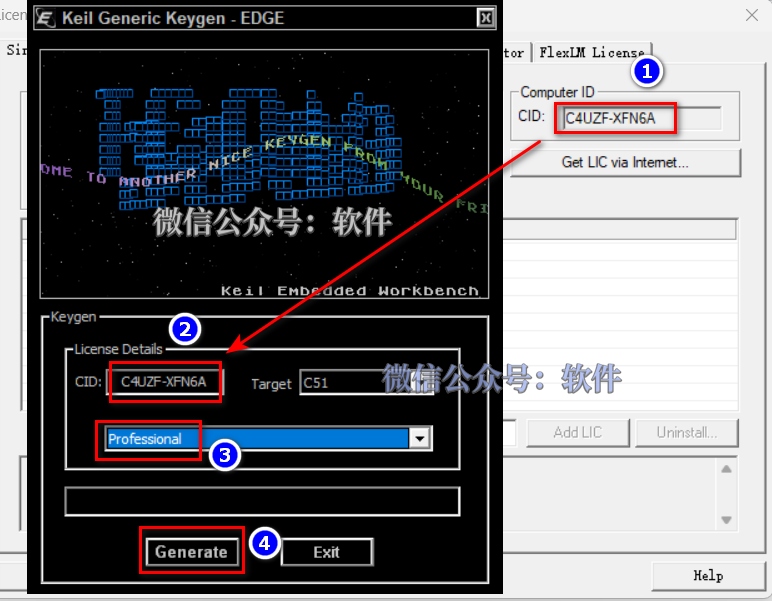
14.Generate Activation Code: ①Press “Ctrl+C” to copy the code after 【CID】; ②Press“Ctrl+V” to paste the code into the box after 【CID】; ③ Click 【Expand Symbol】 to select 【Professional】; ④ Click 【Generate】 to generate the activation code.
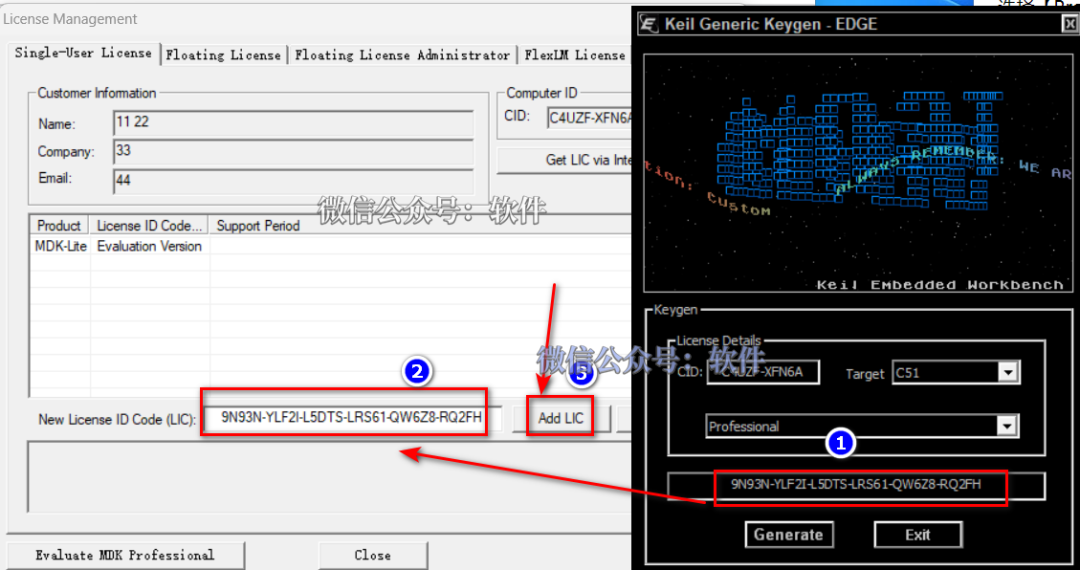
15.Input Activation Code: ①Press“Ctrl+C” to copy the activation code; ②Press“Ctrl+V” to paste the activation code into 【New License IDCode】; ③ Click 【Add LIC】.
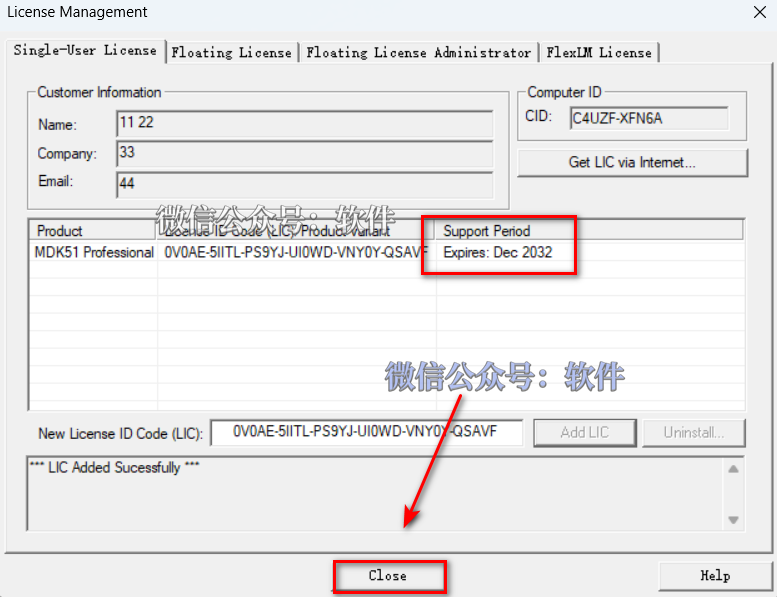
16.Activation Successful, then click 【Close】.
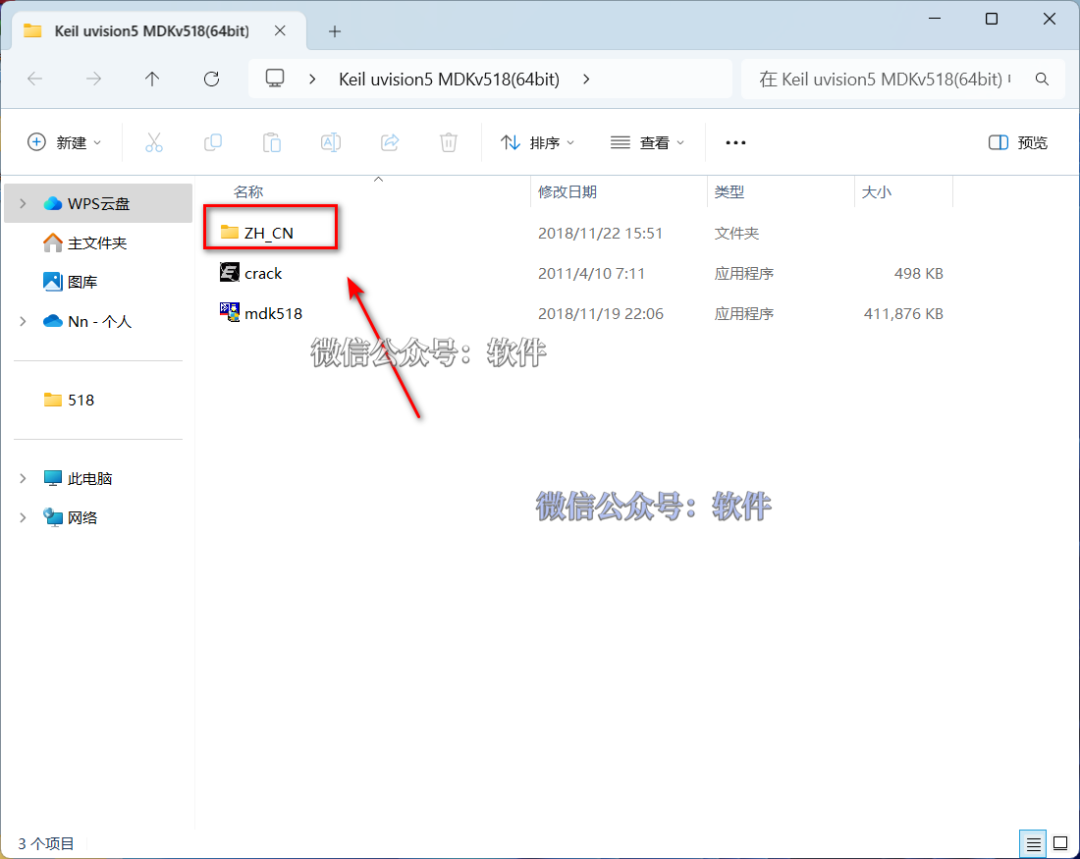
17.Open the extracted 【Keil uVision 5 MDK version】 folder and open the 【ZH_CN】 folder.
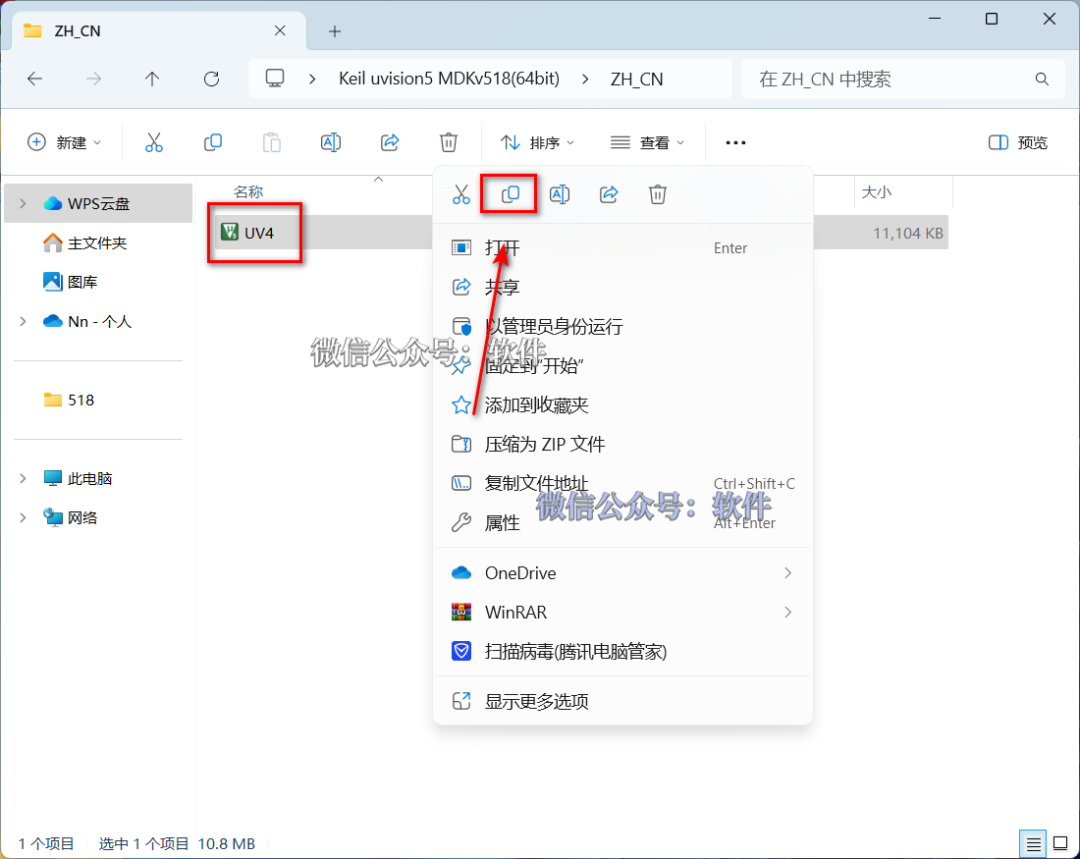
18.Right-click on 【Uv4】 and select 【Copy】.
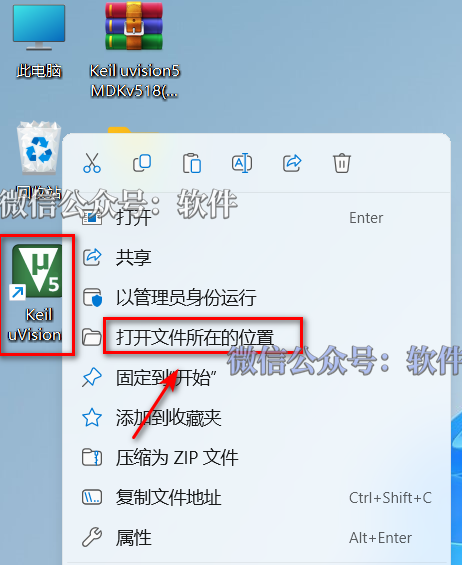
19.Right-click on the 【Keil uVision5】 icon on the desktop, select 【Open file location】.
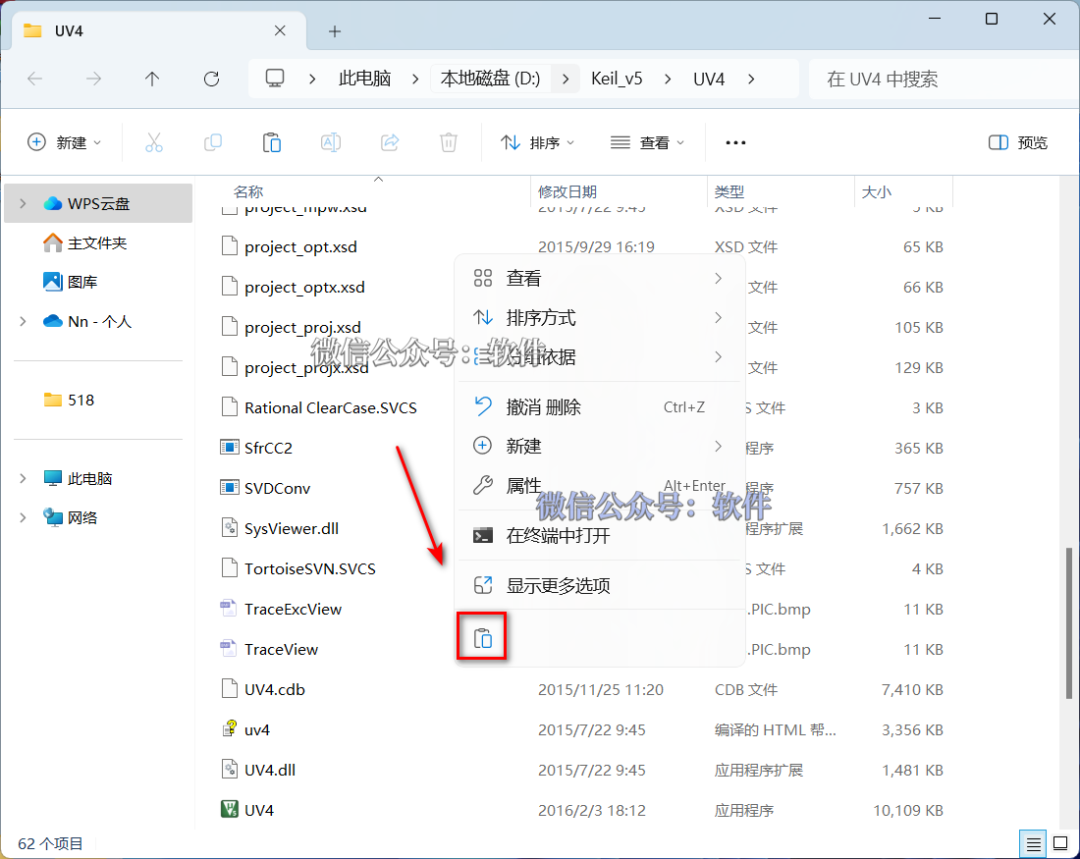
20.In the folder, right-click in a blank space and select 【Paste】.
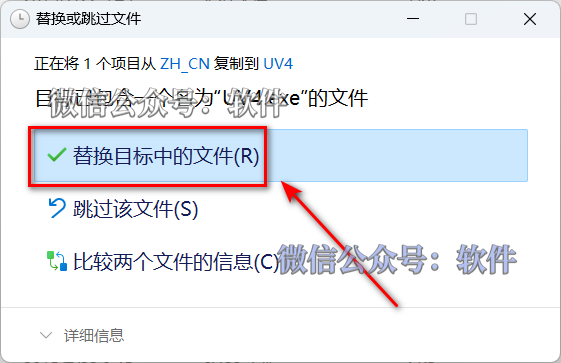
21.Click 【Replace the files in the target】.
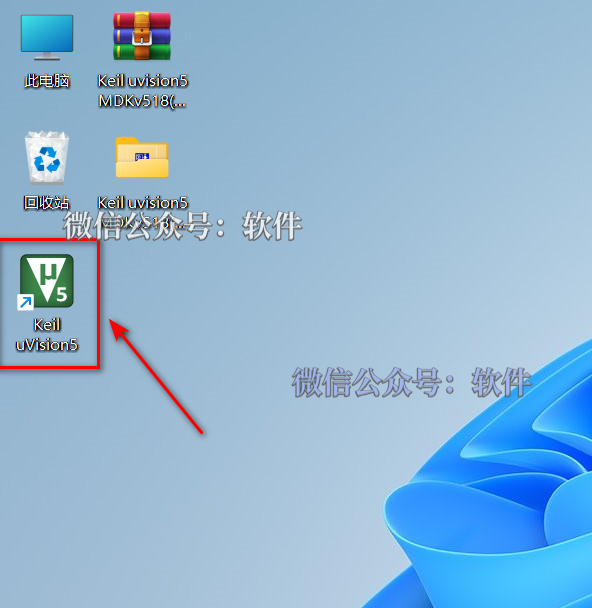
22.Double-click the 【Keil uVision5】 icon on the desktop to open the software.
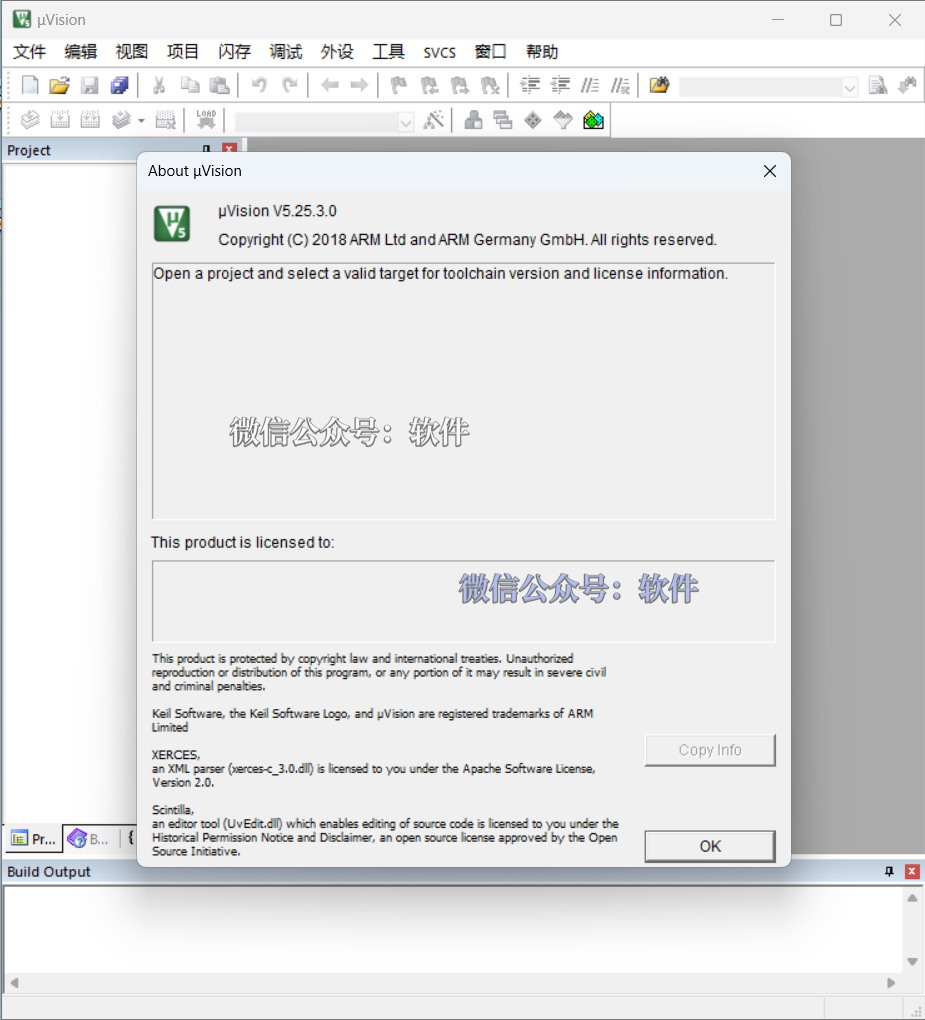
24.Installation Successful!(Note: Due to the localization files, the software interface displaysuVision4 but the actual software isKeil uVision5 MDK v518 version!)

Click below “Read the original text” to view the latest 【Software Directory】