1. Introduction
- • Chisel is an easy-to-use, efficient, stable, and secure tool for intranet penetration.
- • It can penetrate and forward services related to TCP/UDP protocols through HTTP transmission, with data encryption protection via SSH.
- • A single executable program that supports quick installation on various operating systems, and also provides a Docker image.
- • Open source address: https://github.com/jpillora/chisel
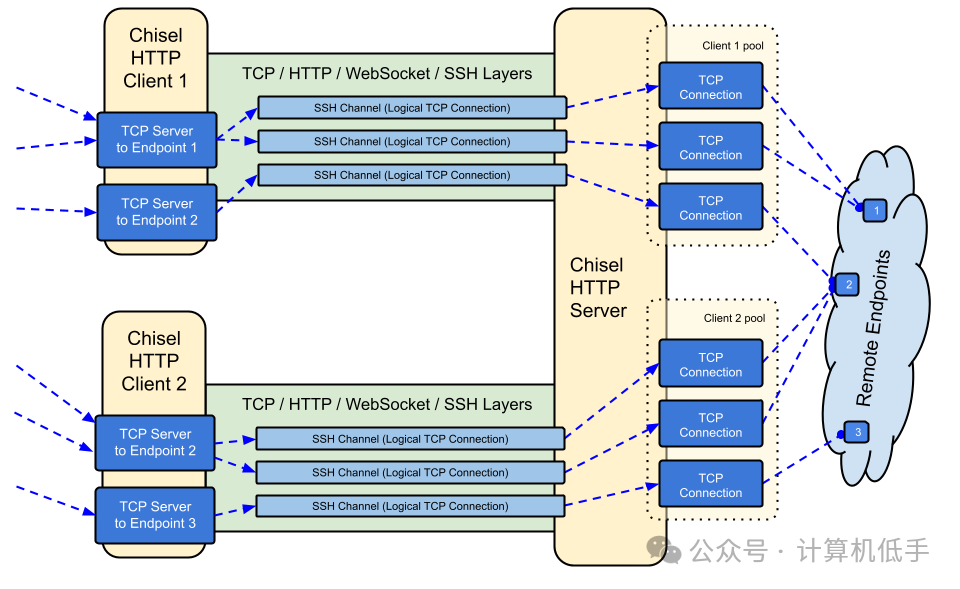
- • C/S architecture requires a public server; the working principle and related architecture can be referenced in the figure below.
2. Installation
1. For Linux, Mac, and other environments, you can quickly install using the command line.
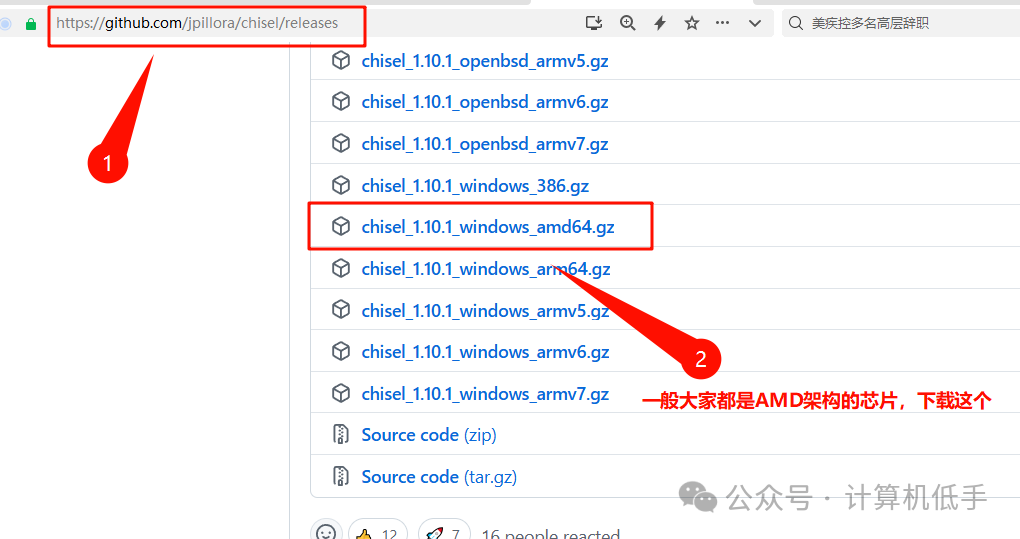
curl https://i.jpillora.com/chisel! | bash2. For Windows, you can directly download the executable program. Download link: https://github.com/jpillora/chisel/releases
3. Install using Docker (recommended)
- • Both the server and client need to have Docker and docker-compose environments installed in advance.
- • To start the server, create a new docker-compose.yml configuration file with the following content:
services:
  chisel:
    image: jpillora/chisel
    #network_mode: host
    # Server running mode, specify server port 12345
    command: server --port 12345 --reverse --auth admin:123456
    ports:
      - "12345:12345" # Expose server port
      - "9000:9000" # Expose port that can forward to intranet services
      - "3306:3306" # Expose service port
Run the service startup command on the server.
docker-compose up -d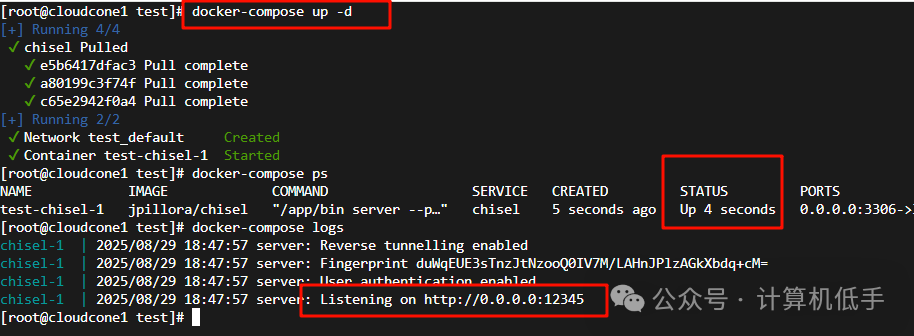
- • To start the client, create a new docker-compose.yml configuration file on the client machine with the following content:
services:
  chisel:
    image: jpillora/chisel
    # Specify authorization and server IP and port, set server ports 9000 and 3306 to forward to local portainer and mysql services
    command: |
        client
        --auth admin:123456
        Public_Server_IP:12345
        R:9000:172.17.0.1:9000
        R:3306:172.17.0.1:3306
Run the service startup command on the client host as well.
docker-compose up -d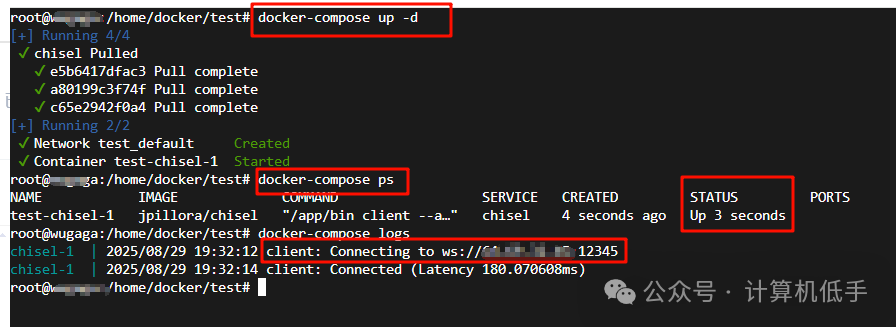
3. Usage Example
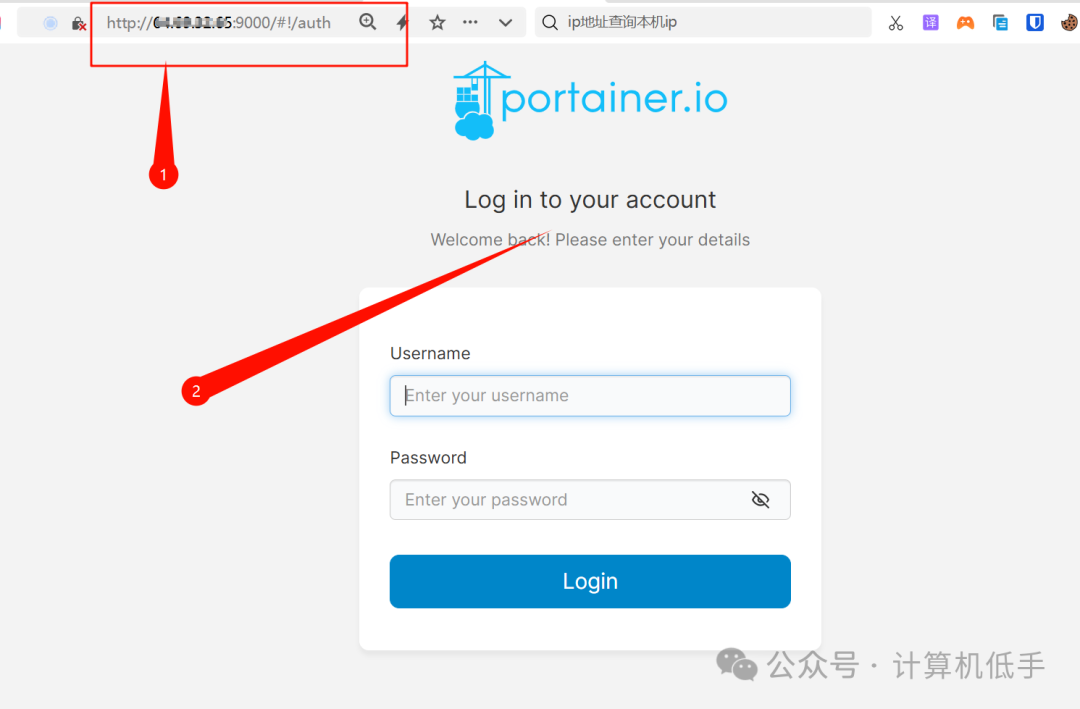
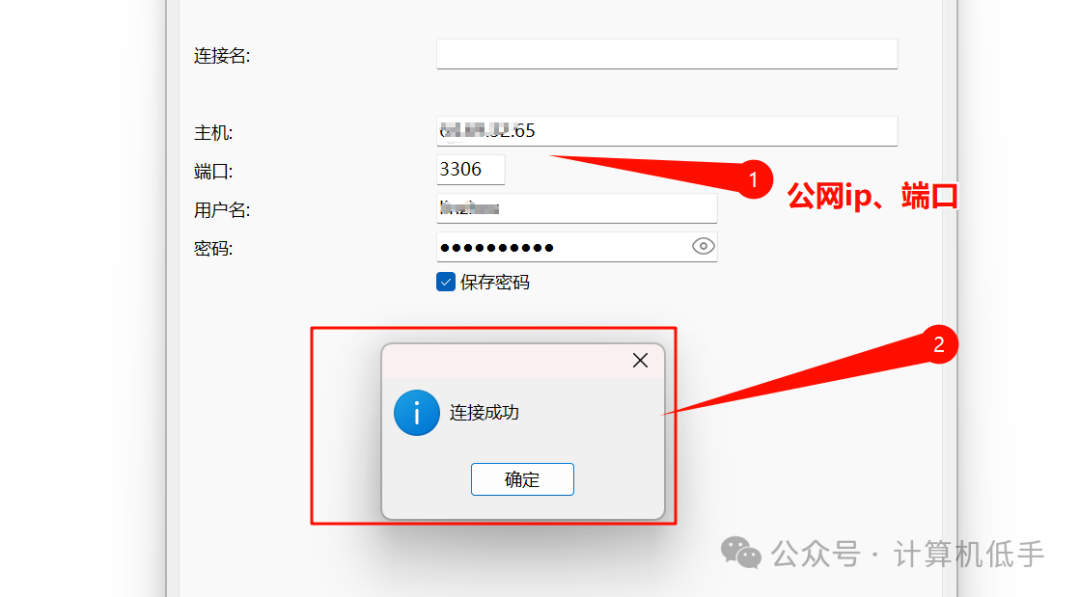
- • After successfully starting the above Docker example, you can indirectly access intranet services through the public server.
- • Access the portainer container management service in the intranet, as shown below:
- • Access the MySQL service in the intranet, as shown below:
4. Conclusion
- • Chisel is a tool for intranet penetration that is simple and convenient to install, configure, and use, allowing for one-click installation.
- • In addition to basic intranet penetration functionality (reverse port forwarding), Chisel can also serve as a SOCKS5 proxy (similar to a forward proxy), with more features to explore.
- • Its features include a WebSocket transmission tunnel based on HTTP(S) long connections, making traffic appear like normal website traffic, combined with SSH data encryption, achieving a stable, secure, and interference-resistant intranet penetration service.
 I recommend my personal website (any errors or omissions in this article will only be updated on my personal blog):
-
Blog: https://blog.luler.top/d/76
-
Application: https://cas.luler.top/
-
Navigation site: https://nav.luler.top/