This blog addresses the issue: Many bioinformatics or scientific computing software runs on Linux operating systems, and local computing power is limited. We need to run on servers or workstations while still requiring the powerful features of an IDE.
The solution is to use PyCharm remotely.
PyCharm is specifically tailored for Python, the ultimate IDE, come argue if you disagree.
There are two methods for remote development here, and I hope everyone does not confuse them:
- SSH Remote Interpreter, which is relatively lightweight
- Gateway Mode Development
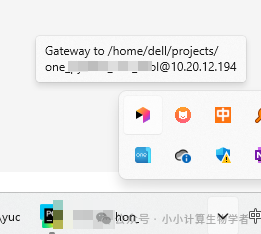
The former is equivalent to transferring your Python code via SFTP to run on the server. The latter involves installing a PyCharm IDE on the server, with everything running on the server.
References
https://blog.csdn.net/m0_65482549/article/details/140327528
The above discusses the centralized running mode.
Below is a summary from AI, which I find quite good. It reflects my exploration process; only interpreted languages like Python have this SSH remote interpreter mode. Compiled languages like Java do not have it, although Java is not strictly a compiled language.
Comprehensive Analysis of PyCharm Remote Development Modes: SSH Interpreter vs JetBrains Gateway
In research and development, we often need to run Python or Java programs on remote servers. PyCharm offers various remote development modes, the most common being SSH Remote Interpreter and JetBrains Gateway (Remote Development). This article summarizes the differences, applicable scenarios, and some questions and understandings I encountered during use.
1. Basic Design Philosophy of PyCharm
The design philosophy of PyCharm is:one window corresponds to one project. Each window independently manages interpreters, indexes, and dependencies, avoiding environmental conflicts between projects. This differs from the “workspace” mode of VS Code, making it more suitable for Python/Java projects that require environment isolation.
2. SSH Remote Interpreter Mode
This is the most traditional remote development method:
- IDE runs locally
- Python runs on the remote server
- Code is automatically synchronized to the remote via SFTP
In this mode, PyCharm will automatically create a directory on the remote:
~/.pycharm_helpers/
<span>.pycharm_helpers</span> Functionality
- Contains a set of helper scripts (debugger, test framework adapters, Matplotlib backends, etc.)
- Supports remote debugging, test execution, variable display, and other functions
- Can be deleted without issue; it will be automatically recreated on the next connection
✅ Advantages:
- Simple and efficient, sufficient for research/daily tasks
- No need to install PyCharm on the server
❌ Disadvantages:
- Large projects require frequent file synchronization, which can degrade performance
- All indexing, completion, and static analysis still occur locally, putting pressure on the local machine
3. JetBrains Gateway (Remote Development)
Gateway is JetBrains’ remote IDE backend mode.
- IDE backend runs on the remote server
- Only a lightweight UI client runs locally
This means:
- Indexing, completion, static analysis, and debugging are all executed remotely
- Local performance is nearly zero consumption
- No need for
<span>.pycharm_helpers/</span>, as the remote backend comes with all functionalities
Multi-Project Switching
- One project = one backend process
- Opening multiple projects simultaneously = starting multiple backends, requiring sufficient performance from the remote machine
- The Gateway launcher remembers Recent Projects, making switching convenient
4. Differences Between Python and Java
-
Python
- Interpreted language, can run remotely as long as Python is available
- SSH remote interpreter is sufficiently useful
- Gateway is more of a bonus, suitable for large projects
-
Java
- Requires a complete JDK, Maven/Gradle; compilation + indexing consumes resources
- SSH remote interpreter is nearly impractical without a local JDK or sufficient machine performance
- Gateway mode is more natural, as the backend IDE can run directly on the remote
5. Overview of PyCharm Remote Development Modes
-
Local IDE Mode
- Local interpreter
- SSH remote interpreter (requires
<span>.pycharm_helpers/</span>) - Docker / WSL / Vagrant interpreter
Remote Development (Gateway)
- IDE backend on remote
- No need for
<span>.pycharm_helpers/</span> - Supports parallel multiple projects (one backend process per project)
Other Special Modes
- Remote Debug Server
- Jupyter Notebook
- Attach to Process
6. Summary
- SSH Remote Interpreter: Lightweight, suitable for research and daily small to medium projects, but requires
<span>.pycharm_helpers</span>and local performance may be a bottleneck. - JetBrains Gateway: Heavyweight, suitable for large projects/Java/team collaboration, does not require
<span>.pycharm_helpers</span>, but will start the IDE backend process remotely.
In summary: Python small projects → SSH remote interpreter is sufficient; large projects / Java → Gateway is more suitable