Compared to traditional desktop computers, mini PCs have a more exquisite and compact form factor, saving a significant amount of desktop space. Especially in the past two years, the performance of mobile processors has made leaps and bounds, capable of handling complex productivity tasks and some gaming entertainment, thus posing a huge challenge to entry-level desktops.
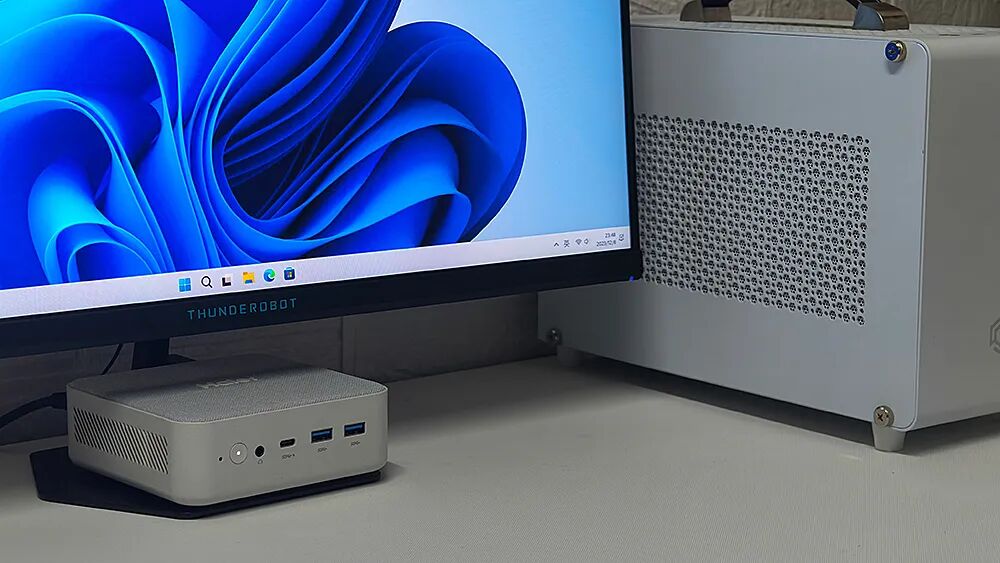
In this environment, almost all PC manufacturers have entered the mini PC battlefield. Take the Haier YunYue Mini H12, which we are reviewing today, as an example; it is a highly competitive contender in the 2000 yuan price range, featuring a 12th Gen Core i5 processor, dual 2.5G network ports, dual hard drive slots, full-featured USB4, and a minimalist aesthetic design.
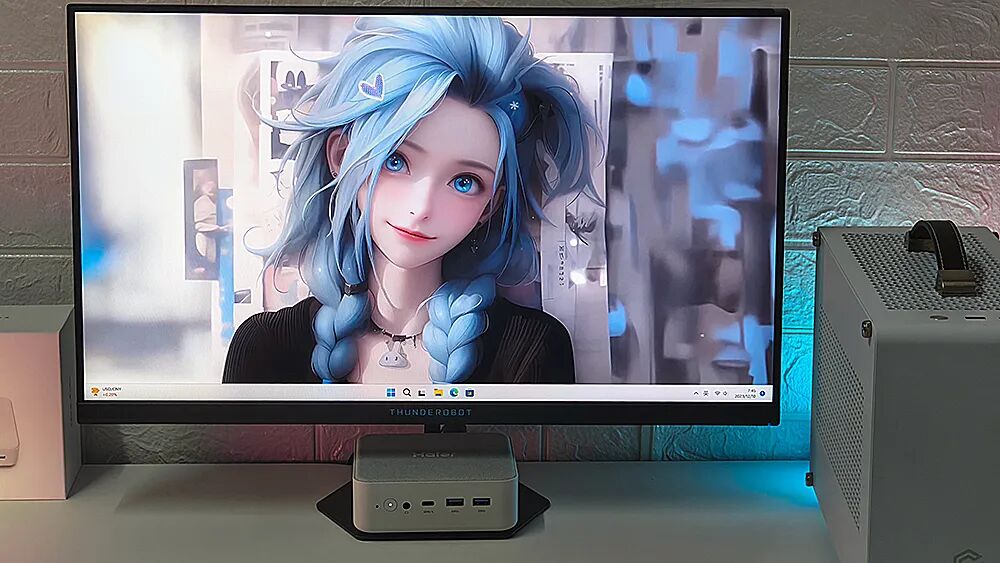
Without further ado, let’s get to the main topic.
Sleek and Stylish Exterior Design
The packaging of the Haier YunYue Mini H12 is very small, only slightly larger than the main unit itself, with the product’s appearance printed on the front and basic configuration information on the back.
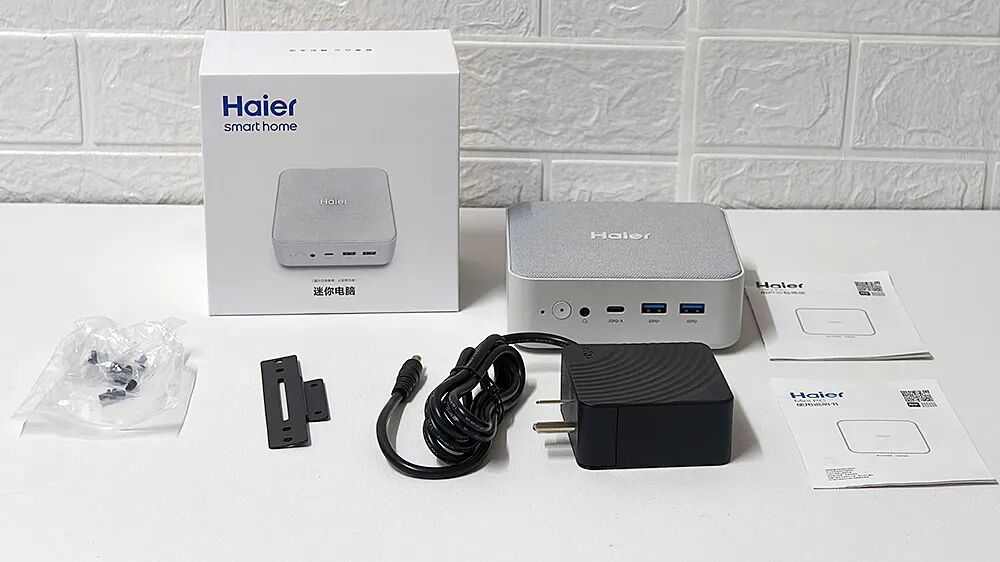
The package includes the YunYue Mini H12 main unit, a 95W power adapter, a wall mount bracket, screws, and a manual. If your monitor supports wall mounting, you can hide the mini PC behind the monitor.
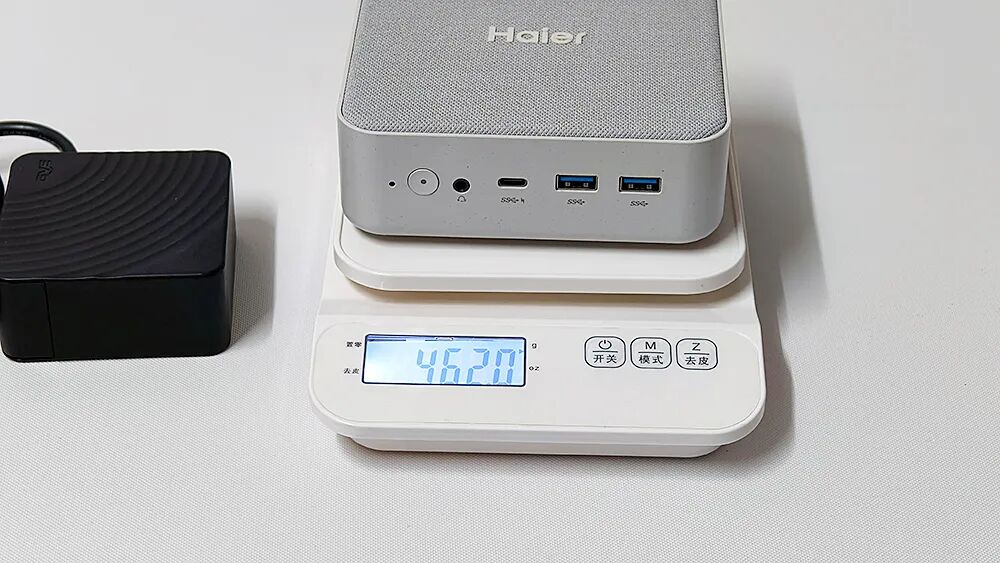
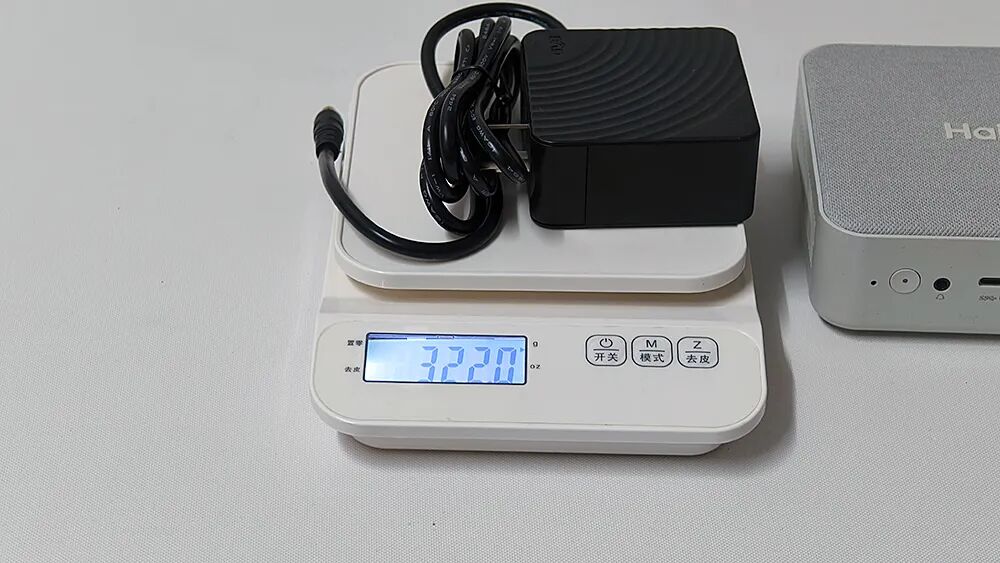
Through actual measurements, the total weight of this mini PC is about 462g (including memory and hard drive), while the power adapter weighs 322g, making it compact and portable.
While we all know that mini PCs made of metal materials have a better texture, the dry winter in the north can lead to a prickly sensation from static electricity when touching metal computers (including laptops) each time (like pressing the power button). Additionally, metal casings can shield wireless signals, so related products often extend the antennas of wireless network cards to plastic materials on the bottom cover, top cover, or side panels.
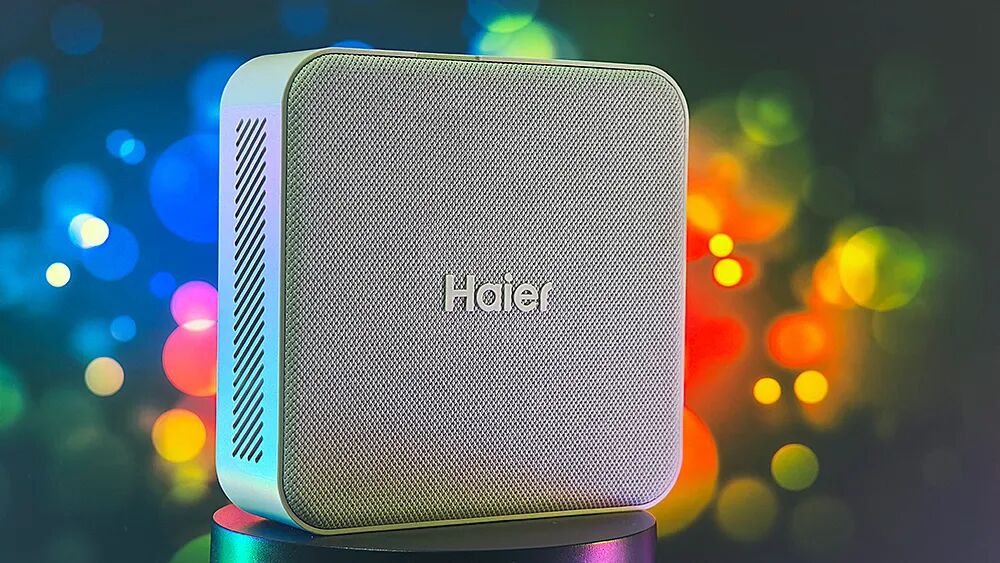
The Haier YunYue Mini H12 does not have a metal shell, so it inherently has better signal performance. Moreover, this product also uses a PCR environmentally friendly body and a washable waterproof fiber top cover, avoiding the cheap feel of traditional plastics. Its rounded corners and unique color scheme give it a Nordic minimalist quality, allowing it to easily blend into various home styles without looking out of place.
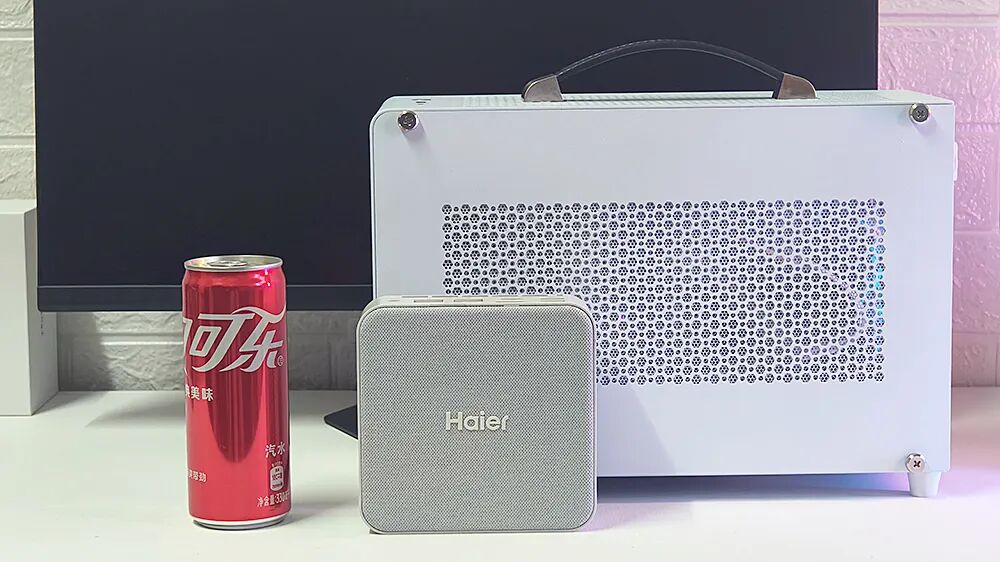
The dimensions of the Haier YunYue Mini H12 are also compact, with a volume of 0.75L that can be held in one hand, making it extremely mini compared to a 10L ITX case.
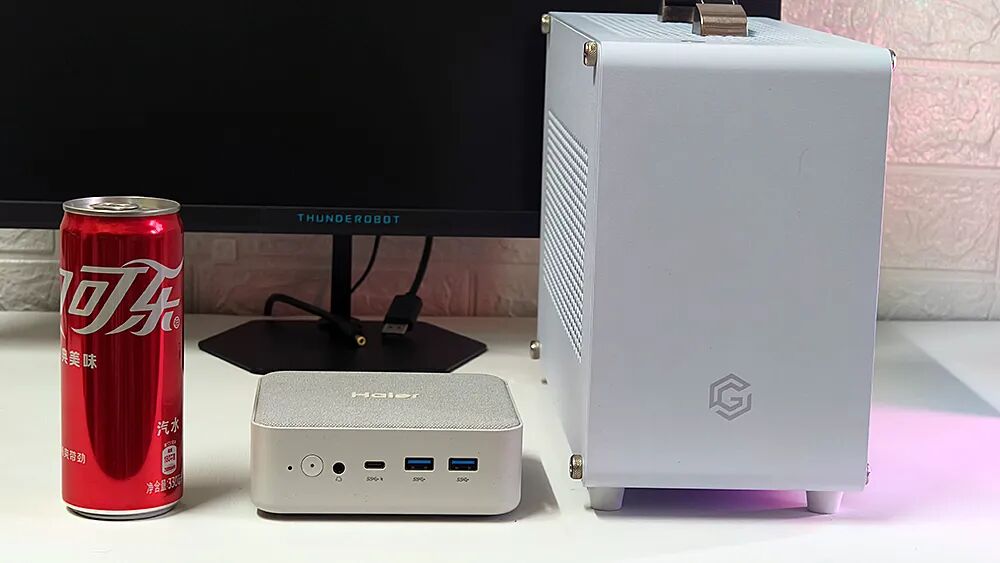
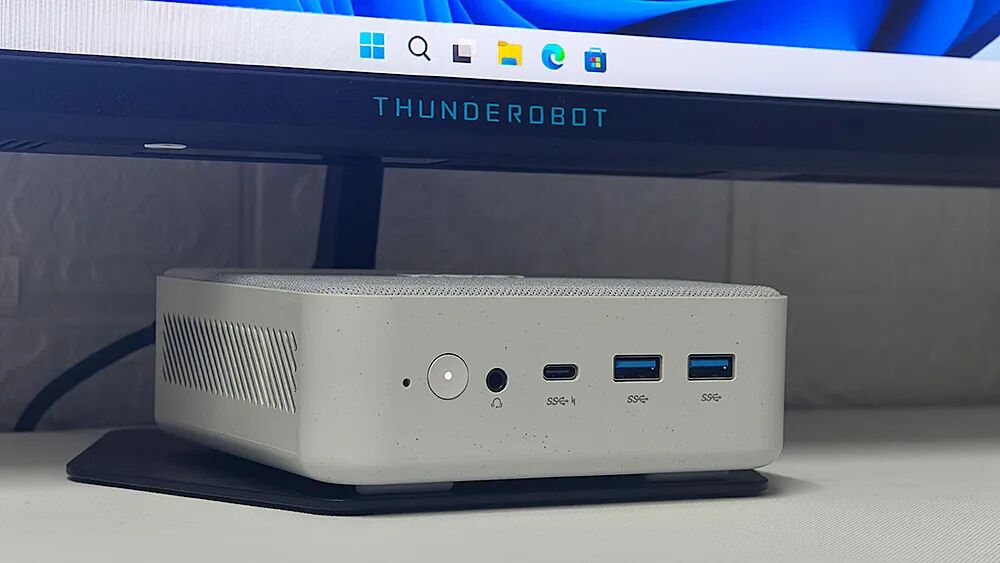
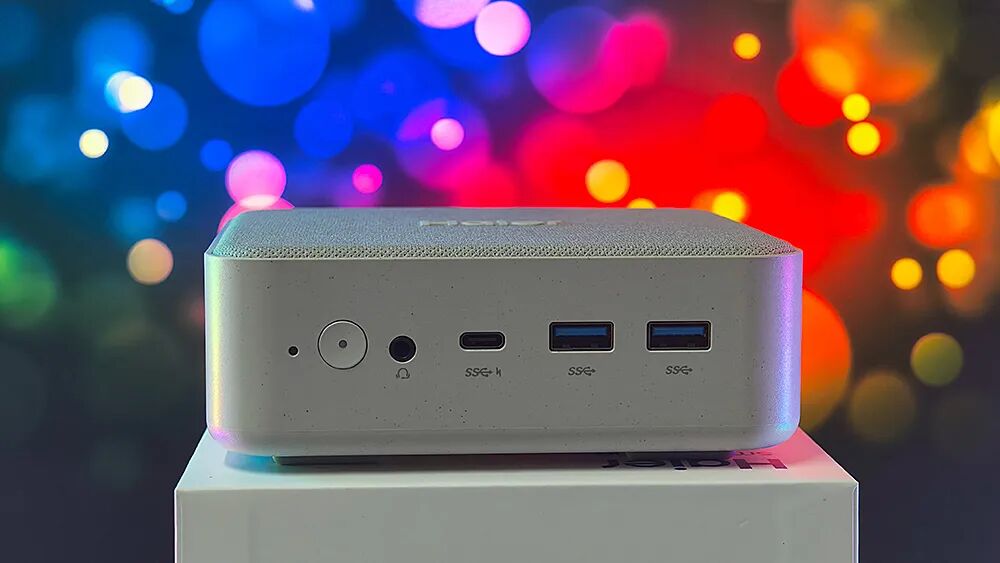
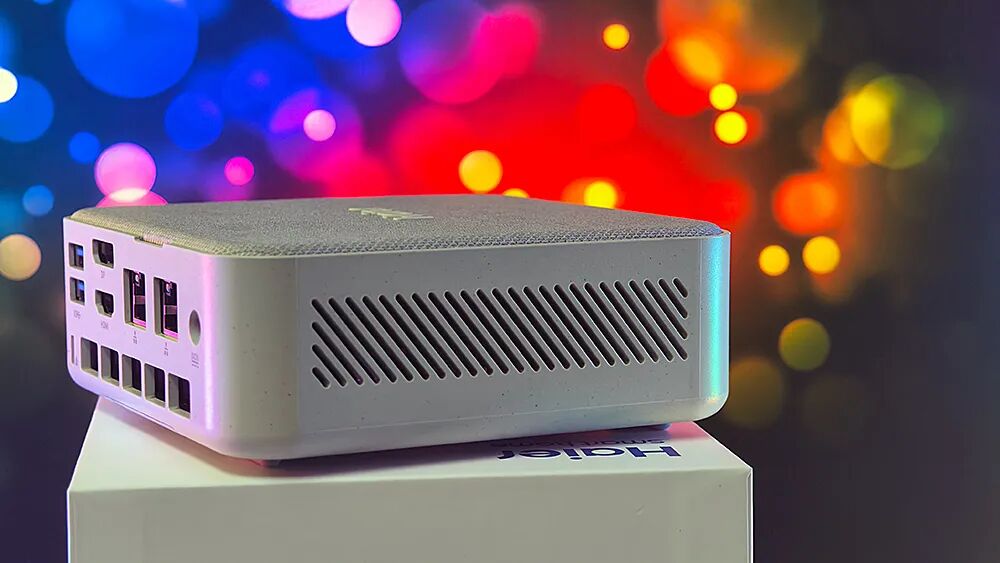
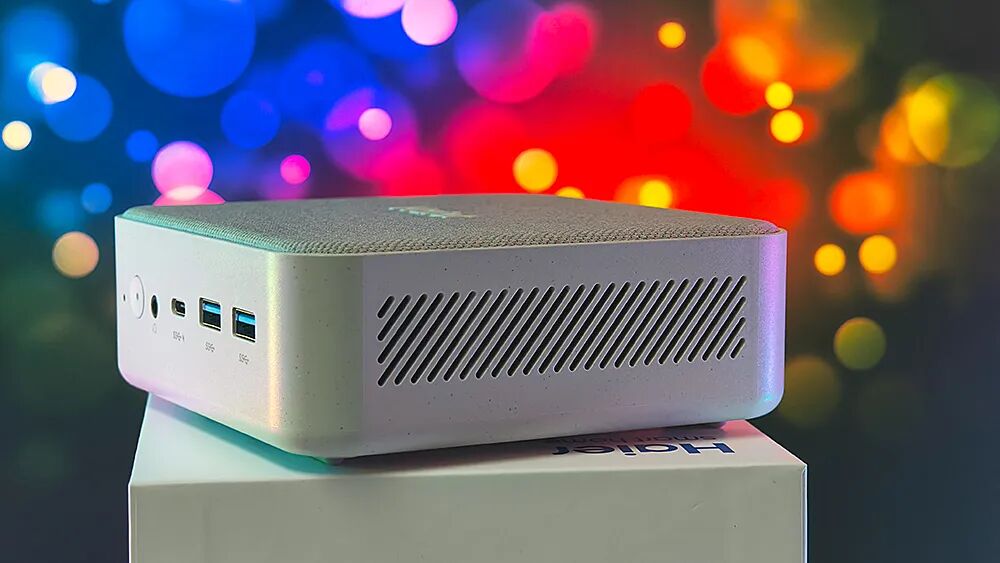
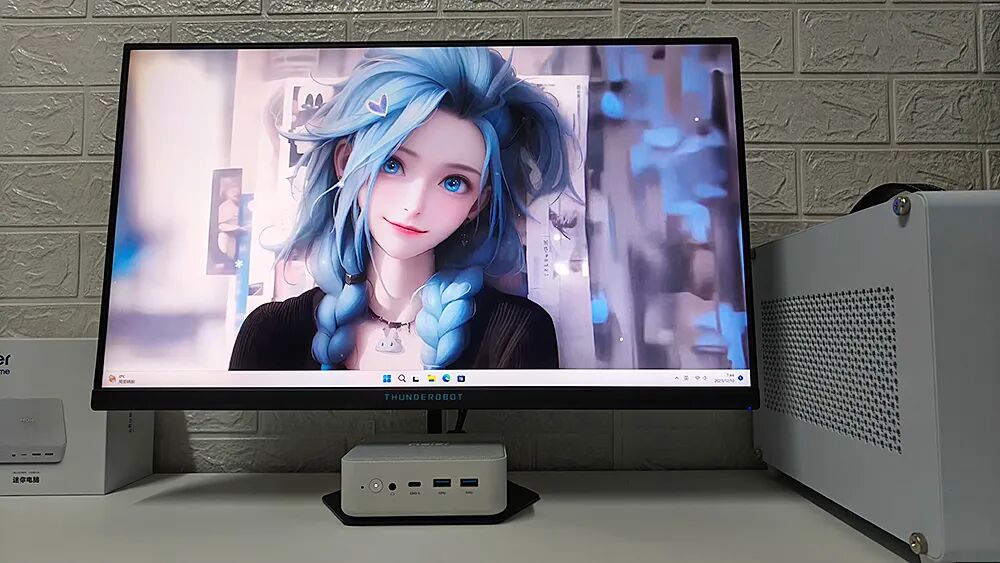
The ports of this mini PC are located on the front and back panels. The front panel is equipped with a reset hole, power switch, audio interface, full-featured USB4, and two USB-A 3.2 Gen2 ports.
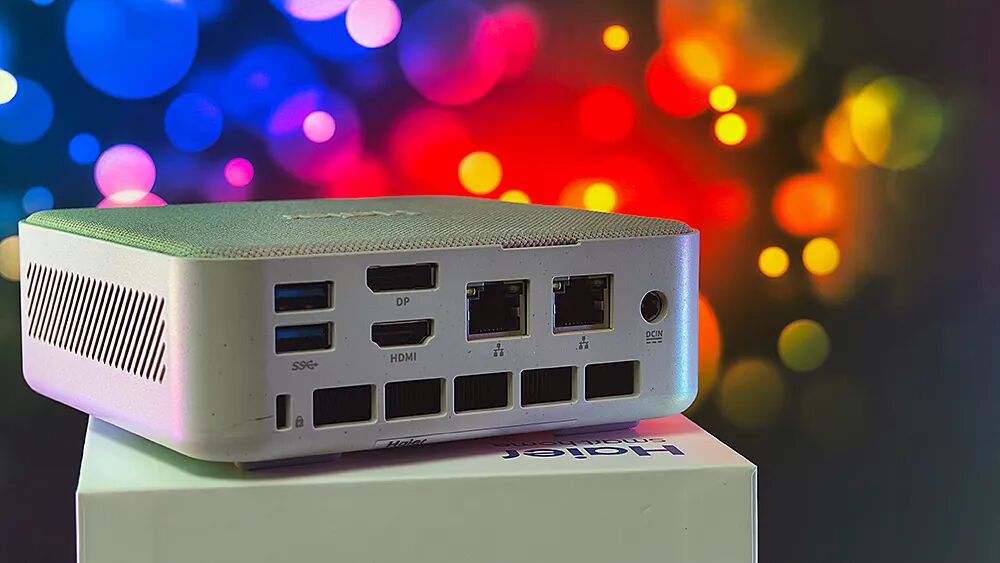
The back panel is equipped with two USB-A 3.2 Gen2 ports, HDMI 2.0, DP, two 2.5G network ports, and a power socket, with a security lock hole in the lower left corner.
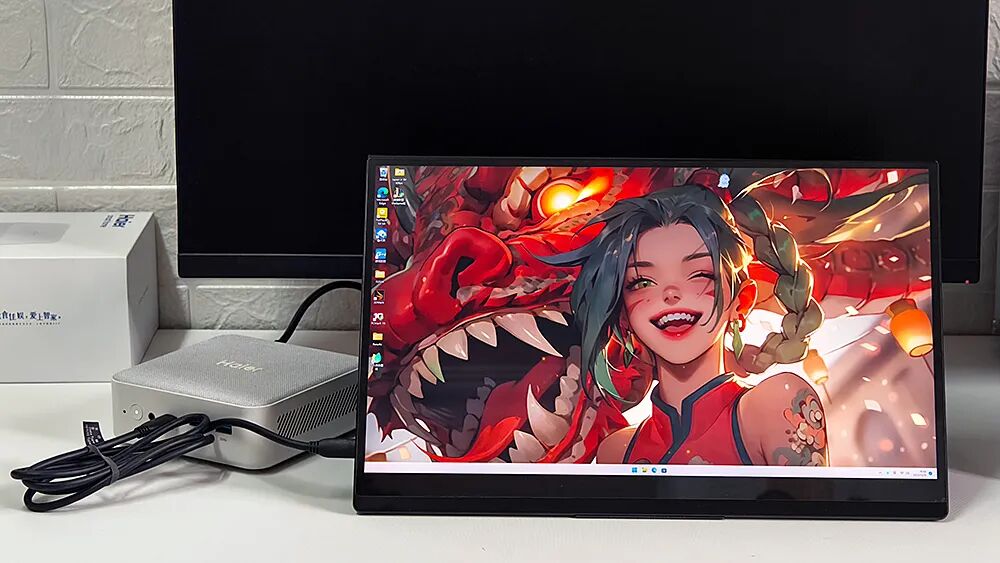
The full-featured USB4 interface not only has a transmission speed of 40Gbps but also supports 100W PD power delivery and video output, allowing for connection to a desktop graphics card docking station or a portable screen with just one cable, making it very convenient. However, it would be better if another full-featured USB4 could be added to the back panel, as having the front ports can disrupt the neatness of the desktop.
The Haier YunYue Mini H12 adopts a three-sided air intake and rear exhaust design, corresponding to the strip-shaped air intake holes on both sides and five larger exhaust vents at the back, where the internal heat dissipation fins can be seen.
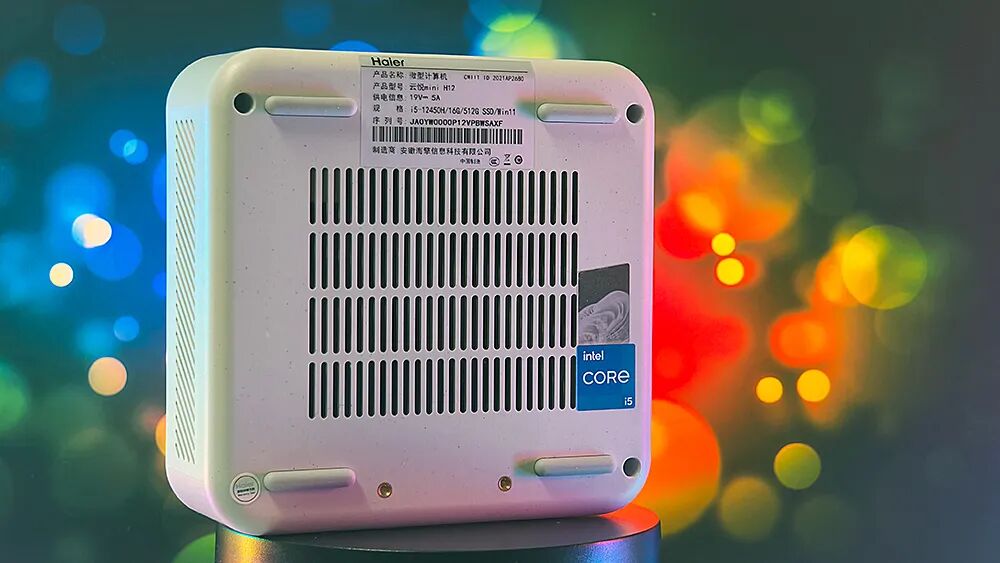
The air intake at the bottom of the main unit occupies 50% of the space, with four higher long rectangular feet at the edges, and there are two screw fixing holes for wall mounting near the front panel.
Disassembly Test of Expansion Capability
After looking at the exterior, let’s discuss the internal design of the Haier YunYue Mini H12. By unscrewing the four screws at the bottom of the machine and flipping the unit over, you can easily lift off the waterproof fiber top cover along the gap at the back.
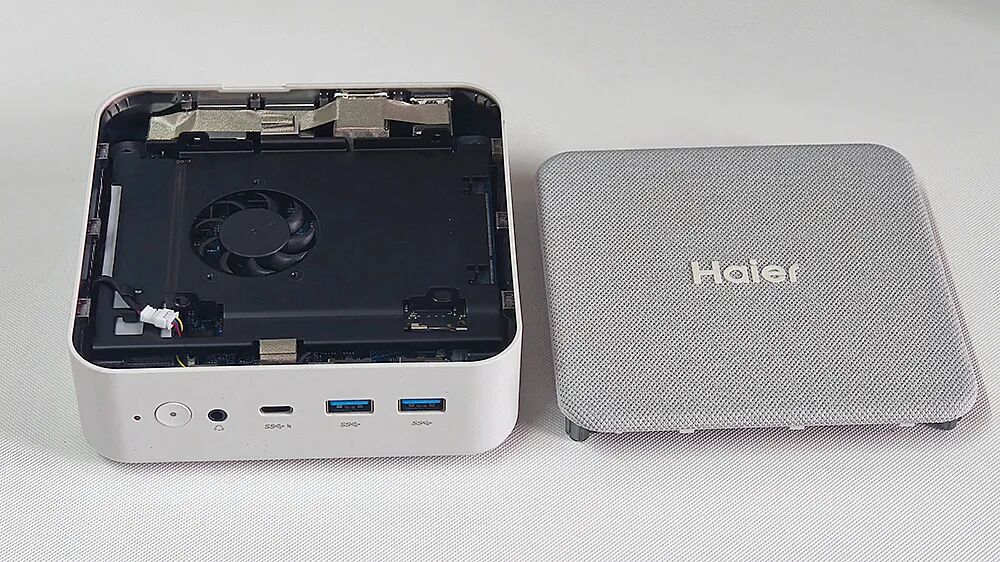
The YunYue Mini H12 has added a fan bracket between the motherboard and the top cover, with thermal pads attached to the back to assist with cooling for the memory and hard drive.
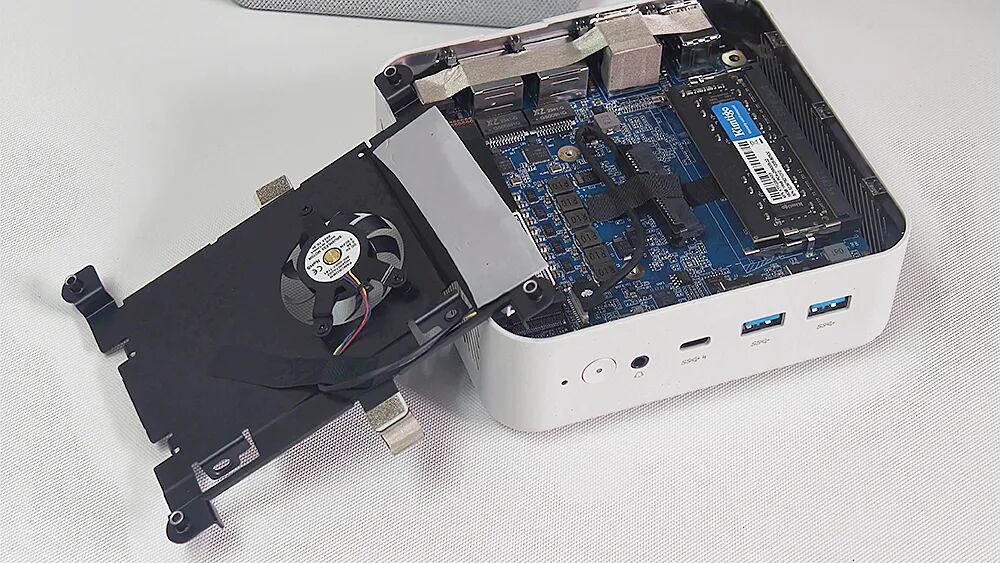
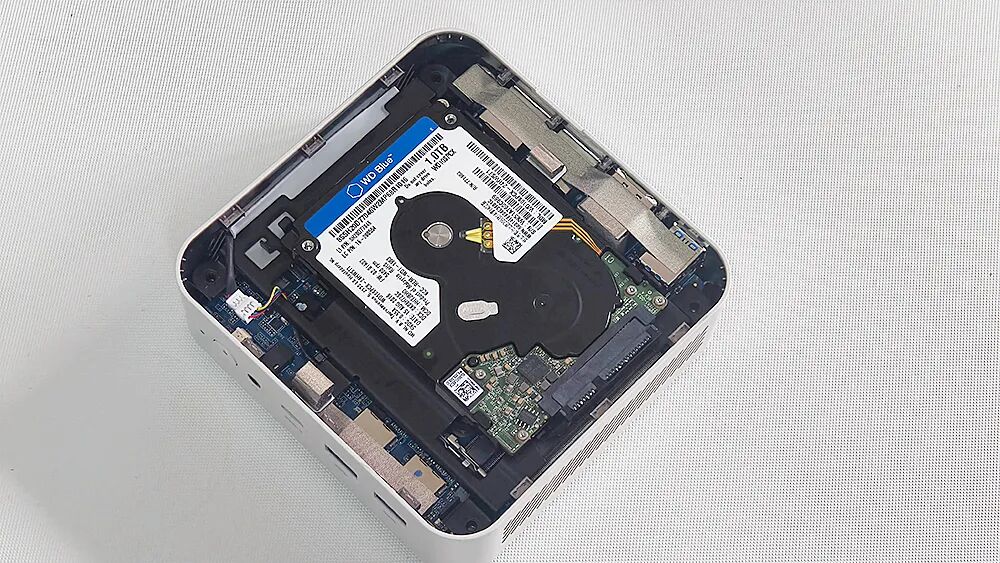
This bracket also has openings to secure a 2.5-inch hard drive, allowing for the installation of a second SATA hard drive.
The YunYue Mini H12 has two DDR4 memory slots. If you purchase the 16GB memory version, it comes with a single 16GB module from G.Skill, and users can later upgrade to a maximum of 32GB + 32GB.
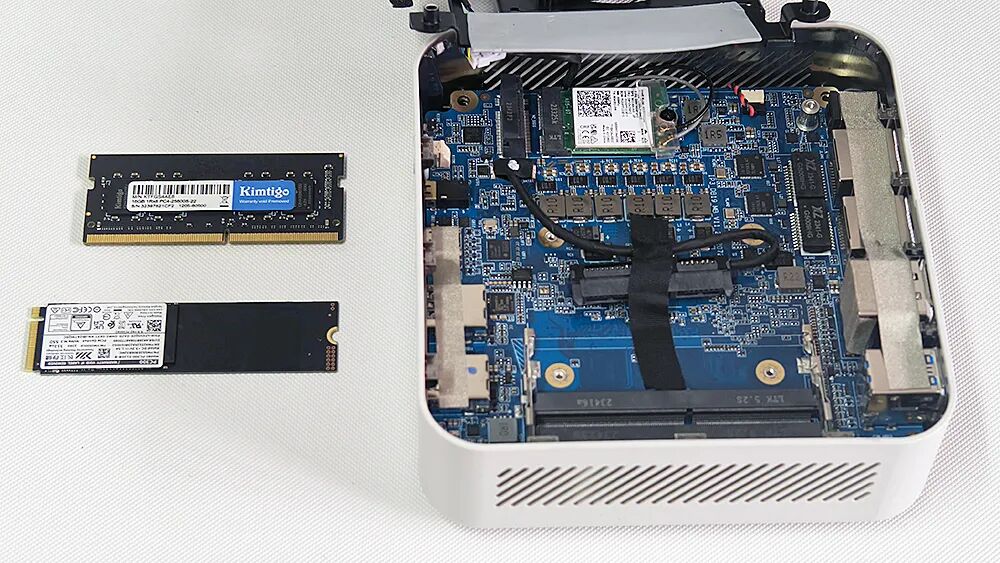
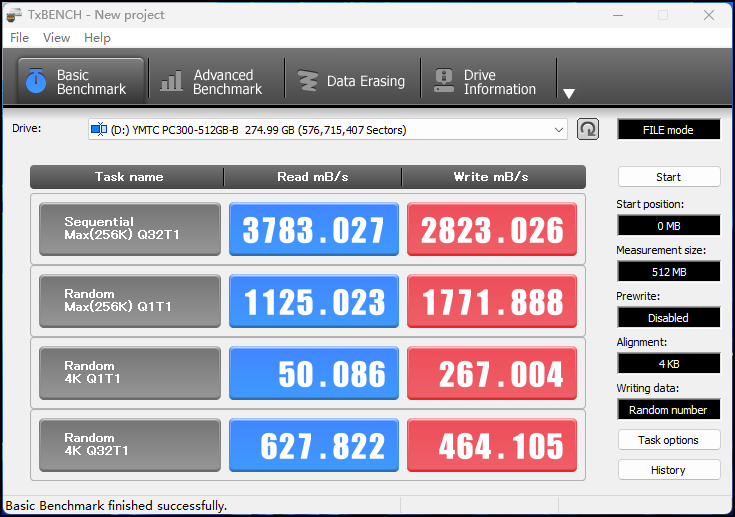
The product is equipped with an M.2 hard drive from Yangtze Memory Technologies, the PC300, which is an entry-level PCIe 4.0 SSD, with read and write speeds as shown in the image.
The wireless network card is located under the M.2 SSD, model Intel AX211, supporting Wi-Fi 6E and Bluetooth 5.3.
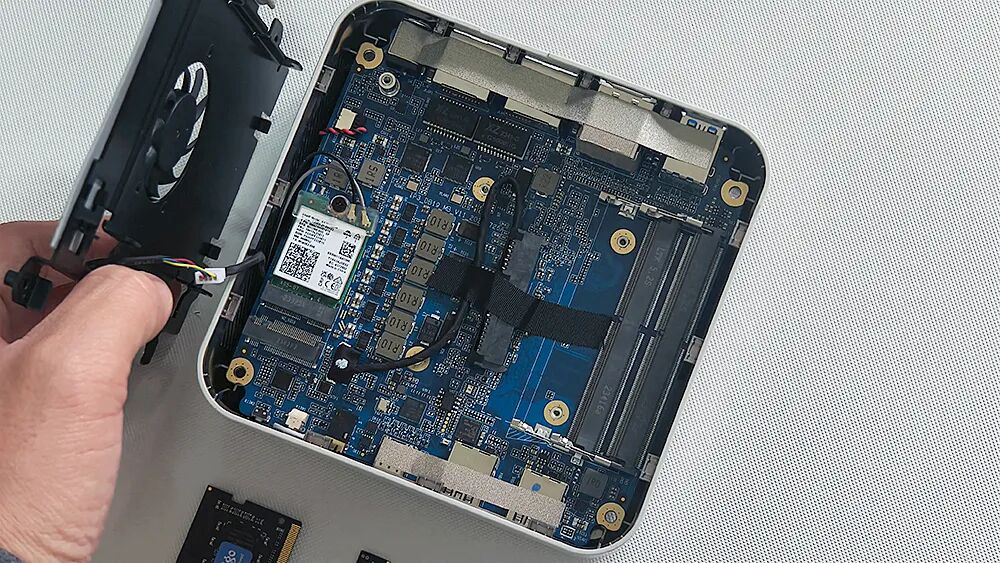
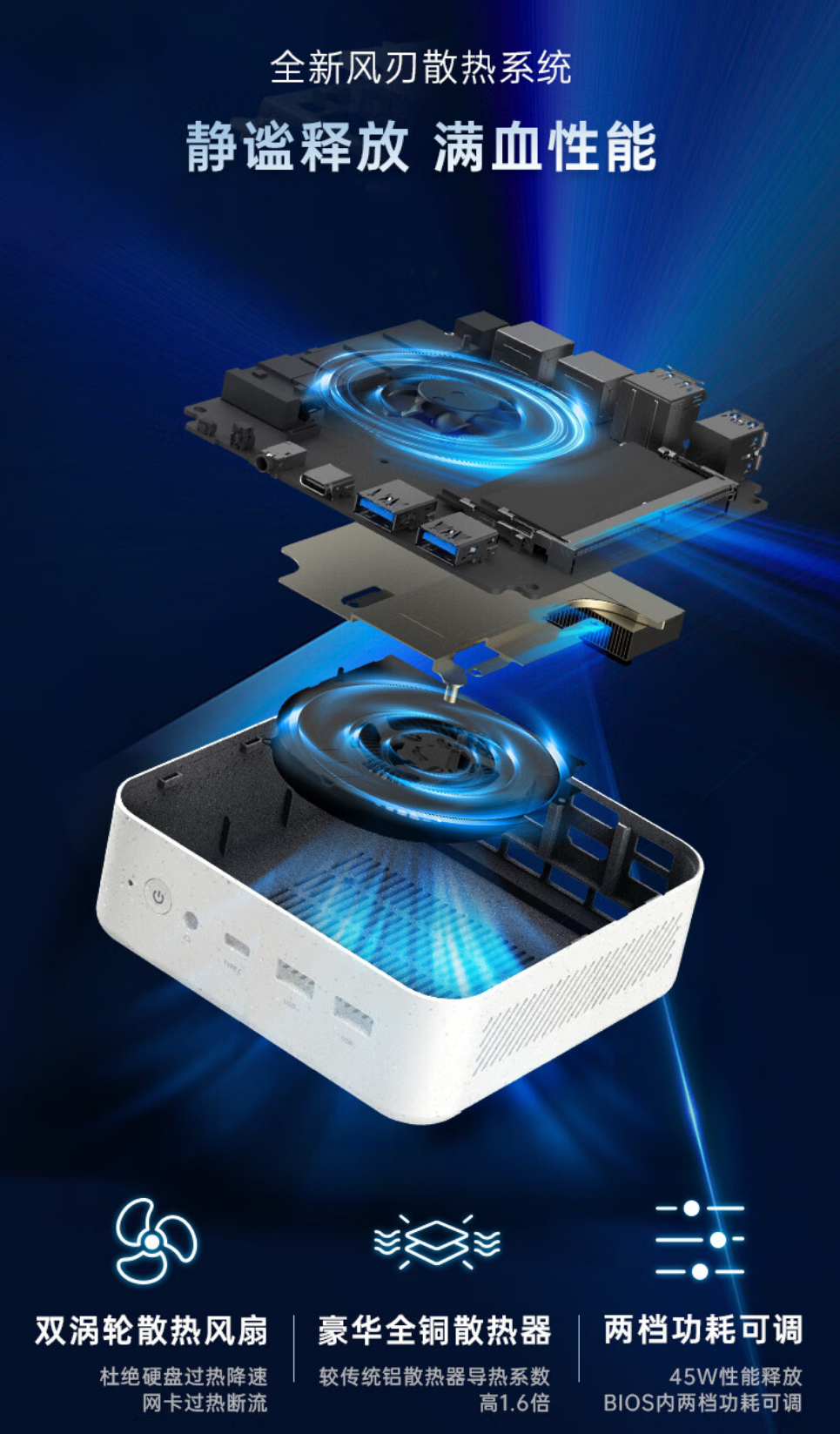
The heat dissipation module is located at the bottom of the motherboard, using a pure copper heatsink, easily handling the 12th Gen Core processor without pressure.
Performance, Noise, and Power Consumption Testing
Before conducting actual benchmarking, let’s take a look at the detailed configuration of the Haier YunYue Mini H12. This product is equipped with an Intel 12th Gen Core i5-12450H, which features 4 large and 4 small cores, 8 cores, and 12 threads, with a built-in 12MB cache and a maximum turbo frequency of 4.4GHz, along with an integrated UHD graphics card with 48 execution units.
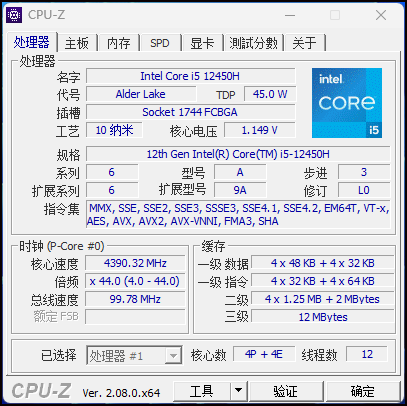
Although this processor has some reductions compared to the i5-12500H in terms of E cores and integrated graphics, these shortcomings can be overshadowed by the highly competitive price of the YunYue Mini H12: with 16GB of memory and a 512GB hard drive, the entire unit costs only 1999 yuan, which is equivalent to a barebones system price of about 1600 yuan, eliminating the hassle of users having to install system drivers themselves, thus revealing its cost-performance ratio.
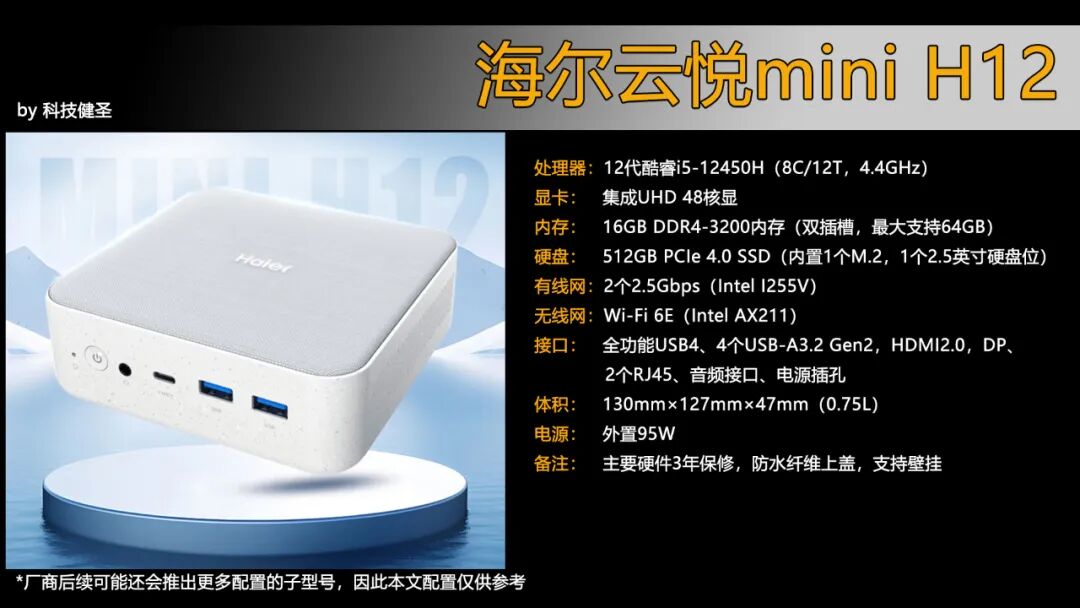
The key point is that Haier’s computers undergo more stringent quality and stability testing before leaving the factory, with major components covered by a warranty of up to 3 years, and nationwide after-sales service coverage, along with exclusive after-sales service from Haier. Reliability, stability, and after-sales service are also core competitive advantages of the YunYue Mini H12 compared to its peers in the same price range.
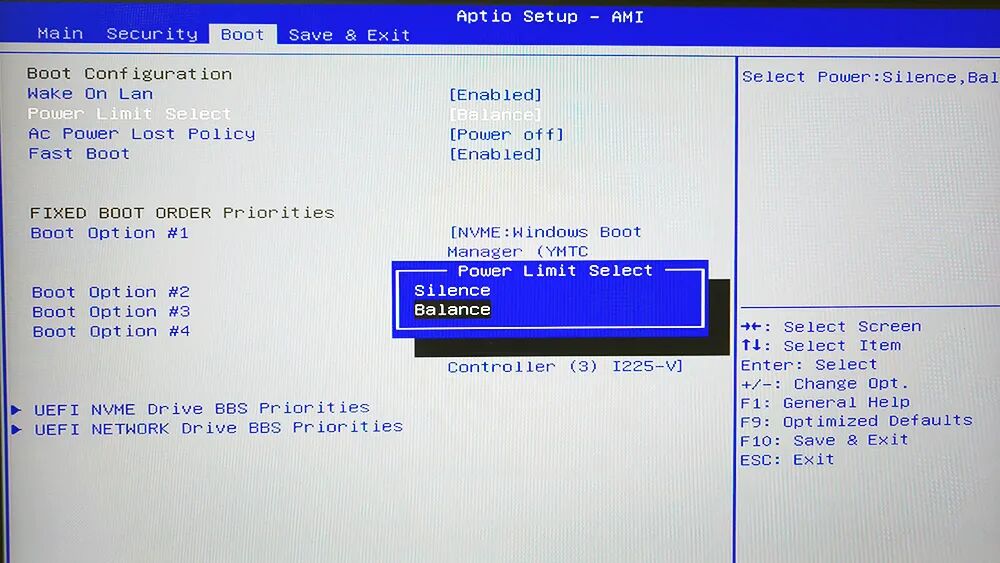
In the BIOS, the YunYue Mini H12 can manually switch between silent and balanced modes, and the following tests were conducted in balanced mode.
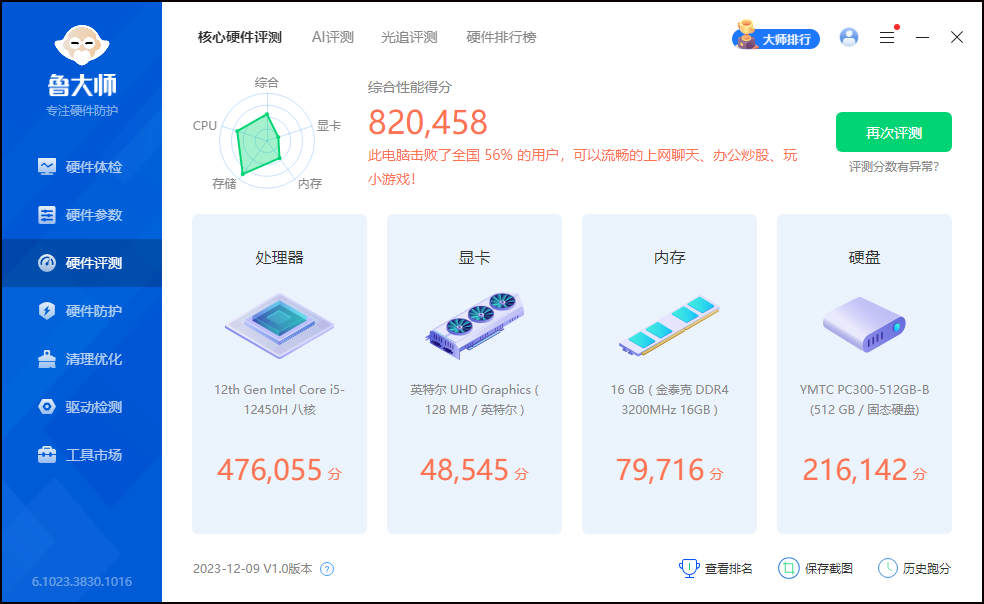
Next, let’s take a look at the actual benchmark data of the YunYue Mini H12. The Lu Master score reached 820,000, exceeding 56% of computer users nationwide.
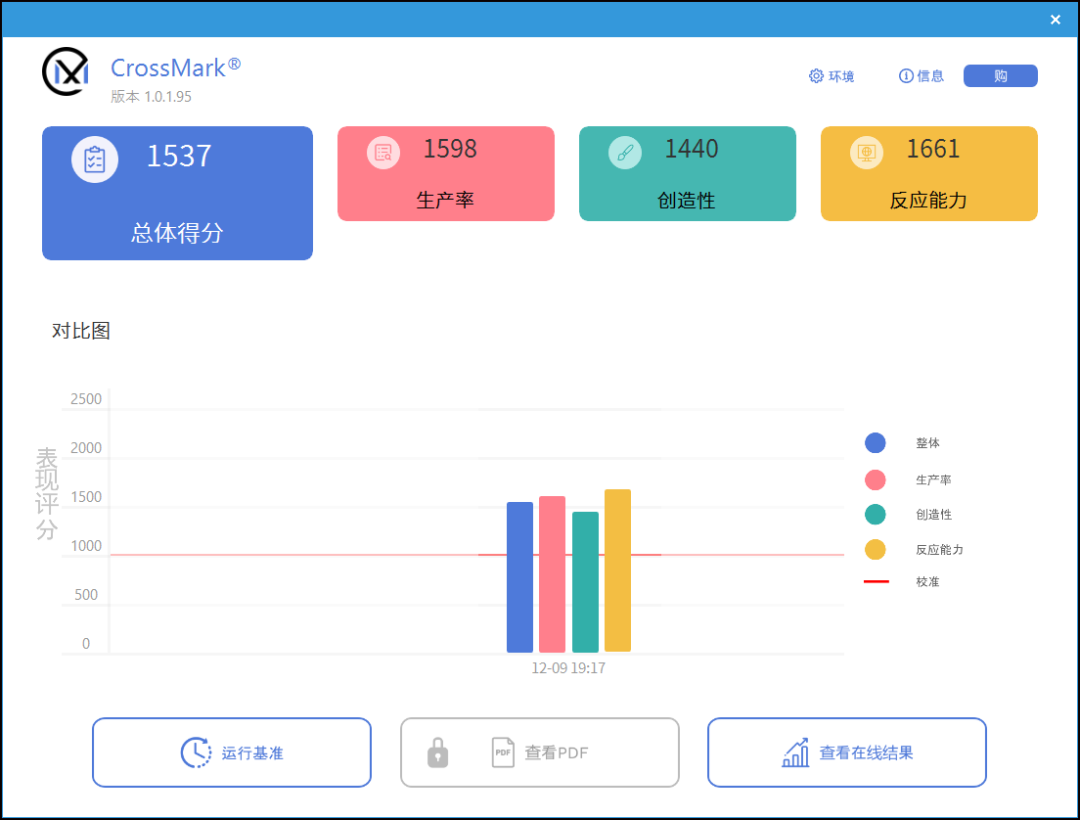
CrossMark scored 1537 points overall, while the score in the PCMark 10 modern office test was 5267.
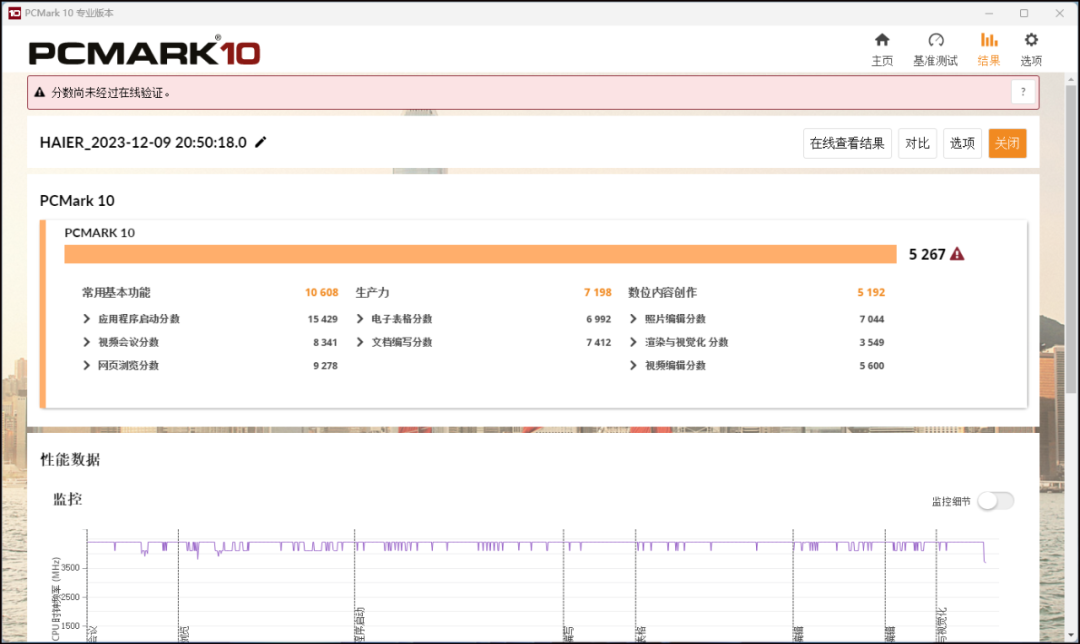
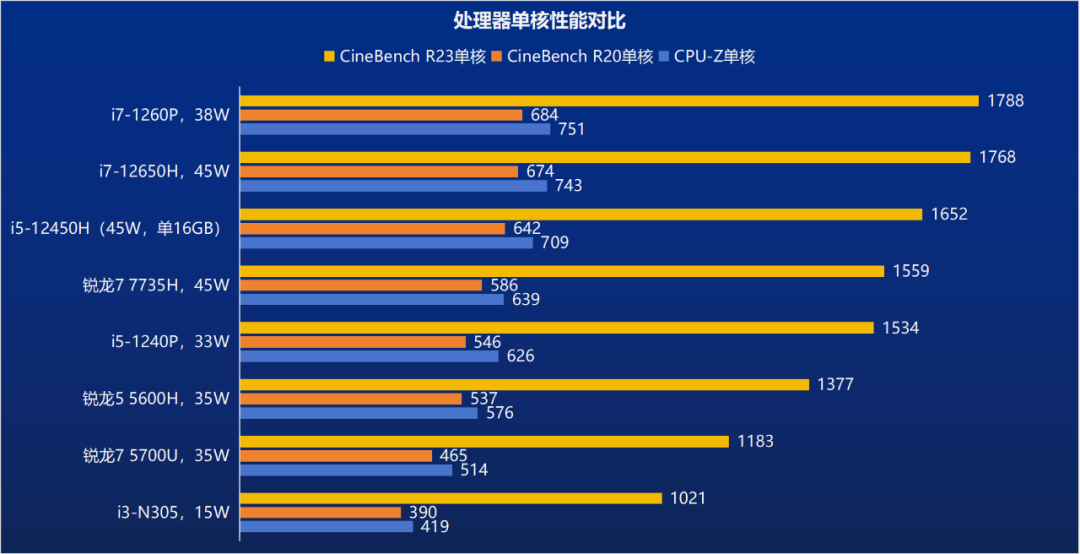
Through CPU-Z and CineBench, comparing with other common hardware platforms for mini PCs, the single-core score of the i5-12450H is still above the i5-1240P and Ryzen 7 7735HS.
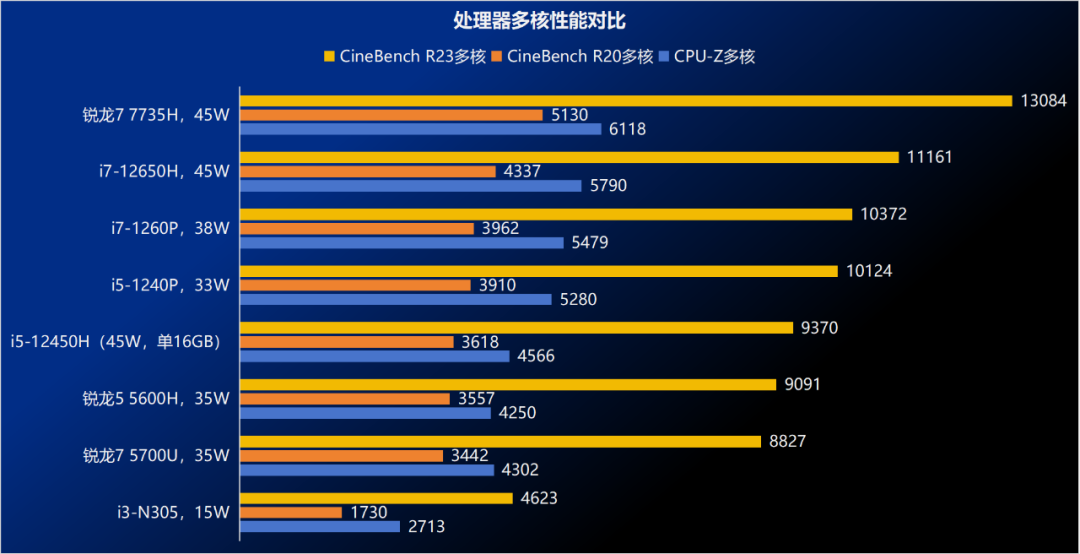
In terms of multi-core performance, the i5-12450H can easily outperform the i3-N305, surpassing the Ryzen 7 5700U and Ryzen 5 5600H, but is slightly inferior to the i5-1240P. The latter has the advantage of having a complete configuration of 4 large and 8 small cores, with slightly stronger multi-core performance being reasonable.
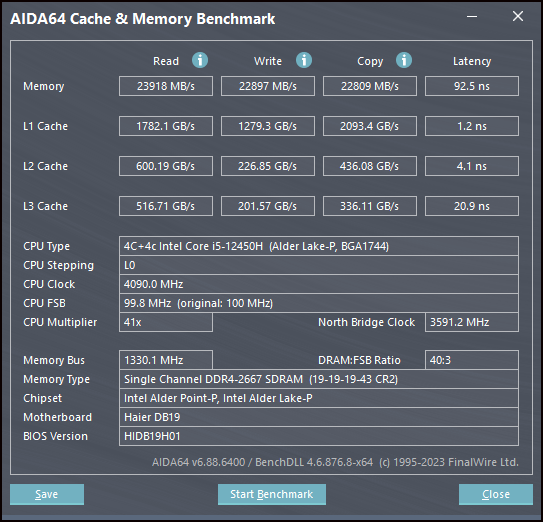
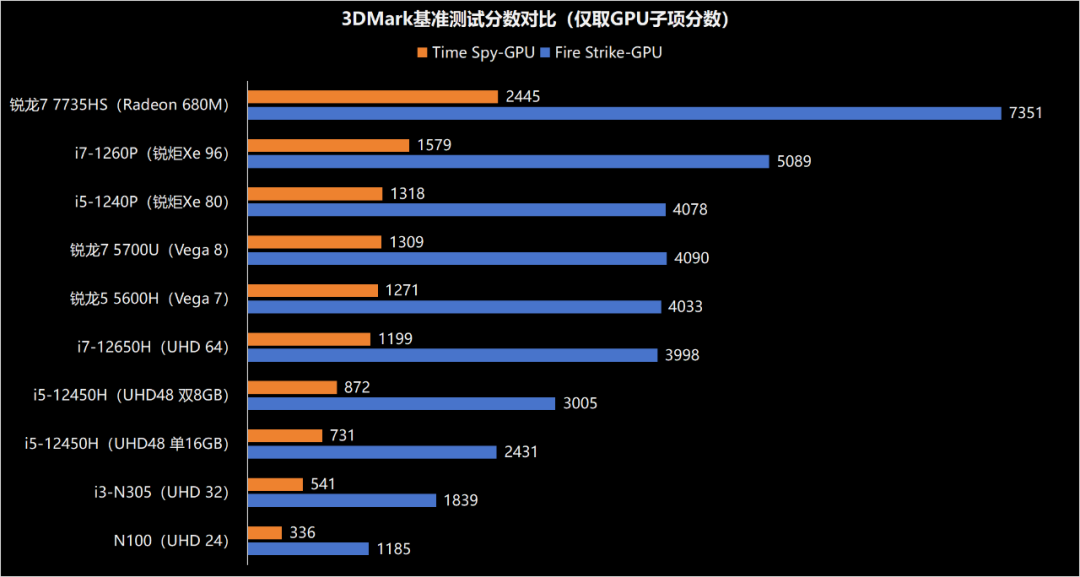
In the 3DMark test, the performance of the i5-12450H was relatively average, and the single 16GB memory of the YunYue Mini H12 would also limit the performance output of the integrated graphics. Although it can still outperform the integrated UHD32 of the i3-N305, it falls short compared to the older brother i7-12650H and family members with integrated Iris Xe. If you can later upgrade to dual-channel memory, the 3D performance can see a slight improvement (the dual-channel score of the i5-12450H comes from tests of other brand machines with the same configuration).
For users like me who usually don’t have time to play large games and only occasionally play a few rounds of League of Legends, the 3D performance of the YunYue Mini H12 is definitely sufficient. At 1080P with ultra-high quality, even with single-channel memory, it can achieve an average frame rate of 84 FPS. If upgraded to dual-channel, it can provide over 100 FPS at 2K resolution.
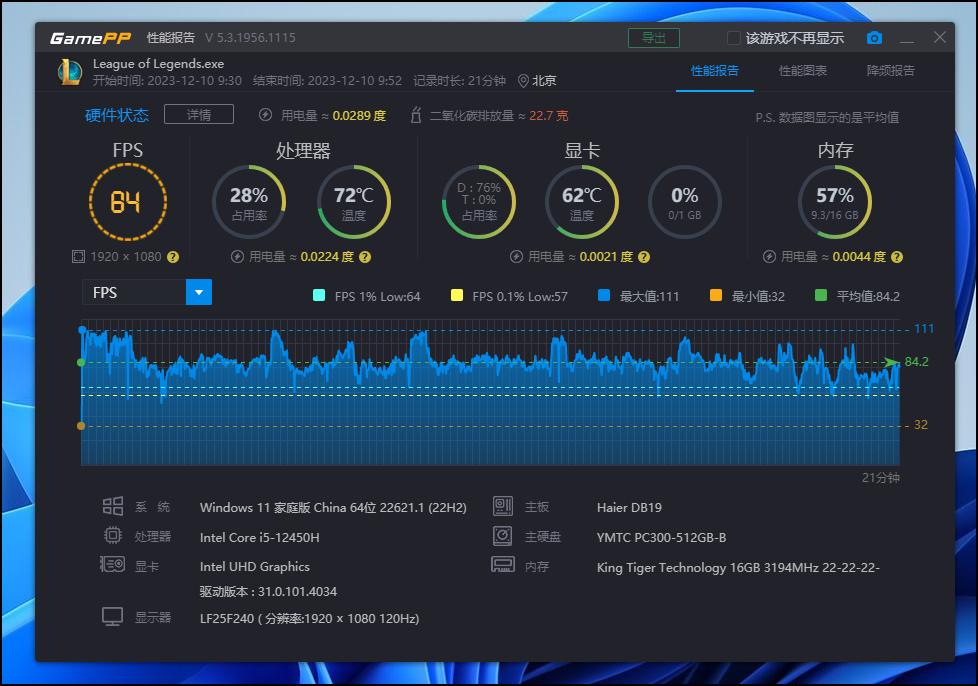
Next, let’s take a look at the power consumption, heat, and noise performance of the YunYue Mini H12.
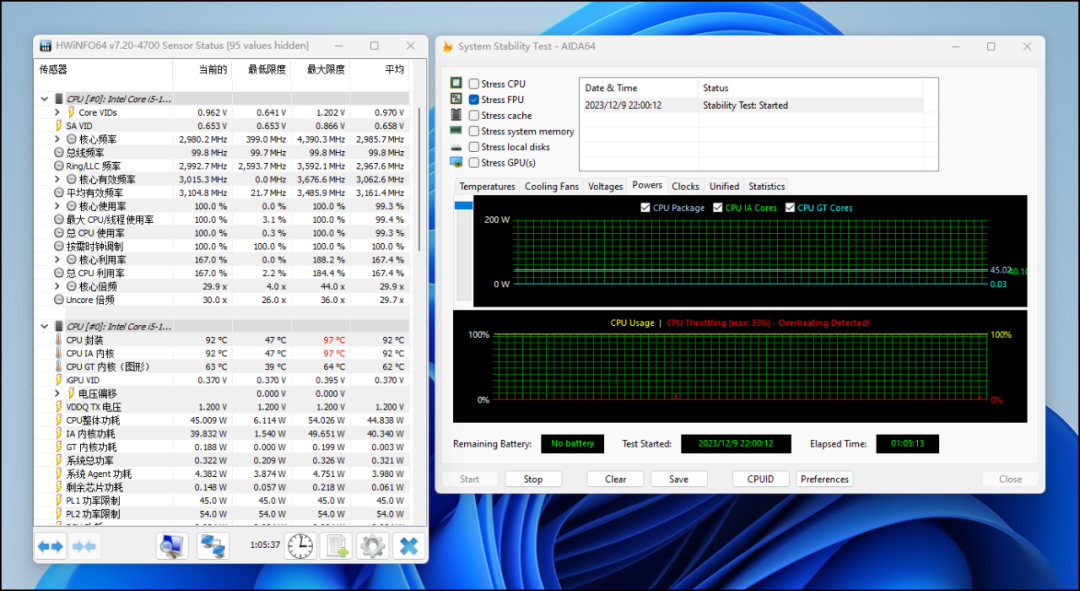
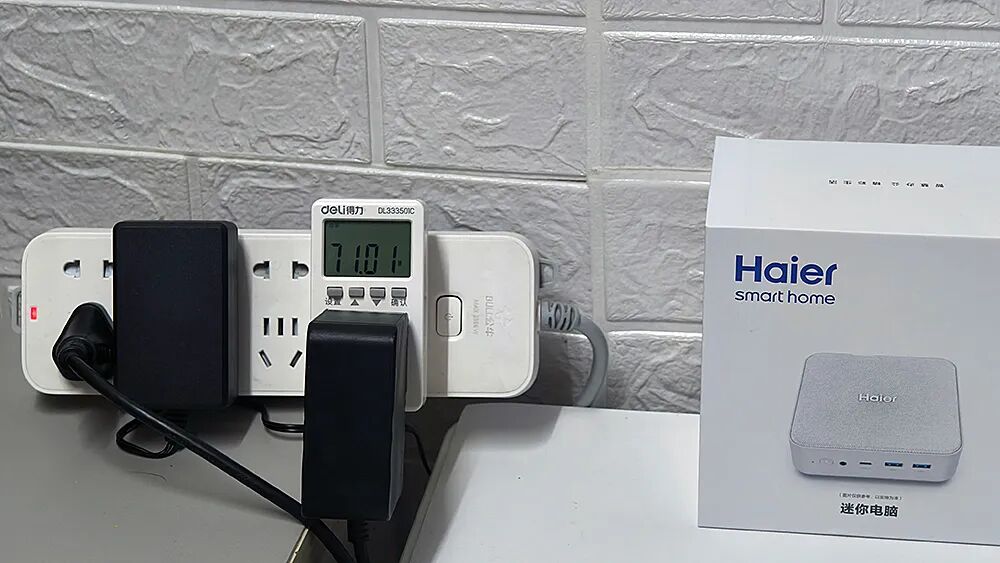
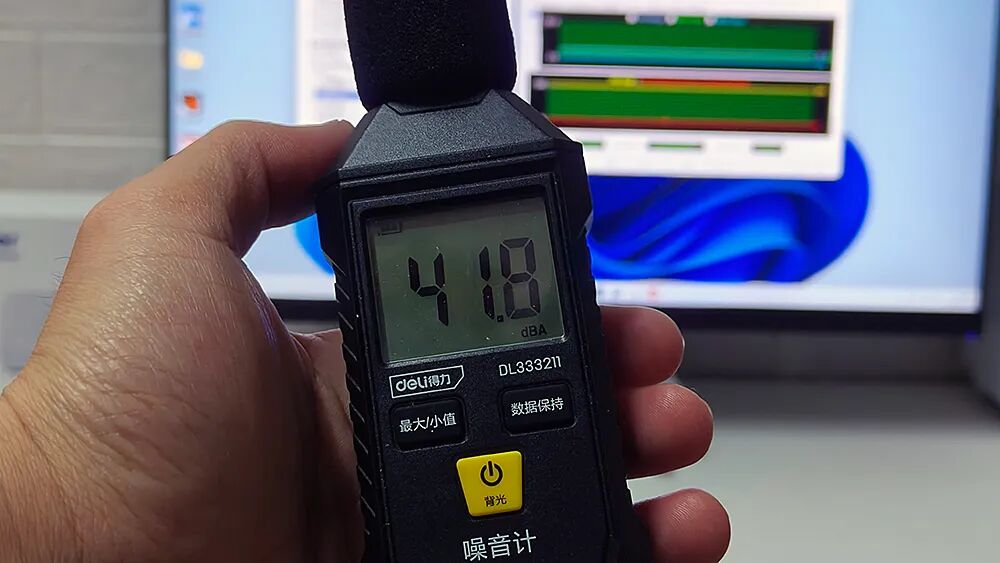
In a 1-hour AIDA64 FPU stress test, the processor of the YunYue Mini H12 initially reached 54W, then dropped and stabilized at 45W, with the CPU frequency at 3.0GHz, temperature around 92 degrees, and overall power consumption above 70W, with noise around 49 decibels.
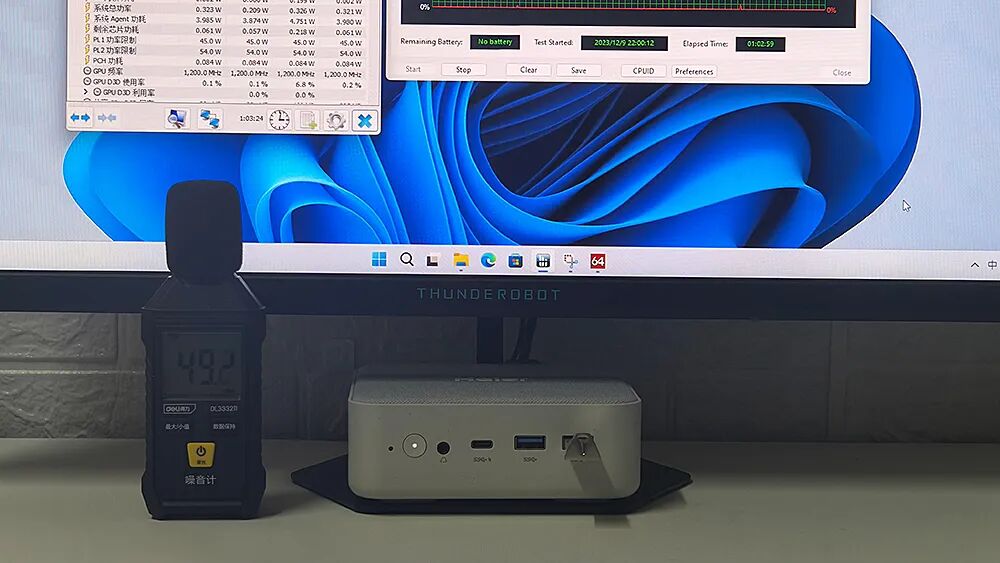
When the sound level meter is brought close to the user, the noise drops to 42 decibels, which is relatively quiet.
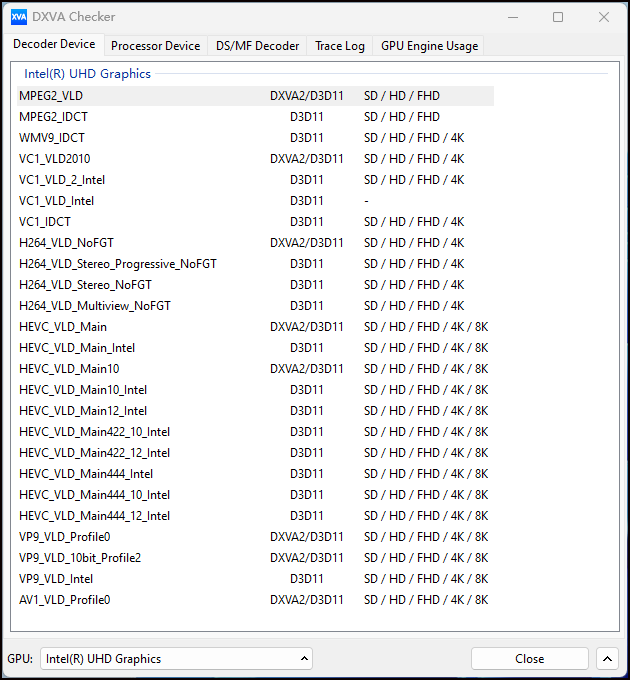
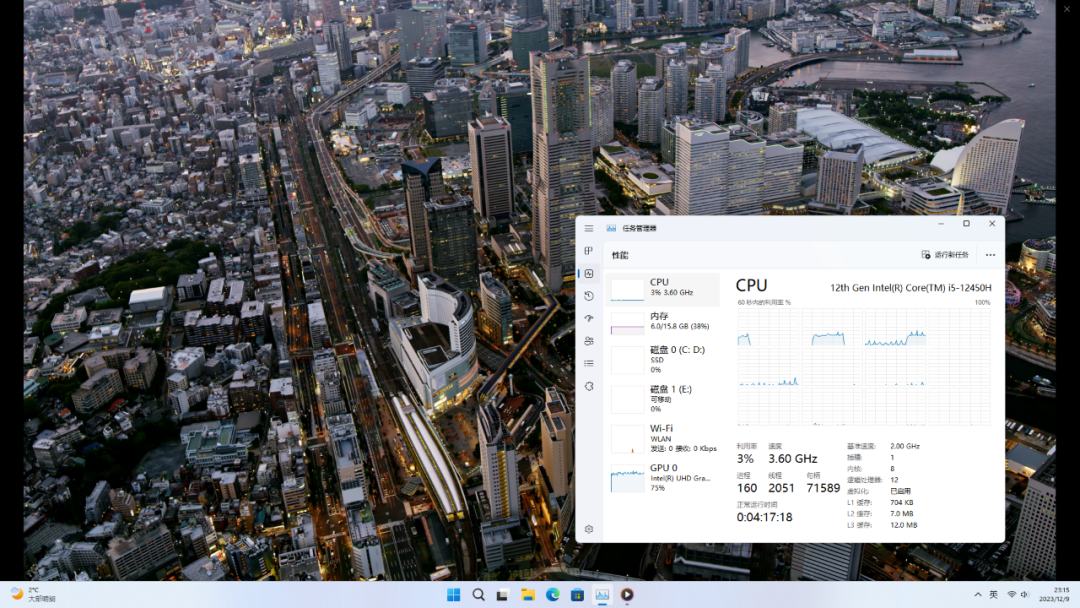
The hardware decoding test shows that the YunYue Mini H12 supports 8K video hardware decoding, including HEVC, VP9, and AV1. During the actual playback of AV1 8K video, the CPU usage was only about 3%, making it perfect for serving as a home multimedia entertainment center.
A Great Value Choice from a Big Brand
As a mini PC under the Haier brand, the YunYue Mini H12 enjoys a comprehensive after-sales service network across the country, with stability and reliability being more assured. The performance of the 12th Gen Core i5-12450H processor is also sufficient to meet users’ daily productivity office needs and challenges in games like League of Legends.
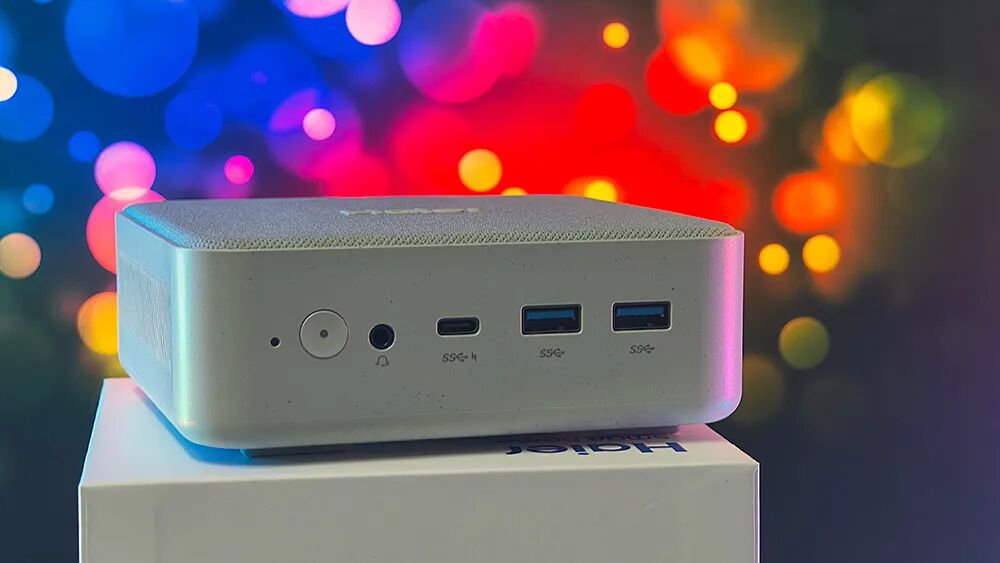
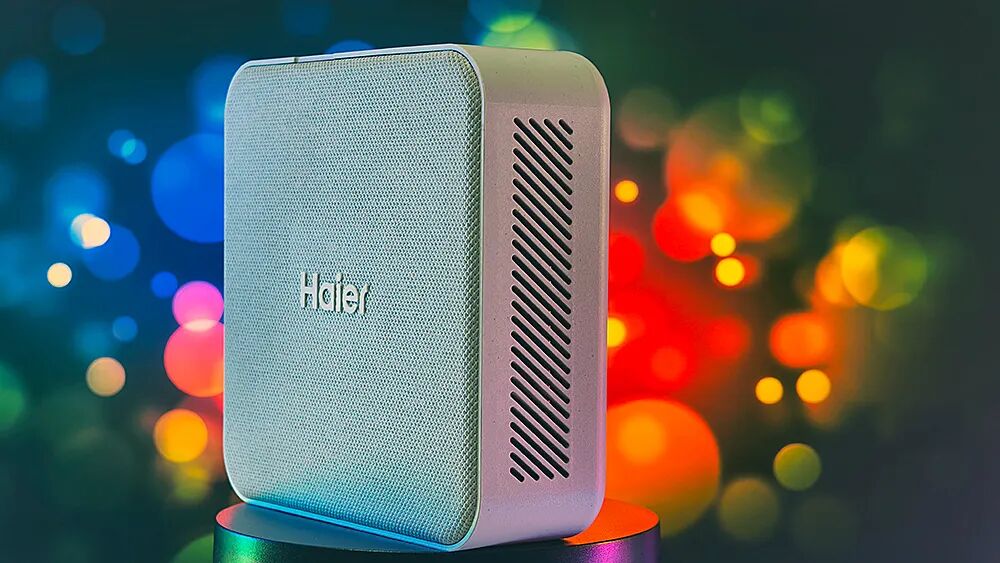
The key point is that this mini PC, with a standard configuration of 16GB memory and 512GB hard drive, full-featured USB4, dual 2.5G network ports, dual hard drive slots, minimalist stylish design, and waterproof fiber top cover, is very competitive at a price of less than 2000 yuan during the Double 12 shopping festival (actual price 1969 yuan with a 30E card), making it a top choice for non-gaming households and office users.
Recently Recommended Products:
 |
 |
| Wujie 14 Pro Ryzen Version
14-inch 2.8K 120Hz Ryzen 7 7840HS Dual slots 2 M.2 54W 17mm/60Wh/1.47kg |
HP Rui Pro 14 Ryzen Version
14-inch 2.5K 120Hz Ryzen 7 7840H Onboard memory 1 M.2 18.9mm/68Wh/1.55kg |
|
|
Acer Extraordinary Go Fun 16-inch FHD N100 Onboard 1 M.2 18.7mm/45.6Wh/1.76kg |
| Acer Predator Helios Neo
16-inch 2.5K 165Hz Up to i9-13900HX (100W) RTX 4050/4060 (140W) 2 M.2, dual bake 175W |
Dragon 16 Pro 16-inch 2.5K 165Hz Ryzen 7745HX~7945HX RTX 4060 (140W) 2 M.2, dual bake 180W+ |
 |
 |
|
Minfan UM780XTX Volume: 1L Ryzen 7 7840HS (70W) Memory: 2 DDR5 Storage: 2 M.2 RGB lighting, Ouclink |
Jihuo IT13 Volume: 0.62L i9-13900H Memory: 2 DDR4 2 M.2, 1 2.5-inch Also available in i5 and i7 options |
 |
 |
 |
| Xiaomi 14 Series | iQOO 12 Series | vivo X100 Series |
The end of the article. If you find this well-written or see products you like, ordering through the above methods is the greatest support for the author 🙂