Source: Internet of Things Space; organized and published by the “Chongqing Internet of Things Industry Association”.
Overall Process for Connecting to China Telecom IoT Open Platform
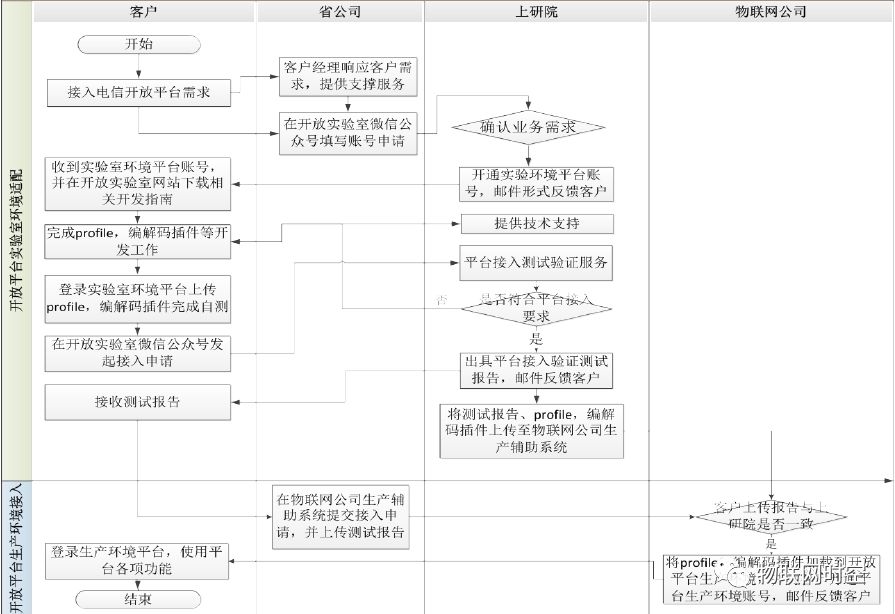
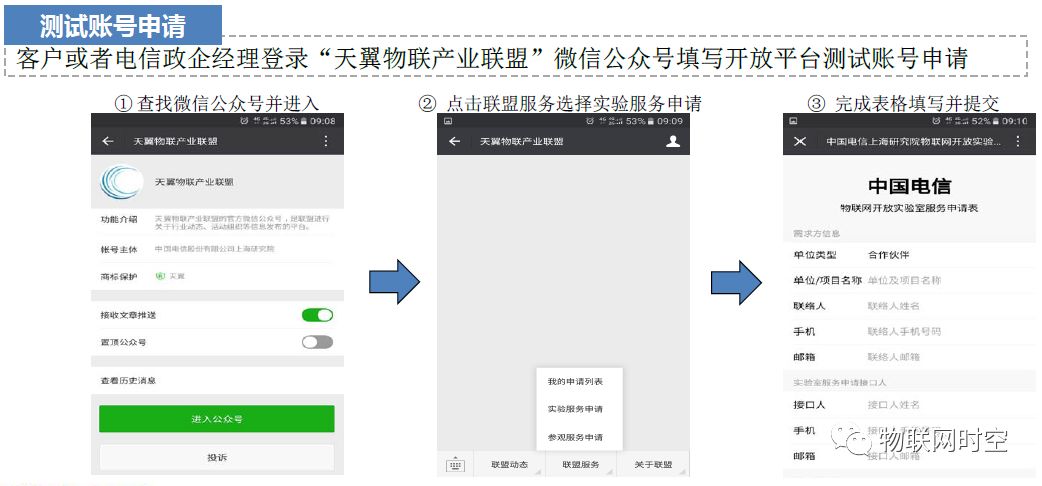
1. Fill in Account Application on the Open Lab WeChat Official Account
2. Open Lab Activates SP Account for Testing Environment Platform
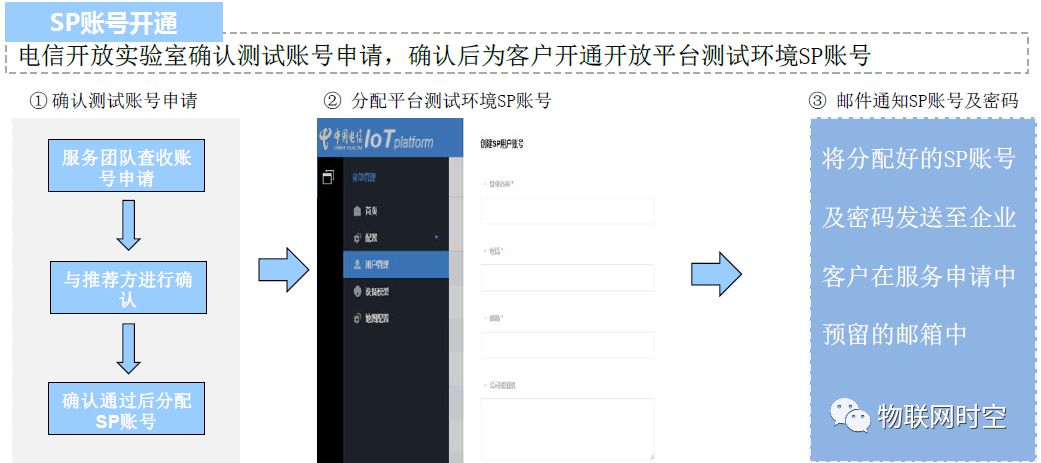
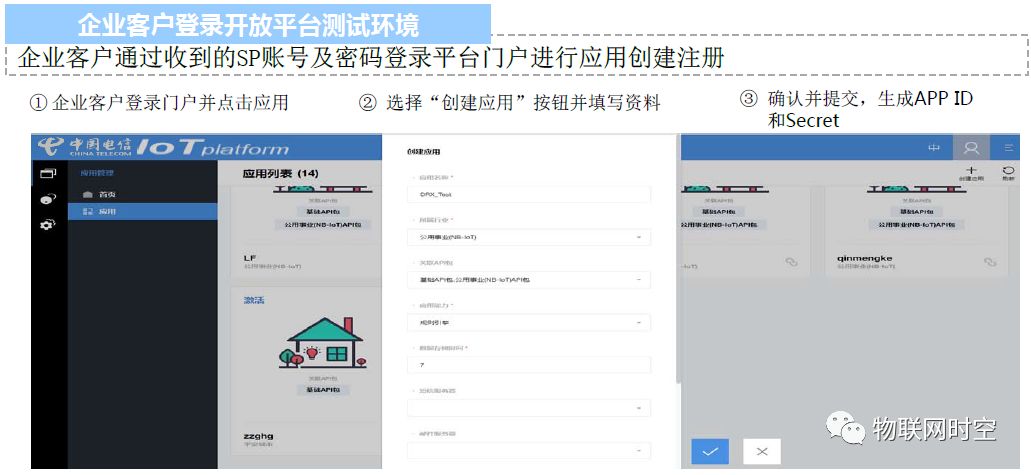
3. Enterprise Clients Log into the Open Platform Testing Environment
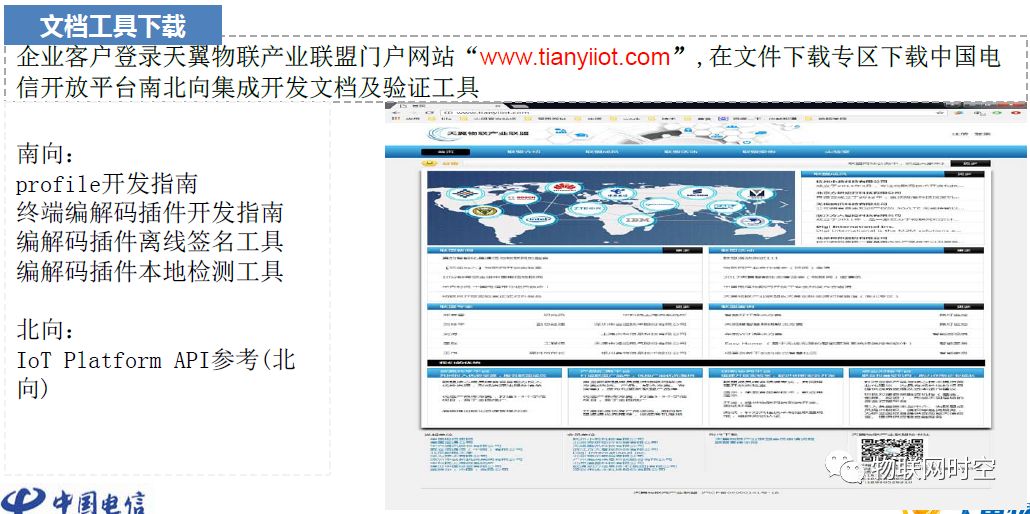
4. Download Relevant Development Guidelines from the Open Lab Website
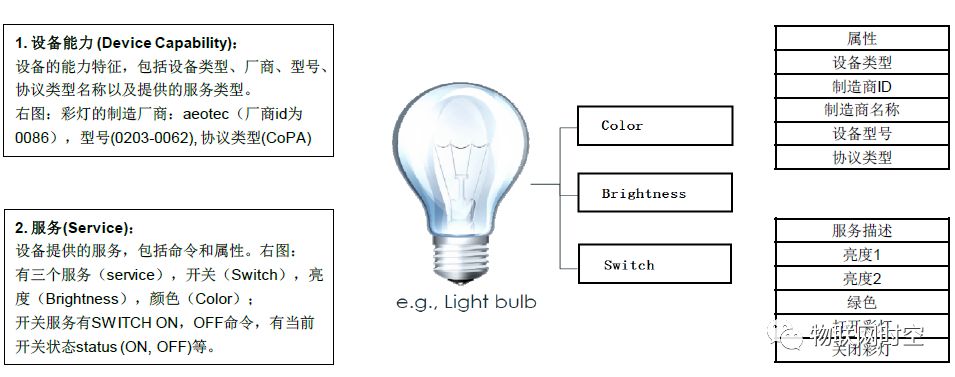
5. Prepare Profile File
The Profile file of the device describes what the device is, what it can do, and how to control it. It mainly includes descriptions of device capabilities and service capabilities, used for application management of the device.
6. Develop Codec Plugin
The codec plugin implements language conversion between devices and applications. Steps for developing and loading the codec plugin:
-
Obtain the plugin development guidelines and demo
-
Set up the development environment
-
Enterprises refer to the plugin development guidelines to complete plugin development
-
Obtain local testing tools to check plugin legality
-
Obtain offline signing tools to sign the plugin package offline
-
Load the plugin package and public key onto the platform
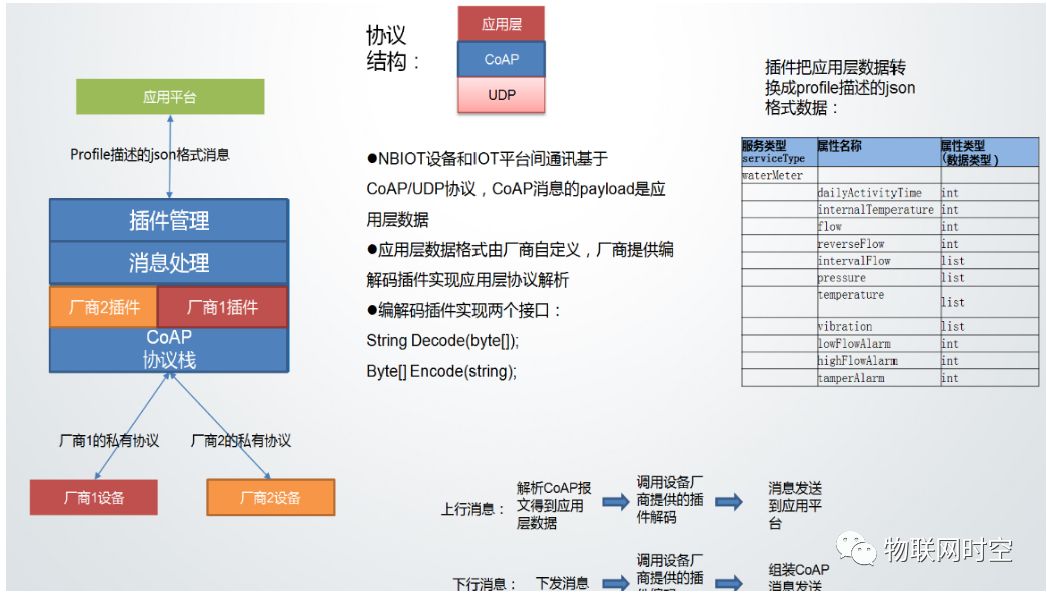
7. Upload Profile to the Lab Platform Account
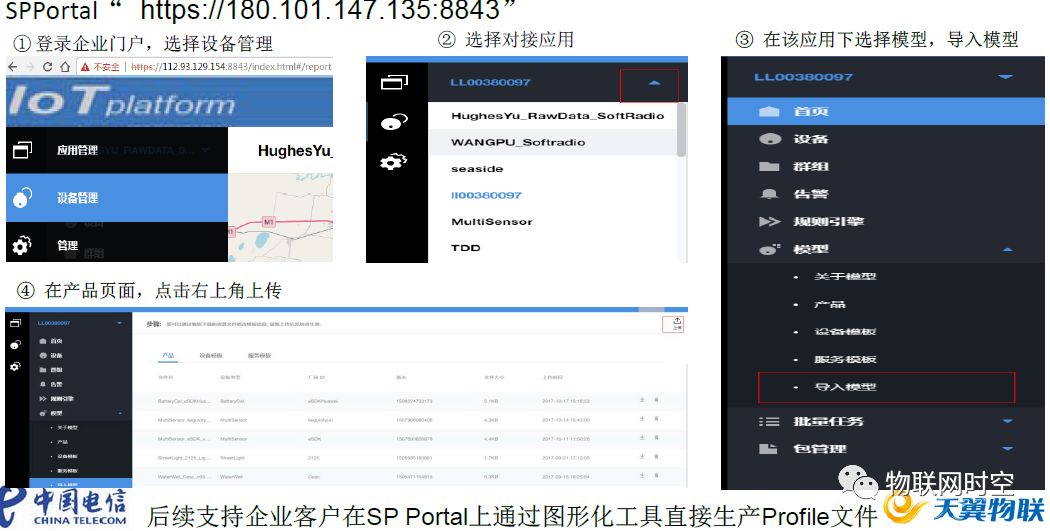
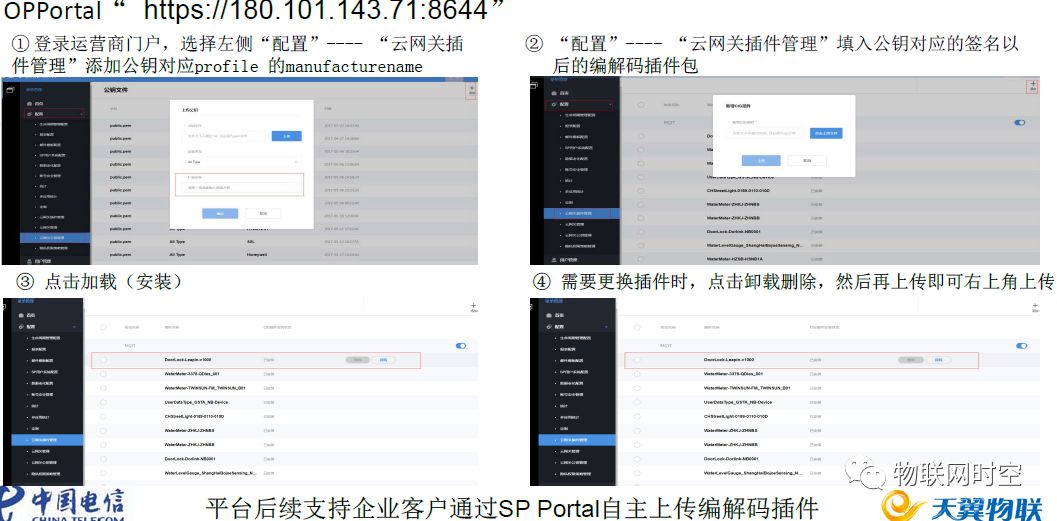
8. Upload Codec Plugin to the Lab Platform Account
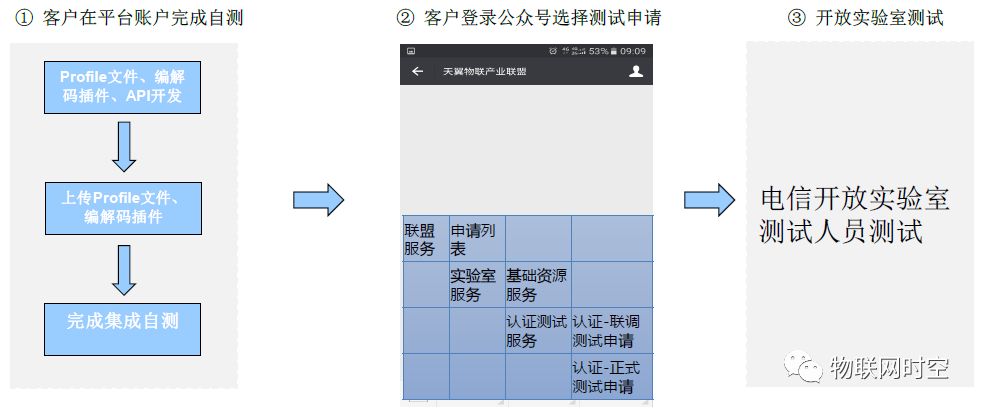
9. Initiate Test Application on the Open Lab WeChat Official Account
10. Feedback Test Report
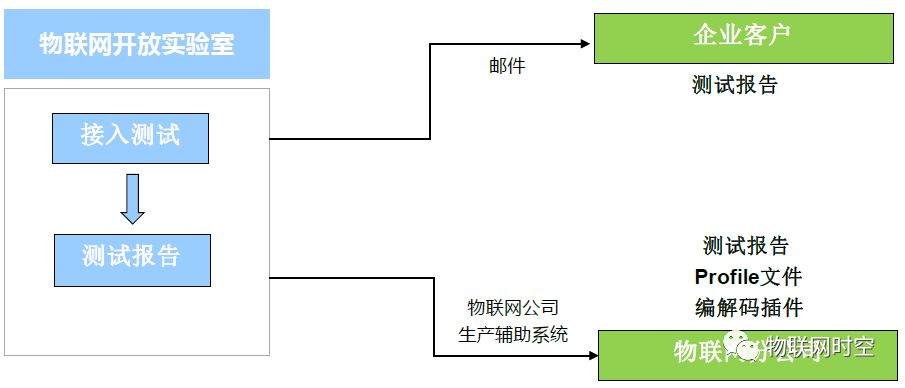
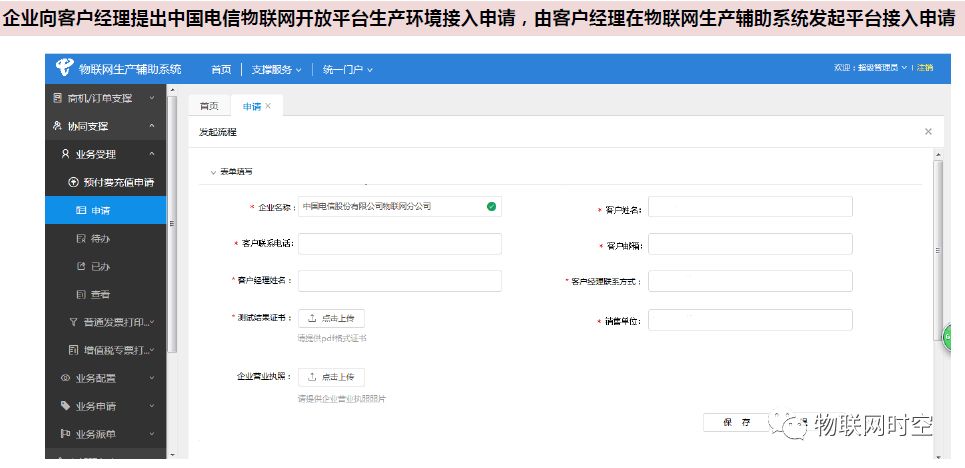
11. Submit Production Platform Access Application in the IoT Company Production Support System and Upload Test Report
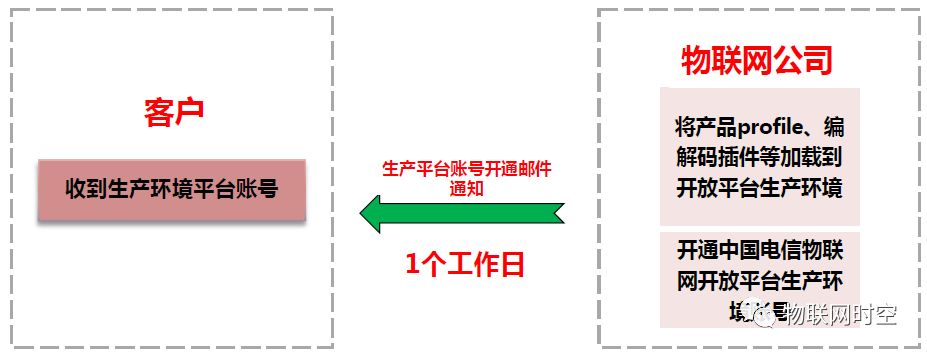
12. Receive Production Environment Platform Account
13. Log in and Use Production Platform (1/5)
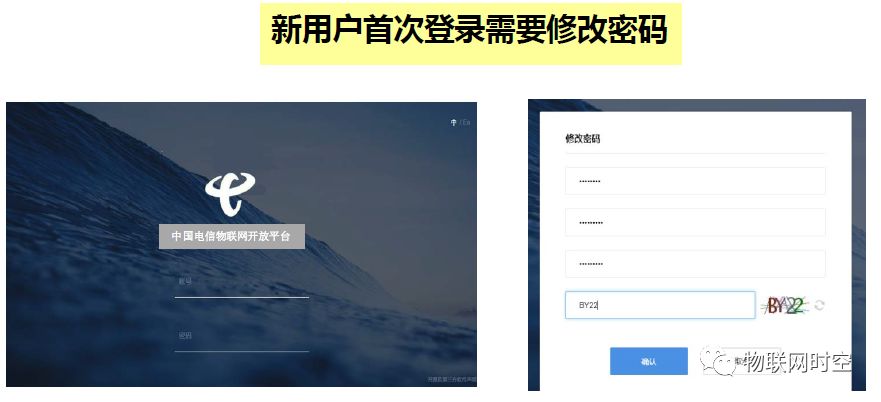
13. Log in and Use Production Platform (2/5)
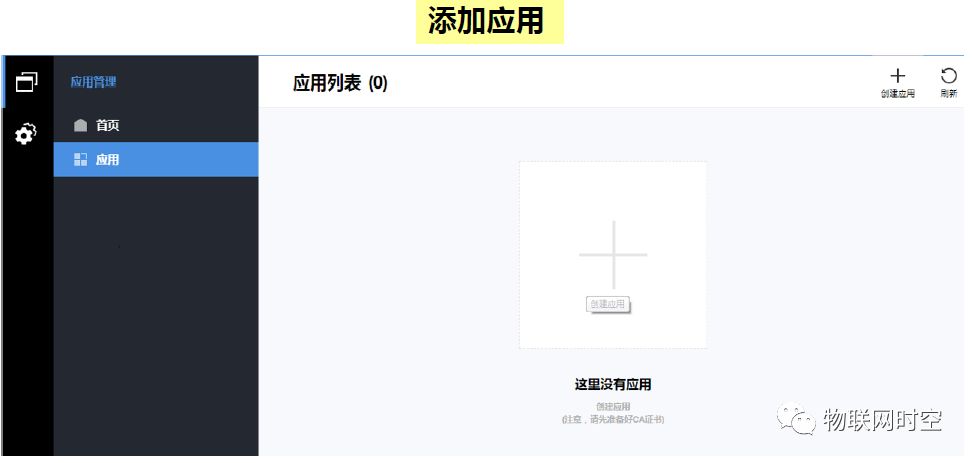
13. Log in and Use Production Platform (3/5)
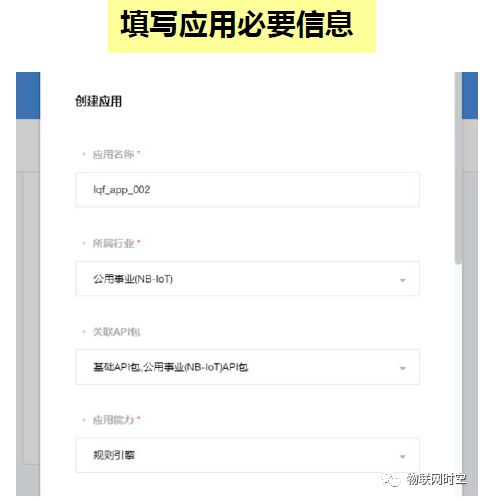
13. Log in and Use Production Platform (4/5)
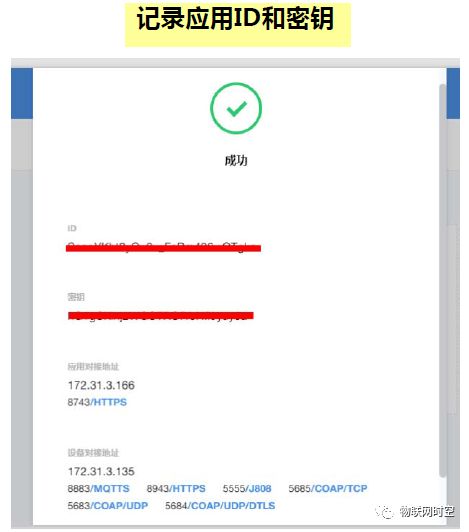
13. Log in and Use Production Platform (5/5)